Category: 3D Technology

  • Tripo Studio’s AI Tools Bring Data-Driven Precision to 3D Creation

    Tripo Studio’s AI Tools Bring Data-Driven Precision to 3D Creation

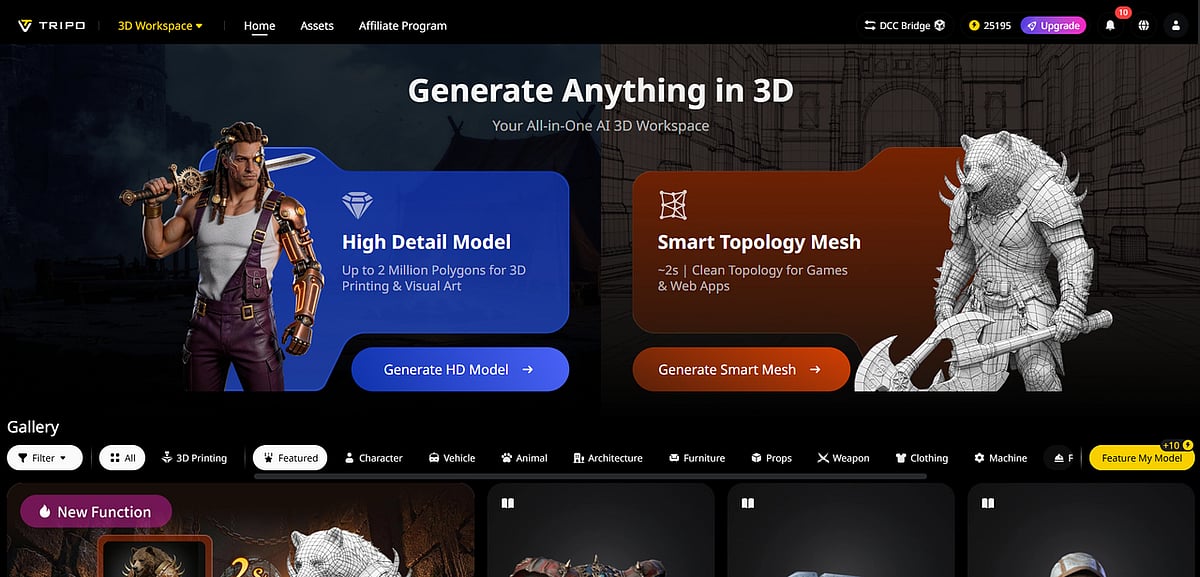
    For years, 3D modeling has been a painstaking, manual process prone to inconsistencies and human error. Tripo Studio aims to change that with an AI-powered platform that uses machine learning to automate and optimize the entire workflow. By relying on data rather than subjective manual judgment, Tripo Studio delivers high-fidelity 3D models that are accurate, repeatable, and production-ready.

    Core Features: AI-Powered Tools for Consistent 3D Assets

    Tripo Studio offers six core features built on advanced machine learning and computer vision, each designed to eliminate guesswork and reduce manual labor:

    • Text-to-3D Model – Generate precise 3D models from text prompts using natural language processing. Ideal for researchers and product developers who need rapid prototyping from descriptions.
    • Image to 3D Model – Convert 2D images into 3D models while preserving exact measurements, textures, and details. Computer vision ensures pixel-perfect accuracy.
    • AI Model Segmentation – Automatically divide a 3D model into editable parts by detecting object boundaries and relationships, saving hours of manual work.
    • AI Retopology – Clean and optimize 3D geometry to industry standards automatically, making models ready for animation, rendering, or AI training without extra cleanup.
    • AI Texturing – Apply realistic textures based on real-world material data, ensuring consistent and accurate surface appearance.
    • AI Rigging – Automatically create animation-ready rigs from model geometry, eliminating trial-and-error manual rigging.

    Practical Use Cases for Data-Driven Teams

    Tripo Studio integrates seamlessly into various professional workflows. AI research teams use it to generate high-quality 3D assets for training datasets. Product development teams create precise prototypes. Medical and scientific researchers model biological structures or devices with exceptional accuracy. Tech companies scale consistent 3D asset creation without needing large dedicated teams.

    Why Tripo Studio Stands Out

    Traditional 3D tools depend heavily on user skill, leading to variable results. Tripo Studio’s data-driven, machine-learning approach ensures consistent output regardless of operator experience. Models are generated in seconds, and tedious manual corrections are drastically reduced. This allows professionals to focus on high-level decisions rather than repetitive tasks.

    Quick Tutorial: Create a 3D Asset in 5 Steps

    1. Sign up for Tripo Studio’s free trial and log in.
    2. Choose “Text to 3D” and enter a detailed prompt (e.g., “mechanical gear with 5mm teeth and 20mm diameter”) or upload a 2D technical image.
    3. Click “Generate” – the AI creates a precise 3D model in about 5 seconds.
    4. Use AI Model Segmentation to split the model into editable parts and AI Texturing to apply data-backed textures.
    5. Export in industry-standard formats for research, product development, or AI training.

    Ready to transform your 3D workflow? Sign up for Tripo Studio’s free trial today and experience the precision of AI-powered 3D creation.

  • Cloud Render Farms for 3ds Max and Cinema 4D: How Workflows Are Evolving

    Cloud Render Farms for 3ds Max and Cinema 4D: How Workflows Are Evolving

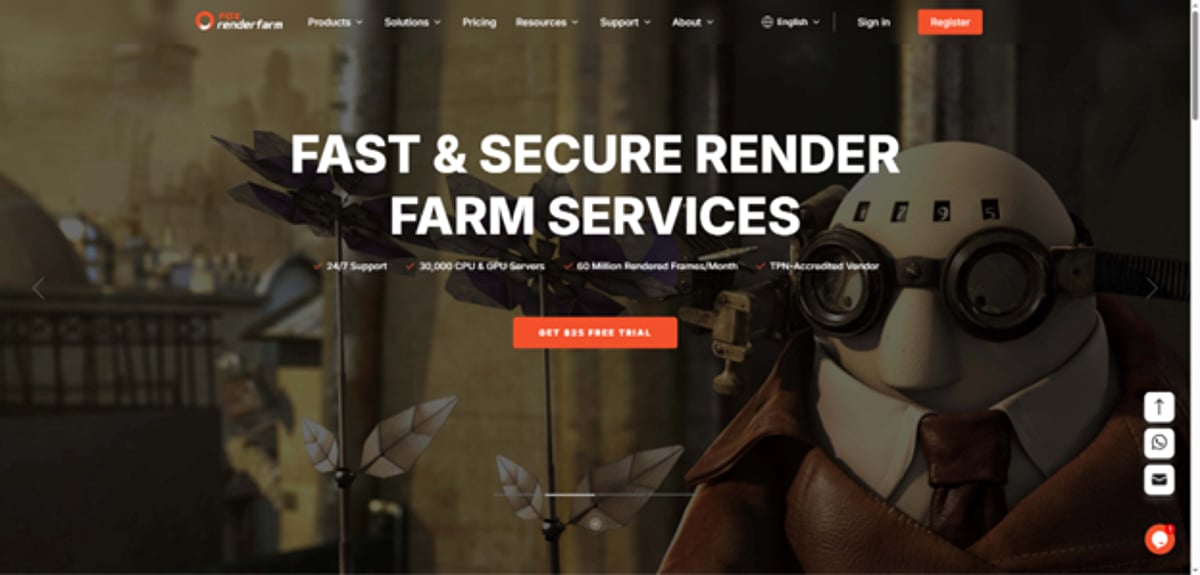
    Cloud render farms for 3ds Max and Cinema 4D have moved from an occasional option to a standard production infrastructure, with the global 3D rendering market projected to reach nearly $14 billion by 2031. Managed farms like Fox Renderfarm run 30,000+ nodes with TPN accreditation from the Motion Picture Association, making them suitable for confidential commercial and film work. Both CPU engines (V-Ray and Corona) and GPU engines (Redshift and OctaneRender) are supported under a single account.

    Why 3ds Max and Cinema 4D Artists Can’t Outrun Local Hardware Anymore

    Your workstation is a bottleneck. Not because it’s slow, but because complex 3ds Max scenes with Forest Pack vegetation, V-Ray GI, and 4K textures can push a single frame past 45 minutes. A 300-frame walkthrough at that rate takes eight days locally, and the machine is unavailable the entire time.

    Cinema 4D users run into the same problem from a different angle. Redshift’s GPU rendering is fast per frame, but VRAM is finite. Pack too many 8K textures into a scene, and the renderer throws a “Failed to allocate necessary GPU memory” error. The scene crashes. You don’t get a slow render; you get nothing.

    Cloud render farms address both problems the same way: more nodes, more concurrency. Instead of one machine grinding through frames in sequence, you get dozens rendering at once.

    Does the Shift to Cloud Really Change How Artists Work Day-to-Day?

    Mostly no, and that’s the point. You still build in 3ds Max or Cinema 4D locally and set up lighting, materials, and cameras the same way, and the farm only touches the final rendering step.

    What changes is the creative rhythm. When a 300-frame job finishes in three hours instead of eight days, revision cycles become practical. A client asks for a different time-of-day lighting pass at 4 PM. Without a render farm, that’s a problem. With one, it’s a two-hour turnaround.

    The other change is hardware economics. An RTX 4090 costs roughly $1,600 at retail. A multi-GPU render server runs $5,000 or more and depreciates on a three-year cycle. Cloud farms turn that capital expense into a per-job cost. For freelancers and small studios, that’s the calculation that tends to decide things.

    What Makes a 3ds Max Render Farm Submission Fail

    You’d think “upload the scene and press render” would be simple. It isn’t. Most failures come from the same four places.

    Missing or broken asset paths. A .max file doesn’t contain textures. It stores references to them. If those references use absolute local paths (C:UsersMariaTextures), farm nodes find nothing, and you get black frames or missing materials. Run 3ds Max’s Asset Tracker (Shift+T) before submitting. Every asset should show a green “OK” status. “Found” is not the same as “OK.” “Found” means the file was located through a search path that won’t exist on farm nodes.

    Custom Corona LUT files. This trips up even experienced artists. Custom LUT files don’t appear in the Asset Tracker at all, and the built-in File > Archive function won’t capture them. You submit the scene, the farm renders it, and the color grade is wrong because the LUT is missing. The fix is to copy the LUT file into the project folder and switch to a relative path before archiving.

    Plugin version mismatches. 3ds Max renders fail silently when the farm runs a different sub-version of V-Ray, Corona, or Forest Pack than you used locally. The scene opens without errors, then geometry is wrong, materials revert, or GI settings change without any warning. Check the farm’s published compatibility list against your exact plugin version, not just the major version number.

    Forest Pack library paths. Forest Pack stores asset libraries in Windows Documents folders by default, and render farm nodes have no access to those paths. Move your libraries to a UNC network path and update Forest Pack preferences before archiving. Forest Pack’s own render farm guide documents this, but most artists discover it on a live job.

    How to Prepare a 3ds Max Scene for the Farm Without Losing a Frame

    This checklist covers most of what goes wrong at submission:

    • Open Asset Tracker (Shift+T). Fix any non-green asset status before doing anything else.
    • Move Corona custom LUTs into the project folder. Update the LUT path to relative.
    • Check your Forest Pack library paths. Switch to UNC if they point to a local drive.
    • Confirm plugin versions match the farm’s compatibility list exactly, including sub-version.
    • Run File > Archive to collect the scene and assets into a .zip file.
    • Do a local test render of frames 1, 50, and 100 at low resolution. If it fails locally, it fails on the farm, and you’ll spend credits finding out.
    • For animations: switch V-Ray GI to Brute Force for both primary and secondary bounces.

    That last point needs explaining. The Irradiance Map calculates lighting independently on each node. Minor variations between nodes add up to visible flicker between animation frames. Brute force GI is slower per frame but produces consistent results across distributed nodes. For stills, the irradiance map is fine. For animations on a render farm, it isn’t.

    Why Cinema 4D Render Farm Workflows Break Differently

    Cinema 4D has better asset management tooling than 3ds Max, but that doesn’t mean fewer failure modes. They’re just different ones.

    The biggest is VRAM. Redshift’s core production advantage remains GPU-based, and VRAM is a key limitation. When a scene exceeds a GPU’s available VRAM, Redshift either crashes or falls into out-of-core rendering, which still finishes but at severely reduced performance. A scene that runs fine on your local RTX 4080 (16 GB VRAM) may silently overflow on farm nodes with less memory. Always check the farm’s GPU specs before submitting a heavy scene, specifically the VRAM per card. Some farms run RTX 5090 nodes with 32 GB of GDDR7, which handle most production scenes without issue.

    The second common failure point is uncached simulations. X-Particles simulations need to be fully cached to disk before farm submission. Farm nodes can’t run live simulations; they only render cached data. If your cache isn’t baked, the simulation either disappears entirely or renders as a default object. This is the Cinema 4D equivalent of missing textures in 3ds Max, and it happens regularly with motion graphics scenes.

    The Takes system creates its own submission trap. Cinema 4D’s Takes system lets you store multiple render configurations (different cameras, lighting setups, resolutions) in one file, but not every farm handles multi-take submissions automatically. Some require submitting each take as a separate job. If you build a 12-take project and the farm doesn’t support batch-take submission, you’re manually queuing 12 jobs at 2 AM before a deadline.

    Which Render Engines Work on Farm Nodes for C4D and 3ds Max?

    The engine you use determines which farm nodes you can access and how billing works.

    Fox Renderfarm bundles both CPU and GPU engine licensing into their compute costs, which simplifies billing and removes a common source of confusion for first-time farm users.

    What’s Actually Driving Studios to Cloud Rendering Right Now

    The business case has been building steadily in recent years. A few things are driving it.

    Remote teams changed the equation. Production pipelines are frequently distributed across multiple cities. A render server in one office doesn’t help an artist in another country. A cloud render farm works from anywhere with internet access and credentials.

    Project volume also varies more than fixed hardware can absorb. Studios that own render hardware have to size it for peak demand, and most of the time, that hardware sits half-used. Cloud farms scale with the workload.

    Market data follows the same direction. The global 3D rendering market is projected to reach nearly $14 billion by 2031. GPU rendering held a majority share of that market in recent years and was gaining ground. Cloud GPU infrastructure investment is following that curve.

    Should You Use a Managed Farm or a Self-Service Platform?

    These are structurally different products, and the choice matters more than most comparison articles let on.

    A managed farm handles job submission, scene analysis, resource allocation, and delivery. You upload the scene; the farm validates compatibility, assigns nodes, and returns finished frames. You don’t need SSH access or driver knowledge. The tradeoff is less direct control over individual nodes. Fox Renderfarm operates this way.

    A self-service platform gives you remote desktop or SSH access to individual GPU nodes. You install software, configure settings, and run jobs directly. More control, more responsibility. If something breaks, you debug it on the clock.

    For most freelancers and small studios, managing is the right call. The time saved on troubleshooting offsets the price difference. The artists who benefit most from self-service are those at large studios with dedicated pipeline engineers and highly customized software stacks that standard farm environments won’t support.

    How Does TPN Accreditation Actually Protect Your Client Files?

    TPN (Trusted Partner Network) accreditation, operated by the Motion Picture Association, means the facility has passed an independent security assessment covering data transmission, access controls, physical security, and handling procedures for confidential content. Studios and agencies use it to vet vendors before sending unreleased work.

    Fox Renderfarm holds TPN accreditation alongside ISO 27001 certification. For commercial work, film projects, or anything under NDA, this is the practical minimum to verify before uploading. Farms without TPN accreditation aren’t necessarily insecure, but they haven’t been independently assessed.

    3 Signs Your Project Actually Needs a Render Farm Right Now

    Not every project needs a farm, but these three tend to settle the question.

    • A single frame takes more than 20 minutes locally. At that rate, a 250-frame sequence is an 87-hour local render job. Four days with the machine occupied.
    • Your scene crashes with VRAM errors. If Redshift or Octane throws “Failed to allocate GPU memory” on your workstation, the scene is too heavy for local hardware. Cloud nodes with higher VRAM are the practical solution.
    • The deadline was moved earlier by 48 hours. You can’t speed up local hardware. With a cloud farm, you can scale from 5 nodes to 50 and absorb the crunch.

    Cloud rendering is the wrong call for iterative lookdev and lighting tests. Use V-Ray IPR, Redshift’s RenderView, or Arnold’s interactive mode locally for that. The farm is for final frames.

    Why Fox Renderfarm Works for Both 3ds Max and Cinema 4D Pipelines

    Most artists work in one application. Studios often work in several. A single farm that handles both pipelines under one account reduces overhead.

    Fox Renderfarm has supported 3ds Max and Cinema 4D across a wide range of versions over the years. On the 3ds Max side, they cover V-Ray, Corona, Arnold, Redshift, and FStorm, along with plugins including Forest Pack, RailClone, FumeFX, Phoenix FD, TyFlow, and Anima. For Cinema 4D, supported engines include Redshift, OctaneRender, Arnold, V-Ray, and Corona. The C4D plugin list covers X-Particles, TurbulenceFD, Forester, Laubwerk, and the Greyscalegorilla Plus suite.

    Their hardware includes 30,000+ CPU nodes with high core counts and substantial RAM per node, as well as GPU nodes running current-generation NVIDIA hardware with high-VRAM configurations. Support runs 24/7 with a fast live response target. When a job fails before a morning delivery, having someone available to help is worth more than most other farm features.

    Where Cloud Rendering Actually Falls Short

    Cloud rendering doesn’t fix a broken scene. If your scene crashes locally, it crashes on the farm, and you pay credits for the attempt. Run a local test render of a small frame range first. This isn’t optional; it’s the single most important step in the submission workflow.

    Upload time is a real cost. A 3ds Max archviz scene with high-res textures can be 20–40 GB. Uploading that on a standard home connection takes hours. Artists on residential internet need to plan upload time into their schedules.

    Cloud rendering is also the wrong tool for interactive deliverables. If a client wants a real-time walkthrough rather than a pre-rendered animation, Twinmotion or Unreal Engine 5 is the answer. A render farm can’t help there.

    Key Takeaways

    • For animations in 3ds Max + V-Ray, switch GI to Brute Force before farm submission. The irradiance map flickers across distributed nodes, and there’s no workaround short of reprocessing.
    • Redshift’s core production advantage remains GPU-based, and VRAM capacity is a key constraint. If your Cinema 4D scene exceeds the farm’s GPU VRAM, performance can collapse significantly. Check VRAM specs before submitting heavy scenes.
    • TPN accreditation from the Motion Picture Association is the practical benchmark for farm security on confidential client work.

    Conclusion

    3ds Max and Cinema 4D artists are hitting hardware ceilings earlier, working on larger projects with tighter timelines, and splitting work across distributed teams. A render farm solves the compute problem. It doesn’t fix a bad scene, a missing asset path, or a wrong GI setting. Those come back from the farm exactly the way they went in. Know the failure modes specific to your pipeline before you submit, and use a farm that picks up the phone when something goes wrong at midnight.

    FAQs

    Does using a Cinema 4D render farm require a separate Redshift license?
    Yes. Your Maxon Cinema 4D + Redshift subscription covers local machines only. The render farm provides its own Redshift licenses for cloud rendering. Fox Renderfarm bundles engine licensing into compute costs, so you’re not billed separately. Confirm this before submitting; some farms charge per-license fees on top of node costs.

    What causes flickering in 3ds Max animated renders on a farm?
    Irradiance Map GI calculates independently on each distributed node. Minor variation between nodes accumulates into a visible flicker between frames. The fix is switching V-Ray to Brute Force GI for both primary and secondary bounces before submitting to a 3ds Max render farm. Brute force is deterministic across nodes; the irradiance map is not.

    How much does cloud rendering cost compared to buying hardware?
    Pricing on cloud render farms varies and can change over time, so always check the farm’s current rate card directly. The general comparison still holds: for project-based work, paying per job typically comes out ahead of purchasing and depreciating dedicated hardware, especially for freelancers and small studios without a steady render queue.

    What is TPN accreditation, and why does it matter for render farms?
    TPN (Trusted Partner Network), operated by the Motion Picture Association, is an independent security certification for facilities handling entertainment industry content. Farms with TPN accreditation have passed assessments covering data transmission, access controls, and confidential content handling. Fox Renderfarm holds TPN accreditation. For client work under NDA, it’s the practical baseline to verify.

    Can I submit Cinema 4D Takes as a single farm job?
    It depends on the farm. Cinema 4D’s Takes system stores multiple render configurations in one file, but not every render farm handles multi-take batch submission automatically. Some require submitting each take as a separate job. Check the farm’s documentation before building a multi-take project.

  • Best VR Headset Deals for Weekend Sales at Walmart and Amazon (2026)

    Best VR Headset Deals for Weekend Sales at Walmart and Amazon (2026)

    This weekend’s VR sales bring notable discounts on popular gaming headsets. Walmart and Amazon are offering competitive pricing alongside bonus content, making it the perfect time to buy. Standalone and console VR options both have strong promotions, and buyers have multiple ways to maximize value.

    What Makes a VR Deal Worth Taking

    A lower sticker price is only part of the story. The most important number is the effective value after bundle contents are factored in. A headset that includes a major game and a three-month subscription trial at a modest discount often outperforms a cheaper headset shipped with nothing.

    Four questions cut through the noise: What does the bundle actually include? Is the headset standalone or console-dependent? Which hardware generation is it? Does either retailer add store credit or extras on top? Running through these before purchasing turns a confusing sales page into a clear decision.

    Best Overall Deal: Meta Quest 3S

    The Meta Quest 3S 128GB is the weekend VR sale benchmark. Walmart has offered it at $250, bundled with Batman: Arkham Shadow and a three-month Meta Horizon+ subscription trial. That combination puts a critically acclaimed AAA VR title and access to the games library alongside a fully wireless standalone headset for less than the price of most gaming consoles.

    The Quest 3S runs on the Snapdragon XR2 Gen 2 chip with 8GB of RAM, the same core hardware as the full-spec Quest 3. It needs no PC, no console, and no additional setup. For first-time VR buyers, that frictionless entry is the most compelling part of the deal.

    Best Premium Standalone: Meta Quest 3

    The Quest 3 sits above the 3S at a higher price, and the upgrade is visible the moment the headset goes on. It features Meta’s pancake lenses, which deliver sharper clarity across a wider field of view with precise interpupillary distance adjustment. For daily VR users or anyone who spends extended time in a headset, the optical quality matters.

    The price gap between the two models narrows when the Quest 3S is at full price, and the Quest 3 catches a weekend sale discount. Checking both simultaneously on sale day is worth the extra minute. The Quest 3 is the right call for buyers who plan to get serious about VR.

    Best Console VR Deal: PSVR 2

    Sony did not raise PSVR 2 pricing when Meta adjusted its lineup. The headset currently sits at roughly $399, and the memory crisis that pushed standalone headset costs up did not affect PSVR 2. It is not a standalone computer—it borrows all its processing from a PlayStation 5 the buyer already owns.

    For PS5 owners, that $399 price represents genuine value. The OLED display, eye tracking, headset haptics, and foveated rendering make it the most technically capable console VR experience available. Walmart has offered PSVR 2 in-game bundles during past sale events. The caveat: without a PS5 already, the real entry cost climbs close to $900.

    Best Budget Entry: Meta Quest 2

    The Quest 2 is the starter option for buyers whose primary goal is getting into VR at the lowest possible cost. It is an older generation with a narrower display and less processing headroom, but it runs a broad VR game library and has appeared at Walmart with store credit bundled alongside it. Frame it as the entry door, not the destination.

    VR Accessories Worth Adding

    Some of the sharpest weekend VR sale savings appear in accessories rather than headsets. Elite head straps improve comfort on long sessions. Charging docks eliminate cable hunting. Carrying cases protect hardware between uses. A well-chosen accessory bundle at sale pricing can add more practical value than a small headset price reduction.

    Walmart vs Amazon: Where the Better Value Usually Lives

    Walmart tends to win on bundle construction—free games, subscription trials, and occasional gift card bonuses make its VR listings worth reading carefully. Amazon competes on headline discounts and restocks faster during sale periods. Checking both on the same day during a weekend VR sale often surfaces a clear winner.

    Choosing the Right Deal

    The decision framework is simple: PS5 owners should look seriously at PSVR 2 bundles at Walmart. Buyers who want wireless VR with no additional hardware should target the Quest 3S at sale pricing. Anyone prioritizing the lowest entry cost should consider the Quest 2 with store credit added. In every case, bundle contents and platform compatibility matter more than the headline discount.

    Final Thoughts

    Weekend sales on Walmart and Amazon continue to be one of the best opportunities to find savings on VR headsets. The most attractive offers will often feature compelling bundles alongside competitive pricing. Compare the full package instead of focusing solely on the discount to see the best overall value.

  • Additive Manufacturing: MIT Research and Innovations in 3D Printing

    Additive Manufacturing: MIT Research and Innovations in 3D Printing

    Additive manufacturing, commonly known as 3D printing, is revolutionizing production across industries. MIT researchers are at the forefront of developing new techniques, materials, and applications for additive manufacturing, from drug-delivery microparticles to fully 3D-printed electronics and rocket components.

  • MIT Accounting Research: Insights into Investor Behavior, Corporate Disclosures, and Global Rankings

    MIT Accounting Research: Insights into Investor Behavior, Corporate Disclosures, and Global Rankings

    Inspiring Student Growth

    Professors Xiao Wang and Rodrigo Verdi have been honored as “Committed to Caring” for their dedication to student development. June 30, 2025

    Playing a New Tune

    After stepping away from a family bagpiping tradition, Andrew Sutherland forged a new path as an innovative business scholar, making notable contributions to accounting research. September 24, 2024

    MIT Tops QS World University Rankings for 2021-22

    For the 10th consecutive year, MIT has been ranked the world’s No. 1 university, also placing first in 12 subject areas. June 8, 2021

    QS World University Rankings: MIT No. 1 in 12 Subjects for 2021

    The Institute ranked second in four additional subject areas. March 3, 2021

    MIT Named World’s Top University for 2020-21

    Securing the No. 1 spot for the ninth straight year, MIT also led in 12 subject areas. June 9, 2020

    QS World University Rankings: MIT No. 1 in 12 Subjects for 2020

    The Institute ranked second in five subject areas. March 3, 2020

    MIT Tops Global University Rankings for 2019-20

    For the eighth consecutive year, MIT was ranked first overall and led in 11 of 48 disciplines. June 18, 2019

    QS World University Rankings: MIT No. 1 in 11 Subjects for 2019

    The Institute placed within the top two in 17 of 48 subject areas. February 26, 2019

    MIT Professor Uncovers Secrets to Better Investing

    MIT Sloan’s Eric So sheds new light on investor behavior and stock market dynamics. December 17, 2018

    Why Private Firms’ Accounting Disclosures Help the Economy Grow

    MIT’s Nemit Shroff studies how corporate accounting information enables managers to make better business decisions. November 3, 2018

    MIT Ranks No. 1 Globally for 2018-19

    For the seventh year in a row, MIT was named the world’s top university, leading in 12 of 48 disciplines. June 6, 2018

    MIT No. 1 in 12 Subjects in 2018 QS Rankings

    MIT ranked within the top five in 19 out of 48 subject areas. February 28, 2018

    Work Continues Toward a More Diverse, Inclusive MIT

    Many recommendations from black students made in 2015 have been implemented, and departmental discussions continue. February 7, 2018

    MIT Tops QS World University Rankings for 2017-18

    For the sixth straight year, MIT was ranked No. 1 overall and first in 12 of 46 disciplines. June 8, 2017

    MIT No. 1 in 12 Subjects in 2017 QS Rankings

    The Institute ranked within the top five for 19 of 46 subject areas. March 8, 2017

  • MIT’s Latest 3D Printing Breakthroughs: From Recycled Plastic Homes to Drug-Delivery Microparticles

    MIT’s Latest 3D Printing Breakthroughs: From Recycled Plastic Homes to Drug-Delivery Microparticles

    MIT researchers continue to push the boundaries of additive manufacturing with a series of groundbreaking innovations in 3D printing. From construction-grade trusses made from recycled plastic to microscopic magnetic robots, these developments promise to transform industries ranging from healthcare to architecture.

    Key Innovations

    Sustainable Construction

    MIT engineers have developed a method to 3D print floor trusses using recycled plastic, potentially revolutionizing home construction by reducing waste and material costs. This approach could make housing more affordable and environmentally friendly.

    Medical Breakthroughs

    A new 3D-printed device streamlines the production of drug-delivery microparticles, enabling efficient creation of three-layered particles at scale. Additionally, the MagMix magnetic mixer improves 3D bioprinting for scalable tissue manufacturing.

    Advanced Materials

    Researchers have created 3D-printed metamaterials that can be designed to stretch and fail in predictable ways, opening doors for printable textiles and functional foams. The PhysiOpt system combines generative AI with physics simulations to ensure 3D-printed personal items are durable for real-world use.

    Microscopic Robotics

    A new fabrication technique produces soft, microscopic structures with magnetically activated moving parts, enabling complex maneuvers at the microscale.

    Impact and Applications

    These innovations demonstrate MIT’s commitment to solving real-world challenges through 3D printing technology. From reducing construction waste to improving medical treatments, the potential applications are vast and transformative.

  • Latest Advances in 3D Imaging: From Brain Mapping to Tactile Models

    Latest Advances in 3D Imaging: From Brain Mapping to Tactile Models

    MIT News has published a series of groundbreaking articles on 3D imaging, covering innovations that range from whole-brain mapping to tactile 3D models. Researchers at the MIT Computer Science and Artificial Intelligence Laboratory (CSAIL) and other MIT labs are pushing the boundaries of what’s possible with three-dimensional visualization and printing.

    TactStyle: 3D Modeling You Can Feel

    Developed by CSAIL researchers, TactStyle uses image prompts to replicate both the visual appearance and tactile properties of 3D models. This system allows users to not only see a 3D object but also feel its texture, opening new possibilities for virtual reality and product design.

    Thermochromorph: Images That Transform Through Heat

    The Thermochromorph printmaking technique allows images to transition into each other through changes in temperature. This innovation, also from CSAIL, uses heat-sensitive materials to create dynamic prints that shift appearance based on environmental conditions.

    3D Imaging of Whole Human Brain Hemispheres

    Three innovations by an MIT-based team enable high-resolution, high-throughput imaging of human brain tissue at a full range of scales. This technology maps connectivity of neurons at single-cell resolution, providing unprecedented insights into brain structure and function.

    New Sensor Uses MRI to Detect Light Deep in the Brain

    Researchers have developed a sensor that uses MRI to detect light deep within the brain. This approach allows scientists to map how light spreads in opaque environments, with potential applications in optogenetics and brain imaging.

    Better Nasal Swab for COVID-19 Testing

    MIT spinout OPT Industries uses novel additive manufacturing systems to create intricately-designed nasal swabs for COVID-19 testing. The company’s 3D-printed swabs offer improved efficiency and comfort.

    Live Imaging of Brain Function

    A new live imaging method brings structure to mapping brain function. Scientists can now distinguish brain regions based on their activity and overlay information about their structural organization.

    Objects That Change Color Like a Chameleon

    CSAIL’s new reprogrammable ink uses light to change the color of objects. This technology mimics the color-changing abilities of chameleons, with potential applications in adaptive camouflage and dynamic displays.

    Creating 3D Images with Regular Ink

    MIT startup Lumii helps manufacturers replicate the visual effects of holograms on printed materials using standard ink. This innovation makes 3D imaging accessible for everyday products like packaging and security features.

    RePaint: Reproducing Paintings with Deep Learning and 3D Printing

    CSAIL’s RePaint system uses deep learning and 3D printing to faithfully recreate famous paintings. The system captures the texture and depth of original artworks, producing faithful reproductions.

    Glasses-Free 3D Movies at Home

    A CSAIL system converts 3D movies into a format that can be viewed without specialized glasses. This technology could bring immersive 3D entertainment to living rooms worldwide.

    Larger Scale Glasses-Free 3D Displays

    A prototype display enables viewers to watch 3D movies without glasses from any seat in a theater. This system uses a novel screen design to create a wide viewing zone.

    Fab By Example: Custom Designs at Your Fingertips

    CSAIL’s Fab By Example lets users quickly create thousands of custom designs for furniture, go-carts, and more. The system simplifies the design process, making 3D modeling accessible to non-experts.

    Illuminating Neuron Activity in 3D

    A new technique allows scientists to monitor the entire nervous system of a small worm in 3D. This method provides a comprehensive view of neural activity, advancing understanding of basic neural circuits.

    The Physics of Curly Hair

    Researchers developed the first detailed model for a 3D strand of curly hair. Understanding the physics behind hair curl could lead to new products in cosmetics and materials science.

    3D Scanning with Your Smartphone

    Startup Viztu Technologies developed commercial software that generated 3D models from 2D photos, before selling to a tech giant. This technology demonstrated the potential of smartphone-based 3D scanning.

  • MIT’s Latest Breakthroughs in 3D Technology: Augmented Reality, Bioprinting, and Holography

    MIT’s Latest Breakthroughs in 3D Technology: Augmented Reality, Bioprinting, and Holography

    MIT continues to push the boundaries of three-dimensional technology across multiple disciplines. From medical imaging to advanced manufacturing and computer vision, researchers at the institute are developing solutions that transform how we interact with the physical and digital worlds. Below is a curated overview of recent innovations in 3D technology from MIT labs.

    Medical and Health Applications

    An augmented reality system developed at MIT makes medical ultrasounds easier to interpret by generating a real-time 3D representation of the imaged object. Another project leverages machine learning to model fetal shape and movements in 3D, aiding doctors in detecting abnormalities. In bioprinting, the MagMix magnetic mixer enables scalable 3D printing of tissues, and a deep-learning model predicts cellular formation in fruit flies, potentially applicable to human tissues.

    Photonics and Manufacturing

    MIT engineers created tiny 3D photonic devices with features small enough to channel visible light, using a powerful shrinking technique. A new chip tests cooling solutions for stacked microelectronics, addressing overheating in 3D integrated circuits. Additionally, an AI agent called VideoCAD learns to create 3D objects from sketches, boosting design productivity.

    Robotics and Simulation

    PhysicsGen, a simulation-based pipeline, tailors training data for dexterous robots to handle items in homes and factories. A method for predicting forces needed to push objects through granular material can help drive robots or anchor ships. Smart textiles sense wearer activities like walking and running through fabric-embedded sensors.

    Computer Vision and Display Technology

    A new computer vision technique enhances 3D understanding from 2D images. Tensor holography uses artificial intelligence to generate 3D holograms in real-time, even on a smartphone, benefiting virtual reality and medical imaging. SeaSplat, a color-correcting tool, removes the effect of water in underwater scenes for more realistic 3D imagery.

    For the full collection of MIT news on 3-D, visit the original topic page.