Category: Enterprise Software

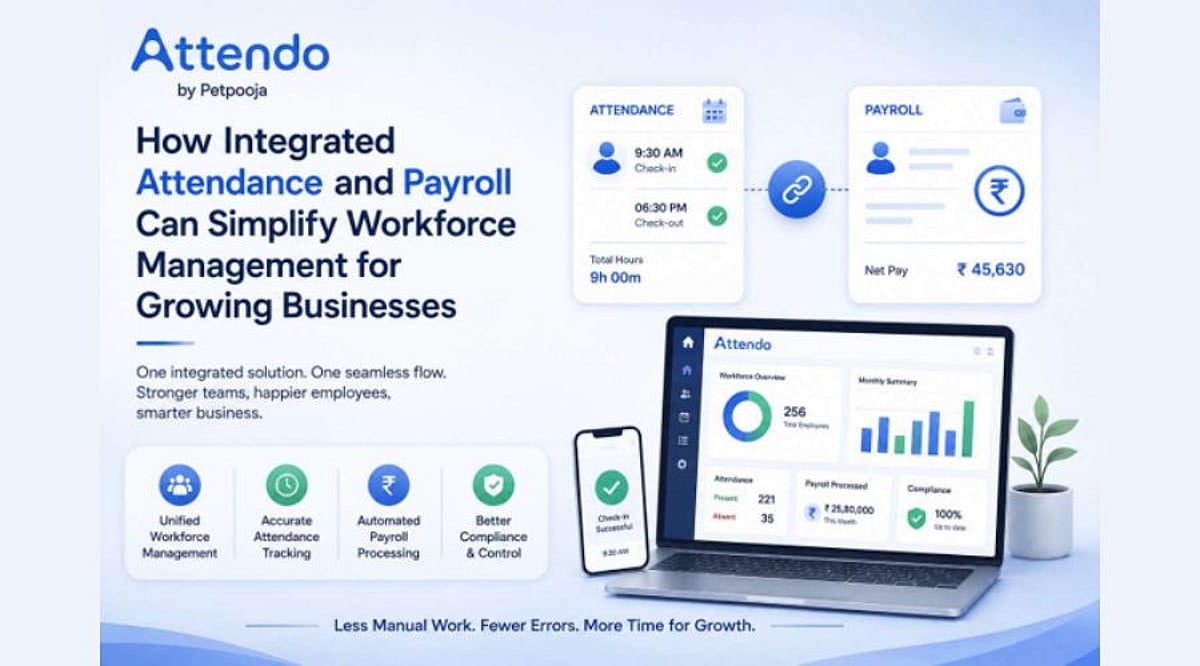
  • How Integrated Attendance and Payroll Streamlines Workforce Management as Businesses Scale

    How Integrated Attendance and Payroll Streamlines Workforce Management as Businesses Scale

    Growth brings new opportunities, but it also makes everyday operations more complex. As headcount rises, businesses face a growing volume of attendance records, leave requests, employee information, and payroll tasks. What once worked with spreadsheets or manual processes can quickly become difficult to coordinate across an expanding organization.

    Attendance and payroll are naturally connected. Attendance records feed directly into payroll calculations, so accuracy and coordination between the two are essential. When these functions are handled separately, HR and administrative teams often spend time moving data between systems, verifying records, and completing repetitive checks before payroll can run. An integrated approach brings these processes closer together, helping teams treat attendance and payroll as connected stages in one workforce management workflow rather than as isolated administrative duties.

    Why Integration Matters for Growing Businesses

    The need for integration becomes clearer as businesses scale. A smaller organization may manage workforce administration with relatively simple tools. But when employee numbers increase, the volume of attendance data and payroll information grows too. Managing this information manually or across disconnected processes adds unnecessary strain to HR teams.

    Technology can bring structure to these activities. By connecting attendance and payroll, organizations can reduce repetitive administrative intervention and create a smoother flow of workforce data. The goal is not simply to automate one HR function; it is to make workforce management easier to operate as the business expands. With connected processes in place, HR teams can spend less time coordinating routine information and focus more on strategic workforce needs.

    From Petpooja Payroll to Attendo: A Broader Workforce Platform

    This evolving approach is reflected in the transition from Petpooja Payroll to Attendo. What began as a solution designed for restaurant workforce needs has grown into a platform that addresses similar operational challenges across industries. The new identity signals a move beyond payroll and positions Attendo as a dedicated workforce management platform with attendance hardware and software capabilities combined.

    The rebrand also reflects a broader shift in how businesses approach HR technology. Instead of adopting tools for individual administrative tasks in isolation, growing organizations are looking for ways to make related functions work together. This matters especially for attendance and payroll, where information from one function directly affects the other.

    Supporting SMBs Without Large HR Teams

    Integrated systems are particularly relevant for small and medium-sized businesses that may not have large HR teams or extensive administrative resources. Managing attendance hardware through one provider, payroll through another platform, and leave or employee records through additional tools can create unnecessary complexity. Bringing these functions into a connected system makes workforce administration simpler to manage as the organization grows.

    For businesses looking to reduce administrative handoffs, platforms such as UKG offer another route. UKG brings HR, payroll, and workforce management together in a single view, with SMB-focused capabilities designed to simplify payroll, scheduling, compliance, and everyday HR tasks. This kind of coordination becomes increasingly valuable when attendance data and payroll processes become harder to manage across separate systems.

    The move toward integrated workforce management is about more than convenience. It is about building processes that are structured enough to support businesses through different stages of growth. When attendance and payroll are connected, employee administration becomes a coordinated workflow rather than a series of disconnected activities.

    With its new identity, Attendo is positioned within this changing landscape. The transition from Petpooja Payroll gives the platform a broader workforce management narrative, presenting attendance and payroll as interconnected elements of a larger HR technology offering. For growing businesses, the underlying requirement remains clear: workforce administration needs to become easier to manage as operations become more complex. Integrated attendance and payroll can help meet that objective by bringing related processes together and creating a more organized approach to workforce information.

    As Indian businesses continue to adopt digital solutions for internal operations, connected workforce management is becoming an increasingly important consideration. Integrating attendance and payroll is a practical step toward building HR processes that are structured, scalable, and aligned with the needs of growing organizations.

  • How AI-Driven Procurement Unlocks Hidden Millions by Unifying Supply Chains

    How AI-Driven Procurement Unlocks Hidden Millions by Unifying Supply Chains

    When two sites buy the same part from the same supplier at different prices, and nobody in either building knows, the waste is not a rounding error—it is a multi-million-dollar leak. That is the core insight from Priyanka Malla, an IT project manager specializing in AI-driven enterprise procurement and supply chain transformation.

    “At scale, the multi-million-dollar opportunity in procurement is not smarter buying, it is unification,” she says. Malla manages a portfolio of capital and operating spend covering AI initiatives, enterprise procurement, ERP modernization, and infrastructure. Her largest program consolidated procurement across more than 50 geographically distributed sites onto a single standardized platform. Each site arrived with its own legacy process and supplier relationships, and there was no template to follow.

    The obstacle, she found, was not the software. “When integrating systems that were never designed to talk to each other, the hard part is not the technology, it is reconciling how differently each site had been operating.” Reconciling fifty ways of buying into one was less an integration job than a negotiation with each site about how it worked.

    She followed that with ERP modernization across more than 15 branches, bringing together supply chain and financial data that had lived in disconnected legacy systems. The two programs did the same thing from different directions: one standardized how the organization buys, the other standardized what it knows about what it has bought.

    That order matters for artificial intelligence. Organizations that bring together sites or companies that each ran their own procurement “inherit duplicate suppliers, inconsistent pricing, and invisible spend.” An algorithm cannot optimize spend that nobody can see. “AI’s first real job is making that fragmented picture visible before it can make it optimal.”

    Bringing AI into that environment created a problem nobody had solved for her. As an early AI-focused project manager, she needed a way to decide when an AI tool could be trusted in an enterprise adoption decision, and no criteria existed. She built them, and that work became the failure-mode evaluation frameworks she now applies to AI adoption decisions.

    Her conclusion is blunt. “Most AI procurement rollouts fail at governance, not technology.” The risk is specific to scale. “Before scaling across dozens of sites, you need a shared definition of an acceptable failure mode. Otherwise every site trusts the algorithm differently, and you lose the standardization that justified the investment in the first place.”

    It is a pointed observation, because it means a rollout can undo its own business case. The reason to consolidate fifty sites is to make them behave consistently. An AI tool that one site overrides constantly and another accepts without question reintroduces exactly the inconsistency the consolidation was meant to remove.

    On where the technology goes next, she is specific about what automation should and should not do. “The next era of AI procurement is about routing decisions, not replacing buyers. The wins come from letting automation clear the high-confidence, high-volume transactions and escalating the exceptions to a human. That is where the cost curve actually bends.”

    The pattern runs back through her career. Earlier, she worked on a product lifecycle management deployment across more than 500 global sites, another exercise in getting many independent operators onto one system. She is an IEEE Senior Member, holds PMP certification and a master’s degree in management information systems from California State University, Long Beach, and has written for the product management publication Mind the Product.

    The headline promise of AI in procurement is an algorithm that finds millions. Malla’s account suggests the order is the other way round. The millions are already there, spread across suppliers, prices, and sites that were never compared. The algorithm only finds them once somebody has done the slow work of putting everything in one place.

  • Belden Ramps Up Ruckus Wireless Manufacturing in India with New Pune Production Line

    Belden Ramps Up Ruckus Wireless Manufacturing in India with New Pune Production Line

    Belden Inc., the US-based networking and connectivity specialist, is expanding its local manufacturing capabilities in India. The company’s Pune facility will now produce Ruckus ICX Ethernet switches, which are integral to Wi-Fi connectivity, networking equipment, and AI-powered automation systems.

    This strategic move follows Belden’s $1.8 billion acquisition of Ruckus Wireless and aligns with the Indian government’s ‘Make in India’ initiative, signaling a significant shift toward domestic production of enterprise networking hardware.

    Pune Facility to Drive Local Production

    The initial manufacturing of Ruckus ICX Ethernet switches will take place at Belden’s 300,000-square-foot facility in Pune. This expanded capacity is designed to meet domestic demand, with potential export opportunities to be assessed in later phases.

    Bart Giordano, senior vice president and general manager at Ruckus Networks, noted that the company has not disclosed specific investment figures or capacity metrics for the expansion. “The first batch of locally manufactured switches is set to roll off the assembly line as we speak,” Giordano said in a virtual interaction.

    The ICX Ethernet switching portfolio currently represents nearly 50% of Ruckus’s total business.

    Expansion to Include Workforce, Products

    Historically, Ruckus Wireless relied entirely on outsourced manufacturing. Following the integration with Belden, the company is leveraging Belden’s existing Pune facility to establish local production.

    Ruckus plans to make incremental investments and expand its local workforce as manufacturing scales up. Ethernet switches will form the first phase of production, while the company will evaluate manufacturing other enterprise networking products at the Pune facility in the future.

    Strengthening India Operations

    The Pune manufacturing operation adds to Ruckus’s existing presence in innovation, operations, and customer delivery across India. Bengaluru hosts the company’s largest global research and development and customer success site, along with Belden’s customer innovation center. Ruckus also operates an R&D center in Chennai in collaboration with the IIT Madras Research Park, focusing on software development and networking innovation.

    Beyond enterprise IT, the combined Belden-Ruckus portfolio will target industrial sectors such as advanced manufacturing, warehousing, and logistics.

  • Why HR Data Automation Across All Systems Is Critical for Efficiency

    Why HR Data Automation Across All Systems Is Critical for Efficiency

    HR teams today manage employee information across more systems than ever before—applicant tracking systems, HRIS, payroll platforms, ERPs, and identity management tools. Each system serves a specific purpose, but they all rely on the same core employee data. The problem arises when that data must be moved manually between these platforms. Manual entry for new hires, promotions, and terminations creates repetitive work and increases the risk of errors. Instead, companies should automate the flow of employee data so that information entered once updates every connected system automatically.

    The Hidden Costs of Manual HR Data Processes

    Manual data entry might seem harmless for small tasks, but as headcount grows, so does the burden. Every hire, promotion, pay change, or benefits update requires someone to re-enter or verify data across multiple systems. This not only wastes time but also introduces errors—mistyped codes, missed updates, or inconsistent records. Automation eliminates these inefficiencies by moving approved data between systems without human intervention.

    Employee Data Must Flow Throughout the Entire Lifecycle

    From pre-hire to offboarding, employee data needs to travel across systems. Recruiting collects candidate information, which HR, payroll, IT, and finance all need after an offer is accepted. Without automation, each handoff requires manual re-entry. Promotions, transfers, and compensation changes trigger similar cycles. Offboarding adds another layer of updates for payroll, IT, and finance. An automated approach treats employee data as a continuous flow: HR enters or approves information once, and connected systems receive updates instantly.

    Key Benefits of Automating HR Data Movement

    • Time savings: Reduces repetitive data entry and file management.
    • Accuracy: Minimizes errors from manual entry and ensures consistency across systems.
    • Speed: New hires and updates propagate immediately, without waiting for manual handoffs.
    • Better reporting: All systems use the same approved data, eliminating reconciliation efforts.
    • Scalability: HR can support company growth without a proportional increase in administrative work.

    Moving Toward Fully Automated HR Data

    Many companies have adopted partial automation, but isolated solutions still leave gaps. True efficiency comes from treating HR data as a single connected process. Information should be entered once and flow to every system that needs it—from recruiting through payroll, benefits, IT, and finance. Automation handles the predictable movement, while HR professionals retain control over approvals and exceptions.

    Platforms like UKG Ready keep HR, payroll, and time data in a unified record, so a new hire or promotion updates pay and benefits without separate handoffs. Integrations then carry that record to external systems like ATS, ERP, and identity tools, ensuring consistency across the enterprise.

    Conclusion

    HR technology has advanced significantly, but the processes connecting these systems often still rely on manual work. Automating the movement of employee data reduces repetitive tasks, improves accuracy, speeds up operations, and keeps records consistent. Companies don’t need to automate every decision—they should automate the data movement around those decisions. When employee information flows automatically from recruiting through offboarding, HR teams can focus on supporting people rather than managing systems.

  • How AI-Enhanced ERP Systems Streamline Operations and Boost User Productivity

    How AI-Enhanced ERP Systems Streamline Operations and Boost User Productivity

    ERP software has become essential for managing finance, procurement, inventory, HR, sales, manufacturing, and other core business operations. But while traditional ERP systems bring business processes together, users can still spend significant time navigating menus, searching for records, preparing reports, entering data, and following up on routine tasks.

    AI in ERP is changing how users interact with business software. Instead of making employees learn complex processes to get simple things done, AI allows them to communicate with ERP systems using natural language, automate repetitive workflows, generate reports through prompts, and access insights across departments.

    ZYNO by Elite Mindz takes this approach further with a prompt-based ERP designed to make everyday business operations simpler, faster, and more intelligent.

    What Is AI in ERP?

    AI in ERP refers to integrating artificial intelligence capabilities such as natural language processing, generative AI, machine learning, predictive analytics, and intelligent automation into enterprise resource planning systems. Traditional ERP systems generally require users to follow predefined navigation paths and workflows. AI-powered ERP systems can understand user intent, analyse business data, automate defined processes, and provide relevant information in a more conversational way.

    The difference is simple:

    • Traditional ERP: Find the module → open the screen → apply filters → retrieve information.
    • AI-powered ERP: Ask what you need → get the relevant information → take action.

    This shift can make ERP software easier to use for employees across finance, procurement, HR, operations, and management.

    How AI in ERP Makes Users’ Lives Easier

    1. Talk to Your ERP in Natural Language

    One of the biggest advantages of AI in ERP is conversational interaction. Users do not always need to remember where a particular report or record is located. With ZYNO Smart ERP Assistant, they can ask questions in simple language and receive answers based on live ERP data. For example: “Show pending purchase approvals above ₹5 lakh.” “What is our current inventory level?” “Give me a summary of this month’s expenses.”

    2. Generate Reports Through Prompts

    Report generation is an everyday requirement for business teams, but preparing customised reports can involve manual data collection, filtering, formatting, and cross-checking. ZYNO’s Report Generation Through Prompts allows users to describe the report they need in plain language. AI can then compile structured reports from real-time ERP data. For example: “Create a monthly sales report by region and highlight declining sales.”

    3. Automate Repetitive Workflows

    Approvals, notifications, status updates, and routine data-entry activities can take up a considerable amount of employees’ time. ZYNO AI Workflow Automation helps automate repetitive processes across departments based on defined business rules. This reduces the number of routine follow-ups employees need to manage.

    4. Connect Information Across Departments

    Businesses rarely operate in isolated departments. A procurement decision can affect inventory, which affects production, which affects finance. ZYNO’s Cross-Module Data Intelligence connects information across areas such as finance, inventory, HR, and procurement, allowing users to access consolidated information instead of switching between separate module-specific reports.

    5. Get Real-Time Business Insights

    AI can make ERP dashboards more than static collections of numbers. ZYNO AI-powered dashboards provide a unified view of business performance with insights that update as underlying data changes. This helps managers identify changes, monitor KPIs, and respond to operational issues more quickly.

    6. Simplify Procurement and Invoice Processing

    AI can also simplify specific ERP processes. With ZYNO Prompt-Based Purchase Requisitions, users can describe their purchasing requirements in natural language. AI converts the request into a structured requisition. Similarly, AI Invoice Verification supports invoice processing by helping verify information against relevant business records.

    Key AI Features in ZYNO ERP

    • Smart ERP Assistant: Ask questions and retrieve business information using natural language.
    • Prompt-Based Report Generation: Create structured reports by simply describing what you need.
    • AI Workflow Automation: Automate approvals, notifications, status updates, and routine processes.
    • Cross-Module Data Intelligence: Connect information across finance, procurement, HR, inventory, and other functions.
    • AI-Powered Dashboards: Get real-time visibility into business performance.
    • Prompt-Based Purchase Requisitions: Create structured purchase requests without navigating lengthy forms.
    • AI Invoice Verification: Use AI to support invoice checking and verification.
    • AI-Powered Insights: Surface relevant information from business data to support faster decisions.

    Together, these capabilities move ERP beyond traditional transaction processing toward a more intelligent and user-friendly business platform.

    The real impact of AI in ERP is not just automation. It is simplification. Employees should not need extensive system knowledge to answer a basic business question. Managers should not have to wait for manually compiled reports. Teams should not spend unnecessary hours following up on routine workflows. With ZYNO, users can interact through prompts, access connected data, generate reports, and automate workflows from a conversational interface. The future of ERP is about making powerful business technology easier to use.

  • Starbucks to Open Global Tech Hub in Chennai, Create 800 Jobs

    Starbucks to Open Global Tech Hub in Chennai, Create 800 Jobs

    Starbucks Plans Global Capability Center in Chennai

    Starbucks has announced plans to establish a global technology center in Chennai, India, as part of its international expansion. The coffee giant signed an agreement with the Tamil Nadu government and expects to hire around 800 technology professionals for the facility. The state government confirmed the deal on Monday but did not disclose the investment amount.

    Chennai Center to Support Global Operations

    The new center will provide technology services for Starbucks’ worldwide operations. Global capability centers typically handle software development, finance, data analysis, and research. They help companies support their main offices and optimize internal systems. Starbucks’ technology chief, Anand Varadarajan, highlighted Chennai’s skilled workforce, strong infrastructure, and low employee turnover as key advantages, according to a government press release. The company did not comment further outside regular business hours.

    The center is expected to create roughly 800 technology jobs in Chennai, adding to the city’s growing base of global business professionals. Starbucks has not yet announced a recruitment timeline, facility opening date, or specific roles.

    Expanding Starbucks’ Footprint in India

    Starbucks already operates about 500 cafes in India through its joint venture with Tata Consumer Products. The proposed Chennai center will extend the company’s presence beyond retail coffee into technology services. The agreement gives Starbucks access to India’s vast engineering talent pool and Chennai’s established office infrastructure and network of global business centers. The center will support technology needs across multiple markets.

    The Tamil Nadu government did not specify whether the facility will be a new campus or an existing office building, and Starbucks has not provided a project completion timeline.

    Chennai Attracts Global Tech Investments

    Starbucks’ deal comes shortly after US pharmacy chain Walgreens signed a similar agreement to set up a technology center in Chennai, creating about 250 jobs. Companies like Citi, Barclays, and American Express already operate global business and technology centers in the city. According to the Tamil Nadu government, Chennai accounts for about 10% of India’s global capability center base. The city attracts overseas firms due to its trained workforce, strong transport links, and lower turnover rates.

    India now hosts over 2,100 global capability centers, employing about 2.36 million people and generating nearly USD 100 billion in revenue, according to a 2026 Nasscom-Zinnov report. These centers handle finance, software development, research, and other high-value functions. Starbucks will join this expanding network with its Chennai technology center.

  • Why Data Resilience in Salesforce Is Now Critical for Business Continuity

    Why Data Resilience in Salesforce Is Now Critical for Business Continuity

    CRM platforms are no longer just sales databases. Customer relationship management platforms have become embedded in companies’ everyday operations as they hold such information as customer histories, service records, account relationships, and much more.

    Given the importance that such platforms hold, the reliability of CRM data has become a business continuity issue. In case any records or information become inaccurate or deleted, the consequences can go beyond just IT. These scenarios can stall sales activity, strip context from customer service teams, make reporting unreliable, and force managers to make decisions with incomplete information.

    Cloud Availability and Data Recoverability Aren’t the Same Thing

    Cloud availability and data recoverability aren’t the same thing. Organizations may be able to keep their infrastructure available and running smoothly, but that does not necessarily mean they can recover a given record or data if it is deleted or damaged.

    In many cases, a platform may have full cloud availability, while the data inside is no longer accurate or complete. Salesforce records can be affected by accidental deletion, incorrect bulk updates, faulty integrations, automation errors, or configuration changes. The problem is not whether Salesforce can remain online, but whether, in the event of accidental data deletion, the business can quickly restore the data to continue operating the same way.

    Note: Data integrity and protection are a shared responsibility. Salesforce recommends maintaining regular backups of data, especially before major operations.

    What Happens When Critical CRM Data Changes or Disappears?

    CRM data often sits inside revenue, service, compliance, and reporting processes. When that information is damaged or incomplete, the consequences can compound.

    A sales team may lose the opportunity history needed to manage a deal. Customer service staff may no longer have the full record of previous interactions. Management reports may reflect corrupted source data. Compliance teams may struggle to demonstrate what information existed at a specific point in time.

    Even when information can be reconstructed manually, the process can consume staff time and introduce further errors.

    Building Salesforce Into the Business Continuity Plan

    Before building a business continuity plan, companies should identify the following:

    • Which Salesforce data matters most?
    • How often does it change?
    • How much of that data can the company afford to lose?
    • How quickly will the company need that particular data back?

    Organizations should determine how they will backup Salesforce data and recover important records before an incident occurs, rather than discovering gaps in their recovery strategy during a disruption.

    This evaluation should go beyond mere CRM records. Depending on how Salesforce is configured, it should also cover custom objects, relationships, files and attachments, as well as metadata that evaluates how the environment behaves. Historical copies are also important to consider, especially when companies need to identify when a particular change happened.

    Recovery Readiness Requires More Than Creating Copies

    Backups are only useful if an organization understands how recovery will work in practice. Responsibilities should be clear: who decides what needs to be restored, who performs the recovery, who validates the results, and how business teams are informed.

    Retention also matters. Organizations should decide how far back they need to recover information and whether legal, regulatory, contractual, or operational requirements affect that period. Relationships between records must be considered because restoring an individual item without related information may leave a business process incomplete.

    Finally, recovery procedures should be tested periodically. Salesforce data resilience is not simply a technical safeguard; it is part of operational readiness. As CRM platforms become systems of record for important business processes, the ability to recover reliable data should become a routine element of continuity planning and enterprise risk management.

  • Why Unstable PDF Tools Are Draining Enterprise Productivity and Budgets

    Why Unstable PDF Tools Are Draining Enterprise Productivity and Budgets

    For any enterprise aiming to stay productive, a seamless document ecosystem is non-negotiable. Contracts, invoices, compliance reports, and board packs still dominate daily workflows—and most of these documents remain PDF-based. Yet few organizations quantify the true cost of the PDF tools they rely on. Frequent crashes, background process conflicts, and startup errors disrupt knowledge workers an average of 30 to 40 times per week.

    One common error message reads, “A running instance of Acrobat caused an error.” While it might seem like a minor glitch, it signals a deeper problem: fragile desktop software that undermines enterprise efficiency.

    The Hidden Cost of PDF Failures

    Consider a legal team preparing for a merger. A senior associate encounters a stuck background process in Acrobat, unable to open a 300‑page PDF. After 15 minutes of restarting the application, the delay multiplies across hundreds of employees and millions of documents annually.

    In typical organizations, knowledge workers lose 20–30% of their week to document-related hassles. While not all of that stems from PDF failures, startup issues and process collisions are among the biggest culprits. IT help desks consistently rank PDF reader and editor problems as some of the most frequent support tickets.

    Why Background Process Conflicts Happen

    Modern PDF suites run multiple background tasks—syncing, auto-updating, OCR, and collaboration features. When one task fails to complete properly, subsequent tasks collide with the lingering instance, triggering the notorious “running instance” error. Enterprise environments worsen the issue with group policies, security agents, and multiple software versions.

    At the root is architecture. Most heavy PDF suites were designed as standalone applications with deep feature sets, not as service-oriented frameworks capable of handling continuous, mission-critical document throughput.

    A Strategic Response: Lightweight, Predictable PDF Tools

    Forward‑thinking IT leaders are reassessing their PDF technology stacks. Instead of standardizing on a cumbersome suite, they are adopting multi-platform editors that launch quickly, run lightweight processes, and integrate directly with cloud storage. The goal: improve document access on demand without IT intervention.

    UPDF—positioned as a strong alternative to Adobe Acrobat—exemplifies this new generation. It handles editing, annotations, AI assistance, PDF conversion, and OCR without the multi-process architecture that causes most startup errors. For organizations still plagued by PDF failures, such tools serve as either a useful secondary option or a full replacement for users who do not require advanced print production capabilities. IT teams may also reference guides on fixing the “a running instance of Acrobat” error for front-line support.

    Measuring ROI

    The business case for PDF tool stability is straightforward:

    • Fewer help desk tickets related to PDF startup and crash issues
    • Faster document turnaround for legal, finance, and operations teams
    • Lower software licensing costs when lighter tools replace premium suites
    • Improved employee experience and reduced frustration

    Final Thoughts

    PDF tool stability is not a niche IT concern. Document processing time directly affects customer responsiveness and decision speed. When businesses treat PDF software as critical infrastructure, they choose reliability and speed over error-prone suites—ultimately spending less time fixing problems and more time acting on the content within their documents.