Category: Gaming

  • When Low Graphics Settings Actually Improve FPS — And When They Don’t

    When Low Graphics Settings Actually Improve FPS — And When They Don’t

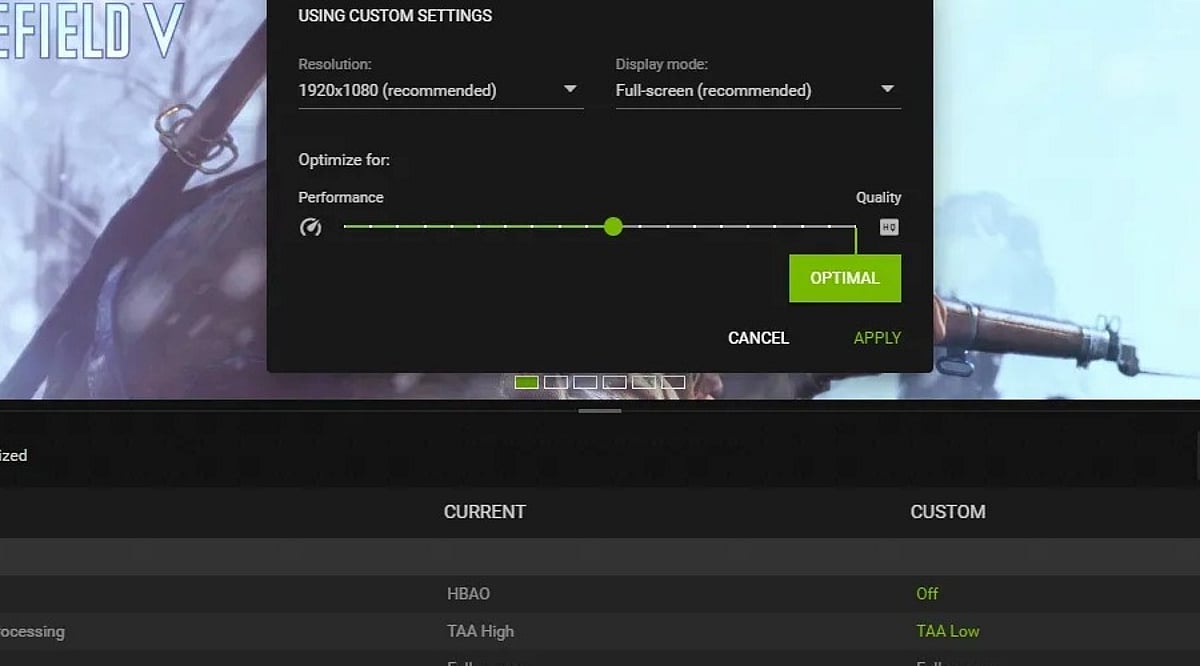
    Lowering graphics settings reduces GPU workload, which can raise FPS, but only when the GPU is the actual performance limit. Not all settings carry equal weight. Resolution, shadows, and anti-aliasing tend to have the largest impact on frame rate. Frame-time consistency matters as much as average FPS. A stable 80 FPS often feels smoother than an inconsistent 100 FPS.

    Just switching everything to Low doesn’t fix your game. It only masks the problem. Your FPS might go up, but the real slowdown could still be there. So the first step is figuring out what’s actually causing it. The GPU renders your visuals. The CPU handles logic, AI, and physics. If the GPU’s overloaded, cutting back on visual settings lightens its work. That gives you smoother, steadier frame rates.

    What Changes When Graphics Go Low

    Not every setting affects performance equally. Here is what actually moves the needle.

    • Resolution is often the single most effective lever. Fewer pixels mean less work per frame. Dropping from 1440p to 1080p can produce a meaningful FPS improvement when the GPU is already under pressure.
    • Shadows are expensive in games with complex real-time lighting. Reducing shadow quality from Ultra to Medium frequently delivers a solid performance gain with very little visible difference during fast-paced gameplay.
    • Anti-aliasing is more nuanced. Some techniques are relatively light. Others, like supersampling, are demanding. The performance impact depends on which method the game uses and which options are available. Switching to a less demanding AA method often helps.
    • Textures work differently. High-resolution textures consume VRAM rather than raw processing power. If the GPU has enough VRAM for the game’s recommended settings, texture quality often has a smaller effect on FPS. Keeping textures higher while reducing other settings is generally a smart trade when VRAM headroom allows it.

    When Lower Settings Do Not Help

    This is the part most guides skip. Lowering graphics only improves performance when the GPU is the limiting factor. When something else is holding the game back, the settings become almost irrelevant.

    A struggling CPU produces stutters and inconsistent frame pacing rather than a simple FPS drop. Games that are heavy on AI, physics, or large open worlds stress the CPU more than the GPU. Turning shadows down will not help if the processor is already at its limit.

    Insufficient RAM can cause the system to rely on slower storage, which leads to stuttering regardless of what the graphics settings are set to. A slow storage drive can create asset-streaming delays in open-world games that continuously load terrain and objects. These are system-level problems. They need system-level solutions.

    How to Find the Real Bottleneck

    There is a quick test worth doing before changing any settings. Run the game at the normal resolution and note the FPS. Then drop the resolution substantially and check again. If FPS rises sharply, the GPU is the limiting factor. Lowering graphics settings will help. If FPS stays roughly the same, the GPU was not the constraint. The problem lies with the CPU, RAM, or another system component. Lowering graphics settings in that case will change how the game looks without improving how it runs.

    Monitoring GPU and CPU utilization during gameplay adds more evidence. Utilization numbers alone are not conclusive, but they help narrow down where the strain is concentrated.

    FPS Is Not the Full Picture

    Average FPS is the number most players watch. It is not the only thing that matters. Frame-time consistency describes how evenly frames are delivered. A game producing 100 FPS but spiking unevenly will feel rougher than one holding 80 FPS steadily. Lowering graphics settings can stabilize frame delivery even when the average FPS change is modest. The improvement in smoothness is real, even if the numbers look similar.

    Where to Start

    The goal is not minimum settings across the board. It is removing the settings with the highest performance cost while keeping the ones that preserve visual quality.

    • Lower resolution or render scale first, especially when GPU load is high.
    • Reduce shadow quality to medium.
    • Switch to a lighter anti-aliasing method if alternatives are available.
    • Keep texture quality higher as long as VRAM usage stays within the card’s limit.

    If these changes produce a clear FPS improvement, the GPU was the constraint. If the numbers barely move, the issue lies elsewhere and needs a different approach.

    Final Thoughts

    Graphics settings are a tool for managing hardware load, not a quality sacrifice. The players who get the most out of their systems are not the ones who blindly select Low. They are the ones who understand what each setting costs and what the hardware can actually handle. As game engines grow more complex and rendering pipelines continue to evolve, that diagnostic understanding will matter more, not less.

    FAQs

    1. Does lowering graphics settings increase FPS? Yes, lowering graphics settings can increase FPS when the GPU is the main performance bottleneck. The improvement depends on the game, hardware, and settings changed.
    2. Which graphics setting affects FPS the most? Resolution is often one of the biggest performance factors because it directly changes the number of pixels the GPU must render. Shadows, reflections, and demanding effects can also have a major impact.
    3. Does lowering texture quality improve gaming performance? Not always. Texture quality mainly affects VRAM usage. If your GPU has enough VRAM, lowering textures may provide little FPS improvement compared with reducing resolution or demanding visual effects.
    4. Why does my game still stutter on Low graphics? Stuttering can occur even on Low settings if the CPU, RAM, storage, thermals, or game engine is limiting performance. Frame-time consistency also matters, not just average FPS.
    5. How can I tell if my GPU is causing low FPS? Lower the game’s resolution significantly and compare the FPS. A sharp increase suggests the game is likely GPU-limited, while little change may indicate a CPU or other system limitation.
  • Escaping Open-World Fatigue: 9 Focused Games That Respect Your Time

    Escaping Open-World Fatigue: 9 Focused Games That Respect Your Time

    Open-world games are everywhere, but not everyone wants to spend 80 hours chasing map markers and clearing checklist missions. If you’re craving something tighter and more deliberate, these nine titles prove that smaller, focused experiences can offer just as much excitement, storytelling, and challenge—without the burnout.

    1. Resident Evil 4 Remake

    This remake strips away sprawling environments in favor of tense exploration and smart resource management. The tight pacing, strategic combat, and clever puzzles deliver a survival horror experience that never overstays its welcome.

    2. Hi-Fi Rush

    A vibrant action game that syncs every punch, dodge, and special move to the beat of its soundtrack. Its compact levels and stylish art direction keep the momentum going, with none of the tedious travel between objectives.

    3. DOOM Eternal

    There are no side quests or massive landscapes here—just nonstop, adrenaline-fueled demon slaying. The combat is built around speed, positioning, and furious gunplay, making it a pure shot of concentrated action.

    4. Dead Space Remake

    Exploring the haunted corridors of the USG Ishimura is a masterclass in atmospheric horror. Every room matters, and the design keeps you on edge without relying on a huge, meandering world to create dread.

    5. It Takes Two

    This co-op adventure constantly reinvents itself with new mechanics, platforming quirks, puzzles, and mini-games. It’s a creative rollercoaster that changes the experience every few minutes, making the scripted journey feel fresh from start to finish.

    6. Alan Wake 2

    Combining investigation, horror, and layered storytelling, Alan Wake 2 guides you through meticulously crafted environments. The mystery unfolds at a steady pace, free from the usual open-world distractions.

    7. Hades

    Fast, punishing, and endlessly replayable, Hades delivers satisfying combat and a compelling narrative in short, dense runs. It’s the perfect pick when you want meaningful progression without committing to another massive adventure.

    8. A Plague Tale: Requiem

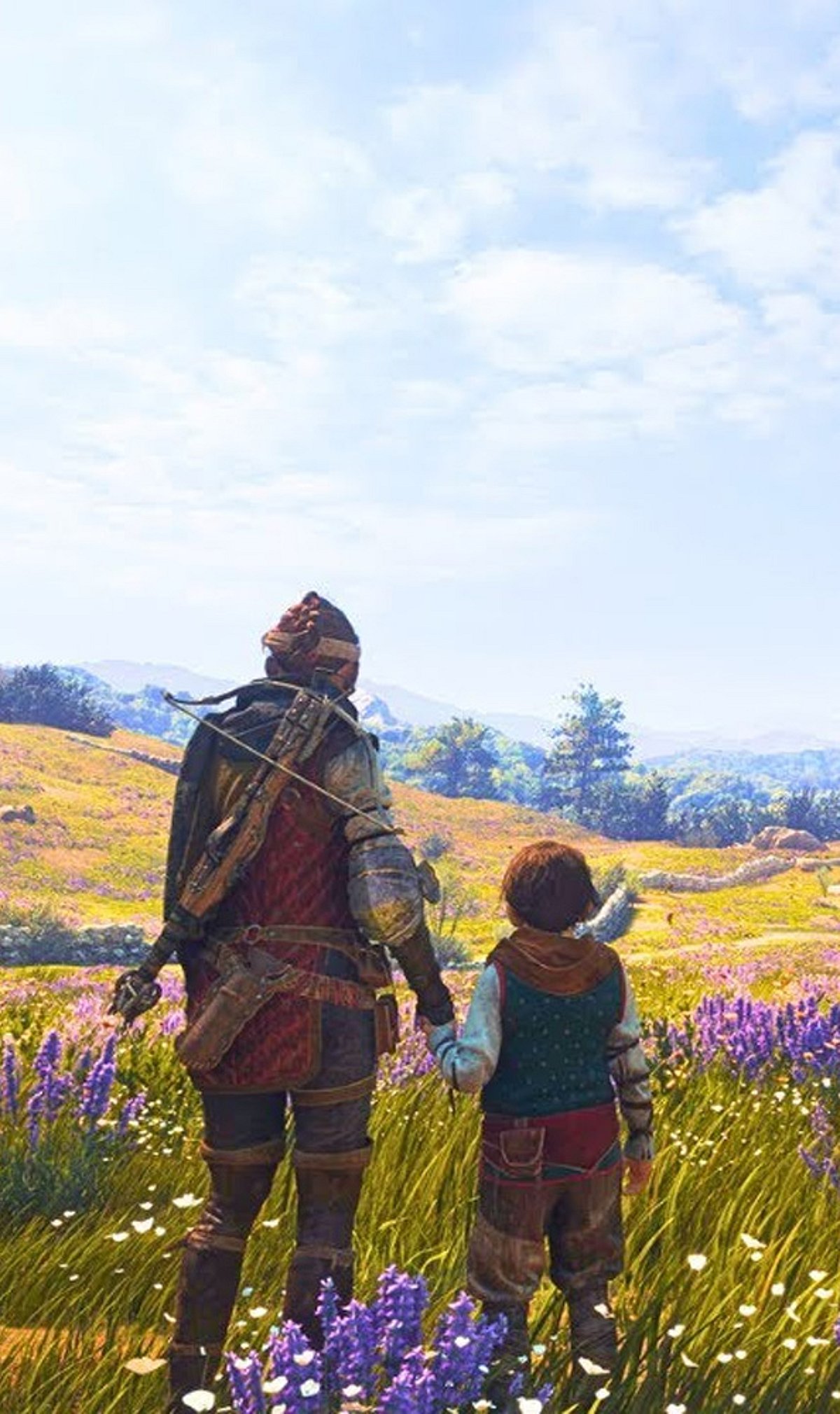
    This emotional sequel follows Amicia and Hugo through cinematic locales, mixing stealth, puzzles, and combat with a powerful story. The carefully designed chapters keep the focus on atmosphere and character, avoiding the fatigue of giant maps.

    9. Sifu

    Sifu hones in on precise martial arts combat and replayable stages. There are no collectible hunts or expansive worlds to wander—just tight, demanding gameplay that rewards skill and practice.

    Whether you’re in the mood for horror, action, cooperative fun, or a gripping narrative, these nine games prove that smaller worlds can leave a lasting impression. Give one a try the next time you feel overwhelmed by the endless horizons of open-world titles.

  • Free Fire MAX Redeem Codes September 19: Grab Free Skins, Emotes & In-Game Rewards

    Free Fire MAX Redeem Codes September 19: Grab Free Skins, Emotes & In-Game Rewards

    Garena Free Fire MAX players have a fresh set of redeem codes available for September 19, 2026. These codes offer a chance to unlock free in-game rewards, including skins, emotes, and other items—without spending diamonds. However, codes are time-limited, region-restricted, and subject to redemption caps, so prompt action is recommended.

    Today’s Free Fire MAX Redeem Codes (September 19, 2026)

    The following codes are currently active. Redemption is not guaranteed for all players due to regional availability and limitations.

    • ZZZ76NT3PDSH
    • RHTG9VOLTDWP
    • FFPLUFBVSLOT
    • J3ZKQ57Z2P2P
    • N7QK5L3MRP9J
    • TX4SC2VUNPKF
    • MCPW3D28VZD6
    • P3LX6V9TM2QH
    • WD2ATK3ZEA55
    • Q8M4K7L2VR9J
    • FFWCTKX2P5NQ
    • V427K98RUCHZ
    • S5PL7M2LRV8K
    • RD3TZK7WME65
    • E9QH6K4LNP7V
    • TFX9J3Z2RP64
    • ZRW3J4N8VX56
    • J2QP8M1KVL6V

    Note: These codes may not work for every account. Availability depends on server region, redemption quotas, account eligibility, and code validity. Expired or fully redeemed codes will not generate rewards.

    How to Redeem Free Fire MAX Codes

    Follow these steps to redeem codes via the official Garena rewards platform:

    1. Go to the official Garena Free Fire MAX Rewards Redemption website.
    2. Log in with the account linked to your Free Fire MAX profile.
    3. Select a redeem code from the list above.
    4. Enter the code exactly as shown in the designated field.
    5. Click Confirm to submit.

    If the code is valid and successfully redeemed, the reward will be sent to your in-game mailbox. Double-check each character—one mistake can prevent redemption. Guest accounts are generally not supported; link your game to a registered login method before attempting.

    Conclusion

    Free Fire MAX redeem codes give players a way to earn free rewards without direct purchase. But availability is never guaranteed due to expiry, regional blocks, or redemption limits. Act fast and verify your account for the best chance.

  • NYT Strands Hints, Spangram, and Answers for September 19, 2026

    NYT Strands Hints, Spangram, and Answers for September 19, 2026

    Overview

    Today’s NYT Strands puzzle centers on a pirate and shipwreck theme. The Spangram begins near the left side of the grid. Below you’ll find hints and clues, or you can jump straight to the answer key.

    What Is NYT Strands & How to Play It?

    NYT Strands blends elements of the NYT Crossword, Connections, and Spelling Bee. Players are given a 6×8 letter board and a daily theme hint. The goal is to find words that fit the theme, plus one special Spangram that connects two opposite sides of the grid.

    NYT Strands Hints for Today

    Use these hint words to help uncover the answers:

    • Stoat
    • Peer
    • Stale
    • Moat
    • Peak
    • Tome
    • Rats
    • Rate

    Spangram Reveal and Explanation

    The Spangram for September 19 is TALKLIKEAPIRATE. To find it, start with the T that is the last letter on the far-left vertical row and wind across the grid. This phrase refers to speaking with stereotypical pirate slang, growling sounds (like “Arrr”), and exaggerated accents popularized by Hollywood films.

    NYT Strands Answers for Today

    Here are all the non-Spangram answers for September 19:

    • Arrr
    • Avast
    • Matey
    • Savvy
    • Yohoho
    • Hearties

    Understanding the Theme for Today

    The theme “Shiver me timbers” is an exclamation used to express surprise, shock, or fear, famously associated with stereotypical pirate speech in fiction. “Shiver” means to break or splinter into small pieces, and “timbers” refers to the wooden support beams of a sailing ship’s hull. It originally described the violent shock of a large wave or cannonball smashing into a ship, causing its wooden frame to shudder and split.

    Tips for Solving NYT Strands

    Here are a few simple tips to help you solve NYT Strands more quickly:

    • Identify the theme. Start by thinking about words related to today’s theme, ‘Shiver me timbers!’
    • Look for long words stretching across the edges of the grid, as they often form the Spangram.
  • Optimize Your Mobile Game Graphics for Smooth, Lag-Free Play

    Optimize Your Mobile Game Graphics for Smooth, Lag-Free Play

    Mobile games now deliver console-quality graphics, expansive worlds, and advanced features. But cranking every setting to maximum often leads to overheating, battery drain, and frustrating frame drops. The secret to a great gaming experience lies in finding the right balance between visuals and performance.

    How Mobile Gaming Has Evolved

    The mobile gaming landscape has transformed dramatically, driven by powerful new smartphones with faster processors, better GPUs, and high-refresh-rate displays. Titles like PUBG Mobile, Call of Duty Mobile, and Genshin Impact have set new standards, offering competitive multiplayer and vast open worlds that once required a PC or console. However, pushing all graphics options to their highest level doesn’t guarantee smooth gameplay. Heat buildup can throttle performance, causing stutters and sudden FPS drops — even on flagship devices.

    Best Graphics Settings for Smoother Gameplay

    The ideal settings vary by phone and game, but the following approach works as a solid starting point for most players:

    • Prioritize frame rate: A stable 60 FPS feels much better than an unstable 90 or 120 FPS that frequently dips. If your phone supports higher refresh rates, try them but monitor heat and battery use.
    • Adjust graphics quality: Medium to High settings are often a sweet spot. Lower shadows, reflections, and effects if the game struggles.
    • Turn off motion blur: This is especially helpful in shooters and racing games — it makes quick movements easier to track.
    • Manage heat: Take short breaks, avoid direct sunlight, and consider removing a thick case during long sessions.

    Finding the Right Balance for Your Phone

    There’s no universal graphics preset that works for everyone. Competitive players should focus on stable FPS and clear visuals, while those who enjoy story-driven games may prefer richer textures and lighting. The goal isn’t to make the game look as impressive as possible — it’s to keep it smooth, responsive, and enjoyable without lag. Sometimes, the best experience comes from lowering a few settings to maintain stability.

    Frequently Asked Questions

    1. What are the best graphics settings for mobile gaming? Medium to High graphics with a stable high frame rate is a good starting point. Lower shadows and effects if the phone struggles.
    2. Is 60 FPS better than higher graphics? For fast-paced games, a stable 60 FPS often feels better than higher graphics settings that cause frame drops.
    3. Should I turn off motion blur? Yes, especially for shooting and racing games. It makes quick movements easier to follow.
    4. Do high graphics make a phone hotter? Yes, high graphics increase the workload on the phone, leading to more heat and battery drain during extended sessions.
    5. Should I use 90 FPS or 120 FPS? If your phone and game support it smoothly, higher FPS can improve gameplay — but watch for excessive heat and battery consumption.
  • Wordle #1918 Answer for September 19, 2026: Hints and Clues for ‘WAKEN’

    Wordle #1918 Answer for September 19, 2026: Hints and Clues for ‘WAKEN’

    The New York Times released Wordle #1918 on Saturday, September 19, 2026. Today’s answer is WAKEN, a five-letter verb meaning to wake or become awake. Players have six attempts to guess the word, and this guide provides spoiler-free hints, solving strategies, and the final answer.

    Overview of Wordle #1918

    Wordle #1918 answer is WAKEN, a familiar but slightly formal word. It begins with W, contains two vowels (A and E) in the second and fourth positions, and has no repeated letters. The word is connected with waking someone or stirring something from sleep.

    Spoiler-Free Hints for September 19, 2026

    These clues help narrow down the answer without revealing it:

    • The word has five letters.
    • It contains two vowels.
    • The vowels appear in the second and fourth positions.
    • The word begins with a consonant.
    • No letter appears twice.
    • The word is related to waking someone or becoming active from sleep.
    • It can also describe bringing something dormant back into activity.

    Players who want to solve the puzzle independently can stop here.

    Wordle Strategies Worth Trying

    Start with a strong initial guess that includes common vowels and frequent consonants to reveal important letters quickly. Pay attention to green tiles (correct letter, correct position) and yellow tiles (correct letter, wrong position). Avoid reusing discarded letters. Use all six guesses effectively by observing word patterns and eliminating possibilities.

    Spoiler Alert: Today’s Wordle Answer

    Warning: The answer is revealed below.

    The answer to Wordle #1918 for September 19, 2026, is WAKEN. It means to make someone awake or to become awake. Figuratively, it can describe stirring an old memory, feeling, or ambition back into activity. The word starts with W, has A as the second letter, K in the middle, E as the fourth, and ends with N.

    Why Today’s Puzzle May Feel Tricky

    Wordle #1918 requires careful attention to letter placement. The two vowels are separated, and the consonants create an uncommon pattern. Many players are more familiar with the related word ‘wake,’ making WAKEN less obvious. The absence of repeated letters is a helpful clue, but placing each letter correctly is key.

    How Wordle Works

    Wordle gives players six chances to guess a hidden five-letter word. After each guess, colored tiles provide feedback: green means the letter is correct and in the right spot, yellow means it’s in the word but wrong position, and gray means it’s not in the answer. The New York Times acquired Wordle from creator Josh Wardle in 2022 and publishes it daily.

    More NYT Games to Explore

    Wordle is part of a larger collection of daily puzzles from The New York Times, including Connections, Strands, the Mini Crossword, Spelling Bee, and more. Each game offers adifferent challenge for puzzle fans.

  • NYT Strands #929 Answers and Hints: ‘Shake on It’ Theme for September 18, 2026

    NYT Strands #929 Answers and Hints: ‘Shake on It’ Theme for September 18, 2026

    The New York Times Strands puzzle for Friday, September 18, 2026, presents a fresh challenge under the theme “Shake on it.” Puzzle #929 invites players to uncover words related to agreements, promises, and formal commitments. If you’re stuck on the grid, the clues and answers below will help you move forward.

    Understanding the Theme

    The official theme for Strands #929 is “Shake on it,” a phrase that suggests reaching an agreement or confirming a deal. The hidden words describe various types of arrangements, from casual understandings to legally binding contracts and international treaties. Think of terms people use when they agree on shared terms.

    How NYT Strands Works

    NYT Strands is a word-search game where players find theme-related words by connecting letters horizontally, vertically, or diagonally. Words can bend across the grid. The spangram is a longer word or phrase that encapsulates the day’s theme; it touches two opposite sides of the board and is highlighted in yellow. Theme words appear in blue. Players can also find non-theme words to earn hints—three such words unlock a hint that reveals letters of a theme word.

    Theme Hint for September 18, 2026

    Main hint: “Shake on it”
    More direct clue: Think about reaching an agreement. The theme words are linked to different types of arrangements, promises, and agreements between people, organizations, or countries.

    Spangram Hint

    The longest answer has 13 letters and starts with L. It’s a familiar phrase used when two sides are ready to agree on something. If you need another clue, consider what you might say when you’re about to finalize a deal.

    Spangram Answer

    The spangram for September 18, 2026, is: LETSMAKEADEAL. This phrase directly connects to the “Shake on it” theme and ties together the other answers.

    Complete List of Answers

    • AGREEMENT
    • CONTRACT
    • COVENANT
    • PACT
    • TREATY
    • LETSMAKEADEAL (Spangram)

    The five theme words represent different levels of formality: Agreement is the broadest term, while contract, covenant, pact, and treaty refer to more specific formal commitments.

    Why Today’s Puzzle May Take Some Time

    Several answers have similar meanings—Agreement, Contract, and Pact all point to the same basic idea, making it harder to identify each hidden word. Covenant is less common in everyday conversation, and Treaty is strongly associated with international diplomacy. Finding the spangram first can help narrow down the theme and make the remaining words easier to spot.

    Strands #929 continues the daily format with a theme centered on agreements and promises. For players who struggled today, the answers above provide a complete solution. The next puzzle will bring a new theme, spangram, and set of hidden words.

  • PSVR 2 Sells Out on US PlayStation Store Following Price Cut

    PSVR 2 Sells Out on US PlayStation Store Following Price Cut

    Sony’s PlayStation VR2 headset has completely sold out on the official US PlayStation Store, signaling a surge in demand after a recent price reduction. The stock shortage leaves potential buyers scrambling for alternative retailers, with no official timeline for restocking from Sony.

    The price cut, which made the PSVR 2 more affordable for PlayStation 5 owners, appears to have sparked renewed interest in Sony’s virtual reality platform. The headset, originally launched at a premium price point, now offers a more competitive entry into high-end VR gaming.

    Designed exclusively for the PlayStation 5 ecosystem, the PSVR 2 features OLED displays, eye tracking, haptic headset feedback, and the innovative Sense controllers. These components work together with the console’s processing power to deliver deeply immersive gaming experiences. The device also supports a growing library of VR titles, spanning genres from action and horror to racing and adventure.

    In addition to its PS5 integration, the PSVR 2 can be connected to compatible PCs via Sony’s official adapter, broadening its utility beyond console gaming. This flexibility has been a key selling point for users who want access to both PlayStation and PC VR content.

    With the US PlayStation Store now out of stock, consumers are advised to check other authorized retailers for availability. The shortage underscores the ongoing demand for VR hardware as manufacturers compete for attention in the gaming and entertainment sectors.

  • RedMagic Astra 2 Review: Does Liquid Cooling Make Gaming Tablets Worthwhile?

    RedMagic Astra 2 Review: Does Liquid Cooling Make Gaming Tablets Worthwhile?

    The RedMagic Astra 2 enters the portable gaming scene with a bold proposition: liquid cooling in a tablet form factor. While traditional gaming tablets often struggle with heat management during extended sessions, the Astra 2 promises sustained performance through an innovative cooling system. But does the technology justify its premium price tag, and how does it compare to established alternatives like the Steam Deck?

    Liquid Cooling Benefits

    The Astra 2’s liquid cooling system actively manages heat during intense gaming workloads. By dissipating heat more effectively than passive cooling, the tablet reduces the risk of thermal throttling and unexpected shutdowns, allowing for longer gaming sessions without performance dips. This is a significant advantage for users who play demanding titles for hours at a time.

    Gaming Performance and Hardware

    Powered by a high-end processor, the Astra 2 handles graphically intensive mobile games and multitasking with ease. The combination of strong hardware and effective cooling ensures smooth frame rates even during prolonged use. The tablet runs a customized version of Android, which gives access to a vast library of mobile games but limits compatibility with some desktop titles available on Windows or SteamOS.

    Display and Experience

    The 9.06-inch OLED display delivers deep colors and high contrast, with a high refresh rate that enhances both gaming and media consumption. The screen’s responsiveness makes it ideal for fast-paced genres like shooters and racing games.

    Price and Value

    Starting at around $699, the Astra 2 competes directly with mid-range gaming laptops and handheld consoles. While the liquid cooling and OLED screen are unique selling points, the price raises questions about overall value, especially considering the Android platform’s limitations compared to PC-based alternatives.

    Alternatives and Competition

    The Steam Deck and other handheld gaming PCs offer broader game libraries and often better performance for the same price. The Astra 2’s niche appeal lies in its tablet form factor and superior display, but buyers should weigh these against the more versatile gaming ecosystems available.

    Maintenance and Longevity

    RedMagic provides a one-year warranty, but the liquid cooling system and specialized components could lead to expensive repairs down the line. Potential buyers should consider the total cost of ownership beyond the initial purchase.

    In conclusion, the RedMagic Astra 2 is a compelling option for mobile gamers who prioritize display quality and sustained performance in a tablet form. However, its high price and platform limitations mean it may not be the best choice for everyone. Those who value game library diversity and long-term value might find better options in dedicated handheld gaming PCs.

  • Quordle September 18 Hints and Answers: Unlock Today’s Four-Word Puzzle

    Quordle September 18 Hints and Answers: Unlock Today’s Four-Word Puzzle

    Overview

    Today’s Quordle challenge presents four five-letter words to solve across separate grids, each with a limited number of guesses. If you’re stuck, the hints below will help you narrow down the possibilities without giving everything away. For those ready for the solutions, the full answers are provided as well.

    Hints for September 18, 2026

    Use these clues to work out the four hidden words before checking the answers:

    • Word 1 (Top Left): A snot rocket.
    • Word 2 (Top Right): A happy feeling.
    • Word 3 (Bottom Left): A tech company.
    • Word 4 (Bottom Right): A squiggly character.

    Answers for September 18

    Spoiler alert: The four solutions to today’s Quordle are:

    • MUCUS
    • MIRTH
    • APPLE
    • TILDE

    Difficulty Analysis

    Today’s Quordle features everyday words with familiar meanings. The first answer refers to a thick fluid produced by mucous membranes; the second means gladness or amusement; the third describes a popular fruit; and the fourth is a diacritical mark or keyboard symbol. The starting letters M, M, A, and T offer a helpful guide as you solve. Two of today’s words contain repeated letters, providing an extra clue. If you solved all four without peeking, well done!