Category: Mobile Phones

  • Why Smartphones Charge Fast at First and Slow Down Near 80%

    Why Smartphones Charge Fast at First and Slow Down Near 80%

    Fast charging peaks early, then tapers near 80% as batteries approach their voltage limit. The slowdown reflects deliberate engineering, not a fault. Peak wattage rarely tells the full story. Brands like OnePlus, Samsung, Xiaomi, and Apple each balance speed against battery longevity differently.

    Fast charging is not constant. It runs hardest early and tapers as the battery fills, a pattern rooted in lithium-ion chemistry, not a flaw. The 80% slowdown is common but not fixed. The point where the curve turns conservative varies by phone, battery design, and temperature. Advertised wattage numbers describe a peak, not the average speed across a full charge, and real examples from major brands show why that gap matters.

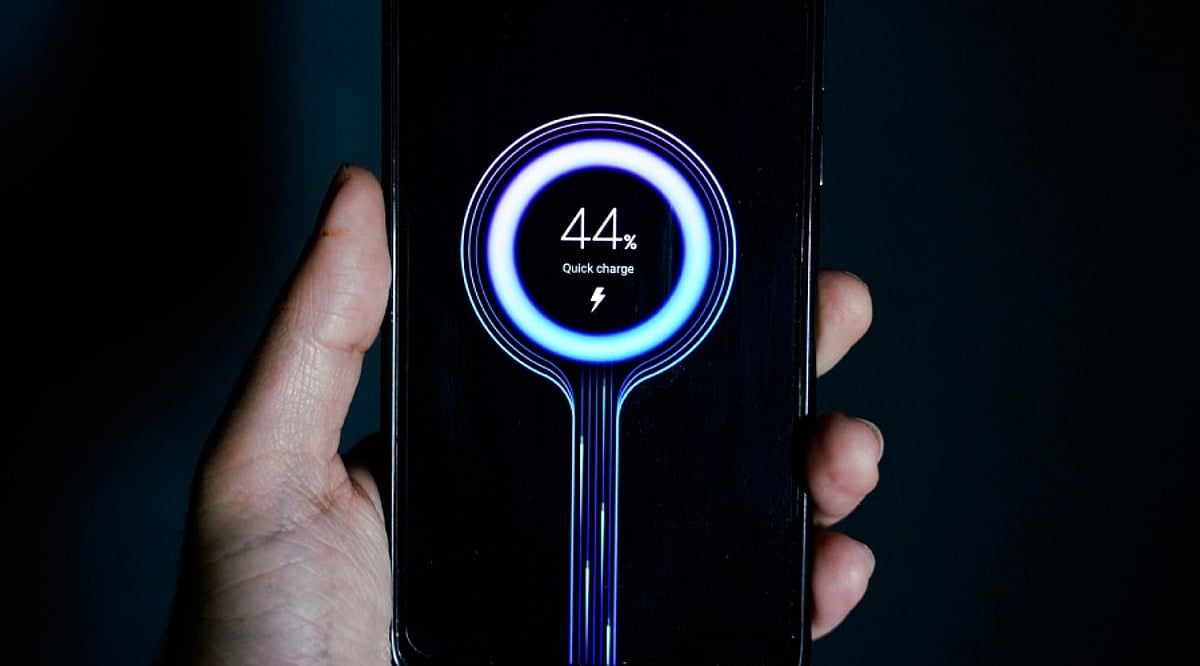
    A phone does not charge at one steady speed. It pushes hard early, while the battery can take it, then pulls back near the top. That is why 50% can arrive in minutes, while the last 20% takes far longer. The slowdown is not weakness—it is the system managing power without adding extra heat or stress.

    The Battery Is Not a Simple Container

    Lithium-ion cells store energy by moving lithium ions between two electrodes through a liquid electrolyte. Charging pushes these ions in one direction. That movement generates heat on its own. Faster ion movement builds more heat, and repeated heat exposure wears down the electrode material over time. Every charging system balances speed against long-term battery health.

    How Fast Charging Pushes More Power Early

    A fast charger communicates with the phone’s charging system to set an appropriate voltage and current level. The phone then decides how much of that available power actually reaches the battery. Early in the cycle, the battery can generally accept higher power without reaching its upper voltage limit. The controller uses this room to push more energy in fast. This is why the first stretch of charging feels dramatic. The Redmi Note 14 Pro Plus supports 120W HyperCharge and filled its 5,110 mAh battery in 21 minutes during independent lab testing by GSMArena. That result shows how much charge can land in a short early window.

    Why Charging Slows Near 80%

    Charging happens in two stages. First comes a fast stage where the charger sends a strong, steady current. Then comes a slower stage where the charger holds the voltage steady instead. As the battery fills up, it gets closer to its top voltage limit. At that point, it cannot safely take in as much current. The system starts to ease off by lowering the current while keeping the voltage close to its target. This change does not happen all at once. Your phone does not simply turn off fast charging the moment it hits 80%. The drop in power happens smoothly over time. This is why 80% feels less like a hard stop and more like the point where charging starts to slow down and play it safe.

    Why 80% Is Not a Fixed Number

    Not every phone slows down at the same point. Some phones start tapering off earlier than others. Some keep up higher speeds for a longer stretch. This difference comes from the battery’s chemistry, the way the cells are built, and how the manufacturer tunes the charging software. Heat plays a role too, separate from the charge level shown on screen. A phone that warms up while charging, whether from a hot room or from apps running in the background, may see its charging speed drop no matter how full the battery already is.

    How Different Brands Handle It

    Each company takes its own approach to this problem. OnePlus pushes high power early in the charging cycle with its SuperVOOC system, seen in phones like the OnePlus 12. Samsung takes a calmer approach with its 45W charging. The Galaxy S24 Ultra reaches about 65% charge in 30 minutes, based on the company’s own test results. Xiaomi uses dual-cell and multi-cell batteries in its HyperCharge lineup. This design spreads out the load, which helps manage current, voltage, and heat while keeping power high for a longer stretch. Apple goes a different route entirely. Its iPhones charge at fairly modest speeds compared to many Android rivals. Instead, the Optimized Battery Charging feature slows down the final stretch when it senses the phone will stay plugged in for a while.

    Peak Wattage Is Not the Same as Charging Speed

    Marketing tends to skip this part: peak wattage is a snapshot, not a measure of the full session. A phone paired with a high-wattage charger does not draw that output from zero to full. It touches that peak briefly, then pulls back as voltage rises, temperature shifts, or the battery nears its limit. Two phones with matching wattage ratings can still charge at different real speeds, since each sustains its peak for a different length of time. Comparison charts rarely mention this, yet it explains more about real charging performance than the headline number ever will.

    What This Means for Battery Health

    Anyone who does not need a full battery every day can stop charging below 100% to cut down time spent at a high state of charge. Many phones already build this kind of management into their software, rather than leaving the choice entirely to the user. The point is not to avoid fast charging—it is to avoid unnecessary heat and long stretches near full charge.

    Final Thought

    The slowdown near 80% is not proof that fast charging has stopped working. It marks the point where a phone shifts its priority from raw speed to control. Early on, the battery accepts power quickly. Near its limit, the system pulls back current, manages heat, and finishes the job with care. Peak wattage only tells part of that story. The full charging curve, not the number printed on the charger box, is what actually shapes the experience.
  • How Your Smartphone Apps Track You: A Deep Dive into 2026’s Biggest Data Collectors

    How Your Smartphone Apps Track You: A Deep Dive into 2026’s Biggest Data Collectors

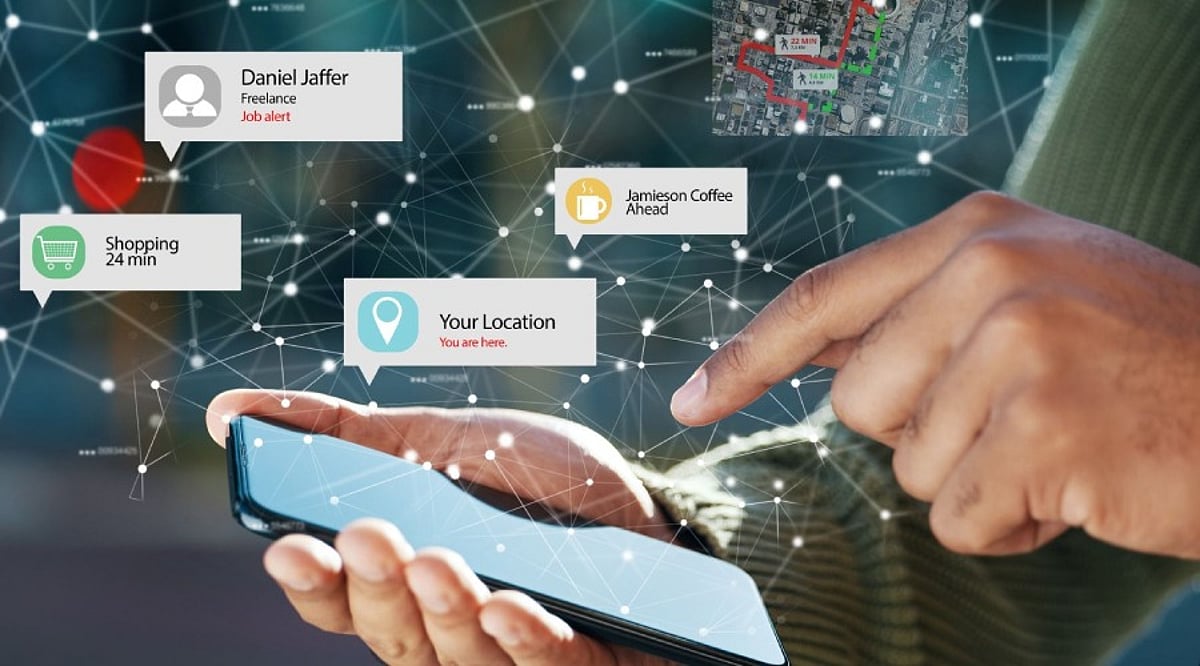
    Your smartphone can reveal significant details about your habits—location, purchases, searches, contacts, identifiers, and usage data can create a detailed digital profile. However, data collection is not automatically the same as harmful tracking. Some information is necessary for app functionality, security, personalization, or analytics. Learn what app tracking means and how to reduce your personal data exposure.

    Meta Apps Lead in Data Collection

    A 2026 Surfshark analysis highlighted Meta apps among the biggest data collectors. The study examined 171 iOS apps from major technology companies. Meta apps disclosed an average of 25 data types. This does not mean every user shares every data type; it shows what developers disclose through Apple’s privacy system. Seven of the study’s most data-hungry apps belonged to Meta. Meta AI reportedly listed 33 of 35 possible data types. Meta Horizon, Messenger, Facebook, and other apps followed closely. The categories can include identifiers, location, product interactions, and browsing information. Some Meta apps also declare data linked directly to users. Meta says information from businesses can help personalize content and AI experiences. Its June 2026 update expanded how this activity can influence personalization. The important point is context: data collection does not automatically mean misuse.

    Google Apps Also Gather Broad Data

    Google apps ranked below Meta on average in the same study. However, Google’s enormous app portfolio makes the picture more complicated. The research examined 44 Google apps. Twenty-nine Google apps appeared among those declaring the broadest data collection. Different Google apps can collect different types of data, including search history, purchases, photos, email addresses, and identifiers. Some collection directly supports useful features like search personalization, account synchronization, and security. Users should examine individual app disclosures rather than relying on a company’s overall reputation.

    Amazon and Other Popular Apps

    Amazon’s apps also collect several categories of user information. The study found an average of 12 data types across Amazon’s apps. Amazon apps commonly declared names, email addresses, device identifiers, and product interactions. Some also declared precise location information. Fitness apps deserve separate attention. Health and fitness applications can access particularly sensitive information. The Surfshark analysis found Fitbit, Strava, and Nike Training Club among data-heavy fitness apps. Fitbit declared 24 data types in that analysis. Fitness data can reveal routines, locations, activities, and other personal details, making permission choices especially important.

    What Does ‘Tracking’ Actually Mean?

    Data collection and tracking are not the same thing. Apple’s privacy system separates these concepts. ‘Data linked to you’ means collected information connects with your identity. ‘Data used to track you’ involves linking information with third-party data. That distinction matters when reading privacy labels. An app can collect information without necessarily using it for cross-service tracking. Apple’s App Store labels show declared data categories and their purposes. Developers provide this information themselves, so privacy labels should be treated as a starting point—not a complete technical audit of an application.

    How to Reduce Your Data Exposure

    You do not need to delete every app to improve privacy. Start by reviewing permissions you rarely use. Location access deserves particular attention. Consider whether an app really needs precise location access. Review microphone, camera, contacts, photos, and Bluetooth permissions too. Disable access when those features are unnecessary. On iPhone, the App Privacy Report can show network activity and accessed domains, providing visibility into connections made by apps and websites. Android users can similarly review permissions through system privacy controls. App-store privacy information can provide another useful reference. Users should also review advertising and personalization settings regularly, as these controls can change as platforms update their privacy systems.

    The Goal Is Smarter Privacy, Not Zero Data

    Modern apps need some information to function properly. Navigation apps need location, while shopping apps need account and purchase details. The bigger issue is understanding what information leaves your device and why companies collect it. The data-hungry app rankings offer a useful warning: popular services can collect far more categories than users expect. That does not make every data-heavy app dangerous, but it does make privacy settings worth reviewing. A few minutes spent checking permissions can significantly improve your digital privacy. The best approach is informed use, not fear of every app.

    FAQs

    What are data-hungry apps?
    Data-hungry apps are applications that report collecting many categories of user information. These categories can include location, identifiers, browsing history, purchases, contacts, and usage data. Collection levels vary between apps, and gathering more data does not automatically mean an app is unsafe or malicious.

    Which apps collect the most personal data in 2026?
    Surfshark’s August 2026 analysis found Meta had the highest average data collection among five major technology companies. Meta apps collected an average of 25 out of 35 possible data types. Meta AI ranked highest individually, declaring 33 data types.

    Does data collection mean an app is tracking me?
    Not necessarily. Data collection and tracking have different meanings. Apple defines tracking as linking app or device data with information from other companies for targeted advertising or measurement. An app can collect information without necessarily using it for cross-service tracking.

    What personal information can mobile apps collect?
    Depending on the app, collected information can include location, email addresses, names, device identifiers, purchase history, browsing history, photos, and usage information. Health and fitness apps can also handle sensitive activity-related information. The exact categories depend on the app and its disclosed practices.

    Are Meta apps the most data-hungry apps?
    According to Surfshark’s 2026 study, Meta had the highest average among the five Big Tech companies analyzed. Its apps averaged 25 of 35 possible data types. The study found that Meta’s seven highest-collection apps occupied the top seven positions.

  • iPhone 18 Pro and Pro Max Pre-Orders Launch in India: Pricing, Specs, and Offers

    iPhone 18 Pro and Pro Max Pre-Orders Launch in India: Pricing, Specs, and Offers

    Apple has opened pre-orders for the iPhone 18 Pro and iPhone 18 Pro Max in India today, September 12, at 5:30 PM IST. Customers can reserve the devices through Apple’s official online store, the Apple Store app, authorized retailers, and other major online and offline platforms. The phones will go on sale starting September 18. To secure a unit on launch day, buyers are encouraged to place orders during the initial pre-order window, as supply may be limited later.

    Price, Specs, and Features

    The iPhone 18 Pro starts at Rs. 1,64,900 for the 256GB model, while the Pro Max begins at Rs. 1,79,900. Storage options now go up to 2TB, with the top-end Pro Max variant crossing Rs. 3 lakh.

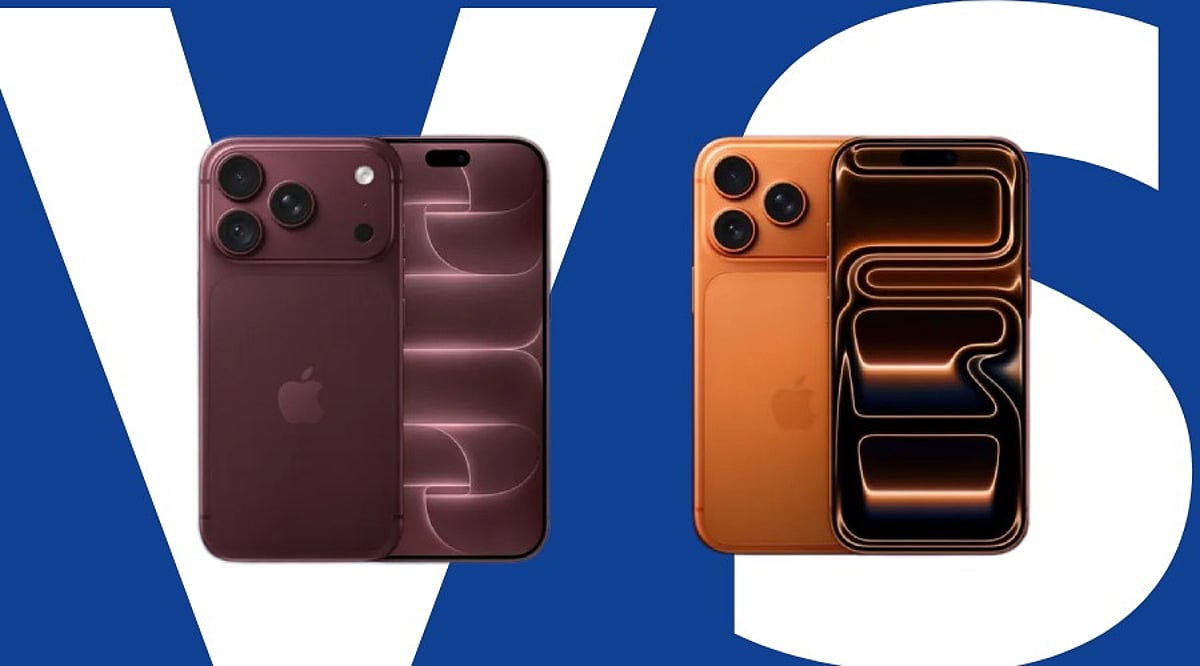
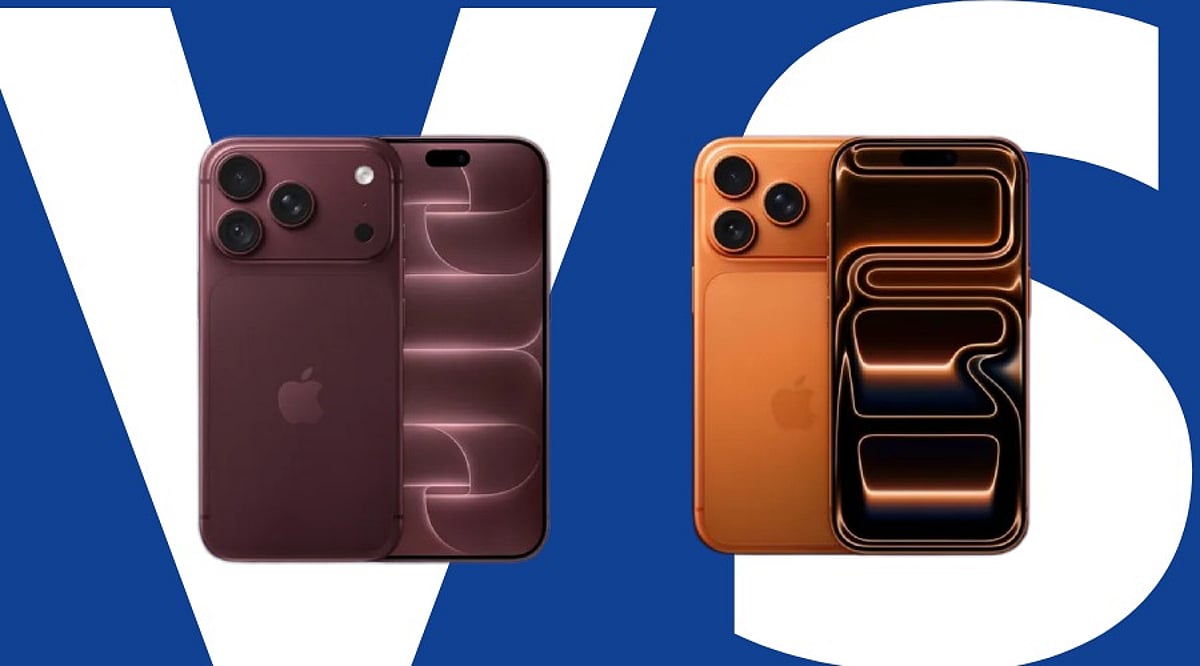
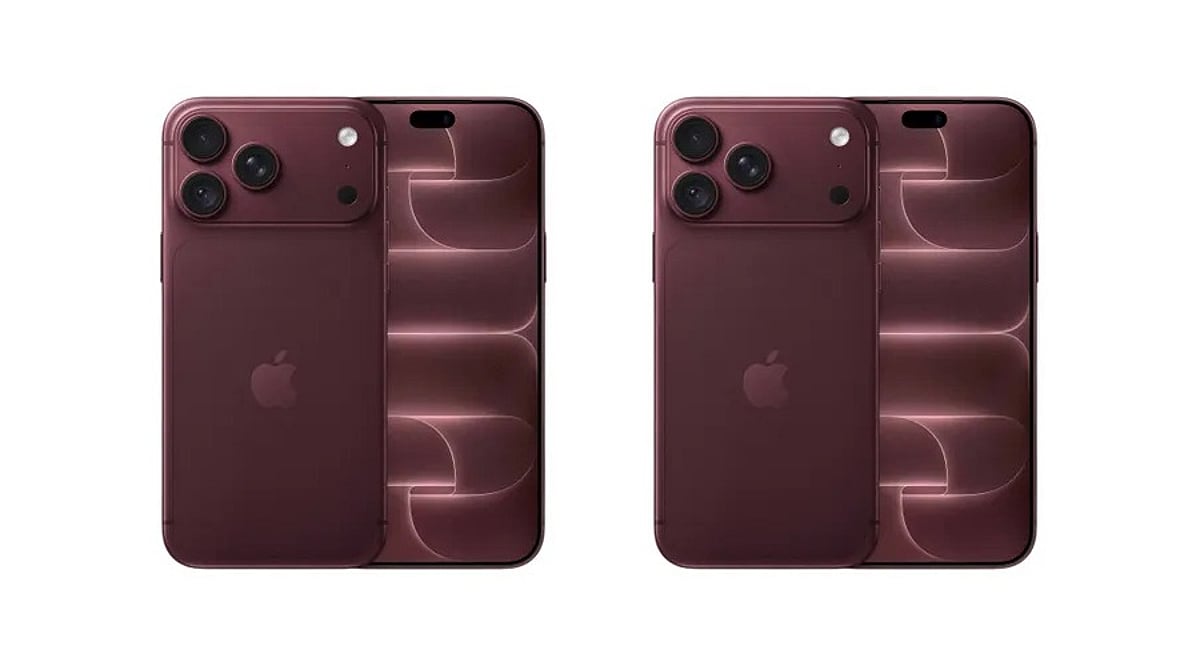
    Both phones are available in Black, Silver, Glacier, and a new shade called Burgundy. The Pro features a 6.3-inch display, while the Pro Max steps up to 6.9 inches with a larger battery.

    Under the hood, the new A20 Pro chip is paired with Apple’s own C2 modem, promising faster and more efficient connectivity. The camera system has received a significant upgrade: a 48MP Fusion Main sensor with a variable aperture, along with 48MP Fusion Ultra Wide and Telephoto units. Apple states this setup enhances low-light photography and provides greater control over depth of field.

    Apple has also introduced a next-generation vapour chamber for improved heat management during intensive use, plus Ceramic Shield 2 for tougher display protection.

    In a notable change, Apple shifted the pre-order date to Saturday instead of the usual Friday, as the original Friday would have fallen on September 11 — the 25th anniversary of the 9/11 attacks. The company reportedly moved the window by a day to avoid any conflict with the solemn anniversary.

    Offers and EMI Options

    Apple is offering up to six months of no-cost EMI through select banks. Shoppers using eligible American Express, Axis Bank, or ICICI Bank cards can also receive an instant cashback of up to Rs. 7,000. Through Apple’s trade-in program, buyers can get credit worth up to Rs. 81,500 depending on the condition and model of their old device.

    New purchasers also receive three months of Apple Music, Apple TV+, and Apple Arcade free with their purchase. Given the current memory shortage affecting the industry, those who delay may see delivery dates pushed beyond September 18. It is advisable to have payment details and trade-in device information ready before the pre-order window opens.

  • Today’s Top Tech News: iPhone 18 Pro, iOS 27, A20 Pro Chip, and AI Safety Concerns

    Today’s Top Tech News: iPhone 18 Pro, iOS 27, A20 Pro Chip, and AI Safety Concerns

    Apple’s latest flagship, the iPhone 18 Pro, along with iOS 27 and the new A20 Pro chip, dominate today’s tech headlines. Samsung’s roast of Apple’s launch, growing AI safety concerns, and Apple’s upcoming foldable iPhone Duo also make waves.

    Published on 11 Sep 2026, this roundup covers the most important developments in consumer technology. The iPhone 18 Pro promises significant performance gains thanks to the A20 Pro processor, while iOS 27 introduces new features and security enhancements. Meanwhile, Samsung’s social media posts trolling the iPhone 18 launch have sparked online debates. On the AI front, safety discussions intensify as regulators and companies seek to balance innovation with responsible deployment. Apple’s foldable iPhone Duo, expected to compete with Samsung’s Galaxy Z Fold 8, remains a hot topic among enthusiasts.

  • Files by Google App: Features, Pros, Cons, and How to Use It Effectively

    Files by Google App: Features, Pros, Cons, and How to Use It Effectively

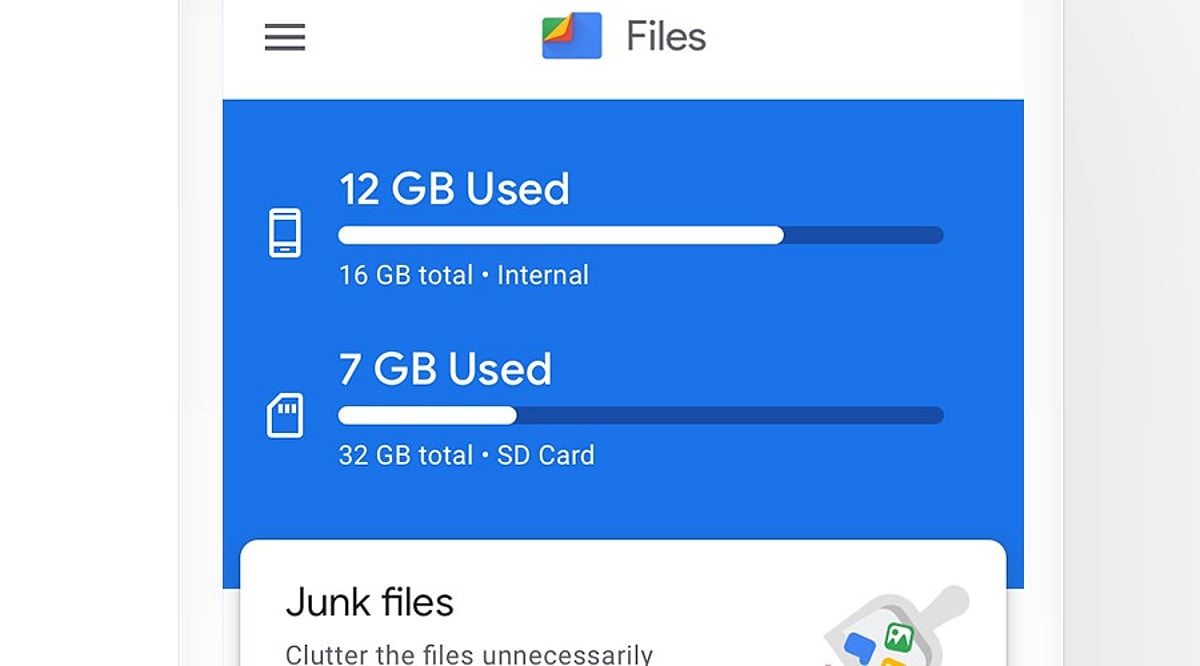
    Files by Google is a free Android file manager that simplifies file organization, storage cleanup, content sharing, and privacy protection. With over 5 billion downloads on the Google Play Store and a 4.3-star rating, it has become one of the most popular tools for managing phone storage.

    What Is Files by Google?

    Developed by Google, this app helps Android users find, move, copy, share, and delete files quickly. Files are neatly categorized into sections like Images, Videos, Documents, and Downloads, making navigation intuitive. A powerful search option lets you locate specific files instantly.

    Key Features

    • Storage Cleanup: Identifies junk files, duplicate content, old screenshots, and large unused files. Users can review suggestions before deleting.
    • Safe Folder: Protects private files with a PIN or pattern, keeping them hidden from the main file list.
    • SD Card Support: Move files to external storage on compatible devices.
    • Quick Share: Send files to nearby devices without email or messaging apps.
    • ZIP Support: Compress files or folders into ZIP archives.
    • Cloud Backup: Back up important files to the cloud.
    • Media Playback: Play stored videos and music directly within the app.

    Where to Download

    Download Files by Google exclusively from the Google Play Store. The app is free, ad-free, and uses less than 20 MB of storage. Official downloads ensure timely updates and security patches.

    Pros and Cons

    Pros

    • Free and ad-free
    • Simple, user-friendly interface
    • Lightweight (under 20 MB)
    • Effective storage cleanup and duplicate file detection
    • Quick Share and Safe Folder features
    • SD card and ZIP file support
    • Cloud backup and media playback

    Cons

    • Limited advanced file controls
    • Some features depend on Android version
    • Users must manually review cleanup suggestions
    • Safe Folder security relies on user-set PIN/pattern
    • Not ideal for users seeking a highly advanced file manager

    How to Use Files by Google

    1. Open the app and browse categories like Images, Videos, Documents, or Downloads.
    2. Use the search bar to find a specific file by name or type.
    3. Go to the Clean section to review and remove junk or duplicate files.
    4. Select a file, tap the menu, and choose Move or Copy to relocate it.
    5. Use Quick Share to send files to nearby compatible devices.
    6. Move private files to the Safe Folder and set a PIN or pattern.
    7. Select files or folders and use Compress to create a ZIP archive.

    Always double-check files before deleting—old photos or documents may still be important.

    Why It Stands Out

    Files by Google focuses on solving everyday storage and file management problems without unnecessary complexity. Its popularity—over 5 billion downloads—reflects its reliability and ease of use. For Android users who want a clean, straightforward tool to keep their phone organized, this app is a practical choice.

  • iPhone 18 Pro vs iPhone 17 Pro: Is the Rs 30,000 Price Gap Justified?

    iPhone 18 Pro vs iPhone 17 Pro: Is the Rs 30,000 Price Gap Justified?

    Apple’s latest iPhone 18 Pro brings a faster A20 Pro chip, a variable-aperture main camera, improved battery life, and additional AI capabilities over the iPhone 17 Pro. However, with a starting price of Rs 1,64,900 in India compared to Rs 1,34,900 for the iPhone 17 Pro (both 256GB), the Rs 30,000 premium raises an important question: is the upgrade worth it for most users?

    Key Differences at a Glance

    The iPhone 18 Pro introduces several meaningful upgrades, but not all of them will matter to every buyer. Here’s a breakdown of the most significant changes.

    Camera: Variable Aperture Steals the Show

    The most notable camera upgrade is the 48MP Fusion main camera with a variable aperture offering ƒ/1.48, ƒ/1.8, ƒ/2.8, and ƒ/4.0 settings, compared to the iPhone 17 Pro’s fixed ƒ/1.78 aperture. This gives you more control over depth of field and low-light performance. Both phones share the same 48MP ultra-wide and telephoto cameras with 4x optical zoom and up to 8x optical-quality zoom. For photography enthusiasts, the variable aperture could be the deciding factor.

    Performance: A20 Pro vs A19 Pro

    The A20 Pro chip delivers roughly 20% faster CPU performance and 40% faster GPU performance compared to the A19 Pro, according to third-party analysis. The 7-core GPU and enhanced neural engine are aimed at demanding AI tasks, gaming, and creative applications. For everyday tasks like messaging or streaming, the difference is less noticeable.

    Battery Life: Three Extra Hours

    Apple claims up to 36 hours of video playback on the iPhone 18 Pro versus 33 hours on the iPhone 17 Pro. While not a dramatic jump, the extra three hours could make a difference for heavy users.

    Display: Minimal Changes

    Both models feature a 6.3-inch Super Retina XDR OLED display with ProMotion and a smaller Dynamic Island that supports up to three Live Activities. There are no major display improvements to justify an upgrade.

    Which One Should You Buy?

    The iPhone 18 Pro is clearly the more advanced device, but the Rs 30,000 price gap gives the iPhone 17 Pro a strong value proposition. If you prioritize the latest camera technology, AI performance, battery life, or up to 2TB storage, the iPhone 18 Pro is the better long-term investment. However, for most users who are satisfied with the A19 Pro chip, ProMotion display, and 48MP camera system, the iPhone 17 Pro remains an excellent choice—especially when retailer or bank discounts are available.

    Frequently Asked Questions

    Is the iPhone 18 Pro worth upgrading from the iPhone 17 Pro?
    The upgrade is worthwhile for camera enthusiasts, AI users, and performance seekers, but unnecessary for everyday users.

    What is the price difference?
    The iPhone 18 Pro starts at Rs 1,64,900, while the iPhone 17 Pro launched at Rs 1,34,900 in India.

    Does the iPhone 18 Pro have a better camera?
    Yes, its 48MP main camera features a variable aperture, offering greater flexibility than the fixed aperture on the iPhone 17 Pro.

    Which iPhone has better battery life?
    The iPhone 18 Pro offers up to 36 hours of video playback, compared to 33 hours on the iPhone 17 Pro.

    Which iPhone offers better value for money?
    The iPhone 17 Pro offers better value, especially when discounted, while the iPhone 18 Pro provides newer hardware.

  • iPhone 18 Pro vs iPhone 17 Pro: Is the Rs 30,000 Upgrade Worth It?

    iPhone 18 Pro vs iPhone 17 Pro: Is the Rs 30,000 Upgrade Worth It?

    Apple’s iPhone 18 Pro introduces several upgrades over the iPhone 17 Pro, including a faster A20 Pro chip, a variable-aperture main camera, improved battery life, and additional AI capabilities. However, with the newer model carrying a significant price premium in India, the upgrade may not make sense for everyone.

    Price Comparison

    The iPhone 18 Pro starts at Rs 1,64,900 for the 256GB model in India, while the iPhone 17 Pro launched at Rs 1,34,900 for the same storage configuration. That puts the difference at Rs 30,000 before retailer, bank, or exchange offers.

    Key Differences

    Camera Gets the Biggest Change

    One of the most significant upgrades is the iPhone 18 Pro’s 48 MP Fusion Main Camera with variable aperture (ƒ/1.48, ƒ/1.8, ƒ/2.8, and ƒ/4.0 options), compared to the iPhone 17 Pro’s fixed ƒ/1.78 aperture. This variable aperture allows greater control over light intake in different shooting conditions. Both models share 48MP main, ultra-wide, and telephoto cameras, with the telephoto offering 4x optical zoom and up to 8x optical-quality zoom.

    A20 Pro Targets Performance and AI

    The iPhone 18 Pro runs on Apple’s A20 Pro chip, replacing the A19 Pro. The newer chip features a 7-core GPU and enhanced neural acceleration for demanding AI workloads. Third-party analysis estimates roughly 20% improvement in CPU performance and 40% in GPU performance. These gains are most noticeable in demanding games, video processing, creative applications, and AI-heavy tasks, rather than everyday activities like messaging or browsing.

    Battery Life

    According to Apple, the iPhone 18 Pro provides up to 36 hours of video playback, compared with 33 hours on the iPhone 17 Pro. While not a massive increase, it may matter for heavy users.

    Display Changes Are Minor

    The iPhone 18 Pro features the same 6.3-inch Super Retina XDR OLED display with ProMotion and a smaller Dynamic Island that supports up to three Live Activities simultaneously. There are no major display improvements that would compel an upgrade.

    Which iPhone Pro Should You Buy?

    The iPhone 18 Pro is clearly superior, but the Rs 30,000 price gap gives the iPhone 17 Pro an edge in value, especially if retailers offer additional discounts. If you prioritize the latest camera technology, AI performance, battery life, or 2TB storage, the iPhone 18 Pro is the better choice. For most daily tasks, the iPhone 17 Pro’s A19 Pro chip, ProMotion display, and 48MP camera system remain more than capable. Ultimately, the decision hinges on price: with a big discount, the iPhone 17 Pro offers better value; if price is no object, the iPhone 18 Pro is the superior long-term investment.

    FAQs

    Is the iPhone 18 Pro worth upgrading from the iPhone 17 Pro?
    The upgrade is worthwhile for camera, AI, performance, and battery improvements, but not necessary for most everyday users.

    What is the price difference between iPhone 18 Pro and 17 Pro?
    The iPhone 18 Pro starts at Rs 1,64,900, while the iPhone 17 Pro launched at Rs 1,34,900 in India.

    Does iPhone 18 Pro have a better camera?
    Yes, its 48MP main camera features variable aperture, offering greater flexibility than the iPhone 17 Pro’s fixed aperture.

    Which iPhone has better battery life, 18 Pro or 17 Pro?
    The iPhone 18 Pro offers up to 36 hours of video playback, compared with 33 hours on the iPhone 17 Pro.

    Which iPhone offers better value for money?
    The iPhone 17 Pro offers better value, particularly when available at retailer discounts, while the 18 Pro provides newer hardware.

  • iQOO 16 Reveals Striking Holographic ‘Chasing Light’ Design Ahead of Launch

    iQOO 16 Reveals Striking Holographic ‘Chasing Light’ Design Ahead of Launch

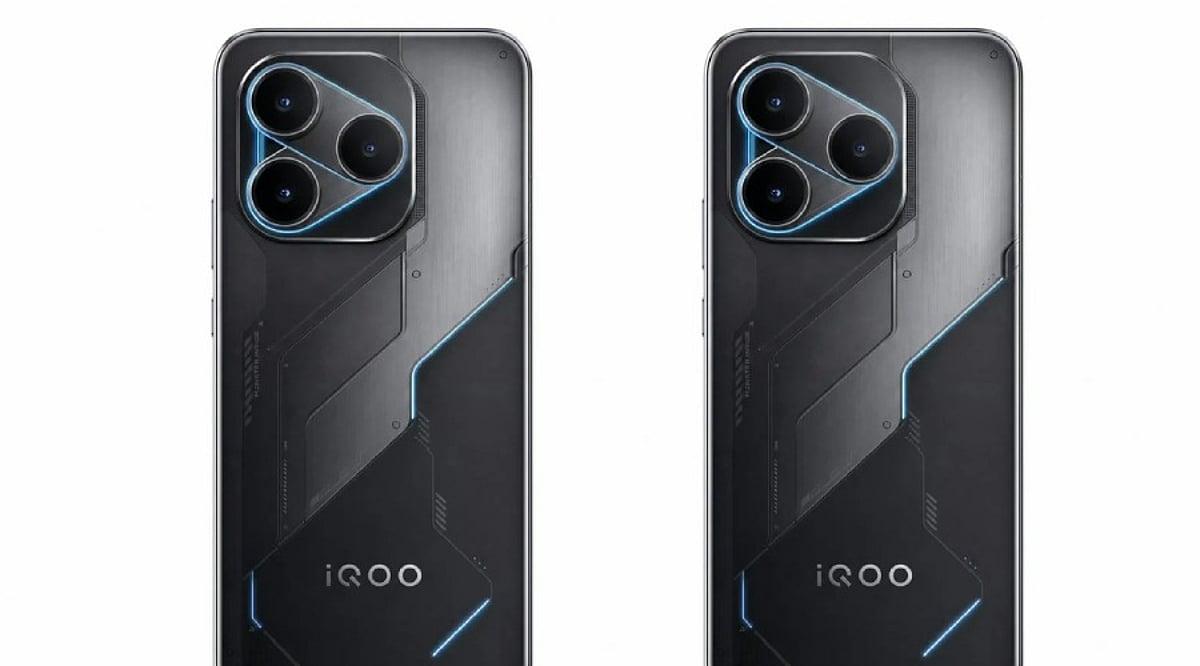
    iQOO is gearing up to unveil its next flagship smartphone, the iQOO 16, and has started teasing its design ahead of the official launch. The upcoming device introduces a bold new visual identity, featuring a holographic rear panel and a redesigned camera module that set it apart from its predecessors.

    Chasing Light Finish: A Holographic Masterpiece

    The iQOO 16 will be offered in a “Chasing Light” color option, highlighted by a holographic rear panel that creates a dynamic three-dimensional light effect when viewed from different angles. According to reports, iQOO developed this finish using laser holographic imaging technology, combining multiple precision manufacturing steps to produce the shifting visual effect. The rear panel blends red holographic patterns with flowing blue light, giving the finish a lively, ever-changing appearance.

    iQOO is expected to offer additional finishes, including Track and Legend, providing alternatives for users who prefer a more understated look over the experimental Chasing Light design.

    Redesigned Camera Module

    The iQOO 16 is rumored to feature a square camera island with heavily rounded corners. Inside, three rear cameras are arranged in a connected layout, giving the phone a futuristic and cohesive aesthetic.

    Expected Flagship Hardware

    Beyond its striking design, the iQOO 16 is tipped to pack flagship-grade internals. Leaks suggest a 6.85-inch 2K display with a 165Hz refresh rate, powered by Qualcomm’s next-generation Snapdragon 8 Elite Gen 6 Pro chipset. Additionally, an 8,500mAh battery and a triple rear-camera setup have been mentioned, though these specifications remain unconfirmed by iQOO and should be treated as rumors.

    The iQOO 16 is expected to launch in China later this month. The company has yet to announce pricing or broader market availability. Stay tuned for official details.

  • Apple Executives Respond to Claims That iPhone Duo Copied Rival Foldables

    Apple Executives Respond to Claims That iPhone Duo Copied Rival Foldables

    Apple’s leadership has finally responded to accusations that its new foldable iPhone Duo copied designs from rival smartphone makers. New CEO John Ternus and marketing chief Greg Joswiak, widely known as Joz, addressed the topic this week during an interview with TechRadar’s Lance Ulanoff and Tom’s Guide’s Mark Spoonauer.

    The comments came just days after Apple unveiled the iPhone Duo, its first foldable phone, at a September event. Samsung, Huawei and Xiaomi had all launched wide, book-style foldables well before Apple, and social media was quick to accuse the company of copying the format, particularly its aspect ratio.

    What Apple’s Executives Actually Said

    Joswiak pushed back on the copying claims directly, explaining that leaks about Apple’s foldable project had circulated for years. He said people knew through leaks that Apple was working on a foldable, and some of them happened to guess the aspect ratio correctly.

    “People knew through leaks that we were working on a foldable,” said Joz. “Unfortunately, they got the aspect ratio, and a lot of coincidental instances of people finding that an interesting aspect ratio.”

    He was referring to Samsung, Huawei and Xiaomi, all of which had already announced wide foldables before Apple’s own launch. Joswiak added that the one detail Apple managed to keep under wraps was the folding nano-texture display built specifically for the Duo, something he said the team protected with extra layers of internal security and never discussed publicly ahead of time.

    Why the Foldable Debate Matters

    Social media reactions have ranged from genuine criticism to outright jokes since the Duo’s launch. Samsung itself joined in with a playful jab online, and even Duolingo got pulled into the meme cycle over the product’s name.

    Beyond the online chatter, the interview also gave a first real look at Ternus in his new role as CEO, following the recent leadership change from Tim Cook. Reports describe his tone as more animated and hands-on compared to Cook’s typically measured public style, reflecting his background as an engineer rather than a longtime executive.

    For a company stepping into its first foldable phone category, how Apple frames its originality could shape how the Duo is perceived heading into its first full sales cycle.

  • 15 Best iPhone Duo Split View App Pairs to Boost Your Productivity

    15 Best iPhone Duo Split View App Pairs to Boost Your Productivity

    Apple’s iPhone Duo, the company’s first foldable iPhone, launched globally on September 9, 2026, with iOS 27. Its 7.6-inch inner display brings Split View multitasking, allowing users to run two apps side by side. This feature is designed to enhance productivity, streamline research, simplify communication, and make shopping and entertainment more efficient.

    Why Split View Multitasking Matters

    The iPhone Duo’s larger screen transforms how you interact with your device. Instead of constantly switching between apps, you can keep two apps visible simultaneously, creating powerful workflows. Apple also supports running two windows of the same app and saving frequently used app pairs for quick access.

    Top 15 App Pairs for iPhone Duo

    1. Safari + Notes

    Perfect for research, this pair lets you browse the web while jotting down key points without losing your place. It’s ideal for students, writers, and anyone gathering information.

    2. Mail + Calendar

    Streamline your professional routine by viewing your schedule while composing emails. This pair helps you manage appointments and correspondence efficiently.

    3. ChatGPT + Claude

    For AI enthusiasts, comparing responses from two leading AI assistants side by side can provide deeper insights, help with brainstorming, and validate information.

    4. Safari + ChatGPT

    Combine web research with AI assistance. Ask ChatGPT to summarize articles, answer questions, or generate ideas while keeping the source page open.

    5. Maps + Apple Music

    Navigate hands-free while controlling your music. This pair is perfect for road trips or daily commutes, keeping both directions and entertainment within reach.

    6. Maps + Messages

    Coordinate meetups without losing your way. Keep directions visible while texting friends or colleagues about arrival times or changes in plans.

    7. Files + Mail

    Attach files directly from the Files app while composing an email. This pair simplifies document sharing and reduces the need to switch between apps.

    8. Slack + Zoom

    Stay connected with your team during video meetings. View chat messages while on a call, ensuring you don’t miss important updates or questions.

    9. Safari + Safari (Two Windows)

    Compare products, prices, and specifications across two websites side by side. This is a game-changer for online shopping and research.

    10. Safari + Shopping App

    Use a shopping app like Amazon or eBay alongside Safari to check reviews, compare prices, and find the best deals without switching tabs.

    11. YouTube + Notes

    Watch tutorials or lectures while taking notes. This pair is excellent for online learning, skill development, and research.

    12. Photos + Messages

    Share photos effortlessly during conversations. View your photo library while chatting, making it easy to send the perfect image.

    13. Calendar + Reminders

    Plan your day by viewing your schedule and task list together. This pair helps you manage time and stay on top of deadlines.

    14. Weather + Maps

    Check the forecast while planning your route. This is especially useful for outdoor activities, travel, and daily commuting.

    15. Podcasts + Notes

    Listen to podcasts while jotting down key takeaways. This pair is great for learning and capturing ideas from audio content.

    Making the Most of App Pairs

    The best app pair depends on your unique workflow. Apple allows you to save your favorite combinations for one-tap access, turning Split View into a repeatable workflow. Whether you’re working, traveling, shopping, or learning, the iPhone Duo’s multitasking capabilities offer a more efficient and enjoyable experience.

    Apple CEO John Ternus called the iPhone Duo “the most transformational change to iPhone since the original,” highlighting its larger display and productivity-boosting potential. With the right app pairs, you can truly unlock the power of this innovative device.