
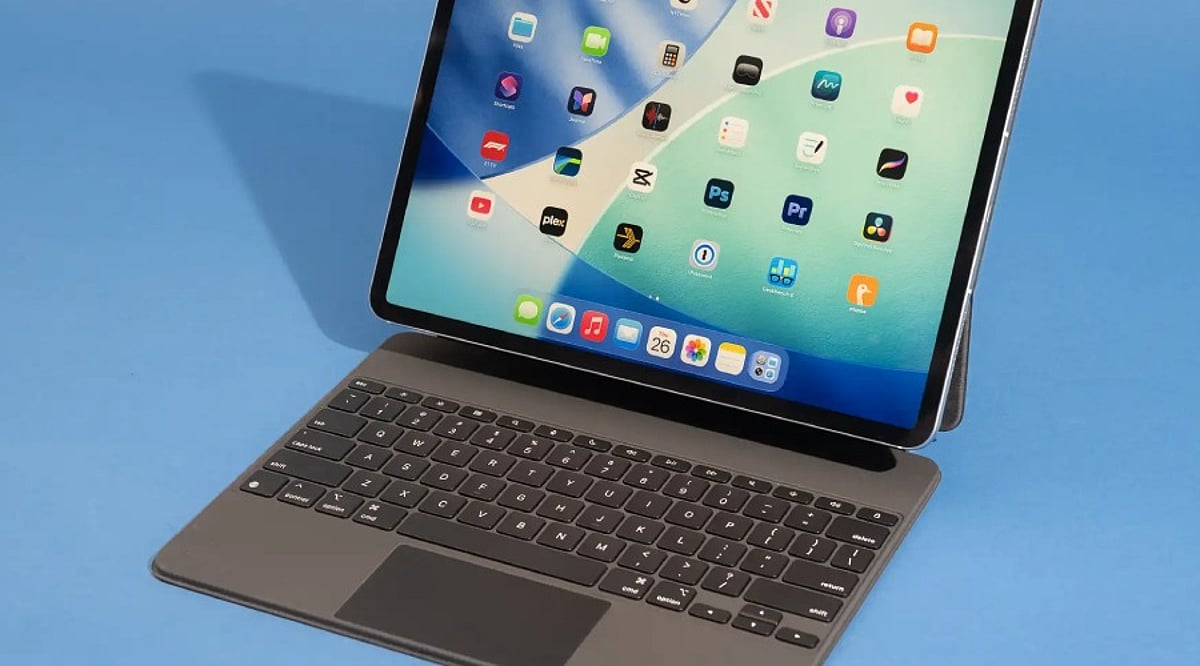
What to Look For in a Tablet Keyboard in 2026
Tablets have become serious productivity tools for work, study, and travel. A well-chosen keyboard can turn a tablet into a laptop-like workstation, but finding the right one requires looking beyond the price tag. This guide explains the features that matter most and how to match them to your daily needs.
Market reports estimate that the global tablet accessories market could reach about US$30.6 billion in 2026. Detachable keyboards account for nearly 36% of that accessory demand, making them the largest category in the market. The dedicated tablet keyboard segment is expected to reach around US$8.8 billion in 2026, with an annual growth rate above 12%. These numbers show that comfortable, reliable typing is now a top priority for tablet owners.
Check Compatibility First
Compatibility is the most important factor to consider. Not every keyboard works properly with every tablet, even when both products come from the same brand. A mismatched keyboard can cause connection problems and limit access to important features.
Choosing a keyboard designed for your specific tablet model gives you the best performance and reliability. Many premium models use Smart Connector or pogo pin technology, which connects instantly without Bluetooth pairing. Other keyboards use USB-C or Bluetooth 5.2, both of which offer dependable wireless or wired communication.
Typing Comfort Matters for Everyday Work
Comfortable keys make a huge difference during long typing sessions. Small or cramped keys can slow you down and increase mistakes. A well-designed keyboard should feel natural from the first use and support extended writing or note-taking without discomfort.
Look for 1 to 1.5 mm of key travel, which provides a satisfying press and a laptop-like feel. Full-size layouts help you maintain normal typing speed, while scissor-switch keys offer better feedback than older flat designs. Many modern keyboards also include a function row for quick access to brightness, media controls, volume, and other settings.
A Quality Trackpad Adds Precision
A good trackpad helps create a true laptop experience. Basic tasks such as file management, document editing, and web browsing become easier when you have accurate cursor control.
Premium keyboards often include larger trackpads with multi-touch gesture support and palm rejection. Windows tablets benefit from Windows Precision drivers, which provide smooth navigation. Apple continues to set a high standard with its Magic Keyboard trackpad, and many experts consider it one of the best available. Large trackpads are especially useful for creative professionals working with graphics or detailed projects.
Battery and Connection Options
The way a keyboard connects can affect your daily convenience. Smart Connector keyboards draw power directly from the tablet, so you never have to worry about charging them separately. USB-C keyboards also receive power from the connected device.
Bluetooth keyboards need their own battery, but many modern models deliver excellent battery life. Most quality Bluetooth keyboards can run for two to six months on a single charge, depending on usage and backlight settings. That long battery life reduces interruptions and makes Bluetooth keyboards a practical choice for travel and office work.
Portability Supports Life on the Move
Many tablet owners carry their devices between home, school, and the office, so weight and thickness matter. Most travel-friendly keyboard cases weigh between 250 and 700 grams. Ultra-thin models usually measure 5 to 8 millimeters thick, while protective folio cases are often 10 to 15 millimeters thick. A light, slim design fits easily into a backpack and keeps your daily load comfortable.
Protection Adds Long-Term Value
A keyboard case can do more than help you type. Many designs also protect your tablet from everyday damage. Strong outer materials help reduce scratches, minor drops, and dust exposure.
Several keyboard cases include adjustable viewing angles and multi-angle kickstands. These features make it easier to work at a desk, on a table, or on your lap. Stable support also helps during video calls, presentations, and entertainment.
Modern Features Improve Productivity
Tablet keyboards continue to gain new features. Many premium models now support multi-device Bluetooth pairing, making it easy to switch between a tablet, phone, and computer. USB-C passthrough charging keeps the tablet powered while another accessory stays connected.
Some brands include shortcut customization, media controls, adjustable backlighting, and dedicated AI shortcut keys. As AI tools become more common, keyboard makers are adding buttons that provide faster access to those features.
Choosing the Right Keyboard for Your Needs
Different users need different keyboards. Students may prefer a lightweight keyboard case with a folio design at an affordable price. Office workers often benefit from laptop-style keys, a wide precision trackpad, quality materials, and a USB-C connection. Creative professionals usually look for good viewing angles, easy switching between typing and drawing, and strong stylus compatibility.
The best choice depends on your daily activities and travel habits, not just the price. Compare compatibility, typing comfort, trackpad quality, battery life, portability, protection, and productivity features to find the right fit for your workflow.
Frequently Asked Questions
Why is compatibility the most important factor when choosing a tablet keyboard?
A compatible keyboard ensures reliable connectivity and access to features like Smart Connector, function keys, and trackpad support.
Is Bluetooth or Smart Connector better?
Smart Connector offers instant connection without charging, while Bluetooth provides wider compatibility and wireless flexibility.
What key travel is best for comfortable typing?
A key travel of 1 to 1.5 mm with scissor-switch keys generally provides a comfortable laptop-like typing experience.
Do all tablet keyboards include a trackpad?
No. Premium models often include precision trackpads, while many budget keyboards are keyboard-only.
Which users benefit most from a tablet keyboard?
Students, remote workers, business travelers, and creative professionals all benefit from improved productivity and easier typing.