Tag: AI Assistant

  • Fireflies.ai Targets India as Fred Evolves From Meeting Note-Taker to Workplace AI Agent

    Fireflies.ai Targets India as Fred Evolves From Meeting Note-Taker to Workplace AI Agent

    India has emerged as a critical growth market for Fireflies.ai as the company expands its AI assistant Fred beyond simple meeting transcription and summaries. Fred is now being shaped into a full-fledged workplace AI agent that can handle routine follow-up tasks such as drafting emails, updating CRM records, and creating tasks, all based on conversations it has captured.

    Fireflies.ai co-founder and CEO Krish Ramineni revealed that India is the company’s second-largest market by user count, with paid teams in the country tripling over the past two years. This rapid adoption is influencing both product development and pricing strategy, with the company planning a lower-cost tier specifically for Indian users.

    From Meeting Notes to Workplace Execution

    Fireflies initially gained traction as a tool that records, transcribes, and summarizes meetings. Now, Fred is evolving into a broader workplace companion. The platform connects meeting insights with email, CRM systems, and project-management software, enabling Fred to draft follow-up emails, update records, create tasks, and organize post-conversation information. Fireflies currently offers more than 200 AI skills across its platform.

    The company has also ventured into voice agents, which can conduct certain calls and automatically prepare summaries and transfer data into business systems. Fireflies reports that its voice agents have handled over 40,000 conversations globally.

    “Fireflies.ai started as an AI meeting assistant and note-taker. From day one, the vision was to build a personal assistant that helps with your work,” Ramineni shared. “Back then, we were experimenting with chatbots and Slack bots, but the technology was too early, and there were no LLMs. We eventually went all in on meetings, and the note-taker found product-market fit quickly.”

    India Shapes Product and Pricing Plans

    India’s growing user base is directly influencing Fireflies’ roadmap. The platform already supports 11 Indian languages, including Hindi, Bengali, Tamil, Telugu, Gujarati, and Marathi, as part of its broader language coverage. A lower-cost pricing tier tailored to the Indian market is also in development.

    Ramineni confirmed plans to continue hiring from India’s deep technology and AI talent pool. Fireflies operates as a fully remote company with employees distributed across multiple locations rather than concentrated in a single office.

    AI Takes on More Routine Work

    The broader strategy is to transform Fireflies from a tool that simply records discussions into one that helps complete follow-up work. Ramineni draws a clear line between routine execution and decisions requiring human judgment. Tasks such as screening, qualification, drafting, routing, and follow-ups can be automated, while hiring decisions, financial choices, and other high-impact judgments should remain under human control.

    For Fireflies, India’s rapid adoption provides both a large user base and a real-world testing ground for this shift as workplace AI moves further from note-taking toward active task execution.

  • Google Gemini: A Complete Guide to Features, AI Models, and Everyday Uses

    Google Gemini: A Complete Guide to Features, AI Models, and Everyday Uses

    Google Gemini has evolved into one of the most advanced artificial intelligence platforms globally. Developed by Google DeepMind, Gemini is now deeply integrated across Google’s ecosystem, enabling it to understand and process text, images, audio, video, and code within a single system. Beyond simple Q&A, Gemini powers smart search, voice conversations, writing assistance, coding help, image creation, document analysis, and real-time support across Google apps. The latest models also handle complex, multi-step tasks that require planning, reasoning, and tool use, making Gemini a comprehensive AI assistant for work, study, creativity, and daily life.

    How Google Gemini Works

    Gemini relies on multimodal artificial intelligence, allowing one model to simultaneously understand different types of information. It can read text, recognize images, interpret spoken words, analyze videos, and write code without needing separate tools. For example, users can upload a photo, ask a question about it, and receive a detailed answer. Gemini also handles voice requests, maintains context in conversations, and responds naturally. Google designed Gemini for agentic tasks—completing multi-step jobs rather than handling just one simple request. It can organize information, create plans, review documents, write content, and continue tasks across several steps.

    Latest Google Gemini AI Models

    Google offers several Gemini models tailored for different tasks, balancing speed, reasoning, creativity, and real-time interactions:

    • Gemini 3.8 Flash – Google’s flagship model for fast and complex AI tasks, handling writing, coding, reasoning, and large workloads with improved speed and lower computing cost.
    • Gemini 3.1 Pro – Focuses on advanced reasoning and creative work, supporting detailed research, long documents, software development, and difficult problem-solving.
    • Gemini 3.1 Deep Think – Built for science, engineering, and research, this model excels at complex calculations, technical analysis, and higher-level reasoning.
    • Gemini 3.8 Live – Enables natural voice conversations in the Gemini app, understanding spoken language, visual context, and real-time interactions.
    • Gemini 3.8 Live Extended Thinking – Adds deeper reasoning during voice conversations, working through harder questions while the conversation continues.
    • Gemini 3.5 Flash-Lite – A lightweight option for high-volume tasks requiring quick answers and efficient performance.

    Google also offers dedicated audio and image models for speech recognition, translation, image creation, editing, and visual understanding.

    Top Features of Google Gemini

    Gemini combines several AI features into one platform. It can write emails, blog posts, summaries, reports, social media captions, and creative content in simple or professional tones. It understands documents such as PDFs, spreadsheets, presentations, and text files, extracting important information, summarizing long reports, and explaining complex topics. The image feature describes photos, identifies objects, explains charts, solves visual questions, and edits or generates images with text prompts. Voice conversations with Gemini Live feel natural—the assistant responds in real time, remembers context, and answers follow-up questions without repeating earlier details. Gemini also supports coding across many programming languages, explaining code, fixing errors, writing functions, and helping developers complete larger projects.

    Everyday Uses of Google Gemini

    Gemini can be applied in practical ways beyond simple chatbot assistance:

    • Students can use Gemini for homework help, pop quizzes, study organization, math assistance, scientific explanations, language learning, and research summaries.
    • Business professionals can rely on Gemini for meeting notes, email drafts, presentations, reports, project plans, brainstorming, and document review.
    • Writers and artists can use Gemini for article outlines, content ideas, script creation, marketing copy, product descriptions, and creative storytelling, along with grammar checking.
    • Travelers can get suggestions for itineraries, activities, restaurants, and destination comparisons.
    • Everyday tasks include cooking recipes, fitness plans, shopping and budgeting ideas, event planning, and organization.

    Gemini Across Google Apps

    Google has integrated Gemini with many popular services, reducing the need to switch between apps. In Gmail, Gemini drafts emails, summarizes long conversations, and suggests replies. In Google Docs, it writes and edits content, changes tone, and creates summaries. In Google Sheets, it explains formulas, analyzes data, creates tables, and answers questions. In Google Slides, it creates presentations, writes speaker notes, and generates slide content. Google Search also uses Gemini for AI-powered answers that combine information from multiple sources into organized responses.

    Gemini Live: Voice AI That Feels Natural

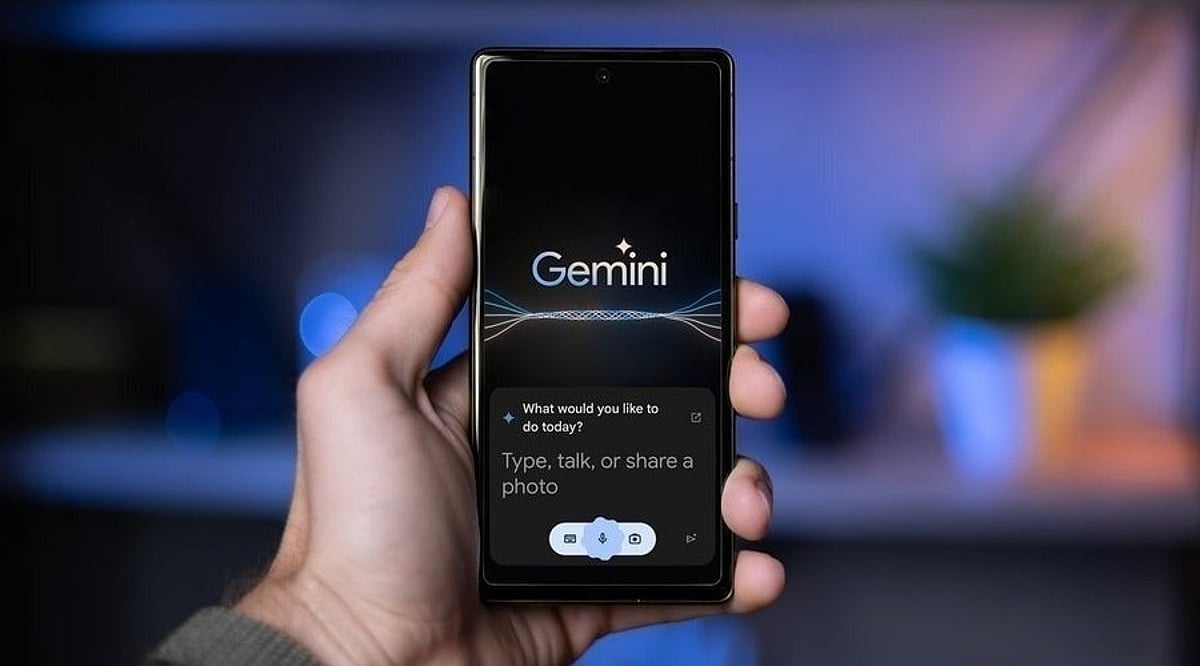
    Gemini Live is one of Google’s biggest AI updates, supporting continuous voice conversations rather than short Q&A sessions. Users can talk naturally, interrupt, ask follow-up questions, and even show objects through the phone camera. Gemini understands both speech and visual context during the same conversation. The latest Gemini 3.8 Live models also support deeper reasoning for difficult questions and more advanced conversations across diverse topics.

    Image, Audio, and Video Intelligence

    Gemini goes beyond text with powerful multimedia abilities. The image system creates original artwork, edits existing pictures, removes objects, changes backgrounds, and generates illustrations from text prompts. Audio models support speech recognition, transcription, translation, and voice understanding across multiple languages. Gemini also analyzes videos—identifying important moments, understanding scenes, answering questions about content, and finding specific events in long recordings. Google states that its latest video system uses fewer computing tokens while improving accuracy for many analysis tasks.

    Gemini for Coding and Developers

    Google has expanded Gemini for software developers with advanced coding tools. Gemini writes code in languages such as Python, JavaScript, Java, C++, Go, and SQL. It explains programming concepts, reviews code quality, fixes bugs, and suggests improvements. The latest models also support agentic coding tasks, handling larger development workflows instead of isolated code snippets. Developers can ask Gemini to build features, organize files, explain repositories, and solve technical issues across multiple steps.

    Google Gemini on Mobile and Desktop

    Gemini works across Android phones, iPhones, tablets, web browsers, and desktop computers. On Android, Gemini serves as a smart assistant for voice commands, searches, navigation, reminders, and app support. Google has also launched a dedicated Gemini app for Windows, offering quick access through keyboard shortcuts and supporting voice conversations, writing help, research, and productivity tools.

    What Makes Google Gemini Different

    Google Gemini stands out by combining text, images, audio, video, code, and reasoning into one AI platform instead of separate systems for each task. The latest family focuses on long conversations, complex planning, advanced coding, document understanding, visual analysis, and deeper reasoning across many tasks. Strong integration with Google Search, Gmail, Docs, Sheets, Slides, Android, and Windows expands Gemini beyond a standalone chatbot. It now serves as a complete AI ecosystem supporting learning, work, creativity, communication, and everyday productivity through one connected platform.

  • Anthropic Unifies Claude Chat and Cowork Into a Single AI Interface

    Anthropic Unifies Claude Chat and Cowork Into a Single AI Interface

    Anthropic has merged its Claude Chat and Cowork features into a single, unified interface, streamlining how users interact with the AI assistant. The update allows users to handle quick questions and complex, multi-step tasks within the same conversation, eliminating the need to switch between separate tools.

    According to Anthropic, the new interface lets Claude automatically determine the capabilities required for a task, removing the burden on users to decide whether to use Chat, Cowork, or Claude Design. The company has also introduced Claude Docs and Claude Slides, while Claude Design is now integrated directly into conversations.

    Claude Chat and Cowork Now Work Together

    Previously, Claude Chat and Cowork served distinct purposes: Chat was designed for questions and work within a conversation, while Cowork focused on delegating larger, multi-step tasks involving files and connected tools. With the unified approach, Claude can select the appropriate capabilities for a task, keeping context, connectors, and skills available throughout the entire process.

    This update builds on Anthropic’s broader effort to make Claude a more continuous assistant across different types of work, reducing friction and improving user experience.

    New Claude Docs and Claude Slides Tools

    The unified interface also introduces new tools for creating documents and presentations. Anthropic is rolling out Claude Docs and Claude Slides as part of this update. Meanwhile, Claude Design is being integrated into conversations rather than remaining a separate experience, allowing users to move between different types of work without leaving the same interaction.

    Rollout Begins for Pro and Max Subscribers

    Anthropic confirmed that the new features are rolling out to Pro and Max subscribers over the coming weeks across web, desktop, and mobile platforms. The company states that the changes are designed to simplify the Claude experience by bringing different capabilities into one place. Users no longer need to decide at the start of a task which Claude tool is appropriate; the system can now determine what the work requires.

    The move comes as Claude increasingly supports longer-running, multi-step tasks alongside traditional conversational interactions. Anthropic’s own research indicates that Chat and Cowork conversations are already being used for different forms of work, reflecting the expanding role of AI assistants beyond simple question-and-answer interactions.

  • Google Gemini Desktop App Launches for Windows: Download Guide and Key Features

    Google Gemini Desktop App Launches for Windows: Download Guide and Key Features

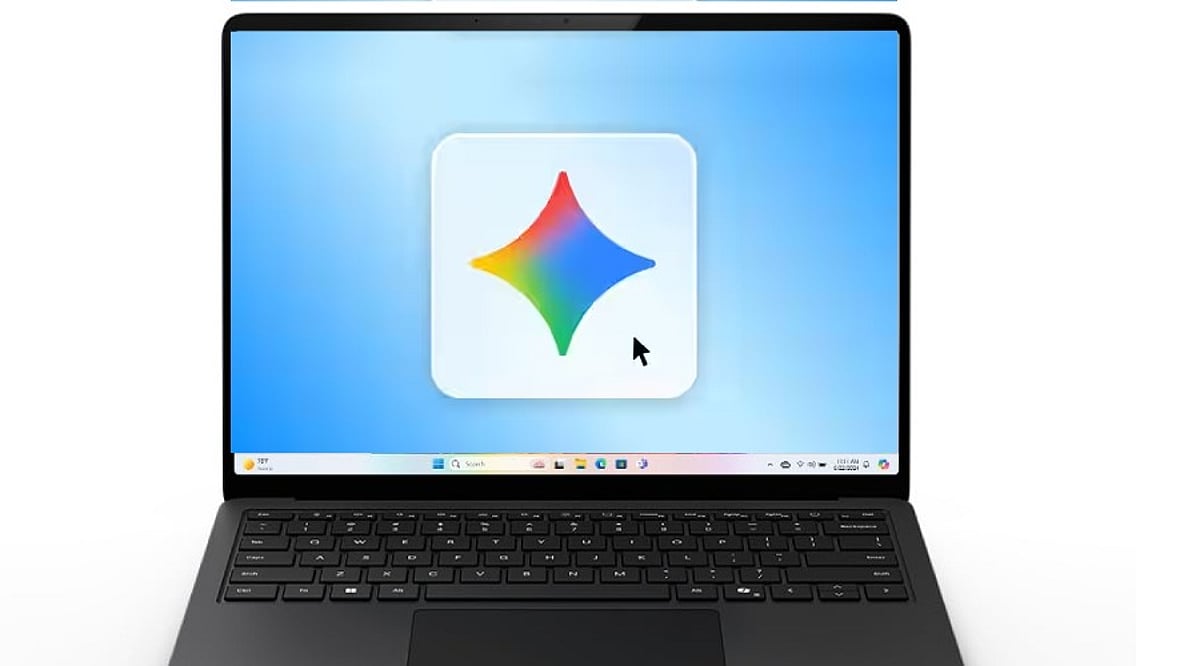
    Google has officially launched a dedicated Gemini app for Windows, bringing its AI assistant directly to the desktop. The new application allows users to access Gemini without opening a browser, offering instant AI-powered assistance for everyday tasks.

    Availability and System Requirements

    The Gemini Windows app is available globally for Windows 10 and Windows 11. To run the app, your PC must meet the following minimum requirements:

    • Windows 10 or later
    • At least 8GB of RAM
    • 200MB of available storage
    • A stable internet connection
    • A Google Account

    How to Download and Install Gemini for Windows

    Installing the app is straightforward. Follow these steps:

    1. Visit gemini.google/desktop.
    2. Download the GeminiSetup.exe file.
    3. Run the installer and follow the on-screen instructions.
    4. Once installation is complete, open Gemini from the Start menu.
    5. Sign in with your Google Account.
    6. Press Alt + Space to open Gemini over your active work.

    Key Features and Productivity Boost

    The desktop app lets you fact-check information, generate ideas, draft content, or solve problems without switching between applications. The keyboard shortcut (Alt+Space) makes Gemini easily accessible during routine desktop tasks, significantly improving workflow efficiency.

    Image and Video Creation Capabilities

    Gemini’s creative features are also available on Windows. Users can generate custom images using Nano Banana and create videos using Gemini Omni. This makes the application ideal for presentations, content creation, and visual projects, reducing the need to juggle multiple separate AI tools.

    With this launch, Google brings its AI assistant closer to the Windows desktop experience, offering seamless integration and powerful productivity tools.

  • OpenAI Partners With Jony Ive on a Premium Screen-Free AI Smart Speaker

    OpenAI Partners With Jony Ive on a Premium Screen-Free AI Smart Speaker

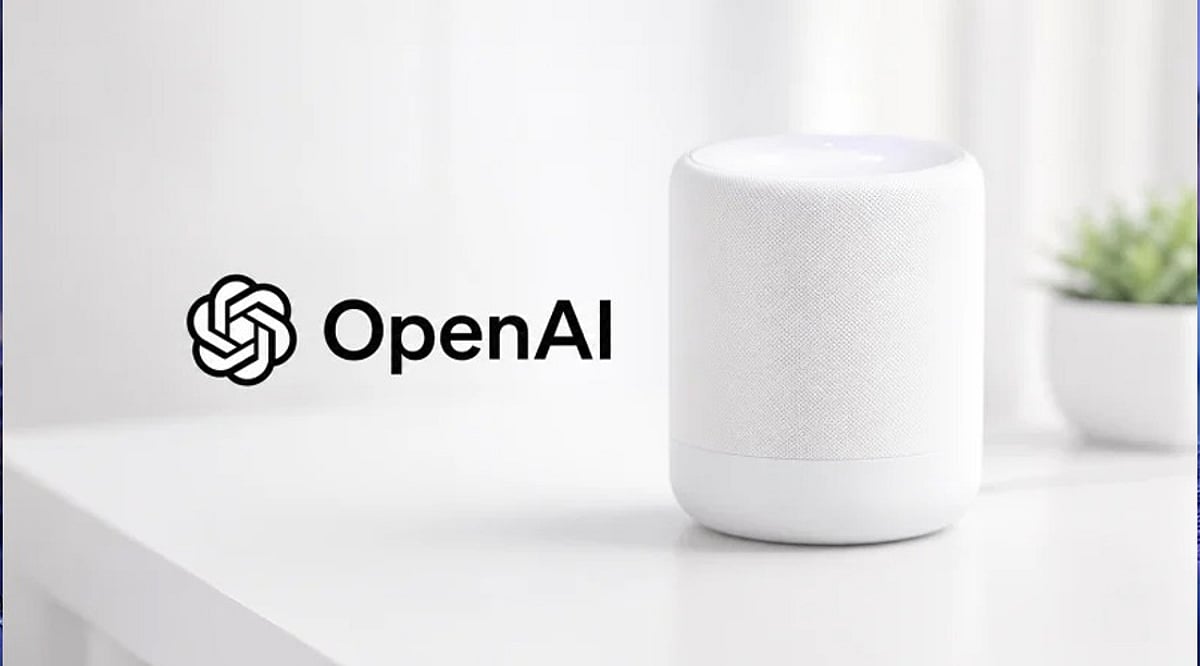
    OpenAI is reportedly preparing to enter the consumer hardware market with its first AI-powered smart speaker, developed in collaboration with former Apple design chief Jony Ive. According to Bloomberg, the device will lack a traditional display and instead function as an AI companion driven entirely by voice interactions through ChatGPT.

    The device is expected to launch in 2027 and is likely to cost more than $300. Unlike existing smart speakers like the Amazon Echo or Google Nest, this product is being built from the ground up as an AI-native computer, with no touchscreen interface. Instead, it will rely on cameras, microphones, sensors, and lighting components, along with movable parts that respond to user interactions. The speaker is said to have a doughnut or hockey puck shape, small enough to be carried around the home.

    Jony Ive is playing a leading design role through his hardware startup io, bringing his signature minimalistic aesthetic to the project. The design is not expected to mimic any Apple product, but rather create a distinct identity for OpenAI’s hardware.

    OpenAI has confirmed that it is exploring a family of AI-powered devices but has not yet provided official product specifications or launch timelines. This screen-free speaker represents a significant step toward building an ecosystem of AI-powered consumer hardware, extending ChatGPT beyond smartphones and computers into everyday living spaces.

    If the timeline holds, OpenAI will enter a market currently dominated by Amazon, Google, and Apple. However, rather than competing on smart home controls, OpenAI is betting on conversational AI as the core user experience. The device could reshape how people interact with artificial intelligence at home.

  • Google Assistant to Be Retired Starting September, Gemini Takes Over as Default Assistant

    Google Assistant to Be Retired Starting September, Gemini Takes Over as Default Assistant

    Google has entered the final phase of retiring Google Assistant, with the company confirming that the voice assistant will begin disappearing from Android smartphones starting September 4. The transition will happen gradually over several weeks as Gemini becomes Google’s only supported voice assistant on eligible Android devices.

    Users who have already received notification emails from Google will no longer be able to switch back to Google Assistant after the migration is complete. The change also extends beyond smartphones to include paired Android tablets, Wear OS smartwatches, and compatible headphones and earphones.

    Gemini Becomes Default Assistant

    After the transition, users will continue to activate the assistant by saying ‘Hey Google’ or by long-pressing the power button. However, instead of Google Assistant, Gemini will respond on supported devices. Google stated that setting Gemini as the default assistant on an Android phone will automatically make it the assistant across paired devices, including compatible smartwatches and audio accessories.

    Gemini retains many of the core capabilities offered by Google Assistant, including setting alarms and timers, answering questions, controlling smart home devices, playing music, and performing tasks directly from the lock screen. It also introduces more advanced AI-powered features built around Google’s latest generative AI technology.

    End of a Decade-Long Service

    Google Assistant was introduced in May 2016 and has remained one of the company’s flagship services across Android phones and several connected devices for nearly a decade. Google first announced in 2025 that Gemini would eventually replace Assistant across Android phones, tablets, smartwatches, TVs, cars, and other supported products. The company had initially planned to complete the transition earlier, but the timeline was extended before the final rollout was confirmed this week.

    While Google Assistant is being retired from Android phones and several paired devices, the company has indicated that the change does not currently affect Google Home smart speakers, Google TV devices, or vehicles running Google built-in, where Assistant will remain available for now.

  • Meta AI Upgrades to Muse Spark 1.1: Now Handles Tasks, Presentations, and Multi-Step Workflows

    Meta AI Upgrades to Muse Spark 1.1: Now Handles Tasks, Presentations, and Multi-Step Workflows

    Meta has upgraded its AI assistant with the latest Muse Spark 1.1 model, transforming it into a powerful productivity tool that can plan tasks, create presentations, integrate with apps, and automate multi-step workflows. This update positions Meta AI as a stronger competitor to ChatGPT, Gemini, and Claude, moving beyond simple Q&A to become a true personal superintelligence.

    The enhanced assistant now connects with email and calendar services to organize schedules, prepare daily briefings, and track ongoing tasks. Users can ask Meta AI to plan meetings, manage reminders, generate weekly plans, or coordinate projects without repeatedly entering instructions. The company says the assistant understands context better than before, allowing it to follow through on requests instead of responding to one prompt at a time. It can also automate recurring activities such as meal planning, shopping reminders, or scheduled updates.

    The update introduces deeper research capabilities. Meta AI can collect information from across the web, organize findings into structured reports, and generate presentation slides directly from its research. Users can edit outputs in real time by changing the tone, adding new instructions, or removing sections. All generated content—including reports, slide decks, and plans—is stored in one place for future access and sharing.

    These features run on Muse Spark 1.1, Meta’s latest multimodal reasoning model designed for agentic AI tasks. Earlier this month, Meta introduced the model with improvements in reasoning, coding, tool use, and computer interaction. The company says these capabilities allow the assistant to perform longer, more complex workflows with less human intervention.

    The latest upgrade reflects Meta’s growing focus on productivity as it competes with OpenAI’s ChatGPT, Google’s Gemini, and Anthropic’s Claude. While Meta AI initially focused on social experiences and conversational assistance, it is increasingly positioning itself as an AI assistant capable of handling day-to-day work and personal tasks. The new capabilities are rolling out in select markets through the Meta AI app and the web version, with wider availability across Meta platforms, including WhatsApp, expected in the coming weeks.

  • 10 Innovative ChatGPT Uses in 2026 Beyond Simple Conversations

    10 Innovative ChatGPT Uses in 2026 Beyond Simple Conversations

    ChatGPT has evolved into a powerful AI assistant in 2026, helping users with much more than answering questions. Here are ten amazing ways to leverage ChatGPT beyond its basic chatbot function.

    1. Summarize Long Documents: Turn lengthy reports, PDFs, and meeting notes into concise summaries within seconds to save valuable time.
    2. Brainstorm and Create Content: Use ChatGPT to brainstorm business ideas, create marketing content, and generate social media posts for different platforms.
    3. Personalized Learning: Students can use ChatGPT for personalized learning, exam preparation, language practice, and step-by-step explanations of complex topics.
    4. Assist in Software Development: Developers rely on ChatGPT to write code, debug programs, explain errors, and accelerate software development workflows.
    5. Plan Schedules and Itineraries: Create travel itineraries, meal plans, fitness routines, and personalized schedules tailored to your preferences and goals.
    6. Generate Images and Analyze Data: ChatGPT now supports advanced image generation, document analysis, voice interactions, and workflow automation for eligible users.
    7. Enhance Customer Support: Businesses are using AI assistants to improve customer support, automate repetitive tasks, and increase team productivity.
    8. Automate Workflows: Integrate ChatGPT to streamline repetitive processes and boost efficiency across teams.
    9. Verify Information Carefully: As AI becomes more capable, users should always verify important information and avoid sharing sensitive personal data.
    10. Stay Updated: Join our WhatsApp Channel to get the latest news, exclusives, and videos on WhatsApp.
  • Ray-Ban Meta Smart Glasses: The Ultimate 2026 Buying Guide for Style, Features, and Value

    Ray-Ban Meta Smart Glasses: The Ultimate 2026 Buying Guide for Style, Features, and Value

    Buying smart glasses involves more than comparing technical specifications. Ray-Ban Meta blends classic eyewear with AI assistance, photography, and open-ear audio in a familiar design. This guide explores the models, practical features, and important considerations to make a well-informed purchase.

    Overview

    • Ray-Ban Meta Gen 2 starts at Rs. 39,900 in India, with Hindi voice support and roughly double the battery life of Gen 1.
    • The glasses depend heavily on the Meta AI companion app, and most features work across both Android and iPhone.
    • Comfort, camera habits, and privacy comfort level shape the buying decision more than the spec sheet does.

    The Daily Experience

    The 12MP ultra-wide camera takes photos and short videos. These sync automatically to the Meta AI app on a paired phone. Open-ear speakers play calls and music while still letting outside sound through. This is a real safety benefit on busy Indian streets, where blocking out all noise can be risky. A simple voice prompt, ‘Hey Meta,’ wakes up the assistant. It runs on Meta’s Llama 4 model in Gen 2 and now speaks fluent Hindi. A touchpad on the temple controls capture and playback, so there is no need to reach for a phone.

    Gen 1 vs Gen 2: The Short Version

    Gen 2 suits buyers who want sharper video, longer battery life, and a more capable assistant. A discounted Gen 1 unit still holds up for casual photos, calls, and music at a lower cost.

    Compatibility and Setup

    Ray-Ban Meta pairs with compatible Android and iPhone devices through the Meta AI app. Camera, audio, and AI functions largely depend on this companion app, and available features can shift with app version, software update, and region. Checking that a phone runs a supported operating system before purchase avoids missing out on newer AI capabilities.

    Battery Life in Practice

    Meta rates Gen 2 at up to 8 hours per charge under light, mixed use. In everyday use, battery life varies depending on photography, music playback, and Meta AI usage. Frequent recording and voice interactions reduce battery life faster than light mixed usage. The charging case adds roughly 48 hours of backup power, and a 20-minute session restores 50 percent charge, useful for anyone recording throughout the day.

    Comfort and Fit

    Both generations come in Wayfarer, Headliner, and Skyler styles. This lets buyers pick a look they would wear even without the tech inside. The extra weight from the camera and battery sits mostly in the temples. This can cause mild pressure behind the ears during long wear, something first-time buyers rarely expect. For larger or smaller face shapes, it helps to try the frames in person or use a virtual fitting tool. The built-in electronics slightly change how the temples fit compared to regular glasses. Prescription lenses, transitions, and polarized options are still available through authorized opticians.

    India-Specific Features

    Gen 2 supports full Hindi voice interaction, letting wearers speak naturally instead of switching to English commands. Meta has also announced a UPI-based payment feature for India, allowing a QR code scan paired with the phrase ‘Hey Meta, scan and pay’ to complete a transaction through a WhatsApp-linked bank account. The feature is being rolled out gradually, so availability may vary by device, software version, and region.

    Trade-Offs Worth Knowing

    • The battery drains faster than the rated figure suggests during continuous recording.
    • Open-ear speakers can lose clarity in loud outdoor settings like traffic or crowded markets.
    • Many AI functions require an active internet connection to operate at all.
    • Camera use also draws scrutiny in certain workplaces, gyms, and private venues, a consideration for anyone planning to wear these glasses daily.

    Privacy Considerations

    A front-facing LED activates during recording, giving people nearby a visible signal. That built-in transparency helps with etiquette but does not substitute for judgment in offices, washrooms, or private meetings. Photos and videos are managed through the Meta AI app, while some AI-powered features rely on Meta’s cloud services. Reviewing privacy settings before enabling these features is recommended.

    Who Gains the Most Value

    Commuters seeking audio without earbuds, travelers wanting quick point-of-view photos, and Hindi-first users looking for a natural AI assistant tend to get the most from Gen 2. Anyone expecting an augmented-reality display should look elsewhere, since these remain camera-and-audio glasses rather than a heads-up display.

    Beyond the specifications, the real appeal of Ray-Ban Meta is how naturally it fits into everyday routines. Buyers who regularly take photos, make calls, or rely on voice assistance are far more likely to benefit from the smart features than those who simply want the latest wearable gadget.

    Why This Matters

    Smart glasses are becoming part of daily life. That makes picking the right model before buying an important step. Looking past the spec sheet helps spot the features that actually matter, leading to better value, more comfort, and a smarter purchase in the long run.

    Final Thoughts

    Smart glasses are getting better at doing a few things well instead of chasing every feature at once. Future models will likely bring longer battery life and features built for local markets. In the end, the best pick is not the one loaded with the newest specs. It is the one that fits daily life.

    Frequently Asked Questions

    1. Are Ray-Ban Meta smart glasses worth buying in 2026?

    Ray-Ban Meta smart glasses are worth considering for users who want hands-free photography, open-ear audio, voice calls, and AI assistance in a stylish pair of everyday glasses. The latest models offer improved camera quality, battery life, and Meta AI features compared to earlier versions.

    2. What can Ray-Ban Meta smart glasses do?

    Ray-Ban Meta smart glasses can capture photos and videos, play music through open-ear speakers, make and receive calls, livestream to supported platforms, and provide hands-free assistance through Meta AI using voice commands.

    3. Can Ray-Ban Meta smart glasses be fitted with prescription lenses?

    Yes. Many Ray-Ban Meta models support prescription lenses through authorized optical retailers, allowing users to combine vision correction with smart features without changing their daily eyewear.

    4. Do Ray-Ban Meta smart glasses work without an internet connection?

    Basic functions like taking photos, recording videos, and listening to downloaded audio can work offline. However, Meta AI features, cloud syncing, and some voice-based capabilities require an internet connection and the companion mobile app.

    5. What should be considered before buying Ray-Ban Meta smart glasses?

    Before buying, consider the frame style, lens type, compatibility with your smartphone, battery life, AI feature availability in your region, privacy considerations, and whether the smart features match your everyday lifestyle and budget.

  • Top Multimodal LLMs to Watch in 2026: Leading AI Models Shaping Enterprise and Creativity

    Top Multimodal LLMs to Watch in 2026: Leading AI Models Shaping Enterprise and Creativity

    Artificial intelligence has moved far beyond text-only chatbots. Multimodal Large Language Models (LLMs) now process text, images, audio, video, documents, and code simultaneously, enabling smarter virtual assistants, faster software development, richer research tools, and more efficient business workflows. As competition heats up, AI companies are racing to differentiate through reasoning, enterprise security, live web access, and open-source flexibility. Here are the top multimodal LLMs to explore in 2026.

    GPT-5.5: The Ultimate AI Assistant

    OpenAI’s GPT-5.5 handles text, images, voice, documents, and code with exceptional reasoning and creativity. It excels at generating business documents, summarizing research, debugging code, and interpreting graphs, making it a versatile choice for professionals across industries.

    Gemini 3 Pro: Built for Collaboration

    Google’s Gemini 3 Pro integrates deeply with Google Workspace, allowing users to compress long texts, clean data, inspect spreadsheets, and draft presentations. Its multimodal capability lets you combine text, images, audio, and video in a single request, while a large context window handles hefty information loads effortlessly.

    Claude Opus 4.6: Accuracy & Dependability

    Anthropic’s Claude Opus 4.6 prioritizes accurate and dependable responses, making it ideal for long-form content, legal document review, software development, and analytical reports. Its focus on AI safety and predictable behavior suits highly regulated sectors like finance, medicine, and law.

    Grok 4: Real-Time Awareness

    Unlike models limited to static training data, Grok 4 accesses live web content for timely responses. This makes it invaluable for journalists, researchers, and analysts tracking fast-changing topics. It also performs strongly in coding, brainstorming, and problem-solving.

    Qwen 3: Driving Multilingual Innovation

    Alibaba’s Qwen 3 delivers robust reasoning, coding, and translation across multiple languages. International businesses benefit from its multilingual skills, while developers appreciate its affordability and customizability.

    Llama 4: Open-Source Innovation

    Meta’s Llama 4 pushes open-source AI forward, offering customization without vendor lock-in. Startups, researchers, and data-sensitive companies value its flexibility, strong community support, and self-hosting capability.

    GLM-5.2: Improving Frontend Development

    GLM-5.2 excels at web development, generating HTML, CSS, and UI components from text or visual inputs. Frontend developers can build sites and refine designs faster with this model’s intuitive understanding of design intent.

    Comparison Table: Top Multimodal LLMs in 2026

    Model Key Strengths Best For
    GPT-5.5 Reasoning, creativity, coding General AI assistant
    Gemini 3 Pro Google Workspace integration, large context Collaboration and productivity
    Claude Opus 4.6 Accuracy, safety, long-form Regulated industries
    Grok 4 Real-time web access Journalism, fast-changing topics
    Qwen 3 Multilingual, affordable International business
    Llama 4 Open-source, customizable Startups, data-sensitive orgs
    GLM-5.2 Web development, UI generation Frontend developers

    Which Model Fits Your Needs?

    Choosing the right multimodal LLM depends on your use case: enterprise automation, creative writing, research, coding, or multilingual support. GPT-5.5 and Claude Opus 4.6 lead in coding and reasoning; Gemini 3 Pro excels in collaboration; Grok 4 offers real-time insight; Qwen 3 and Llama 4 provide cost-effective, customizable options; GLM-5.2 targets web development.

    Road Ahead for Multimodal AI

    The race to build the best multimodal AI model is accelerating. Future models will become even more agentic—capable of planning, executing, and completing workflows with minimal human intervention. Expect advances in video processing, voice understanding, scientific reasoning, and specialized knowledge. For both enterprises and individuals, the priority is shifting from picking a chatbot to selecting a digital ally that meets your specific needs.

    FAQs

    1. What is a multimodal LLM? A multimodal LLM processes text, images, audio, video, documents, and code simultaneously, enabling more versatile and intelligent AI interactions.
    2. Which multimodal LLM is best for coding? GPT-5.5 and Claude Opus 4.6 excel at coding, debugging, code reviews, and software development across multiple programming languages.
    3. Why are multimodal AI models important in 2026? They streamline workflows by understanding multiple data formats, improving productivity, automation, content creation, research, and enterprise decision-making.
    4. Which multimodal LLM is best for businesses? GPT-5.5, Gemini 3 Pro, and Claude Opus 4.6 offer enterprise-grade security, integrations, automation, and advanced reasoning.
    5. Can open-source multimodal LLMs compete with proprietary models? Yes. Models like Llama 4 and Qwen 3 deliver competitive performance, customization, and cost-effective deployment for developers and enterprises.