Tag: AI chatbot

  • Master Visual Paradigm AI Chatbot for AI-Powered Diagram Creation in 2026

    Master Visual Paradigm AI Chatbot for AI-Powered Diagram Creation in 2026

    Visual Paradigm’s built-in AI chatbot revolutionizes the way you create diagrams. By simply describing your ideas in natural language, you can generate professional flowcharts, UML diagrams, ER diagrams, mind maps, and more—saving hours of manual work. This guide walks you through the key features and best practices for leveraging this AI assistant in 2026.

    Getting Started with the AI Chatbot

    Launch the integrated AI assistant from Visual Paradigm to start generating diagrams, answering design queries, and automating documentation. The chatbot understands plain English descriptions, so you can focus on your process rather than the tool.

    Writing Effective Prompts

    To get accurate diagrams, describe your software, workflow, or business process clearly. The better your prompt, the more precise the output. For example, instead of “show a login flow,” say “create a flowchart for user login with steps: enter email, validate credentials, redirect to dashboard, and error handling.”

    Flowcharts

    Create professional flowcharts instantly by explaining the process steps. This reduces manual drawing while improving consistency and collaboration across teams. The AI interprets your narrative and lays out the flowchart automatically.

    UML Diagrams

    Generate use case, class, sequence, activity, and component diagrams with AI assistance. Ideal for software planning and system documentation, the chatbot can turn verbal descriptions into standard UML notation.

    ER Diagrams

    Build database entity relationship diagrams by describing tables, relationships, and attributes. This helps developers quickly design structured database models without drawing every box manually.

    Mind Maps

    Convert brainstorming ideas into organized mind maps. The AI suggests branches and sub-topics based on your initial input, simplifying planning, project discussions, and knowledge visualization.

    Editing Tools

    Refine AI-generated diagrams with drag-and-drop editing, formatting controls, and reusable templates. You can polish the output for professional presentations and documentation without starting from scratch.

    Collaboration

    Share AI-created diagrams with teammates, collect feedback, track revisions, and collaborate in real time across distributed project environments. This keeps everyone aligned on design and process.

    Export Options

    Save your diagrams as PDF, PNG, SVG, or editable project files for use in presentations, documentation, client meetings, and software development workflows. The flexibility ensures your diagrams fit any context.

    By integrating Visual Paradigm’s AI chatbot into your workflow, you can accelerate diagram creation, improve accuracy, and free up time for higher-level design thinking.
  • OpenAI vs ChatGPT: Understanding the Key Differences in 2026

    OpenAI vs ChatGPT: Understanding the Key Differences in 2026

    Many people use the terms OpenAI and ChatGPT interchangeably, but they refer to two different things. OpenAI is the research and deployment company that builds advanced AI models, while ChatGPT is a consumer-facing chatbot product built on top of those models. The distinction matters for pricing, product development, and choosing the right tool for your needs.

    What Is OpenAI?

    OpenAI is an artificial intelligence research organization founded in 2015. Originally a nonprofit, it later shifted to a capped-profit model to fund large-scale model training. The company develops several AI products beyond ChatGPT, including the GPT language model family, DALL-E for image generation, Whisper for speech recognition, and Codex for coding. These models are available to developers through OpenAI’s API, enabling third-party applications.

    What Is ChatGPT?

    ChatGPT is OpenAI’s flagship consumer and business product—a chat interface that sits on top of the underlying AI models. Launched in November 2022, it has evolved far beyond a simple chatbot. As of July 2026, ChatGPT supports multimodal input, deep research tasks, image generation, voice conversations, and custom GPTs. The service runs on the GPT-5.6 model family, which OpenAI has divided into three capability tiers:

    • Sol – flagship tier for hard reasoning and long agentic tasks
    • Terra – everyday workhorse
    • Luna – lighter and faster for quick responses

    Are OpenAI and ChatGPT the Same Thing?

    No. OpenAI is the company; ChatGPT is one product it makes. Think of it like Toyota and the Camry: Toyota builds engines and platforms used across many models, and the Camry is just one specific car. Similarly, OpenAI’s technology powers tools that aren’t ChatGPT—customer service bots, AI writing assistants, coding tools built by other companies through the API.

    Practical Differences You Need to Know

    Pricing

    ChatGPT subscriptions and API usage are billed separately. A ChatGPT Plus subscription does not grant API access. ChatGPT offers a seven-tier pricing structure:

    • Free ($0, ad-supported in the US, uses an older Instant-tier model)
    • Go ($8/month)
    • Plus ($20/month – most popular, unlocks GPT-5.6 flagship, Deep Research, Sora)
    • Pro ($100 or $200/month – 5x or 20x Plus usage)
    • Business (~$20-30 per seat)
    • Enterprise (custom pricing)

    The OpenAI API charges per million tokens processed. For GPT-5.6 Sol, rates are roughly $5 input / $30 output per million tokens; the lighter Luna tier costs about $1 / $6 per million tokens.

    Who Should Use Each

    Use ChatGPT if you need a ready-made assistant for writing, research, brainstorming, or daily tasks—no setup required.

    Use the OpenAI API if you are building a product for others, embedding a chatbot in your app, or creating an automated support tool that requires programmatic control over prompts and responses.

    Pro Tip for Businesses

    Teams that scrape or aggregate public data to feed into an AI pipeline—for research, price monitoring, or training data—often pair API access with proxy infrastructure. A single IP gets rate-limited quickly on high-volume collection, so reliable residential, mobile, or datacenter proxies with rotating IPs and sticky sessions can help maintain consistent data flow. Tools like CyberYozh provide such infrastructure, compatible with Selenium, Playwright, Puppeteer, and Scrapy, along with IP reputation checking and SMS verification.

    Frequently Asked Questions

    Is OpenAI the same as ChatGPT?

    No. OpenAI is the company; ChatGPT is one product. OpenAI also offers a developer API and other tools like DALL-E and Whisper.

    What’s the difference between ChatGPT and the OpenAI API?

    ChatGPT is a ready-to-use chat interface with flat monthly pricing. The OpenAI API is a developer tool billed per token, used to build custom applications.

    Which is cheaper: ChatGPT Plus or the API?

    It depends on usage. Light, occasional use often costs less via the API’s per-token billing. Frequent daily use typically favors ChatGPT Plus’s $20/month flat rate.

    Do I need the OpenAI API if I have ChatGPT Plus?

    Only if you are building something for others to use. A ChatGPT subscription does not include API access; they are billed and used separately.

    What model does ChatGPT run in 2026?

    As of July 2026, ChatGPT runs on the GPT-5.6 family, split into Sol (flagship reasoning), Terra (everyday use), and Luna (lightweight, faster) tiers.

  • Claude AI Shared Links Exposed: Why Your Public Conversations Could Appear in Google Search

    Claude AI Shared Links Exposed: Why Your Public Conversations Could Appear in Google Search

    An emerging privacy concern has placed AI chatbots under renewed scrutiny after some publicly shared Claude AI conversations became discoverable via Google search results. The incident, which affected only chats deliberately shared using Anthropic’s Share Chat feature, has raised questions about how users perceive public sharing and the risks of sensitive data exposure.

    What Happened with Claude AI Shared Chats?

    Anthropic’s Claude AI includes a Share Chat feature that allows users to generate public links for their conversations. While useful for collaboration and research, some of these links were indexed by Google’s search engine, making them findable through standard search queries. Anthropic clarified that private conversations stored within user accounts remained secure; only the content shared via public URLs was affected.

    Why Search Engines Indexed These Links

    Search engines automatically crawl publicly accessible webpages unless website owners implement measures such as noindex directives or robots.txt configurations to prevent indexing. According to security experts, Claude’s shared links lacked the necessary settings to block indexing, so Google and other search engines treated them like any other public webpage.

    What Kind of Information Was Exposed?

    Reports indicate that indexed pages contained various sensitive data, including resume details, software development notes, legal documents, business records, API keys, and other personal information users had entered during conversations. Although users voluntarily shared these chats via public links, many did not expect them to become searchable on Google or Bing.

    How Users Can Protect Their AI Conversations

    To safeguard private data when using AI chatbots, follow these best practices:

    • Treat all public share links as if they could be viewed by anyone, anywhere.
    • Before sharing an AI chat, thoroughly review and remove any personal information, financial data, passwords, API keys, customer details, or proprietary business content.
    • Regularly review and delete shared links that are no longer needed.
    • Avoid using public sharing features altogether when dealing with confidential information.

    By adopting these simple habits, users can significantly reduce the risk of accidental data exposure.

    A Broader Lesson for All AI Platforms

    This incident is not unique to Claude. Similar issues have been observed on other generative AI platforms where public sharing features or search engine indexing have exposed user content. As AI assistants become integral to work, study, and coding, platforms must implement stronger privacy safeguards. For users, the key takeaway is clear: always assume that any content shared via a public link may eventually reach unintended audiences.

    Frequently Asked Questions

    What happened with Claude AI shared chats?

    Some chats shared using Claude’s Share Chat feature became discoverable via Google search results. Only chats that users intentionally made public were affected; private conversations remained secure.

    Were private Claude AI conversations exposed?

    No. Anthropic confirmed that private chats remained safe throughout the incident. Only content shared through publicly accessible URLs was potentially indexed by search engines.

    Why did Google index Claude AI shared chats?

    Google and other search engines automatically crawl and index publicly accessible webpages unless the website owner uses technical measures to block indexing. Claude’s shared links did not have such measures in place.

    How can I protect my Claude AI conversations?

    Always treat shared links as public webpages. Remove sensitive information before sharing, regularly delete outdated links, and avoid sharing confidential content via public features.

    Should I stop using Claude AI’s Share Chat feature?

    Not necessarily. The feature remains useful for collaborative and educational purposes. However, only share conversations that are appropriate for public viewing. For sensitive discussions, do not create a public link.

  • Spotify Premium Users Get AI Chatbot for Music, Podcast, and Audiobook Discovery

    Spotify Premium Users Get AI Chatbot for Music, Podcast, and Audiobook Discovery

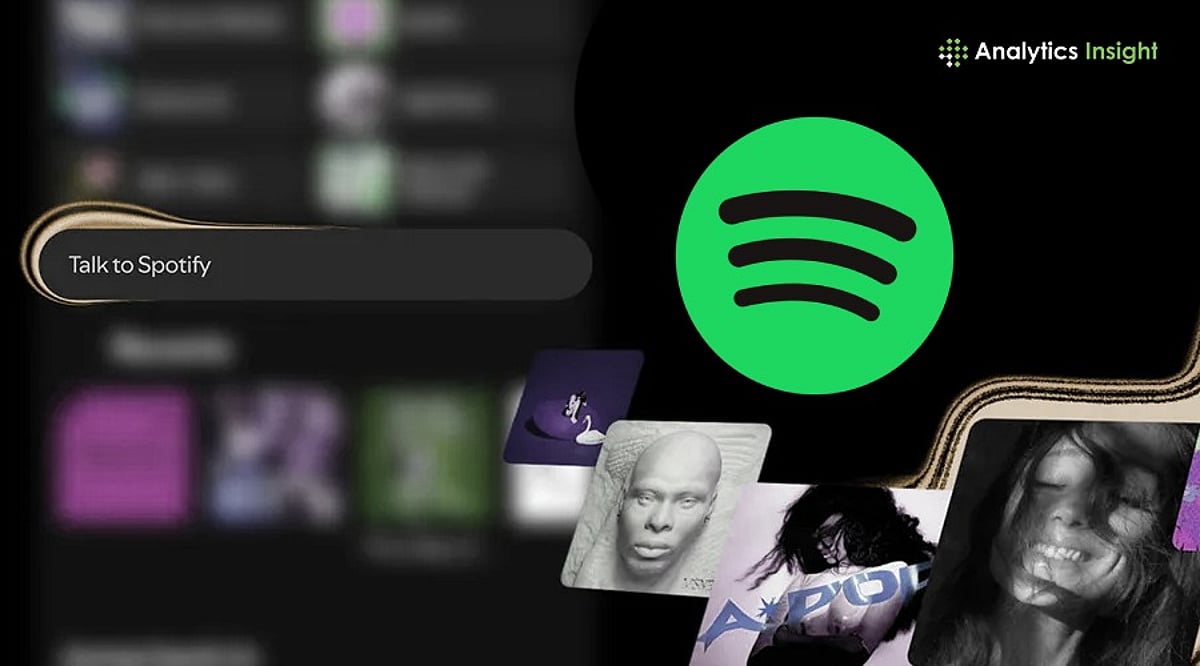
    Spotify is transforming its app into a conversational assistant for Premium subscribers. The new ‘Talk to Spotify’ feature allows users to discover music, podcasts, and audiobooks by typing or speaking natural language prompts. Rolling out as a beta in the United States, Ireland, and Sweden, the feature is available on both iOS and Android in English.

    How Talk to Spotify Works

    Embedded in the Home and Now Playing views, users can tap a microphone icon or type into an AI-powered text box. Unlike earlier recommendation tools, this chatbot accesses a listener’s personal Spotify data—playlists, favorite artists, listening history—to deliver highly tailored suggestions.

    More Than Playlist Generation

    While Spotify already offers AI DJ and AI Playlists, Talk to Spotify is designed for deeper interaction. For example, a user can say, ‘Play some artists I haven’t heard before,’ then narrow the search by album, artist, or mood. The chatbot can also save songs, queue tracks, and follow artists using natural language. Spotify confirmed the system combines its own AI technology with models from multiple providers, depending on the task.

    Why Spotify Is Pushing AI

    This rollout reflects Spotify’s goal to make discovery more personal and useful. Users have long expressed frustration with algorithmic suggestions, and conversational AI gives them more control over what plays next. If successful, the chatbot could significantly improve how people search, discover, and control audio within the app.

  • How Radisson Hotels Leveraged AI Chatbots and Automation to Slash Guest Response Times

    How Radisson Hotels Leveraged AI Chatbots and Automation to Slash Guest Response Times

    Managing guest requests across multiple channels can slow service and strain hotel operations. Radisson Hotels introduced AI-powered customer service tools to automate repetitive inquiries and improve response efficiency. By combining automation with human support, the company delivered faster assistance without compromising the guest experience.

    Overview

    Radisson Hotel Group deployed two separate AI systems, years apart, to improve guest communication, meetings, and event sales. An AI chatbot resolved more than 80% of routine guest requests, while AI-powered sales agents reduced proposal turnaround time by 59% and increased response rates. Both initiatives demonstrate how focused AI deployments can deliver measurable operational improvements without replacing human decision-making.

    A hotel can lose a guest in minutes, not for a poor room, but because no one answered a simple question quickly enough. In hospitality, how fast you respond shapes what guests think of their stay, even before the actual service does. Radisson Hotel Group ran into this problem in two different parts of its business, years apart. Each time, it deployed a separate AI system designed for that specific problem rather than relying on a single platform for every workflow. Viewed together, both cases teach the same lesson: AI works best when it’s aimed at one clear problem, not spread thin across many.

    How Radisson Hotels Automated Guest Communication with AI

    Radisson had worked with ReviewPro, now part of Shiji Group, since 2017 on guest experience tools. In 2019, the partnership aimed at a specific problem: routine guest questions arriving nonstop through digital channels—check-in times, WiFi access, and restaurant hours. None of these requests required human judgment, but all of them required a fast response.

    How the Radisson Hotels AI Chatbot Improved Guest Response Times

    ReviewPro added the AI chatbot to its Guest Experience Automation platform to handle routine guest questions. By the end of March 2020, the chatbot was resolving more than 80% of incoming guest requests without any staff involvement, at any hour of the day. Front desk teams no longer needed to spend hours answering the same questions repeatedly. Instead, they could focus on guests who actually needed personal attention, while the chatbot handled common requests instantly. This became one of the clearest and best-documented outcomes of Radisson’s AI initiatives.

    How AI Improved Meetings and Event Sales at Radisson Hotels

    Once guest communication was in better shape, Radisson turned its attention to a different challenge, this time in meetings and event sales. Event planners typically send requests for proposals (RFPs) to several hotels at once and tend to choose the one that responds first with a complete proposal. Radisson found that putting a proposal together took an average of 81 minutes after an RFP was opened, and the full response process averaged 48 hours. Since same-day proposals converted at rates of 25% to 27%, every extra hour of delay chipped away at the odds of winning the business.

    How hivr.ai Automated RFP Responses for Radisson Hotel Group

    Starting in 2022, Radisson partnered with hivr.ai and EY to rebuild this process. Two tools did most of the work. An AI email agent named Alex reads incoming RFPs and extracts the key details automatically. A voice agent named Mandy handles inbound and outbound calls around the clock, in more than 50 languages. From late 2022 through September 2023, the results were sizable: lead-to-quote conversion rose 80%, response rate more than doubled (up 125%), and proposal turnaround dropped 59%. These results came from Radisson’s business-to-business sales process for event planners and corporate clients—they do not measure guest-facing response times, making the distinction important when evaluating the company’s AI initiatives.

    What Radisson’s AI Strategy Gets Right

    Radisson never rolled out one sweeping AI platform. It built two narrow tools, each focused on a single measurable bottleneck, with a gap of approximately three years between them. Neither replaced people. The chatbots, Alex and Mandy, left contract terms and relationship management to sales teams. In both cases, AI absorbed repetitive first-contact work, and people handled what came after. Hotels considering similar moves would do well to start narrow: pick the single highest-volume, lowest-complexity task in the pipeline, whether that is guest FAQs or RFP intake, and measure response time before committing to a wider rollout.

    Final Thoughts

    Radisson’s two projects show a smart way to bring in AI. Instead of trying to overhaul everything at once, the company picked specific problems it could actually measure. Each AI tool solved a different issue and showed real results. And the decisions that need a human touch—judgment calls, relationships, and experience—stayed with the people.

    Frequently Asked Questions

    1. How did Radisson Hotels use AI to reduce guest response times? Radisson Hotels implemented AI-powered chatbots, intelligent guest messaging, and automation to handle routine inquiries instantly, enabling faster responses while allowing hotel staff to focus on more complex guest requests.
    2. What types of guest requests can AI handle in hotels? AI can efficiently manage common requests such as booking inquiries, check-in and check-out information, room service questions, amenity details, reservation modifications, and frequently asked questions before escalating complex issues to staff.
    3. Did AI replace hotel staff at Radisson Hotels? No. AI was introduced to automate repetitive guest interactions and improve response speed, while hotel employees continued to handle personalized assistance, special requests, and situations requiring human judgment.
    4. What business benefits did Radisson Hotels gain from AI-powered guest service? Beyond reducing response times, AI helped improve operational efficiency, streamline guest communication, reduce staff workload, deliver more consistent service, and enhance the overall guest experience.
    5. What can other hotel brands learn from Radisson Hotels’ AI strategy? Hotels can start by automating high-volume, routine guest interactions, integrating AI with guest data for personalized responses, and maintaining a human-in-the-loop approach for complex or sensitive service requests.
  • Top Python Projects for Mastering Real-World Development Skills in 2026

    Top Python Projects for Mastering Real-World Development Skills in 2026

    Python remains the leading programming language, and project-based learning helps developers build practical skills in AI, cloud systems, automation, cybersecurity, and real-world software development. Recent industry reports show that Python holds more than 22% of the global programming market, underscoring its importance in modern software development.

    Learning Python through projects has become far more valuable than studying theory alone. Companies now prioritize developers who understand how real applications work. The best way to build practical knowledge is by creating projects that solve real problems. Below are several Python projects that teach skills aligned with actual industry demands.

    AI Chatbot Application

    Artificial intelligence is one of the biggest areas in software development, and Python plays a major role. Building an AI chatbot helps developers understand how modern intelligent systems work in business environments. This project teaches connecting with external APIs, managing user conversations, handling large datasets, and building systems that respond naturally to human language. Demand for Python in AI has grown rapidly, with AI-related Python usage increasing by nearly 42% compared to previous years.

    Full-Stack SaaS Platform

    Software as a Service (SaaS) is the backbone of modern internet businesses. Building a SaaS project helps developers understand how complete software products work—from user accounts and payment systems to databases and business dashboards. This project mirrors real-world development because most modern companies depend on subscription-based software systems, making SaaS architecture extremely valuable in today’s job market.

    Automated Web Scraping System

    Automation is a major part of software development. A web scraping project teaches how to collect data automatically, clean raw information, store records in databases, and handle errors when websites block requests. Real companies use these systems for competitor research, price tracking, trend analysis, and customer behavior studies. These skills remain highly valuable because automation saves time and money.

    Cloud-Based API Service

    Modern applications are divided into smaller services that communicate through APIs. Building an API service teaches how applications send data between systems, how security protects private information, and how cloud servers manage thousands of requests. Cloud computing continues to grow across every industry, making API development an essential skill for real-world software engineering.

    Cybersecurity Scanner

    Cybersecurity is more important than ever as software attacks increase each year. Python is a popular language for security research. A cybersecurity scanner project teaches how to detect security weaknesses in websites, servers, and applications—including open ports, weak passwords, security certificates, and dangerous vulnerabilities. Recent research found over 212 malicious Python packages in online repositories, highlighting the need for secure development practices.

    Machine Learning Recommendation System

    Digital platforms rely on recommendation systems to guide users. Building such a system teaches how software uses data to study user activity, identify trends, and make predictions. Machine learning engineering remains one of the top 10 most lucrative technical careers because companies benefit from personalized experiences.

    DevOps Automation Tool

    Modern developers manage servers, automate deployment, and maintain cloud infrastructure. A DevOps automation project teaches how software moves from development to production, including automatic deployment, server updates, backup systems, and reliability maintenance. With AI-assisted coding changing how teams operate, DevOps knowledge is highly important for future developers.

    Final Thoughts

    Python has evolved beyond basic programming to power AI, cloud infrastructure, security, machine learning, automation, and enterprise applications. Building projects that approximate real-world corporate environments gives you the best preparation. Experience is valued more than theory, and companies hire developers who understand how production applications work. The fastest route to becoming a Python developer is through project-based learning, focusing on AI chatbots, SaaS, cloud APIs, cybersecurity, machine learning, and DevOps.

    FAQs

    1. Why is Python still popular in 2026? Python remains popular due to strong demand in AI, automation, web development, cloud computing, and data science.
    2. Which Python project is best for beginners? An automated web scraping system is one of the best beginner-friendly projects for practical learning.
    3. Is Python useful for artificial intelligence development? Yes, Python remains the most widely used language for AI and machine learning.
    4. Do companies value project-based learning? Yes, companies now focus more on practical experience and real application development skills.
    5. Which Python skill has highest demand in 2026? AI development, cloud API development, cybersecurity, and automation currently have the strongest demand.