Tag: AI coding assistant

  • 10 Free Google AI Tools You Should Know About

    10 Free Google AI Tools You Should Know About

    Google’s AI Toolkit for Everyone

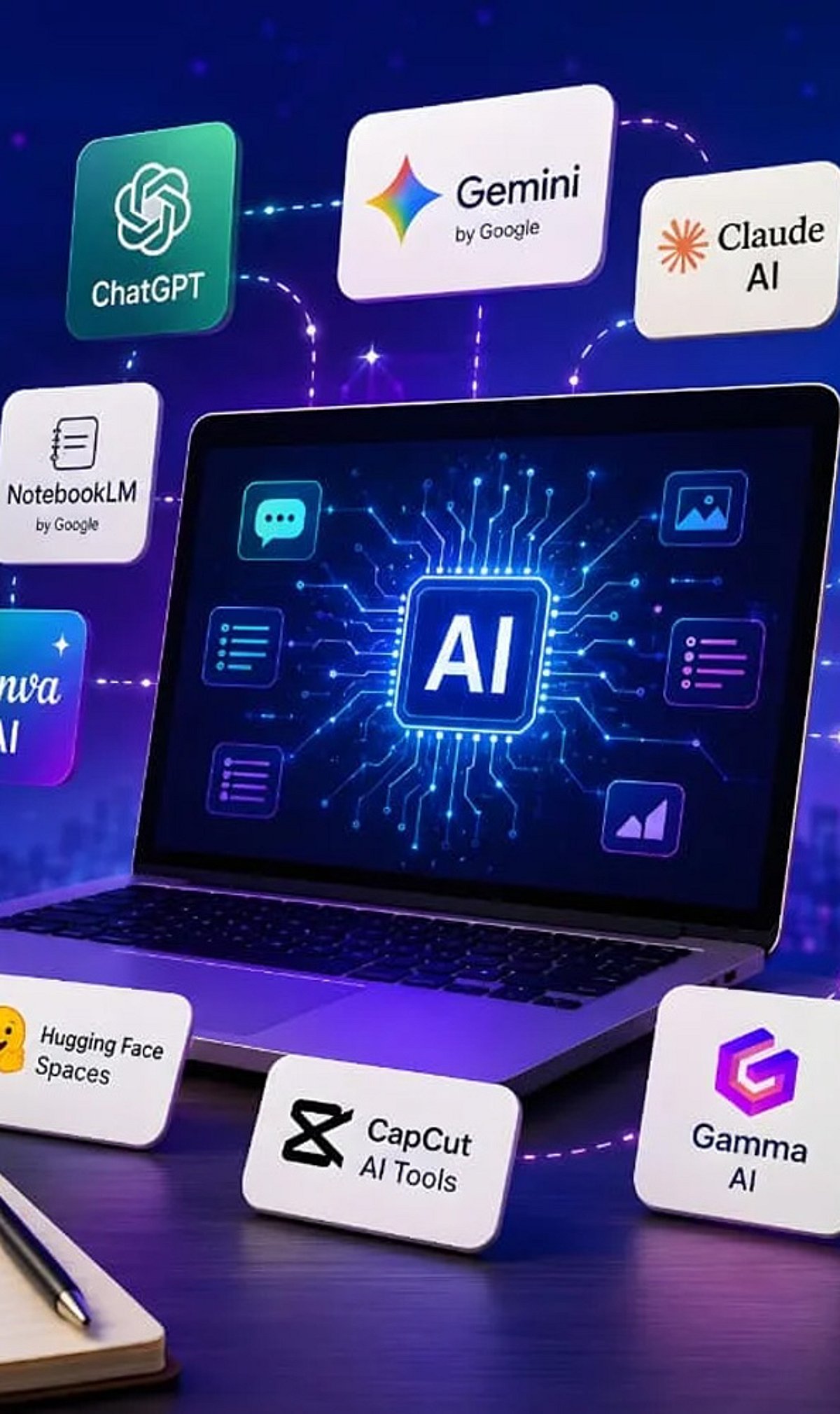
    Google offers a wide range of free artificial intelligence tools that can help with writing, coding, research, image generation, translation, and more. Here are ten of the best free AI-powered products from Google you can start using today.

    1. Gemini

    Gemini is Google’s versatile AI assistant. It helps with writing, coding, brainstorming, research, summarization, image generation, and everyday questions. It works seamlessly across multiple devices, making it a powerful productivity companion.

    2. NotebookLM

    NotebookLM transforms your uploaded documents into AI-powered summaries, study guides, FAQs, podcasts, and insights. It only uses your sources, so information stays relevant and doesn’t mix with unrelated data.

    3. Google AI Studio

    Google AI Studio lets developers and beginners experiment with Gemini models, build AI applications, test prompts, and prototype workflows—all through a free, user-friendly interface.

    4. Gemini Code Assist

    Gemini Code Assist offers free AI coding support with code generation, debugging, explanations, autocomplete, and programming assistance directly inside supported development environments.

    5. Google Translate

    Google Translate uses AI to translate text, speech, images, and conversations across numerous languages. It improves accuracy and context, delivering natural language understanding.

    6. Google Lens

    Google Lens identifies objects, translates text, solves homework, recognizes plants, and searches visually using AI through your smartphone camera in real time.

    7. Google Photos AI Editor

    Google Photos offers AI-powered photo editing features, including Magic Editor, object removal, background improvements, lighting adjustments, and automatic enhancement for eligible users.

    8. Learn About

    Learn About is Google’s experimental AI learning tool. It explains complex topics conversationally, encourages curiosity, answers follow-up questions, and supports deeper educational understanding naturally.

    9. Google Earth AI Features

    Google Earth uses AI-powered mapping and visualization tools to explore locations, analyze geographic information, and understand environmental changes through interactive satellite imagery.

    10. Google AI Search Features

    While not a standalone tool, Google’s AI-powered search features (like AI Overviews) enhance how you find and summarize information online. These are integrated into the main search experience.

    These tools demonstrate Google’s commitment to making AI accessible to everyone, from students and hobbyists to developers and professionals.

  • Claude Code vs. GitHub Copilot: Which AI Coding Assistant Reigns Supreme?

    Claude Code vs. GitHub Copilot: Which AI Coding Assistant Reigns Supreme?

    Two powerful AI coding assistants—Anthropic’s Claude Code and GitHub Copilot—are reshaping how developers write and debug software. Both tools promise to boost productivity, but they cater to different workflows and project types. This comparison breaks down their strengths, programming language support, and ideal use cases to help you choose the right assistant for your needs.

    What Is Claude Code?

    Claude Code, developed by Anthropic, focuses on deep code understanding, debugging, and managing large-scale development projects. Its strength lies in analyzing complex codebases, explaining intricate bugs, and suggesting thorough fixes. With a large context window, Claude Code can handle longer codebases and more extensive project contexts than many competitors.

    What Is GitHub Copilot?

    GitHub Copilot, powered by OpenAI’s Codex model, excels at real-time code suggestions directly inside popular integrated development environments (IDEs) like Visual Studio Code, JetBrains, and Neovim. It delivers fast autocomplete suggestions that significantly speed up everyday coding tasks, making it an ideal tool for rapid prototyping and routine development.

    Key Comparison Points

    Programming Language Support

    Both tools support a wide range of programming languages, including Python, JavaScript, Java, and C++. Developers can use either assistant across multiple stacks without switching tools.

    Context Window

    Claude Code offers a larger context window, allowing it to process and understand longer codebases and more complex project structures. This is beneficial for deep code analysis and large refactoring tasks. GitHub Copilot’s context window is smaller but sufficient for most real-time code completions.

    Debugging Capabilities

    Claude Code shines when it comes to debugging. It can explain complex bugs and suggest detailed, actionable fixes, often providing step-by-step reasoning. GitHub Copilot can assist with debugging too, but its primary strength is generating code rather than diagnosing issues.

    Code Completion

    GitHub Copilot is unmatched in real-time code completion. It offers context-aware suggestions as you type, reducing the time spent writing boilerplate code. Claude Code also provides code suggestions but is less focused on inline autocomplete and more on holistic project understanding.

    Which One Should You Choose?

    Claude Code is best suited for complex engineering tasks, large codebases, and deep debugging sessions. If you’re a senior developer or architect working on intricate systems, Claude Code’s analytical abilities can be a game-changer. GitHub Copilot, on the other hand, is ideal for daily productivity—especially for developers who want to write code faster and with fewer interruptions. It fits seamlessly into existing IDE workflows.

    Ultimately, the best choice depends on your workflow. Many developers use both tools in tandem: Copilot for quick code generation and Claude Code for deep problem-solving. As AI coding assistants continue to evolve, having both in your arsenal can maximize efficiency.

  • Perplexity Enters AI Coding Assistant Arena to Challenge Claude Code

    Perplexity Enters AI Coding Assistant Arena to Challenge Claude Code

    Perplexity, the AI-powered search company, is reportedly developing a coding assistant designed to compete head-to-head with Anthropic’s Claude Code and other popular developer tools. According to recent reports, the tool, internally named Teammate, has been tested by Perplexity’s own engineers for several months and is expected to be model-agnostic, giving developers the flexibility to choose the underlying AI model that best fits their workflow.

    Unlike some rivals that lock users into a single AI system, Perplexity’s approach emphasizes choice. Developers may be able to switch between models—such as Anthropic’s Claude, OpenAI’s GPT, or others—depending on the task. This flexibility could be a key differentiator in the increasingly crowded AI coding assistant market.

    Teammate Already in Internal Use

    Sources indicate that Teammate has been assisting Perplexity’s in-house engineers with code writing, bug detection, and other aspects of software development for the past few months. The company has not officially announced a public release date, but the internal testing suggests a launch could be forthcoming as Perplexity seeks to expand beyond search into everyday productivity tools.

    Competing with Claude Code and Others

    Claude Code, built by Anthropic, has gained popularity for its deep reasoning capabilities and ability to handle large code datasets. Perplexity, meanwhile, is best known for its search engine that provides quick, source-backed answers. With Teammate, Perplexity aims to target the same professional developer audience but with a multi-model twist that could give it a competitive edge.

    If Perplexity succeeds in launching a broad, model-agnostic coding assistant, it could shake up the AI coding landscape and force established players to consider offering more flexible integrations. The race for AI-powered developer tools is heating up, and Perplexity’s entry signals that the battle is far from over.

    For now, developers and industry watchers await an official announcement from Perplexity regarding Teammate’s availability and pricing.

  • Claude Code in Your Browser: A Step-by-Step Guide to AI-Powered Coding

    Claude Code in Your Browser: A Step-by-Step Guide to AI-Powered Coding

    Claude Code is transforming AI-powered software development by allowing developers to run coding workflows directly in their browser. This guide explains how to get started and maximize its potential.

    Getting Started with Browser-Based Claude Code

    To use Claude Code in your browser, connect it to a supported repository. Once linked, it analyzes your project structure and assists with a variety of coding tasks—no heavy local setup required. This makes starting a project easy from any device with a modern browser.

    What You Can Do with Claude Code

    • Generate code across multiple programming languages.
    • Explain complex functions to understand legacy or unfamiliar code.
    • Fix bugs and receive suggestions for improvements.
    • Edit files and write comprehensive documentation.
    • Review pull requests and automate repetitive tasks like formatting or testing.
    • Integrate with Git workflows to speed up debugging, code reviews, and feature development.

    Best Practices and Security

    While Claude Code is a powerful assistant, always review its output for security, correctness, and compatibility before deploying to production. Security measures should include limiting repository access, protecting API credentials, and manually verifying sensitive code changes. Many teams use the tool alongside Git to accelerate development without sacrificing quality.

    The Future of AI-Assisted Development

    As we move through 2026, browser-based coding tools like Claude Code are becoming essential in modern software engineering. They lower the barrier to entry and enable rapid iteration, making AI assistance an integral part of everyday development workflows.

  • Top 10 GitHub Repositories for Mastering Claude Code in 2026

    Top 10 GitHub Repositories for Mastering Claude Code in 2026

    Claude Code has evolved far beyond a terminal novelty. Today, developers use it to read entire codebases, run commands, and manage multi-step engineering workflows. However, out-of-the-box capabilities only scratch the surface. The real power lies in the ecosystem built around it: skills, subagents, hooks, and reusable workflows that transform Claude Code from a helpful assistant into a structured development system. Here are ten GitHub repositories worth exploring if you’re serious about mastering Claude Code in 2026.

    Start with Anthropic’s Official Repositories

    The most reliable starting point is Anthropic’s anthropic/skills repository. It contains ready-made SKILL.md files for common tasks such as working with PDFs, spreadsheets, and presentations. Pair it with claude-code-action, Anthropic’s official GitHub Actions integration for automating Claude Code inside CI/CD pipelines. Another newer addition from Claude Code Skills 2.0 is Skill Creator, which lets you build, evaluate, and benchmark your own custom skills — no more guessing whether they actually work.

    Discover the Wider Ecosystem

    Before installing anything, it helps to know what exists. hesreallyhim/awesome-claude-code is a curated index of slash commands, CLAUDE.md files, hooks, and workflow tools — essentially a table of contents for the entire ecosystem. For a different angle, x1xhlol/system-prompts-and-models-of-ai-tools collects exposed system prompts and tool definitions from Claude Code and comparable agentic tools. This is especially useful for anyone studying how these systems are structured behind the scenes.

    Frameworks That Enforce Better Engineering Habits

    Two repositories stand out for imposing real discipline on how Claude Code writes software. Superpowers encodes a strict development methodology: brainstorm, spec, plan, test-driven development, review, and finalize. Notably, it refuses to keep any code written before tests exist. Everything Claude Code (ECC), built by hackathon-winning developer Affaan Mustafa, takes a broader approach, shipping dozens of specialized subagents, reusable skills, and security scanning tools that work across Claude Code and several other AI coding tools. Both are open source and free. Most experienced users pick a handful of components that fit their workflow rather than use every feature.

    Utilities That Solve Everyday Friction

    Some repositories exist purely to fix common pain points. Repomix packs an entire codebase — folder structure, documentation, and all — into a single AI-readable file, solving the problem of Claude Code losing context on larger projects. Claude Mem addresses a related issue: by default, Claude Code forgets everything between sessions. This tool gives it persistent memory of past decisions and project quirks.

    Advanced Setups for Teams

    For developers curious about running Claude Code as a coordinated team rather than a single assistant, the gstack repository documents Garry Tan’s setup. It assigns opinionated roles — Engineering Manager, Release Manager, QA — through reusable skills and slash commands. This is not a beginner’s starting point, but it’s a useful reference for structuring multi-agent workflows.

    Choosing Where to Start

    With so many options, star count alone isn’t a reliable filter; usefulness depends on what you’re trying to solve. Beginners are better served starting with Anthropic’s official repositories and the awesome-claude-code index before layering in frameworks like Superpowers or utilities like Repomix as specific needs arise. Building a stack gradually, rather than installing everything at once, tends to produce a far more stable and productive Claude Code setup.

    Why This Matters

    Claude Code is rapidly becoming a key AI development platform for software engineers. Understanding its ecosystem of GitHub repositories enables developers to automate workflows, improve coding efficiency, build custom AI skills, and integrate Claude into real-world engineering pipelines — making it an increasingly valuable tool for modern software development.

    Frequently Asked Questions

    What is Claude Code?

    Claude Code is Anthropic’s AI-powered coding assistant that helps developers understand codebases, write code, debug applications, execute terminal commands, automate workflows, and perform complex software engineering tasks. It supports both individual developers and teams working on modern software projects.

    Why should developers use GitHub repositories to learn Claude Code?

    GitHub repositories provide practical examples, reusable skills, automation workflows, documentation, and open-source tools that extend Claude Code’s capabilities. They allow developers to learn from real implementations instead of relying only on official documentation or theoretical tutorials.

    Which GitHub repository is best for beginners learning Claude Code?

    Anthropic’s official anthropic/skills repository is the best starting point for beginners. It contains ready-made skills for common development tasks and helps users understand how Claude Code executes structured workflows before exploring more advanced community-built repositories.

    Can Claude Code be integrated into CI/CD pipelines?

    Yes. Anthropic’s claude-code-action repository enables Claude Code to integrate with GitHub Actions and CI/CD pipelines. Developers can automate reviews, documentation, testing, and other engineering tasks directly within continuous integration and deployment workflows.

    Should developers install every Claude Code repository?

    No. The best approach is to start with official Anthropic repositories and gradually add tools that solve specific problems. Installing too many extensions at once can create unnecessary complexity and make workflows harder to maintain over time.

    Is the Claude Code ecosystem expected to grow in 2026?

    Yes. As Anthropic continues expanding Claude Code and enterprise adoption increases, the open-source ecosystem is expected to grow significantly. Developers can expect more GitHub repositories focused on automation, custom skills, AI agents, testing, memory management, and collaborative development workflows.