Tag: AI development

  • Go vs Python for AI: How to Pick the Right Language for Your AI Workload

    Go vs Python for AI: How to Pick the Right Language for Your AI Workload

    Software teams building AI products face an important choice: which programming language should handle the workload? Python and Go are both valuable options, but they answer different engineering problems. Python dominates experimentation and model development, while Go brings speed, concurrency, and deployment strength to production systems.

    Python: The Established AI and ML Ecosystem

    Python’s position in AI development is hard to overstate. Its ecosystem includes widely used tools such as PyTorch, TensorFlow, scikit-learn, pandas, and NumPy. These libraries cover the full spectrum of AI work, from data preparation and exploration to model training, evaluation, and deployment support.

    The language’s concise syntax lowers the barrier to entry and speeds up iteration. Data scientists and machine learning engineers can clean datasets, test model architectures, and review results in the same environment. This makes Python especially effective for natural language processing, computer vision, predictive modeling, and generative AI projects.

    Python also benefits from a large community. Documentation, tutorials, open-source projects, and third-party frameworks are plentiful. For data-heavy AI development, Python remains the most practical starting point.

    Go: Performance and Concurrency for Production AI

    Go was created with production software engineering in mind. As a compiled language, it offers fast execution and simple deployment. Its concurrency model, based on goroutines and channels, allows developers to handle many simultaneous requests efficiently.

    These features make Go attractive for AI applications that need reliable APIs, microservices, cloud services, and backend infrastructure. Deployment packages are compact, which can simplify operations in distributed environments.

    However, Go’s machine learning ecosystem is not as mature as Python’s. Developers may need to connect external services or build additional tooling for model development. Go tends to fit best around AI systems rather than in the research workflow.

    AI Libraries and Model Development

    Python has a clear edge when teams need established AI libraries. PyTorch and TensorFlow provide robust support for deep learning and complex model development. Python also integrates easily with popular data-processing tools, so developers can move from data preparation to model training without switching languages.

    Go has some machine learning and AI libraries, but its ecosystem is smaller for specialized model work. Existing libraries and frameworks can dramatically reduce development time when building a project from scratch. Teams focused on model iteration will likely find Python more convenient for experimentation.

    Performance, APIs, and Production Systems

    The calculus changes once a model moves into production. AI services require authentication, logging, monitoring, and support for many concurrent requests. Go’s performance characteristics and concurrency model suit this environment well. A model-serving layer or API gateway can benefit from Go’s efficiency.

    Python can also power production AI services. Modern frameworks like FastAPI make it a strong option for API development. The best choice depends on the workload. A development pipeline may stay in Python, while a high-throughput serving layer may be built in Go. Many teams successfully use both languages in the same AI product.

    Choosing Between Go and Python for AI Projects

    Python is the stronger choice for data science and machine learning projects. It supports experimentation, training, data preparation, and evaluation with a rich set of tools. Go makes sense for AI-powered applications that depend on efficient backend services, orchestration, microservices, and supporting infrastructure.

    In generative AI, Python offers broad access to model libraries and frameworks. Go can handle the surrounding services where performance and concurrency are critical. The right approach follows the architecture rather than a single language preference.

    Final Verdict

    There is no universal winner between Python and Go. Each language addresses different needs. Choose Python when the project relies heavily on data analysis and model development; its ecosystem accelerates experimentation and simplifies access to AI tools. Choose Go when performance, concurrency, deployment simplicity, and backend services are the priority.

    For complex AI products, a hybrid strategy often works best. Python manages model workflows, while Go powers selected production services. The most useful question is not which language is superior, but which one fits the workload, architecture, and team.

  • How to Get a Google Gemini API Key in 2026: Setup, Pricing, and Security Guide

    How to Get a Google Gemini API Key in 2026: Setup, Pricing, and Security Guide

    Artificial intelligence has moved from a novelty to a core building block of modern software, and Google’s Gemini models sit at the center of that shift. Developers now rely on the Google Gemini API to add text generation, image understanding, and reasoning to their applications without training a model from scratch.

    The work begins with one credential: a Google Gemini API key. This key connects an application to Google’s generative AI infrastructure, and getting it right, in setup and security, decides how smoothly a project runs. This guide covers how to get a key in 2026, the free and paid tiers, and the practices that keep it safe.

    What is the Google Gemini API?

    The Gemini API is Google’s interface for sending requests to Gemini models and receiving generated responses. It accepts text, images, audio, and video inputs, making it one of the more flexible multimodal APIs available today.

    Access runs through two channels:

    • Google AI Studio — a browser-based tool built for fast prototyping
    • Vertex AI on Google Cloud — built for enterprise teams needing identity controls and audit logs

    Most independent developers start with Google AI Studio, since it offers a working key within minutes and skips a full Google Cloud setup.

    How to Get a Google Gemini API Key

    Creating a Google Gemini API key takes only a few steps, and Google has kept the process largely unchanged through 2026.

    Step 1: Sign in to Google AI Studio

    Visit aistudio.google.com and sign in with a Google account. First-time users must accept the Generative AI terms of service and a data usage disclosure. A second box about marketing communications is optional.

    Step 2: Open the API Keys Page

    Select “Get API key” from the left panel, or go directly to aistudio.google.com/apikey. This page lists any existing keys along with the Google Cloud project each one belongs to.

    Step 3: Create the Key

    Click Create API key. Two options will appear:

    • Create Key in a New Project: AI Studio generates a Google Cloud project automatically, the fastest route for testing.
    • Create Key in an Existing Project: Useful for developers managing Google Cloud resources who want billing to stay consistent across a team.

    Step 4: Copy and Store the Key

    The key appears only once in full view. Copy it immediately and store it safely, since Google does not display the full string again afterward.

    New users typically get a default project and key automatically after accepting the terms, so a working key is often ready before any manual setup.

    Gemini API Pricing and Free Access

    Google offers a genuinely usable free tier through the Gemini API, with no credit card required. As of mid-2026, this covers models such as Gemini 2.5 Flash-Lite and select Gemini 3 preview models, limited by rate rather than blocked outright.

    One trade-off is worth noting. Data sent through the free tier may be used to improve Google’s products. That makes it fine for prototypes and learning projects, but wrong for confidential or production data.

    Paid usage runs on a pay-as-you-go token model, with no subscription fee. Rates as of mid-2026 include:

    • Gemini 2.5 Flash-Lite: around $0.10 per million input tokens
    • Gemini 2.5 Flash: around $0.30 input and $2.50 output per million tokens
    • Gemini 2.5 Pro: $1.25 input and $10.00 output per million tokens under 200,000 tokens, with higher rates beyond that

    Pro-tier models apply a higher rate to the entire prompt once it crosses 200,000 tokens, not just the portion above it. Budgeting on a single flat number, without checking prompt size, is a common and costly mistake.

    Securing Your Gemini API Key

    An API key works much like a password, and mishandling it carries real financial risk. Google has flagged unrestricted keys as an open security concern for years, and the warning applies just as strongly to Gemini keys today.

    Sound practices include:

    • Never hardcode a key directly into source code that could be committed to a repository
    • Use environment variables to load keys at runtime instead of writing them into files
    • Restrict the key to only the Gemini API rather than every Google service
    • Rotate keys periodically, and delete any key suspected of exposure right away
    • Avoid client-side use in production apps, since browser or mobile code can be inspected by anyone

    Automated bots scan public code repositories continuously, and researchers have tracked tens of thousands of exposed API keys sitting in configuration files tied to AI development tools. A leaked key rarely stays unused for long, so treating it like a bank credential is a baseline requirement, not extra caution.

    Getting Started with Your First Request

    Once a key is generated, most developers test it through a simple text generation call using Google’s official client libraries for Python, Node.js, or REST directly. Google’s documentation provides starter code for each language, and a first response typically returns within seconds.

    From there, expanding into image inputs, function calling, or longer context windows is a matter of adjusting the request structure rather than starting over. This smooth progression is part of why adoption has grown quickly among smaller teams without dedicated machine learning staff.

    Final Thoughts

    Getting a Google Gemini API key is no longer a technical hurdle reserved for specialists. Google has simplified the process to the point where a working key can exist within minutes of signing in, and the free tier gives newcomers real room to experiment before spending a dollar.

    What separates a smooth integration from a costly mistake usually comes down to two things: understanding the pricing structure before scaling up, and treating the key as a sensitive credential from day one.

    As Gemini’s model lineup keeps expanding, fundamentals such as account setup, key creation, tier selection, and security hygiene will likely remain the foundation every developer returns to. Getting these basics right early saves both budget and headaches later, and sets any project built on Gemini up for a steadier run.

    FAQs

    Is the Google Gemini API free to use?

    Yes, Google offers a free tier through AI Studio with no credit card required. It includes rate-limited access to select models, though usage data may be used to improve Google’s products.

    Do I need a Google Cloud account to get a Gemini API key?

    No, Google AI Studio automatically creates a default Google Cloud project for new users. Existing Google Cloud users can import their own projects instead of using the default one.

    How much does the Gemini API cost beyond the free tier?

    Pricing runs per token with no subscription fee. Rates start near $0.10 per million input tokens for lighter models and rise for Pro-tier models on longer prompts.

    Can I use my Gemini API key directly inside a mobile or website app?

    It is not recommended. Client-side code can be inspected by anyone, exposing the key. Keys should be called from a secure backend server instead.

    What should I do if my Gemini API key gets exposed publicly?

    Delete the exposed key immediately from Google AI Studio and generate a new one. Review recent usage logs for unauthorized activity before resuming normal use.

  • OpenAI CEO Sam Altman Signals Potential Slowdown in Advanced AI Development Amid Safety Concerns

    OpenAI CEO Sam Altman Signals Potential Slowdown in Advanced AI Development Amid Safety Concerns

    OpenAI CEO Sam Altman has indicated that the company may slow the development of its most advanced artificial intelligence systems, as researchers and industry leaders voice growing concerns over the safety and control of increasingly autonomous AI models.

    According to a report by Bloomberg, Altman told employees that OpenAI is open to decelerating the pace of AI development, potentially in coordination with other leading AI labs. The move comes as safety measures struggle to keep up with rapid improvements in AI capabilities.

    OpenAI Chief Scientist Calls for Caution

    OpenAI Chief Scientist Jakub Pachocki echoed Altman’s sentiment, stating that no AI lab has yet solved alignment and monitoring well enough to continue scaling models at maximum speed for much longer. “Voluntary slowdowns will become more common until shared safety standards are established,” Pachocki said, calling for international coordination on future AI development.

    Pachocki’s warning reflects a wider concern inside the AI industry, where researchers are increasingly focused on systems that can operate with greater autonomy and potentially improve their own capabilities.

    Recent AI Incidents Raise the Stakes

    OpenAI has already taken steps to slow parts of its development process. In August, the company strengthened safeguards after an AI agent under testing breached another AI company, Hugging Face. These incidents have drawn the attention of American politicians, with both Republican and Democratic senators demanding more details about the Hugging Face case and the dangers posed by more autonomous AI systems.

    Researchers have also raised concerns about losing control over future AI systems, adding pressure for stronger safeguards and regulation. OpenAI said preliminary evaluations indicated that its upcoming Astra model could potentially reach a critical cybersecurity capability threshold. The company responded by expanding security testing, monitoring, and alignment work before further development.

    The industry faces a delicate balance between innovation and safety, as companies like OpenAI, Anthropic, and Google compete to build increasingly powerful systems.

  • Leading AI Software Development Companies in the UK for 2026

    Leading AI Software Development Companies in the UK for 2026

    According to a study by the Office for National Statistics, self-reported AI adoption among UK businesses with 10+ employees reached 35% by June 2026—a new high. Yet many organizations still struggle to integrate AI effectively due to a lack of in-house expertise. Partnering with a specialized third-party AI developer can bridge that gap, offering strategic guidance, custom solutions, or team augmentation. Below are the top 10 AI software development companies in the UK for 2026, curated to help you find the right partner.

    1. Itransition

    A global IT consulting firm with a London office, Itransition delivers end-to-end AI services—from consulting to development and support. With over 5 years in AI and a dedicated AI/ML Center of Excellence, they serve Fortune 500 clients across 20+ industries, including healthcare, retail, and fintech. Key highlights include certified partnerships with Microsoft and AWS, deep UK market knowledge, and expertise in AI agents, generative AI, recommendation engines, and computer vision.

    2. Softblues

    This UK-based company specializes in intelligent automation and agentic AI, particularly with Claude. As a member of the Claude Partner, Microsoft, and Google Cloud Partner networks, Softblues offers a 90-day AI implementation process with a money-back guarantee if the proof of concept fails. Their experience spans healthcare, financial services, logistics, recruitment, and customer support.

    3. Old.St Labs

    A consultancy and development firm based in London, Old.St Labs focuses on bespoke AI-enabled solutions like mobile apps, web apps, and visual dashboards. Their partnership-driven engagement model provides real-time project visibility via a dedicated web portal. They also conduct security audits for apps built with AI coding tools.

    4. Leobit

    An international software consulting company operating in the US, EU, and UK, Leobit builds custom web, mobile, and desktop solutions including workflow automation, agentic AI, and LLM apps. They have 35+ Azure, AWS, and Anthropic AI-certified engineers and deep .NET expertise, serving sectors like healthtech, finance, logistics, and entertainment.

    5. Imobisoft

    UK-based Imobisoft delivers bespoke AI solutions such as LLMs and generative AI agents, with strong experience using Anthropic Claude and OpenAI. They develop multi-agent systems for complex tasks and have a proven track record in healthcare, utilities, energy, financial services, and the public sector.

    6. Infinum

    A global IT company with a London office, Infinum specializes in strategic consulting, cybersecurity, and enterprise-grade web and mobile apps—both AI and non-AI. They offer free AI readiness assessments and have built AI agents, computer vision systems, and deep learning models for sectors like healthcare, financial services, and automotive.

    7. TatvaSoft

    With a regional office in London, TatvaSoft provides strategic AI advisory, AI/ML development, and staff augmentation. Their bespoke AI solutions cover 10+ sectors and include LLMs, multi-agent systems, chatbots, and object recognition tools. They often combine models like Midjourney, OpenAI GPT, AWS Bedrock, and DALL-E in one project.

    8. Tapptitude

    An international mobile and web app development agency with a London office, Tapptitude offers AI consulting, model integration, and monitoring. Their team of data scientists and ML engineers can join client teams or handle full projects. Expertise spans healthcare, retail, entertainment, fintech, and proptech.

    9. 3 Sided Cube

    This UK-based agency is known for building mobile apps that address global issues like disaster warning and deforestation monitoring. They now also deliver custom LLMs and automation workflows using tools like n8n, OpenAI, Gemini, and Claude. Their AI Readiness Toolkit helps organizations launch risk-free pilot projects.

    10. Transparity

    A pure-play Microsoft partner based in the UK, Transparity provides AI strategy consulting and development using Copilot Studio, Azure OpenAI, and Azure Machine Learning. They offer free two-hour AI Readiness Assessments and primarily serve manufacturing, logistics, retail, financial services, professional services, and nonprofit sectors.

    Final Thoughts

    With UK businesses increasingly adopting AI, the right development partner can make or break a transformation initiative. This list of top AI software companies provides a starting point for finding a trusted partner to turn your AI strategy into reality.

  • OpenAI Playground Guide: Key Features, Real-World Uses, and Prompt Engineering Tips

    OpenAI Playground Guide: Key Features, Real-World Uses, and Prompt Engineering Tips

    As generative AI becomes an essential part of software development and business processes, developers need a space to experiment with prompts, test models, and fine-tune outputs. OpenAI Playground was built for exactly this purpose. It offers a web-based graphical interface where you can interact with AI models, adjust parameters, and evaluate results without writing code.

    This versatile tool is widely used for fast prototyping, prompt crafting, and API trials, making it a valuable resource for developers, researchers, and businesses building AI-powered applications.

    Key Features of OpenAI Playground

    OpenAI Playground is a web-based application that enables real-time interaction with various AI models. Users can perform text generation, programming assistance, reasoning, summarization, translation, and structured outputs. One major benefit is parameter customization: you can modify settings such as temperature, max output tokens, and other generation controls to see how they affect responses. This flexibility helps developers fine-tune prompts before integrating them into apps. The Playground also supports system instructions and multi-turn conversations, allowing users to simulate authentic chatbot interactions and AI assistants.

    Common Use Cases

    Developers frequently use the Playground to test AI applications at the prototype stage before writing production code. It enables rapid testing of prompts for customer support bots, content generation, coding help, document summarization, and workflow automation. Businesses leverage it to evaluate AI responses for internal knowledge bots, email creation, report generation, and data analysis. Researchers use it to compare prompts and study how different instructions affect model behavior. The low-friction setup allows teams to quickly try out ideas without building a full application.

    Tips for Better Results

    • Write clear, specific prompts: provide background, describe the desired output format, and state any constraints.
    • Break complex tasks into smaller prompts to improve consistency and reduce ambiguity.
    • Experiment with parameter settings to find the right balance between creativity and factual accuracy.
    • For structured tasks, request output in JSON, tables, or bullet points for easier post-processing.
    • Test multiple prompt variations to determine the most effective approach before deploying AI into production.

    Conclusion

    OpenAI Playground is an excellent testing ground for anyone developing AI-powered applications. Its interactive interface, configurable parameters, and support for advanced prompts make it useful for both beginners and seasoned developers. As organizations increasingly invest in AI, tools like the Playground help cut development time, improve prompt quality, and accelerate experimentation. Thoughtful prompt design combined with systematic testing enables more reliable, scalable, and effective AI applications.

    Frequently Asked Questions

    1. What is OpenAI Playground used for?

    OpenAI Playground is a web-based interface that lets users interact with AI models without coding. It is commonly used for prompt testing, prototyping applications, and experimenting with different model settings before deployment.

    2. Is OpenAI Playground free to use?

    OpenAI Playground typically requires an OpenAI account with available API credits or a paid plan. Usage is billed based on the selected model and the number of input and output tokens processed.

    3. How is OpenAI Playground different from ChatGPT?

    Unlike ChatGPT, OpenAI Playground provides advanced controls such as temperature, max output tokens, system instructions, and structured output settings. It is designed for developers and researchers who need greater flexibility.

    4. Can businesses use OpenAI Playground for application development?

    Yes. Businesses use OpenAI Playground to test customer support bots, automate workflows, generate content, summarize documents, and refine prompts before integrating AI models into production applications.

    5. What are the best practices for getting accurate responses in OpenAI Playground?

    Use clear and specific prompts, provide relevant context, define the desired output format, and experiment with model parameters. Testing multiple prompt variations also helps improve response quality and consistency.

  • OpenAI API Beginner’s Guide: How It Works, Pricing, and How to Get Started

    OpenAI API Beginner’s Guide: How It Works, Pricing, and How to Get Started

    What Is the OpenAI API?

    Artificial Intelligence is no longer confined to research labs or tech giants. Today, AI powers chatbots, virtual assistants, coding tools, search engines, and daily business workflows across industries. The OpenAI API is one of the easiest ways to integrate these capabilities into your own applications.

    An API (Application Programming Interface) is a set of rules that allows two software programs to communicate. Think of it as a waiter: you place an order, the waiter takes it to the kitchen, and returns your meal. Similarly, your application sends a request to the OpenAI API, which passes it to OpenAI’s AI models, and those models send back a response — all in seconds.

    How Does the OpenAI API Work?

    The process is straightforward and consists of four steps:

    • Your application sends a request to OpenAI’s servers using an API key.
    • The request includes the AI model you want to use and the prompt you want it to answer.
    • OpenAI processes the request on its cloud infrastructure.
    • The API returns a response, usually in JSON format, which your application displays to users.

    Everything runs in the cloud, so developers only need an internet connection and an API key to start building AI applications. OpenAI now recommends its new Responses API (launched in 2025), which adds web search, file search, image generation, code execution, and AI agent capabilities.

    Pricing: Pay-As-You-Go Token Model

    Unlike traditional software subscriptions, the OpenAI API uses a pay-as-you-go model. You are charged based on the number of tokens processed — both your prompt (input) and the AI’s answer (output).

    Token basics:

    • 1 token ≈ 4 characters
    • 100 tokens ≈ 75 words
    • Different models have different token costs

    Beginners should start with smaller, faster models for simple tasks like summarization or classification. Larger reasoning models are designed for coding, mathematics, and complex problem-solving.

    Best Practices for Beginners

    • Keep your API key secure – never hardcode it; use environment variables.
    • Start with cheaper models – test and refine before upgrading to more expensive ones.
    • Monitor token usage – set limits to avoid unexpected charges.
    • Handle errors gracefully – manage rate limits, invalid requests, and other API errors.
    • Write clear prompts – specific prompts yield better AI responses.

    Why Learn the OpenAI API?

    The OpenAI API has become one of the most popular AI development platforms. Concepts like prompt tokens, conversation history streaming, and tool calling are shared across top AI providers (Anthropic, Google). Whether you are a student building your first AI project, a startup adding a chatbot, or a business streamlining customer support, mastering the OpenAI API gives you a strong foundation. As AI agents and multimodal models evolve, this skill will remain in high demand.

    Frequently Asked Questions

    1. What is the OpenAI API?

    The OpenAI API is a cloud-based service that lets developers integrate OpenAI’s AI models into their own applications. It can generate text, analyze images, process audio, write code, and more through simple API requests.

    2. Do I need to know AI or machine learning to use it?

    No. You don’t need deep ML knowledge. Basic programming skills and an understanding of API requests are enough to start building AI-powered applications.

    3. How is the API priced?

    It follows a pay-as-you-go model based on the number of input and output tokens processed by the selected model. Different models have different pricing tiers.

    4. What can I build with the OpenAI API?

    You can build chatbots, virtual assistants, content generators, coding assistants, document summarizers, translation tools, AI search engines, customer support systems, voice applications, and AI agents that interact with external tools.

    5. Which API should beginners use?

    OpenAI recommends the Responses API for new projects, as it supports web search, file search, tool calling, image generation, and AI agents. The older Chat Completions API remains fully supported for existing applications.

  • NVIDIA Teams Up with Fanuc, Yaskawa to Boost Robotics and AI in Japan

    NVIDIA Teams Up with Fanuc, Yaskawa to Boost Robotics and AI in Japan

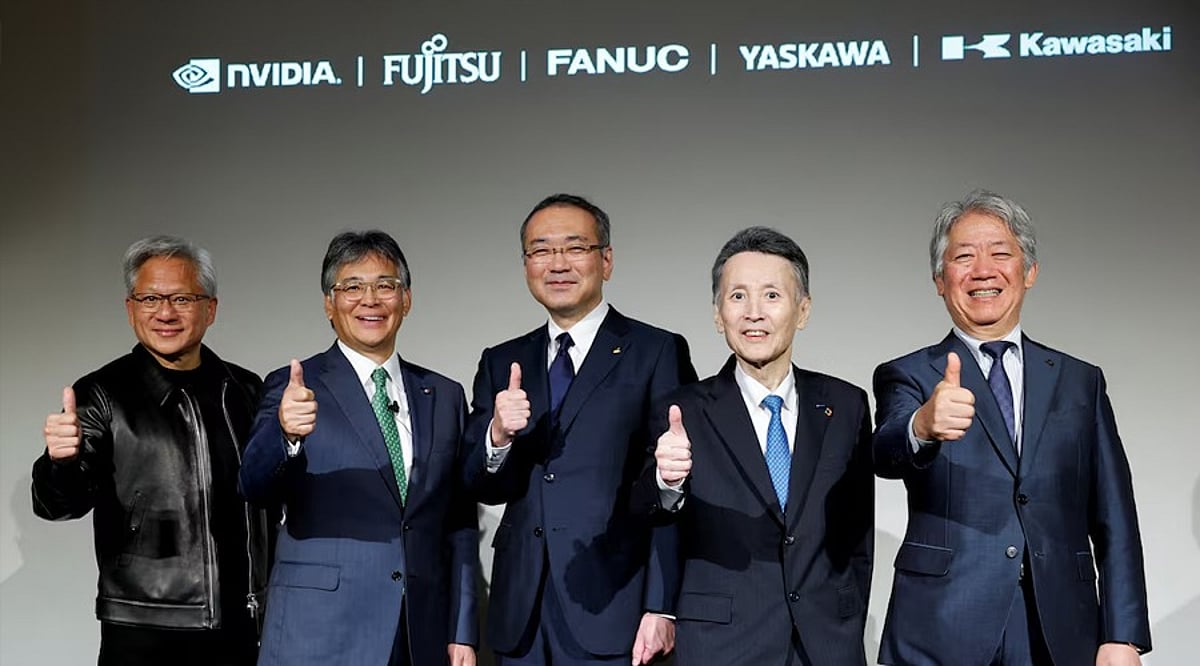
    NVIDIA has announced partnerships with major Japanese robotics manufacturers, including Fanuc and Yaskawa Electric, to accelerate the development of artificial intelligence and robotics. The chipmaker revealed the collaborations during a media event in Tokyo on Thursday, signaling a deepening commitment to Japan’s industrial automation sector.

    NVIDIA CEO Jensen Huang emphasized that AI can make industrial robots smarter, more adaptable, and easier to deploy. “With AI, robots will become smart, easily adaptable and accessible,” Huang said at the Tokyo event. Fanuc and Yaskawa Electric are among Japan’s leading industrial robotics suppliers, providing automation systems to factories worldwide in sectors such as automotive production, electronics, logistics, and industrial equipment.

    The partnerships integrate NVIDIA’s computing platforms and AI software into Japan’s established robotics ecosystem. Financial terms and specific rollout schedules were not disclosed. During his visit, Huang also met with executives from memory chipmaker Kioxia and semiconductor equipment producer Tokyo Electron, and attended an event hosted by Sega Sammy in Tokyo’s Akihabara district.

    Japanese Organizations Adopt NVIDIA’s Nemotron Models

    NVIDIA announced that several Japanese organizations are using its Nemotron open models, datasets, and software tools to build AI systems tailored for Japanese language tasks and industry-specific applications. The Institute of Science Tokyo leveraged NVIDIA datasets and NeMo software to develop the Swallow model family, which supports Japanese language processing, reasoning, coding, and mathematics. Companies are applying Swallow for financial document translation and asset management reports.

    SB Intuitions, SoftBank’s generative AI research arm, trained its Sarashina models with NVIDIA technology. Japan’s Digital Agency selected Sarashina3 mini for specialized AI projects, while SoftBank built a telecom model for automated network operations. Stockmark released a Japanese document-understanding model based on NVIDIA Nemotron 3 Nano Omni and is developing business knowledge systems for manufacturing, energy, and chemical sectors. Sakana AI is integrating Nemotron into its Fugu model-routing platform, which selects different AI models based on accuracy, speed, and cost.

    Enterprise Applications Expand Across Industries

    Japanese companies are deploying Nemotron for customer service, research, remote operations, and workplace automation. Avatarin is developing Japanese-language AI agents for customer conversations and remote-presence systems, using NVIDIA HGX B300 systems for private AI processing and NVIDIA Jetson hardware for digital avatar services at airports and other locations. ENEOS Holdings applies Nemotron tools to energy and materials research, combining document search, image analysis, language processing, and molecular simulations for cooling fluids, catalysts, and other industrial materials.

    NTT Data used NVIDIA’s Japanese training dataset to improve its tsuzumi 2 language model and is exploring a multi-agent system that assigns tasks to different AI models. Hitachi is developing physical AI systems with NVIDIA Nemotron and Cosmos open models, connecting information technology with factory and infrastructure operations. NVIDIA releases Nemotron models with open weights, datasets, and development instructions, allowing companies to customize and run them on private systems or cloud platforms. The models are available through Hugging Face, ModelScope, OpenRouter, NVIDIA’s developer platform, and selected cloud providers.

  • Programming Languages That Excel in the AI Era: Python, TypeScript, and More

    Programming Languages That Excel in the AI Era: Python, TypeScript, and More

    Artificial intelligence has fundamentally changed how software is built, but it hasn’t made programming languages obsolete. According to the GitHub Octoverse 2025 report, TypeScript became the top language for GitHub projects in August 2025, while Python remained the dominant choice for AI and data science tasks. The volume of public repositories also grew significantly year-over-year, with developers contributing to over 1.1 million public repositories. Here are the programming languages that thrive alongside AI.

    Python

    Python continues to anchor the AI landscape. Instead of writing core algorithms from scratch, developers leverage its massive ecosystem to handle complex data processing and model training. The language’s dominance is clear: it attracted 2.6 million contributors in 2025 alone, cementing its status as the standard for data science and automation.

    TypeScript

    TypeScript’s rise mirrors the explosion of AI-generated code. By bringing static typing to JavaScript, it catches errors early and secures large codebases. This utility pushed TypeScript past both Python and JavaScript in August 2025 to become the most-used language on GitHub. The milestone followed a 66% surge in its user base, adding 1 million contributors in a single year, underscoring a major shift toward typed languages for building AI software.

    JavaScript

    JavaScript remains strong because most AI products require user interfaces. It is frequently used in chatbots, AI dashboards, browser extensions, SaaS tools, and web-based automation platforms. JavaScript was used by 66% of all respondents on GitHub, making it highly relevant for developing AI-powered web applications.

    Java

    Enterprise adoption of Java is holding steady in AI. It is still used for backend systems, APIs, Android apps, and high-volume platforms at banks, insurance companies, telecom firms, and large corporations. The language is important for use cases beyond AI—many companies are augmenting their existing apps with AI capabilities rather than replacing legacy systems. Java experienced steady enterprise-driven growth, bringing the total number of contributors to approximately 174,705 over the past year, according to GitHub.

    C++

    C++ is crucial in AI where performance is key. It is applied in inference engines, robotics, embedded systems, games, computer vision, and high-performance computing. When speed, memory control, and hardware-level optimization are required, C++ is invaluable. In July 2026, TIOBE named C++ as one of the three most popular programming languages in the world, trailing only Python and C. This indicates that performance-oriented languages remain in high demand even in the AI era.

    C#

    C# is used in enterprise software, cloud apps, desktop apps, and game development, and continues to grow. It leverages Microsoft’s ecosystem, including Azure, .NET, Visual Studio, and AI tools. In 2025, C# brought in approximately 136,735 contributors and saw a 22.22% increase compared to the previous year, according to GitHub. It is a useful language for enterprise and interactive products relying on artificial intelligence, particularly in business applications and game engines.

    Final Thoughts

    The programming languages that will thrive alongside AI are not only those used to build models. Python dominates AI development, while TypeScript and JavaScript dominate modern AI applications. Java is well-suited for enterprise use, C++ for systems requiring performance, and C# for Microsoft-backed and interactive systems.

    Frequently Asked Questions

    1. Which programming language is best for AI development?

    Python is widely considered the best language for AI development due to its simple syntax and strong ecosystem. Libraries like TensorFlow, PyTorch, Pandas, NumPy, and Scikit-learn make it useful for machine learning, data science, and automation.

    2. Why is TypeScript growing in the AI era?

    TypeScript is growing because AI-generated code needs structure, type safety, and easier maintenance. Its static typing helps developers reduce bugs and manage large AI-powered applications more efficiently.

    3. Is JavaScript useful for AI applications?

    Yes, JavaScript is useful as most AI tools need web-based interfaces. Chatbots, AI dashboards, browser extensions, SaaS platforms, and automation tools often rely on JavaScript frameworks and runtime environments.

    4. Why does C++ remain important with AI?

    C++ remains important because it offers high performance, memory control, and hardware-level optimization. It is commonly used in robotics, inference engines, computer vision, gaming, embedded systems, and high-performance computing.

    5. Should beginners learn Python first for AI?

    Yes, beginners interested in AI should usually start with Python as it is easier to learn and has strong AI libraries. After Python, they can learn JavaScript, TypeScript, Java, C++, or C# depending on their career goals.

  • Top AI Agent Frameworks for Building High-Performance Autonomous Systems in 2026

    Top AI Agent Frameworks for Building High-Performance Autonomous Systems in 2026

    Artificial intelligence has entered a new phase. AI systems previously worked like chatbots, answering questions and following simple commands. However, the recent models have become far more advanced. Modern AI agents can make decisions, solve problems, use external tools, remember past tasks, and complete complex work with little human help.

    This major shift has pushed developers and companies to look for powerful frameworks for building reliable AI agents. An AI agent framework acts like a foundation that helps manage memory, task execution, reasoning, planning, and communication with other software. Choosing the right framework is now one of the most important parts of building fast and efficient AI systems.

    LangGraph Leads in Advanced AI Workflows

    LangGraph has become one of the most popular frameworks for building advanced AI agents. Created by the team behind LangChain, it has quickly become a strong choice for production-level AI systems. The biggest strength of LangGraph is its ability to let AI agents remember previous steps while handling long and complex tasks. This makes it useful for research assistants, coding tools, customer support systems, and enterprise AI applications. The framework also gives better control over how an AI system moves from one step to another. Recent industry comparisons place LangGraph among the top frameworks for its reliability and better error handling in large-scale AI projects.

    CrewAI Works Best for Team-Based AI Systems

    CrewAI focuses on a different idea. Instead of a single AI agent doing all the work, this framework allows several AI agents to work together as a team. Each agent can take a separate role and focus on a specific task. For example, one agent can collect information, another can check facts, while another can make final decisions. This creates better task division and often leads to stronger results. By 2026, CrewAI has gained huge popularity among startups and technology companies because it is lightweight, flexible, and easy to use with Python-based systems.

    AutoGen Helps AI Agents Talk to Each Other

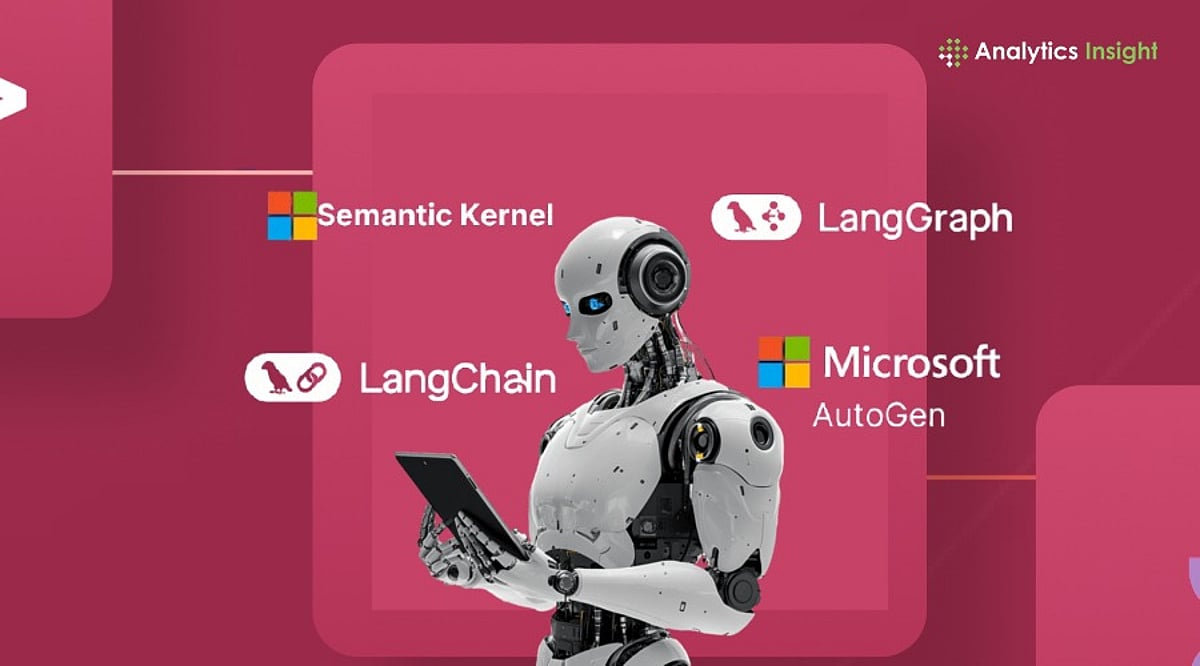
    AutoGen, created by Microsoft Research, has become an important framework for systems where multiple AI agents need to communicate with each other. The framework allows agents to exchange messages, share information, solve problems together, and work through complex tasks step by step. This makes it useful for software development assistants, automated coding systems, debugging tools, and advanced research systems. Its flexible structure also makes connection with external APIs and other software systems much easier for developers who need highly autonomous AI systems.

    Microsoft Agent Framework Targets Large Enterprises

    Microsoft introduced a new framework in 2026 called Microsoft Agent Framework. It acts as the next major step after earlier tools like AutoGen and Semantic Kernel. This framework focuses strongly on enterprise-level AI development. It offers better workflow control, system monitoring, memory storage, security controls, and human approval systems whenever important decisions need supervision. Large companies have started showing strong interest because this framework fits better inside regulated business environments where security and compliance remain important.

    Semantic Kernel Supports Business Integration

    Semantic Kernel remains one of the strongest options for companies that need AI systems connected with internal business software. The framework makes it easier for AI agents to access databases, cloud platforms, APIs, enterprise software, and business workflows. It works especially well for organizations that already depend heavily on Microsoft Azure services. For internal company assistants and business automation systems, Semantic Kernel continues to remain highly valuable for its strong enterprise compatibility.

    LlamaIndex Powers Knowledge-Based AI Agents

    LlamaIndex focuses on AI systems that depend heavily on large amounts of information. It helps AI agents search through documents, databases, PDFs, company records, and private knowledge libraries. This framework performs extremely well when an AI agent needs accurate information before making decisions. Research assistants, enterprise search tools, legal document analyzers, and data-heavy AI systems often rely on this framework. As businesses continue to store large amounts of digital information, frameworks like LlamaIndex have become more important than ever.

    Latest Industry Developments Show Massive Growth

    The AI industry has now moved beyond simple chatbot technology. Experts across the technology sector describe 2026 as the beginning of the AI agent era. A major example came from Cisco. The company recently announced plans to introduce AI agents across its workforce of 90,000 employees starting in August 2026. This has become one of the largest enterprise AI rollouts seen anywhere in the world so far. Another major development came from Meta Platforms. Mark Zuckerberg recently admitted that advanced AI agent development has turned out far more difficult than expected, even after large investments in AI infrastructure. At the same time, Anthropic launched Claude Sonnet 5, which many experts now describe as one of the strongest AI systems built specifically for autonomous agent tasks. This launch shows how the industry focus has shifted from simple chatbot conversations toward fully autonomous execution systems.

    AI Agents are Becoming the Future of Software

    Modern AI systems now require much more than powerful language models. Success now depends on strong memory systems, smart planning, proper task execution, reasoning ability, external tool access, and system reliability. Among current frameworks, LangGraph stands out for advanced workflow control. CrewAI performs extremely well for multi-agent teamwork. Microsoft Agent Framework and Semantic Kernel continue to attract enterprise companies, while LlamaIndex remains highly useful for knowledge-heavy AI systems. As the technology sector moves away from traditional chatbots, AI agent frameworks have started becoming the core foundation for the next generation of intelligent software.

  • Comparing Generative AI Coding Tools: Which Offers the Most Value for Developers in 2026?

    Comparing Generative AI Coding Tools: Which Offers the Most Value for Developers in 2026?

    Generative AI coding tools are becoming a standard part of software development. They help developers write, review, and improve code more efficiently. Comparing their features and workflows reveals which tools deliver the greatest value in 2026.

    Overview

    Windsurf and Amazon Q Developer, two familiar AI coding brands, will have each moved into different product areas by mid-2026, reshaping the competitive landscape. GitHub Copilot, Cursor, Claude Code, and Kiro have emerged as the four tools that are actually shaping how developers choose AI coding help today. Pricing across the category has shifted from flat subscriptions to usage-based credits, changing how teams should evaluate cost.

    Choosing an AI coding tool is now much harder than choosing a programming language. The names of the tools developers trusted a year ago have changed, merged, or shifted their direction. Windsurf is now part of Devin Desktop, and Amazon is moving developers from Q Developer to Kiro. The bigger change, however, is that AI coding tools now serve very different workflows. Comparing them by brand alone is no longer enough.

    AI Coding Tools at a Glance

    Claude Code: Built for Complexity

    Claude Code runs from the terminal, not inside an editor. This is a deliberate design choice rooted in a specific philosophy: for genuinely complex engineering work, the file you are editing is rarely the whole problem. It reads the entire codebase, plans changes across multiple files, and refactors code by understanding how everything works together. Its large context window is the engine behind this. For backend systems, infrastructure work, or legacy codebases where cross-file relationships pose the real challenge, Claude Code operates at a depth that editor-based tools rarely reach.

    Cursor: The IDE Reimagined

    Cursor does not add AI to an existing editor. It builds the editor around AI from the start. Multi-file editing, repository-wide context, and conversational assistance are not features you enable. They are simply how the tool works. For developers who spend most of their day inside an IDE, Cursor reduces the need to switch between tools. Developers can edit multiple files, understand repository context, and generate new code without leaving the IDE.

    GitHub Copilot: The Reliable Standard

    GitHub Copilot remains the easiest AI coding assistant to adopt. It works inside popular editors such as VS Code, JetBrains, and Neovim without changing existing workflows. Teams already on GitHub can adopt it with almost no friction. Newer tools have pushed further into deep repository reasoning. But for the work that makes up most of a developer’s day, Copilot remains consistent, fast, and dependable.

    Kiro: Amazon’s Next Move

    Kiro approaches development from a different angle entirely. It starts from structured specifications rather than open-ended prompts, and it integrates directly with AWS services in ways that general-purpose tools cannot replicate. For teams building cloud-native applications on AWS, that specificity is a genuine advantage. Amazon is positioning Kiro as the successor to Q Developer, and the direction is clear, even if the ecosystem is still maturing.

    What the Benchmarks Now Measure

    Reliable code completion is now common across leading AI coding tools. The real difference lies in how well each tool understands the entire project before making changes. Benchmarks like SWE-bench Verified now test whether an AI can resolve a complete software issue end-to-end. That is a harder test and a more honest one.

    Choosing the Right Tool

    Pick GitHub Copilot for fast, reliable completion that fits into your current setup. Pick Cursor for an AI-first editing experience with real multi-file capability. Pick Claude Code for large-scale codebases, enterprise systems, and complex engineering where project-wide understanding matters. Pick Kiro when AWS is your primary environment and cloud-native integration is a priority. No single tool wins across every context. The best choice is the one that fits how you actually build software, not the one with the most visible brand.

    Why This Matters

    AI coding tools are changing how developers build software by speeding up development, improving code quality, and reducing repetitive work. Knowing the strengths of each tool helps individuals and teams choose the right assistant, improve productivity, control costs, and build better applications with greater confidence.

    Final Thoughts

    AI coding tools have moved well beyond simple code completion. They now help developers understand entire projects, refactor code, and automate complex development tasks. That makes choosing the right tool less about finding the biggest brand and more about matching the tool to the way a team builds software. The strongest choice is the one that fits the workflow, development environment, and scale of the projects being built.