Tag: AI productivity

  • 10 Time-Saving Gemini Hacks to Supercharge Your Daily Workflow

    10 Time-Saving Gemini Hacks to Supercharge Your Daily Workflow

    Google’s Gemini AI assistant is more than just a chatbot—it’s a productivity powerhouse that can slash hours off your weekly workload. Whether you’re drafting documents, analyzing data, or brainstorming ideas, these Gemini tricks will help you work smarter, not harder.

    1. Draft Content Faster

    Use Gemini to generate emails, reports, presentations, and blog outlines. It reduces writing time while maintaining clarity and consistency, so you can produce polished drafts in minutes.

    2. Summarize Long Documents

    Upload lengthy PDFs or documents to Gemini for concise summaries, key insights, and action points. No need to read every page—just get the essential takeaways.

    3. Automate Research

    Ask Gemini to compare products, analyze trends, or explain complex topics. This helps you gather information in minutes instead of hours, freeing up time for deeper analysis.

    4. Improve Your Writing

    Refine grammar, rewrite paragraphs, adjust tone, and simplify technical content. Gemini transforms rough drafts into polished, professional communication quickly.

    5. Generate and Debug Code

    Developers can use Gemini to write code snippets, identify bugs, explain functions, and speed up software development workflows. It’s like having a pair programmer on demand.

    6. Organize Meetings

    Convert meeting notes into summaries, extract action items, and create follow-up emails. Gemini streamlines collaboration and project management, ensuring nothing falls through the cracks.

    7. Analyze Data Efficiently

    Gemini helps interpret spreadsheets, identify trends, summarize datasets, and explain findings. Data analysis becomes faster and easier, even for non-experts.

    8. Brainstorm Creative Ideas

    Generate marketing campaigns, content ideas, social media posts, and business strategies. Gemini helps overcome creative blocks and boosts your team’s creative output.

    9. Integrate with Google Workspace

    Use Gemini across Gmail, Docs, Sheets, Slides, and Drive to automate routine tasks. This deep integration improves daily productivity within the tools you already use.

    10. Save Hours Every Week

    By combining these techniques, you can reclaim hours each week. Start with one or two tricks, and gradually incorporate more as you become comfortable with Gemini’s capabilities.

    These time-saving hacks turn Gemini into your personal productivity assistant. Try them today and experience the difference.

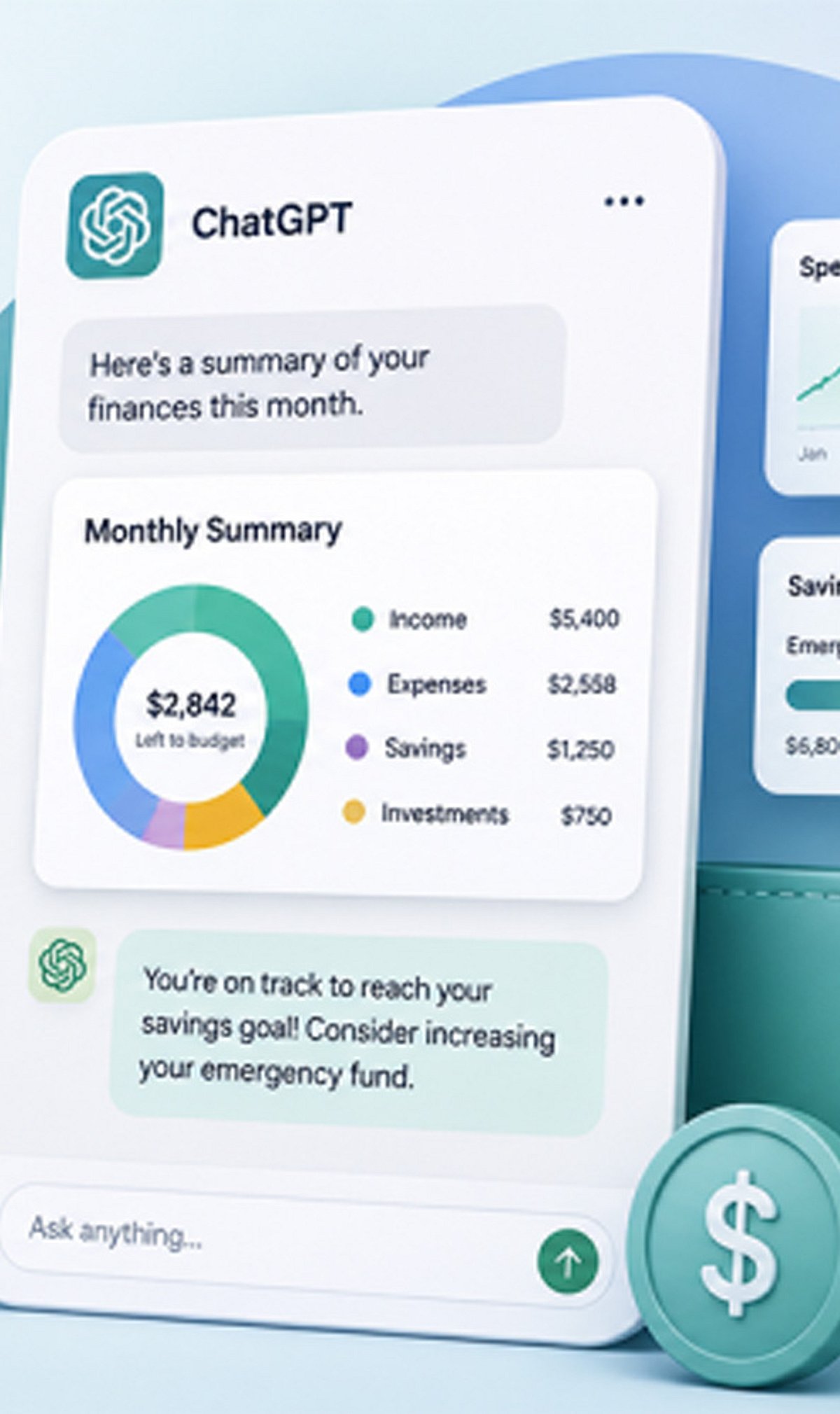
  • OpenAI Upgrades ChatGPT Agent with Advanced Features to Supercharge Productivity in 2026

    OpenAI Upgrades ChatGPT Agent with Advanced Features to Supercharge Productivity in 2026

    By Akshita Pidiha

    AI assistants are becoming more capable in 2026, with ChatGPT Agent helping users automate tasks, conduct research, and improve daily productivity.

    ChatGPT Agent can assist with planning projects, summarizing large documents, organizing information, and generating detailed reports.

    The latest updates allow users to work with files, spreadsheets, PDFs, and presentations more efficiently through natural language instructions.

    Businesses are increasingly using ChatGPT Agent for customer support, content creation, workflow automation, and internal knowledge management.

    Students and professionals benefit from faster research, study guides, coding assistance, writing support, and brainstorming sessions.

    Improved reasoning capabilities help users solve complex problems while maintaining context across longer conversations.

    Privacy and user control remain important, with users encouraged to review permissions before sharing confidential information. Although AI can significantly improve productivity, human review is still essential for critical decisions, legal matters, financial advice, and factual accuracy.

    With rapid AI innovation continuing throughout 2026, intelligent assistants are expected to become an essential part of personal and professional workflows.

  • 10 AI Productivity Hacks to Supercharge Your Office Workflow

    10 AI Productivity Hacks to Supercharge Your Office Workflow

    Artificial intelligence is transforming the modern workplace, offering practical tools that save time, reduce errors, and boost efficiency. Here are ten essential AI productivity hacks every office worker should know.

    Automate Repetitive Tasks

    Use AI to handle routine activities like data entry, scheduling, and document organization. This frees up valuable time for higher-priority work that requires human judgment and creativity.

    Write Emails Faster

    AI writing assistants can draft professional emails, improve grammar, adjust tone, and summarize lengthy conversations. These tools significantly reduce communication time while maintaining clarity and professionalism.

    Summarize Meetings Instantly

    AI meeting tools generate concise summaries, action items, and transcripts automatically. This ensures everyone stays informed without needing to review lengthy recordings, saving hours of follow-up time.

    Speed Up Research

    AI quickly gathers, organizes, and summarizes information from multiple sources. Employees can make informed decisions faster, with less manual effort spent on sifting through data.

    Create Professional Presentations

    AI generates presentation outlines, slide content, visuals, and speaker notes. This makes business presentations faster to prepare and easier to refine, allowing you to focus on delivering your message.

    Enhance Data Analysis

    AI identifies trends, creates reports, and visualizes complex datasets. It enables faster insights and better decision-making across departments, turning raw data into actionable intelligence.

    Improve Team Collaboration

    AI organizes shared documents, tracks project updates, and suggests task priorities. These capabilities help teams collaborate more effectively and stay aligned on goals and deadlines.

    Manage Time Efficiently

    AI-powered scheduling tools optimize calendars, prioritize tasks, and send reminders. This reduces missed deadlines and improves daily productivity by keeping your workflow on track.

    Support Continuous Learning

    AI recommends personalized learning resources, answers work-related questions, and provides real-time guidance. It helps employees develop new skills consistently, adapting to their unique needs.

    By integrating these AI hacks into your daily routine, you can work smarter, not harder—unlocking greater productivity and focus in the office.

  • Top AI Productivity Apps to Boost Work and Study Efficiency in 2025

    Top AI Productivity Apps to Boost Work and Study Efficiency in 2025

    Artificial intelligence is transforming the way students and professionals approach their daily tasks. From automating routine work to enhancing creativity, AI-powered productivity apps can save time, reduce stress, and help you achieve more. Here are the best AI productivity apps for students and professionals in 2025.

    ChatGPT

    ChatGPT is a versatile assistant that can generate ideas, summarize documents, write emails, and solve problems in seconds. Its conversational interface makes it easy to get quick answers and drafts, making it a go-to tool for anyone needing instant help with text-based tasks.

    Claude AI

    Claude AI excels at long-form writing, research, document analysis, and brainstorming. It is particularly useful for professionals who need deep analytical capabilities and students who require help with complex assignments.

    Notion AI

    Notion AI integrates seamlessly with the Notion workspace, enabling users to manage notes, create summaries, organize projects, and automate documentation. It is ideal for project management and knowledge management, helping teams and individuals stay organized.

    Grammarly

    Grammarly improves grammar, rewrites sentences, and makes professional writing effortless. Its AI-powered suggestions ensure your emails, reports, and papers are clear, concise, and error-free. It works across multiple platforms and browsers.

    Perplexity AI

    Perplexity AI helps you research faster with AI-powered answers backed by reliable web sources. It is perfect for students and professionals who need accurate, cited information without sifting through endless search results.

    Otter.ai

    Otter.ai automatically records, transcribes, and summarizes meetings and lectures. This tool is invaluable for capturing key points from discussions, ensuring nothing is missed, and making it easy to review content later.

    Motion

    Motion uses AI to automatically plan your daily schedule and prioritize tasks. It adapts to your workload and deadlines, helping you manage your time more effectively and reduce decision fatigue.

    Gamma

    Gamma allows you to create presentations, reports, and visual documents with AI assistance. It speeds up the design process by generating layouts and content, so you can focus on the message rather than formatting.

    These AI productivity apps are changing how we study and work, making it easier to stay organized, creative, and efficient. Whether you are a student juggling assignments or a professional managing multiple projects, these tools can help you get more done every day.

  • MiniMax AI: Why This Multimodal Platform Is Drawing Attention in the Agentic AI Era

    MiniMax AI: Why This Multimodal Platform Is Drawing Attention in the Agentic AI Era

    Artificial intelligence is moving beyond simple chatbots. The new wave of AI systems is being shaped by models that can support coding, long-context reasoning, multimodal understanding, workflow planning, and more advanced agent-style tasks. In this fast-changing environment, MiniMax AI has started gaining attention among users who want to explore how modern AI models can support real productivity, research, software development, and creative experimentation.

    The term “Minimax” can mean different things depending on context. In classic computer science, minimax refers to a decision-making algorithm used in game theory and artificial intelligence. In today’s AI market, however, many users searching for Minimax are looking for MiniMax AI, the model and product ecosystem associated with language models, coding tools, video generation, speech, music, and AI-native applications.

    What Makes MiniMax AI Relevant?

    MiniMax has positioned its ecosystem around multimodal foundation models and AI-native products. Its official materials describe model capabilities across text, audio, image, video, music, coding, agentic workflows, and long-context processing. This makes the platform relevant to a wide range of users, from developers testing code-generation workflows to creators experimenting with AI-assisted media.

    The rise of MiniMax AI also reflects a larger trend in the AI industry: users are no longer satisfied with models that only answer basic questions. They want AI systems that can understand complex instructions, help with multi-step tasks, analyze longer inputs, support software engineering work, and prepare outputs that are useful in real business or creative settings.

    For those who want to explore the ecosystem in a simple way, an independent resource such as MiniMax AI chat can help users test prompts, understand model use cases, and learn how MiniMax-style AI tools may fit into coding, research, summarization, and workflow planning scenarios.

    Agentic AI and Long-Context Workflows

    One of the most important shifts in artificial intelligence is the movement from passive chat to agentic workflows. In a traditional chatbot experience, the user asks a question and receives an answer. In an agentic workflow, the AI system is expected to break down a goal, plan steps, reason across dependencies, and support more complex execution.

    This matters for developers, analysts, students, researchers, and business teams. A model that can handle larger context windows and structured prompts can become more useful for tasks such as reviewing documentation, summarizing long reports, planning software architecture, drafting technical content, or comparing options before a decision.

    MiniMax AI is often discussed in this context because recent M-series models are associated with coding, tool use, long-context tasks, and agent-style productivity. As AI tools become more specialized, users are likely to compare models not only by general intelligence, but by how well they perform in specific workflows.

    Coding and Developer Productivity

    Coding remains one of the strongest use cases for modern AI models. Developers use AI assistants to explain code, debug errors, refactor functions, write tests, review architecture, and generate documentation. The value is not only in producing code faster, but in reducing friction during problem-solving.

    MiniMax AI’s focus on coding and agentic engineering workflows makes it especially relevant for developers who want to test alternatives to mainstream AI coding assistants. However, as with any AI model, outputs should be reviewed carefully. AI-generated code may contain mistakes, security issues, outdated assumptions, or incomplete logic. The best use case is not blind automation, but assisted development with human review.

    Multimodal AI and Creative Expansion

    Another major reason MiniMax AI is drawing interest is the growing importance of multimodal AI. Users increasingly expect AI systems to work across different content formats, including text, images, audio, video, and speech. This shift is changing how creators, marketers, educators, and product teams think about content production.

    AI video generation, speech synthesis, music tools, and multimodal assistants are becoming part of a broader creative technology stack. Businesses can use these tools to prototype campaigns, test content ideas, generate educational material, or speed up media workflows. As multimodal models improve, the distinction between writing tools, design tools, and development tools will continue to narrow.

    Why Independent Exploration Matters

    The AI landscape changes quickly. Model names, access methods, pricing, API limits, benchmarks, and product features can shift over time. That is why independent exploration is useful. Users often need a place to understand what a model family is designed for before committing to official API integration or paid production use.

    Independent guides and chat sandboxes can help beginners and technical users test prompt strategies, compare model behavior, and learn which tasks may be suitable for a specific AI system. At the same time, users should always verify production details through official documentation before using any AI tool for commercial, sensitive, or high-stakes work.

    The Future of MiniMax AI

    MiniMax AI is part of a competitive global AI market where model providers are racing to build more capable, multimodal, and agent-ready systems. Its relevance will depend on how well its models perform in real-world tasks such as coding, reasoning, content generation, speech, video, and enterprise integration.

    For users, the key is practical evaluation. Instead of asking whether one AI model is universally better than another, the better question is: which model works best for this specific task, workflow, budget, and risk level?

    As AI adoption expands, platforms like MiniMax AI will continue to attract attention from developers, creators, researchers, and businesses looking for flexible tools that go beyond basic text generation. The next stage of AI will be shaped not only by bigger models, but by models that can help people plan, build, create, and make better decisions with less friction.


  • Best AI Coding Subscription Plans of 2026: Value Picks for Students, Freelancers, and Professionals

    Best AI Coding Subscription Plans of 2026: Value Picks for Students, Freelancers, and Professionals

    Advanced AI systems have become reliable coding partners that assist with debugging, optimization, and even suggesting architectural frameworks. The challenge for modern developers isn’t whether to adopt AI, but how to choose the most effective paid coding assistant. This guide evaluates top AI coding subscription plans by comparing pricing, features, usage limits, and developer-focused benefits to help you make a smart choice.

    Types of AI Coding Subscription Plans

    Understanding the categories of plans available is essential before selecting one. Here are key considerations:

    • Budget vs Usage: Entry-level plans suit light coding needs, while flat-rate bundles work best for daily heavy usage.
    • Tool Compatibility: Ensure the plan integrates with your IDE, such as VS Code, JetBrains, or Cursor.
    • Model Access: Some subscriptions lock you into one vendor; others like DevPass offer multi-model flexibility.
    • Predictable Billing: Flat-rate plans help avoid surprise token overages.

    Quick Comparison of Leading Plans

    While exact pricing can vary, here’s a snapshot of top contenders:

    Plan Best For Key Strength
    GLM Lite Students and light users Budget-friendly at ~$3/month
    MiniMax Starter Freelancers needing speed and cost balance Mid-range at ~$10/month
    DevPass Lite Professionals requiring multi-model access Premium value at ~$29/month
    Claude Code Pro Developers in Anthropic ecosystem Advanced code reasoning
    GitHub Copilot Developers in GitHub ecosystem Seamless IDE integration

    Recommendations for Indian Developers

    • Best Budget: GLM Lite at $3/month for students and light users.
    • Best Mid-Range: MiniMax Starter at $10/month for freelancers balancing speed and cost.
    • Best Premium Value: DevPass Lite at $29/month for professionals needing multiple models and predictable billing.

    Risks and Trade-Offs

    Consider these factors before committing:

    • Hidden Limits: The definition of a “prompt” varies by platform; a single query can trigger multiple model calls.
    • Vendor Lock-In: Copilot and Claude are not multi-system compatible.
    • Token Inflation: Newer tokenizers like Claude Sonnet 5 can raise effective usage costs by 35%.
    • Budget Overruns: Usage-based billing may cause surprises with runaway agent loops.

    Empowering Developers with Smart Choices

    AI coding subscriptions are essential for staying competitive. A good plan boosts productivity, creativity, and efficiency. Whether you need budget-friendly options for students, optimized speed-cost plans for freelancers, or multi-model flexibility for professionals, the right subscription can transform your workflow. Map your budget, coding style, and tool ecosystem to the available options and choose for predictable value.

    FAQs

    1. Which AI coding subscription offers the best value in 2026?
    Best value depends on needs. GLM Lite for budget, MiniMax Starter for freelancers, DevPass for multi-model access, and Copilot/Claude for ecosystem-specific users.

    2. Is GitHub Copilot better than Claude Code Pro?
    Copilot excels at IDE and GitHub integration; Claude Code Pro is better for advanced code reasoning and complex debugging.

    3. What should developers consider before choosing?
    Pricing, usage limits, supported models, IDE compatibility, billing structure, and vendor lock-in.

    4. Are budget plans suitable for professional development?
    Budget plans work well for students and light tasks; premium plans suit professionals with larger projects and higher demands.

    5. Can AI assistants replace software developers?
    No. AI speeds up coding, debugging, and testing, but humans remain essential for architecture, business logic, and project management.

  • Master Claude AI Projects and Artifacts: A Practical Guide to Boosting Productivity

    Master Claude AI Projects and Artifacts: A Practical Guide to Boosting Productivity

    Claude AI, developed by Anthropic, is an advanced next-generation AI model designed for smart collaboration with humans. It can think, reason, and articulate on topics while operating under the stringent guidelines of safety, honesty, and helpfulness. With every passing day, Claude is evolving into more than a conversational AI assistant, guiding users with a structured workspace, creativity, and productivity.

    The standout features of Claude AI—Projects and Artifacts—unlock users’ productivity by organizing their work, refining ideas, and transforming raw inputs into actionable, polished outputs. Mastering these tools can enable users to enhance their prompts into a streamlined system that benefits their long-term goals.

    Overview

    • Claude Projects preserves context, organizes workflows, and simplifies the efficient management of long-term creative and professional tasks.
    • Artifacts transform prompts into polished, editable, shareable deliverables that seamlessly support collaboration and continuous refinement.
    • Combining Projects with Artifacts boosts productivity through structured organization, smarter iterations, and reusable content workflows.

    What is Projects?

    The streamlined, dedicated section where you can build your workspace is known as Projects. Users can work on several Projects simultaneously, with a clear division and purpose that each workflow may signify. They can consider it an advanced digital folder with dedicated memory that lets users resume work without needing contextual information.

    Instead of losing essential information, ideas, and work streak, Projects keep everything in one place. Projects deliver exceptional file and memory management, allowing users to build on previous work while preserving context across sessions.

    Projects is Ideal For

    • Complex research papers, elaborate product design, or planning and scheduling of lessons.
    • The breakdown of big goals into structured workflows, easy to manage, and convenient steps.
    • Tasks that need repeated work and look into over a long period of time, as it preserves the memory, context, and the objective of the topic.
    • Creative endeavors that ensure progressive growth, continually allowing for greater nuance rather than starting from scratch.

    What is Artifacts?

    Claude Artifacts is the polished output generated by the user’s prompts. The information in Artifacts closely resembles the user’s prompt and the intent behind it. Unlike basic chat responses, Artifacts is editable, reiterable, savable, and shareable. It represents the final stage of the workflow, the ‘finished product.’

    Use Cases of Artifacts

    • Examples of artifacts include blog posts, reports, code snippets, and lesson plans.
    • Artifacts allows the user to refine the contextual output by carrying out multiple iterations, which allows for professional deliverables.
    • It can be exported and shared across users and platforms, which enhances collaboration, presentation, and reusability aspects.
    • It delivers use cases beyond just outputs; it is a live document that can be refined, contextually worked on, and evolved with user and Claude’s input assistance.

    Key Practices for Foolproof Success

    While using advanced content management features such as Projects and Artifacts, it is important to be aware of their potential and reduce common Claude AI mistakes. Here are some practical ways to make the most of Projects and Artifacts:

    • Iterate and Save: Begin with rough drafts and, with repeated iterations, refine them into Artifacts. This allows organic progression of the creative process while producing polished outputs.
    • Organize by Theme: Create separate Projects for different domains, such as ‘Marketing Campaigns’ and ‘Research Notes,’ to avoid confusion and maintain focus.
    • Collaborate and Refine: Add nuance to Artifacts step by step, treating it as a live document rather than static informational outputs.
    • Reuse them Smartly: Introduce Artifacts into new Projects when relevant, saving time and ensuring consistency across work.

    Why it Matters

    In digital space, productivity is not limited to generating ideas; it extends to organizing, organic refining, and timely introduction of reusable ideas to enhance productivity. Projects and Artifacts together deliver a streamlined approach to content management, achievement of nuanced capabilities, and polished finished work, rather than being a standalone conversational chatbot. For creators, students, and professionals, this translates into continuity of work and less wastage of effort, and impactful outputs that improve overall productivity.

    Final Thoughts

    Claude’s AI Projects and Artifacts bridge the gap between imagination and reality. It provides exceptional assistance for the user to brainstorm and execute results. Projects provide helpful segregation across different themes of the ideas, while Artifacts converts them into polished deliverables. The combination of these features delivers comprehensive AI assistance that delivers impact with tangible, result-oriented outcomes.

    FAQs

    1. What is Claude AI Projects? Claude AI Projects are dedicated workspaces that organize files, conversations, and instructions while preserving context across sessions. They help users manage long-term tasks without repeatedly providing background information.
    2. What is Claude AI Artifacts? Artifacts are polished, editable output generated from your prompts. It can include blog posts, reports, lesson plans, code, and other documents that can be refined, saved, and shared.
    3. How is Projects different from Artifacts? Projects act as organized workspaces that store context and resources, while Artifacts are the final deliverables created within those workspaces. Projects manage the process; Artifacts represent the finished or evolving output.
    4. Who should use Claude AI Projects and Artifacts? These features are ideal for students, researchers, content creators, educators, developers, marketers, and professionals handling long-term or collaborative projects.
    5. Can I edit Claude AI Artifacts after it is created? Yes. Artifacts are fully editable and designed for multiple iterations, allowing you to refine content until it meets your requirements.