

Tag: app review

  • Senior Diet App Review: Features, Pricing, and How to Cancel Your Subscription

    Senior Diet App Review: Features, Pricing, and How to Cancel Your Subscription

    The Senior Diet app is a personalized wellness platform designed specifically for older adults. It combines a high-protein meal plan with low-impact exercises, progress tracking, and coaching support—all tailored through a short initial quiz. This review covers what the app includes, how it works, its pricing, and the cancellation process.

    What Is the Senior Diet App?

    Senior Diet is a wellness app built to support healthy aging through a balanced, nutrient-rich approach to diet and movement. After completing a brief quiz, users receive a customized meal plan and exercise routine matched to their goals and fitness level. Unlike generic weight-loss programs, Senior Diet focuses on preserving muscle mass, boosting metabolism, improving heart health, and enhancing mobility, sleep, and mood.

    What Is Included in the Senior Diet App?

    Every subscription plan includes the same core features:

    • Personalized meal plans generated from your quiz responses, using everyday ingredients from regular grocery stores.
    • Low-impact exercise sessions designed for home use with no special equipment.
    • Progress trackers for steps, water intake, weight, and fasting, displayed over time to show trends.
    • Challenges and coach support to keep you motivated.
    • Exclusive articles and videos explaining the reasoning behind the plan.

    How Does the Meal Plan Work?

    The meal plan is built from your quiz answers, ensuring it matches your goals, fitness level, and any hormone-related changes you report. Recipes are straightforward, with included shopping lists that avoid specialty ingredients. The high-protein approach helps preserve muscle and supports long-term strength.

    Do You Need Any Special Equipment?

    No. The recipes use common grocery items, and the exercises are simple bodyweight movements and yoga poses you can do at home. No special ingredients or equipment are required.

    Is Senior Diet Suitable for Beginners?

    Yes. The quiz sets your starting level, so the plan adapts to your current fitness baseline—whether you are new to exercise or returning after a long break. Active individuals will also find value, as the focus is on sustainable healthy aging rather than a quick fix.

    Does a Low-Impact, High-Protein Approach Help Seniors Lose Weight?

    Yes. The combination of low-impact exercise and a high-protein diet is designed to preserve muscle mass, which is critical for long-term mobility and strength. Users report benefits including boosted metabolism, better glucose control, reduced joint pain, improved mobility, sharper memory, and better sleep and mood.

    How Much Does Senior Diet Cost?

    Plans start at $5.98. Your exact price is displayed at the end of the quiz and varies based on the plan length you choose. Payment is processed securely via card, PayPal, or Google Pay.

    How Does Billing Work?

    Senior Diet operates on a subscription model. After the introductory period, your plan renews automatically unless you cancel. The full terms are detailed in the Subscription Terms and Terms & Conditions on the website.

    How Do You Cancel Senior Diet?

    You can cancel at any time and retain access until the end of your paid period. To stop renewal, cancel before your next billing date. The easiest method is through the Manage Subscription page on the website. If you subscribed via the App Store or Google Play, cancel directly in your device’s subscription settings. For assistance, email help@senior.diet.

    Transparency, Billing, and Refunds

    The Senior Diet support team handles cancellations, refunds, plan changes, and billing inquiries. If you encounter an issue, provide your account email and purchase details for a prompt resolution.

    Who Is Senior Diet For?

    Senior Diet is ideal for older adults seeking safe, age-appropriate weight loss without intense workouts or restrictive diets. It is especially beneficial for those managing joint pain, low energy, slower metabolism, or menopause-related changes. The app suits anyone who wants trackers, challenges, and coach support in one place. However, very fit individuals or those pursuing competitive strength may find the exercise library too light.

    Frequently Asked Questions (FAQ)

    What is the Senior Diet app?

    A personalized wellness app for older adults that creates a high-protein meal plan and pairs it with light exercises, trackers, challenges, and coach support.

    How do I cancel my Senior Diet membership?

    Cancel via the Manage Subscription page on the website, email help@senior.diet, or through your App Store/Google Play subscription settings. Cancel before your next charge to avoid renewal.

    How much does Senior Diet cost?

    Plans start at $5.98; your exact price is shown after the quiz and depends on the plan length.

    Is Senior Diet free?

    No, it is a paid app. The quiz is free, but plan details and pricing appear after completion.

    Will I need special ingredients or equipment?

    No. Recipes use regular grocery items, and workouts are bodyweight and yoga moves you can do at home.

    Can Senior Diet help with joint pain or mobility?

    Users report reduced joint pain and improved mobility with consistent use, though results vary.

    Is Senior Diet good for menopausal women?

    Yes, the high-protein plan is designed for seniors and menopausal women managing weight, metabolism, and energy.

    How do I contact Senior Diet support?

    Email help@senior.diet or use the Help Center and Contact pages on the website.
  • Sunsama Daily Planner Review: Intelligent Time Blocking for Better Productivity Management

    Sunsama Daily Planner Review: Intelligent Time Blocking for Better Productivity Management

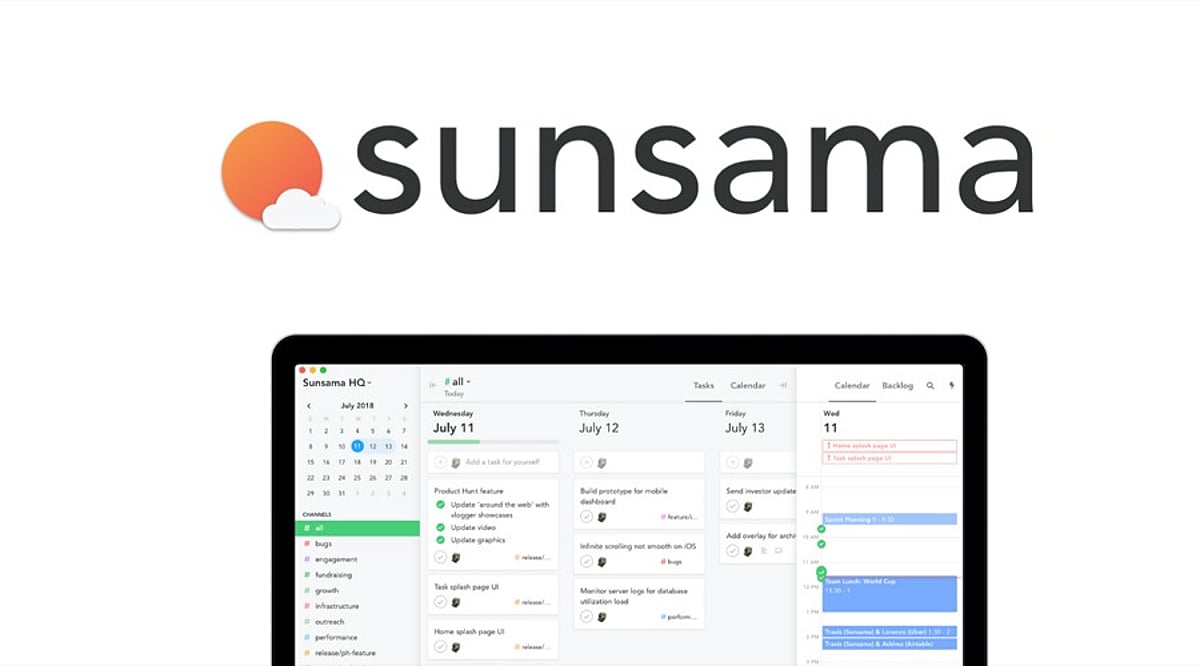
    Sunsama is a daily planner app designed to help users organize their tasks, block time for focused work, and create an intention-driven daily flow. It seamlessly integrates task management with calendar planning, allowing users to drag tasks into their calendar for a visual, structured day. The app emphasizes mindfulness in planning, daily reviews, workload balancing, and integration with popular productivity tools.

    General Information

    • Founded in: 2013
    • Platform Support: Web, Windows, macOS, Android
    • Download: Click Here

    Main Features of Sunsama

    • Organizes daily activities through time-blocking techniques based on calendars.
    • Offers daily and weekly plans, along with reviews.
    • Records scheduled and actual completion time of tasks precisely.
    • Compatible with Asana, ClickUp, Trello, and other productivity software.
    • Includes workload balancing, focus techniques, and daily wind-down.

    Benefits of Sunsama

    • Generates real-time daily plans using time-blocking techniques.
    • Incentivizes mindful planning with workload management and review.
    • Consolidates task information from different productivity apps in one place.
    • Facilitates awareness of working patterns through time tracking.
    • Intuitive design ensures planning is easy and distraction-free.

    Challenges of Sunsama

    • Requires consistent daily planning to get the most out of it.
    • Only allows planning for about two weeks ahead.
    • Does not automatically schedule tasks or priorities for each day.
    • Mobile app lacks some features of the desktop version.
    • No public API for integrations.

    Subscription Information

    Sunsama offers a 30-day free trial without requiring a credit card. The Pro plan includes unlimited planning, integrations, and productivity tools, while the Enterprise plan adds extra security and administration support.

    Support Options

    • Help Center and Learning Resources: User guides, onboarding documentation, productivity tips, planning tutorials, and setup resources.
    • Customer Support: Assistance for account management, billing questions, technical troubleshooting, and platform-related issues.

    Conclusion

    Sunsama is an excellent daily planner for individuals who prefer intentional planning and time-blocking over automated scheduling. With its clean design, thoughtful planning methodology, and useful features, it stands out as a productivity app for those wanting greater control over their daily schedule. Despite requiring manual planning and having a simpler mobile version, it delivers on its core promise effectively.

    Rating: 4.5 / 5

  • Shazam App Review: Music Recognition with Live Lyrics and Smart Discovery

    Shazam App Review: Music Recognition with Live Lyrics and Smart Discovery

    Shazam is a music recognition software that enables users to identify a song in just a few seconds through audio samples. It runs on both Android and iOS devices, providing information such as artist names, albums, lyrics, and streaming links. Additional services include music discovery, trending charts, social sharing, and synchronized lyrics.

    General Information

    • Founded in: 2020
    • Platform Support: iOS, Android, macOS, Wear OS, watchOS
    • Download: Click Here

    Main Features of Shazam

    • Identifies songs within seconds using advanced audio recognition technology.
    • Displays artist information, albums, lyrics, and related music content.
    • Provides LiveLyrics synchronized with currently playing songs in real time.
    • Offers trending music charts and personalized song history tracking.
    • Includes Auto Shazam for continuous background music recognition.

    Benefits of Shazam

    • Quickly identifies unknown songs with impressive recognition accuracy.
    • Makes discovering new artists and music simple and convenient.
    • Saves previously identified songs for future listening and reference.
    • Connects users directly to streaming services and music purchases.
    • Clean interface makes navigation simple for every type of user.

    Challenges of Shazam

    • Recognition can struggle with lesser-known independent artists.
    • Cannot identify songs when users hum or sing them.
    • Performance depends on microphone quality and background noise.
    • Advanced music details are less complete compared to competing apps.
    • Continuous Auto Shazam may drain battery life.

    Subscription Information

    Shazam offers a free version supported by advertisements. Users can recognize songs, discover music, view lyrics, and check listening history without paying—making it suitable for most everyday music lovers. Integration with streaming platforms provides quick access to full songs.

    Support Options

    • Help Center and Learning Resources: Setup guides, FAQs, troubleshooting articles, and music recognition support documentation.
    • Customer Support: Assistance for technical issues, account synchronization, app functionality, and music recognition problems.

    Conclusion

    Shazam remains one of the most effective music identification applications available today. The app offers instant song identification through its user-friendly interface. LiveLyrics and seamless integration with streaming services are among its standout features. Although it occasionally struggles with less popular songs or hummed tunes, it performs effectively overall.