
Tag: Apple Music

  • tvOS 27 Update Brings Lossless Audio, Video Podcasts, and More to Apple TV 4K

    tvOS 27 Update Brings Lossless Audio, Video Podcasts, and More to Apple TV 4K

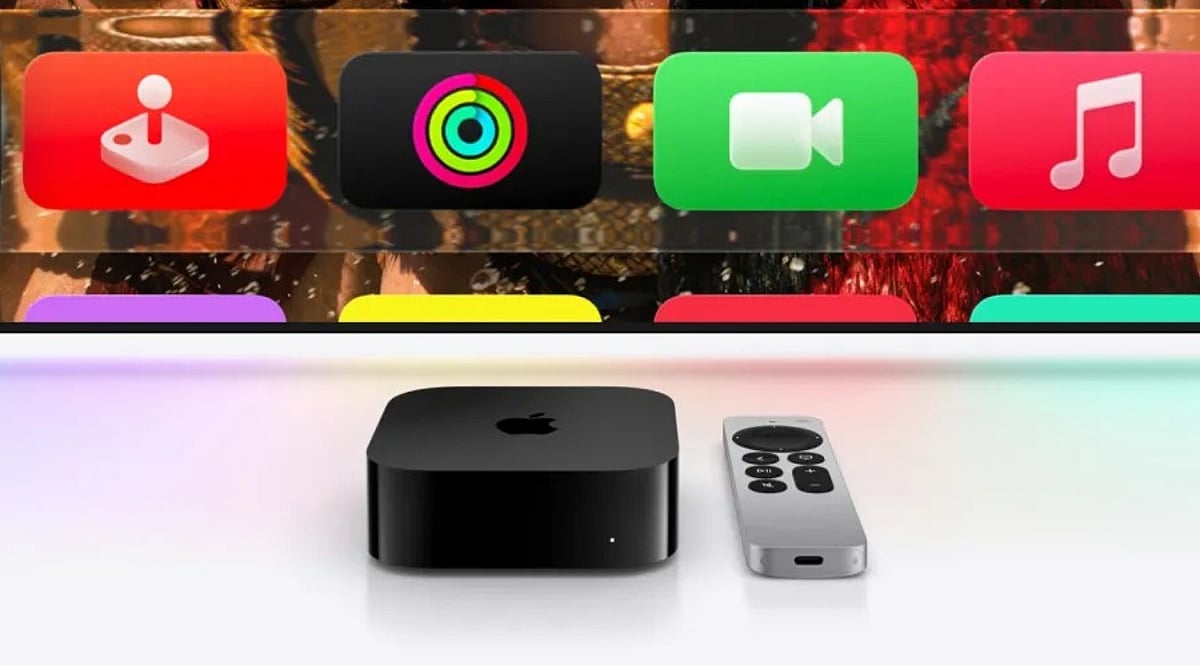
    Apple’s tvOS 27 update, released on September 14, 2026, brings a host of new features to supported Apple TV 4K models. While the update did not receive a major spotlight at Apple’s software event, it includes five significant additions: high-resolution lossless Apple Music, video podcasts, faster performance, improved accessibility options, and new parental controls. Here’s a detailed breakdown of what’s new and which devices are compatible.

    Lossless Apple Music Arrives on Apple TV

    Apple TV 4K can now play lossless music at up to 24-bit and 192 kHz—a feature that has been available on other Apple devices since 2021. This update also introduces AutoMix, which blends songs with tempo matching and crossfading for a seamless listening experience, perfect for parties or extended listening sessions.

    Video Podcasts Come to the TV Screen

    The redesigned Podcasts app now supports video shows with a new sidebar navigation. Video is delivered via HTTP Live Streaming, improving picture quality and enabling ad insertion for creators. Viewers can switch between audio and video, adjust playback speed from 0.5x to 3x, and access content in over 170 countries. Some users have noted that custom feeds like Patreon links may be harder to find in the new app.

    Performance Boost and Faster AirPlay

    Apple claims apps launch up to 30% faster, with smoother animations and a more responsive Control Center. AirPlay connections also start quicker when sharing content from an iPhone, iPad, or Mac. Additionally, software updates can now be initiated from the Home app on iPhone, making it easier to update multiple Apple TV units or HomePods at once.

    Enhanced Accessibility: Bigger Text and Transcribed Audio

    Dynamic Text support allows users to choose a preferred text size across supported apps, aiding those with low vision or who sit far from the screen. Transcribed audio generates text for content without standard captions, improving accessibility for older viewers or shared living spaces.

    Parental Control: App Blocking for Profiles

    Parents can now block specific apps for individual user profiles, closing a gap where children could bypass content restrictions by opening other apps. This feature aligns with Apple’s broader parental control updates in iOS 27.

    Compatibility and Smaller Updates

    tvOS 27 is available on the second- and third-generation Apple TV 4K models. The first-generation Apple TV 4K and Apple TV HD are not supported. Other improvements include smart downloads for media, a redesigned Apple TV Remote app for iPhone, and bug fixes from public beta 5. Notably, the new Siri AI features found on other Apple devices are not included in this release.

    What’s Next for Apple TV?

    Reports suggest a fourth-generation Apple TV 4K with an A17 or newer chip and Apple Intelligence support may launch later this year. The current third-generation model starts at $199 for 64GB. Apple has not confirmed any upcoming hardware.

    FAQ

    What are the main new features in tvOS 27?

    Lossless Apple Music, video podcasts, faster app launches, improved AirPlay, Dynamic Text, transcribed audio, and individual app blocking for parental controls.

    Which Apple TV models support tvOS 27?

    Second- and third-generation Apple TV 4K models. The first-generation Apple TV 4K and Apple TV HD are not supported.

    What audio improvements does tvOS 27 bring?

    Lossless playback up to 24-bit/192 kHz, AutoMix, and Crossfade for smoother music transitions.

    Does tvOS 27 include the new Siri AI?

    No, the new Siri AI features are not part of this update.

    What parental control feature was added?

    Parents can block specific apps for individual user profiles, giving more control over children’s app access.

  • Apple Music Gains AI-Powered Search and Smart Playback with iOS 27 Update

    Apple Music Gains AI-Powered Search and Smart Playback with iOS 27 Update

    Apple is giving Apple Music a significant upgrade with the upcoming iOS 27 release, introducing a range of artificial intelligence features designed to transform how users discover and enjoy music. The update focuses on making search more intuitive, recommendations more personalized, and playback more seamless.

    Smarter Search with Natural Language Understanding

    The most notable addition is conversational search, which allows users to type casual phrases such as “play relaxing songs for a rainy evening” or “find upbeat workout music” instead of needing exact song or artist names. Apple Music will interpret these requests and surface matching tracks, making music discovery effortless even when users aren’t sure what they’re looking for.

    Personalized Recommendations and AutoMix

    Recommendations become smarter by analyzing listening habits over time, learning favorite artists, genres, and moods to suggest playlists and albums tailored to each listener. A new AutoMix feature blends songs with smooth transitions, delivering a DJ-style listening experience that keeps the music flowing.

    Enhanced Global Music Experience

    Apple is also catering to listeners who enjoy music in multiple languages. Live lyric translation will display real-time translations of song lyrics, while pronunciation guides help users sing along accurately in unfamiliar languages. These tools make foreign-language music more accessible and enjoyable.

    Better Library Management

    Playlist folders are being added to streamline library organization, making it easier for users to sort and group their growing collections. This improvement is particularly welcome for those with extensive music libraries.

    The AI-driven features are part of Apple’s broader push to integrate artificial intelligence across its ecosystem. By combining natural language search, adaptive recommendations, and polished playback, Apple Music aims to evolve from a simple streaming app into a personal music assistant. These features are expected to launch alongside iOS 27 later this year on supported iPhones.

  • Apple Music and Apple One Subscription Prices Rise in India

    Apple Music and Apple One Subscription Prices Rise in India

    Apple has increased the prices of Apple Music and Apple One subscription plans in India. The new rates are effective immediately for new subscribers, while existing users will see the higher charges applied starting with their next monthly payment. This marks the first price adjustment for Apple’s music streaming service in the country since 2024.

    The Apple Music Individual plan now costs ₹139 per month, up from ₹119. The Student plan has risen from ₹59 to ₹69 per month. The Family plan, which allows up to six family members to enjoy separate accounts with personalized playlists and recommendations, now costs ₹229 per month instead of ₹179.

    Apple has also revised the pricing for its Apple One bundles. The Individual plan now costs ₹195 per month, up from ₹175. The Family plan has increased from ₹365 to ₹445 per month. The Premier plan, which includes the most services, now costs ₹595 per month, compared to the previous ₹499.

    Apple One combines multiple Apple services—including Apple Music, Apple TV+, Apple Arcade, and iCloud storage—into a single subscription. For users who regularly use more than one Apple service, the bundle can still offer cost savings despite the price increases.

    Apple has not provided an official reason for the price hike. However, similar increases have already been implemented in markets such as the United States, the United Kingdom, and parts of Europe. Industry reports suggest that rising music licensing fees and service delivery costs may be contributing factors.

    This subscription price adjustment follows recent price increases on select Mac, MacBook, iPad, Apple TV, and HomePod models in various regions. Apple also raised iPhone prices in Japan. The pattern indicates a broader strategy of increasing costs across both hardware and subscription services.

    Even with the higher prices, Apple One may remain a cost-effective choice for households that use multiple Apple services. The narrower price gap between Apple Music and Apple One could encourage more users to opt for the bundle rather than paying for each service individually.

  • How to Sign In to Apple Music on Android: Step-by-Step Guide

    How to Sign In to Apple Music on Android: Step-by-Step Guide

    Apple Music is not limited to Apple devices. Android users can also enjoy the full Apple Music experience by following a few simple steps. Here’s a comprehensive guide to logging in and making the most of Apple Music on your Android device.

    Download the Official Apple Music App

    Start by installing the official Apple Music app from the Google Play Store. Make sure you download the authentic application published by Apple to ensure security, regular updates, and complete feature compatibility before proceeding with account setup.

    Sign In Using Your Apple ID

    Open the app and tap the Sign In option. Enter your Apple ID email address and password associated with your Apple Music subscription. If you have two-factor authentication enabled, verify your identity using the code sent to your trusted Apple device or registered phone number.

    Create an Apple ID If Needed

    Don’t have an Apple account? Tap Create Apple ID directly from the app and complete the registration process. After verifying your email and adding payment details if required, subscribe to Apple Music and begin streaming millions of songs on Android instantly.

    Sync Your Entire Music Library

    Once logged in, your playlists, liked songs, albums, listening history, and personalized recommendations automatically sync across supported devices. Whether you previously used an iPhone, iPad, Mac, or another Android phone, your complete Apple Music experience follows your Apple ID seamlessly.

    Download Songs for Offline Listening

    Enable offline downloads by tapping the download icon beside playlists, albums, or individual tracks. Downloaded music remains accessible without an internet connection, making Apple Music ideal for flights, travel, commuting, or locations with limited network coverage.

    Troubleshoot Login Problems

    If sign-in fails, verify your Apple ID credentials, internet connection, subscription status, and app version. Reset your Apple ID password if necessary, update the application through Google Play Store, and restart your device before attempting to log in again for best results.

    Enjoy Cross-Platform Features

    Apple Music on Android supports lossless audio, Dolby Atmos where available, lyrics, curated playlists, personalized recommendations, and offline playback. You receive nearly the same premium experience as iPhone users, making switching between Android and Apple devices smooth and convenient.