
Tag: Audio Intelligence

  • Stop Your Apple Watch From Listening: A Simple Guide to Disabling Siri Recap

    Stop Your Apple Watch From Listening: A Simple Guide to Disabling Siri Recap

    Apple’s latest Apple Watch models introduce Audio Intelligence features, including Siri Recap, which can listen to conversations in the background and generate AI-powered summaries. While Apple emphasizes that Siri Recap is opt-in and does not store raw audio recordings, many users may prefer to disable it for privacy. Here’s how to turn off Siri Recap on your Apple Watch while keeping standard Siri features fully functional.

    What Is Siri Recap on Apple Watch?

    Siri Recap is part of Apple’s Audio Intelligence suite for Apple Watch. Unlike traditional Siri, which waits for an explicit activation command, Siri Recap works in the background. When enabled, it can listen to conversations throughout the day and create high-level summaries so you can recall important points later.

    Apple states that Siri Recap does not generate conventional audio recordings. Instead, audio is processed in a protected hardware environment that is inaccessible to the operating system, third-party apps, or Apple itself. The resulting recaps are summarized overviews, not full transcripts of your conversations.

    How to Turn Off Siri Recap

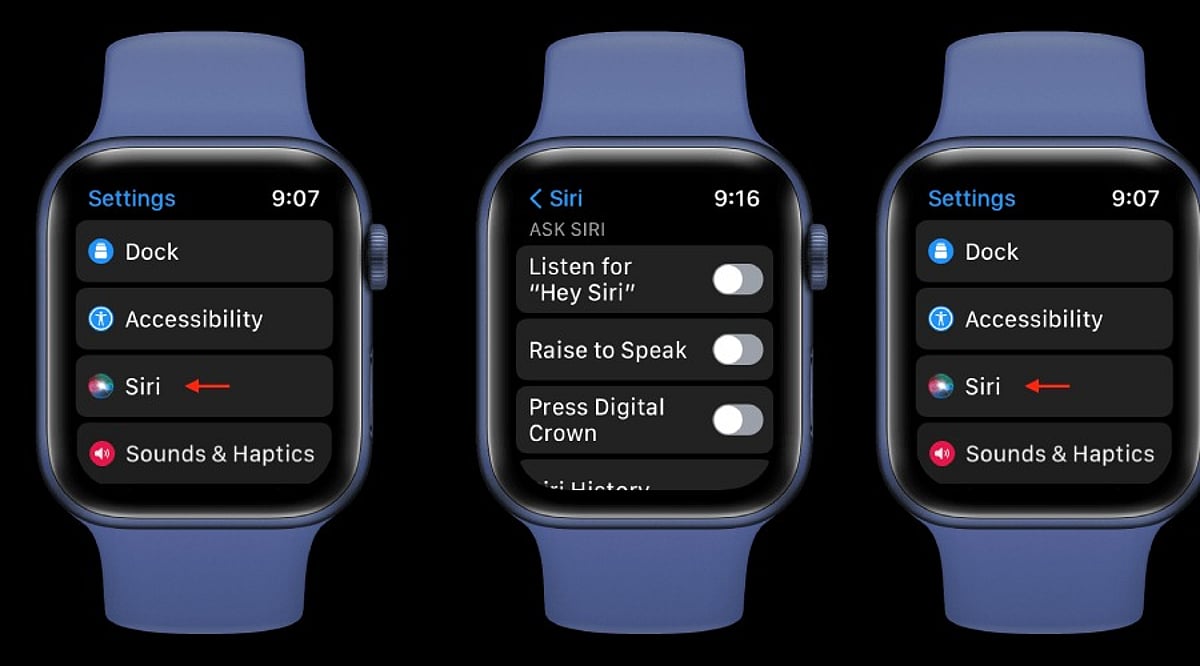
    Disabling Siri Recap takes just a few seconds. Use the Watch app on your paired iPhone:

    • Open the Watch app on your iPhone.
    • Tap the Siri section.
    • Locate Siri Recap.
    • Toggle the switch to turn it off.

    Once disabled, your Apple Watch will stop using the feature to take ambient notes or generate conversation summaries. You can also enable or disable Siri Recap directly from Control Center on the watch itself.

    Schedule Siri Recap Instead of Turning It Off Completely

    If you find Siri Recap useful in certain situations but want more control over when it listens, you don’t have to disable it entirely. Apple lets you set Siri Recap to operate on a schedule based on time of day, location, or specific scenarios. For example, you can keep it active during work hours and turn it off automatically at home or overnight.

    Siri Recap vs. Live Rewind

    It’s important not to confuse Siri Recap with Live Rewind, a separate feature. Live Rewind lets you retrieve a text snippet of what was said in the previous 15 seconds after double-pressing the Digital Crown. It does not continuously create a running transcript in the background like Siri Recap can.

    Both features come with the Apple Watch Series 12 and Apple Watch Ultra 4, subject to software and compatibility requirements.

    Disabling Siri Recap Doesn’t Disable Siri

    Turning off Siri Recap has no effect on regular Siri functionality. You can still use Siri for reminders, weather, timers, messages, smart-home controls, and other supported actions. This makes it easy to enjoy the convenience of Apple’s assistant without the concern of background listening.

    By following the steps above, you can take control of your Apple Watch’s privacy features and decide exactly when Audio Intelligence is allowed to listen.
  • Apple Watch Series 12’s Audio Intelligence and Privacy Controls Hint at Smart Glasses Future

    Apple Watch Series 12’s Audio Intelligence and Privacy Controls Hint at Smart Glasses Future

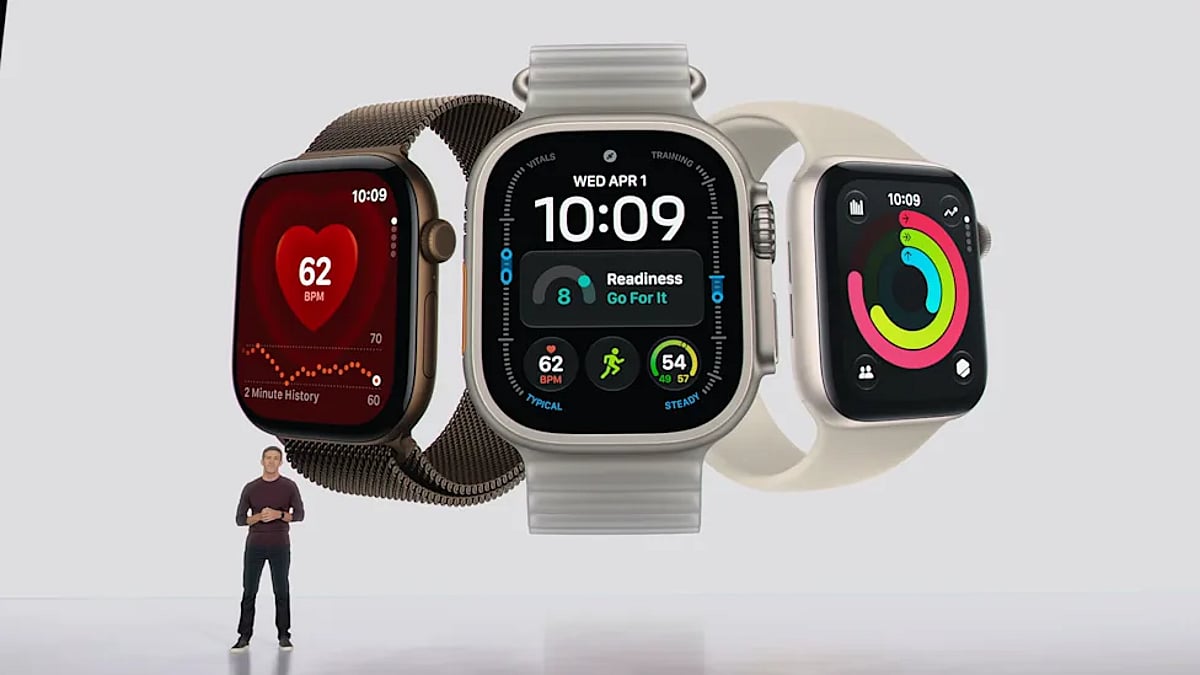
    Apple introduced new Audio Intelligence tools on the Apple Watch Series 12, allowing the device to listen for sounds, recall recent conversations, and create conversation summaries. However, the company built several privacy controls around the technology, offering a possible look at how it could handle similar concerns with future smart glasses.

    Audio Intelligence Features

    Apple’s Audio Intelligence package includes Sound Recognition, Live Rewind, Siri Recap, and Shazam. Sound Recognition listens for noises such as alarms, sirens, doorbells, and crying babies. Shazam can identify music playing near the user and display the song information on the watch.

    Live Rewind and Siri Recap take the technology further. Live Rewind keeps a rolling buffer of about 15 seconds of nearby conversation. When the wearer double-presses the Digital Crown, the watch converts the previous 15 seconds into text. Apple designed the feature for situations where users may have missed information during a conversation.

    Siri Recap can create short summaries of conversations that users can review later. Instead of producing a full transcript, the system generates a title and key points. Apple says the feature can help users stay engaged during meetings or conversations without constantly taking notes. Apple plans to release Siri Recap and Live Rewind in beta later this year.

    On-Device Audio Privacy

    Apple built Audio Intelligence around the Secure Exclave inside the S11 chip. The dedicated hardware compartment processes audio separately from watchOS and other apps. According to Apple, neither apps, the operating system, the user, nor Apple can directly access the raw audio.

    Live Rewind processes its transcription locally on the Apple Watch. Its temporary audio buffer is repeatedly overwritten rather than stored as a permanent recording. When the feature activates, the watch also plays an audible chime, even when the device is set to silent or connected to headphones.

    Siri Recap follows a different process. The watch converts speech into text before deleting the original audio. Apple then uses Private Cloud Compute to process the text and prepare the summary. The company says its cloud system prevents Apple from accessing the submitted data. Apple also says Siri Recap does not identify speakers or connect statements to specific people. The system is designed to leave out sensitive details such as financial information, authentication data, and government-issued identification numbers.

    Privacy Controls for Wearables

    The public-facing warning used by Live Rewind could provide a clue about how Apple may handle recording features on future wearable products. Apple did not announce consumer smart glasses, but reports have suggested the company is developing AI-powered glasses that could eventually enter the market.

    Wearable cameras and microphones have raised privacy concerns because people nearby may not always know when recording takes place. Apple’s approach on the Series 12 adds both visual and audible signals when Live Rewind activates. The watch displays a full-screen animation and microphone indicator while also playing its warning sound. Such controls could become useful if Apple adds similar listening or recording functions to smart glasses. Rather than relying only on software permissions for the wearer, the company could also provide visible or audible notices for people nearby.

    Apple Expands AI on Watch

    The privacy controls arrive as Apple broadens the Apple Watch beyond health and fitness. Series 12 introduces a new Health Sensing System, more frequent heart-rate and heart-rate variability measurements, a readiness score, and updated step tracking.

    The S11 chip also supports Siri AI through watchOS 27, bringing personal context features and broader knowledge functions to the watch. Apple Watch Series 12 starts at $399 in the U.S., with store availability beginning September 18. As Apple adds more AI tools to devices worn throughout the day, the Series 12 shows how the company is combining always-available intelligence with limits on how personal audio is processed, stored, and disclosed.