
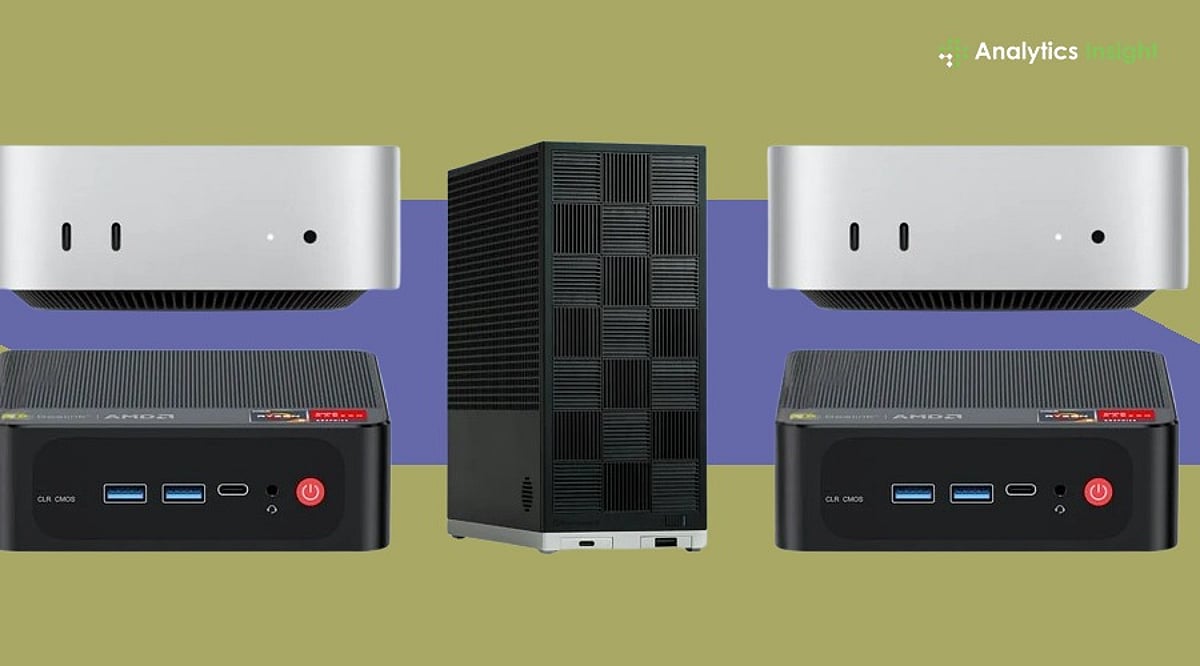
Mini PCs have evolved far beyond their underpowered reputation. Thanks to cutting-edge chips from Apple, AMD, and Intel, today’s compact computers deliver genuine speed and efficiency in a footprint that barely registers on a desk. PC experts evaluate these machines not just by processor names, but by how they handle sustained workloads, thermal management, connectivity, and upgrade flexibility. Here are their top picks for 2026.
What PC Experts Look for in a Mini PC
Experts go beyond the spec sheet to assess real-world performance. Key factors include:
- Sustained performance: A good mini PC maintains speed under load without throttling.
- Cooling: Compact cases need efficient heat dissipation.
- Connectivity: USB4, Thunderbolt, Wi-Fi 7, and multi-display support extend longevity.
- Upgradeability: Swappable RAM and storage can extend the system’s life.
- Power draw and noise: Important for all-day use.
Best Mini PCs for 2026 at a Glance
Apple Mac mini M4
The Mac mini M4 remains the easy all-round choice for most people. It handles office work, programming, photo editing, and video editing with ease, staying nearly silent and consuming less power than a typical desktop. Tight hardware-software integration means it doesn’t need a bulky cooling system.
ASUS NUC 15 Pro
Designed for professional and business environments, the NUC 15 Pro runs Intel Core Ultra chips, offers enterprise-grade security, Thunderbolt ports, and support for multiple displays. It prioritizes long-haul reliability over benchmark scores, making it ideal for IT teams and corporate buyers.
Geekom A8
The Geekom A8 balances performance, price, and build quality. Its AMD Ryzen processor breezes through multitasking and light creative work. A metal chassis, quiet cooling, and a generous port selection give it a workstation-grade feel without the workstation price.
Beelink SER9
For users who need a small PC capable of creative software without a dedicated GPU, the Beelink SER9 shines. Its Ryzen AI processor and Radeon integrated graphics handle photo editing, casual video work, light gaming, and heavy multitasking, with solid cooling keeping performance steady.
Minisforum AI X1 Pro
Aimed at developers and AI professionals, the AI X1 Pro features a Ryzen AI processor, upgradeable memory, USB4 ports, and multi-monitor support. Its upgradeability is a key selling point, allowing users to swap components rather than replace the whole machine.
Which Mini PC Should You Buy?
Matching hardware to your workload delivers more value than buying the most expensive model. Avoid common mistakes like skimping on RAM (8GB is not future-proof), ignoring cooling, choosing too few ports, or overlooking upgrade options. A balanced system often feels faster than a powerful one held back by weak memory or cooling.
Mini PC Buying Checklist
- Match the processor to your workload.
- Opt for at least 16GB of RAM for smooth multitasking.
- Choose a PCIe Gen4 SSD for faster storage.
- Confirm multi-monitor support if needed.
- Look for USB4 or Thunderbolt for future connectivity.
- Check upgradeability for RAM and storage.
- Read independent thermal and noise reviews.
- Weigh long-term value, not just the sticker price.
Frequently Asked Questions
1. What is the best mini PC to buy in 2026?
The best mini PC depends on your needs. The Apple Mac mini M4 is a strong all-round choice, while models from ASUS, Geekom, Beelink, and Minisforum cater to business, creative, and AI workloads.
2. Can a mini PC replace a traditional desktop?
Yes. Modern mini PCs offer enough processing power for office work, programming, content creation, and light gaming. Many users no longer need a full-sized desktop.
3. What should I look for when buying a mini PC?
Consider the processor, RAM (16GB+), SSD storage (PCIe Gen4), cooling system, connectivity (USB4/Thunderbolt), display support, and upgrade options.
4. Are mini PCs good for gaming and creative work?
Many mini PCs handle light gaming, photo editing, and video editing with powerful integrated graphics. For demanding gaming or professional graphics, a desktop with a dedicated GPU may still be better.
5. How much RAM does a mini PC need in 2026?
16GB is the recommended minimum for smooth multitasking and long-term performance.
Mini PCs have moved past their space-saving office box reputation. The strongest models of 2026 deliver performance, connectivity, and reliability that desktop users expect, using less power and making less noise. Choose based on your actual usage, not just the highest benchmark number.