
Tag: Bluetooth audio

  • The Wireless Audio Boom: How Bluetooth Is Transforming Everyday Listening

    The Wireless Audio Boom: How Bluetooth Is Transforming Everyday Listening

    Bluetooth audio has become an integral part of daily life, moving beyond traditional wired headphones into a vast ecosystem of earbuds, speakers, cars, and smart-home devices. From private listening on the go to shared sound in living rooms, wireless audio now accompanies users almost everywhere. Recent listening trends reflect a steady rise in audio consumption across TVs, vehicles, and connected speakers.

    Earbuds Lead the Charge

    True wireless earbuds have eliminated the hassle of cables, making portable audio more convenient than ever. Modern models increasingly feature active noise cancellation, spatial audio, voice controls, and intelligent assistant integration. Premium TWS products are drawing strong consumer interest as users seek better sound quality, comfort, and seamless device connectivity.

    Open-Ear Audio Gains Momentum

    Open-ear earbuds are carving out a new niche in wireless listening, allowing users to remain aware of their surroundings. Designed for outdoor activities, commuting, and casual use where environmental awareness is key, these devices highlight how Bluetooth audio is evolving beyond traditional in-ear designs.

    Smart Speakers Transform Shared Spaces

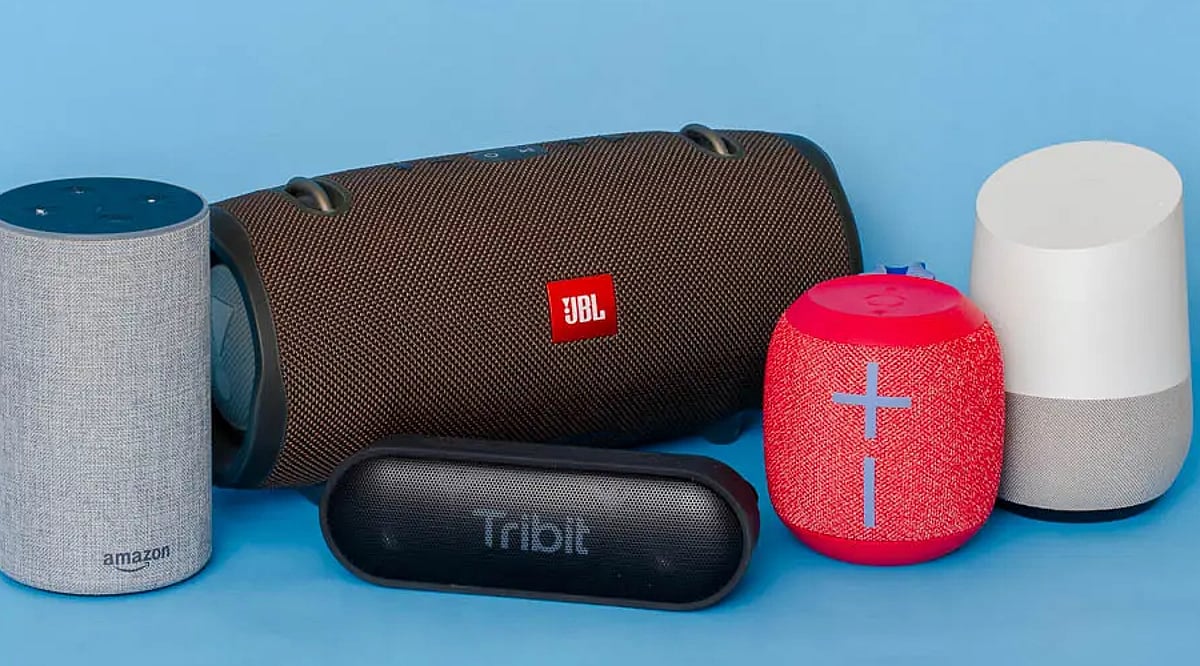
    Bluetooth speakers have evolved from simple portable gadgets into connected entertainment hubs. Smart speakers now bring music, podcasts, and voice-controlled functions into bedrooms, kitchens, and living rooms, shifting audio from personal to shared, room-filling experiences.

    Cars Become Audio Hubs

    Wireless audio is deeply integrated into modern vehicles, letting drivers and passengers stream music, podcasts, and calls without any cables. Bluetooth connectivity has turned the car into another major listening environment. As smartphones, infotainment systems, and wireless accessories converge, audio increasingly follows users wherever they go.

    Bluetooth Keeps Getting Smarter

    Bluetooth technology continues to evolve toward more efficient and capable wireless audio. Bluetooth LE Audio and the LC3 codec have already expanded what low-energy connections can support. Emerging developments promise improved data throughput and broader broadcast-style audio experiences.

    The Future Is Wireless

    The Bluetooth audio boom is no longer limited to headphones. Earbuds, speakers, cars, TVs, and smart-home devices are forming a connected audio ecosystem around everyday users. As wireless standards and device intelligence improve, listening is becoming more flexible, social, and deeply integrated into daily routines.
  • 10 Common Spotify Sound Quality Killers and How to Solve Them

    10 Common Spotify Sound Quality Killers and How to Solve Them

    Having a good pair of headphones or speakers does not automatically mean you are getting the best sound from Spotify. Streaming settings, Bluetooth connections, volume processing, and even old downloads can affect playback. Spotify currently offers low, normal, high, very high, and Lossless options, depending on the plan and device. Supported Premium users can stream up to 24-bit/44.1kHz FLAC in Lossless. Here are 10 factors that can ruin your Spotify sound quality and how to fix each one.

    1. Streaming at Low Audio Quality

    Spotify lets users choose different audio-quality levels. Low quality is around 24kbps, Normal about 96kbps, High about 160kbps, and Very High about 320kbps. Lower settings use less data but can reduce detail, especially when listening through capable headphones. Check media quality and select the highest practical option for your connection.

    2. Forgetting to Enable Very High or Lossless

    If your plan and device support Lossless, leaving the setting at High or Very High means you are not using the highest available quality. Spotify says Lossless can reach up to 24-bit/44.1kHz FLAC. Go to Media Quality and check the settings for both streaming and downloads.

    3. Relying on Bluetooth for Maximum Fidelity

    Bluetooth is convenient, but it can limit access to lossless playback depending on the headphones, speaker, and connection being used. That does not mean Bluetooth always sounds poor. For Spotify’s full lossless capability, compatible wired equipment or supported Spotify Connect devices are better choices.

    4. Using Volume Normalization Without Realizing

    Spotify’s Volume Normalization balances quieter and louder tracks so songs play at a more consistent level. That can be useful for playlists, but listeners who want to hear the original dynamics of recordings may prefer to test playback with it turned off.

    5. Messing with the Equalizer

    The equalizer can help correct a particular headphone’s sound, but large boosts and cuts can also make music sound unnatural. Excessive bass may mask vocals, while boosted treble can make recordings harsh. If there is no specific reason to change it, keeping the EQ flat is a sensible starting point.

    6. Streaming Over an Unstable Connection

    Higher-quality audio needs more bandwidth. Spotify recommends a steady 1.5 to 2Mbps connection for the best listening experience. If your Wi-Fi or mobile connection is unstable, buffering or quality adjustments can interfere with playback. A strong Wi-Fi connection is preferable for high-quality streaming.

    7. Playing Old, Lower-Quality Downloads

    Changing your streaming quality does not mean that downloaded music is replaced with a higher-quality version. Spotify allows users to choose download quality separately. After switching to downloads, you need to update them. Check your offline library after changing the setting.

    8. Ignoring Headphones or Speakers

    Spotify cannot fix hardware at the other end of the audio chain. Poorly tuned headphones, damaged drivers, weak speakers, or poor speaker placement can have a greater effect than changing an app setting. Ensure that your equipment is working properly in the first place.

    9. Phone or PC Audio Processing

    System-level EQs, spatial audio, sound enhancements, and other processing can alter Spotify’s output. Windows users with compatible external audio equipment can also try Spotify’s Exclusive Mode. It gives Spotify direct control of the audio device and is designed for higher-fidelity playback.

    10. Expecting Every Track to Sound the Same

    Lossless preserves the quality of the source, but it cannot improve a recording that was poorly recorded or mastered. Spotify itself notes that the original recording, playback equipment and connection all influence what listeners hear. Some users may also notice little difference between lossless and high-quality compressed playback.

    Frequently Asked Questions

    1. What is the highest Spotify audio quality?

    Spotify Premium supports Lossless playback up to 24-bit/44.1kHz FLAC on compatible devices, while Very High reaches approximately 320kbps.

    2. Does Spotify automatically reduce audio quality?

    Spotify can automatically adjust audio quality based on network conditions to reduce playback interruptions, particularly when connections are unstable or bandwidth is limited.

    3. What internet speed does Spotify recommend for Lossless?

    Spotify recommends maintaining a steady 1.5 to 2Mbps connection for the best Lossless listening experience and fewer playback or buffering problems.

    4. Can old Spotify downloads have lower quality?

    Yes. If you change your download quality, existing downloads may need updating. Spotify provides an option to update downloaded tracks to Lossless.

    5. Will Lossless work with Bluetooth headphones?

    Lossless availability depends on the connection and hardware. Spotify says connection type can affect quality, so compatible wired or Spotify Connect devices are preferable.