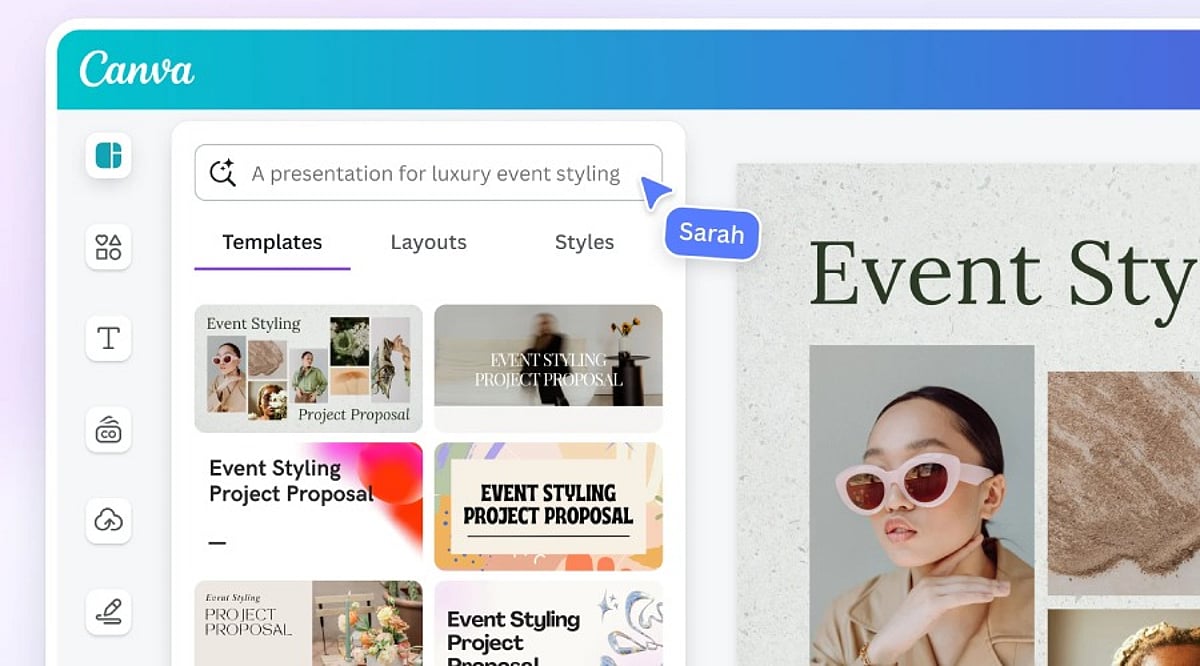
Tag: Canva AI

  • 10 Free AI Tools That Can Save You Hours Every Week

    10 Free AI Tools That Can Save You Hours Every Week

    Artificial intelligence tools have become indispensable for boosting productivity and streamlining workflows. Whether you need to generate content, research a topic, organize documents, or automate meeting notes, there is a free AI tool that can help. Here is a curated list of 10 powerful free AI tools that can save you hours every week.

    1. ChatGPT

    ChatGPT is one of the most versatile AI assistants available. Use it to generate content, brainstorm ideas, summarize documents, answer questions, and automate everyday writing tasks. Its conversational interface makes it easy to get started.

    2. Google Gemini

    Google Gemini integrates seamlessly with Google Workspace to help you research topics, summarize lengthy files, analyze images, and streamline both personal and professional workflows. It’s a great choice for anyone already using Google’s ecosystem.

    3. Microsoft Copilot

    Microsoft Copilot works directly inside Microsoft 365 applications and Windows. Draft emails, create presentations, analyze spreadsheets, and even get assistance with coding—all without leaving your workflow.

    4. Perplexity AI

    Perplexity AI provides accurate, source-backed answers instantly with real-time web search. It makes research, fact-checking, and learning significantly faster than traditional search engines.

    5. Canva AI

    Canva’s AI-powered design tools let you create social media graphics, presentations, videos, and marketing visuals without needing professional design experience. It’s a time-saver for content creators and marketers.

    6. Grammarly

    Grammarly helps improve grammar, clarity, tone, and writing quality across emails, documents, and websites. Its instant suggestions make writing more efficient and polished.

    7. NotebookLM

    NotebookLM by Google is an AI-powered research assistant that helps you organize research materials, summarize documents, generate study guides, and ask questions using your uploaded sources. It’s ideal for students and professionals.

    8. Claude

    Claude is an AI assistant capable of summarizing long reports, writing polished content, analyzing documents, and handling complex reasoning tasks. Its natural, conversational responses make it easy to work with.

    9. Otter.ai

    Otter.ai automatically records meetings, transcribes conversations, generates summaries, and captures action items. It reduces manual note-taking and improves collaboration efficiency for teams.

    10. Additional Bonus Tools

    While the list includes nine core tools, many other free AI applications can further boost your productivity. Experiment with different tools to find the ones that best fit your needs.

    Start using these free AI tools today to reclaim hours of your week and focus on what matters most.

  • Master Canva AI: Speed Up Your Design Workflow with Smart Automation

    Master Canva AI: Speed Up Your Design Workflow with Smart Automation

    Creating professional graphics no longer requires starting from a blank canvas. With Canva’s suite of artificial intelligence tools, users can generate layouts, write copy, edit images, and automate repetitive tasks—all within the familiar drag-and-drop editor. These features help designers, marketers, and content creators move from concept to polished visual in record time, while still preserving the human touch needed for branding and originality.

    Why Canva AI Accelerates the Design Process

    Traditional design involves multiple steps: choosing templates, selecting fonts and colors, sourcing images, and writing copy. Canva AI collapses these stages by generating ready-to-edit designs based on minimal input. For example, a business owner creating a marketing poster or a student preparing a presentation can receive several design options instantly, skipping the initial setup and focusing only on refinement.

    Key Canva AI Tools That Matter Most

    Magic Design

    This feature generates complete layouts from a text prompt or an uploaded image. It suggests templates for presentations, social media posts, posters, flyers, and more, giving users a strong starting point.

    Magic Write

    Magic Write creates headlines, captions, product descriptions, blog outlines, and other written content directly inside Canva. It’s ideal for quickly generating copy that matches your design theme.

    Magic Edit

    With Magic Edit, users can modify parts of an image by typing descriptive text. Combined with tools like Background Remover and Magic Eraser, photo cleanup becomes effortless.

    AI for Video

    Canva also offers AI-powered video editing, including automatic subtitle generation and smart resizing for different platforms.

    Better Prompts Deliver Better Designs

    The quality of AI-generated outputs depends heavily on the prompt. A vague request like “design a poster” yields generic results. A detailed prompt specifying the target audience, purpose, color palette, and style helps Canva understand your vision. For instance, “a simple Instagram post promoting a weekend café offer, using warm colors and modern fonts” produces more relevant designs. Experimenting with slight variations in wording can also unlock fresh layouts and concepts.

    AI Is Just the Beginning

    While AI-generated designs are often impressive, they should never be published without human review. Canva’s AI cannot grasp a brand’s unique style, marketing strategy, or audience preferences. Adjustments to layout, typography, colors, images, and text are typically necessary. The best results come from combining AI’s initial ideas with human creativity and editorial oversight.

    Tips to Maximize Results

    • Be specific in your prompts: include the goal, color scheme, style, and target audience.
    • Never treat AI-generated designs as final—always edit, check brand compliance, and proofread copy.
    • Save personalized templates to speed up future projects.

    The Bottom Line

    Canva AI has made design faster without adding complexity. Tools like Magic Design, Magic Write, Magic Edit, and AI-powered image editing cut down routine tasks while providing a strong creative foundation. However, technology works best when paired with human judgment. AI generates ideas and automates processes, but the final result requires careful editing, clear messaging, and audience awareness. By combining both, users can produce professional designs quickly without sacrificing quality.

    Frequently Asked Questions

    What is Canva AI used for?

    Canva AI helps users create designs, generate content, edit images, and automate creative tasks using artificial intelligence.

    Is Canva AI free to use?

    Canva offers some AI features for free, while advanced tools and higher usage limits require a Canva Pro subscription.

    Which Canva AI tool is best for beginners?

    Magic Design is ideal for beginners because it generates ready-to-edit templates from simple prompts or uploaded images quickly.

    Can Canva AI create social media posts?

    Yes, Canva AI generates social media graphics, captions, presentations, videos, and marketing materials for multiple digital platforms efficiently.

    Does Canva AI replace professional designers?

    No. Canva AI speeds up design creation, but human creativity and editing remain essential for unique, accurate, and brand-aligned results.

  • Top 10 AI Tools Entrepreneurs Need to Scale Their Business in 2026

    Top 10 AI Tools Entrepreneurs Need to Scale Their Business in 2026

    Running a business in 2026 means juggling countless tasks—from customer replies and social media posts to sales reports and team meetings. For entrepreneurs with small teams, the workload can quickly become overwhelming. That’s why many are turning to artificial intelligence to handle routine work, freeing up time for strategic thinking, product improvement, and customer relationships. The best part? You don’t need a massive budget to get started. Many AI tools offer free or affordable plans and are designed for beginners.

    Below, we’ve split the top tools into two categories: those that make everyday tasks smoother and those that help your business grow faster.

    AI Tools for Everyday Business Tasks

    ChatGPT

    ChatGPT has become a morning staple for countless business owners. It helps draft emails, social media posts, product descriptions, and blog articles in minutes. Beyond writing, it’s great for brainstorming ideas, summarizing reports, and answering quick questions. If you produce content daily, this tool is a lifesaver.

    Canva AI

    You don’t need to be a professional designer to create stunning visuals. Canva AI lets you generate posters, presentations, social media graphics, logos, and marketing materials with just a few clicks. It suggests layouts, edits images, and speeds up the entire design process, so even beginners can produce polished results.

    Notion AI

    As your business grows, keeping track of notes, tasks, and projects becomes chaotic. Notion AI organizes everything in one place—meeting summaries, project plans, daily workflows—and helps you write better and create quick summaries. It’s ideal for teams managing multiple projects simultaneously.

    Jasper AI

    Jasper AI is tailored for companies that publish content regularly. It excels at writing blog posts, website copy, advertisements, product descriptions, and email campaigns. You can adjust the tone to match your brand voice, saving time without sacrificing quality.

    Fireflies.ai

    Ever missed key points during an online meeting? Fireflies.ai automatically records, transcribes, and summarizes meetings. Afterward, you can review main points and action items without scribbling notes. It’s a simple way to stay organized.

    AI Tools to Accelerate Business Growth

    Zapier AI

    Zapier AI connects your business apps and automates repetitive tasks. It can send emails, update spreadsheets, move customer data, and handle many routine jobs without manual effort. This reduces errors and frees up your team for higher-value work.

    Tidio

    Customers expect quick answers, even after hours. Tidio combines AI chatbots with live chat to instantly answer common questions, recommend products, and collect customer information. When needed, it hands off to a human agent. This lets you deliver excellent service without a large support team.

    HubSpot AI

    HubSpot AI unifies marketing and customer management. It helps write emails, organize leads, and understand customer behavior through easy-to-digest insights. Business owners can track marketing efforts and build stronger relationships over time.

    Salesforce

    A long-time favorite for enterprises, Salesforce’s AI capabilities empower sales teams to understand customer needs, track opportunities, and make smarter decisions. It centralizes all customer information, eliminating the need to switch between multiple tools throughout the day.

    Synthesia

    Video content is increasingly important, but production can be expensive. Synthesia simplifies video creation: just enter a script, and the platform generates a professional video with an AI presenter. It’s perfect for training videos, product demos, and internal updates.

    Which AI Tool Should You Try First?

    The best starting point depends on your biggest challenge. If writing consumes your time, begin with ChatGPT or Jasper AI. If marketing and social media are priorities, Canva AI is a solid choice. For customer support, look at Tidio. If you’re constantly moving data between apps, Zapier AI can automate those workflows. As your needs evolve, you can add Notion AI, Fireflies.ai, HubSpot AI, Salesforce, and Synthesia.

    Final Thoughts

    There’s no one-size-fits-all AI tool. What works for one entrepreneur may not suit another. The good news is that most platforms offer free trials, so you can experiment without long-term commitment. Start with one tool that addresses your biggest pain point, then gradually add others as you grow comfortable. Remember, the goal isn’t to let AI run your business—it’s to spend less time on routine tasks and more time building your brand, serving customers, and uncovering new opportunities.

    Frequently Asked Questions

    Which AI tool is best for entrepreneurs?

    ChatGPT is a versatile all-rounder, helping with writing, planning, research, and many everyday tasks.

    Can AI tools help small businesses?

    Absolutely. They save time, improve customer service, automate routine work, and keep you organized.

    Which AI tool is best for marketing?

    Canva AI, Jasper AI, and HubSpot AI are excellent for creating marketing content and managing campaigns.

    Do I need technical knowledge to use these tools?

    No. Most are designed for beginners with simple, intuitive interfaces.

    Should I use more than one AI tool?

    Yes, if your business needs it. Many entrepreneurs combine tools for writing, design, customer support, and automation.

  • 6 Best AI Marketing Software Tools for Lean Startups in 2026

    6 Best AI Marketing Software Tools for Lean Startups in 2026

    Early-stage founders rarely have the luxury of a full marketing department. Budgets remain tight, timelines move quickly, and every team member typically wears several hats at once. Under these conditions, marketing tasks such as content writing, campaign planning, and customer outreach often fall behind other operational priorities.

    AI marketing software is changing that reality. Startups now access capabilities once reserved for enterprise teams, from automated content generation to predictive customer analytics. The AI marketing tool market crossed $47 billion in value last year, reflecting how widely these platforms have been adopted across company sizes. For founders trying to build brand presence without a large team, these tools have become a practical necessity.

    What Is AI Marketing Software?

    AI marketing software covers platforms that apply artificial intelligence to tasks such as content writing, campaign optimization, and audience segmentation. Rather than replacing a marketer’s judgment, these tools analyze data patterns and handle the repetitive work that once ate up entire workdays.

    The category has grown well past basic automation. Many platforms now offer brand voice training, predictive lead scoring, and performance tracking that updates in real time. Pricing structures are typically tiered, so a startup can begin on a free plan and expand usage only when growth justifies the added cost.

    Best AI Marketing Software for Startups

    The following six platforms represent the strongest options available to startups this year. Each addresses a distinct marketing function that founders commonly struggle to manage alone.

    HubSpot AI

    HubSpot AI runs through the platform’s Breeze suite, placing AI agents directly inside the CRM. It manages prospecting, drafts customer support replies, and tracks pipeline movement using actual contact history rather than generic templates. Breeze agents recently moved to outcome-based pricing, charging roughly fifty cents per resolved support conversation.

    Startups already running sales and marketing through HubSpot gain the most from this setup, since it removes the need for a separate AI tool entirely. The responses feel grounded because they draw on real customer interactions, not assumptions. Founders using a different CRM, however, will find far less value here, since the integration barely functions outside HubSpot’s own ecosystem.

    Jasper AI

    Jasper AI builds marketing content around a brand voice that founders define once and reuse repeatedly. A single campaign brief can generate blog posts, social captions, and ad copy in one pass, cutting down on the back-and-forth that content requests usually involve. The platform trains on existing brand guidelines, so output stays recognizable across different writers and channels.

    That consistency becomes valuable once a startup starts publishing content faster than it can hire writers to keep pace. Jasper pairs naturally with SEO tools like Surfer, feeding already-optimized drafts straight into the editorial pipeline. Its pricing sits above general-purpose chatbots, which can put it out of reach for a very early-stage team with a bare-bones budget.

    Surfer SEO

    Surfer SEO studies the pages currently ranking for a target keyword and turns that analysis into a working content outline. It recommends keyword placement, structure, and even image density based on what search engines are rewarding right now. Writers can edit inside Surfer’s own tool or export the outline to another platform without losing the data.

    Startups relying on organic traffic tend to find this tool worth the subscription, since it narrows the gap against competitors with bigger content budgets. Surfer connects with Jasper, WordPress, and Google Docs, so the research and writing stages stay linked instead of scattered across tabs. Companies across several industries credit it with measurable gains in search visibility over time.

    Canva AI

    Canva AI folds generative design features into the editor most teams already know how to use. A founder with no design background can produce a pitch deck, an ad creative, or a set of social graphics from a short written prompt. Magic Design and Magic Write work together, handling layout and copy in the same pass.

    That pairing keeps design spend low at a stage when hiring a dedicated designer rarely makes financial sense. Finished assets can go straight to social platforms from inside the editor, skipping the export-and-upload routine. For a startup running several campaigns in the same week, Canva AI trims production time down considerably.

    Grammarly Business

    Grammarly Business extends writing support across every channel a startup uses to talk to customers. Beyond catching typos, it flags tone problems before a message goes out, spotting language that reads as overly stiff or dismissive. That check matters more than it sounds for founders still writing their own investor updates and client emails.

    The tool sits quietly inside Gmail, Slack, and most web-based text fields, requiring no separate login to use. As the team grows past its founding members, Grammarly Business helps new hires write in a voice that still sounds like the company. Given what it offers, it remains one of the more affordable tools on this list.

    Salesforce Starter Suite

    Salesforce Starter Suite brings CRM, marketing, and service tools together in one interface built with lean teams in mind. Its built-in Employee Agent flags accounts showing strong buying signals and drafts personalized email responses without manual input. A free tier exists specifically for startups with no software budget to spare.

    The platform scales without forcing a company to migrate its data later, which removes a common source of technical debt. Customer information stays unified from day one, avoiding the departmental silos that slow larger organizations down. Founders planning for real growth tend to value this structure more once the company passes its first year.

    Why Startups Are Adopting AI Marketing Tools

    • Lean teams cannot match larger competitors through headcount alone, so software has to close that gap instead.
    • Repetitive tasks including copywriting, scheduling, and reporting are shifting to automation rather than staying manual.
    • Startups typically spend between one hundred and three hundred dollars monthly on core marketing tooling.
    • Consolidated platforms reduce the fragmented stack problem that slows down early execution.
    • Metrics like lead quality and conversion rate, not tool novelty, now guide most selection decisions.

    Quick Round-Up: Choosing the Best AI Marketing Software for Your Startup

    There is no single answer here, since the right platform depends on where the startup is actually stuck. A content-heavy team gets the most out of pairing Jasper with Surfer SEO for research and drafting together. Founders spending most of their time on customer relationships should lean toward HubSpot AI or Salesforce Starter Suite instead.

    Budget shapes this decision as much as function does. Canva AI, Grammarly Business, and Salesforce Starter Suite all offer usable free tiers before any paid plan becomes necessary. Most startups keep their marketing software spend between one hundred and three hundred dollars a month at this stage.

    Adding too many platforms at once tends to create more confusion than it solves. Marketing teams that stick to three to five integrated tools generally outperform those juggling a dozen disconnected subscriptions. A consolidated stack lets a startup move faster than one that keeps switching between systems that do not talk to each other.

    What Changed This Year?

    AI marketing software has moved well past simple content generation. Earlier versions of these tools mostly produced blog drafts or social captions on request, with little context carried between sessions. Current platforms increasingly combine strategy, execution, and measurement in one workflow, cutting down the manual handoffs that used to slow founders down.

    A few shifts define where the category stands now:

    • Workflow-first platforms are replacing standalone generators, since founders want a finished execution path rather than raw output alone.
    • Brand memory has become a real differentiator too, letting tools retain positioning and voice across sessions instead of starting fresh each time.
    • Consolidation is accelerating as well, with startups choosing integrated suites over scattered point solutions that create data silos.

    Nearly 9 in 10 marketers now use AI tools somewhere in their daily work, yet a much smaller share reports having fully integrated them into their process. That gap between casual use and real integration explains why choosing the right platform matters more than simply adding more tools.

    Final Words

    Marketing software built for startups has grown into something closer to a strategic partner than a simple automation shortcut. Each platform covered here solves a specific problem founders run into again and again, from slow content output to scattered customer data. None of it replaces the judgment a founder brings to positioning or brand direction, and it was never meant to.

    What separates the startups getting real value from these tools is restraint, not accumulation. Founders who name their biggest marketing constraint and pick software to address it directly tend to see results sooner than those chasing every new release. As this category keeps maturing, the startups treating AI software as core infrastructure, rather than a passing shortcut, will end up with the sturdier marketing foundation.