Tag: Chromebook

  • Googlebook Laptops Hit Pre-Order Stage: $899 Starting Price, Gemini AI Integration, and Global Rollout Details

    Googlebook Laptops Hit Pre-Order Stage: $899 Starting Price, Gemini AI Integration, and Global Rollout Details

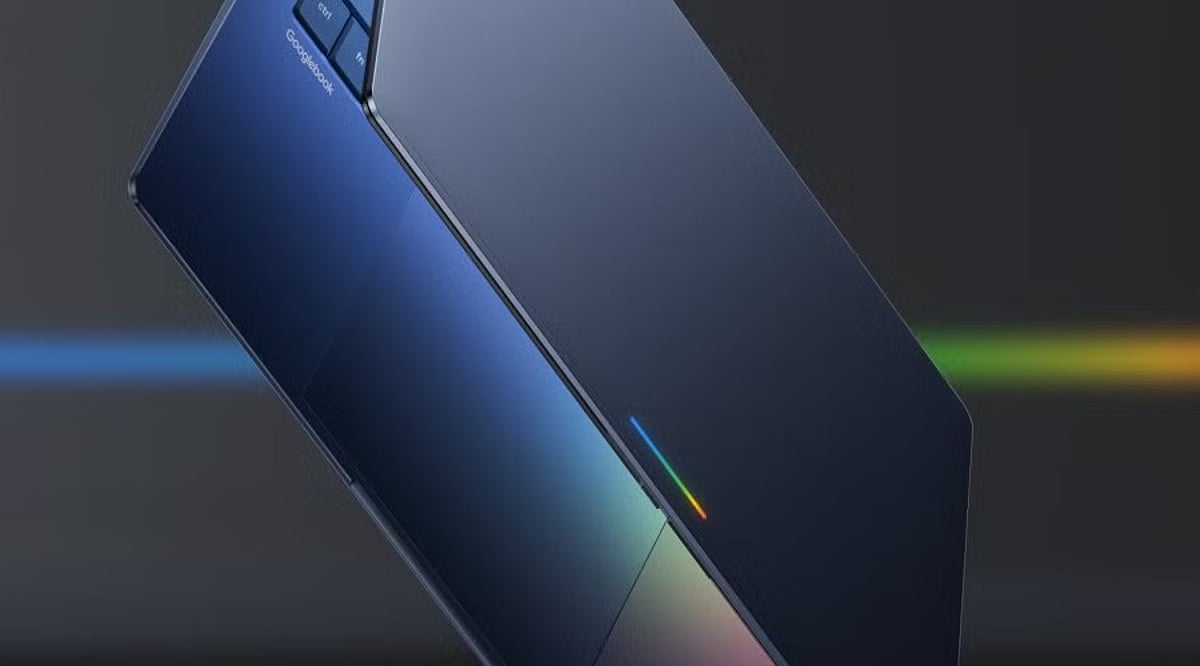
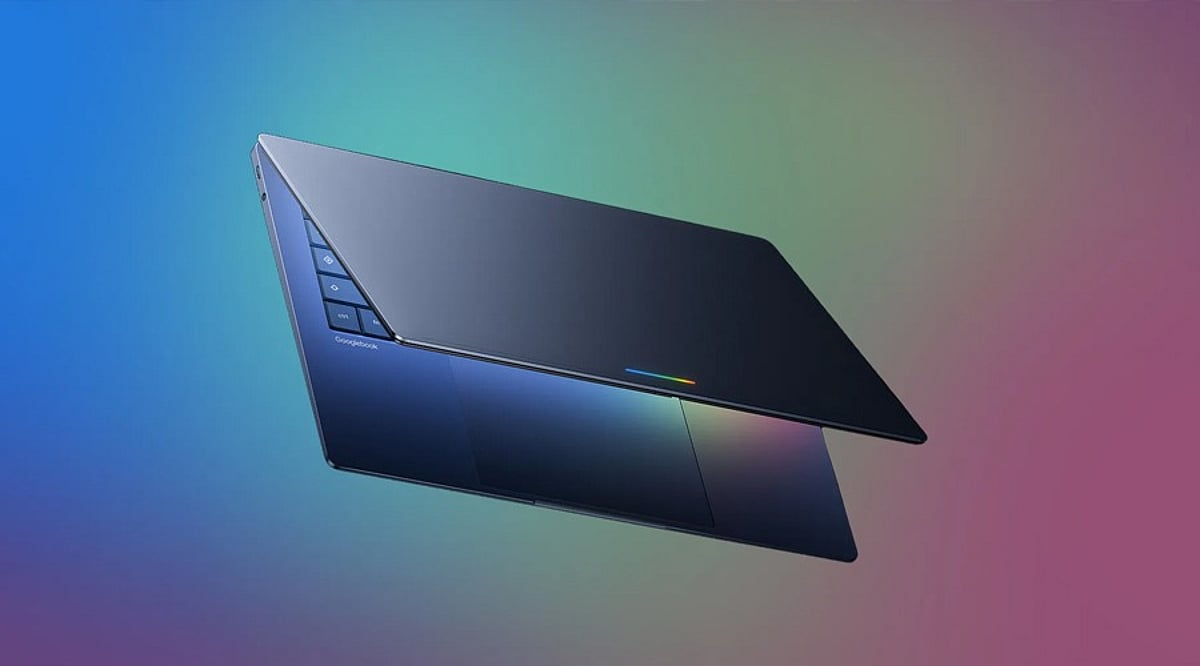
    Google has officially opened pre-orders for its new Googlebook laptops, marking a significant return to the premium laptop segment. Starting at USD 899 in the US, the lineup combines advanced Android integration with powerful Gemini AI features, all built on a foundation of premium hardware from Intel and Qualcomm processors.

    The initial batch of devices is supplied by Acer, ASUS, Dell, HP, and Lenovo. According to Google, the laptops will hit US shelves on October 4, followed by Canada, the UK, Ireland, France, Germany, and Australia on October 5.

    A New Take on Android and Laptop Computing

    Googlebook is built on Android technology with desktop foundations derived from ChromeOS. Google positions the platform as a premium alternative to traditional Chromebooks, emphasizing seamless integration with Android smartphones. Users can continue tasks across devices, access phone files directly, cast Android apps to the laptop, and transfer settings, passwords, Wi-Fi networks, and messages with end-to-end encryption during setup.

    Gemini AI-Powered Features

    Several Gemini-powered features are built directly into Googlebook:

    • Magic Pointer – Invokes Gemini to help with tasks involving on-screen content.
    • Rambler – Converts spoken thoughts into organized notes, checklists, and formatted content.
    • Create My Widget – Lets users describe a requirement to generate a customized desktop widget.

    Pricing and Availability

    The Googlebook range starts at USD 899. Individual models from the five manufacturers carry different price points. Each purchase includes 12 months of Google AI Pro, 5TB of cloud storage, and Gemini Advanced tools. Google also promises software updates for up to 10 years. Pre-orders are available through the Google Store, Best Buy, and select retailers.

    With its AI-first approach and deep Android ecosystem integration, the Googlebook line is poised to redefine the premium laptop experience.

  • Googlebook Pre-Orders Launch September 21: Gemini AI, Android Integration, and What to Know

    Googlebook Pre-Orders Launch September 21: Gemini AI, Android Integration, and What to Know

    Google has confirmed that Googlebook pre-orders will open on September 21 at 9 a.m. ET (6:30 p.m. IST), officially launching its new laptop category. The first wave of devices will be produced by Acer, ASUS, Dell, HP, and Lenovo, with Google positioning the lineup as a premium computing experience.

    What we know so far

    • Pre-order start: September 21, 2026, at 9 a.m. ET through Google’s official Googlebook website.
    • Hardware partners: Acer, ASUS, Dell, HP, and Lenovo will supply the initial devices.
    • Unconfirmed details: Pricing, final configurations, shipping dates, and India availability have not been announced.

    Shift from Chromebook to Android

    Googlebook marks a departure from the traditional Chromebook model. Instead of ChromeOS, the new category runs on an Android-based technology stack. The goal is to connect everyday laptop work, AI assistance, and Android phone interactions in a single, seamless experience.

    Magic Pointer brings Gemini to anything on screen

    One of the standout software features is Magic Pointer, which lets users point at on-screen content and ask Gemini for analysis, comparisons, or content creation without switching apps. The feature is designed to make AI assistance feel more natural during routine tasks.

    Create My Widget

    Googlebook also introduces Create My Widget, which builds custom desktop widgets from natural language requests. In a demo, Google showed a travel tracker that combined flight, accommodation, and restaurant details in a single interface, giving Gemini a practical role beyond chatbot-style conversations.

    Android phone integration

    The Android connection goes further with Cast My Apps, which brings Android phone apps to the laptop, and Quick Access, which provides direct access to phone files. Google notes that these capabilities require Android 17 or newer on the connected phone.

    Hardware and design

    While exact launch configurations are unconfirmed, reports point to premium displays and powerful processors across the initial Googlebook lineup. Google is also bringing back the Glowbar, a multicolor light strip above the keyboard first seen on the Chromebook Pixel, now serving as a visual marker for Googlebooks.

    The September 21 opening may reveal more than just availability. Pricing and hardware choices will show whether Google’s Gemini-first strategy can challenge established Windows laptops and premium MacBooks.

  • Is a Chromebook Ready for Everyday Use? Key Considerations for 2026

    Is a Chromebook Ready for Everyday Use? Key Considerations for 2026

    Chromebooks have evolved far beyond their reputation as simple web-only devices. With the introduction of the Chromebook Plus line, improved hardware, long software support, and integrated AI tools, they now present a compelling option for daily computing. However, software compatibility with Windows and macOS applications remains a critical factor to evaluate before making a purchase.

    ChromeOS has matured into a robust platform for web research, email, document editing, video calls, media consumption, and cloud storage. Google services like Gmail, Drive, Docs, Sheets, and Slides work offline after initial setup—a vital feature for travelers, students, and professionals in areas with unreliable internet. The simplicity of the desktop, centered around the browser, appeals to users who rely primarily on online tools rather than heavy local software.

    The Chromebook Plus category represents a significant step forward. Models such as the Lenovo Chromebook Plus 14, equipped with MediaTek Kompanio Ultra 910 chips, 16GB of RAM, OLED displays, and over 13 hours of battery life, rival premium laptops. These devices handle multitasking with ease and offer a premium experience, making them suitable as a primary computer.

    AI features are now integral to Chromebook Plus. Gemini integration enables complex topic explanations, article summarization, cross-page comparisons, and in-browser task assistance. The “Help me Read” tool can summarize pages, answer questions about content, and simplify selected text. “Help me Write” assists in drafting, rewriting, shortening, or adjusting tone. While not a replacement for a creative workstation, these tools boost productivity in office, academic, and research contexts.

    Long-term value is another strength. Google now offers up to 10 years of automatic updates for eligible Chromebooks. Older models (pre-2021) may receive extended updates at the cost of losing Android app and Google Play Store access, but newer devices avoid this trade-off. Models with update support through 2033, 2035, or 2036 justify a higher initial investment.

    However, software limits persist. ChromeOS excels with web apps, Android apps, Linux tools, and cloud services. Applications built exclusively for Windows or macOS—such as Adobe Photoshop, Premiere, DaVinci Resolve, specialized CAD tools, certain enterprise software, and many local PC games—remain hurdles. Web versions of Microsoft 365 and cloud gaming services can cover some gaps, but they don’t replace every desktop application. A thorough check of essential apps before purchase is essential.

    Hardware recommendations for a primary Chromebook: at least 8GB of RAM and 128GB of storage, a 1080p webcam for quality video calls, a comfortable keyboard and trackpad, USB-C charging, and Wi-Fi 6E or Wi-Fi 7 support. Display quality matters more on a daily driver than on a secondary device. A premium configuration could include 8–16GB RAM, 256GB storage, a 14-inch 16:10 display, and robust build quality. Prices for premium Chromebooks can reach over $800.

    In summary, the Chromebook Plus lineup offers strong hardware, AI capabilities, and long-term support. The decision hinges on software: if all critical applications have viable web, Android, or Linux alternatives, ChromeOS provides a smooth, efficient daily experience. If not, a traditional laptop remains the safer choice.

    Frequently Asked Questions

    Q: Can a Chromebook be used as a main computer?
    A: Yes—it handles browsing, email, documents, video calls, media, cloud storage, and many productivity tasks effectively.

    Q: Is Chromebook Plus better than a regular Chromebook?
    A: Generally yes for demanding daily use; Plus models offer stronger hardware, better multitasking, and additional AI capabilities.

    Q: How long do Chromebooks receive updates?
    A: Google provides eligible ChromeOS devices with up to 10 years of automatic updates, depending on the model.

    Q: Can Chromebooks run Windows applications?
    A: Not all Windows apps have native ChromeOS versions. Web, Android, Linux, and cloud services cover some needs but not every desktop program.

    Q: What should I check before buying a Chromebook?
    A: Verify essential software compatibility first, then consider RAM, storage, display, webcam, keyboard, trackpad, ports, wireless connectivity, battery life, and the device’s update-support period.

  • Best Laptops Under $1,000 in 2026: Top Picks for Every User

    Best Laptops Under $1,000 in 2026: Top Picks for Every User

    Modern laptops under $1,000 now deliver strong everyday performance, long battery life, and capable hardware for work, study, gaming, and browser-based tasks. The featured models include the Apple MacBook Air M4, HP OmniBook 5, Acer Swift Go 14, Acer Chromebook Plus Spin 714, and Lenovo LOQ 15, each suited to a different type of user. Performance, display quality, battery life, pricing, and practical trade-offs distinguish these laptops, showing how different workloads demand different strengths rather than the highest specifications.

    A thousand dollars once meant settling for less. Slower chips, tight RAM, a battery that gave out before the workday ended. That compromise has mostly disappeared. The laptops below were checked against current retailer listings rather than pulled from a spec sheet, and each one earns its place for a specific kind of buyer rather than a vague claim of being great at everything.

    How We Selected the Best Laptops Under $1,000 in 2026

    Every pick came from a live retailer or manufacturer listing. The selection considered each laptop’s processor, RAM, display quality, battery performance, and price, evaluating how well those features matched its intended workload. Each entry also carries one real limitation instead of a wall of praise.

    Best Laptops Under $1,000 in 2026: Quick Comparison

    Prices come from manufacturer and retailer listings and move often. It helps to confirm the current figure before checkout, especially for the Lenovo LOQ, which climbs back above $1,000 outside sale windows.

    Apple MacBook Air 13 (M4): Best Laptop Under $1,000 for Everyday Use

    The M4 Air is now the previous-generation model, since Apple’s M5 version has moved past $1,000, and that shift is exactly what makes it worth a look. It still handles daily multitasking, light photo editing, and video calls without fan noise, and the battery stretches through a full workday without trouble. The limit shows up in graphics: there is no dedicated GPU, so gaming or heavier video export work will hit a ceiling fast. It fits browser-heavy research, office apps, and video calls far better than GPU-dependent creative work.

    BUY NOW

    HP OmniBook 5 14: Best Budget Laptop for Battery Life

    Built around a Snapdragon X chip, the OmniBook 5 gives up some raw processing speed in exchange for battery stamina and a sharp 2K OLED screen. HP claims up to 34 hours under ideal conditions, and real-world use still tends to land well past a full day. The catch is Windows-on-ARM: most mainstream apps run fine through emulation, but some older or specialized Windows software still struggles. It suits commuters and travelers who need a full day of email, browsing, and document work without hunting for an outlet.

    BUY NOW

    Acer Swift Go 14: Best Windows Laptop Under $1,000

    This is the balanced pick for anyone who wants a fast, solidly built Windows laptop without paying extra for features they will not use. The Ryzen 7 8845HS handles spreadsheets, dozens of browser tabs, and light creative work with room to spare, and 1TB of storage is generous at this price. The display caps out at 60Hz and leans matte rather than vivid, so it favors productivity over media viewing. It works well for anyone running office software and heavy multitasking side by side.

    BUY NOW

    Also Read: Best Virtual Reality Gaming Deals on Walmart & Amazon Weekend Sale

    Acer Chromebook Plus Spin 714: Best Chromebook Under $1,000

    For anyone whose work lives mostly in a browser, the Spin 714 punches above its price. The aluminum build, 2-in-1 hinge, and QHD webcam feel closer to a $1,000 Windows laptop than a typical Chromebook. The weak spot is memory: 8GB of RAM works fine for ChromeOS but shows its limit once tabs and Android apps pile up together. Students and note-takers living in Google Docs, Gmail, and a few Android apps will find it more than capable.

    BUY NOW

    Lenovo LOQ 15 RTX 5050: Best Budget Gaming Laptop Under $1,000

    The LOQ 15 is a rare budget laptop that can run modern games at 1080p on medium-to-high settings, helped by the RTX 5050 and DLSS support. Build quality is plastic rather than premium, and the display and webcam are unremarkable, but the gaming performance for the price is hard to beat. This model’s list price sits at $1,129, and it dips below $1,000 during recurring sales at Lenovo and Best Buy, so timing matters. Independent tests of the RTX 5060 sibling in the same chassis recorded 91 fps in Cyberpunk 2077 at 1080p Ultra without ray tracing and 105 fps in Shadow of the Tomb Raider at 1080p, giving a fair sense of what the RTX 5050 tier can deliver at slightly lower settings.

    BUY NOW

    The sub-$1,000 laptop market has quietly turned into the most competitive tier in computing, and matching the laptop to the actual workload beats chasing the longest spec sheet every time.

    Also Read: Weekend Deals: Save Big on HP AI Laptops & Pavilion Series.

    Final Thoughts

    Next year’s models will likely push even more of these compromises out of the picture entirely, narrowing the gap between budget and premium machines further. The real differences between these five show up in daily use, not in a benchmark chart, and that is where the decision should be made.

    FAQs

    What should I look for when buying a laptop under $1,000 in 2026?

    Focus on a recent Intel Core, AMD Ryzen, or Apple Silicon processor, at least 16GB of RAM, a fast SSD, a quality display, and long battery life. Matching the laptop to your primary use case is just as important as comparing specifications.

    Are laptops under $1,000 good enough for students and professionals?

    Yes. Many laptops in this price range offer reliable performance for studying, remote work, web browsing, video conferencing, and productivity tasks while providing good portability and battery life.

    Can I buy a gaming laptop for under $1,000?

    Yes. Several budget gaming laptops under $1,000 include dedicated graphics, making them suitable for smooth 1080p gaming and entry-level creative workloads, though battery life may be shorter than thin-and-light laptops.

    Is a MacBook or a Windows laptop a better choice under $1,000?

    The best choice depends on your needs. MacBooks are known for battery life and ecosystem integration, while Windows laptops offer a wider variety of hardware options, upgrade possibilities, and gaming support.

    How can I choose the right laptop under $1,000?

    Start by identifying your primary use, such as studying, business, gaming, or content creation. Then compare laptops based on performance, memory, storage, display quality, battery life, and overall value rather than price alone.