
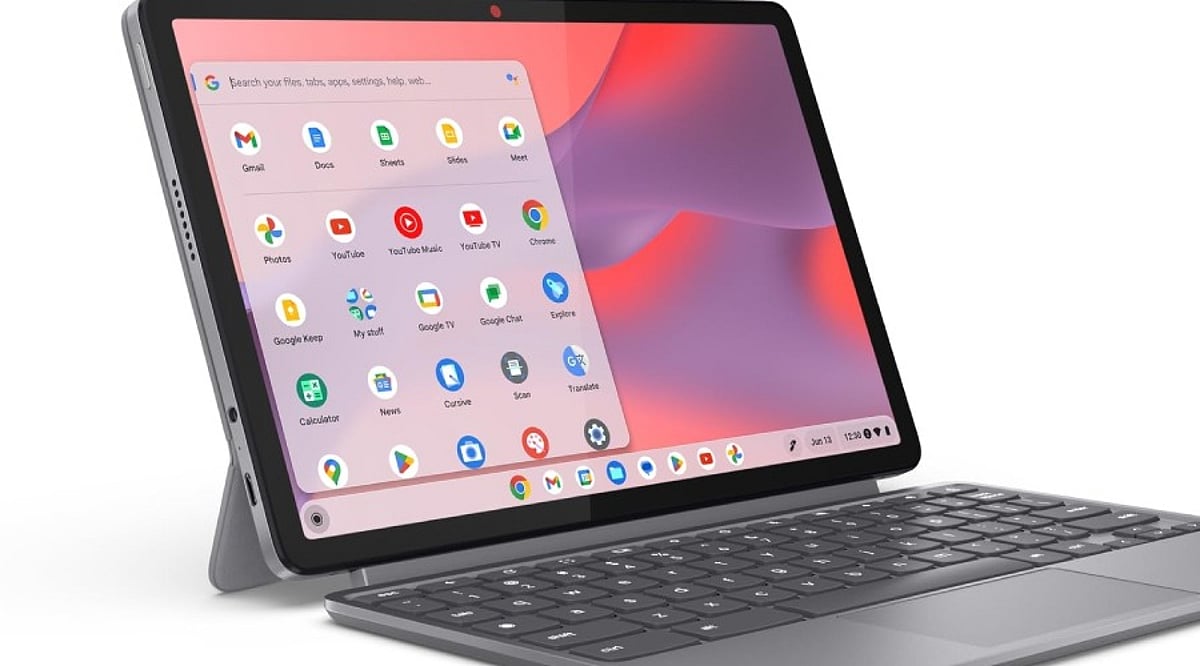
Chromebooks have evolved far beyond their reputation as simple web-only devices. With the introduction of the Chromebook Plus line, improved hardware, long software support, and integrated AI tools, they now present a compelling option for daily computing. However, software compatibility with Windows and macOS applications remains a critical factor to evaluate before making a purchase.
ChromeOS has matured into a robust platform for web research, email, document editing, video calls, media consumption, and cloud storage. Google services like Gmail, Drive, Docs, Sheets, and Slides work offline after initial setup—a vital feature for travelers, students, and professionals in areas with unreliable internet. The simplicity of the desktop, centered around the browser, appeals to users who rely primarily on online tools rather than heavy local software.
The Chromebook Plus category represents a significant step forward. Models such as the Lenovo Chromebook Plus 14, equipped with MediaTek Kompanio Ultra 910 chips, 16GB of RAM, OLED displays, and over 13 hours of battery life, rival premium laptops. These devices handle multitasking with ease and offer a premium experience, making them suitable as a primary computer.
AI features are now integral to Chromebook Plus. Gemini integration enables complex topic explanations, article summarization, cross-page comparisons, and in-browser task assistance. The “Help me Read” tool can summarize pages, answer questions about content, and simplify selected text. “Help me Write” assists in drafting, rewriting, shortening, or adjusting tone. While not a replacement for a creative workstation, these tools boost productivity in office, academic, and research contexts.
Long-term value is another strength. Google now offers up to 10 years of automatic updates for eligible Chromebooks. Older models (pre-2021) may receive extended updates at the cost of losing Android app and Google Play Store access, but newer devices avoid this trade-off. Models with update support through 2033, 2035, or 2036 justify a higher initial investment.
However, software limits persist. ChromeOS excels with web apps, Android apps, Linux tools, and cloud services. Applications built exclusively for Windows or macOS—such as Adobe Photoshop, Premiere, DaVinci Resolve, specialized CAD tools, certain enterprise software, and many local PC games—remain hurdles. Web versions of Microsoft 365 and cloud gaming services can cover some gaps, but they don’t replace every desktop application. A thorough check of essential apps before purchase is essential.
Hardware recommendations for a primary Chromebook: at least 8GB of RAM and 128GB of storage, a 1080p webcam for quality video calls, a comfortable keyboard and trackpad, USB-C charging, and Wi-Fi 6E or Wi-Fi 7 support. Display quality matters more on a daily driver than on a secondary device. A premium configuration could include 8–16GB RAM, 256GB storage, a 14-inch 16:10 display, and robust build quality. Prices for premium Chromebooks can reach over $800.
In summary, the Chromebook Plus lineup offers strong hardware, AI capabilities, and long-term support. The decision hinges on software: if all critical applications have viable web, Android, or Linux alternatives, ChromeOS provides a smooth, efficient daily experience. If not, a traditional laptop remains the safer choice.
Frequently Asked Questions
Q: Can a Chromebook be used as a main computer?
A: Yes—it handles browsing, email, documents, video calls, media, cloud storage, and many productivity tasks effectively.
Q: Is Chromebook Plus better than a regular Chromebook?
A: Generally yes for demanding daily use; Plus models offer stronger hardware, better multitasking, and additional AI capabilities.
Q: How long do Chromebooks receive updates?
A: Google provides eligible ChromeOS devices with up to 10 years of automatic updates, depending on the model.
Q: Can Chromebooks run Windows applications?
A: Not all Windows apps have native ChromeOS versions. Web, Android, Linux, and cloud services cover some needs but not every desktop program.
Q: What should I check before buying a Chromebook?
A: Verify essential software compatibility first, then consider RAM, storage, display, webcam, keyboard, trackpad, ports, wireless connectivity, battery life, and the device’s update-support period.