Tag: Claude

  • OpenAI vs Anthropic: Divergent Paths in the AI Race

    OpenAI vs Anthropic: Divergent Paths in the AI Race

    Two AI Giants, Divergent Visions

    OpenAI and Anthropic have emerged as two of the most influential forces in generative AI. Both develop cutting-edge language models and AI assistants, yet they pursue fundamentally different philosophies, product strategies, and commercial goals. While OpenAI has built a broad ecosystem spanning consumers and developers, Anthropic has carved a niche around safety, reliability, and controllable AI.

    OpenAI: Broad Adoption and Ecosystem Depth

    OpenAI’s approach centers on creating a comprehensive AI ecosystem that includes conversational assistants, developer tools, multimodal systems, and enterprise solutions. ChatGPT remains its flagship product, powering applications in writing, coding, research, and automation. The company’s strategy prioritizes widespread adoption, continuous model advancement, and deep integration across computing platforms.

    Anthropic: Safety-First with Claude

    Anthropic focuses on developing Claude, its primary AI assistant and model family, with a strong emphasis on safety, reliability, and controllability. Its Constitutional AI framework guides model behavior through explicit principles, making Claude particularly popular for writing, analysis, coding, and enterprise tasks that demand dependable AI interactions.

    Model Capabilities: A Moving Target

    Both companies compete on advanced capabilities including reasoning, coding, multimodal understanding, and long-context handling. Their model lineups evolve rapidly, meaning direct comparisons are fleeting. Performance varies by task, model version, and evaluation methodology, so the competition is less about a single winner and more about specialized strengths and practical utility.

    Safety Philosophies: Shared Goals, Different Emphases

    Safety is central to both organizations, but their approaches differ. Anthropic has prominently championed Constitutional AI and alignment research, while OpenAI invests heavily in safety, preparedness, and alignment. Both recognize the need for safeguards, evaluation, and monitoring as systems grow more powerful, though their organizational philosophies and implementation strategies diverge.

    Business Models and Ecosystems

    OpenAI has achieved significant reach through ChatGPT, developer APIs, and partnerships, spanning consumer and enterprise markets. Anthropic has concentrated on Claude, APIs, and business deployments, with partnerships with major tech companies strengthening its infrastructure and distribution. OpenAI’s ecosystem provides a broad platform, while Anthropic focuses on reliability and enterprise trust.

    The Broader AI Race

    The rivalry between OpenAI and Anthropic encapsulates a larger contest over AI’s future. It’s no longer just about chatbot performance—model efficiency, reasoning, safety, enterprise adoption, developer ecosystems, computing infrastructure, and product integration increasingly define leadership. This competition accelerates both innovation and scrutiny across the industry, shaping the trajectory of artificial intelligence for years to come.

  • 10 Free AI Tools That Can Save You Hours Every Week

    10 Free AI Tools That Can Save You Hours Every Week

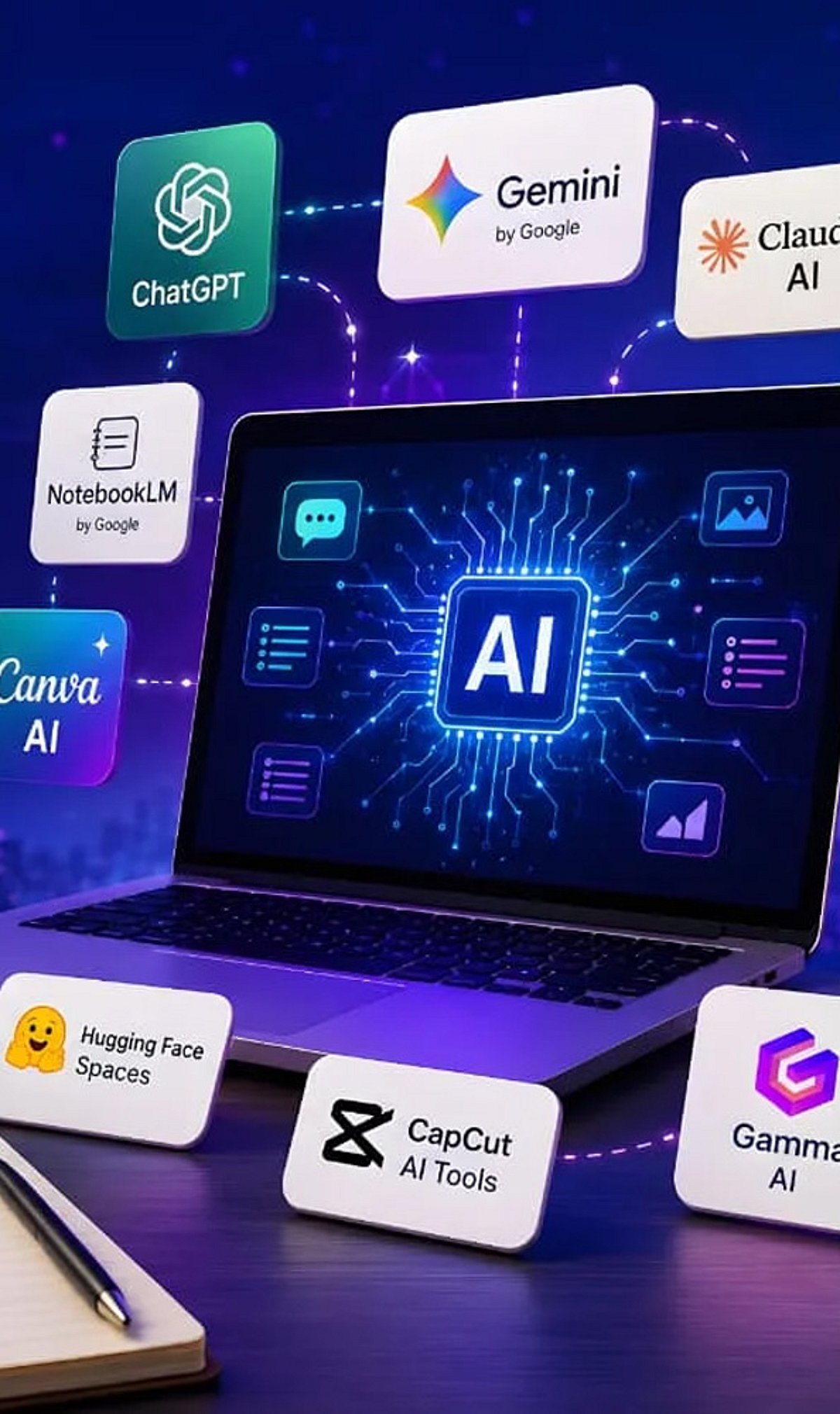
    Artificial intelligence tools have become indispensable for boosting productivity and streamlining workflows. Whether you need to generate content, research a topic, organize documents, or automate meeting notes, there is a free AI tool that can help. Here is a curated list of 10 powerful free AI tools that can save you hours every week.

    1. ChatGPT

    ChatGPT is one of the most versatile AI assistants available. Use it to generate content, brainstorm ideas, summarize documents, answer questions, and automate everyday writing tasks. Its conversational interface makes it easy to get started.

    2. Google Gemini

    Google Gemini integrates seamlessly with Google Workspace to help you research topics, summarize lengthy files, analyze images, and streamline both personal and professional workflows. It’s a great choice for anyone already using Google’s ecosystem.

    3. Microsoft Copilot

    Microsoft Copilot works directly inside Microsoft 365 applications and Windows. Draft emails, create presentations, analyze spreadsheets, and even get assistance with coding—all without leaving your workflow.

    4. Perplexity AI

    Perplexity AI provides accurate, source-backed answers instantly with real-time web search. It makes research, fact-checking, and learning significantly faster than traditional search engines.

    5. Canva AI

    Canva’s AI-powered design tools let you create social media graphics, presentations, videos, and marketing visuals without needing professional design experience. It’s a time-saver for content creators and marketers.

    6. Grammarly

    Grammarly helps improve grammar, clarity, tone, and writing quality across emails, documents, and websites. Its instant suggestions make writing more efficient and polished.

    7. NotebookLM

    NotebookLM by Google is an AI-powered research assistant that helps you organize research materials, summarize documents, generate study guides, and ask questions using your uploaded sources. It’s ideal for students and professionals.

    8. Claude

    Claude is an AI assistant capable of summarizing long reports, writing polished content, analyzing documents, and handling complex reasoning tasks. Its natural, conversational responses make it easy to work with.

    9. Otter.ai

    Otter.ai automatically records meetings, transcribes conversations, generates summaries, and captures action items. It reduces manual note-taking and improves collaboration efficiency for teams.

    10. Additional Bonus Tools

    While the list includes nine core tools, many other free AI applications can further boost your productivity. Experiment with different tools to find the ones that best fit your needs.

    Start using these free AI tools today to reclaim hours of your week and focus on what matters most.

  • How to Seamlessly Transfer Your ChatGPT Data to Claude AI

    How to Seamlessly Transfer Your ChatGPT Data to Claude AI

    Switching between AI assistants becomes effortless when your past conversations move with you. Transferring ChatGPT data to Claude helps preserve context, project details, writing drafts, research notes, and ongoing discussions. This reduces repetition and allows Claude to deliver more relevant responses based on your previous interactions with ChatGPT.

    Export Your ChatGPT Data

    Log in to ChatGPT and open Settings. Navigate to Data Controls and choose Export Data. OpenAI will prepare an archive containing your chat history and send a download link to your registered email address. Download and extract the ZIP file before moving to the next step.

    Open Claude and Start Import

    Sign in to your Claude account through the web interface. Start a new chat or use the available import option if your version supports chat uploads. Claude can process exported conversation files, allowing it to understand previous discussions and continue projects with minimal manual effort.

    Upload the Exported Files

    Locate the extracted ChatGPT export folder and upload the relevant conversation files to Claude. Depending on the supported format, Claude will analyze the content and use it as context. For large archives, consider importing only the conversations that are most important for your work.

    Organize and Verify Your Data

    After the upload, review the imported conversations to ensure everything appears correctly. Rename chats, group related projects, and check that important prompts, notes, and documents have been transferred. A quick review helps avoid missing information before continuing your work in Claude.

    Protect Your Privacy

    Before transferring any AI conversations, remove passwords, financial records, personal identification details, or confidential business information. Exported chat files may contain sensitive content, so review them carefully before uploading. Following basic privacy practices helps keep your information secure across different AI platforms.

    Continue Working Seamlessly

    Once your chats are available in Claude, you can continue writing, coding, brainstorming, or researching without starting from scratch. Keeping previous conversations accessible saves time, improves workflow, and makes switching between AI assistants much smoother for both personal and professional projects.

  • Claude AI Outage: Opus 5 Errors Impact Web, API, and Code Services

    Claude AI Outage: Opus 5 Errors Impact Web, API, and Code Services

    Anthropic is currently investigating a significant outage affecting its flagship Claude Opus 5 model, which has caused elevated error rates across multiple services, including Claude.ai, the Claude API, Claude Code, and Claude Cowork. The incident began on July 27 at 08:16 UTC (1:46 PM IST), and users in India, one of Claude’s largest markets, may experience failed requests, delayed responses, or interrupted sessions.

    Anthropic has classified the event as degraded performance rather than a complete outage, meaning some requests are working while others fail. The company confirmed the investigation on its status page, stating, “We are currently investigating this issue.” Notably, Claude Console and Claude for Government remain operational.

    The disruption primarily affects products powered by Claude Opus 5, Anthropic’s advanced model designed for coding, research, and professional workloads. Chat users may receive incomplete responses, developers may encounter server errors, and coding tasks within Claude Code may stop unexpectedly.

    Anthropic has not identified a single root cause, but its documentation lists possible failures such as timeouts, overloads, and internal server errors. Official SDKs automatically retry temporary errors, and request IDs can help engineers trace failed API calls during investigations.

    This outage follows another Claude Opus 5 disruption resolved less than a day earlier. Anthropic has not confirmed whether both incidents share the same technical cause, though recent status history shows multiple reliability issues with Claude services.

    For users handling urgent tasks, experts recommend temporarily switching to another Claude model, saving work locally, and retrying requests once service conditions improve.

  • ChatGPT vs Gemini vs Claude: Which AI Tool Is Best for Research in 2026?

    ChatGPT vs Gemini vs Claude: Which AI Tool Is Best for Research in 2026?

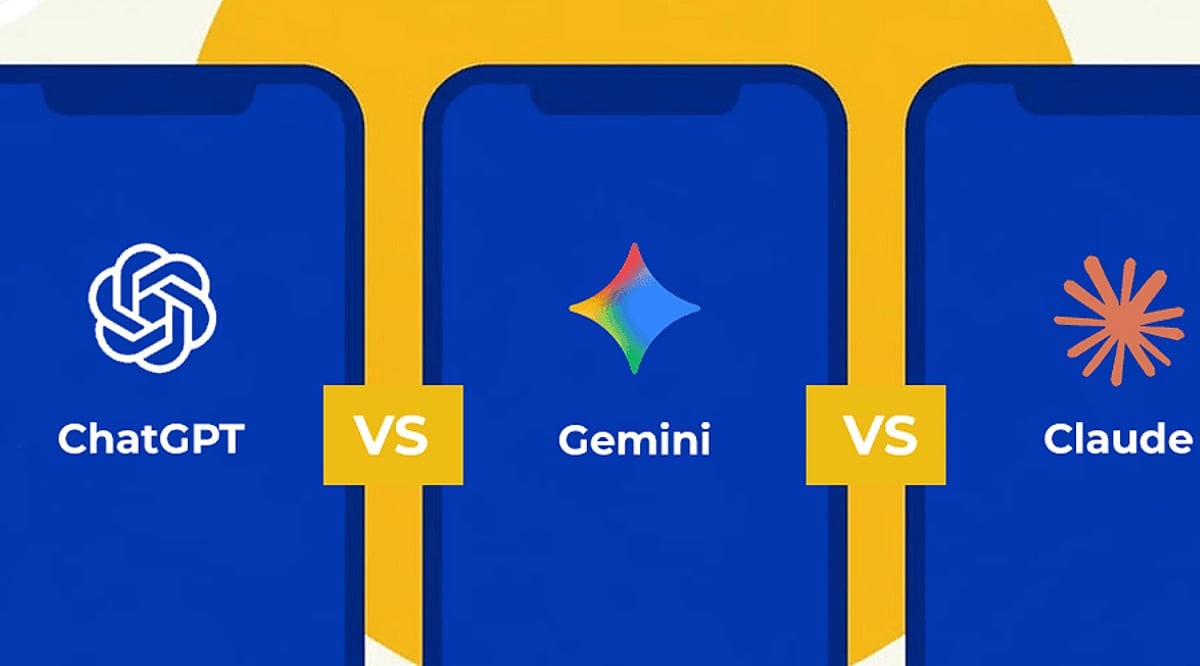
    AI tools have transformed how people research, analyze information, and create reports. ChatGPT, Gemini, and Claude are among the most capable options available today. However, each platform has different strengths. The best choice depends on whether you prioritize current web information, structured analysis, long documents, or an all-round research workflow.

    ChatGPT for Structured Research

    ChatGPT is a strong all-rounder for complex research. It can help users define questions, build research plans, analyze sources, and produce structured reports. Its research workflow is particularly useful for multi-step investigations involving web sources, uploaded documents, and connected tools. It suits professionals, students, and researchers seeking an organized end-to-end process.

    Gemini for Current Information

    Gemini has a strong advantage when research depends on recent information. Its deep research capabilities are closely connected to Google Search and can work with files and Google Workspace content. This makes Gemini particularly useful for market research, current affairs, industry developments, and other topics where fresh web information plays a central role.

    Claude for Long Documents

    Claude is especially effective when researchers already have substantial material to analyze. It can process lengthy reports, academic papers, and other documents while identifying themes and synthesizing complex information. Its strength lies in nuanced reasoning and clear writing, making it a compelling option for qualitative research and document-heavy analytical work.

    Comparing Their Strengths

    Each AI tool performs best in different research situations. Gemini is well suited to current web research, ChatGPT offers a balanced research workflow, and Claude excels at long-document analysis. For academic and technical work, ChatGPT and Claude can both be valuable. The right choice ultimately depends on the researcher’s specific workflow.

    Which AI Should You Choose?

    • Choose Gemini when your research requires the latest online information.
    • Choose Claude when you need to understand lengthy or complex documents.
    • Choose ChatGPT when you want a versatile tool that combines research, reasoning, analysis, and writing.

    For many users, ChatGPT offers the most balanced experience across different research requirements.

    The Final Verdict

    There is no single AI winner for every research task. ChatGPT is the strongest all-rounder, Gemini leads in web-first research, and Claude stands out for long-form analysis. The most effective workflow may combine all three: discover with Gemini, analyze with Claude, and structure the final research with ChatGPT.

  • Best AI Story Writers for Sci-Fi Worldbuilding and Long-Form Novels in 2026

    Best AI Story Writers for Sci-Fi Worldbuilding and Long-Form Novels in 2026

    Science fiction writers face unique challenges: dozens of characters, multiple planets, fictional technologies, political systems, timelines, and invented languages. Maintaining consistency across hundreds of pages is often the hardest part. AI writing assistants have evolved rapidly to address these demands, offering tools for worldbuilding, long-context memory, and story planning.

    This comparison explores the leading AI story-writing platforms—DreamGen, Sudowrite, NovelAI, NovelCrafter, ChatGPT Plus, and Claude—to help you choose the right tool for your creative projects.

    Comparison of Leading AI Story Writers

    DreamGen: Best for Complex Fictional Worlds

    DreamGen excels at creating expansive sci-fi universes. Its Scenario Codex acts as a knowledge base where writers can store characters, planets, factions, technology, and history. The platform supports interactive storytelling and role-playing, allowing multiple distinct characters to interact in the same conversation—ideal for dialogue-heavy narratives. A large context window ensures continuity across lengthy manuscripts.

    Sudowrite: Creative Guidance and Story Planning

    Sudowrite functions as a creative assistant rather than a pure text generator. Its Story Engine transforms rough ideas into structured chapter outlines, while the Story Bible stores key details about characters, locations, and timelines. Additional tools help with description, dialogue, plot twists, and scene expansion—especially useful for overcoming writer’s block without losing creative control.

    NovelAI: Privacy and Long-Form Writing Support

    NovelAI has a dedicated following among writers who value privacy and creative freedom. Its Lorebook feature lets you input repeated information about characters, groups, and worldbuilding. The AI references these entries when crafting scenes, boosting consistency in long books. Strong privacy protections make it appealing for unpublished manuscripts.

    NovelCrafter: Maximum Flexibility

    NovelCrafter takes a modular approach, allowing writers to connect different AI providers (OpenAI, Anthropic, etc.) based on preference. Its planning interface includes chapter organization, scene management, and a Codex for worldbuilding information. This flexibility suits experienced authors who want to customize every stage of their workflow.

    ChatGPT Plus: Versatile Writing Companion

    While designed for general-purpose conversations, ChatGPT Plus remains valuable for fiction writers. It excels at brainstorming story concepts, explaining scientific ideas, generating dialogue, refining prose, and editing. Writers can research astronomy, physics, space exploration, and speculative technologies. For long novels, keeping prompts and story notes organized is essential for consistency.

    Claude: Manuscript Review Specialist

    Claude stands out for processing exceptionally large documents in a single session. Writers can upload significant portions of a manuscript for analysis. Rather than generating new scenes, Claude works as an editorial assistant—identifying inconsistencies, character conflicts, pacing issues, and missing plot connections across long drafts. This broader perspective is invaluable during revision.

    Why Worldbuilding Matters in AI-Assisted Fiction

    Sci-fi readers expect consistency. A capable AI assistant should support:

    • Long-context memory for extended manuscripts
    • Character and relationship tracking
    • Worldbuilding databases or story bibles
    • Consistent writing style
    • Flexible editing and brainstorming
    • Fast scene generation without losing continuity

    These features help writers spend less time correcting inconsistencies and more time developing compelling stories.

    Key Factors Before Choosing an AI Writing Assistant

    Selecting an AI story writer involves more than comparing memory limits. Evaluate:

    • Story planning capabilities
    • Character management
    • Worldbuilding databases
    • Editing assistance
    • Pricing
    • Collaboration features
    • Export options
    • Privacy controls
    • Integration with existing writing software

    Each writer’s workflow differs, making these factors just as important as raw technical specifications.

    AI Supports Creativity, Not Replaces It

    Modern AI tools organize complex information, suggest plot ideas, generate dialogue, and maintain fictional continuity. Human creativity still shapes the story, characters, and emotional depth. The strongest results come from collaboration: writers establish the vision, define the world, and guide every major narrative decision. AI contributes speed, organization, and fresh creative possibilities.

    The Outlook for AI-Powered Storytelling

    AI capabilities for story generation are strengthening each year. Future updates will offer more memory, better worldbuilding help, and improved editing assistance. This is especially helpful for sci-fi writers managing multiple planets, timelines, characters, and invented technologies.

    Final Thoughts

    AI is becoming an indispensable partner for science fiction writing—helping create complex worlds, ensuring consistency, and generating new ideas. But the best stories will always come from the writer’s mind, with AI complementing the creative process.

    FAQ

    1. Which AI story writer is best for worldbuilding in science fiction?
    DreamGen is widely recognized for advanced worldbuilding through its Scenario Codex, allowing writers to organize characters, planets, technologies, factions, and timelines while maintaining consistency.

    2. Can AI writing assistants write an entire sci-fi novel?
    AI can generate scenes, dialogue, outlines, and editing suggestions, but successful novels still rely on the author’s creativity, storytelling decisions, emotional depth, and careful revision.

    3. Which AI tool offers the best long-context memory for fiction writing?
    Several platforms support extended context, including DreamGen, Claude, and ChatGPT Plus. The ideal choice depends on whether your priority is drafting, reviewing manuscripts, or maintaining detailed fictional continuity.

    4. Are AI writing tools suitable for beginner authors?
    Yes. AI assistants help beginners brainstorm ideas, create outlines, improve descriptions, develop believable characters, and overcome writer’s block while encouraging them to build their own storytelling skills.

    5. How do I choose the right AI story writing tool?
    Evaluate factors such as memory capacity, worldbuilding features, story planning tools, editing support, privacy, pricing, workflow compatibility, and export options before selecting the platform that best matches your writing goals.


  • 7 AI Tools for Writing, Coding, and Research That Go Beyond ChatGPT and Gemini

    7 AI Tools for Writing, Coding, and Research That Go Beyond ChatGPT and Gemini

    Looking for more AI tools beyond ChatGPT and Gemini? These powerful platforms help with writing, coding, research, and productivity across different industries. Whether you need long-form content, accurate research, or efficient code development, these AI tools offer specialized capabilities to enhance your workflow.

    • Claude – Excels at long-form writing, document analysis, and thoughtful conversations with strong reasoning capabilities.
    • Perplexity AI – Delivers AI-powered answers with web citations, making research faster and more reliable.
    • Cursor AI – Helps developers write, edit, debug, and understand code using AI directly inside the editor.
    • GitHub Copilot – Speeds up coding by suggesting functions, code snippets, and complete solutions.
    • NotebookLM – Google’s AI tool that helps users summarize documents, generate insights, and organize research.
    • Grok – Built by xAI, Grok combines real-time information with conversational AI for news and research.
    • You.com AI – Combines AI chat with search, coding, writing, and productivity tools in one platform.

    Different AI tools excel at different tasks. Pick the right one based on your workflow and daily needs to maximize your productivity.

  • OpenAI Dominates in Users, but Anthropic Surpasses in Enterprise Revenue Growth, IDC Data Shows

    OpenAI Dominates in Users, but Anthropic Surpasses in Enterprise Revenue Growth, IDC Data Shows

    OpenAI’s ChatGPT remains the world’s most widely used artificial intelligence chatbot by user numbers. However, new estimates from IDC suggest Anthropic may generate more annual revenue despite serving a much smaller audience. The findings highlight contrasting business models within the fast-growing AI industry.

    ChatGPT Maintains Largest Global User Base

    IDC Research Vice President Arnal Dayaratna estimated that ChatGPT has more than 900 million weekly active users worldwide, placing OpenAI well ahead of other consumer AI chatbot providers. IDC also estimated that Google Gemini serves between 200 million and 250 million weekly active users, while Anthropic’s Claude has between 40 million and 60 million weekly active users. These figures show that OpenAI remains the largest consumer-facing AI platform by a wide margin.

    Dayaratna noted that OpenAI has built multiple revenue streams across consumer subscriptions, workplace seats, APIs, and platform services. IDC estimates OpenAI generates between $30 billion and $40 billion in annualized revenue, with consumer subscriptions accounting for about $10 billion to $13 billion, and API and platform services contributing as much as $20 billion. Reports published earlier this month also stated that OpenAI generated $5.7 billion in revenue during the first quarter of 2026 while spending about $3.7 billion, with a net loss reaching approximately $39 billion in 2025.

    Anthropic Builds Revenue Through Enterprise Customers

    Although Anthropic serves far fewer users, IDC estimates its annualized revenue stands between $40 billion and $50 billion. Consumer subscriptions contribute less than $2 billion, according to the research firm. Most of Anthropic’s revenue comes from enterprise subscriptions, Claude Code seats, API usage, and other developer-focused workloads. This business mix differs significantly from OpenAI’s larger consumer-focused platform.

    Dayaratna commented, “Usage scale tells a different story from revenue mix,” adding that Claude’s business is more focused on enterprise and developer customers than consumer adoption. Anthropic also referenced its May 2026 company blog, which announced its annualized revenue run rate exceeded $47 billion, supporting IDC’s broader revenue estimates.

    Research Firms Report Different Strengths for Both Companies

    Counterpoint Research reported similar findings in its April 2026 analysis, estimating Anthropic captured 31.4% of global large language model revenue during the first quarter of 2026, with OpenAI following at an estimated 29% market share. Counterpoint also estimated Anthropic generated average monthly revenue of $33.30 per user, compared to OpenAI’s $2.20 per user. During the same period, Counterpoint estimated OpenAI had approximately 900 million monthly active users versus about 65 million for Anthropic.

    Both OpenAI and Anthropic have reportedly started confidential preparations for possible future public offerings. In May, Anthropic completed a $65 billion Series H funding round that valued the company at $965 billion. The latest estimates present two different measures of success in the AI industry: OpenAI continues to lead by user reach, while IDC estimates suggest Anthropic currently earns more revenue through enterprise customers and developer services. As Dayaratna summarized, “Usage scale tells a different story from revenue mix,” reflecting the divergent strategies followed by both companies.

  • Top 9 AI Tools Trending This Week You Should Know About

    Top 9 AI Tools Trending This Week You Should Know About

    The world of artificial intelligence is evolving rapidly, and every week brings new tools that capture the attention of professionals and enthusiasts alike. Here are nine AI tools everyone is talking about this week, spanning productivity, creativity, research, and coding.

    ChatGPT – All-in-One AI Assistant

    ChatGPT helps users write, code, research, analyze documents, generate images, and automate workflows, making it the most versatile AI platform today.

    Google Gemini – AI Across Google Apps

    Gemini integrates with Gmail, Docs, Search, and Android, enabling seamless AI-powered writing, research, coding, planning, and multimodal content understanding across devices.

    Claude – Enterprise AI for Long Documents

    Claude excels at analyzing lengthy documents, summarizing reports, answering complex questions, and supporting enterprise workflows with strong contextual reasoning and safety.

    Perplexity AI – Search with Trusted Sources

    Perplexity AI combines conversational search with web citations, helping users quickly discover accurate information, compare sources, and conduct efficient online research.

    Microsoft Copilot – Workplace Productivity Booster

    Microsoft Copilot enhances productivity by drafting emails, summarizing meetings, creating presentations, analyzing spreadsheets, and automating repetitive tasks across Microsoft 365.

    Runway – AI Video Creation Platform

    Runway enables creators to generate videos, edit footage, remove backgrounds, create visual effects, and produce professional-quality content using advanced generative AI.

    Midjourney – High-Quality AI Image Generator

    Midjourney creates stunning, artistic images from text prompts, helping designers, marketers, and artists rapidly visualize creative ideas and marketing campaigns.

    Cursor – AI-Powered Coding Companion

    Cursor accelerates software development by generating code, explaining functions, fixing bugs, and assisting developers with intelligent programming suggestions inside the editor.

    NotebookLM – AI Research and Knowledge Assistant

    NotebookLM analyzes uploaded documents, PDFs, and notes to deliver contextual answers, summaries, and insights grounded in users’ own trusted source material.

    These tools represent the cutting edge of AI this week. Which one will you try first?

  • Hands-On Review: My Top AI Tools After Extensive Testing

    Hands-On Review: My Top AI Tools After Extensive Testing

    After testing a wide range of popular AI tools, I’ve identified the ones that truly stand out for productivity, creativity, and research. Here’s a detailed look at my favorites and why they earn a spot in my daily workflow.

    ChatGPT: The All-Purpose AI Assistant

    ChatGPT remains my go-to AI assistant for writing, brainstorming, coding, research, and everyday productivity. It consistently delivers natural conversations, detailed explanations, creative ideas, and reliable assistance across multiple tasks. Whether drafting articles, summarizing reports, solving technical problems, or learning something new, it is the most versatile AI tool I use regularly.

    Claude: Master of Long-Form Analysis

    Claude excels at handling lengthy documents, thoughtful reasoning, and polished writing. It analyzes reports, edits content, summarizes research papers, and maintains context across extended conversations. Whenever I need structured analysis or nuanced responses, Claude produces clear, well-organized, and dependable results.

    Google Gemini: Seamless Ecosystem Integration

    Gemini integrates seamlessly with Google’s ecosystem, making it ideal for users relying on Gmail, Docs, Drive, and Search. It delivers accurate information, multimodal capabilities, and useful productivity features. I especially appreciate its ability to combine web knowledge with document-based assistance inside Google’s familiar workspace.

    Microsoft Copilot: The Enterprise Workhorse

    Copilot shines for professionals working within Microsoft 365. It helps draft emails, summarize meetings, generate presentations, analyze spreadsheets, and improve workplace productivity. Its integration with Word, Excel, PowerPoint, and Teams makes it an excellent AI companion for business users and enterprise environments.

    Perplexity AI: The Research Companion

    Perplexity has become my preferred research assistant whenever I need quick, source-backed answers. It simplifies complex topics, provides citations, and makes exploring current information easier. Instead of opening multiple browser tabs, I can quickly understand subjects through concise summaries supported by relevant references.

    Midjourney: Creative Visuals Redefined

    Midjourney continues to impress with exceptional AI-generated artwork and creative visuals. It produces highly detailed illustrations, concept art, marketing assets, and imaginative designs from simple prompts. For designers, marketers, and creators seeking visually stunning results, it remains one of the strongest image-generation platforms available.

    GitHub Copilot: The Developer’s Coding Partner

    GitHub Copilot significantly speeds up software development by suggesting code, generating functions, explaining logic, and reducing repetitive programming tasks. It supports multiple programming languages and integrates directly into popular code editors. For developers, it acts like an experienced coding partner that enhances productivity every day.