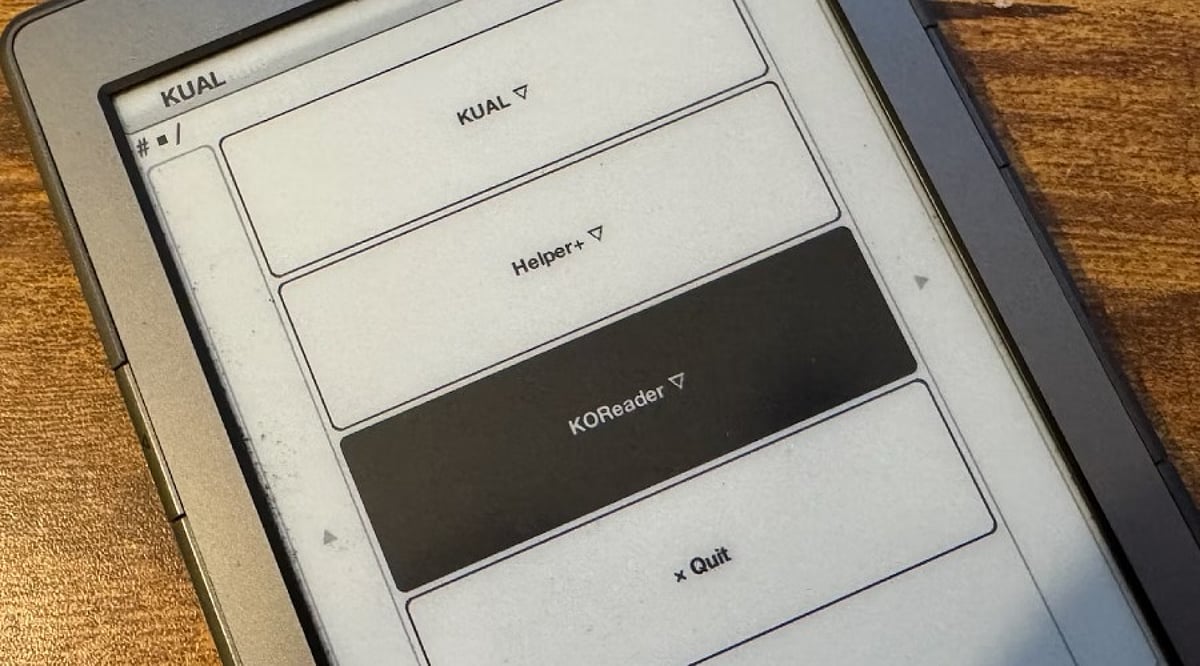
KOReader is a free, open-source e-book reading application that goes far beyond basic reading tools. Supporting over 15 document formats and packed with advanced features like smart PDF cropping, cloud synchronization, and deep customization, it delivers an exceptional reading experience across Kindle, Kobo, PocketBook, reMarkable, Android, Linux, and Cervantes devices. Regular monthly updates keep it compatible with new hardware and add useful improvements. This guide covers the top 10 features that make KOReader a must-have for casual readers, students, and professionals alike.
Key Takeaways
- Read virtually any e-book format with support for over 15 popular document types.
- Enjoy superior PDF reading using smart cropping, reflow, zoom, and optimization tools.
- Stay productive anywhere with cloud sync, annotations, dictionaries, and customizable reading features.
Wide Support for Many Book Formats
KOReader’s most significant advantage lies in its capability to open numerous formats without using third-party applications. The program supports EPUB, PDF, DjVu, FB2, MOBI, DOC, CHM, TXT, HTML, RTF, CBZ, CBT, ZIP, XPS, and PDB formats. Most other e-book applications are limited to EPUB or several other formats, whereas KOReader can open and work with more than 15 formats in one application. This makes it possible for users to keep a whole library without converting files.
Excellent PDF Reading Experience
PDF files often create problems on small e-book screens, yet KOReader offers several tools that solve those issues. Smart margin cropping removes empty space around pages and creates a larger reading area. Multiple zoom options, landscape mode, multi-column reading, and PDF reflow improve readability on compact displays. Support for scanned PDF optimization through K2pdfopt also helps older documents appear much clearer. These features make KOReader a strong option for research papers, technical manuals, and textbooks.
Deep Reading Customization
Every reader has different preferences, and KOReader offers many ways to adjust the appearance of each page. Font style, font weight, line spacing, margins, paragraph spacing, text alignment, and screen contrast all remain easy to change. The application also includes multilingual hyphenation dictionaries that improve text layout across different languages. A choice of themes adds another layer of comfort for long reading sessions.
Smart Book Map for Better Navigation
The Book Map feature gives readers a complete visual view of a book. Instead of simple page numbers, the map displays finished chapters, reading progress, highlights, notes, and the overall book structure. Navigation becomes much faster, especially in long novels or large reference books. Readers can quickly return to important sections without endless page turning.
Powerful Highlight and Note Tools
KOReader also serves as a practical study companion. Highlights can span multiple pages, which helps when important text continues across page breaks. Notes stay linked to selected passages for quick review later. Export options allow easy access to saved annotations, while sync support keeps important notes available across compatible devices. This feature proves useful for students, researchers, and anyone who enjoys careful reading.
Reading Progress Across Multiple Devices
Many readers switch between different devices during the day. KOReader keeps reading progress and metadata synchronized across supported platforms. A book opened on a Kindle can continue later on an Android tablet or Kobo reader without manual page tracking. Recent updates replaced the older SyncService with a more advanced Cloud Storage plugin that supports upload, download, delete functions, and improved WebDAV compatibility. This upgrade offers a smoother synchronization experience.
Built-In Dictionary and Translation Tools
KOReader includes several language tools that help readers understand unfamiliar words without leaving the current page. Support covers StarDict dictionaries, Wikipedia, Google Translate, and custom online dictionaries. Quick word lookups save time and help readers stay focused on the book. Language learners and readers of academic material often find this feature especially valuable.
Easy Access to Online Book Libraries
Finding new books becomes much simpler with built-in OPDS catalog support. KOReader connects directly to OPDS servers, custom OPDS catalogs, Calibre libraries, and RSS feeds. Recent releases also introduced basic OPDS 2.0 support, which improves compatibility with modern online book collections. This feature allows readers to browse and download content through a single application.
Flexible Plugin Support and Shortcuts
KOReader offers many options for personalization through its plugin system. Recent updates introduced single-key hotkeys that allow faster access to common actions. Plugin management also became easier with built-in plugin deletion support, which removes the need for manual file cleanup. These improvements help readers create a setup that matches personal reading habits without extra effort.
Built for E-Ink Displays
Many reading applications target phones and tablets first, while KOReader focuses on e-ink devices from the start. Fast page turns, adjustable refresh settings, high-contrast themes, battery-friendly design, paginated menus, and minimal visual effects all suit electronic paper displays. This careful design keeps navigation smooth even on older hardware with limited processing power. Regular monthly releases also add support for newer devices, including Kobo V5 models, PocketBook Era Lite, expanded Kindle compatibility, and improvements for recent Onyx Android readers.
Final Thoughts
KOReader differentiates itself with its extensive functionalities, a variety of devices compatibility, and strong emphasis on ensuring a high level of reading comfort. Its features include support for more than 15 types of document formats, modern PDF tools availability, various customization options, intelligent navigation capabilities, notation abilities, possibility of synchronization with the cloud, the ability to use various languages while reading, and other options making KOReader one of the most comprehensive reading software applications at the present moment.
Frequently Asked Questions
1. What is a KOReader?
KOReader is a free, open-source e-book reading application designed for e-ink devices, Android, and Linux platforms.
2. Which file formats does KOReader support?
It supports over 15 formats including EPUB, PDF, MOBI, FB2, DOC, TXT, HTML, RTF, CBZ, DjVu, CHM, XPS, PDB, ZIP, and more.
3. Is KOReader good for reading PDFs?
Yes. It offers smart margin cropping, PDF reflow, zoom options, landscape mode, multi-column reading, and scanned PDF optimization.
4. Can KOReader sync reading progress across devices?
Yes. Its Cloud Storage plugin supports syncing reading progress, metadata, and annotations across compatible devices.
5. Is KOReader free to use?
Yes. KOReader is completely free, open-source, and receives regular updates with new features and device support.