Tag: content marketing

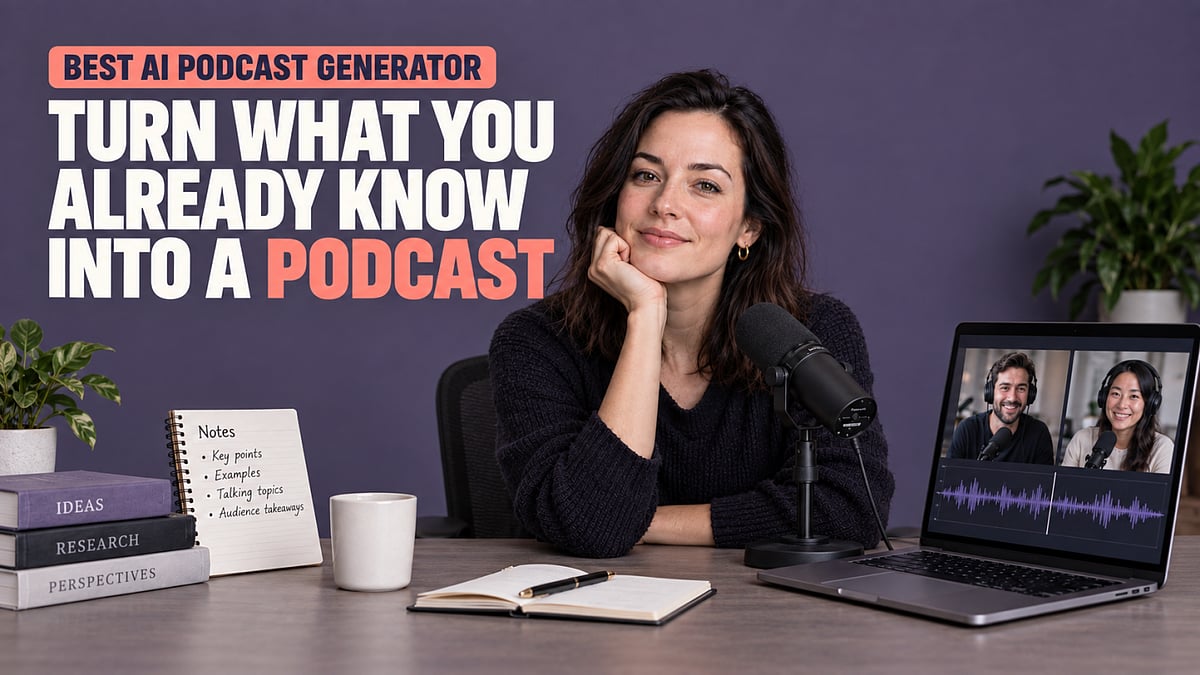
  • Top AI Podcast Generator: Transform Your Existing Content Into Engaging Audio and Video

    Top AI Podcast Generator: Transform Your Existing Content Into Engaging Audio and Video

    You may already have everything you need to create a podcast: an article, research report, PDF, lesson, course, set of notes, or creative brief. The challenge is turning that material into something people will want to listen to or watch—without rewriting the entire piece, recording every line yourself, or stitching together several different tools.

    An AI podcast generator can simplify this process. It uses your existing content as the foundation for a podcast script, helping you organize the key ideas, choose voices and hosts, and create audio or video from the same source.

    A capable AI podcast maker does more than convert text into speech. It helps turn raw information into structured, accessible content that creators, educators, researchers, and marketers can share in new ways.

    What Happens When AI Turns Source Material Into a Podcast?

    Turning written material into a podcast involves more than reading the original text aloud. Articles and reports are designed to be read, while podcasts need a clear narrative, natural transitions, and language that sounds conversational. Here is how AI can help move content from source material to a finished episode.

    1. Source Material Becomes a Structured Script

    An AI podcast creator can analyze articles, PDFs, research papers, lesson materials, notes, and other documents to identify their main ideas and supporting details. It can then reorganize that information into a podcast-friendly structure with an introduction, clear sections, transitions, and a conclusion. Long paragraphs can be shortened, technical language can be explained, and less relevant details can be removed. The result is not simply a document read aloud—it is a script designed to be understood through listening.

    2. The Script Can Become a Conversation

    Some information is easier to follow when presented as a discussion rather than a monologue. AI can transform source material into a conversation between two speakers, with one host introducing ideas and the other asking questions, providing examples, or clarifying difficult points. For example, a research report could become an expert interview, while a lesson could become a discussion between a teacher and a learner. This conversational format can make complex or technical subjects feel more approachable.

    3. You Can Review and Edit the Content

    AI-generated scripts should not be treated as untouchable final drafts. Before producing the podcast, you can review the script, correct details, remove unnecessary sections, change the tone, and add your own insights. This is especially important when working with research, educational materials, or specialized topics. AI can accelerate the transformation process, while the creator remains responsible for accuracy, emphasis, and perspective.

    4. Voices Add Personality

    Once the script is ready, AI voices bring it to life. You can choose voices that fit the topic, audience, and intended mood of the episode. Voice cloning, custom voices, and pronunciation controls can make the result more consistent with your personal or brand identity. A course creator might use a warm instructional voice, for example, while a business podcast may benefit from a more professional and conversational delivery.

    5. AI Hosts Can Turn Audio Into Video

    A podcast does not have to remain audio-only. AI hosts and custom hosts can present the same script in a video podcast with one or multiple speakers. Depending on the subject and distribution channel, a host could be a realistic presenter, a custom character, a cartoon, or even a talking pet. This gives creators more visual options without requiring cameras, studios, or on-screen recording.

    6. Visuals Can Support the Story

    Video podcasts can include captions, B-roll, images, custom backgrounds, and different scene layouts. These elements should support the information rather than simply decorate the video. For instance, a podcast based on a research report could display important statistics while the hosts discuss them. A lesson could use diagrams or images to explain a process, while a product-focused episode could show relevant interfaces or demonstrations.

    One Source Can Become Multiple Pieces of Content

    Creating for multiple platforms does not always require producing a completely new idea for each one. Content repurposing allows you to adapt existing knowledge to different audiences and viewing habits. For example:

    • A research report can become a two-person podcast discussion.
    • A blog post can become a short audio episode or video podcast.
    • A lesson can become an audio review for students.
    • A course module can become a supplementary video class.
    • A newsletter can become a narrated weekly update.
    • A creative brief can become an internal presentation or project overview.

    The same source can also support several outputs. A creator might publish the full audio episode on a podcast platform, upload a video version to YouTube, and share shorter captioned clips on social media. This approach gives existing work a longer useful life while allowing audiences to choose whether they want to read, listen, or watch.

    What Makes the Best AI Podcast Generator Different?

    Not every podcast tool supports the complete journey from source material to finished content. When evaluating the best AI podcast generator for your needs, consider how much control it gives you over both the content and the final format.

    It Supports the Content You Already Have

    A useful tool should allow you to begin with more than a short prompt. It should support materials such as PDFs, documents, articles, URLs, research reports, notes, lessons, briefs, and scripts. This reduces the need to manually copy, summarize, and restructure information before production begins.

    It Adapts Written Content for Listening

    Written content is not automatically suitable for audio. A strong AI podcast tool should be able to identify the most important information, simplify dense passages, add transitions, and create a script that sounds natural when spoken. This is the difference between listening to a document being read and listening to an actual podcast.

    It Gives Creators Editorial Control

    AI can create a starting point, but creators should still be able to review and refine the result. Script editing, voice selection, voice cloning, pronunciation controls, and host customization provide more control over how the content sounds and looks. The best workflow combines AI-generated structure with human judgment.

    It Supports Both Audio and Video

    An AI video podcast generator should make it possible to reuse the same source and script in a visual format. AI hosts, captions, B-roll, images, backgrounds, and flexible layouts can turn an audio concept into content suitable for YouTube, social media, online courses, or internal communication.

    It Connects the Production Steps

    Creating a podcast traditionally requires separate tools for writing, recording, editing, voice production, captions, and video. A connected workflow brings these steps together, making it easier to move from an initial source to a publishable episode.

    PodcastorAI: From Source Material to Finished Content

    PodcastorAI is designed to turn existing knowledge into finished audio and video content. You can begin with a topic, URL, PDF, document, article, research paper, lesson, course material, notes, script, brief, or recording. PodcastorAI then helps organize the material into a podcast script that you can review and edit before production.

    From there, you can choose between a solo podcast and a two-person conversation, select AI voices, and create an audio episode. If you want a visual version, you can add AI hosts or custom hosts and enhance the video with captions, B-roll, images, backgrounds, and different layouts.

    For example, a teacher could upload a PDF lesson, turn it into a conversation between two hosts, check the script for accuracy, select suitable voices, and create both an audio review and a captioned video lesson. A blogger could turn an existing article into a solo podcast, while a researcher could adapt a report into a more accessible discussion. The original knowledge remains the foundation, but the format becomes easier to consume and share. The goal is simple: help your knowledge travel further without forcing you to start from scratch.

    Who Can Turn Existing Knowledge Into a Podcast?

    Teachers and Online Educators

    Teachers, tutors, coaches, and course creators can transform lessons, presentations, readings, and course materials into audio reviews, supplementary podcasts, or video lessons. This gives learners another way to engage with the material outside a traditional classroom or course platform.

    Students and Learners

    Students can turn lecture notes, readings, study guides, research papers, and exam materials into audio study content. Listening to a structured explanation can be useful when reviewing material while commuting, exercising, or completing other tasks.

    Researchers and Subject-Matter Experts

    Researchers, consultants, writers, and specialists can make complex knowledge more accessible by turning reports, papers, and professional insights into expert discussions, educational podcasts, or video explainers. This allows valuable information to reach people who may not read the full original document.

    Content Creators

    Bloggers, newsletter writers, and other creators can repurpose long-form content into podcast episodes or video podcasts. Instead of developing a completely new topic, they can introduce existing ideas to audiences who prefer audio, YouTube, or short-form video.

    Marketers and Content Teams

    Marketing teams can turn research, product information, campaign briefs, reports, and thought-leadership content into podcast-style audio or video. The finished content can support product education, brand storytelling, internal communication, social media, or customer engagement.

    Conclusion

    Your next podcast may already be sitting in an article, document, lesson, or report you created months ago. You do not need to rebuild the idea from the beginning. An AI podcast generator can help organize that material into a script, adapt it for listening, add voices or AI hosts, and produce audio and video from the same source. You remain in control of the message while AI reduces the time and technical work required to bring it to life. PodcastorAI helps turn what you already know into content people can hear, watch, learn from, and share. Make Knowledge Travel Further.


  • AI Citation Tracking in 2026: Comparing the Best Tools for Source Visibility

    AI Citation Tracking in 2026: Comparing the Best Tools for Source Visibility

    Why AI Citation Tracking Matters

    In 2026, AI answer engines like ChatGPT, Perplexity, and Google AI Overviews are reshaping how readers discover content. Being mentioned in an AI answer is no longer enough—brands need to know which pages actually get cited as sources. Citation tracking tools reveal which content wins trusted source positions, how competitors compare, and where your site falls short. This article compares six leading AI citation tracking tools to help you choose the right one for your team.

    Top AI Citation Tracking Tools of 2026

    1. Ahrefs Brand Radar

    Best for deep data and enterprise-scale tracking. Ahrefs Brand Radar stands out with its AI Visibility Index, which covers over 460 million real prompts across six AI indexes: Google AI Overviews, Gemini, Perplexity, ChatGPT, Copilot, and Google AI Mode. The data comes from real searches in Ahrefs’ keyword database, not synthetic prompts, and updates monthly. The tool provides a clear citation view, separating pages found from pages cited, and tracks mentions, citations, impressions, and AI Share of Voice. A May 2026 update added bot visits and AI traffic data for cited pages. Pricing starts at $199/month for one AI index, with all platforms at $699/month including 2,500 custom prompt checks. Additional prompt packs start at $50.

    2. Profound

    Best for enterprise AI search teams. Profound targets larger brands needing a wider answer-engine view. Its Starter plan costs $99/month and covers ChatGPT with 50 prompts; Growth is $399/month for three answer engines and 100 prompts. Enterprise plans can cover up to nine answer engines and multiple companies. Profound checks citations, sentiment, rank, and competitive presence, linking source data to overall brand visibility.

    3. Peec AI

    Best balance of detail and cost. Peec AI provides strong source-level insights at a reasonable price. Starter is $95/month for 50 prompts, three models, and one project; Pro is $245/month for 150 prompts and two projects; Advanced is $495/month for 350 prompts and five projects. It measures visibility, position, sentiment, and shows which sources AI assistants cite. Supported models include ChatGPT, Gemini, Google AI Mode, and Perplexity, with more models on higher plans or enterprise.

    4. OtterlyAI

    Budget-friendly for smaller teams. OtterlyAI offers one of the lowest entry prices—$29/month for 15 search prompts across ChatGPT, Google AI Overviews, Perplexity, and Microsoft Copilot. Additional models like Claude, Google AI Mode, and Gemini cost extra. A July 2026 update enhanced its Citations Report with a Winners & Losers view, saved citation URLs, a detail view, and a timeline chart for citation changes.

    5. Semrush AI Visibility

    Best for SEO teams already using Semrush. Semrush AI Visibility costs $99/month per domain on annual plans, covering 25 custom prompts, 300 daily AI analysis queries, 1,000 daily Prompt Research queries, and one domain. It supports ChatGPT, Google AI, Gemini, and Perplexity. A site audit feature flags technical issues that might block AI bots, making it a single hub for search and AI data.

    6. Rankscale

    Broad model coverage at low cost. Rankscale starts at $20/month and covers AI Overview, AI Mode, Gemini, ChatGPT, Perplexity, Grok, and Copilot, plus several other model engines. Pro is $99/month for 1,200 credits (up to 4,800 AI answers). Its credit system provides flexible scaling without fixed prompt limits, ideal for brands that need wide coverage on a modest budget.

    Choosing the Right Tool

    The best tool depends on your goals. For deep, large-scale data, Ahrefs Brand Radar is unmatched. If you need enterprise-level multi-engine tracking, Profound fits. For small teams or tight budgets, OtterlyAI and Rankscale offer solid entry points. SEO teams might prefer Semrush for its integrated audit tools, while Peec AI balances detail and affordability. Evaluate your prompt needs, model coverage, and budget to pick the tool that turns AI citation data into actionable SEO insights.

    Frequently Asked Questions

    What is AI citation tracking?

    AI citation tracking monitors the websites and pages that AI answer engines cite when generating responses.

    Which AI citation tracking tool is best in 2026?

    Ahrefs Brand Radar is the strongest choice for deep, large-scale citation and AI visibility data.

    What is the most affordable AI citation tracking tool?

    Rankscale starts at $20/month, while OtterlyAI starts at $29/month.

    Why are AI citations important for SEO?

    Citations show which pages AI systems trust as sources, helping brands identify content gaps and improve visibility in AI-generated answers.

    Can AI citation tools track competitors?

    Yes. Several tools compare competing brands and sources to show who earns citations and where your brand is losing visibility.

  • Free Advertising Strategies for Small Businesses on a Tight Budget

    Free Advertising Strategies for Small Businesses on a Tight Budget

    Free advertising helps small businesses grow through consistent effort rather than large marketing budgets. Strategies such as Google Business Profile, reviews, referrals, content marketing, and local partnerships improve visibility and customer trust. Long-term success comes from measuring results and staying consistent.

    Free advertising has a hidden cost. It rarely takes money, but it always takes time, and that is the real constraint for most small businesses trying to grow without an ad budget. Free advertising refers to marketing channels that require little or no media spend but rely on consistent effort—such as optimizing local listings, publishing helpful content, collecting reviews, and building customer relationships. For businesses with limited marketing budgets, these channels often deliver a higher return than small, inconsistent paid campaigns. The ideas below are ranked by return relative to effort, so the first steps deliver visibility fast and the later ones build value slowly.

    Google Business Profile

    A complete Google Business Profile decides whether a business appears in local search and maps results at all. Google favors listings with accurate hours, photos, categories, and direct contact options over sparse or outdated ones. A business that adds recent photos, sets accurate service hours, and enables direct messaging or booking links gives potential customers a reason to choose it over a competitor with a half-filled profile. Profile views, calls, direction requests, and website clicks all show up in the profile’s own dashboard. That gives a business a clear signal of whether local visibility is actually improving. This is the fastest free channel available, and it should be set up before anything else on this list.

    Reviews and directories

    Reviews work differently from a Google Business Profile. The profile helps a business get found. Reviews decide whether it gets chosen once found, since most buyers check star ratings and recent feedback before making contact. That trust signal extends beyond Google. Directories such as Bing Places, Apple Maps, and industry-specific listing sites carry the same weight for the customers who search there instead, and keeping business details consistent across all of them strengthens local visibility rather than fragmenting it. A simple system, such as asking every satisfied customer for a review within a few days of service, produces steadier results than occasional requests. Responding to negative feedback professionally and promptly matters as much as collecting positive reviews, since unanswered complaints signal neglect to future customers.

    One focused social platform

    Small businesses often spread across every social platform and gain traction on none. Familiarity builds through repetition on a single platform where the target audience already spends time, not through scattered posting across five. Visual businesses often perform well on Instagram. LinkedIn suits B2B services, and Facebook remains useful for many local communities. The goal is recognition over time, not a single viral post.

    A referral system

    Word of mouth converts better than most paid advertising. A recommendation from a trusted source carries built-in credibility that an ad cannot buy. Referrals rarely happen without a nudge, though. A home cleaning service offering a small discount on the next visit when an existing customer refers to a new client turns a passive habit into a repeatable system. That kind of specific, low-friction prompt produces far more referrals than a generic mention on a website or invoice.

    Content marketing

    Content marketing serves a different purpose than social media. Social bonds build familiarity through repeated contact. It builds discovery through search, answering the specific questions buyers type into Google months or years after it is published. This does not have to mean blog posts alone. Short videos, downloadable checklists, and customer case studies all work, as long as they answer a real question a buyer is already asking. One recurring format, tied to a common customer question, compounds in value over time and keeps attracting search traffic long after the posting date.

    Local partnerships

    Partnering with a complementary local business borrows an already-built audience instead of starting from zero. A bakery cross-promoting with a nearby coffee shop, or a tutor partnering with a local bookstore, reaches a new but relevant group of potential customers without any media spend. This is one of the most practical forms of local business promotion, since both businesses gain shared visibility without increasing advertising costs. The key is choosing a partner whose audience overlaps with the target customer but whose offering does not directly compete.

    Measuring what is working

    Free does not mean unmeasurable. Profile views and direction requests show whether local visibility is improving. Referral leads and repeat customers show whether word of mouth is converting. Reviewing growth over time shows whether reputation is strengthening or stalling. Tracking even two or three of these numbers each month turns free advertising from a set of habits into a system that can be judged and adjusted.

    Common mistakes to avoid

    Several habits quietly undermine free advertising efforts. Businesses often join every platform at once instead of committing to one, spreading effort too thin to build recognition anywhere. Business details left inconsistent across directories confuse potential customers and hurt local search rankings. Referral requests are frequently treated as a one-time ask, and review requests often stop after the first attempt instead of becoming a habit.

    Final Thought

    None of these channels require a budget, but all of them require follow-through past the first attempt. Start with a Google Business Profile, build a review habit, focus on one social platform, and then expand into content and partnerships as time allows. These free advertising ideas for small businesses work best when treated as an ongoing process rather than isolated marketing tasks.

  • 2026 Buyer’s Guide: Best AI Humanizer Tools for Email Marketing & Newsletters

    2026 Buyer’s Guide: Best AI Humanizer Tools for Email Marketing & Newsletters

    Why AI Humanizer Tools Are Now Essential for Email Marketing

    Email marketing has evolved dramatically. Marketers now rely on artificial intelligence to draft cold emails, write newsletters, and produce marketing copy at scale. However, AI-generated content often sounds robotic, and readers quickly detect that tone. A prospect may skip a mechanical-sounding email, subscribers might unsubscribe from generic newsletters, reply rates drop, and email filters can flag robotic copy—harming the sender’s domain reputation. This directly impacts business growth.

    As a result, many teams now treat AI humanizer tools as a standard step in their workflow. A quality humanizer does more than swap a few words; it rewrites entire sentences and paragraphs to create natural variation that passes both human readers and AI detectors. But choosing the right tool isn’t straightforward—many options exist, each with different strengths.

    This guide covers five key areas to consider before deciding on an AI humanizer. Whether you’re a small business owner sending a few emails a week or an agency managing large campaigns, the goal is the same: choose a tool with confidence.

    How These Tools Perform in the Real Market

    Humanizer tools don’t perform equally. Independent tests reveal clear gaps that carry real financial weight for email campaigns. For example, Walter Writes AI scores around 12% on Turnitin’s AI detector, while a common paraphrasing tool like QuillBot scores closer to 62%. For teams that need emails to reliably clear detection, this difference determines campaign success.

    Market data reinforces this: Walter Writes AI, Undetectable AI, and AIHumanizer.so lead the space with consistent results. Some teams report a 20% to 40% increase in reply rates after switching from raw AI text to humanized text.

    Simple tools still have a place—a basic paraphraser works for internal notes or casual social posts. But client-facing emails and major newsletters require a stronger tool built for detection avoidance and meaning retention.

    Price also factors in. A free tool like AIHumanizer.so offers 500 words per day without signup. Paid tools range from $8 to $129 per month. Most teams find that a paid humanizer costs far less than the revenue lost from weak email performance.

    Key Features That Matter Most

    When reviewing humanizer tools, focus on these five features:

    • Detection Strength: A tool that rewrites at the sentence and paragraph level outperforms one that only swaps words. Always test with your own email content before committing.
    • Meaning Retention: The rewritten email must preserve the original offer, names, and key terms. Weak tools can quietly alter details.
    • Speed: A tool should finish a rewrite within two to five minutes—most strong options now complete it in under 30 seconds.
    • Tone Control: Settings for formal, casual, academic, and professional tones let you match your brand voice.
    • Built-in Detector: Tools like Walter Writes AI include their own detector, saving time and building confidence without switching tabs.

    How Well These Tools Fit Into a Workflow

    A strong team doesn’t just pick a humanizer—it integrates the tool into its existing process without friction. A good tool handles multiple content types: cold emails, newsletters, proposals, and blog posts. Existing software matters too—teams using QuillBot can add its humanizer feature easily; those with Suites like Surfer SEO or Ahrefs may already have humanizing capabilities. Standalone options like Walter Writes AI and Undetectable AI offer maximum flexibility for teams without existing tools.

    The smartest setup uses one main tool with a speed backup. Stacking multiple humanizers adds confusion and slows down the process.

    How to Pick the Right Tool for Your Needs

    Different teams need different tools. Here’s a quick guide:

    • Small Business Owners: Walter Writes AI—free 300-word trial, no signup, built-in detector, and tone options.
    • High-Volume Teams: Undetectable AI—batch processing and bulk detection save time.
    • Tight Budget or Testing: AIHumanizer.so—500 words per day free for evaluation.
    • Agencies Managing Multiple Clients: Walter Writes AI or StealthWriter—strong detection protects client reputations.

    Final Thoughts

    AI humanizer tools now play a key role in email marketing. The real question isn’t whether to use one—it’s which tool fits your specific needs. Teams that test these tools report steady gains in reply rate, deliverability, and campaign results. A $10 monthly tool that lifts reply rates by 25% pays for itself many times over.

    Start by reviewing the five areas in this guide: the core problem, real market data, key features, workflow fit, and personal need. Then test free trials of top choices. The right tool becomes clear once you test it against real email content.

    Strong marketing teams treat humanizer tools as a standard part of their process. Skipping this step means missing a clear opportunity to improve results.

    Frequently Asked Questions

    1. What is an AI humanizer tool? It rewrites AI-generated content to sound more natural and conversational while preserving meaning, improving readability and engagement.
    2. Why should email marketers use AI humanizer tools? They help create emails that feel personal, build reader trust, increase reply rates, and reduce robotic tone.
    3. Can AI humanizer tools help with AI detection? Many advanced tools reduce detectable AI patterns by rewriting sentence structure and improving flow. Results vary by tool and detector.
    4. Are free AI humanizer tools good enough for email marketing? Free tools work for testing or small volumes; regular campaigns benefit from paid tools with better accuracy, tone control, and bulk processing.
    5. What should I look for before choosing an AI humanizer tool? Focus on detection performance, meaning retention, rewriting quality, speed, tone customization, pricing, and workflow compatibility.
  • LLM SEO Is Authority Building with New Referees – Here’s What Works

    LLM SEO Is Authority Building with New Referees – Here’s What Works

    Every few years the search industry invents a new name for itself, and the current crop (LLM SEO, GEO, AEO) arrived with unusual speed and unusual pricing. Brands that watched an AI assistant describe their category without mentioning them are understandably nervous, and nervous budgets attract confident vendors.

    Here’s the framing that survives contact with the data: the game hasn’t changed nearly as much as the referees have. Traditional search ranked pages with one well-studied algorithm. AI assistants pick their sources through retrieval systems with different habits, different biases, and different favorite websites. What those new referees reward, though, looks a lot like what the old one did. LLM SEO, done honestly, is authority building aimed at a new set of judges.

    How Assistants Decide What to Cite

    A language model answering from its training data cites nobody. It’s paraphrasing compressed memory. Citations only exist when the system decides a question needs fresh or specific information and goes out to retrieve it, pulling a handful of pages and assembling the answer from them.

    That’s a smaller window than most people assume. Semrush’s analysis of 17 months of ChatGPT clickstream data found that live search was enabled on just 34.5 percent of queries as of February 2026, down from 46 percent in late 2024. Roughly two thirds of ChatGPT answers never touch the live web at all. And when assistants do send people somewhere, the destinations concentrate hard: 30 percent of all ChatGPT referral traffic flows to just ten domains, with Wikipedia, Reddit, GitHub, and YouTube near the top.

    Each assistant also referees differently. ChatGPT leans on community and reference platforms, Perplexity searches the live web almost every time, and Gemini draws from Google’s own index with its own selection quirks. There’s no single leaderboard to optimize against anymore, which is exactly why tactics tuned to one platform’s current behavior age so badly.

    Read those numbers together and the shape of the problem changes. Chasing per-answer visibility tricks targets a shrinking, fragmenting window. What compounds is becoming the kind of source that retrieval systems, and the training corpora behind them, already treat as load-bearing.

    The LLM SEO Research Keeps Landing on Substance

    The academic side of this field reached the same conclusion early. The Princeton-led study that coined the term generative engine optimization tested nine different content interventions and found that adding quotations, statistics, and cited sources boosted visibility in generative responses by up to 40 percent, while superficial tweaks like keyword stuffing did little or backfired. The winning moves were the ones that made content more concretely evidenced, which is what quality editorial guidance has demanded all along.

    The practitioner side agrees, sometimes grudgingly. In Digiday’s survey of the GEO agency wave, uSERP’s Jeremy Moser put a number on it: a GEO service that doesn’t admit AI visibility is 80 percent fundamental SEO is selling snake oil. The genuinely new parts are real but narrow, mostly retrieval plumbing and platform integrations. The rest is the old discipline under a new invoice line.

    Three Signals That Carry Over

    Strip out the theater and three signals decide most of your citation odds.

    1. Retrievability – and it’s binary. A brand blocking GPTBot or PerplexityBot in robots.txt (often a leftover from a 2023 legal panic nobody revisited) is invisible no matter what else it does. The same audit should cover Bing indexation, since several assistants retrieve through it, and whether key pages render without heavy JavaScript.
    2. Quotability – Retrieval systems lift passages, and the passages they lift state a claim plainly and back it with a number or a named source. A page that buries its point under a warm-up intro and hedged conclusions gives the model nothing to attribute. Restructure the highest-value pages so each section opens with the sentence you’d want quoted, because that is literally the selection mechanism.
    3. Being referenced by sources the machines already trust – Assistants assemble answers from a small pool of pages per query, and that pool skews heavily toward established publications rather than brand blogs. Earning links and mentions there is slower than tweaking your own site, which is why it separates durable winners from acronym chasers. It also raised the bar on placement quality. The screening bar at hetneo.link is a useful illustration of where that discipline has landed: a mention only counts if it sits on a page with live rankings and real traffic, because a page nothing retrieves passes nothing along, to either kind of search engine. A hundred links on dead pages now lose to five on pages that assistants actually pull.

    Playing the Long Game Against New Referees

    The honest expectation setting: AI assistants still send most publishers a sliver of their traffic. Digiday cites Similarweb data showing Reuters and The Guardian each earn less than 1 percent of overall traffic from AI platforms despite being heavily cited. But the visitors who do arrive behave differently. The Washington Post reports subscription conversion rates four to five times higher from AI referrals than from traditional search. Small pipe, unusually good water.

    So the sane program for the next year isn’t exotic. Unblock the crawlers and verify Bing. Rewrite cornerstone pages so every section leads with its citable claim. Publish original numbers on a schedule, since data is the most reliable citation magnet the research has found. Keep those pages visibly maintained rather than letting them fossilize. And put sustained effort into earning references on the publications retrieval systems already lean on, because that authority transfers across every assistant at once while per-platform tricks expire with each model update.

    Measurement deserves the same sobriety. Rank trackers don’t see inside ChatGPT, so the practical check is unglamorous: keep a standing list of the fifteen or twenty questions your business should be the answer to, run them through the major assistants monthly, and log who gets cited and from which pages. Over a quarter, that log tells you more about your actual AI visibility than any dashboard currently sold, and it costs an hour a month.

    The referees changed. The judges of the judges changed. The way you win in front of them, evidently, did not.

  • Top Copywriting Courses and Certifications to Master in 2026

    Top Copywriting Courses and Certifications to Master in 2026

    As companies continue to invest heavily in digital marketing, content, and e-commerce, the demand for skilled copywriters is surging. The global online education market is projected to reach $221.7 billion by 2026, driven by the need for flexible, career-oriented learning. Meanwhile, Coursera added 22 million new learners in 2025, bringing its total worldwide users to 191 million—a clear sign that professionals are rapidly upgrading their skills.

    Whether you’re a beginner or a seasoned professional, the right copywriting course can help you master persuasive writing, SEO, content marketing, brand messaging, and high-converting digital copy. Below are the top seven courses and certifications for 2026.

    1. Coursera Copywriting Courses

    Coursera offers copywriting courses from leading universities and industry experts, covering persuasive writing, SEO, brand messaging, content strategy, and digital marketing. Most courses take four to 12 weeks and are self-paced. Many are free to audit, while certificates require payment.

    Key Focus: Building industry-recognized copywriting and marketing skills.

    2. AWAI Copywriting Certification

    AWAI (American Writers & Artists Inc.) is a popular choice for aspiring freelance copywriters. The program teaches sales letters, email campaigns, website copy, direct-response writing, pricing, and client acquisition. Depending on your pace, it takes two to six months to complete. It is a paid certification.

    Key Focus: Developing practical copywriting skills for freelance and agency work.

    3. Copy School by Copyhackers

    Copy School helps writers create copy that converts. It teaches customer research, landing pages, emails, product copywriting, sales funnels, and A/B testing using real business examples. The self-paced program can take one to three months. It is a paid course.

    Main Emphasis: Writing effective copy that sells and grows your business.

    4. HubSpot Academy Content Marketing Certification

    HubSpot Academy offers a free certification that teaches content marketing, storytelling, blogging, SEO, and lead generation. The course is brief, practical, and includes quizzes for evaluation. Most users complete it in eight to 10 hours.

    Important Concept: Creating valuable content that engages your audience.

    5. Google Digital Garage: Fundamentals of Digital Marketing

    Google’s digital marketing program provides insights on using copywriting in effective online marketing campaigns. It covers content creation, SEO, email marketing, online advertising, analytics, and customer engagement. The course is self-paced, takes about 40 hours, and provides a free certificate.

    Key Focus: Integrating copywriting into a broader digital marketing strategy.

    6. Copyblogger Academy

    Copyblogger Academy focuses on copywriting skills as well as content creation, email marketing, SEO, storytelling, and audience development. Subscribers gain access to workshops, mentoring, and a creators’ community. The subscription-based program is self-paced.

    Main Emphasis: Developing persuasive content to build credibility and grow your business.

    7. Udemy Copywriting Courses

    Udemy features hundreds of copywriting courses covering sales copy, email marketing, social media content, SEO writing, branding, and AI-assisted workflows. Most courses take five to 20 hours and include lifetime access after purchase. They are paid, but discounts are frequent.

    Key Focus: Learning practical copywriting skills at an affordable price.

    Final Take

    A certificate can help you get noticed, but it’s your work that lands the job. Focus on building a portfolio with real writing samples—emails, landing pages, ads, and social media posts—even if you create them on your own. Read great copy every day, practice writing regularly, and understand what makes people click or buy.

    Learn the basics of SEO and use AI as a support tool, not as a shortcut. Customize your portfolio and applications for every role. Good copywriters stand out by showing, not just telling.

    FAQs

    Which copywriting course is best for beginners in 2026?
    HubSpot Academy, Coursera, and Udemy offer beginner-friendly courses covering persuasive writing, SEO, content marketing, and digital communication with practical lessons and flexible schedules.

    Are free copywriting certifications worth it?
    Yes. Free certifications from HubSpot Academy and Google Digital Garage provide valuable foundational knowledge, strengthen your resume, and demonstrate your commitment to professional development.

    How long does it take to complete a copywriting course?
    Most online copywriting courses take between five hours and three months, depending on the platform, learning pace, course depth, practical assignments, and certification requirements.

    Can copywriting certifications help me get freelance clients?
    Yes, certifications improve credibility, but a strong portfolio featuring emails, landing pages, advertisements, and website copy is far more important when attracting clients and employers.

    What skills should a copywriter learn besides writing?
    Successful copywriters should also learn SEO, content strategy, customer research, email marketing, branding, analytics, AI-assisted workflows, and audience psychology to create high-performing marketing content.