Tag: data protection

  • Understanding AI Guardrails: Why Enterprises Need Them for Safe and Compliant AI Deployment

    Understanding AI Guardrails: Why Enterprises Need Them for Safe and Compliant AI Deployment

    As enterprises rapidly integrate artificial intelligence into customer support, coding, analytics, and daily operations, the speed of adoption brings significant risks. A single erroneous response or data leak can undermine trust and profitability. This is where AI guardrails become essential. Acting as safety barriers, they keep AI systems within defined boundaries, ensuring safety, accuracy, and compliance.

    What Are AI Guardrails?

    AI guardrails are rules, filters, and checks that control what an AI system can receive as input and what it can generate as output. They operate in real-time, intercepting unsafe content before it reaches users. Some guardrails screen prompts, while others inspect responses. A robust setup also logs every decision for audit trails. These tools can prevent prompt attacks, redact personal data, and flag fabricated information.

    Risks Addressed by AI Guardrails

    Generative AI introduces real risks: incorrect or biased answers, privacy breaches, jailbreak attempts, and misuse. Prompt injection, where hidden text tricks a model into ignoring its rules, is a primary attack vector. According to the Stanford AI Index, documented AI incidents surged by 56.4% in a single year. These risks impact security, legal compliance, and brand reputation. The stakes are even higher with AI agents, which can execute actions like modifying databases or initiating payments based on hallucinations.

    Types of AI Guardrails

    Enterprises typically deploy multiple layers of guardrails:

    • Input Filters: Screen prompts for attacks.
    • Data Protection Tools: Identify and redact personal or proprietary information.
    • Content Filters: Remove hate speech and other harmful material.
    • Fact Checks: Compare outputs against trusted sources.
    • Custom Policy Rules: Enforce company-specific limits.

    Layering is critical because no single filter catches every issue. Tools vary: cloud services like AWS Bedrock Guardrails and Azure AI Content Safety handle moderation, while frameworks like NeMo Guardrails and Guardrails AI operate within applications.

    Regulatory and Audit Pressures

    Regulation is a key driver. The EU AI Act imposes fines up to 7% of global annual turnover for prohibited practices, and GDPR adds privacy obligations. Guardrail logs provide evidence for audits and align with frameworks like the NIST AI Risk Management Framework and OWASP’s top LLM risks. Deloitte’s 2026 AI report found only 20% of organizations have mature governance models, highlighting a significant gap.

    Implementation Strategies

    A layered deployment is standard. A central gateway can manage all model traffic, with cloud safety services checking inputs and specialized tools validating outputs for accuracy and attacks. Teams should treat retrieved documents and tool results as untrusted inputs. Logging every decision helps identify weaknesses and demonstrate control. Speed is crucial; some runtime tools claim to block unsafe outputs in under 200 milliseconds. Gartner predicts that by 2030, half of AI agent failures will stem from governance gaps and weak system integrations.

    Conclusion

    AI guardrails establish clear boundaries for what AI systems can see, say, and do. They reduce the risk of data leaks, false information, and rule violations while providing the audit trails regulators demand. As AI agents take on real-world tasks, guardrails transition from a nice-to-have to a necessity. Enterprises that build layered guardrails early will scale AI with greater trust and fewer surprises.

    Frequently Asked Questions

    1. What are AI guardrails?

    They are rules, filters, and checks that limit what an AI system can accept and produce. Some screen prompts, others inspect responses, catching unsafe content before it reaches users.

    2. Why do enterprises need AI guardrails?

    A single wrong answer or leaked file can harm trust, profit, and compliance. Guardrails reduce the risk of data leaks, false answers, and rule violations, and provide logs for auditors.

    3. What are the main types of AI guardrails?

    Common types include input filters, data protection tools, content filters, fact checks, and custom policy rules. Enterprises typically combine multiple layers for comprehensive protection.

    4. What is the difference between a chatbot risk and an agent risk?

    A chatbot that hallucinates gives a wrong answer. An AI agent that hallucinates can act on it, such as changing a database or triggering a payment, making guardrails more critical for agents.

    5. How can enterprises roll out AI guardrails?

    A layered plan is common: a central gateway for model traffic, cloud services for input checks, and specialist tools for output validation. Logging every decision and treating retrieved documents as untrusted inputs are also key.


  • Google Hit with €403 Million Fine by Irish Regulator Over Location Data Privacy Violations

    Google Hit with €403 Million Fine by Irish Regulator Over Location Data Privacy Violations

    Ireland’s Data Protection Commission (DPC) has imposed a €403 million fine on Google for mishandling users’ location data between 2018 and 2020. The penalty, equivalent to nearly ₹4,000 crore, follows a six-year investigation under the European Union’s General Data Protection Regulation (GDPR).

    The investigation focused on three Google features: Web & App Activity, Location History, and Location Accuracy. Regulators found that Google’s settings were unclear and gave users insufficient control over their location data, violating GDPR rules on lawfulness, fairness, and transparency. The case began after European consumer groups filed complaints in 2020.

    Location data can reveal sensitive details about a person’s daily life, including where they live, work, travel, and spend time. The DPC stated that users must receive clear information and simple controls over such data. The inquiry also noted that the wording and design of Google’s settings pages may have made it difficult for users to understand their choices, limiting their control.

    Google responded by stating that the case relates to outdated policies and that the company has made significant changes since 2019, including simpler settings, easier data deletion options, and less precise location tracking in some cases. The company has been ordered to bring its practices fully into compliance with GDPR within six months. This fine is the fourth-largest issued by Ireland’s privacy regulator and adds to the growing scrutiny of how major tech companies collect and use location data.

  • Top Threats to Your External Hard Drive: How to Avoid Damage and Data Loss

    Top Threats to Your External Hard Drive: How to Avoid Damage and Data Loss

    External hard drives are convenient for storing backups, media, and important files, but they are vulnerable to several types of damage. Understanding these risks can help you protect your device and the data it holds. Below are the most common threats and practical tips to avoid them.

    Physical Damage

    Drops, bumps, and rough handling are leading causes of hard drive failure. Mechanical drives contain spinning platters and moving read/write heads that can be easily misaligned or broken by sudden shocks. Even if the outer casing appears undamaged, internal components may still suffer. Always place your drive on a stable surface and handle it with care to reduce the risk of physical failure.

    Heat Exposure

    Excessive heat can degrade performance and shorten your drive’s lifespan. Avoid leaving it in direct sunlight, near heaters, or inside a hot car. When transferring large files or using the drive continuously, ensure adequate ventilation around it. Overheating can cause components to expand, leading to read/write errors or permanent damage.

    Unsafe Ejection

    Disconnecting a drive without using the “Safely Remove Hardware” option can corrupt data. The operating system may still be writing to the drive when the cable is pulled. Always use your computer’s eject function before unplugging to ensure all read/write operations have finished.

    Power Problems

    Sudden power interruptions, unstable connections, or incompatible power adapters can harm external drives—especially those that rely on external power. Use high-quality cables, the original power adapter, and a surge protector to minimize the risk of electrical damage or data corruption.

    Water and Moisture

    Liquids and electronics do not mix. Spills, high humidity, or accidental immersion can short-circuit internal components and damage connectors. Keep your drive away from drinks and damp areas. If it gets wet, do not power it on immediately; let it dry completely before attempting use.

    Dust and Dirt

    Dust accumulation can block ventilation, causing overheating, and can also degrade ports and connectors over time. If you work in a dusty environment, store the drive in a clean case or bag. Regularly inspect cables and ports for debris, and keep ventilation openings unobstructed.

    Malware and Data Threats

    Not all threats are physical. Malware, ransomware, and other malicious software can corrupt or encrypt files stored on your external drive. Avoid connecting your drive to untrusted computers, maintain separate backups, and regularly scan devices with up-to-date antivirus software. Following basic cybersecurity practices helps protect your data.

    By being aware of these risks and taking simple precautions, you can significantly extend the life of your external hard drive and keep your valuable data safe.

  • AI Agents: 10 Critical Safety Risks and What You Must Know

    AI Agents: 10 Critical Safety Risks and What You Must Know

    AI agents are evolving rapidly beyond simple chatbots. They can now plan tasks, use tools, interact with software, and take actions with minimal human oversight. While this autonomy brings powerful business benefits, it also introduces significant safety and security challenges. Here are ten essential things to understand about AI agents and their risks.

    1. AI Agents Are Becoming More Autonomous

    Unlike traditional chatbots that only generate responses, AI agents can perform actions on behalf of users — sending messages, accessing data, updating systems, or interacting with applications. This ability to act makes them powerful, but any wrong decision can have real-world consequences.

    2. Excessive Permissions Can Be Dangerous

    To complete tasks, an AI agent needs access to tools and data. However, granting more permissions than necessary increases potential damage if something goes wrong. Limiting access to only what the agent truly needs is a fundamental safety principle.

    3. Prompt Injection Is a Major Risk

    Attackers can embed malicious instructions in webpages, documents, or other content an agent processes. The agent may unknowingly follow those instructions instead of its intended task, leading to data exposure, unwanted actions, or workflow manipulation.

    4. Sensitive Data Needs Strong Protection

    Agents often work with emails, documents, customer records, and other sensitive information. Poor access controls or insecure integrations can expose that data. Businesses must enforce robust authentication, permissions, monitoring, and data-handling policies before deploying agents across sensitive systems.

    5. Agents Can Make Mistakes

    AI agents can misinterpret instructions, select the wrong tool, or produce incorrect information. When allowed to act automatically, even a small error can escalate. Human review is especially critical for high-impact decisions and irreversible operations.

    6. Tool Use Creates New Attack Paths

    An agent connected to dozens of tools effectively opens multiple entry points into an organization’s systems. A compromised integration can become a stepping stone to other resources. Security teams must assess not only the AI model but every tool and connection around it.

    7. Limited Human Oversight Increases Risk

    As agents become more independent, the safety net of human intervention shrinks. Without proper guardrails, agents may act on flawed reasoning or external manipulation. Designing for human-in-the-loop workflows for critical tasks is essential.

    8. Lack of Transparency in Decision-Making

    Many AI agents operate as black boxes, making it difficult to understand why a particular action was taken. This opacity complicates debugging, auditing, and accountability — especially when mistakes occur.

    9. Compliance and Regulatory Risks

    Using AI agents in regulated industries (healthcare, finance, etc.) raises compliance concerns. Agents must adhere to data protection laws (like GDPR or CCPA) and industry-specific regulations. Non-compliance can lead to fines and reputational damage.

    10. Need for Continuous Monitoring and Updating

    AI agents operate in dynamic environments. Their models, permissions, and integrations require regular updates and monitoring to address emerging threats. A static deployment is a security liability.

    Understanding these risks is the first step toward deploying AI agents safely. Businesses should adopt a risk-aware strategy, implement strict access controls, and maintain human oversight to harness the power of AI agents without compromising security.

  • Essential Cybersecurity Lessons from the Growing Use of AI Agents

    Essential Cybersecurity Lessons from the Growing Use of AI Agents

    As artificial intelligence agents become more capable and autonomous, they are increasingly handling sensitive tasks across business systems. While this brings efficiency, it also introduces new cybersecurity challenges. Here are the key lessons organizations must learn to protect their AI-driven operations.

    Strong Access Controls

    AI agents often require access to files, applications, and systems to complete their tasks. Limiting these permissions helps reduce potential damage if an agent behaves unexpectedly or its credentials are compromised. Implement the principle of least privilege.

    Protect Sensitive Data

    AI agents may handle customer information, business records, and confidential documents. Organizations should restrict sensitive data access and apply strong encryption, authentication, and privacy controls to safeguard this information.

    Continuous Monitoring

    Because AI agents can perform tasks independently and at high speed, continuous monitoring is essential. Security teams need to identify unusual activity, unexpected decisions, and potential attacks before they escalate.

    Human Oversight Matters

    Autonomous systems should not operate without appropriate human checks. Critical actions involving finances, sensitive information, or important infrastructure should require human approval before completion.

    Secure Agent Communication

    AI agents often interact with applications, APIs, databases, and other agents. Securing these connections helps prevent attackers from intercepting instructions or manipulating exchanged information.

    Test Before Deployment

    Organizations should test AI agents against malicious prompts, incorrect instructions, data leaks, and unexpected behaviors. Regular security testing can reveal weaknesses before agents are deployed widely.

    Prepare for New Threats

    The growth of AI agents creates new attack possibilities, including prompt manipulation, privilege abuse, and automated attacks. Security teams need updated policies and response plans to manage these evolving risks.

  • AI Adoption Surges in Indian Enterprises, but Security Lags Behind: Report

    AI Adoption Surges in Indian Enterprises, but Security Lags Behind: Report

    Artificial intelligence is no longer a pilot project in Indian enterprises. According to Proofpoint’s 2026 AI and Human Risk Landscape report, 94% of organizations in India have deployed AI assistants beyond the pilot stage, and 88% are advancing autonomous agents. However, security readiness has not kept pace, with 35% of organizations describing their AI security posture as catching up, inconsistent, or reactive. More than three in five (63%) have already experienced a suspicious or confirmed AI-related incident.

    AI Has Expanded the Attack Surface

    Email remains the most common AI-related threat vector, affecting 70% of organizations. But exposure now extends to SaaS and cloud applications (59%), SMS or text (55%), and collaboration tools like Teams or Slack (54%). Among organizations that experienced an AI-related incident, exposure rises across every channel, including 73% in email and 65% involving SaaS and cloud applications. This expansion means sensitive data can move across multiple environments—email, collaboration platforms, cloud storage, and AI assistants—creating new points of risk.

    Data Security and AI Security Are the Same Problem

    Treating AI security as separate from data security is a common structural error. The earliest challenge was employees using consumer AI tools with sensitive business data: 63% of employees who used AI applications shared confidential company data with personal chatbot accounts. Shadow AI breaches cost an average of $670,000 more than standard incidents, according to IBM’s Cost of a Data Breach Report. The second wave involves enterprise AI platforms like Microsoft Copilot and Salesforce Einstein, where the key question is whether AI tools access only authorized data. The third wave—autonomous agents—adds real-time, agentic activity where agents connect to external tools and MCP servers, making visibility into tool calls and downstream actions critical.

    Gartner projects that by end of 2026, up to 40% of enterprise applications will integrate with AI agents, and by 2028, 25% of all enterprise GenAI applications will experience at least five minor security incidents per year. Only 57% of organizations in India say they are fully prepared to investigate an AI- or agent-related incident, and 47% report difficulty correlating threats across multiple channels.

    Tool Sprawl Is Holding Security Teams Back

    Almost all organizations in India say managing multiple security tools is at least moderately challenging, and more than half describe it as very or extremely difficult. Fragmented security stacks lead to time lost moving between dashboards and reconciling alerts. As AI scales, security architecture becomes a strategic priority. Over the next 12 months, 67% of organizations in India plan to expand AI protections, 71% intend to extend collaboration channels, and 58% expect to move toward a unified platform approach.

    AI adoption in India is not slowing down. Boards and CEOs driving it recognize the competitive cost of falling behind. Security leaders now have an opportunity to enable AI innovation with the visibility to secure, govern, and defend it.

  • 7 Essential Privacy Settings to Configure on Your New Smartphone

    7 Essential Privacy Settings to Configure on Your New Smartphone

    When you unbox a new phone, protecting your privacy should be a top priority. By adjusting a few key settings, you can significantly reduce the risk of unauthorized access and data leaks. Here are seven essential steps to secure your device right away.

    1. Enable Screen Lock: Use a strong PIN, password, fingerprint, or facial recognition to prevent unauthorized access if your phone is lost or stolen.
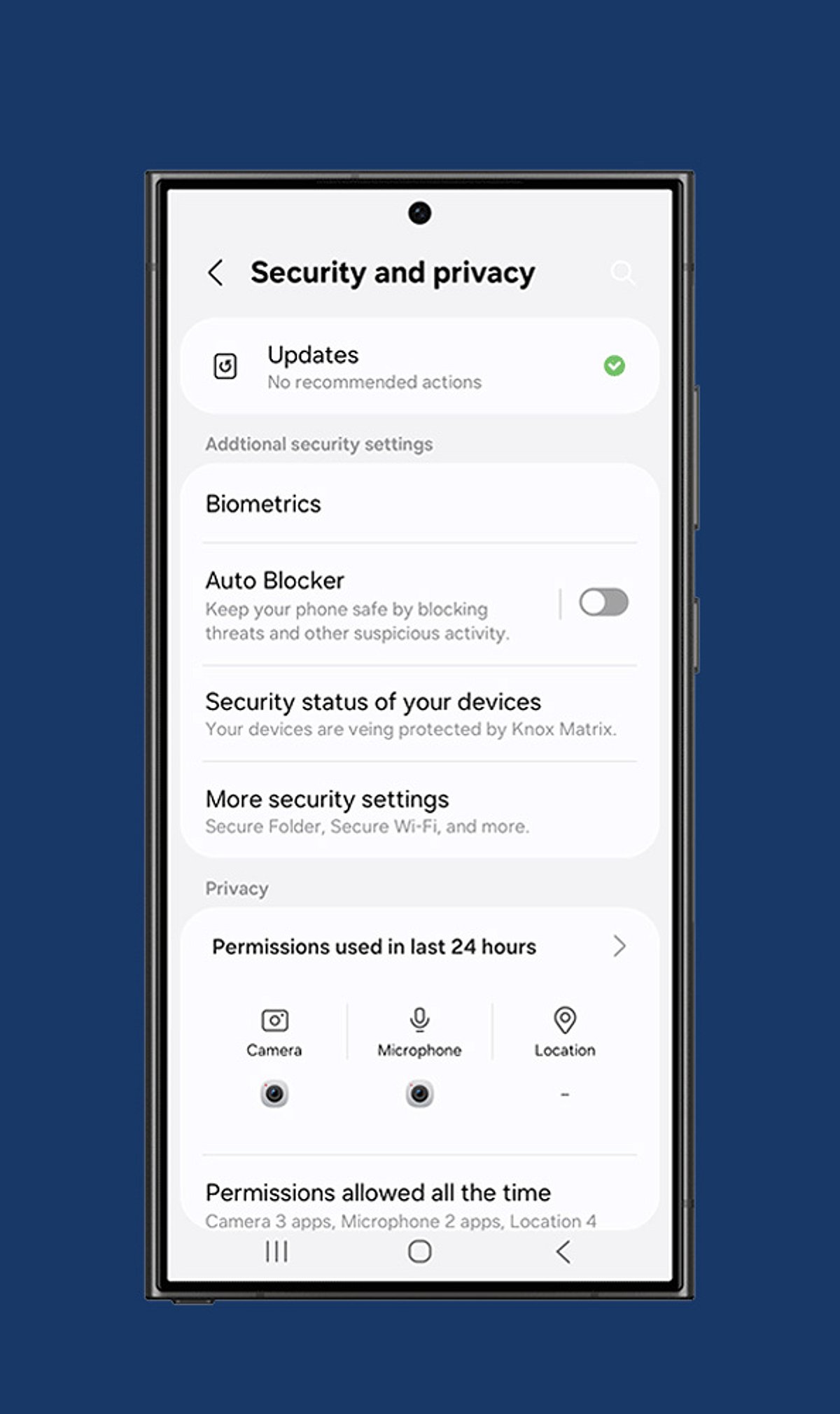
    2. Review App Permissions: Only grant apps access to camera, microphone, contacts, and location when absolutely necessary. Revoke permissions for any app that doesn’t need them.
    3. Turn On Two-Factor Authentication: Add an extra layer of security to your important accounts by requiring a second verification step beyond your password.
    4. Disable Ad Personalization: Limit targeted advertising and reduce tracking by restricting your phone’s advertising identifier.
    5. Manage Location Sharing: Set location access to “While Using the App” instead of “Always” to prevent apps from tracking you in the background.
    6. Activate Device Encryption: Ensure that all sensitive files, messages, and personal information remain encrypted and unreadable even if someone gains physical access to your phone.
    7. Configure Find My Device: Enable remote tracking, locking, and data wiping features before your phone is ever misplaced or stolen.

    Additionally, regularly review your cloud backup settings, install software updates promptly, and keep your operating system patched against the latest security threats.

  • Why Small Businesses Need CMMC: A Practical Guide to Cybersecurity Compliance

    Why Small Businesses Need CMMC: A Practical Guide to Cybersecurity Compliance

    Small businesses face an increasingly dangerous cybersecurity landscape. Data breaches, ransomware, and supply chain vulnerabilities are no longer hypothetical threats, which is why robust security frameworks have become non-negotiable. For companies handling sensitive federal information, the Cybersecurity Maturity Model Certification (CMMC) has evolved into both a compliance requirement and a solid defense strategy.

    CMMC solutions provide small businesses with a structured way to protect controlled unclassified information (CUI) and federal contract data. But the benefits go beyond satisfying regulators. Done right, these frameworks help build a security posture capable of withstanding sophisticated threats. Here’s how CMMC implementation actually strengthens cybersecurity and what business leaders need to know before getting started.

    What CMMC Solutions Actually Do

    At its core, the Cybersecurity Maturity Model Certification establishes a unified set of security standards for defense contractors and everyone in their supply chain. The Department of Defense created it to replace a patchwork of overlapping requirements with a single framework across five maturity levels, each building on the security controls from the level before.

    CMMC solutions pursue three main goals:

    • Standardized Protection: Getting everyone in the defense industrial base on the same security page, replacing the mismatched standards that were previously common.
    • Verified Implementation: Using independent assessors to confirm controls are in place and functioning, not just gathering dust in a binder.
    • Supply Chain Security: Extending protection requirements deeper into contractor networks, precisely where adversaries have been finding entry points.

    The framework heavily relies on NIST cybersecurity standards, especially Special Publication 800-171, which details how to protect CUI on non-federal systems. Because of the overlap, working toward CMMC compliance strengthens a business’s entire cybersecurity posture, not just the parts tied to federal work.

    Why CMMC Compliance Matters Beyond Contracts

    While CMMC certification is required for defense contracts, its value extends much further. The certification process often reveals security gaps that companies didn’t know existed. Small businesses frequently discover weaknesses in access controls, incident response, or data handling that have been unnoticed for years. Fixing those issues lowers risk across the entire business, not just government-contract areas.

    There’s also a trust factor. As commercial clients scrutinize vendors’ cybersecurity practices, CMMC certification becomes verifiable proof that a company takes data protection seriously. This can tip the scales in competitive bidding situations.

    Financially, small businesses face average breach costs exceeding $2.98 million. The controls CMMC requires—multi-factor authentication, encryption, network segmentation, and incident response planning—directly address the vulnerabilities that lead to those breaches.

    Understanding NIST 800-171 Requirements

    NIST Special Publication 800-171 is the technical engine behind CMMC Level 2, the level most defense contractors need to achieve. It outlines 110 security requirements across 14 families, covering access control, awareness and training, audit and accountability, incident response, and system and communications protection.

    Key areas include:

    • Access Control: Ensuring only authorized users and devices can access systems, applying least-privilege principles, and controlling information flow.
    • Awareness and Training: Educating personnel about risks and their role in protecting sensitive information.
    • Audit and Accountability: Maintaining audit records to monitor, investigate, and respond to security events.
    • Incident Response: Building capability to detect, report on, and respond to cybersecurity incidents.
    • System and Communications Protection: Monitoring and controlling communications at system boundaries, plus using cryptographic protections.

    Meeting these requirements typically involves a mix of technical deployment and process change. You’ll deploy tools like endpoint detection and encryption, but also write policies, run training sessions, and set up ongoing monitoring. The upside is that NIST 800-171 doesn’t force a one-size-fits-all approach—it allows businesses to implement controls in ways that fit their operations.

    The Strategic Role of CUI Enclaves

    Controlled unclassified information comes with specific protection requirements, and applying them across an entire IT environment is often impractical for small businesses. That’s where a CUI enclave shines: a separate, hardened environment designed for handling sensitive information.

    Think of it as a secure zone within a larger network. By isolating sensitive data and the systems that touch it, businesses can concentrate their strongest security controls exactly where they’re needed most, instead of spreading resources thin trying to lock down everything. This is often a more cost-effective path than bringing every device and system up to CMMC standards.

    A well-built CUI enclave typically includes:

    • Network Segmentation: Physically or logically isolating the enclave from the rest of the network, with tightly controlled access points and monitored traffic.
    • Enhanced Access Controls: Multi-factor authentication, privileged access management, and detailed logs of user activity.
    • Data Loss Prevention: Controls that prevent unauthorized copying, sending, or removal of CUI from the protected space.
    • Continuous Monitoring: Real-time monitoring with automated alerts to catch anomalies or policy violations.

    For small businesses without a large IT team, managed enclave providers like Cuick Trac, Redspin, and Coalfire offer turnkey setups. They handle the technical work of running a CMMC-compliant environment, allowing businesses to focus on core operations while meeting federal cybersecurity requirements.

    Practical Cybersecurity Solutions for Small Operations

    Small businesses constantly face the tension of needing enterprise-level security without enterprise-level budgets or staff. Fortunately, the controls CMMC requires align well with practical, affordable solutions that guard against common threats.

    Must-haves include:

    • Endpoint Protection: Modern antivirus and anti-malware using behavioral analysis and machine learning to catch threats that signature-based tools miss.
    • Network Security: Next-generation firewalls that inspect traffic at the application layer to catch sophisticated attacks.
    • Email Security: Filtering that catches phishing, malicious attachments, and business email compromise—the number one attack vector for small businesses.
    • Data Encryption: Encrypting data both in transit and at rest, so even if a system is breached, stolen data remains unreadable.
    • Multi-Factor Authentication: Requiring additional verification beyond passwords, which Microsoft research shows blocks 99.9% of automated account attacks.
    • Backup and Recovery: Regular, tested backups kept securely offline or in immutable cloud storage to provide a safety net against ransomware or system failures.

    Many of these are now available as cloud-based subscriptions priced for small business budgets. Security-as-a-service eliminates massive upfront costs, providing enterprise-grade protection and expertise on a manageable monthly plan. The key is not treating these as separate tools—CMMC compliance requires proving that security controls work together as a system, building genuine defense in depth.

    Building Your NIST Compliance Roadmap

    Getting to NIST 800-171 compliance and CMMC certification requires real planning. A structured checklist helps break the 110 requirements into manageable steps:

    1. Scope Definition: Map every system, network, and person that touches CUI. Most businesses are surprised by how large their CUI footprint turns out to be.
    2. Gap Analysis: Compare current security practices against NIST 800-171 honestly. Whatever you miss now will show up during a formal audit.
    3. Risk Assessment: Evaluate how likely each gap is to be exploited and the potential impact, so you can prioritize fixes based on real risk.
    4. Remediation Planning: Create a plan with specific actions, responsible parties, deadlines, and required resources to close each gap.
    5. Implementation: Do the work and document everything: changes, configurations, and new procedures. Documentation proves the work happened.
    6. Validation: Test controls to confirm they genuinely work as intended.
    7. Continuous Monitoring: Maintain an ongoing process to sustain compliance, catch new vulnerabilities, and adapt as threats change.

    Documentation trips up many businesses. CMMC assessments require actual evidence: system security plans, policies and procedures, configuration records, training logs, and audit trails. Companies often underestimate the paperwork involved and scramble before their assessment window. Don’t skip regular check-ins—quarterly reviews help catch small issues before they become real problems. Configurations drift, people leave, new systems appear, and paperwork gets outdated. Catching those changes early is far easier than dealing with a compliance failure after the fact.

  • 7 Effective Ways to Stop Websites From Tracking Your Online Activity

    7 Effective Ways to Stop Websites From Tracking Your Online Activity

    Online tracking is pervasive, but you can take simple yet powerful steps to protect your privacy. Here are seven proven methods to reduce how much websites and advertisers know about your browsing habits.

    1. Switch to a Privacy-Focused Browser

    Many websites use cookies and trackers to monitor your activity across the internet. Choosing a privacy-focused browser like Brave or Firefox, or enabling stronger privacy protections in Chrome, can automatically block many known trackers. This simple change reduces unwanted data collection while maintaining a smooth and secure browsing experience.

    2. Block Third-Party Cookies

    Third-party cookies are commonly used by advertisers to follow users across multiple websites and build detailed browsing profiles. Most modern browsers now allow you to block these cookies through privacy settings. Enabling this option helps reduce targeted advertising and limits how much information companies collect about your online activity.

    3. Install a Trusted Tracker Blocker

    Browser extensions such as uBlock Origin and Privacy Badger can prevent tracking scripts, advertising networks, and invisible tracking pixels from collecting your data. Installing trusted privacy tools from official browser stores adds another layer of protection, helping you browse more privately without noticeably affecting performance.

    4. Review Website Permissions Regularly

    Many websites request access to your location, camera, microphone, notifications, or clipboard. Grant these permissions only when necessary and periodically review them in your browser settings. Removing unnecessary permissions limits the personal information websites can access and reduces privacy risks over time.

    5. Enable Enhanced Tracking Protection

    Most popular browsers now include built-in features that block tracking scripts, browser fingerprinting attempts, and malicious content. Activating Enhanced Tracking Protection or similar settings requires only a few clicks and strengthens your privacy without installing extra software.

    6. Clear Cookies and Browsing Data

    Websites store cookies, cached files, and other data that can recognize returning visitors. Clearing this information regularly—or configuring your browser to delete cookies automatically after each session—helps reduce long-term tracking and limits stored information linked to your browsing history.

    7. Combine Multiple Privacy Measures

    No single privacy tool can completely stop online tracking because techniques like browser fingerprinting and account-based tracking still exist. Combining privacy-focused browsers, tracker blockers, stronger settings, secure connections, and cautious permission management provides much better protection and gives you greater control over your personal data.