Tag: data science

  • Essential Data Structures & Algorithms Cheat Sheet for Data Scientists (2026)

    Essential Data Structures & Algorithms Cheat Sheet for Data Scientists (2026)

    Why Data Structures and Algorithms Matter for Data Science

    Efficient data science depends on selecting the right data structures and algorithm patterns to process large datasets, optimize pipelines, and build scalable machine learning workflows. Hash maps, heaps, arrays, graphs, and traversal techniques form the foundation of everyday data science tasks, while Big O notation helps evaluate runtime and memory efficiency as data scales.

    Pattern-based problem solving, including sliding windows, graph traversal, dynamic programming, and greedy algorithms, enables faster, more efficient solutions for analytics, recommendation systems, and production pipelines.

    The fastest way to slow down a data science project is rarely the model. It is the code that moves, cleans, and searches through data before the model ever sees it. Most junior data scientists spend months prepping for interview algorithms but give only a passing glance to the data structures that decide whether a pipeline scales or falls apart.

    Understanding Big O Notation for Data Science Performance

    Big O notation describes how runtime and memory grow as data grows. Read as an engineering signal rather than a formula, it points to the exact line of code that will slow a pipeline down once the dataset grows past a sample. A join written as a nested loop looks fine on a thousand rows and grinds to a stop on ten million. Spotting an O(n²) pattern before it ships ranks among the more underrated skills in data science.

    Memory deserves the same attention as runtime. A hash map trades space for speed, storing extra data so lookups stay constant time — a trade that becomes a real design decision once a dataset holds hundreds of millions of keys.

    Essential Data Structures Every Data Scientist Should Master

    • Hash maps and sets handle deduplication, categorical encoding, and join keys through constant-time lookups. They are the single most useful structure in a data scientist’s toolkit.
    • Heaps and priority queues solve top-ranking problems, surfacing the most similar items or highest-scoring predictions from a stream of data.
    • Arrays and lists sit under every Pandas and NumPy operation. Understanding indexing explains why vectorized code outperforms a manual loop.
    • Queues and stacks support breadth-first and depth-first traversal, which appears in graph-based recommendation systems.
    • Trees and tries handle hierarchical data and prefix search, common in text tokenization.
    • Graphs model social networks, knowledge graphs, and fraud detection webs through adjacency lists.

    Much of this operates underneath familiar libraries. A Pandas merge behaves like a hash join. Vectorized NumPy operations replace row-by-row loops with array-level traversal, sidestepping the O(n²) trap entirely. Scikit-learn’s nearest neighbor search relies on tree- and hash-based structures to avoid comparing a query point against every other point.

    Essential DSA Patterns for Data Science and Machine Learning

    • Sliding window solves rolling averages and anomaly detection over a fixed span.
    • Two pointers handle merging sorted ranges and matching records within a threshold.
    • Fast and slow pointers detect repeating cycles in session logs.
    • Binary search on the answer finds a threshold value when input and outcome move in one direction.
    • Breadth-first and depth-first search trace shortest paths across networks and grids.
    • Dynamic programming scores sequences and measures edit distance between strings.
    • Greedy choices handle interval scheduling and quick feature selection.
    • Union-Find detects connected components in clustering problems.
    • Topological sort orders pipeline steps that depend on each other.

    Data Structures and Algorithms Learning Roadmap for Data Science

    Hash maps and sets come first, since they solve more real problems than any other structure and appear as the base case in most interview questions. Sliding window and two pointers follow naturally from array fundamentals already familiar from Pandas work. Heaps come next, once basic loops feel automatic rather than effortful. Graph traversal and dynamic programming can wait until the earlier patterns need no conscious thought.

    Three to five problems per pattern is usually enough to recognize it on sight. Applying that pattern to a small project cements the idea faster than another dozen practice problems would. This order mirrors how these ideas surface on the job, not how a course happens to sequence them.

    Final Thought

    The next wave of data science hiring will likely favor depth over breadth even more than it does today, as pipelines grow larger and cheaper compute stops covering for inefficient code. A small set of patterns, practiced until they need no thought, will matter more than a wide but shallow list of algorithms saved for an interview room and forgotten afterwards.

    Frequently Asked Questions

    1. Why are data structures and algorithms important for data science?

    Data structures and algorithms help data scientists process large datasets efficiently, optimize feature engineering, improve pipeline performance, and write scalable code that works reliably in production environments.

    2. Which data structures should every junior data scientist learn first?

    Junior data scientists should prioritize hash maps, arrays, heaps, queues, stacks, and graphs because these structures frequently appear in data processing, analytics, machine learning, and coding interviews.

    3. What is the role of Big O notation in data science?

    Big O notation helps estimate how an algorithm’s runtime and memory usage scale with growing datasets, making it easier to identify inefficient code before it affects production performance.

    4. Which DSA patterns are most useful for data science projects?

    Sliding window, two pointers, BFS, DFS, dynamic programming, heaps, and topological sorting are widely used for tasks such as anomaly detection, graph analysis, recommendation systems, and workflow optimization.

    5. How can beginners practice DSA effectively for data science?

    Start with hash maps and arrays, then learn common algorithm patterns through a few focused practice problems. Reinforce each concept by applying it to small data science projects instead of relying only on coding exercises.

  • A Beginner’s Roadmap to Data Science Tools: Python, SQL, and Visualization Libraries

    A Beginner’s Roadmap to Data Science Tools: Python, SQL, and Visualization Libraries

    Key Takeaways

    • Python, SQL, and Pandas form the foundation of modern data science.
    • Hands-on practice with Kaggle and Google Colab strengthens practical skills.
    • Visualization and version control tools improve project quality and career readiness.

    Data science can seem overwhelming at first, but selecting the appropriate tools simplifies the learning curve. Each tool serves a distinct purpose: some gather data, some organize it, while others create charts or build machine learning models. Rather than trying to learn dozens of programs at once, beginners see better results by focusing on a core set of essential tools. Recent learning guides and industry experts recommend this approach, as it builds strong practical skills before tackling advanced topics. A solid grasp of these tools also makes project work easier and prepares learners for internships and entry-level jobs.

    Python: The First Language to Learn

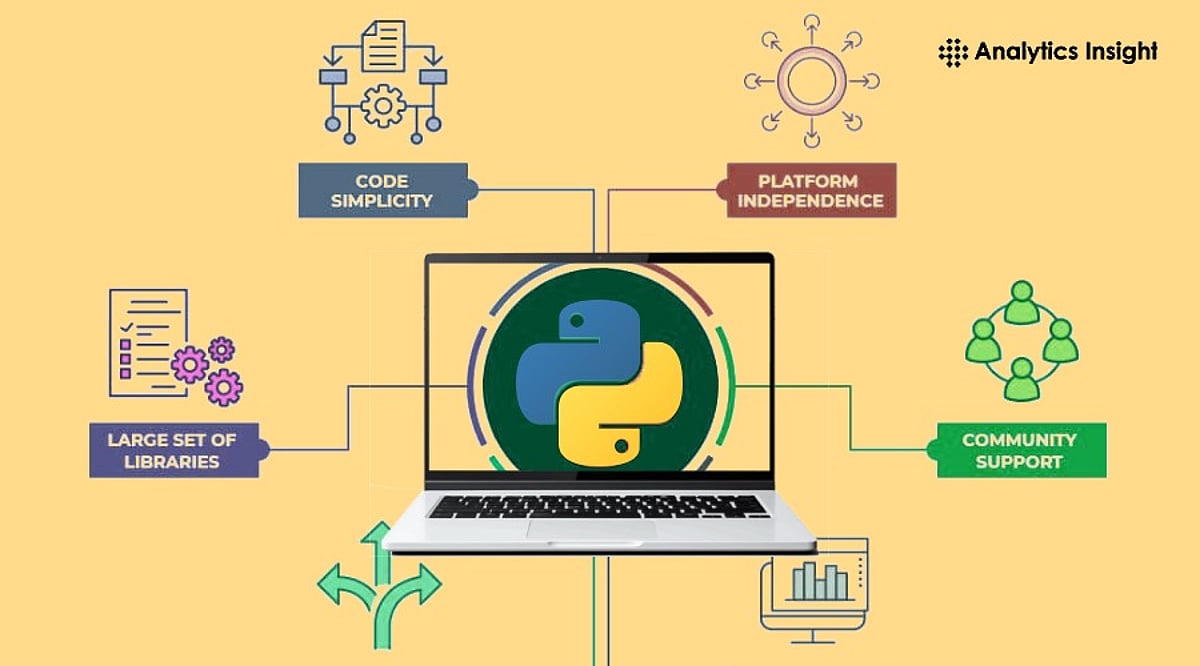
    Python has become the most popular programming language in data science because of its readability and simplicity. Even people with no coding background can learn its basics without much difficulty. Python helps clean raw data, analyze information, automate tasks, and create machine learning models. It also supports artificial intelligence projects, making it useful beyond beginner-level work. Another reason for its popularity is its vast collection of libraries. Instead of writing long programs from scratch, learners can use ready-made libraries that save time and reduce effort.

    Pandas and NumPy Make Data Easy to Handle

    Pandas and NumPy are two essential Python libraries that beginners should know. Pandas helps organize and clean datasets using simple commands. It can combine files, handle missing (NaN) values, and prepare data for analysis. These tasks are part of almost every data science project, so becoming familiar with Pandas is important early on. NumPy works with numbers and mathematical calculations. It is much faster than standard Python code when working with arrays and matrices. Moreover, many machine learning libraries are built on NumPy, so understanding it is necessary.

    Jupyter Notebook Creates a Better Learning Experience

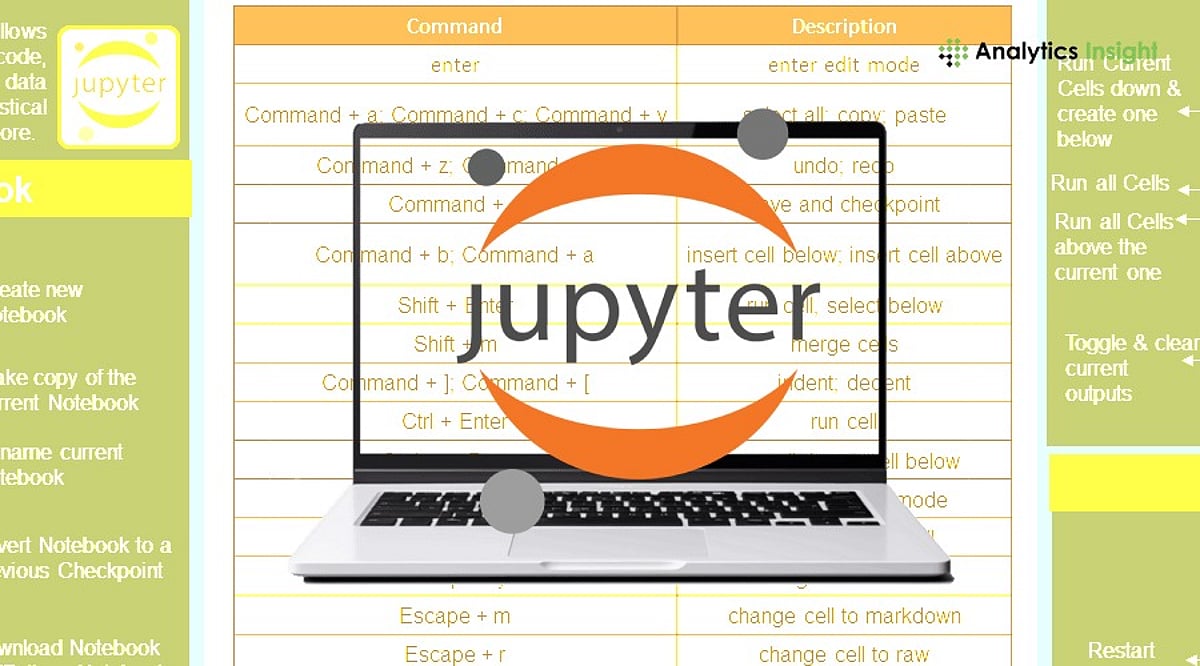
    Jupyter Notebook offers an interactive workspace where code, text, and charts appear on the same page. This format helps beginners understand every step of a project, as explanations stay next to the code. Many teachers, researchers, and data scientists use Jupyter Notebook for tutorials, reports, and experiments. When mistakes appear, small sections of code can run separately, making debugging much easier than traditional programming methods.

    SQL Remains an Essential Skill

    Most companies store business information inside databases. SQL helps access that information quickly and efficiently. Beginners should learn basic commands such as SELECT, JOIN, GROUP BY, filtering, and aggregate functions, as these appear regularly in real business tasks. Industry reports continue to list SQL among the most requested skills for entry-level data science and data analytics jobs. Strong SQL knowledge also helps professionals work with large datasets without depending on spreadsheets.

    Excel Still Has an Important Place

    Even with advanced tools in the spotlight, Microsoft Excel still plays an important role in data science. Many firms use Excel for report generation, quick calculations, and simple analyses. Excel features such as Pivot Tables, Charts, Lookup Functions, and Data Cleaning tools make it easy to explore data without writing complex programs. For anyone starting out, Excel is a solid first step toward data analysis.

    Data Visualization Brings Numbers to Life

    Charts often explain data better than large tables. Matplotlib and Seaborn help create clear visualizations from Python data. These libraries produce bar charts, line charts, scatter plots, histograms, and heatmaps with just a few lines of code. Good visualizations help identify trends, compare values, and discover hidden patterns. Before building any machine learning model, data scientists usually study charts to understand the information more clearly.

    Scikit-learn Opens the Door to Machine Learning

    Once learners understand the basics of data analysis, Scikit-learn provides a reliable and simple introduction to machine learning. It offers popular algorithms such as Linear Regression, Logistic Regression, Decision Trees, Random Forests, and K-Means Clustering. Beginners can build predictive models without needing deep mathematical knowledge. Thanks to its simplicity and effective documentation, Scikit-learn is a great choice for newcomers.

    Git, GitHub, and Cloud Learning Platforms

    GitHub helps track project changes and maintain version history. It also enables collaboration when multiple developers work on the same project. Google Colab allows beginners to code without installing any software, and it provides free access to GPUs, making projects more accessible. Projects can be shared with classmates or mentors via a simple link. Kaggle is another excellent tool, offering thousands of datasets, coding notebooks, and tutorials for hands-on practice.

    Power BI and Tableau for Business Reporting

    Many organizations expect data specialists to present findings clearly and compellingly. Power BI and Tableau allow users to create responsive dashboards that illustrate business results, sales patterns, customer habits, and performance metrics. Beginners do not need to learn both platforms; mastering one visualization tool is enough for most entry-level positions. Using such dashboards improves communication, making key findings obvious to decision-makers regardless of their technical background.

    Why This Matters

    Learning the right data science tools from the beginning saves time and builds practical skills that employers value. Knowledge of Python, SQL, Jupyter Notebook, and Power BI helps solve real business problems, complete projects with confidence, and create a strong foundation for advanced analytics, machine learning, and future career growth.

    A Smart Learning Path

    A practical learning order makes the journey smoother. Start with Excel to build basic data understanding, then move to Python fundamentals, NumPy, Pandas, and SQL. After that, visualization libraries like Matplotlib and Seaborn help present insights clearly. Jupyter Notebook supports project work, while Scikit-learn introduces machine learning. Git and GitHub help organize projects, and Power BI or Tableau improve reporting skills. Google Colab and Kaggle complete the toolkit with cloud-based practice and real datasets. Recent learning roadmaps also encourage project-based learning instead of endless theory, as practical experience creates stronger skills and better job opportunities.

    Frequently Asked Questions

    1. Which programming language should beginners learn first for data science? Python is the best starting language because its simple, readable syntax makes it easy to learn while offering powerful data science libraries.
    2. Is SQL necessary for data science? Yes. SQL is essential for querying, retrieving, and managing large datasets stored inside relational databases.
    3. Should Excel be learned before Python? Learning basic Excel first helps build foundational data analysis skills, such as filtering and pivot tables, before transitioning to programming with Python.
    4. Is Google Colab better than installing Python locally? Google Colab is ideal for beginners as it runs entirely in your web browser with zero local installation or complex environment setup required.
    5. Why is Kaggle useful for beginners? Kaggle provides free access to real-world datasets, community code notebooks, and tutorials that help beginners build practical experience and strong portfolios.
  • From Software Developer to Upskilling Pioneer: How Krishna Kumar Built Learnbay to Tackle Career Anxiety

    From Software Developer to Upskilling Pioneer: How Krishna Kumar Built Learnbay to Tackle Career Anxiety

    Krishna Kumar, a veteran software engineer with stints at Wipro, Cisco, and Samsung, turned his own observations of career stagnation into Learnbay — an upskilling platform that helps working professionals transition into AI, data science, and cloud roles. Launched in 2015, Learnbay has grown from a single Bangalore classroom to a multi-city hub with a presence in seven Indian cities and several international locations.

    Krishna’s journey began when he noticed that many talented professionals, despite working tirelessly, lacked future-proof career paths. He believed that a technical background or coding skills were not prerequisites for a successful career in the AI era. This conviction drove him to create Learnbay as an open-learning platform that prioritizes real-time exposure over pre-recorded sessions.

    Learnbay’s curriculum evolves continuously to keep pace with industry trends, covering everything from basic data science and cloud & DevOps to advanced GenAI and Agentic AI. Strategic partnerships with IBM, Microsoft, NASSCOM, IIT Patna, and Woolf University ensure industry relevance. In 2023, the platform achieved 300% growth, reflecting its impact.

    Krishna emphasizes outcomes over vanity metrics. Learnbay’s hybrid training model — combining live online sessions with face-to-face capstone projects — is designed for busy professionals. Placement assistance, customized mentorship, and interview preparation are core services, not add-ons. The platform’s success is measured by learners’ career transitions and placements at over 350 MNCs.

    Looking ahead to 2026 and beyond, Krishna remains focused on disciplined upskilling strategies, expanding GenAI and Agentic AI offerings, and deepening partnerships. His philosophy is simple: a course succeeds only when the learner’s career goals are met. Learnbay aims to make reskilling tangible, measurable, and accessible for professionals from any domain.

  • 10 Essential Data Science Concepts to Master in 2026

    10 Essential Data Science Concepts to Master in 2026

    Data science has evolved rapidly, and professionals who want to stay ahead must master a blend of foundational skills and emerging technologies. Here are the ten most important concepts to learn in 2026, covering Python, statistics, SQL, machine learning, generative AI, data engineering, cloud computing, MLOps, and business intelligence.

    1. Python

    Python remains the dominant language for data science due to its readability and extensive library ecosystem. Key skills include functions, classes, object-oriented programming, error handling, decorators, and context managers. Essential libraries: NumPy, Pandas, Polars, Matplotlib, Seaborn, Plotly, Scikit-learn, PyTorch, TensorFlow, and JAX.

    2. Mathematics

    Mathematics underpins every machine learning model. Focus on linear algebra (vectors, matrices, PCA), calculus (derivatives, gradient descent), probability (Bayes’ theorem, distributions), and statistics (hypothesis testing, A/B testing, ANOVA).

    3. SQL

    SQL is critical for querying databases. Beyond basic SELECT statements, learn CTEs, window functions, indexes, and views. Modern cloud data warehouses like Snowflake, BigQuery, and Redshift, plus lakehouse technologies like Delta Lake, are increasingly important.

    4. Machine Learning

    Machine learning enables pattern recognition and prediction. Supervised methods include linear regression, random forests, and gradient boosting. Unsupervised techniques include K-Means, PCA, and t-SNE. Model evaluation metrics like precision, recall, F1 score, and cross-validation are essential.

    5. Deep Learning

    Deep learning powers modern AI with architectures like CNNs for images, RNNs and LSTMs for sequences, and Transformers for language and generation. Mastering these enables advanced pattern detection and classification.

    6. Generative AI

    Generative AI builds on deep learning to create content. Key techniques include Retrieval-Augmented Generation (RAG), fine-tuning, LoRA, PEFT, and RLHF. AI agents and function calling allow models to perform autonomous tasks, making them central to business AI applications.

    7. MLOps

    MLOps ensures models are deployable and maintainable. Tools like Git, MLflow, Docker, Kubernetes, and CI/CD pipelines are vital. Cloud platforms (AWS, Azure, GCP) enable scalable deployment and monitoring for drift and performance issues.

    8. Cloud Computing

    Cloud platforms provide the infrastructure for data processing, storage, and AI at scale. Familiarity with AWS, Azure, or Google Cloud, along with services like S3, Lambda, and BigQuery, is increasingly required for data science roles.

    9. Business Intelligence

    Visualization and communication turn data into actionable insights. Tools like Tableau, Power BI, Looker, and Apache Superset help create dashboards that convey key metrics. Clear reporting supports better decision-making.

    10. Emerging Concepts

    Stay ahead with emerging fields like Responsible AI, Synthetic Data, Causal AI, Time Series AI, Multimodal AI, and AI agents. Combining these with strong fundamentals in Python, mathematics, and SQL will provide the best career opportunities in 2026.


    FAQs:

    1. Why learn data science in 2026? These skills align with current industry demands and future AI roles.
    2. Is Python still the best language? Yes, due to its simplicity and powerful libraries.
    3. Do I need math? Yes, for understanding model mechanics.
    4. What new skills matter? Generative AI, RAG, and MLOps are key.
    5. Can beginners start? Yes, begin with Python, SQL, and statistics, then progress to more advanced topics.
  • Master AI for Business: Harvard’s Online Course on Machine Learning, Generative AI & Ethics

    Master AI for Business: Harvard’s Online Course on Machine Learning, Generative AI & Ethics

    Harvard Business School has launched an online course titled AI Essentials for Business, designed to equip professionals with a practical understanding of how artificial intelligence is reshaping modern organizations. The program covers machine learning, data science, predictive modeling, and generative AI, with a strong emphasis on real-world business applications, ethical considerations, and risk management.

    What You’ll Learn in This Course

    • Grasp the evolving role of AI in contemporary business operations.
    • Explore how machine learning, predictive modeling, and data science solutions can be applied to drive decision-making.
    • Identify opportunities to leverage AI for improving operational processes and strategic planning.
    • Examine ethical issues and risk management challenges associated with AI implementation.
    • Understand how generative AI impacts organizational structures and business workflows.

    Accessibility and Value

    This 100% online course runs for four weeks, requiring 5–7 hours of study per week, making it manageable for busy professionals. Delivered through Harvard Business School Online, the program allows students to learn at their own pace from anywhere. Upon completion, participants receive a Certificate of Completion, validating their knowledge of AI fundamentals and strategic business applications.

    Comprehensive Curriculum

    • AI Landscape Overview: Understand the growth and evolution of AI technologies.
    • Machine Learning and Data Science: Learn the basics of predictive analytics, modeling, and data-driven decision making.
    • AI in Business Strategy: Discover how organizations integrate AI to drive innovation and operational efficiency.
    • Generative AI in Organizations: Explore how generative AI tools impact business operations and digital transformation.
    • Ethical AI and Risk Management: Implement AI responsibly while addressing ethical and governance challenges.
    • Business Applications of AI: Identify opportunities to apply AI in business development, innovation, and strategic management.

    Eligibility Criteria

    The program is open to professionals, managers, and business leaders who want to learn about AI. No advanced technical skills or programming expertise are required. It is designed for beginners seeking to understand the business impact of artificial intelligence.

    What Makes This Course Stand Out?

    The course emphasizes the practical business value of AI, teaching students how to leverage AI for tangible business outcomes. Faculty from Harvard Business School provide training focused on AI-driven business innovation and digital transformation.

    Final Thoughts

    The AI Essentials for Business program delivers foundational concepts that illustrate how AI and machine learning transform modern organizations. Professionals gain practical skills to use AI strategically while navigating ethical and operational challenges.

  • Top 8 Fastest-Growing AI Careers to Watch in 2025

    Top 8 Fastest-Growing AI Careers to Watch in 2025

    The artificial intelligence industry is evolving at an unprecedented pace, creating a wave of new, high-demand job roles. Professionals looking to future-proof their careers should consider specializing in one of these rapidly growing AI positions. Below, we break down the key roles that are shaping the future of technology.

    AI Engineer

    AI Engineers design, develop, and deploy intelligent applications that leverage machine learning, cloud platforms, and automation. They solve complex business challenges by building scalable AI systems that drive efficiency and innovation.

    Machine Learning Engineer

    Machine Learning Engineers create predictive models and self-learning algorithms that power recommendation engines, fraud detection, automated decision-making, and operational optimization across industries.

    Generative AI Engineer

    Generative AI Engineers build chatbots, virtual assistants, content generators, and enterprise solutions using large language models, prompt engineering, and retrieval-augmented generation techniques.

    Data Scientist

    Data Scientists extract actionable insights from massive datasets using statistics, machine learning, and visualization. Their work supports strategic business decisions and drives innovation.

    AI Research Scientist

    AI Research Scientists conduct advanced research in deep learning, natural language processing, and reinforcement learning to develop next-generation AI models and technologies.

    AI Product Manager

    AI Product Managers bridge business objectives and technical development. They define product strategies, coordinate teams, prioritize features, and ensure successful AI product delivery.

    Prompt Engineer

    Prompt Engineers craft optimized prompts that improve AI-generated responses, increase model accuracy, and streamline enterprise workflows across diverse applications.

    AI Ethics Specialist

    AI Ethics Specialists ensure AI systems remain fair, transparent, secure, and compliant by implementing responsible AI practices, governance frameworks, and regulatory standards.

    Computer Vision Engineer

    Computer Vision Engineers develop AI systems that analyze images and videos, enabling breakthroughs in autonomous vehicles, healthcare diagnostics, robotics, surveillance, and industrial automation.

    As AI continues to reshape industries, these roles offer exciting opportunities for growth and innovation. Staying current with emerging skills and technologies is essential for success in this dynamic field.

  • 5 Key Reasons Python Remains the Top Language for AI and Machine Learning

    5 Key Reasons Python Remains the Top Language for AI and Machine Learning

    Python has become the go-to programming language for artificial intelligence and machine learning due to its simplicity, readability, and rich ecosystem of libraries. Developers can build smart applications faster, test ideas quickly, and deploy models with minimal friction.

    Why Python Leads in AI Development

    Python’s clean syntax and minimal learning curve allow developers to focus on solving problems rather than wrestling with complex code. Its extensive library collection, strong community support, and flexibility across industries make it the trusted choice for AI projects, from startups to global enterprises.

    1. Simple, Readable Code Speeds Development

    Python’s syntax is intuitive and clean. Even when reading someone else’s project, the logic is easy to follow. This simplicity reduces the time spent debugging and improves collaboration—critical when AI models frequently need updates and iteration.

    2. Powerful Libraries Save Hours of Work

    Developers don’t have to build AI features from scratch. Python offers mature libraries for every task:

    • TensorFlow and PyTorch for deep learning
    • Scikit-learn for classical machine learning
    • Pandas and NumPy for data manipulation
    • OpenCV for computer vision

    These pre-built tools let developers focus on refining models instead of rewriting boilerplate code.

    3. A Thriving Community Offers Endless Support

    Python’s huge global community means help is always just a search away. Forums, tutorials, guides, and open-source projects ensure that even complex problems have documented solutions. This collective knowledge keeps Python evolving with regular updates and new features.

    4. Versatility Across Industries and Projects

    AI is no longer confined to tech companies. Python powers applications in healthcare, finance, retail, manufacturing, agriculture, and more. The same language can drive a chatbot, a fraud detection system, a recommendation engine, or an image recognition pipeline—eliminating the need to learn a new language for each domain.

    5. Seamless Integration with Modern Infrastructure

    Building an AI model is only half the battle; deploying it matters too. Python integrates smoothly with cloud platforms, databases, APIs, and web frameworks. Many cloud services run Python natively, so moving from training to production requires minimal changes.

    Why This Matters

    Python isn’t just another language—it’s the backbone of many AI tools used daily. As companies embed AI into their products, knowing Python gives developers a durable advantage. While Python may not be the fastest language, its clarity and rapid prototyping capabilities often matter more in AI. With continuous improvements and a growing ecosystem, Python is well-positioned to remain at the center of AI innovation.

    Frequently Asked Questions

    1. Why do most AI developers choose Python?
    Python’s readability, ease of learning, and vast library ecosystem enable faster development with fewer errors.

    2. Which Python libraries are popular for AI?
    TensorFlow, PyTorch, Scikit-learn, Pandas, NumPy, Keras, and OpenCV are widely used for machine learning, deep learning, and data analysis.

    3. Is Python good for AI beginners?
    Yes, its simple syntax and abundant free resources make it one of the best starting points.

    4. Do large companies use Python for AI?
    Yes, many tech giants rely on Python for AI, data science, and automation due to its reliability and strong ecosystem.

    5. Will Python remain important for AI?
    Almost certainly. Its community continues to grow, and new AI tools consistently support Python.

  • Master Jupyter Notebook in 2026: Key Shortcuts, Commands, and Magic Functions

    Master Jupyter Notebook in 2026: Key Shortcuts, Commands, and Magic Functions

    Jupyter Notebook remains a powerhouse for Python, AI, and data science development in 2026. With the latest updates—including Jupyter AI integration and the March 2026 performance boost—knowing essential shortcuts, commands, and magic functions can dramatically accelerate your workflow. This guide covers everything you need to work smarter, not harder.

    Why Jupyter Notebook Still Dominates in 2026

    Despite competition from tools like Deepnote, Jupyter Notebook’s simplicity and flexibility keep it at the forefront. It combines code execution, documentation, visualization, and testing in one unified workspace—ideal for both small experiments and large-scale machine learning projects. Universities, research labs, and AI teams continue to rely on it for its ease of use and powerful ecosystem.

    Understanding the Two Working Modes

    Jupyter operates in two modes: Command Mode (for notebook-level actions like adding, deleting, or moving cells) and Edit Mode (for typing code or markdown inside a cell). Mastering the switch between these modes—using Esc and Enter—saves countless mouse clicks and speeds up navigation.

    How Keyboard Shortcuts Save Time

    Shortcuts reduce repetitive manual work. Studies show that efficient shortcut usage can cut coding time by 30–40% during large projects. Essential shortcuts include:

    • Shift + Enter – Run current cell and move to the next
    • Ctrl + Enter – Run current cell without moving
    • Alt + Enter – Run current cell and insert a new one below
    • A (Command Mode) – Insert cell above
    • B (Command Mode) – Insert cell below
    • DD (Command Mode) – Delete selected cell
    • M (Command Mode) – Change cell to Markdown
    • Y (Command Mode) – Change cell to Code

    Important Commands for Environment Control

    Jupyter commands let you manage kernels, check versions, and control the server without leaving the notebook. Use !pip list to see installed packages, %lsmagic to list all magic functions, and %who to display active variables. These commands streamline troubleshooting and environment management.

    Magic Functions That Boost Productivity

    Magic functions are built-in shortcuts that perform complex tasks with a single line. Key ones include:

    • %timeit – Measure execution time of a statement
    • %run – Run an external Python file
    • %load – Load code from an external file
    • %matplotlib inline – Display plots directly in the notebook
    • %pdb – Enable interactive debugging on errors
    • %%writefile – Write cell contents to an external file

    Better Performance for Data Science Work

    Jupyter integrates seamlessly with libraries like pandas, NumPy, and scikit-learn. You can inspect large datasets, generate statistical summaries, and create visualizations—all within one notebook. This eliminates context-switching and improves project organization.

    Improved Debugging Features

    Modern Jupyter includes advanced debugging: set breakpoints, inspect variables, and auto-reload modules with %autoreload. This reduces manual restarts and speeds up iterative development, especially for complex Python applications.

    Major Jupyter Updates in 2026

    The March 2026 update brought speed improvements, better stability, and enhanced extension support. Jupyter AI now offers code generation, debugging assistance, and notebook summarization directly inside the environment. Additionally, research like the JupOtter bug detection system—analyzing over 21,000 notebooks—promises even fewer errors in future releases.

    Final Thoughts

    Jupyter Notebook remains an indispensable tool for developers, data scientists, and AI engineers. By mastering shortcuts, commands, and magic functions, you can reduce manual work and focus on what matters: building innovative solutions. With AI enhancements and ongoing performance improvements, Jupyter is more powerful than ever.

    FAQs

    1. Why is Jupyter Notebook still popular in 2026?
    It combines coding, documentation, visualization, and testing in one simple workspace.

    2. What is the biggest Jupyter update in 2026?
    The March 2026 update improved speed, stability, and extension compatibility.

    3. What is Jupyter AI?
    Jupyter AI adds artificial intelligence features such as code generation, debugging help, and notebook summaries.

    4. How do shortcuts help in Jupyter Notebook?
    Shortcuts reduce repeated manual work and can improve coding speed by nearly 30 to 40 percent.

    5. Is Jupyter Notebook only for data science work?
    No. Jupyter is widely used for Python development, machine learning, research computing, education, and software testing.

  • Essential Machine Learning Projects for a Standout Resume in 2026

    Essential Machine Learning Projects for a Standout Resume in 2026

    Machine learning continues to dominate the tech landscape, and showcasing hands-on projects is one of the best ways to impress recruiters. Here are nine projects that not only demonstrate your skills but also align with real-world business needs.

    1. House Price Prediction

    Build regression models using historical housing datasets. Practice feature engineering, data visualization, and evaluation metrics to accurately forecast residential property values.

    2. Customer Churn Prediction

    Develop classification models that identify customers likely to leave subscription services. Apply behavioral analytics and machine learning algorithms to derive actionable business insights.

    3. Sentiment Analysis

    Analyze customer reviews using natural language processing (NLP), text classification, feature extraction, and opinion mining. This project yields valuable business intelligence from unstructured text.

    4. Image Classification

    Train convolutional neural networks (CNNs) to recognize objects, products, or animals. Use labeled datasets and modern deep learning frameworks to achieve impressive accuracy.

    5. Fake News Detection

    Create intelligent systems that detect misleading articles. This project combines NLP techniques, classification models, feature engineering, and contextual language understanding.

    6. Movie Recommendation System

    Build personalized recommendation engines using collaborative filtering, content-based filtering, and user preference modeling. Optimize with machine learning to enhance entertainment experiences.

    7. Stock Price Forecasting

    Apply time-series forecasting models to historical financial data. Incorporate predictive analytics, visualization, and statistical learning to analyze market trends.

    8. Resume Screening AI

    Develop recruitment automation tools that match candidate profiles with job descriptions. Use NLP and classification algorithms to streamline hiring processes.

    9. Handwritten Digit Recognition

    Implement neural networks to recognize handwritten digits. Practice image preprocessing, leverage benchmark datasets, and train deep learning models to achieve high accuracy.

    Each of these projects can be built using open-source datasets and libraries. They provide tangible proof of your ability to solve real problems with machine learning—making your resume stand out to employers in 2026 and beyond.

  • The Hardest IT Roles to Fill in 2026: AI, Cybersecurity, and the Rise of Hybrid Professionals

    The Hardest IT Roles to Fill in 2026: AI, Cybersecurity, and the Rise of Hybrid Professionals

    The IT hiring landscape has shifted dramatically. Open requisitions are no longer for generalists or entry-level specialists. Instead, positions that remain unfilled for six to nine months demand a rare combination: an engineer who writes strong code, navigates AI platforms, assesses risk exposure, and aligns technical decisions with business priorities. Three skills, one person, a small pool. This is the core talent challenge organizations face as they head into the second half of this decade.

    The 2026 State of the CIO survey from Foundry confirms the shift. AI and machine learning, along with cybersecurity, now share the top position as the hardest IT skills to hire for, with data science and analytics ranked third. What stands out is not the ranking itself but the nature of the shortage. Hiring teams are no longer struggling to find specialists—they are struggling to find professionals who operate across disciplines simultaneously, at speed, and with sound judgment under real constraints.

    AI and Machine Learning: From Prompt Engineers to Agentic Builders

    The role of the AI professional has evolved significantly over the past two years. Prompt engineering as a standalone function has largely faded. Organizations today need AI product engineers who can deploy agents, build testing frameworks, manage cost-latency-quality trade-offs, and govern model risk. They also need professionals filling governance and red-team roles that did not appear on org charts three years ago. The center of gravity has moved from people who build models to people who wield them. That is a very different resume, and the candidate pool remains thin.

    Approximately 50% of US employers report difficulty finding qualified AI candidates, and Gartner research consistently identifies this shortage as the single largest roadblock for data and analytics teams. The challenge compounds with the pace of change: skills acquired at one organization may not transfer to another, and knowledge from six months ago can already be obsolete.

    Cybersecurity: A Skills Crisis, Not a Headcount Problem

    Six in ten organizations now report that skills gaps outweigh staffing shortages as their primary workforce challenge—a 20-point shift from just a year ago. The consequences are measurable: 27% of cybersecurity leaders report breaches directly tied to capability gaps, while 61% say team stress has increased over the past two years. The shortage is concentrated at the senior architect level. Professionals who can make sound security trade-offs under real constraints, rather than just read a dashboard, are exceptionally difficult to find. Attack surfaces have expanded with every SaaS addition, API, and AI agent deployed. Security teams manage a faster-moving threat landscape with the same AI tools that adversaries now use to build and revise attacks in under an hour.

    74% of organizations say AI is already impacting the size of their cybersecurity teams and the roles within them. Entry-level SOC analyst positions—the traditional training ground for future security architects—are among the most likely to be displaced as AI reshapes security operations.

    Risk Management and Automation: The Rising Tier

    Both risk management and business/IT automation have climbed into the top five hardest-to-fill roles for the first time. The reason is the same for both: AI has expanded the surface area of risk and the complexity of process automation simultaneously. GRC functions built for SOX and PCI compliance are not well positioned to address model risk, prompt injection, or third-party AI exposure. Organizations are now hiring for a discipline that is roughly five years old against a job description that is twenty years old. That gap defines the problem.

    On the automation side, there is no need for additional robotic process automation developers—that work has become a commodity. What organizations need are professionals who can assess a workflow and decide what to automate, what to retire, and what to redesign entirely. That combination—business analyst, process engineer, and technologist in a single professional—is rare and commands a significant salary premium.

    Software Engineering, DevOps, and the Midlevel Squeeze

    AI coding tools have not reduced demand for software engineers; they have changed its shape. A strong engineer with solid AI tooling now produces roughly what three engineers accomplished just a few years ago. Hiring is bifurcating toward experienced leaders who bring judgment and ownership, and toward junior talent that is AI-native from day one. The professionals in the middle—those whose primary value was execution rather than architecture—are finding demand for their profile contracting. For DevOps specifically, platform engineering is emerging as the growth function. The generic DevOps title is being absorbed into platform or site reliability engineering, with consolidation likely to continue over the next two to three years.

    Why This Matters

    The talent shortage in these roles is not resolving through traditional hiring. The professionals who can bridge AI fluency with domain expertise, risk literacy, and system-level thinking are naming their price, and organizations competing for the same small candidate pool are losing ground. The more productive response, as several technology leaders have confirmed, is internal upskilling. Strong engineers trained deliberately on AI platforms and governance frameworks have outperformed externally hired AI specialists in productivity and retention at multiple large enterprises.

    The organizations closing this gap are not doing so primarily through external hiring. They are investing in internal capability development, redesigning job descriptions around skills rather than credentials, and building structured pathways for engineers to grow into hybrid roles. The gap between organizations that act with that kind of intention now and those that continue chasing the same external candidates will only widen from here.