Tag: design tools

  • Reliance Jio Offers Free Canva Pro for 12 Months: Eligible Plans and Activation Guide

    Reliance Jio Offers Free Canva Pro for 12 Months: Eligible Plans and Activation Guide

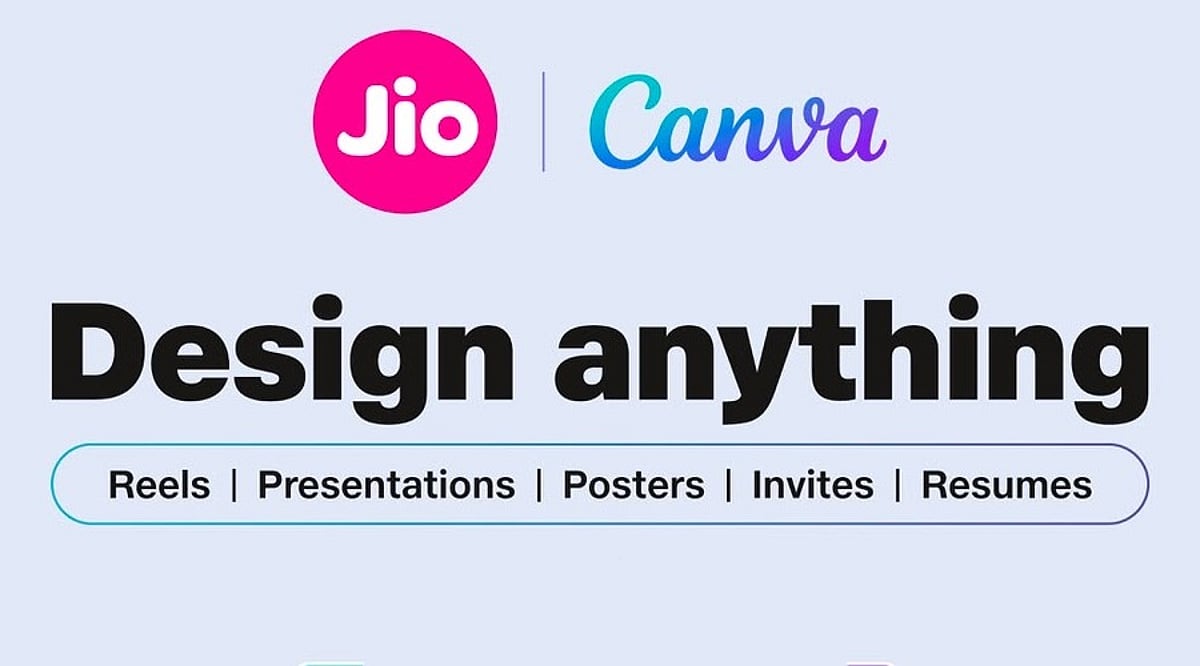
    Reliance Jio has partnered with Canva to provide eligible customers with free access to Canva Pro or Canva Pro Lite for up to 12 months. This exclusive benefit is available with select Jio recharge plans and can be claimed through the MyJio app starting September 16, 2026. The companies have valued the offer at up to Rs. 4,000.

    Which Jio Plans Are Eligible?

    The Canva subscription you receive depends on your Jio recharge plan. Customers on the Rs. 399 plan will get Canva Pro for 12 months. Users on the Rs. 349 plan and eligible 2GB-per-day plans priced above Rs. 349 will receive Canva Pro Lite for the same period.

    The offer does not require any additional subscription charges. However, customers should check the Canva offer section inside the MyJio app to confirm their eligibility before activating the benefit.

    How to Claim Your Free Canva Subscription

    Eligible customers can activate the benefit through the MyJio app. Simply open the app, locate the Canva offer, and follow the on-screen instructions. You may need to verify your Jio number and sign in to an existing Canva account or create a new one.

    Once activation is complete, the eligible Canva subscription will be linked to your account. Be sure to use the correct Canva account during activation to avoid linking the benefit to the wrong profile.

    This collaboration gives users access to premium design and AI tools, making it easier to create professional graphics, presentations, and more without a separate subscription fee.

  • Canva AI 2.0 Debuts Editable AI Designs, Memory Library, and Six Intelligent Workflows

    Canva AI 2.0 Debuts Editable AI Designs, Memory Library, and Six Intelligent Workflows

    Canva has launched Canva AI 2.0, calling it the company’s most significant product evolution since its 2013 debut. The new AI system transforms Canva into a conversational, agentic platform that allows teams to move from an initial idea to complete, published work in a single environment. With over a quarter of a billion monthly users, Canva AI 2.0 enables users to start with an idea, goal, brief, rough sketch, or even an unfinished thought instead of beginning with a template or blank page.

    Fully Editable AI-Generated Designs

    The new system is powered by the Canva Design Model, described as the world’s first foundation model built to understand design structure, hierarchy, and complexity. Canva AI 2.0 generates fully layered and editable output from a single prompt. Every element—images, headlines, fonts—remains individually adjustable without affecting other parts of the design. The system stays involved throughout the creative process, understanding intent and handling complex requests while allowing users to edit manually as needed.

    Memory Library Learns User Preferences

    Canva AI 2.0 introduces the Memory Library, giving the system persistent memory. This feature lets Canva AI understand how users work, retain project context, and automatically apply their style. According to Canva, the more users create, the better the system understands their workflow, making suggestions increasingly useful over time.

    Four core capabilities power Canva AI 2.0:

    • Conversational design – create through natural interaction
    • Agentic orchestration – AI coordinates the full design engine to achieve requested outcomes
    • Layered object intelligence – outputs consist of individual editable objects
    • Memory Library – learns and retains user preferences and context

    Six New Intelligent Workflows

    Canva AI 2.0 introduces six new workflows that expand the platform’s capabilities:

    • Connectors – link Canva AI with Slack, Gmail, Google Drive, Google Calendar, Notion, Zoom, HubSpot, Microsoft, Atlassian, and Linear to create on-brand visual outputs from conversations and content
    • Scheduling – set tasks to run automatically in the background, including while offline
    • Web research – gather and structure information from across the web directly into designs as editable content
    • Brand Intelligence – apply fonts, colors, and styles from a connected brand template or description
    • Sheets AI – generate structured spreadsheets from descriptions (budget trackers, project timelines, content calendars) populated with real data
    • Canva Code 2.0 – create fully interactive experiences via conversational prompts, with responsive design and HTML importing

    Availability

    Canva AI 2.0 is currently available as a research preview, with general availability rolling out over the coming weeks. Users can access the platform via Canva’s official website on supported devices.

  • Canva Business vs Canva Pro: Essential Features for Team Collaboration and Brand Management

    Canva Business vs Canva Pro: Essential Features for Team Collaboration and Brand Management

    Creative work slows down when teams spend more time chasing files than creating them. Brand assets sit in personal folders, feedback gets buried in chat threads, and approvals arrive through scattered emails. The result is delays, version confusion, and inconsistent branding. Canva’s business plan brings design, collaboration, brand assets, and approvals into one shared workspace, helping teams move from idea to publication with greater speed and control.

    Canva Pro vs Canva Business: What’s the Difference?

    The two plans solve different problems. Canva Pro sharpens individual output. Canva Business coordinates a group working toward the same brand standard. Canva Pro still exists for individual users, while Canva Business adds shared brand controls, admin permissions, and a structured review process on top of everything Pro already offers. The old flat-rate Teams plan has been retired for new customers and rebuilt around per-seat pricing. Costs and limits shift often enough that checking Canva’s own pricing page beats relying on older comparisons.

    Real-Time Editing for Seamless Collaboration

    Real-time editing removes the back-and-forth of exported files. A designer lays out a graphic, a copywriter edits the headline, and a manager leaves a comment, all inside the same file. Nobody waits for someone else to finish and send a new version. This works best when roles are clear from the start. A team that knows who owns creation, who reviews, and who approves moves through a design process far faster than one that relies on ad hoc requests.

    Brand Kits and Template Locking

    Brand Kits store logos, color codes, fonts, and approved images in one place, so nobody has to guess which shade of blue is correct. Template locking goes a step further, keeping approved layouts intact even when several people can edit a file. The result is fewer off-brand designs slipping through review, since the right assets are simply the default option rather than something each contributor has to remember on their own.

    Separating Feedback from Approval

    These two steps get treated as one, but they are not. Comments handle the rough edges: a tag here, a suggested edit there, and a flag on something incomplete. Approval comes after, and it carries weight that comments do not. A file moves from creator to reviewer to a named approver, sometimes including legal, before it goes live. Keeping these stages apart means a comment never gets mistaken for final sign-off, and someone stays accountable for what gets published.

    Folders, Permissions, and Ownership

    Shared folders sort work by brand, client, or campaign, which matters once a workspace grows past a few people. Permissions decide who can touch brand assets, manage templates, or approve final work. Not everyone needs full access. Designs also live in the shared workspace rather than one person’s account, so a campaign stays reachable even after someone leaves the company or switches roles. That continuity rarely gets noticed until its absence causes a problem.

    A Campaign in Motion

    Picture a retail team building a seasonal push. Designers pull from approved templates. A copywriter edits copies directly in the file. A manager leaves notes during review. Legal checks the claims. An approver signs off. Every step happens inside one workspace, with no exported drafts floating through email.

    Where AI Adds Speed

    Canva’s business tools include AI features for drafting copy, building first-pass presentations, resizing assets, and adapting one design into several formats. These cut production time, though availability shifts by plan and region. Human review still matters most for tone, accuracy, and brand fit. AI speeds up the early draft. It does not replace the judgment applied during review and approval.

    Getting Started

    Teams adopting this setup tend to succeed faster with a short checklist: build one approved Brand Kit first, create templates for recurring content, assign clear roles, set folder conventions early, route feedback through comments instead of chat apps, and revisit permissions as the team changes.

    Final Thought

    The plan and pricing details will keep shifting, but the underlying shift will not: design work is moving away from individual files and toward shared, governed systems. Teams that build strong habits around brand control and approval now will adapt faster as these tools continue to expand.

    FAQs

    1. What is Canva Pro for teams?
    Many people search for Canva Pro for teams, but Canva’s collaborative business offering is now positioned as Canva Business. It builds on Canva Pro by adding shared workspaces, Brand Kits, role-based permissions, and collaboration features designed for teams.

    2. What is the difference between Canva Pro and Canva Business?
    Canva Pro is designed primarily for individual creators who need premium design tools and assets. Canva Business adds team-focused capabilities such as shared Brand Kits, approval workflows, administrative controls, shared folders, and centralized collaboration.

    3. Can multiple people edit the same Canva design at the same time?
    Yes. Canva supports real-time collaboration, allowing multiple team members to edit a design simultaneously, leave comments, mention colleagues, and review changes without creating multiple file versions.

    4. How does Canva Business help maintain brand consistency?
    Canva Business helps teams stay on brand by providing shared Brand Kits, reusable templates, approved design assets, and permissions that control who can edit brand elements. This reduces inconsistent designs across teams and campaigns.

    5. Does Canva Business support approval workflows?
    Yes. Canva Business includes approval workflows that allow designated reviewers or approvers to sign off on designs before they are published. This helps businesses improve accountability, streamline reviews, and reduce publishing errors.

  • Top Free AI Image Generators for Creators, Students, and Marketers

    Top Free AI Image Generators for Creators, Students, and Marketers

    Looking to create stunning AI-generated images without spending a dime? These free platforms make it easy for anyone—from students to professional marketers—to produce high-quality visuals with just a few clicks. Here are the best free AI image generators available right now.

    ChatGPT Images

    Generate high-quality images from simple text prompts using an intuitive interface. Perfect for quick visual ideas and brainstorming.

    Microsoft Designer

    Create AI-powered graphics, posters, and social media content effortlessly. Ideal for non-designers who need polished results fast.

    Adobe Firefly

    A favorite among professional designers, Firefly delivers realistic AI images and is safe for commercial use.

    Leonardo AI

    Excellent for gaming art, concept designs, and creative illustrations. Offers fine control over style and composition.

    Ideogram AI

    Known for producing images with accurate text and creative typography—great for logos, posters, and branded content.

    Playground AI

    Generate realistic photos and edit existing images with ease. A versatile tool for both beginners and advanced users.

    Canva AI Image Generator

    Perfect for beginners creating presentations, marketing graphics, and social posts. Integrated into Canva’s easy-to-use design suite.

    Mage.Space

    Fast AI image generation without complicated setup. Just type a prompt and get results in seconds.

    Whether you’re a student working on a project, a marketer crafting social media visuals, or a creator exploring new styles, these free AI image generators offer powerful capabilities at no cost. Start experimenting today!