
Key Takeaways
- Screen time management apps help create healthier digital habits for children.
- Most parental control apps include screen limits, content filters, and activity reports.
- The right app depends on device compatibility, family needs, and preferred safety features.
Children spend a large part of each day with smartphones, tablets, computers, and gaming devices. Digital tools help with school work, learning, entertainment, and communication. At the same time, long hours in front of a screen can affect sleep, physical activity, family time, and concentration. Many parents search for a simple way to create healthy digital habits without constant arguments.
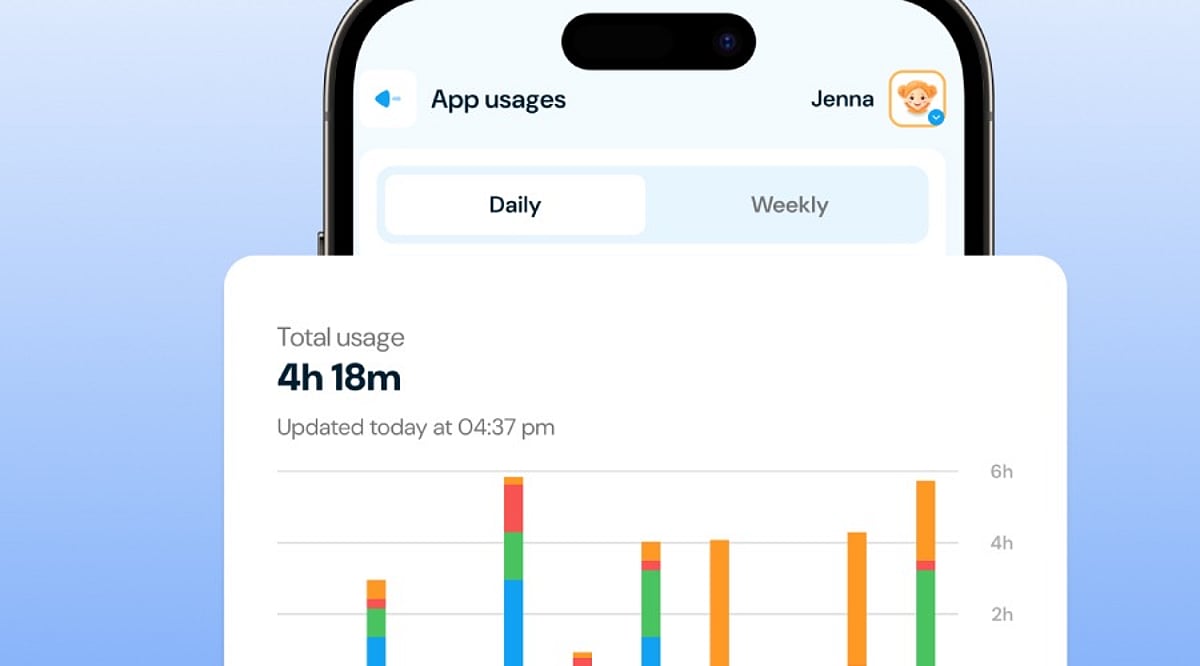
Parental control apps solve this problem with practical tools that help families set clear limits. Most apps allow parents to decide when a child can use a device, block unwanted content, approve app downloads, and check online activity. Several apps also show daily reports that help parents understand screen habits. A suitable parental control app creates balance instead of complete restriction. Children enjoy technology while parents stay informed and confident.
Qustodio
Among the parental control apps that parents trust today is Qustodio. This application is compatible with devices running Android, iPhones, Windows, Mac, Chromebooks, and Kindle. Thus, families with different devices will be able to manage them from one account.
The application has the screen time feature that enables parents to set daily limits and customize schedules for school hours, homework, sleep time, and family activities. Apart from that, it provides the service of blocking the internet access when the parents set time limits. Activity reports are sent to parents which include applications in use, websites generally visited, and screen time duration. The location tracker feature enhances parents’ security because it gives status updates on the location.
Google Family Link
Google Family Link offers a free solution for families with Android devices. Parents can create digital rules without extra cost while children enjoy a safe online environment. The app works especially well with Google accounts for children.
Parents can set daily screen limits, lock devices from a distance, approve or reject app downloads, and check app activity. The app also shows how much time each child spends with different applications. Family Link supports location tracking, which helps parents know where children stay throughout the day. The clean design makes every option easy to find without confusion.
Microsoft Family Safety
Microsoft Family Safety serves families that use Windows computers together with Android or Xbox devices. The app combines screen time management with online safety features in one place.
Parents can set screen schedules for each device and decide how many hours children can spend online every day. The app also filters websites, blocks unsuitable content, and provides activity reports that show browsing habits and app use. Location sharing works well for family members who carry Android phones. Microsoft Family Safety creates a connected experience across several Microsoft products without complicated setup.
Bark
Bark places emphasis on the significance of online safety along with supervision of usage of devices. The application examines the online behaviors of an individual on various platforms like texting, emailing, social media, and other sites. The alerts provided by the application aids the parents in understanding about the cyberbullying, predators, inappropriate contents, and unsafe discussions on their children’s devices.
Bark application allows parents to make rules concerning the screen time usage like making a daily routine for device usage or forbidding access to various online platforms while the child is studying, sleeping, or at family events.
Norton Family
Norton Family comes from a well-known cybersecurity company and offers reliable parental control features for modern families. The app supports Android, Windows, and web browsers with a simple interface.
Parents can create screen time schedules, monitor web searches, block inappropriate websites, and receive detailed reports about online activity. School Time mode supports focused learning by limiting access to entertainment during study hours. The reporting system presents useful information without unnecessary details, which helps parents understand digital habits more easily.
OurPact
OurPact stands out with flexible screen time scheduling and simple device management. The app works with both Android and iPhone devices, which makes it suitable for families with different operating systems.
Parents can block apps with one touch, create automatic schedules, and pause internet access during meals, homework, or bedtime. The app also allows selective app blocking instead of complete device restriction. This feature helps children continue school work while entertainment apps stay unavailable. The colorful interface remains easy for parents who prefer a simple setup process.
Net Nanny
Net Nanny has earned a strong reputation for advanced internet filtering and family safety tools. The app supports several major platforms and offers reliable protection against harmful websites.
The screen time tools allow parents to create schedules that match school routines and family activities. Internet filters analyze website content in real time instead of relying only on fixed lists. Parents also receive reports that highlight browsing history, app activity, and screen time patterns. Location tracking adds another useful feature for families with older children who travel alone.
Apple Screen Time
Apple Screen Time comes built into every iPhone, iPad, and Mac. Families that use Apple devices do not need another app for basic screen time management.
Parents can create daily limits, block apps during specific hours, set communication limits, and restrict purchases. Content filters help children avoid unsuitable websites and age-restricted material. Weekly reports display detailed information about app use and total screen time. The built-in design works smoothly across Apple devices without extra installation.
How to Select the Right App
Each family has unique requirements, which means that the top parental control application will vary according to the needed function. Some parents may find content filtering features highly valuable, while others may rather go for detailed tracking of children’s activities or knowing their whereabouts. Compatibility with devices is also significant, especially in families where Apple, Android, Windows, and Chromebook products are available at the same time.
A quality parental control app must be easy to manage, work well, and provide clear reporting. Effective scheduling permits children to do schoolwork, entertain themselves, and spend time with the family without being reminded constantly, while privacy needs to be assured in light of the fact that personal data is usually present in every report received.
Why This Matters
Healthy screen habits facilitate fewer disturbances in sleeping cycles, better focus, and regular workouts. Parental control apps help adults set clear and simple rules regarding the use of technology among children. Good screen habits also help avoid distractions, promote responsible behavior, and create positive habits.
Final Thoughts
Parental control apps help families build healthier digital habits without unnecessary stress. Features such as screen time limits, activity reports, content filters, and location tracking create a safer online experience for children of every age. Qustodio, Google Family Link, Microsoft Family Safety, Bark, Norton Family, OurPact, Net Nanny, and Apple Screen Time each offer valuable tools for modern families.
The right app supports healthy routines, encourages responsible device use, and gives parents greater confidence every day. Consistent rules, open family conversations, and suitable technology create a balanced digital lifestyle that supports learning, entertainment, and personal growth.
FAQs
- What is a parental control app? A parental control app helps parents manage screen time, monitor online activity, and block inappropriate content on children’s devices.
- Which parental control app is best for Android? Google Family Link and Qustodio rank among the top choices for Android devices.
- Can parental control apps limit screen time? Yes. Most apps allow parents to set daily limits, schedules, and device lock times.
- Are parental control apps safe to use? Trusted apps from established companies protect user data and provide secure account management.
- Do parental control apps work on multiple devices? Many leading apps support Android, iPhone, Windows, Mac, and other popular platforms through a single family account.