

Tag: fiber laser

  • Laser Cutting for Beginners: A Complete Guide to the Technology, Types, and Safety

    Laser Cutting for Beginners: A Complete Guide to the Technology, Types, and Safety

    What Is Laser Cutting?

    Laser cutting is a precision technology that employs a focused beam of light to cut, engrave, or etch materials with remarkable accuracy. Unlike traditional blades or routers, the laser never makes physical contact with the material—it melts, burns, or vaporizes it along a programmed path, producing clean edges and intricate details that manual tools cannot replicate.

    What once required a factory floor now fits on a desk. Today, a desktop laser cutter can transform a digital design into a finished object in minutes: custom wood signage, engraved leather wallets, or precision-cut acrylic parts. The technology is now accessible to hobbyists, small business owners, and educators alike.

    How Does Laser Cutting Work?

    The process is straightforward once you grasp the basics. A laser source generates a concentrated beam of light. A lens system focuses that beam down to a tiny point—often thinner than a human hair. A CNC motion system then guides the focused beam along the paths defined in your design file (typically an SVG or DXF). Where the beam meets the material, temperatures spike high enough to vaporize or melt it instantly, creating your cut or engraved line.

    Most machines also use air assist—a stream of compressed air aimed at the cutting zone. This prevents flare-ups, blows away debris, and keeps the lens clean for consistent results.

    Types of Laser Cutting Machines

    Not all lasers are created equal. The three main types serve very different purposes:

    • CO₂ lasers: The workhorse for most makers. They deliver clean cuts on the widest range of non-metal materials and are available in both industrial and desktop form factors.
    • Diode lasers: The most affordable entry point. They handle engraving and thin material cutting well but lack the power for thicker stock.
    • Fiber lasers: Built for metal. They cut significantly faster than CO₂ on steel and aluminum but at a much higher price.

    Across all three categories, the trend is clear: desktop laser cutting machines are getting more precise and easier to use. New entrants like the Bambu Lab R1 laser cutter exemplify this shift, bringing pro-level accuracy to a compact, beginner-friendly form factor.

    What Materials Can You Laser Cut?

    One of the biggest draws of laser cutting is the variety of materials you can work with:

    • Wood: Plywood, MDF, birch, basswood—maker favorites that cut cleanly and develop attractive charred edges.
    • Acrylic: Cast acrylic produces polished, crystal-clear edges straight off the machine.
    • Leather: Real vegetable-tanned leather cuts and engraves beautifully.
    • Fabric: Cotton, felt, denim—natural fibers cut without fraying.
    • Paper & cardboard: Ideal for prototyping and intricate paper art.

    For engraving only (not cutting through): glass, ceramic tile, anodized aluminum, and coated metals.

    ⚠️ Never laser cut PVC, vinyl, or ABS. These materials release toxic chlorine or cyanide gas that is hazardous to breathe and will corrode your machine.

    Laser Cutting vs. Laser Engraving

    Most laser cutters are actually two tools in one:

    • Cutting sends the beam all the way through the material, separating pieces along vector paths. You use higher power and slower speed.
    • Engraving removes only the surface layer, creating texture, contrast, or images through a raster scanning motion—similar to how an inkjet printer moves back and forth.

    A typical workflow: engrave first (while the piece is still flat and stable), then cut the outline to release the finished part.

    How to Use a Laser Cutter: From Design to Finished Piece

    Here is the step-by-step process most beginners follow:

    1. Design your project in vector software (Adobe Illustrator, Inkscape, or even Canva for simple shapes).
    2. Export your file as SVG or DXF—the two formats laser software reads.
    3. Import into your laser’s software and set parameters: power, speed, and number of passes.
    4. Test cut on a scrap piece of the same material to dial in settings.
    5. Run the full job and remove your finished piece.

    The key settings to learn: Power controls beam intensity, Speed controls how fast the head moves, and Passes means how many times the laser traces the same path. Two moderate passes often give cleaner edges than one aggressive cut.

    Safety Tips Every Beginner Should Know

    Laser cutting is safe when you follow basic precautions:

    • Ventilation is non-negotiable. Always use an exhaust system or operate near an open window. Cutting wood and acrylic produces smoke and fumes.
    • Wear laser safety glasses rated for your machine’s wavelength.
    • Never leave a running machine unattended. Materials can ignite, especially paper, cardboard, and thin fabrics.
    • Check your material before cutting. If you are unsure whether it contains PVC or chlorine-based coatings, do not cut it.

    Frequently Asked Questions

    What does laser cutting do?

    It uses a focused beam of light to cut through or engrave materials like wood, acrylic, leather, and fabric. The process is CNC-controlled, meaning a computer guides the laser along your exact design paths.

    What is the laser cutting process?

    A laser beam is generated, focused through a lens, and directed along programmed paths on the material. The intense heat vaporizes or melts the material, creating precise cuts or surface engravings.

    How much does it cost to get something laser cut?

    Professional laser cutting services typically charge per minute of machine time, or by material area. For frequent use, a desktop laser cutter pays for itself quickly—entry-level diode machines start around a few hundred dollars, while more capable desktop systems range from $1,000 to $5,000+.

    What should you not cut with a laser?

    Never cut PVC, vinyl, ABS, polystyrene foam, or fiberglass. These materials release toxic fumes that are dangerous to inhale and can damage your equipment.
  • AI and Laser Automation Reshape Small Manufacturing: A 2026 Outlook

    AI and Laser Automation Reshape Small Manufacturing: A 2026 Outlook

    A visit to a one-man fabrication shop in Ohio reveals the true impact of laser automation. The owner, who spent nine years cutting acrylic signs by hand router, switched to a CO2 laser machine eighteen months ago. When asked what changed, he didn’t mention speed or quality first. He said he no longer dreads Monday mornings.

    That response captures a deeper truth about automation in small manufacturing. It’s not just about output numbers—it’s about what happens when a single operator can take on work that once required a three-person team and still finish by dinner.

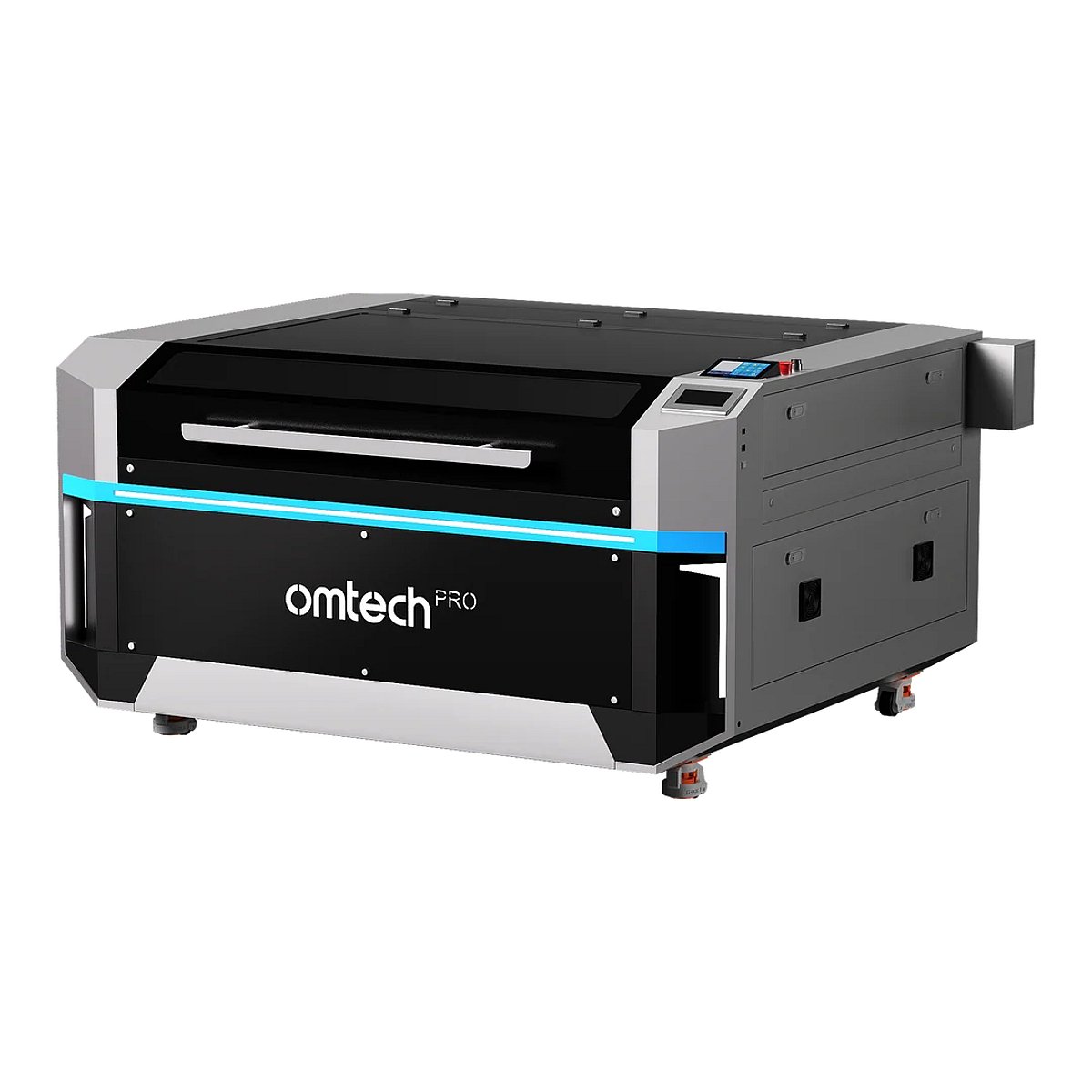
    By 2026, the laser machine market has matured to the point where access is no longer the barrier. The real question is how small manufacturers are using the technology and what happens when AI starts guiding the process. OMTech, a laser equipment manufacturer based in Anaheim, California, has tracked these shifts across its customer base, revealing consistent patterns across industries.

    What Laser Machines Actually Do in Small Shops

    A laser machine is a precision cutting and marking system that uses a focused beam of light to interact with material. CO2 lasers handle wood, acrylic, leather, and fabric. Fiber lasers handle bare metals. The beam follows a digital design file, so accuracy is as good as the file itself.

    For a small manufacturer, this removes human variability from cutting and marking operations. The machine never has an off day and doesn’t rush at the end of a shift. The five hundredth piece looks like the first one.

    Shops that have integrated laser machines most successfully didn’t necessarily have the biggest budgets. They identified one production bottleneck and targeted it specifically:

    • A sign shop that was routing letters by hand switched to CO2 laser cutting and reduced per-sign labor time from 45 minutes to 8 minutes.
    • A jewelry repair business added a fiber laser engraver and now offers personalization services that account for 40% of monthly revenue.
    • A contract parts supplier added a fiber laser marking machine to bring traceability marking in-house, eliminating $600 per month in outsourcing costs.
    • A home workshop seller on Etsy scaled from 20 orders per month to 180 after switching from hand engraving to a CO2 laser machine.

    Where AI Enters the Laser Machine Workflow

    AI integration in laser manufacturing happens at several levels, many of which aren’t obvious from the outside.

    Automated Material Recognition

    Newer laser systems include sensors and software that automatically identify material type and thickness, then pull recommended cutting parameters from a library. Parameter selection is where most quality problems originate. A beginner operator who once spent two hours on test cuts now spends ten minutes. An experienced operator using AI-suggested parameters iterates faster and wastes less material.

    Nesting Optimization

    Nesting arranges parts on a sheet to minimize waste. AI-driven nesting software now completes in seconds what used to take 15–30 minutes of manual arrangement. Shops report 12–18% reductions in raw material consumption on typical production runs.

    Vision Alignment Systems

    Camera-based alignment systems allow laser machines to position designs on irregular or pre-marked materials without manual measurement. The material goes on the bed, the camera identifies reference points, and the software repositions the design. For businesses engraving on irregular blanks or adding marks to pre-cut parts, this eliminates a step that previously required skill and attention.

    Predictive Maintenance

    Production laser machines now monitor their own operational parameters and flag degradation before it becomes failure—lens contamination, beam alignment drift, cooling system performance. The machine tells the operator what needs attention before a mid-job failure costs time and material. For a small shop with one machine handling all production, unplanned downtime is a serious financial event.

    Emerging Revenue Patterns

    The economic story in 2026 isn’t just about cost reduction. It’s about new revenue categories that were inaccessible before the technology became affordable.

    Personalization at scale is the clearest example. A laser engraver or cutter can produce unique versions of the same product—different names, designs, or text—without changing setups. Personalized products command substantially higher prices. A cutting board that sells for $18 without a name sells for $55–$75 with one.

    On-demand manufacturing allows small shops to produce single pieces or very small batches economically. A customer who needs one custom award or prototype doesn’t need to order fifty to make the economics work.

    Contract services are another pattern. A shop with a laser machine often discovers excess capacity and sells access to other local businesses. Contract laser cutting, engraving, and marking generate revenue from equipment that would otherwise sit idle between production runs.

    What Small Manufacturers Should Evaluate Before Buying

    The laser machine market offers options across price points and capability levels. Before looking at specifications, answer these questions:

    • What materials will you process? CO2 for wood, acrylic, leather, and fabric. Fiber for bare metals. This determines the laser type.
    • What is your realistic production volume? 40-watt for personal/low production; 60–80 watts for most small business needs; 100+ watts for shops running the machine most of the day.
    • What does the full setup cost? Machine price is only the start. Ventilation adds $150–$400. A water chiller for CO2 adds $200–$600.
    • What software does the machine support? LightBurn is the production standard for most CO2 and fiber machines. Verify compatibility before purchase.
    • What support exists? Search the manufacturer name alongside terms like maintenance, parts, and troubleshooting. Active communities and accessible documentation are reliable indicators of long-term ownership.

    The Competitive Reality for Small Manufacturers in 2026

    Businesses not adopting laser machine technology are not standing still—their competitors are. Entry-level production capability has dropped in price to the point where payback is straightforward for almost any shop with a clear application.

    A shop spending $400 per month outsourcing laser work can purchase an in-house system and reach payback in under a year. A shop adding personalization to an existing product line often sees revenue increases that cover equipment cost within six to nine months.

    AI accelerates this: faster parameter development, better material utilization, reduced operator training time. These improvements compound over time. A shop that adopted a laser machine two years ago and has been refining its workflow holds a meaningful operational advantage over one starting today.

    The transformation happening in small manufacturing through laser machine adoption and AI-guided process optimization is not speculative. It is visible in revenue numbers, payback timelines, and the Monday morning attitudes of shop owners who made the switch.

    The technology is accessible. The applications are proven. The competitive pressure is real and increasing. For small manufacturers evaluating their next capital investment, a laser machine with AI-assisted workflow support is one of the clearest paths to both cost reduction and new revenue generation available in 2026.

    OMTech, based in Anaheim, California, designs and builds CO2 laser engravers, fiber laser marking systems, and MOPA fiber lasers for small businesses, production shops, and home workshop users. Their full range of laser engraving and cutting machines is available at OMTech.