Tag: free AI tools

  • 10 Free Google AI Tools You Should Know About

    10 Free Google AI Tools You Should Know About

    Google’s AI Toolkit for Everyone

    Google offers a wide range of free artificial intelligence tools that can help with writing, coding, research, image generation, translation, and more. Here are ten of the best free AI-powered products from Google you can start using today.

    1. Gemini

    Gemini is Google’s versatile AI assistant. It helps with writing, coding, brainstorming, research, summarization, image generation, and everyday questions. It works seamlessly across multiple devices, making it a powerful productivity companion.

    2. NotebookLM

    NotebookLM transforms your uploaded documents into AI-powered summaries, study guides, FAQs, podcasts, and insights. It only uses your sources, so information stays relevant and doesn’t mix with unrelated data.

    3. Google AI Studio

    Google AI Studio lets developers and beginners experiment with Gemini models, build AI applications, test prompts, and prototype workflows—all through a free, user-friendly interface.

    4. Gemini Code Assist

    Gemini Code Assist offers free AI coding support with code generation, debugging, explanations, autocomplete, and programming assistance directly inside supported development environments.

    5. Google Translate

    Google Translate uses AI to translate text, speech, images, and conversations across numerous languages. It improves accuracy and context, delivering natural language understanding.

    6. Google Lens

    Google Lens identifies objects, translates text, solves homework, recognizes plants, and searches visually using AI through your smartphone camera in real time.

    7. Google Photos AI Editor

    Google Photos offers AI-powered photo editing features, including Magic Editor, object removal, background improvements, lighting adjustments, and automatic enhancement for eligible users.

    8. Learn About

    Learn About is Google’s experimental AI learning tool. It explains complex topics conversationally, encourages curiosity, answers follow-up questions, and supports deeper educational understanding naturally.

    9. Google Earth AI Features

    Google Earth uses AI-powered mapping and visualization tools to explore locations, analyze geographic information, and understand environmental changes through interactive satellite imagery.

    10. Google AI Search Features

    While not a standalone tool, Google’s AI-powered search features (like AI Overviews) enhance how you find and summarize information online. These are integrated into the main search experience.

    These tools demonstrate Google’s commitment to making AI accessible to everyone, from students and hobbyists to developers and professionals.

  • How to Write Human-Like Articles Using DeepSeek AI for Free: A Step-by-Step Guide

    How to Write Human-Like Articles Using DeepSeek AI for Free: A Step-by-Step Guide

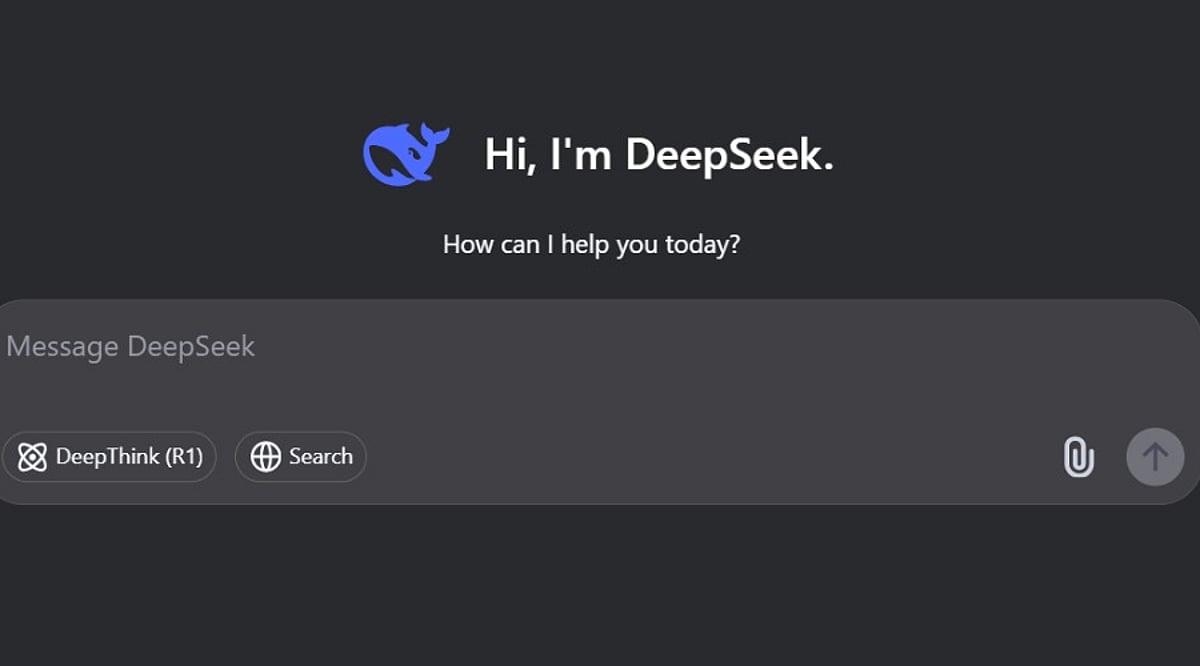
    Speed used to be the main selling point of AI writing tools, but that alone no longer cuts it. Faster drafts often produce articles that sound alike—same sentence lengths, same safe transitions, and same forgettable phrasing. DeepSeek AI, a free tool, can generate a solid outline or a full draft in minutes, but the real work begins after the draft is done. The difference between a generic AI article and one that feels human lies in how you edit, verify, and add original insights.

    Building a Prompt DeepSeek Can Actually Use

    Prompt quality heavily influences the output. The biggest mistake is asking for a finished article in a single request. A strong prompt defines four elements: the audience, the objective, the format, and any constraints on tone or length. Breaking the request into stages yields more coherent results:

    • First, ask for an outline only.
    • Second, expand each section individually.
    • Third, run a separate pass to adjust the tone.

    A weak prompt: “Write a 1,000-word article about electric cars.” A staged version: “Outline a 1,000-word article for first-time EV buyers in India, with a conversational tone, one practical example per section, and no promotional language.” DeepSeek retains conversational context within a session, so follow-up prompts can refine the same draft without restarting—for example, by shortening a section or simplifying the language.

    Where DeepSeek Helps and Where It Does Not

    DeepSeek excels at structure and summarization. It organizes complex topics into logical sections quickly and compresses source material effectively. However, it is less reliable without human review when producing verified facts, distinctive opinions, and naturally varied sentence rhythm. It can also generate multiple structural approaches to the same topic, making it useful for exploring outlines before committing to a final direction.

    Editing for Rhythm Instead of Just Correctness

    Left unedited, DeepSeek tends to repeat sentence openers across adjacent paragraphs. For example: “Artificial intelligence is transforming content creation. Artificial intelligence also improves productivity. Artificial intelligence helps writers generate articles faster.” Edited for rhythm, the same idea reads: “AI has transformed content creation, though speed is not its main advantage. It handles repetitive drafting well, leaving writers more time to refine ideas and verify facts.” The information stays the same, but the shape changes—and shape is what readers notice first. A quick diagnostic: if two adjacent paragraphs open with a similar structure, rewrite one.

    Verifying Before Publishing

    Every factual claim, number, or named tool must be checked against current, authoritative sources before publication. A confident-sounding statistic from the model is not the same as a verified one. This step separates an editorially responsible article from one that merely reads well.

    Adding What the Model Cannot

    Structure and phrasing can come from the model, but specific examples, workflow observations, or genuine opinions about where the tool falls short cannot. One reliable method: instruct DeepSeek to leave a placeholder, such as “insert practical example here,” during drafting. That way, the exact spot needing original insight never gets lost in the edit.

    The full workflow is simple: build a staged prompt, expand the draft section by section, edit for rhythm and tone, verify every factual claim, and finish by adding original judgment. Skipping the verification step is the fastest way to publish something confident and wrong.

    Final Thought

    AI may keep improving at drafting, but clarity, judgment, and credibility remain editorial decisions. DeepSeek can accelerate the writing process, yet an article earns a reader’s trust only after a human shapes it with evidence, context, and a distinctive voice.

    Frequently Asked Questions

    1. Can DeepSeek AI write complete articles for free?

    Yes. DeepSeek AI can generate outlines, introductions, and full-length article drafts without cost on its free version. However, human editing is still necessary to improve accuracy, readability, tone, and originality before publication.

    2. How can AI-generated articles sound more human?

    Start with detailed prompts, generate content in stages, vary sentence lengths, replace repetitive phrases, add original examples, and fact-check every claim. Human editing is what gives an article a natural voice and credibility.

    3. Is DeepSeek AI suitable for SEO content writing?

    Yes. DeepSeek AI can help create SEO-friendly outlines, incorporate target keywords naturally, and structure content with headings. Final optimization should include manual keyword refinement, internal linking, metadata, and fact verification.

    4. What are the biggest mistakes when using DeepSeek AI for writing?

    The most common mistakes are relying on a single prompt, publishing without verifying facts, leaving repetitive sentence structures unchanged, and failing to add unique insights or real-world examples that distinguish the content.

    5. Can DeepSeek AI replace human writers?

    No. DeepSeek AI is an effective drafting assistant, but it cannot consistently provide editorial judgment, original experiences, nuanced opinions, or reliable fact verification. Human writers remain essential for producing trustworthy and engaging articles.


  • Top Free AI Image Generators for Creators, Students, and Marketers

    Top Free AI Image Generators for Creators, Students, and Marketers

    Looking to create stunning AI-generated images without spending a dime? These free platforms make it easy for anyone—from students to professional marketers—to produce high-quality visuals with just a few clicks. Here are the best free AI image generators available right now.

    ChatGPT Images

    Generate high-quality images from simple text prompts using an intuitive interface. Perfect for quick visual ideas and brainstorming.

    Microsoft Designer

    Create AI-powered graphics, posters, and social media content effortlessly. Ideal for non-designers who need polished results fast.

    Adobe Firefly

    A favorite among professional designers, Firefly delivers realistic AI images and is safe for commercial use.

    Leonardo AI

    Excellent for gaming art, concept designs, and creative illustrations. Offers fine control over style and composition.

    Ideogram AI

    Known for producing images with accurate text and creative typography—great for logos, posters, and branded content.

    Playground AI

    Generate realistic photos and edit existing images with ease. A versatile tool for both beginners and advanced users.

    Canva AI Image Generator

    Perfect for beginners creating presentations, marketing graphics, and social posts. Integrated into Canva’s easy-to-use design suite.

    Mage.Space

    Fast AI image generation without complicated setup. Just type a prompt and get results in seconds.

    Whether you’re a student working on a project, a marketer crafting social media visuals, or a creator exploring new styles, these free AI image generators offer powerful capabilities at no cost. Start experimenting today!

  • Top AI Image Generators of 2026: Free, Premium, and Uncensored Platforms Reviewed

    Top AI Image Generators of 2026: Free, Premium, and Uncensored Platforms Reviewed

    Why AI Image Generation Is Growing So Fast

    Artificial intelligence continues to reshape digital creativity, and image generation remains one of its fastest-growing frontiers. In 2026, creators, marketers, designers, and casual users rely on AI tools to produce high-quality visuals in seconds—no design degree or expensive software required.

    Factors driving adoption include:

    • Faster content production
    • Reduced design costs
    • Unlimited creative experimentation
    • Improved image quality through advanced AI models
    • Accessibility for beginners and professionals alike

    Best Free AI Image Generators

    1. Stable Diffusion–Based Platforms

    Open-source flexibility, community models, and high customization make Stable Diffusion a top choice for creators seeking control without cost.

    2. Microsoft Designer AI Creator

    Beginner-friendly interface with fast generation, clean commercial outputs, and reliable cloud performance—ideal for business users.

    3. Canva AI Generator

    Drag-and-drop simplicity, social media templates, and workflow integration make Canva a go-to for everyday visual content.

    Premium Paid AI Image Generators

    1. Midjourney

    Cinematic, highly detailed visuals with exceptional artistic quality, strong prompt interpretation, and style consistency.

    2. Adobe Firefly

    Commercial-safe generation, seamless Photoshop integration, advanced editing tools, and enterprise-level performance.

    3. DALL·E

    Intelligent prompt understanding, accurate object placement, and user-friendly interface for polished marketing visuals.

    Growing Demand for Uncensored AI Platforms

    As mainstream platforms tighten restrictions, creators increasingly seek NSFW AI image generators for greater artistic freedom, character customization, and experimental outputs. Key reasons for this shift:

    • Fewer prompt limitations
    • Greater artistic freedom
    • More detailed character customization
    • Less restrictive content policies
    • Greater experimentation opportunities

    Popular NSFW AI Image Generators in 2026

    1. Specialized Uncensored Platforms

    Minimal content filtering, advanced customization controls, high-resolution output, and realistic rendering engines attract users frustrated by restrictive tools.

    2. Private Local AI Models

    Technical users opt for self-hosted open-source models for full privacy, unlimited generation, no subscription, and complete prompt flexibility.

    How to Choose the Right AI Image Generator

    • For beginners: Canva AI, Microsoft Designer AI, basic web generators
    • For professional designers: Adobe Firefly, Midjourney, DALL·E
    • For maximum creative freedom: Open-source Stable Diffusion, private local systems, unrestricted specialized platforms

    The Future of AI Image Generation

    Expect real-time generation, better prompt understanding, more realistic faces, animation capabilities, integrated video, and greater personalization. As quality improves and costs drop, adoption will only accelerate.

    Final Thoughts

    AI-powered image creation is no longer a future trend—it’s a powerful creative technology available today. Choose based on your goals, budget, and desired creative freedom. Free platforms are great for exploration; premium services deliver professional quality; uncensored options offer unrestricted artistic expression.