
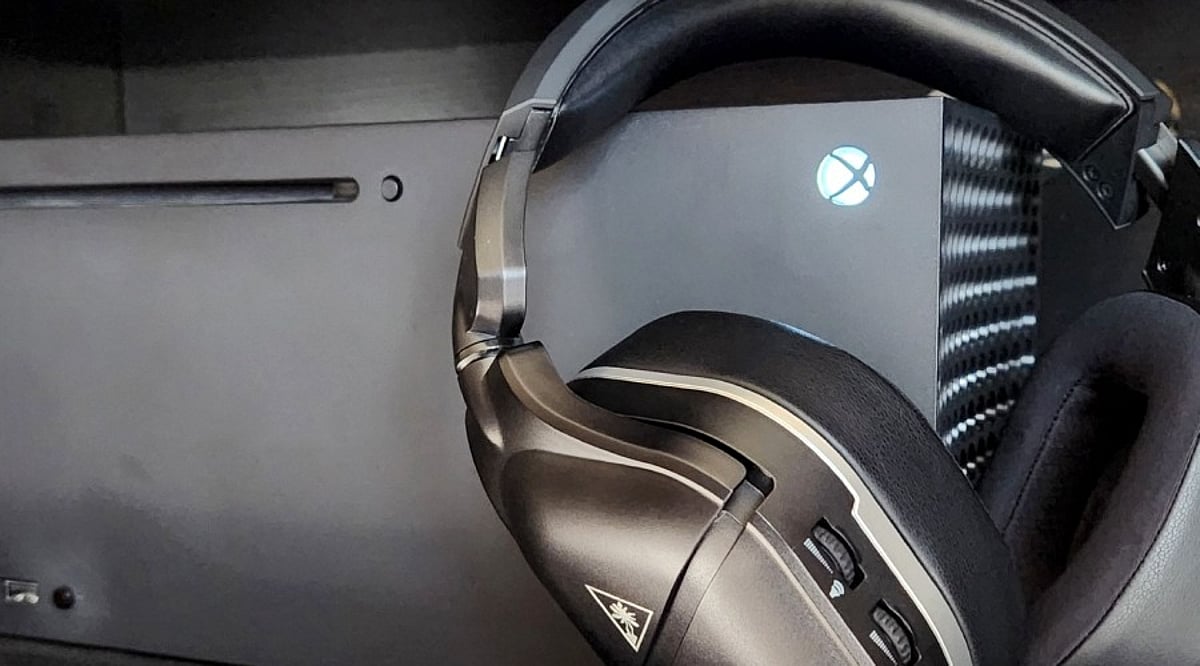
The Xbox Series X is capable of delivering far better sound than what most standard TV setups provide. The secret lies in the audio chain—not just cranking up the volume. With the right HDMI configuration, a suitable spatial audio format, and quality hardware, you can enjoy clearer dialogue, deeper bass, and more precise directional effects.
Key Takeaways
- Choose the correct audio format: Dolby Atmos or DTS:X for home theater systems; one spatial format for headphones.
- Upgrade your hardware: Soundbars with rear and height speakers enhance surround effects, while quality headsets improve directional detail.
- Keep the audio chain clean: Use direct HDMI connections, avoid overlapping surround processing, and tune placement and EQ for your room and games.
Set the Xbox Audio Format First
Navigate to Settings > General > Volume & audio output. For a Dolby Atmos soundbar or AV receiver, select Dolby Atmos for home theater under HDMI audio. DTS:X is also an option for compatible gear. Microsoft notes that these choices may prompt downloads of the Dolby Access or DTS Sound Unbound apps. Use the Audio testing & details feature to see which formats your connected setup supports.
A direct HDMI connection is best for home theater systems. Since the Xbox Series X lacks an optical audio output, older soundbars that rely on optical will need an alternative path—such as HDMI eARC from a compatible TV—to pass advanced audio formats.
Pick One Spatial Format for Headphones
Xbox Series X offers three spatial audio options for headphones: Windows Sonic for Headphones (free), Dolby Atmos for Headphones, and DTS Headphone:X (both paid). You don’t need a dedicated Atmos headset; the console processes spatial audio for any compatible headphones. Avoid using multiple surround effects simultaneously—a clean stereo headset with a single spatial format yields clearer directional cues than a headset with several active virtual surround modes.
Choose a Soundbar With Real Surround Hardware
While a basic soundbar improves upon TV speakers, hardware layout matters for gaming. Models with height drivers and discrete satellite speakers—like the Samsung HW-Q990F (11.1.4 channels) or the JBL Bar 1000MK2 (7.1.4 channels)—create a stronger sense of vertical space and surround detail. For a budget option, the Hisense AX5140Q offers a 5.1.4 design with four height drivers.
Match the Headset to Xbox
Premium choices like the SteelSeries Arctis Nova Pro Wireless include 2.4GHz wireless, Bluetooth, a DAC hub, hot-swappable batteries, and Dolby Atmos support. The Turtle Beach Stealth 500 is a lower-cost alternative with similar wireless features and a 40-hour battery life. A soundbar with rear speakers suits shared rooms and large-screen gaming; a headset is better for late-night or private sessions where subtle directional sounds matter.
Tune the Room and EQ
Room placement affects Atmos performance more than any menu setting. Ensure height speakers have clear space above, and rear speakers are positioned correctly. Room correction (available on models like the Samsung HW-Q990F) helps adapt the sound to your space. For competitive games, reduce excessive bass to avoid masking footsteps and reload cues; for story games, a fuller low end adds weight to explosions and environmental effects.
Build a Cleaner Xbox Audio Chain
The optimal setup starts in the Xbox audio menu, travels through the HDMI path, and ends at your speakers or headset. Use Dolby Atmos for home theater gear, and one of the three spatial formats for headsets. The right soundbar adds physical surround and height hardware, while the right headset reveals small directional details. The goal: a clean signal path with the correct format, sensible placement, and only one active spatial audio system at a time.
Frequently Asked Questions
What is the best audio setting for Xbox Series X?
For home theater equipment, Dolby Atmos for home theater is a strong option. For headphones, choose Windows Sonic, Dolby Atmos for Headphones, or DTS Headphone:X.
Does Xbox Series X support optical audio?
No. The Xbox Series X|S does not have an optical audio output. Use HDMI, USB, or controller-based connections as needed.
Do I need a Dolby Atmos headset for Xbox Series X?
No. Dolby Atmos for Headphones is processed by the console and works with any compatible headphones.
Is a soundbar or headset better for Xbox gaming?
A soundbar with rear speakers works well for shared-room gaming and immersive sound; a headset is better for private gaming and detailed directional cues.
Should I use multiple surround sound modes at once?
Generally, no. Combining Xbox spatial audio with additional virtual-surround processing can blur directional cues and reduce clarity.
