
Tag: gaming consoles

  • How to Connect Multiple HDMI Devices to One TV: A Complete Guide

    How to Connect Multiple HDMI Devices to One TV: A Complete Guide

    Modern entertainment setups often involve several HDMI devices—gaming consoles, streaming sticks, Blu-ray players, laptops, and set-top boxes—but many TVs come with only a few HDMI ports. This guide walks you through the steps to connect and manage multiple HDMI devices using a single TV, whether you have enough ports or need an external switch.

    Check Your TV’s HDMI Ports

    Before connecting anything, examine the back or side of your TV to see how many HDMI ports are available. Note which ports are already in use by other devices like soundbars or cable boxes. This will help you plan your setup.

    List Your HDMI Devices

    Identify all the devices you want to connect: gaming consoles (PlayStation, Xbox, Nintendo Switch), streaming devices (Roku, Amazon Fire Stick, Apple TV), Blu-ray players, laptops, or set-top boxes. Knowing exactly what you need to connect will determine whether you can use the TV’s built-in ports or need an HDMI switch.

    Use Available HDMI Ports Directly

    If your TV has enough HDMI ports for all your devices, simply connect each device to a separate port. This is the simplest and most reliable method, as it avoids additional hardware and potential signal degradation.

    Get an HDMI Switch

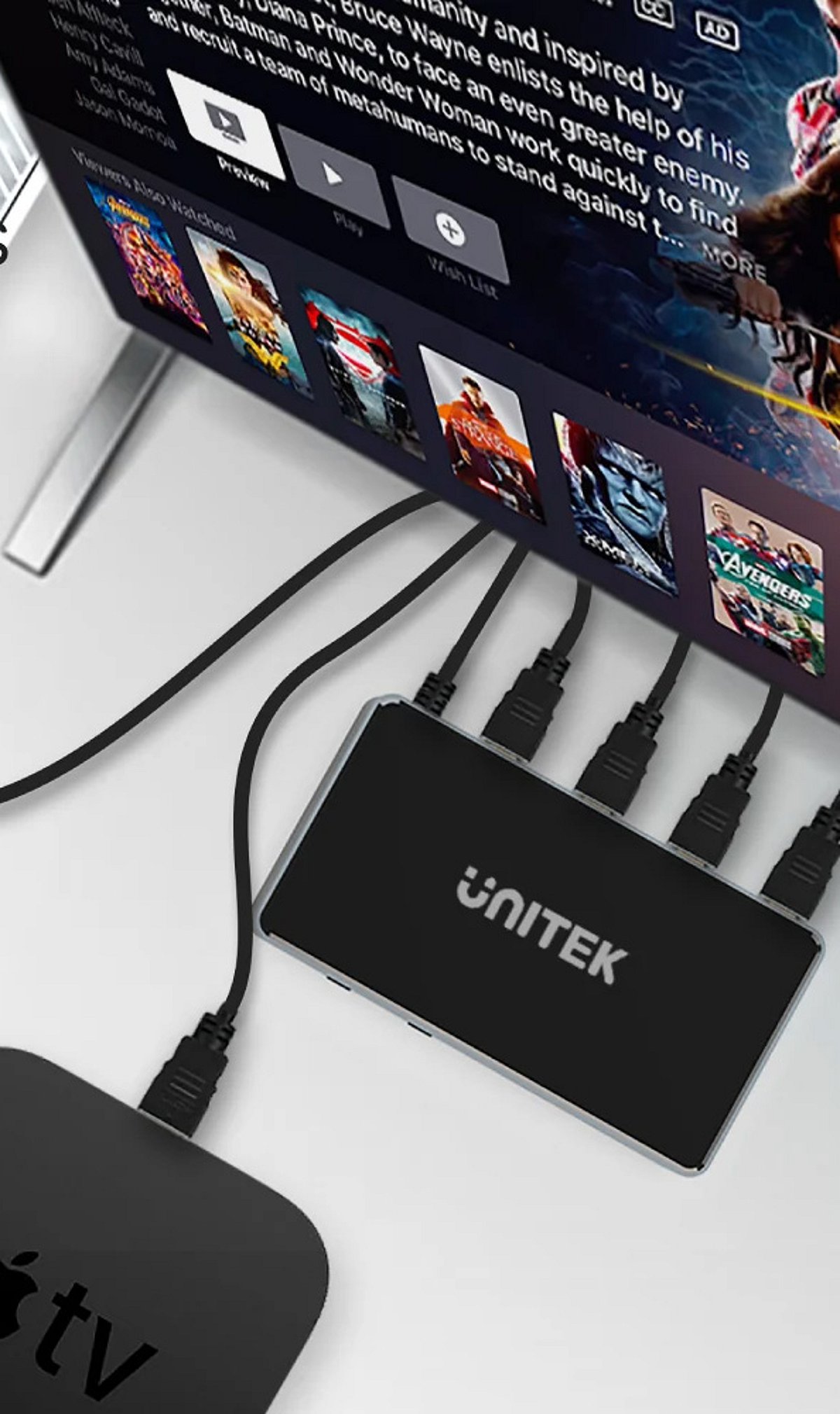
    If your TV lacks sufficient HDMI ports, an HDMI switch is the solution. A switch allows you to connect multiple devices to a single TV port. Switches come in various sizes (e.g., 3-port, 5-port) and support different resolutions and refresh rates.

    Connect the HDMI Switch

    Plug the HDMI switch into one of your TV’s available HDMI ports. Then connect your gaming consoles, streaming devices, and other equipment to the switch’s input ports. Most switches are plug-and-play, requiring no additional software.

    Choose the Right HDMI Switch

    Before purchasing a switch, check the supported resolution (1080p, 4K, 8K), refresh rate (60Hz, 120Hz), HDR compatibility, and HDMI version (2.0, 2.1). Ensure the switch matches your devices’ capabilities to avoid issues like lag or poor picture quality.

    Switch Between Connected Devices

    Most HDMI switches come with a physical button or a remote control to toggle between connected devices. Press the button or use the remote to select the device you want to use, eliminating the need to repeatedly unplug and replug cables.

    Check Audio and Video Settings

    After connecting everything, turn on your TV and select the correct HDMI input (the one connected to the switch, or the direct port). Verify that video, sound, HDR, and refresh rates are working properly. Adjust settings in your TV’s menu if needed.

    Keep Your Setup Organized

    Label your HDMI cables and the ports on the switch to quickly identify which device is which. This makes switching between consoles and other devices much simpler and keeps your entertainment area tidy.

    By following these steps, you can enjoy a clutter-free, efficient multi-device setup without constantly swapping cables. Share this guide with anyone looking to simplify their home entertainment system.

  • Top Retro Gaming Handhelds Available in India for 2024

    Top Retro Gaming Handhelds Available in India for 2024

    Retro gaming handhelds have become increasingly popular in India, offering a portable way to relive classic games from consoles like the Game Boy, PlayStation, and arcade systems. Whether you’re a seasoned collector or a newcomer, the market is filled with options ranging from budget-friendly devices to premium Android-powered consoles. Here’s a curated list of the best retro gaming handhelds currently available in India.

    Anbernic RG35XX Plus

    A compact retro handheld featuring a vibrant display, strong emulation performance, Linux-based software, and excellent battery life for classic gaming. It’s a great all-rounder for fans of Nintendo, Sega, and other retro systems.

    Miyoo Mini Plus

    A fan-favorite handheld offering crisp visuals, a pocket-friendly design, custom firmware support, and smooth gameplay across multiple classic gaming platforms. Its small size makes it ideal for on-the-go gaming.

    Retroid Pocket 5

    Premium Android-powered gaming handheld delivering powerful performance, touchscreen controls, wide emulator compatibility, and support for demanding retro gaming systems like Dreamcast, PSP, and PlayStation 1.

    AYN Odin 2

    High-performance handheld powered by flagship hardware, enabling smooth emulation of retro consoles alongside select modern Android gaming experiences. It’s a top choice for those who want both retro and contemporary gaming in one device.

    TrimUI Smart Pro

    An affordable retro gaming device featuring a large display, comfortable controls, solid battery life, and reliable performance for classic game libraries. Great value for casual retro gamers.

    Anbernic RG406H

    A modern retro handheld combining ergonomic design, Hall-effect joysticks, excellent display quality, and powerful hardware for advanced console emulation. Perfect for serious emulation enthusiasts.

    Powkiddy RGB30

    Unique handheld with a square display, ideal for classic arcade, Game Boy, and pixel-art games with impressive battery performance. Its distinctive screen is perfect for vertical shooters and old-school RPGs.

    Retroid Pocket Mini

    Compact Android handheld balancing portability, premium controls, excellent display quality, and reliable emulation across multiple retro gaming platforms. A solid choice for those who prioritize portability without sacrificing performance.

    Anbernic RG40XX H

    Budget-friendly handheld featuring dual analog sticks, a Linux operating system, broad emulator support, and dependable performance for everyday retro gaming. Ideal for beginners or those on a tight budget.

    These handhelds offer a nostalgic trip down memory lane while leveraging modern technology for better performance and display quality. Whether you’re in India or anywhere else, each device has its own strengths, so choose based on your preferred systems and budget.