Tag: gaming performance

  • RedMagic Astra 2 Review: A Compact Android Gaming Tablet with a 185Hz OLED Display

    RedMagic Astra 2 Review: A Compact Android Gaming Tablet with a 185Hz OLED Display

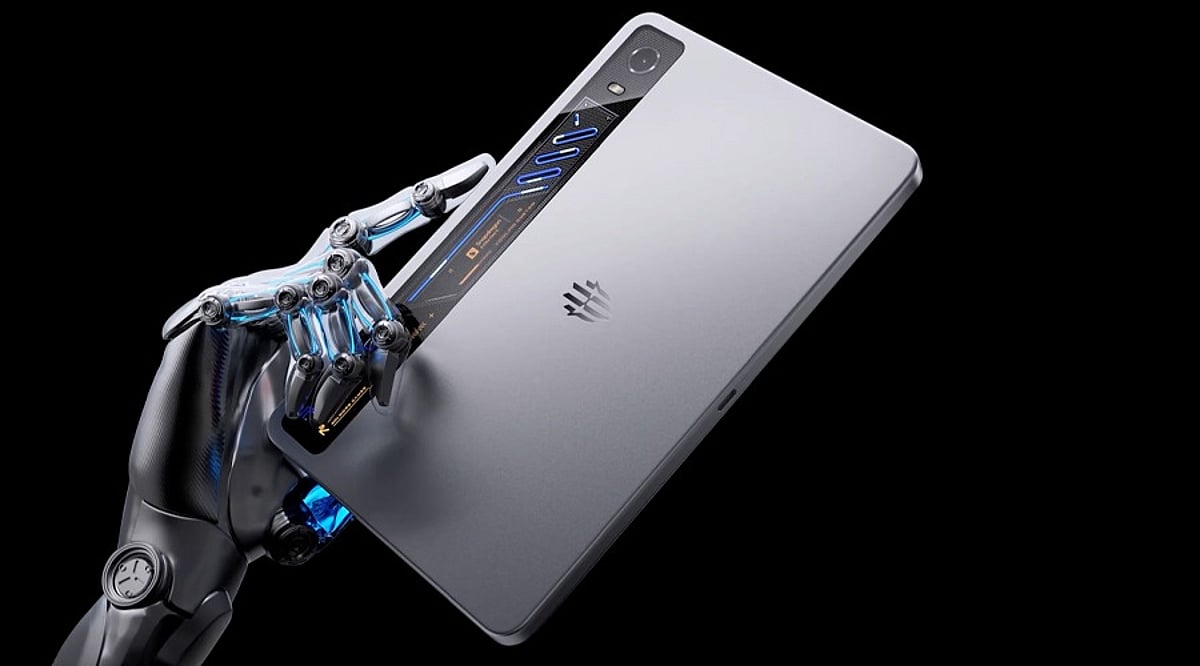
    The RedMagic Astra 2 is a small and compact Android gaming tablet designed for enthusiasts who demand top-notch performance in a portable form factor. Powered by the Qualcomm Snapdragon 8 Elite Gen 5 processor, it features a 9.06-inch OLED screen with an astonishing 185Hz refresh rate, an advanced liquid cooling system, and gaming-optimized software. Together, these specs deliver a superior gaming experience for an Android tablet.

    However, the device does exhibit significant performance throttling under heavy load and lacks cellular connectivity. Despite these drawbacks, it remains a strong contender in the Android gaming tablet market.

    Specifications at a Glance

    • Processor: Qualcomm Snapdragon 8 Elite Gen 5
    • Display: 9.06-inch OLED, 185Hz refresh rate
    • Cooling: Advanced liquid cooling system
    • Software: Gaming-optimized custom OS
    • Connectivity: Wi-Fi only (no cellular)

    Pros and Cons

    Pros

    • Exceptional gaming performance with top-tier processor
    • Ultra-smooth 185Hz OLED display
    • Effective liquid cooling reduces heat buildup
    • Compact and portable design
    • Dedicated gaming software for enhanced experience

    Cons

    • Noticeable performance throttling during sustained heavy use
    • No cellular connectivity for on-the-go data

    Final Verdict

    The RedMagic Astra 2 is an excellent Android gaming tablet that packs premium specifications into a small, portable body. The Snapdragon 8 Elite Gen 5 chipset, along with the lightning-fast 185Hz OLED display, robust cooling system, and specialized gaming software, create a truly immersive experience for casual and professional gamers alike. While the sustained throttling and lack of cellular support prevent it from being perfect, these issues are relatively minor given the tablet’s overall capabilities. For gamers seeking a dedicated, high-performance Android tablet, the RedMagic Astra 2 is a compelling choice.
  • OnePlus 16 Leak: Expected Price, Massive Battery, and Camera Upgrade Revealed

    OnePlus 16 Leak: Expected Price, Massive Battery, and Camera Upgrade Revealed

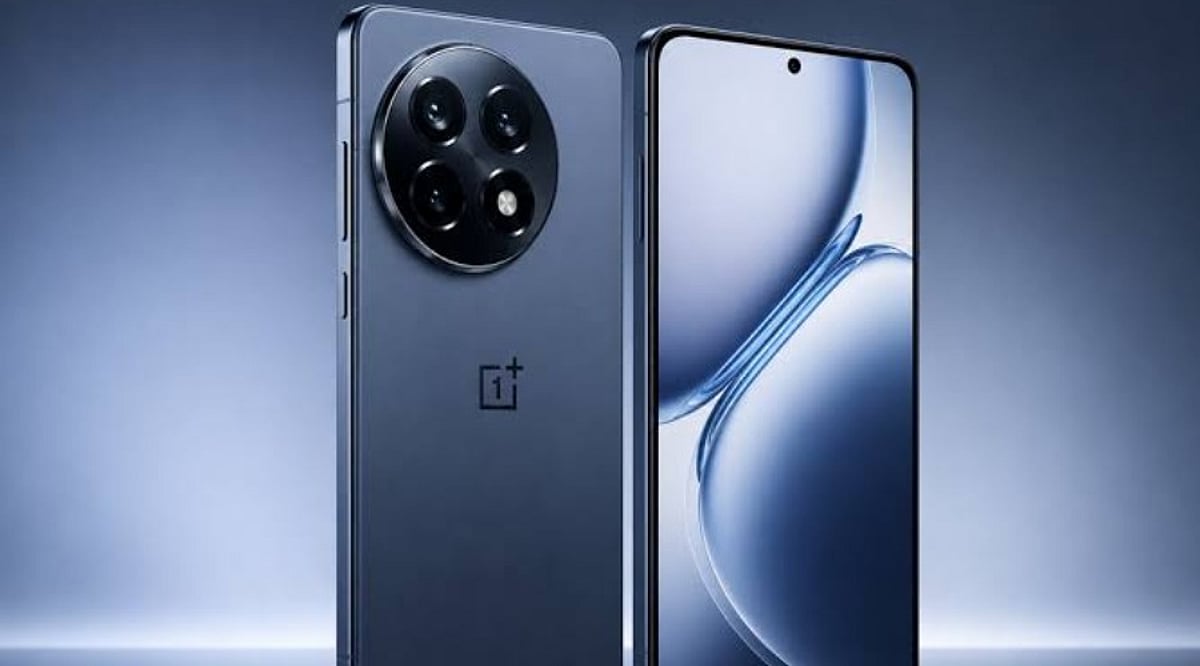
    New leaks suggest the OnePlus 16 could launch later this year with a bigger battery, improved cameras, and flagship hardware at a price close to its predecessor. The company has officially unveiled its next flagship smartphone and said it will focus heavily on gaming performance and flagship-level hardware.

    The smartphone maker revealed that the OnePlus 16 will focus on three gaming-related technologies: Wind Chaser Gaming Core, High Refresh Rate technology, and the E-Sports Triple-Chip System, aimed at improving gameplay and efficiency. Although the company has not introduced the phone to users, speculations suggest that the upcoming model would include the Snapdragon 8 Elite Gen 6 Pro processor to enhance AI capabilities and energy efficiency. It could come with a 165Hz refresh rate for smoother scrolling, animations, and gaming.

    Additionally, the model is expected to have a 200MP periscopic camera and a 9,000mAh battery. The model will arrive later this year in China and is rumored to be around CNY 4,499, which could place the Indian price near Rs. 55,000 to Rs. 60,000.

    OnePlus 16 Comparison with Rivals

    The OnePlus 16 will likely compete with the Samsung Galaxy S27, iPhone 18, Xiaomi 17, Vivo X300 Pro, and Oppo Find X10. All of these phones are expected to offer premium features and powerful processors. However, OnePlus could still have one clear advantage. The rumored 7,000mAh battery is a lot larger than what many flagship phones tend to offer. If it can deliver a long battery life without adding too much extra weight, it might appeal to a lot of buyers. It could also have an edge over some competition in terms of fast charging.

    These details are currently only based on leaks; OnePlus may change the final product at the time of its official announcement. With a bigger battery, better cameras, and a competitive price, the OnePlus 16 could be one of the most exciting flagship phones to watch this year.

  • DDR4 vs DDR5 RAM: The Definitive Guide for Gamers and PC Builders in 2026

    DDR4 vs DDR5 RAM: The Definitive Guide for Gamers and PC Builders in 2026

    As we approach 2026, the debate between DDR4 and DDR5 RAM remains a critical decision for PC builders and gamers. Both memory standards offer distinct advantages, but choosing the right one depends on your budget, performance needs, and future‑proofing goals. Here is a comprehensive breakdown to help you decide.

    DDR4: Affordable and Reliable

    DDR4 memory has been the industry standard for years and continues to deliver excellent gaming performance for budget and mid‑range PCs. Its mature ecosystem means lower prices and broad compatibility with existing motherboards and processors. For gamers who prioritize value and are building a system without cutting‑edge demands, DDR4 remains a smart choice.

    DDR5: Higher Bandwidth and Future‑Ready

    DDR5 offers significantly higher bandwidth and faster data transfer rates, which translate to better multitasking and improved performance in modern workloads. It operates at a lower voltage (1.1 V vs. 1.2 V for DDR4) and includes advanced power management for greater efficiency. New Intel and AMD platforms increasingly favor DDR5, making it the forward‑looking option.

    Gaming Performance: Where It Matters

    In most games, the difference in frame rates between DDR4 and DDR5 is modest. However, CPU‑intensive titles—such as open‑world games and real‑time strategy—benefit noticeably from DDR5’s higher bandwidth. Gamers who play demanding simulators or esports titles at high refresh rates may see tangible improvements, while casual players will likely be satisfied with DDR4.

    Content Creation and Productivity

    For video editing, 3D rendering, and AI workloads, DDR5’s increased memory bandwidth provides a clear advantage. Tasks that involve large datasets or frequent memory access run noticeably faster, making DDR5 the preferred choice for creators and professionals who rely on their PC for work.

    Power Efficiency

    DDR5 not only uses less voltage but also incorporates on‑module power management and improved data integrity features. This leads to lower overall power consumption and heat output, which can be beneficial in compact builds or systems where thermal management is a priority.

    Cost and Upgrade Path

    DDR4 systems remain significantly cheaper to build today. The memory itself is less expensive, and compatible motherboards and processors are widely available at lower price points. In contrast, DDR5 requires a newer motherboard and processor, increasing the upfront investment. However, as DDR5 matures, its prices continue to drop.

    Future‑Proofing

    Looking ahead, new Intel and AMD platforms are designed with DDR5 in mind. Choosing DDR5 now ensures your system can take advantage of upcoming CPU architectures and software optimizations. For builders who plan to keep their PC for several years, DDR5 is the smarter long‑term investment.

    Who Should Choose Which?

    Choose DDR4 if: You are building a budget‑focused gaming PC and want the best performance per dollar without needing the latest platform.

    Choose DDR5 if: You are building a high‑end gaming rig, a workstation for content creation, or simply want the most future‑proof memory available.

    Ultimately, both standards are viable in 2026. Your decision should balance current needs, budget, and how long you plan to keep your system before upgrading again.

  • Top Gaming Laptop Issues and Easy Fixes for 2026

    Top Gaming Laptop Issues and Easy Fixes for 2026

    Gaming laptops deliver impressive performance, but they aren’t immune to everyday problems that can disrupt gameplay. From slowdowns to overheating, understanding these common issues and their solutions can keep your rig running smoothly. Here’s a breakdown of the most frequent laptop headaches gamers face in 2026 and how to fix them.

    Why Gaming Laptops Slow Down

    Performance degradation is common as games become more demanding. Background applications, outdated drivers, thermal throttling, and limited storage space all contribute to lag and stuttering. Regular maintenance—keeping software updated and minimizing startup programs—helps maintain consistent frame rates.

    Overheating and Thermal Throttling

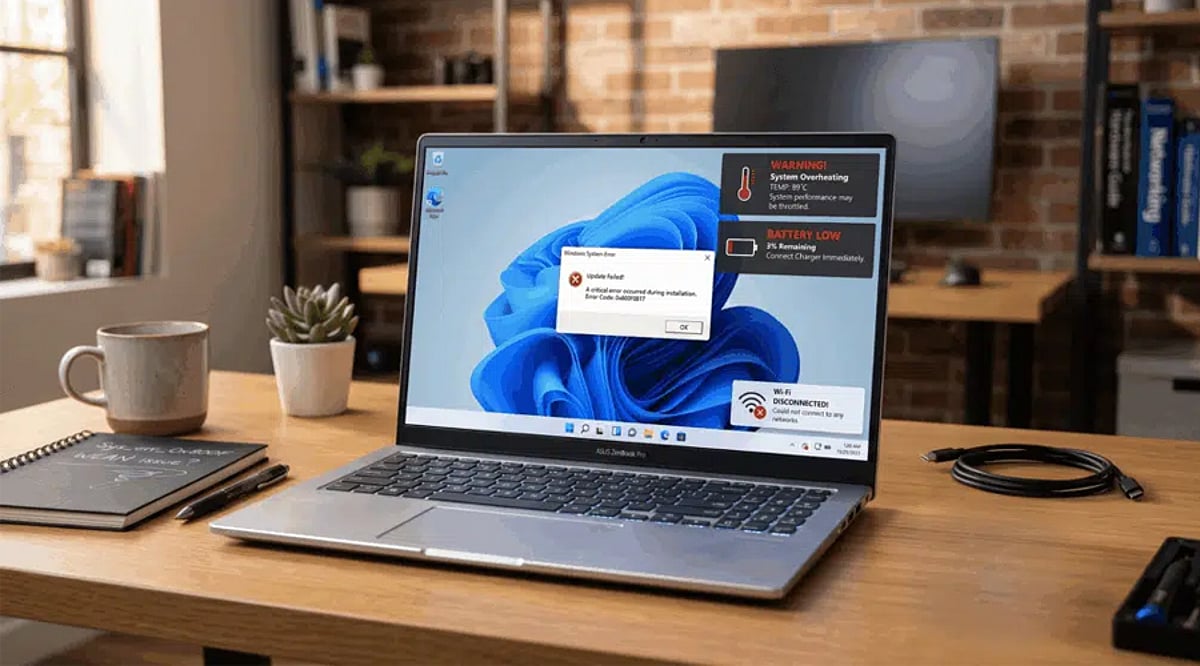
    High temperatures remain a top concern in 2026. Dust buildup, blocked vents, aging thermal paste, and demanding graphics settings force CPUs and GPUs to throttle performance. Clean cooling vents regularly, invest in a quality cooling pad, and tweak in-game graphics to lower temperatures during long sessions.

    FPS Drops and Stuttering

    Unexpected frame rate drops often stem from outdated drivers, background updates, insufficient RAM, or power-saving settings. Install the latest GPU drivers, enable high-performance power mode, close unused apps, and reduce graphics-intensive effects for a smoother experience.

    Battery Drain While Gaming

    Modern games consume significant power, draining batteries quickly even on newer laptops. For best performance, play while plugged into the original charger and activate performance mode. Lowering screen brightness and disabling unnecessary wireless features also helps conserve battery during lighter gaming.

    Network Lag and Online Issues

    Competitive multiplayer games demand stable connections. Wi-Fi interference, outdated network drivers, and crowded networks increase latency and packet loss. Use a Wi-Fi 6 or Ethernet connection, update network drivers, and prioritize gaming traffic via router QoS settings to improve online performance.

    Storage Running Out Too Quickly

    Today’s popular games often exceed 100GB, making limited SSD capacity a common frustration. Regularly remove unused games, clear temporary files, and upgrade to a larger NVMe SSD where supported. This ensures faster loading times and enough space for future installations.

    Keep Your Gaming Laptop Running Smoothly

    Routine maintenance is the easiest way to extend your laptop’s lifespan. Update Windows and graphics drivers, clean cooling systems, monitor hardware temperatures, and back up important files regularly. Combining these habits with optimized game settings delivers reliable performance and a better gaming experience in 2026.

  • How AI Upscaling Boosts Performance in Modern PC Games

    How AI Upscaling Boosts Performance in Modern PC Games

    AI upscaling has revolutionized PC gaming, enabling players to enjoy high-resolution visuals and smooth frame rates without requiring the most expensive hardware. Instead of forcing the graphics card to render every pixel at full resolution, AI generates a sharp, detailed image from a lower-resolution source. This approach reduces the GPU’s workload while preserving visual fidelity.

    How AI Upscaling Works

    Traditionally, a graphics card renders each frame at the target resolution—4K demands significantly more power than 1080p. AI upscaling flips this process: the game renders at a lower resolution, then an AI model analyzes the image and fills in missing details before output. The result is a clear, high-resolution picture with much less computational strain.

    Key Technologies: DLSS, FSR, and XeSS

    Three major technologies dominate the market: NVIDIA’s DLSS (Deep Learning Super Sampling), AMD’s FSR (FidelityFX Super Resolution), and Intel’s XeSS (Xe Super Sampling). Each works differently but shares the same goal—boosting performance without sacrificing image quality. Games like Cyberpunk 2077, Alan Wake 2, and Black Myth: Wukong rely on these tools to maintain high frame rates with ray tracing enabled. Tests show frame rate gains of 30–100% or more, depending on the title and hardware.

    Benefits Beyond Speed

    AI upscaling also extends the life of existing GPUs, allowing mid-range PCs to run demanding titles smoothly. This democratizes access to modern games, letting more players experience rich, detailed worlds without frequent hardware upgrades.

    Current Limitations

    Despite its advances, AI upscaling isn’t perfect. Fast motion can introduce blurry edges, and fine details like text or thin objects may appear slightly off. DLSS requires NVIDIA RTX cards, while FSR and XeSS are more cross-compatible but perform best on their respective hardware. There’s also a concern that studios might lean too heavily on AI rather than optimizing games natively.

    AI Enhances, Not Replaces, Human Creativity

    AI upscaling does not generate stories, characters, or game worlds—it simply improves how those elements look on screen. Artists, writers, and programmers remain the heart of game development. AI is a powerful helper, not a substitute for human imagination.

    The Future of AI in Gaming

    As the technology matures, image quality will improve and artifacts will diminish. AI upscaling will likely become a standard feature, making future games more accessible while empowering developers to create even more ambitious worlds. For now, it’s one of the best ways to get more performance from your existing PC.

  • Proven Tips to Boost Your Mobile Gaming Performance

    Proven Tips to Boost Your Mobile Gaming Performance

    Modern mobile games demand powerful hardware and optimized settings. Even high-end smartphones can experience lag, overheating, or battery drain. By making a few simple adjustments, you can enjoy smoother gameplay, stable frame rates, and faster touch response without spending money on a new device.

    Optimize Phone Performance

    Enable your phone’s Gaming or Performance Mode to prioritize CPU and GPU resources. Close background apps before launching games to free up RAM. Restart your device regularly to clear temporary files and improve system responsiveness for a more consistent gaming experience.

    Adjust Game Graphics

    Choose graphics settings that match your phone’s capabilities. Lower texture quality, shadows, and visual effects if you notice frame drops. A stable 60 FPS often delivers a better gaming experience than ultra graphics with inconsistent performance and lag during intense gameplay.

    Keep Software Updated

    Install the latest operating system updates and game patches. Developers frequently release optimizations that improve graphics performance, reduce bugs, and enhance compatibility. Updated software ensures your phone can take advantage of the latest performance improvements and security fixes.

    Manage Storage and Battery

    Keep at least 15–20% of your phone’s storage free for smooth system performance. Disable Battery Saver while gaming, as it limits processor speed. Allow games unrestricted battery access when available to maintain consistent performance during longer gaming sessions.

    Prevent Overheating

    Excessive heat causes smartphones to throttle CPU and GPU performance, leading to lower frame rates. Avoid gaming while charging, remove thick protective cases, and play in a cool environment. Short breaks between sessions also help maintain optimal temperatures and sustained performance.

    Upgrade Your Gaming Experience

    Use Game Booster tools, gaming triggers, cooling fans, or Bluetooth controllers for improved control and comfort. If your phone struggles with newer games despite optimization, upgrading to a device with a faster chipset, 8GB RAM or more, and a high-refresh-rate display is worthwhile.

  • Avoid This Common PS5 HDMI Port Mistake That Ruins Your Gaming Experience

    Avoid This Common PS5 HDMI Port Mistake That Ruins Your Gaming Experience

    Many PS5 owners unknowingly connect their console to the wrong HDMI port, missing key features like 4K 120Hz and VRR. A simple setup correction can significantly improve gaming performance, responsiveness, and overall next-generation gameplay quality.

    Hidden Limitation in Modern TVs

    It is now common for most modern television sets to have more than one HDMI port, but not all of them are the same. At the same time, almost every company ships TV models with one or two HDMI 2.1 ports, while the rest use different HDMI versions. HDMI 2.1 is basically a must for PS5 gamers, since it supports features like 4K gaming at up to 120 FPS, variable refresh rate, and auto low-latency mode, which adjusts the TV to what the game needs. These can be restricted when connected to a regular HDMI port.

    Why Performance Suffers

    There is no clear way to know what the consequences would be of connecting to the wrong HDMI port. The regular player continues gaming without noticing anything wrong. But for the competitive or performance-oriented players, the fact that something is wrong becomes quite evident. The absence of HDMI 2.1 prevents the PlayStation 5 from achieving the desired refresh rate for better gaming. This will result in higher input lag on the device. Those games that can benefit from high frame rates, such as shooters, racing, and sports simulations, are the ones most affected by the problem. This leads to a subpar gaming experience for the user.

    Premium Hardware, Basic Setup Errors

    This particular topic raises another general issue in consumer technology: consumers pay close attention when purchasing expensive gadgets, but do not consider installation conditions. Gamers who buy expensive PS5 consoles, high-refresh-rate monitors, and accessories can lose valuable performance due to the lack of a single connection point. One should admit that television manufacturers have also contributed to this confusion. The thing is, HDMI port labels vary by brand, making it quite challenging for people to determine which port supports specific gaming features. Labels like ‘4K 120Hz,’ ‘Game,’ ‘eARC,’ and ‘HDMI 2.1’ vary by manufacturer.

    Importance of TV Settings

    The HDMI port alone does not determine the situation. Some TVs require manual activation of features such as enhanced format, HDMI deep color, or game mode. Failure to activate these will mean the bandwidth for gaming functionality will remain locked. This means that certain gamers might still experience poor performance even when the console is connected to the correct port. According to technology experts, it is necessary to check both the hardware connection and the software setup to improve gaming performance.

    Small Change with Noticeable Benefits

    Fortunately, the answer is quite simple. The user only needs to consult their TV’s manual, identify the HDMI 2.1-compatible port, and ensure that the gaming modes are enabled. This, along with Sony’s own Ultra High-Speed HDMI cable, would also ensure compatibility. This case shows that the gaming experience depends not only on the console but also on the environment in which it operates. With the evolution of display technology, understanding certain technical information has become essential. For PS5 owners, checking the HDMI connection can be the simplest upgrade they undertake all year without investing another rupee.

    FAQs

    1. Why does the HDMI port matter for PS5 performance? Using the correct HDMI 2.1 port enables 4K 120Hz, VRR, and lower input lag for smoother gameplay overall.
    2. How can I identify an HDMI 2.1 port on my TV? Check labels like HDMI 2.1, 4K 120Hz, or Game Port, or consult your television manual for details.
    3. Will using the wrong HDMI port damage my PS5? No, the console remains safe, but important gaming features and performance enhancements may not function properly.
    4. What settings should I enable for the best PS5 experience? Activate Game Mode, Enhanced Format, or HDMI Deep Color settings to unlock advanced gaming features and performance.
    5. Do I need a special HDMI cable for PS5? Use Sony’s included Ultra High-Speed HDMI cable to ensure compatibility with 4K 120Hz and HDMI 2.1 features.