Tag: Google Workspace

  • Maximize Team Efficiency with Gemini AI in Google Workspace: A Practical Guide

    Maximize Team Efficiency with Gemini AI in Google Workspace: A Practical Guide

    Gemini AI is transforming how teams collaborate within Google Workspace, enabling faster writing, analysis, organization, and collaboration. According to recent insights, users can save up to three hours per week by leveraging Gemini’s capabilities across Gmail, Docs, Sheets, Slides, Meet, and Drive.

    Streamline Email Management with Gemini in Gmail

    In Gmail, Gemini helps draft polished emails, summarize lengthy conversations, rewrite messages for clarity, and instantly extract action items from threads. This reduces time spent on email triage and ensures key tasks are never missed.

    Accelerate Document Creation in Google Docs

    Gemini in Google Docs generates first drafts, rewrites content in different tones, summarizes meeting notes, and builds reusable templates. Teams can focus on refining ideas rather than starting from scratch.

    Simplify Data Analysis in Google Sheets

    With Gemini in Sheets, users can clean data, explain complex formulas, analyze trends, generate charts, and organize spreadsheets. This makes data-driven decisions accessible to everyone, regardless of technical expertise.

    Create Impactful Presentations in Google Slides

    Turn documents into professional presentations effortlessly. Gemini in Slides produces outlines, speaker notes, and AI-generated visuals, helping teams communicate ideas clearly and quickly.

    Enhance Meetings with Gemini in Google Meet

    Gemini automatically records notes, creates meeting summaries, highlights next steps, and helps late joiners catch up. This ensures everyone stays aligned without manual note-taking.

    Search and Organize with Natural Language

    Use natural language to search Google Drive and Gmail. Gemini retrieves files, summarizes documents, and organizes shared folders in seconds, saving time on manual browsing.

    Boost Teamwork with Integrated Workflows

    Combine Gemini across Docs, Gmail, Sheets, Drive, and Meet to automate repetitive tasks. Your team can focus on reviewing and refining outputs while Gemini handles the heavy lifting.

    Optimize Results with Clear Prompts

    For best results, provide Gemini with clear prompts that include project details, target audience, desired tone, and format. This yields more accurate and relevant AI-generated content.

  • Google Launches Always-On Gemini Spark AI Agent in India for 24/7 Task Automation

    Google Launches Always-On Gemini Spark AI Agent in India for 24/7 Task Automation

    Google has officially launched Gemini Spark in India, a cloud-based AI agent that operates continuously in the background — even when your phone is locked or your laptop is closed. Initially previewed at Google I/O 2026, the rollout begins for Google AI Ultra subscribers, with Google AI Pro subscribers gaining access in the coming weeks.

    An Agent That Works While You Sleep

    Unlike traditional AI assistants that respond to individual prompts, Gemini Spark is designed to autonomously complete multi-step tasks over time. It runs on Google’s cloud infrastructure and requires no active user involvement once a task is set. Built on the upgraded Gemini 3.6 Flash model, the agent integrates natively with Google Workspace apps including Gmail, Google Docs, Google Sheets, and Calendar — with no manual setup required.

    Tasks range from organizing emails in a personalized style and summarizing wedding RSVPs to planning travel itineraries across multiple services and managing recurring subscriptions.

    How Tasks, Schedules, and Skills Work

    Gemini Spark operates using three core components:

    • Task – The outcome the user wants the AI to achieve, from simple inbox clearing to complex multi-step workflows like coordinating a business trip.
    • Schedule – Recurring automations, such as a weekly summary of unread emails every Monday morning.
    • Skill – Specific capabilities Spark can apply, which will expand over time through updates. The agent can also interact with websites on the user’s behalf via a browser-based environment.

    Google has not yet confirmed which web capabilities will be available immediately in India. The launch comes shortly after OpenAI released ChatGPT Work, targeting a similar productivity and enterprise niche.

    User Control and High-Stakes Approval

    Users maintain full control over what Gemini Spark can access and do. They can limit connected apps or disable the agent entirely. For high-stakes, irreversible actions — such as sending an email without prior review, making a purchase, or any difficult-to-reverse action — Spark is designed to ask for explicit approval before proceeding.

    Google describes this human-in-the-loop design as a deliberate safeguard, positioning Spark as an agent that operates under user supervision. The India launch marks the company’s clearest step yet toward agentic AI that handles repetitive digital work autonomously.

  • Google AI Pro Setup Guide: Getting Started in 2026

    Google AI Pro Setup Guide: Getting Started in 2026

    Google AI Pro delivers a powerful suite of advanced artificial intelligence tools through a single subscription. Designed for writing, research, coding, image creation, file analysis, and more, it helps students, professionals, business owners, creators, and developers save time and achieve better results. Integration with Google Workspace—including Gmail, Google Docs, Google Drive, and Google Meet—makes everyday tasks significantly easier.

    The setup process is quick. A Google account, a supported device, and an internet connection are all you need. Once activated, all features become accessible through a simple dashboard. Understanding the initial steps ensures a smooth experience without confusion.

    What Google AI Pro Includes

    Google AI Pro brings several AI capabilities together. Gemini, the core of the experience, handles conversations, research, summaries, creative tasks, and technical work. The plan also supports document review, spreadsheet analysis, presentation ideas, image generation, and coding assistance.

    Many features connect directly with Workspace services. Gmail helps with email drafts and replies, Google Docs aids content creation and editing, Google Sheets handles data analysis and formulas, and Google Drive provides quick file access for AI-powered review. This tight integration creates a seamless workflow across applications.

    Account Requirements

    A valid Google account is essential. Users without one need to create it before subscribing. Enable two-factor authentication for added security. A stable internet connection improves response speed, and modern browsers like Chrome, Firefox, Edge, or Safari provide the best experience. Keep your browser updated for optimal performance.

    How to Subscribe

    Go to the Google AI website or the Gemini platform. Sign in to your Google account and review the available plans. Monthly and yearly payment options are typically offered. Choose the one that fits your budget—feature access remains active during the subscription period. Complete payment with a credit or debit card or another supported method. Access to Google AI Pro features activates immediately in most cases.

    Using the Gemini Dashboard

    After subscription, the Gemini dashboard becomes your main workspace. Its clean interface is easy to navigate. Use the text box to ask questions, make requests, or describe tasks. Previous conversations are saved for later reference, helping with ongoing projects. Spend a few minutes adjusting settings like language preferences, privacy controls, and connected Google services for a more comfortable experience.

    Connecting Google Workspace

    For the best results, connect Google AI Pro to your Workspace apps. Gmail support helps with email drafts and organization. Google Docs improves content and grammar. Google Sheets suggests formulas and reviews data. Google Drive gives Gemini access to selected files for summaries and quick answers. Google Meet can also generate meeting notes and conversation summaries in supported regions. These connections reduce manual work across tasks.

    Writing Effective Prompts

    Prompt quality directly affects the output. Clear instructions produce more accurate answers. Provide details such as topic, style, length, audience, and purpose. Vague requests often yield broad responses; detailed requests lead to stronger, more structured results. Small wording changes can improve outcomes without extra effort.

    Exploring Advanced Features

    Google AI Pro offers capabilities beyond simple conversations. Upload files for detailed document analysis and summaries. Review spreadsheets to quickly understand complex data. Describe images for generation. Developers can get coding help—explanations, debugging, sample code, and project ideas. Research tasks become easier with organized summaries. Creative writers can use the tool for stories, scripts, product descriptions, and marketing content.

    Keeping Data Secure

    Privacy matters. Avoid sharing sensitive personal details, financial records, passwords, or confidential business information in conversations unless necessary. Regularly review your account: update passwords, perform security checks, and monitor activity. Use trusted devices and secure networks to strengthen protection.

    Staying Updated

    Google regularly expands AI Pro with new tools, performance improvements, interface updates, and additional integrations. Feature availability may vary by country and account type. Visit the update section often to discover fresh capabilities soon after release.

    Final Thoughts

    Google AI Pro provides a practical collection of AI tools for work, study, creativity, and daily tasks. Simple setup, smooth Workspace integration, and an intuitive Gemini dashboard give new subscribers a strong start. Clear prompts, secure practices, and regular exploration help you get the most value from the subscription. With these first steps, Google AI Pro becomes a reliable digital assistant for personal and professional activities.

  • 10 Time-Saving Gemini Hacks to Supercharge Your Daily Workflow

    10 Time-Saving Gemini Hacks to Supercharge Your Daily Workflow

    Google’s Gemini AI assistant is more than just a chatbot—it’s a productivity powerhouse that can slash hours off your weekly workload. Whether you’re drafting documents, analyzing data, or brainstorming ideas, these Gemini tricks will help you work smarter, not harder.

    1. Draft Content Faster

    Use Gemini to generate emails, reports, presentations, and blog outlines. It reduces writing time while maintaining clarity and consistency, so you can produce polished drafts in minutes.

    2. Summarize Long Documents

    Upload lengthy PDFs or documents to Gemini for concise summaries, key insights, and action points. No need to read every page—just get the essential takeaways.

    3. Automate Research

    Ask Gemini to compare products, analyze trends, or explain complex topics. This helps you gather information in minutes instead of hours, freeing up time for deeper analysis.

    4. Improve Your Writing

    Refine grammar, rewrite paragraphs, adjust tone, and simplify technical content. Gemini transforms rough drafts into polished, professional communication quickly.

    5. Generate and Debug Code

    Developers can use Gemini to write code snippets, identify bugs, explain functions, and speed up software development workflows. It’s like having a pair programmer on demand.

    6. Organize Meetings

    Convert meeting notes into summaries, extract action items, and create follow-up emails. Gemini streamlines collaboration and project management, ensuring nothing falls through the cracks.

    7. Analyze Data Efficiently

    Gemini helps interpret spreadsheets, identify trends, summarize datasets, and explain findings. Data analysis becomes faster and easier, even for non-experts.

    8. Brainstorm Creative Ideas

    Generate marketing campaigns, content ideas, social media posts, and business strategies. Gemini helps overcome creative blocks and boosts your team’s creative output.

    9. Integrate with Google Workspace

    Use Gemini across Gmail, Docs, Sheets, Slides, and Drive to automate routine tasks. This deep integration improves daily productivity within the tools you already use.

    10. Save Hours Every Week

    By combining these techniques, you can reclaim hours each week. Start with one or two tricks, and gradually incorporate more as you become comfortable with Gemini’s capabilities.

    These time-saving hacks turn Gemini into your personal productivity assistant. Try them today and experience the difference.

  • Google Adds Three Gemini-Powered Features to Gmail: AI Inbox, Overviews, and Enhanced Help Me Write

    Google Adds Three Gemini-Powered Features to Gmail: AI Inbox, Overviews, and Enhanced Help Me Write

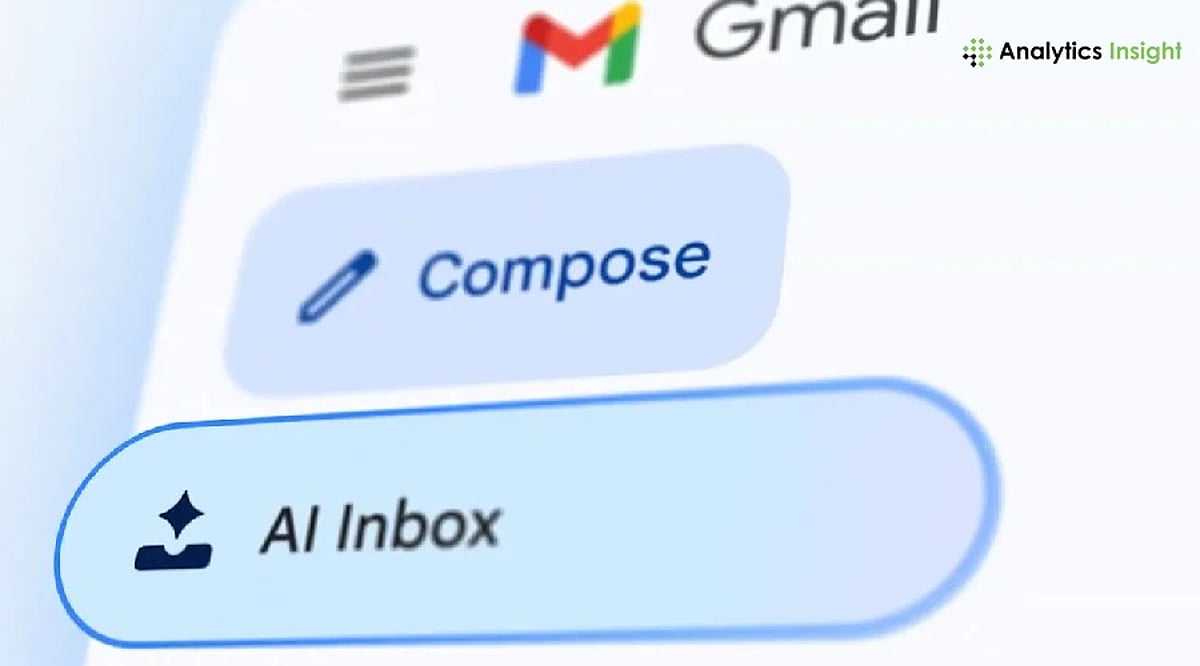
    Google has expanded Gmail’s AI capabilities with three new features powered by its Gemini AI model: AI Inbox, AI Overviews, and an upgraded Help Me Write tool. These features are designed to help users organize their inboxes, quickly find important information, and draft emails with less effort. The rollout applies to Google AI Pro, AI Ultra, and eligible Google Workspace subscribers.

    AI Inbox Highlights What Needs Attention

    The new AI Inbox changes how Gmail displays emails. Instead of listing messages in chronological order, it highlights those that require immediate attention. A Proposed To-Dos list helps users locate emails that need action, such as responding to requests or paying bills. Another section, Topics to Catch Up On, groups related emails together with an overview. This function operates only on emails in the Primary folder, not spam or other folders.

    Help Me Write Speeds Up Email Drafting

    Google has also enhanced Help Me Write, allowing users to generate an email draft by entering a simple prompt. The tool can rewrite the draft based on user preferences—making it shorter, more formal, more detailed, or easier to understand—before sending. The final draft remains editable, giving users complete control over the message.

    AI Overviews Summarize Long Conversations

    Another addition is AI Overviews, which condenses lengthy email threads into short summaries. Users can also ask Gmail questions about emails in their inbox using natural language. Instead of searching through multiple conversations, the feature pulls together relevant information and presents it in a concise format.

    Part of Google’s Gemini Expansion

    The latest Gmail update is part of Google’s wider effort to integrate Gemini across Workspace applications. The company says the new tools aim to reduce the time users spend managing emails while making it easier to stay on top of conversations. Google recommends reviewing AI-generated drafts and summaries before using them, especially for important or professional communication.

  • Master Gemini Spark on macOS: A Guide to AI-Powered Productivity

    Master Gemini Spark on macOS: A Guide to AI-Powered Productivity

    Google has expanded the Gemini experience across devices, and Gemini Spark on macOS helps users quickly access AI-powered assistance for writing, coding, brainstorming, and research.

    Getting Started with Gemini Spark

    Download and install the latest Gemini app for macOS, then sign in with your Google account to access Gemini Spark features. The setup process is straightforward and takes only a few minutes.

    Core Capabilities

    Gemini Spark lets you summarize long documents, draft emails, generate ideas, and answer complex questions without switching between multiple apps. Its versatility makes it an essential tool for professionals and creatives alike.

    For Developers

    Developers can use Gemini Spark for code generation, debugging, explaining code snippets, and creating scripts in multiple programming languages. This streamlines development workflows and boosts efficiency.

    Integration with Google Workspace

    The app integrates with Google Workspace services, making it easier to work with Docs, Gmail, Drive, and Calendar where supported. You can leverage AI assistance directly within your everyday tools.

    File Analysis

    Users can upload PDFs, images, and other supported files, allowing Gemini Spark to analyze content and provide summaries or insights. This feature is particularly useful for research and data review.

    Voice and Conversational Features

    Voice input and conversational interactions make it easy to ask follow-up questions and refine responses naturally. The AI understands context and maintains coherent dialogues.

    Best Practices

    For the best experience, keep the app updated, verify AI-generated information, and review privacy settings before sharing sensitive data. As Google continues to enhance Gemini with new AI models and productivity tools, Gemini Spark is becoming a valuable assistant for Mac users.

    Stay tuned for more updates and features as Google expands its AI ecosystem on macOS.

  • Top Zoho Mail Competitors for 2026: Feature and Pricing Comparison

    Top Zoho Mail Competitors for 2026: Feature and Pricing Comparison

    Choosing a business email platform goes far beyond simply sending messages. Collaboration, security, pricing, and scalability all shape the right decision. The following Zoho Mail alternatives stand out by solving different business needs.

    Overview

    Google Workspace and Microsoft 365 are the strongest upgrades from Zoho Mail when email sits at the center of a broader productivity workflow rather than operating as a standalone tool. ProtonMail and Tutanota serve businesses where end-to-end encryption and data confidentiality matter more than deep office suite integration. Budget providers like Hostinger and Indian cPanel hosts offer the lowest cost per mailbox for SMEs that need reliable domain email without bundled productivity tools.

    Zoho Mail is affordable, functional, and good enough for most small businesses. This is exactly why many teams outgrow it. When your workflow demands deeper collaboration, stronger privacy, or simply a cheaper mailbox, there’s a better fit. The real question is not which provider offers the most features. It is the one that best matches the way a team works and what the business actually needs.

    Two questions settle this faster than any comparison chart. Does your team use email as a standalone tool or as the center of a productivity workflow? And what is your honest per-user budget, factoring in growth?

    Provider Comparison at a Glance

    When You Need a Full Productivity Suite

    For many businesses, moving away from Zoho Mail is not really about email. It is about getting a complete productivity platform instead of a standalone email service. Both Google Workspace and Microsoft 365 include email, document editing, calendar, video meetings, and team collaboration in one package. A single platform reduces the need to switch between different tools throughout the workday.

    Google Workspace works best for teams that spend most of their day in a web browser. Gmail, Drive, Docs, and Meet all integrate closely, and real-time collaboration is seamless. It suits teams that collaborate on documents, hold frequent video meetings, and prefer a single platform for everyday work.

    Microsoft 365 is a better fit for organizations that already rely on Outlook, Excel, or desktop Office applications. Businesses with established Microsoft workflows can migrate with minimal disruption.

    Both platforms perform well in terms of the technical aspects of email delivery. SPF, DKIM, and DMARC help keep your domain reputation clean and your emails in inboxes and out of spam folders. User management is easy on both platforms, with tools maturing as the number of users grows.

    When Privacy and Encryption Come First

    ProtonMail and Tutanota serve a different requirement entirely. Both encrypt email end-to-end by default, meaning the provider itself cannot access stored messages. ProtonMail operates under Swiss privacy law, with Professional plans starting around 6.25 euros per user per month. Tutanota offers comparable encrypted email and calendar functionality at competitive pricing, with particular appeal for small privacy-conscious teams.

    What you give up is office suite integration. Neither platform connects naturally with Google Docs or Microsoft Office workflows. For law firms, healthcare providers, or any business handling sensitive client communications, that trade is justified. For a general business team that relies on everyday collaboration tools, it is not the right fit.

    When Affordable Domain Email is All You Need

    Not every business needs a full productivity suite. All they want is a reliable email service that can be customized with their own domain name at a reasonable cost. That’s where budget email hosting providers come into play. Hostinger email plans are available from approximately Rs. 25 per mailbox per month on long-term plans, which include IMAP support, webmail, and spam protection.

    Other Indian hosting providers, including HostStack, MilesWeb, and TrueHost, bundle cPanel email with web hosting and often include multiple email accounts and standard email authentication features. Collaboration tools are typically separate, and these services are more hands-on to manage than Google Workspace or Microsoft 365. They’re a good option for companies that prioritize email reliability and cost savings.

    Understanding the True Cost

    Headline pricing rarely reflects what a platform actually costs over time. Google Workspace costs more per user than Zoho Mail, but reduces IT overhead, removes the need for separate video meeting subscriptions, and scales without requiring plan upgrades as teams grow. Hostinger costs less per mailbox but demands separate tools for everything beyond basic email.

    Zoho Mail Lite and Workplace generally undercut Google and Microsoft on price. Hostinger and cPanel email undercut Zoho on mailbox-only costs. ProtonMail and Tutanota may carry a higher per-user cost than standard providers, but their encryption defaults and compliance benefits carry real value in regulated industries.

    The right approach is to match your budget to what your team genuinely uses, not to the lowest available price.

    Which Alternative Fits Your Business

    Before making a final decision, consider these questions:

    • Does your team need office apps within the same subscription?
    • Is encryption a compliance requirement for your industry?
    • Will headcount grow rapidly over the next year?
    • Do you need shared mailboxes, aliases, or admin auditing tools?
    • Are you replacing an existing platform that requires a careful migration path?

    Each answer clearly points to one category. Match the platform to what your business genuinely needs, and the right choice becomes obvious.

    Final Thoughts

    The ideal Zoho Mail replacement is the one that fits a team’s workflow today and will also enable growth in the future. It’s not about price alone but rather a balance that includes security, collaboration, administration, and value. A platform that suits the business will deliver better outcomes than one selected for its lowest monthly price.

    FAQs

    1. What is the best alternative to Zoho Mail for small businesses?
    The best alternative depends on business needs. Google Workspace is ideal for collaboration; Microsoft 365 suits Office-based workflows; and Hostinger and cPanel email are good choices for affordable custom-domain email.

    2. Is Google Workspace better than Zoho Mail?
    Google Workspace offers a broader productivity suite with Gmail, Drive, Docs, Meet, and real-time collaboration. Zoho Mail remains a more affordable option for businesses that primarily need professional email.

    3. Which Zoho Mail alternative offers the best privacy?
    ProtonMail and Tutanota are among the strongest privacy-focused alternatives. Both provide end-to-end encryption and are designed for organizations that prioritize secure business communication.

    4. Are budget email hosting providers suitable for businesses?
    Yes. Providers such as Hostinger and cPanel-based email hosting are suitable for businesses that only need reliable custom-domain email without integrated office applications or collaboration tools.

    5. What should businesses consider before switching from Zoho Mail?
    Businesses should compare pricing, collaboration features, security, storage, migration support, and long-term scalability. Choosing a platform that matches daily workflows usually delivers better value than selecting the lowest-priced option.