Tag: hardware

  • 2026 AI PC Hardware Guide: Memory, GPUs, and Storage for Local AI Models

    2026 AI PC Hardware Guide: Memory, GPUs, and Storage for Local AI Models

    Local AI in 2026: Hardware Essentials for Running Models On-Device

    Running AI models locally in 2026 hinges on more than just a capable processor. Memory, GPU power, bandwidth, and storage all play critical roles. Whether you’re using a standard laptop or a high-end workstation, understanding how these components scale with model size is key to making the right hardware choices.

    Memory: The Primary Constraint

    The amount of RAM and video memory (VRAM) directly determines which AI models your system can handle. For example, a 7-billion-parameter model at 4-bit precision requires roughly 4–5 GB for its weights. Larger models scale up quickly: a 14B model needs 8–10 GB, a 30B model needs 18–22 GB, and a 70B model demands 40–45 GB. For cutting-edge models like a 120B or 300B, you’re looking at 70–80 GB and 170–190 GB respectively.

    Beyond the model weights, your operating system, cache, and AI tools also consume memory. That’s why 32 GB is a sensible starting point for smaller models, but 64 GB or 128 GB offers far more headroom. High-end systems like AMD’s Ryzen AI Max PRO 400 series push the envelope with up to 192 GB of unified memory, enabling models over 300 billion parameters to run locally.

    GPU and Unified Memory: Boosting Performance

    For serious AI workloads, dedicated graphics hardware is non-negotiable. NVIDIA’s RTX PRO 6000 Blackwell Workstation Edition, with its 96 GB of GDDR7 memory and 1,792 GB/s bandwidth, is built for massive local models. Alternatively, NVIDIA’s RTX Spark takes a unified-memory approach, pairing a Grace CPU with a Blackwell GPU and up to 128 GB of shared memory, capable of handling inference, model development, and AI agent tasks.

    Apple’s 2026 Mac Studio follows a similar path. The M5 Max offers up to 128 GB of unified memory, while the M5 Ultra doubles that to 512 GB, making it a powerhouse for on-device large language models.

    Bandwidth and Storage: Often Overlooked

    Memory bandwidth is just as important as capacity. A system with 512 GB of memory but slow bandwidth will bottleneck large models. Apple’s M5 Ultra achieves 1.2 TB/s, while NVIDIA’s DGX Spark offers 273 GB/s with 128 GB of LPDDR5X memory. Always consider bandwidth when choosing hardware for AI.

    Storage is another critical factor. A 1 TB SSD is fine for a basic setup, but 2 TB is more practical if you plan to store multiple models. For serious development, 4 TB or more is recommended to accommodate model files, datasets, and checkpoints.

    Hardware Tiers by Use Case

    Entry-Level AI PC: 16–32 GB RAM, a 40+ TOPS NPU, and a 512 GB–1 TB SSD. Suitable for small language models, speech recognition, and basic image tasks.

    Mid-Range AI System: 32–64 GB memory and 8–16 GB GPU memory. Handles 7B, 8B, and 14B models comfortably, with room for some larger models.

    High-End AI Workstation: 64–128 GB memory and 24–32 GB GPU memory (or a large unified-memory design). Supports 30B and 70B models with ease.

    Enthusiast/Large-Model Rig: 128–512 GB memory. Systems like NVIDIA DGX Spark (128 GB, expandable to 700B parameters with four units) or Apple M5 Ultra (512 GB) are built for the most demanding local AI workloads.

    The Bottom Line

    The 2026 AI PC landscape is defined by a clear shift: while NPUs handle efficient local features, memory capacity is now the hard limit for model size. For most users, 64 GB is a strong practical target, while 128 GB offers ample headroom for future-proofing. If you’re serious about running large models locally, investing in high-bandwidth memory and a capable GPU is just as important as raw capacity.

    Frequently Asked Questions

    Q: How much RAM do I need for local AI in 2026?
    32 GB is sufficient for smaller models, but 64 GB is recommended for a more comfortable experience with demanding workloads.

    Q: Is an NPU enough for local AI?
    No. While a 40+ TOPS NPU is useful for specific features, larger models depend far more on memory capacity, GPU power, and bandwidth.

    Q: Can I run a 70B model on a PC?
    Yes, but it requires roughly 40–45 GB just for the weights. A system with 64 GB or more memory is strongly advised.

    Q: Is 128 GB RAM better than a powerful GPU?
    It depends. More memory lets you fit larger models, but GPU memory and bandwidth heavily influence inference speed. Both are important.

    Q: How much storage should I allocate?
    1 TB is a start, but 2 TB is more practical for multiple models. For serious development, 4 TB or more ensures you won’t run out of space.
  • Logitech MX Keypad Debuts as a Physical AI Control Center for Developers at ₹15,999 / $99.99

    Logitech MX Keypad Debuts as a Physical AI Control Center for Developers at ₹15,999 / $99.99

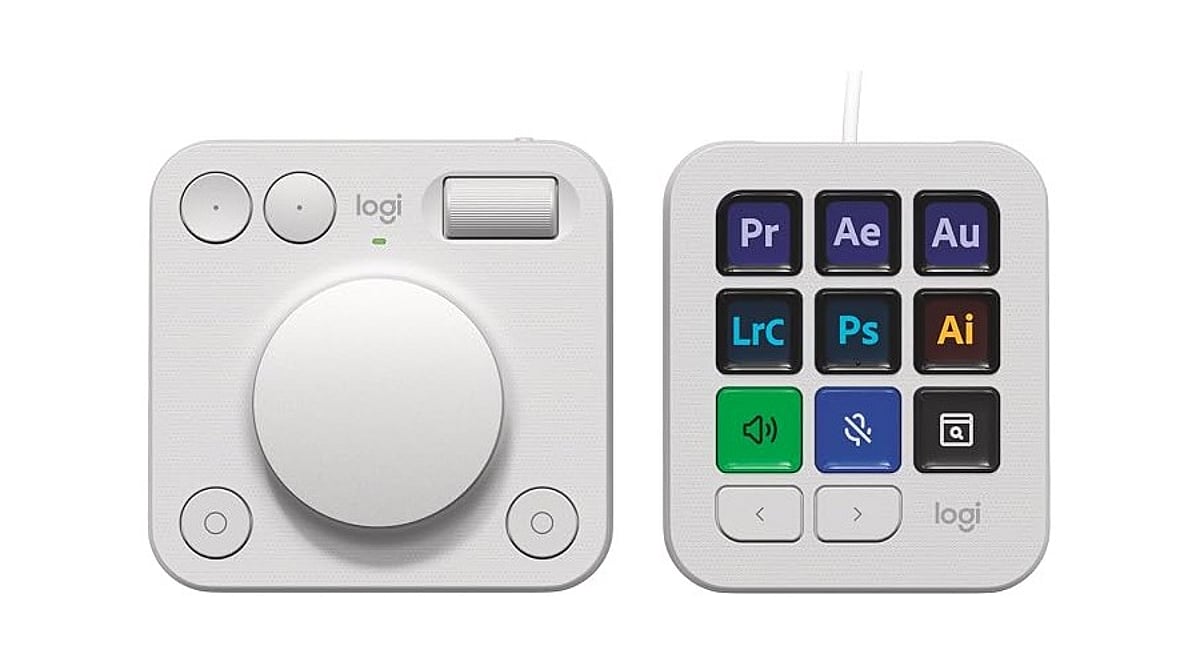
    Logitech launched the MX Keypad on September 8 as its first AI control center for developers worldwide. Priced at ₹15,999 in India and $99.99 in select global markets, the device introduces physical controls for managing AI coding tools like GitHub Copilot, Claude Code, VS Code, and IntelliJ IDEA.

    Designed for multi-app coding workflows that involve AI agents and development tools, the MX Keypad helps developers streamline tasks by offering customizable physical keys for prompts, commands, scripts, macros, and workflow actions. Native integration supports VS Code and the GitHub Copilot app at launch, with additional tools planned. Every unit also includes three free months of GitHub Copilot Pro+ through Logi Options+.

    “MX Keypad puts a physical control center at your fingertips,” said Anatoliy Polyanker, Logitech VP and GM. “It helps developers orchestrate AI workflows faster and more intuitively.” GitHub executive Martin Woodward emphasized the device’s focus on reducing tool navigation: “Great developer tools get out of your way.”

    Beyond software integration, Logitech offers the Logitech Actions SDK for developers building custom integrations. Community plugins already support Claude Code and OpenAI Codex through the Logi Marketplace. The MX Keypad also features sustainable design, with the Graphite model containing 64% post-consumer recycled plastic.

  • AI Chips Demystified: How GPUs, NPUs, and TPUs Power Modern Machine Learning

    AI Chips Demystified: How GPUs, NPUs, and TPUs Power Modern Machine Learning

    Every major AI breakthrough begins with computing power. As models grow larger, traditional processors face mounting pressure, pushing specialized AI chips into the spotlight. Three chip types lead this shift: GPUs, TPUs, and NPUs. While the central processor still coordinates the system—scheduling tasks and managing data—the heavy computation has moved elsewhere.

    GPU vs. TPU vs. NPU: What Each Does Best

    A GPU (graphics processing unit) was originally built to render images by running thousands of similar calculations simultaneously. That parallel structure suits neural network math perfectly, making GPUs the default engine for AI training across research labs and data centers. Mature software ecosystems such as CUDA, ROCm, and TensorFlow reinforce this position, giving developers stable tools to build on.

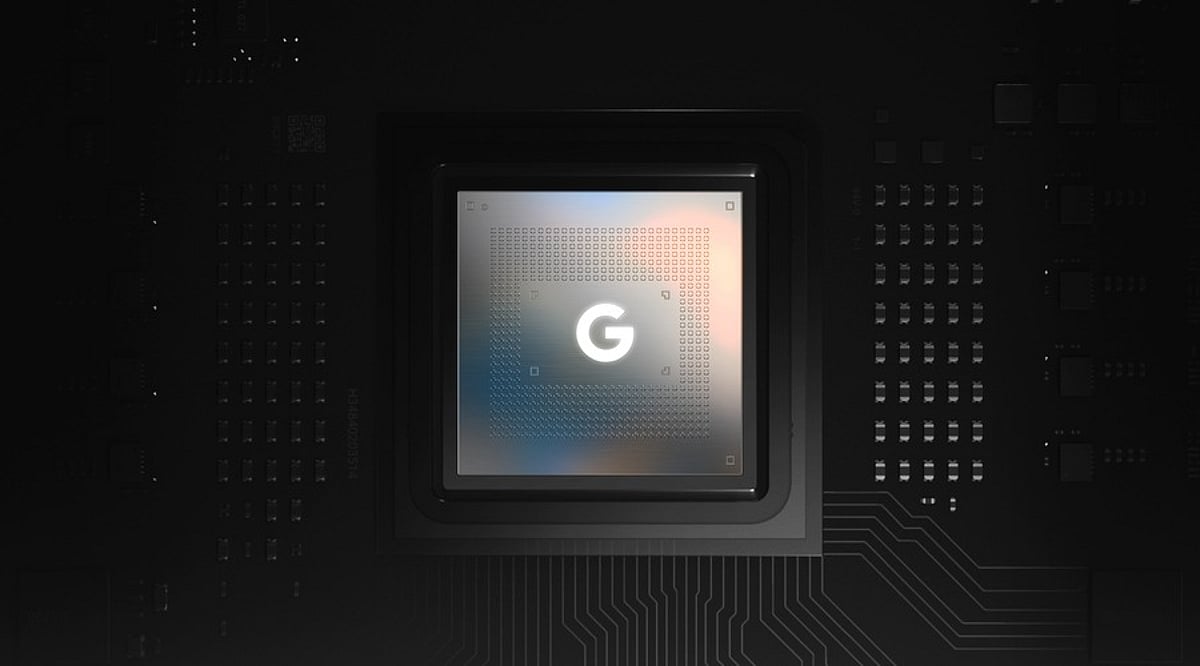
    A TPU (Tensor Processing Unit) is not a general hardware category—it is Google’s proprietary accelerator built around systolic arrays that execute tensor operations. These are mathematical calculations on multidimensional arrays that neural networks use to process and learn from data. TPUs mainly power AI workloads inside Google’s cloud infrastructure and its supported frameworks, handling tensor-heavy tasks more efficiently than general-purpose processors.

    An NPU (neural processing unit) is often mistaken for a single product, but it is actually a category of low-power AI processors that chipmakers including Qualcomm, Apple, Intel, AMD, and MediaTek build into phones, laptops, and edge devices. Each company designs its own version, but all share the same goal: running AI features locally without draining battery life or sending data to a server.

    Training vs. Inference: The Core Distinction

    The clearest way to separate these chips is by what they are built to do. GPUs favor flexibility—thousands of general-purpose cores and broad framework compatibility make them the default choice for training large models, where workloads shift constantly.

    TPUs trade that flexibility for efficiency within a narrower lane. Their systolic array design accelerates tensor-heavy training and high-throughput inference but only reaches its full advantage inside Google’s ecosystem. Outside that environment, the efficiency gap narrows.

    NPUs optimize for a third priority: low-power, real-time inference. A phone running a camera effect or a voice assistant does not need to train anything. It needs a fast, efficient response to a model trained elsewhere—often on GPUs or TPUs. Precision drops accordingly. NPUs lean on compressed, lower-precision formats that would be unacceptable for training but work well for inference on-device.

    Where Each Chip Shows Up

    Many AI applications lean on CPUs, GPUs, and NPUs together rather than a single processor. Cloud models typically run on GPUs or TPUs, while NPUs handle supported AI features directly on compatible user devices.

    How AI Systems Actually Combine These Chips

    Production AI rarely runs on a single chip type. A large training run typically pairs a central processor with a cluster of GPUs. Sometimes TPUs handle the parallel math while the CPU manages data pipelines and scheduling. An inference server deployed after training often adds a dedicated accelerator layer alongside the CPU and GPU to handle high request volumes efficiently.

    The pattern repeats at the edge. A modern laptop built for AI features runs a CPU, GPU, and NPU together, each handling a different slice of the work: the CPU for general tasks, the GPU for heavier computation, and the NPU for background AI features that need to stay fast and power-efficient. Smartphones follow the same layered design.

    The chip that trained a model is rarely the chip that runs it for the end user. That handoff explains more about real-world AI performance than picking a single winner among GPU, TPU, and NPU ever could.

    How to Choose the Right AI Chip

    Teams that need broad framework support and maximum flexibility still default to GPUs. Organizations already committed to Google Cloud and training tensor-heavy models at scale can gain real cost and throughput advantages from TPUs. Products that run AI features directly on user devices depend most on NPUs, since they preserve battery life and keep responses fast.

    Software maturity—including driver quality and framework integration—often shapes real-world performance as much as raw specifications. Many teams end up using all three: GPUs or TPUs to train and NPUs to deploy.

    Final Thoughts

    AI hardware is moving toward specialization rather than converging around a single processor. Future systems will lean on CPUs, GPUs, TPUs, NPUs, and emerging custom accelerators working together, each tuned for a specific stage of the pipeline. The real advantage ahead will come less from raw computing power and more from how efficiently these processors divide the work between them.

    Frequently Asked Questions

    1. What is the main difference between a GPU, NPU, and TPU?
    A GPU is a versatile processor designed for parallel computing and widely used for AI training and inference. An NPU is optimized for low-power, on-device AI tasks, while a TPU is a specialized accelerator built by Google for efficient tensor computations in large-scale deep learning workloads.

    2. Which AI chip is best for training machine learning models?
    GPUs are the most common choice for training machine learning and deep learning models since they offer high parallel processing capabilities, broad software support, and flexibility across various AI frameworks. TPUs are also highly effective for large-scale training in supported cloud environments.

    3. Why do smartphones and laptops include NPUs?
    NPUs enable AI features such as image enhancement, speech recognition, real-time translation, and on-device AI assistants while consuming less power than CPUs or GPUs. This improves performance, reduces latency, and helps extend battery life.

    4. Can the same AI model run on a GPU, NPU, and TPU?
    Yes. Most AI models can run on all three types of accelerators, but they often require different software frameworks, runtimes, or optimizations such as quantization or model conversion to achieve the best performance on each platform.

    5. Will NPUs and TPUs replace GPUs in AI computing?
    Not entirely. GPUs remain the most flexible and widely used AI accelerators for training and many inference workloads. NPUs and TPUs complement GPUs by handling specialized tasks such as power-efficient edge AI and large-scale tensor processing in cloud environments.

  • Google’s ‘Frozen v2’ Chip Targets Gemini AI Efficiency Gains, Deployment Targeted for 2028

    Google’s ‘Frozen v2’ Chip Targets Gemini AI Efficiency Gains, Deployment Targeted for 2028

    Google is reportedly developing a new server chip optimized specifically for its Gemini artificial intelligence models. Internally referred to as ‘Frozen v2’, the chip is designed to integrate core elements of Gemini’s architecture directly into the hardware, according to a report from The Information.

    This initiative underscores Google’s strategy to build bespoke infrastructure for its AI services. As demand for Gemini accelerates, the company aims to increase AI output while reducing computing power and electricity consumption.

    Frozen v2 Could Deliver Major Efficiency Gains

    The proposed chip is expected to minimize data movement and processing decisions during AI inference. These improvements would enhance the efficiency of serving Gemini models to users.

    According to the report, “Frozen v2 could deliver six to 10 times greater efficiency than Google’s latest custom AI chips when measured by the number of AI tokens generated per unit of power. Engineers are still working on the final design and deciding how much of the Gemini model architecture should be hardwired into the chip.”

    Google may deploy the new chip as early as 2028, though the timeline could shift as development continues. The company has not made any official statement. Notably, the Frozen project is intended to complement Google’s existing Tensor Processing Units (TPUs) rather than replace them, potentially creating a family of chips for AI processing.

    AI Computing Shortage Drives Infrastructure Push

    The chip development comes amid mounting pressure on Google’s AI computing capacity. Surging demand for Gemini services has reportedly caused internal strain and forced Google Cloud to turn down some external deals.

    A semiconductor chip based on Gemini would allow Google to perform more AI tasks with fewer computing resources, and also reduce the energy costs associated with generating AI tokens.

    Google’s overall strategy involves custom TPUs and other in-house semiconductors. The Frozen v2 version would be even more specialized by embedding architectural elements into the chip.

  • Apple Trade Secrets Case Escalates Legal Pressure on OpenAI’s Hardware Ambitions and Potential IPO

    Apple Trade Secrets Case Escalates Legal Pressure on OpenAI’s Hardware Ambitions and Potential IPO

    Apple has intensified its trade secrets lawsuit against OpenAI by sending preservation letters to approximately 40 former employees who now work at the AI company. The letters instruct recipients to retain all relevant documents and communications, and request meetings with Apple’s legal team. This move follows Apple’s initial lawsuit filed on July 10 in the Northern District of California, which accuses OpenAI, io Products, and two former Apple employees of using confidential hardware information. OpenAI has denied any interest in rivals’ trade secrets, and the claims remain untested in court.

    Apple Widens Its Search for Evidence

    Apple named former employees Chang Liu and Tang Yew Tan in the complaint. Tan serves as OpenAI’s chief hardware officer after years at Apple, while Liu worked as a senior electrical engineer at Apple. The complaint alleges Liu kept a company laptop and later accessed Apple’s network through an authentication flaw, downloading many confidential internal Apple hardware files. It also claims Tan emailed himself supplier details and internal reports before leaving Apple. Both claims remain allegations. Apple further says Tan encouraged Apple employees interviewing at OpenAI to bring physical parts for “show and tell” sessions. One candidate allegedly said, “I didn’t even know we could take those from the office.” OpenAI has not publicly answered each claim. The preservation letters show Apple wants records from a wider group than the two employees named in court. More than 400 former Apple workers now work at OpenAI, according to Apple’s filing. Employee movement alone does not prove trade secret theft under California law.

    Hardware Plans Face Court Scrutiny

    OpenAI moved deeper into consumer hardware after buying io Products, a company linked to former Apple design chief Jony Ive. Reuters valued the transaction at $6.5 billion. Apple says OpenAI used hiring practices and supplier contacts to speed up its hardware work. Apple also alleges OpenAI approached Apple suppliers for confidential production information. One claim involves a metal-finishing method that Apple describes as secret. Apple says a supplier believed OpenAI had permission to use the process. OpenAI disputes the accusation. The court could examine emails, interview records, product files, and supplier communications during discovery. Apple may seek limits on technology that a judge finds connected to protected information. No court has ruled that OpenAI used Apple trade secrets. OpenAI said, “We have no interest in other companies’ trade secrets.” It added that the company focuses on building technology for users. The statement does not address the separate claims against Tan, Liu, or io Products.

    OpenAI IPO Plans Meet New Legal Risk

    Reports say OpenAI has considered a public listing in late 2026 or 2027. The company has not announced an IPO date. Previous statements from OpenAI said a listing was not its main focus. The Apple OpenAI lawsuit adds another item for banks and investors to review before any share sale. An IPO filing must describe material lawsuits, business risks, management matters, and possible costs. The case may also require OpenAI to explain whether its hardware plans rely on disputed information. A long discovery process could overlap with IPO preparations. It could expose internal messages, hiring records, and product development documents. However, the lawsuit does not automatically stop a listing, and Apple has not proved its claims. The dispute comes after Apple and OpenAI worked together to add ChatGPT access to Apple devices in 2024. Their relationship now includes cooperation and competition. The legal case will proceed separately from any reported IPO timetable.

  • OpenAI Unveils Codex Micro: A Programmable Macropad for AI Coding Workflows

    OpenAI Unveils Codex Micro: A Programmable Macropad for AI Coding Workflows

    OpenAI has launched its first branded hardware product, the Codex Micro, a programmable mechanical macropad developed in partnership with Work Louder. This strategic release moves beyond earlier speculation about a Jony Ive-designed AI device, focusing instead on developers who rely on Codex, OpenAI’s AI coding and productivity assistant.

    Priced at $230 and available in limited quantities, the Codex Micro arrives as Codex approaches 9 million users globally. The device is a niche yet targeted accessory designed to streamline AI coding workflows.

    What Is Codex Micro?

    Codex Micro is a compact mechanical macropad that enables users to monitor and control AI agents more efficiently. OpenAI describes the product as a “limited-run collaboration” with Work Louder, built on the hardware foundation of Work Louder’s Creator Micro 2 but customized with Codex-specific controls. While the standard Creator Micro 2 starts at around $144, the OpenAI version commands a higher price due to its dedicated AI-agent features.

    Key Features of Codex Micro

    The most notable addition is a row of six Agent Keys that glow in different colors to indicate the live status of Codex agents:

    • Idle: White light
    • Processing: Blue light
    • Complete: Green light
    • Error: Red light

    Double-tapping activates the agent, while a single tap selects the assigned agent. Users can customize these keys using Work Louder’s Input setting tool to map them to pinned Codex tasks, recent tasks, specific workflows, or individual agents.

    The bottom row features six programmable keys preprogrammed for functions such as accepting or rejecting code changes and branching threads. A larger key enables push-to-talk (PTT) voice control with Codex.

    Joystick, Dial, and Connectivity

    The Codex Micro also includes a joystick for navigating Codex’s composer bar and a rotary dial for selections by default, both of which are remappable. An LED-lit acrylic edge illuminates when Codex is listening and the microphone is active. Users can choose between silent and clicky switches, and the device supports USB-C, Bluetooth, and keycap swapping. Work Louder includes 32 additional keycaps, including playful options like “yolo” and “yeet.”

    Why It Matters

    Codex Micro is not a consumer AI gadget; it is a specialized AI agent management control device designed for developers to rapidly control AI agents during coding. This launch marks OpenAI’s first major step into hardware, prioritizing workflow productivity over consumer-focused AI devices.

  • Top GPUs for AI and Machine Learning Workloads in 2026: A Comprehensive Guide

    Top GPUs for AI and Machine Learning Workloads in 2026: A Comprehensive Guide

    As artificial intelligence and machine learning continue to evolve, the demand for powerful graphics processing units (GPUs) has never been higher. In 2026, several new and updated GPUs are set to dominate the market, offering exceptional performance for training, inference, and deployment of AI models. Below is a curated list of the best GPUs for AI and machine learning workloads in 2026, covering options from NVIDIA, AMD, and Intel.

    NVIDIA RTX 6090

    The NVIDIA RTX 6090 delivers exceptional AI training performance, massive VRAM, advanced Tensor Cores, and outstanding capabilities for generative AI and deep learning projects. It is the top choice for researchers and developers who need maximum compute power.

    NVIDIA RTX 6080

    The RTX 6080 offers powerful AI inference, high-speed processing, efficient energy consumption, and excellent value for researchers and AI developers building modern applications. It strikes a strong balance between performance and cost.

    NVIDIA RTX Pro 7000 Blackwell

    Built for enterprise AI, the RTX Pro 7000 Blackwell features enormous memory capacity, workstation reliability, advanced ray tracing, and the ability to handle demanding machine learning workloads worldwide.

    NVIDIA H300 Tensor Core GPU

    Optimized for large-scale AI model training, inference acceleration, enterprise deployment, and high-performance computing, the H300 Tensor Core GPU is a powerhouse for modern data centers globally.

    AMD Instinct MI400

    AMD’s Instinct MI400 provides competitive AI acceleration, strong memory bandwidth, enterprise scalability, and efficient processing for machine learning and scientific computing applications worldwide.

    AMD Radeon AI Pro R9700

    The AMD Radeon AI Pro R9700 delivers workstation-grade AI performance, creative acceleration, efficient multitasking, and optimized support for professional AI development environments and workflows.

    Intel Gaudi 4 Accelerator

    Intel’s Gaudi 4 Accelerator focuses on cost-effective AI training, scalable infrastructure, efficient networking, and enterprise deployment for advanced machine learning applications across industries.

    NVIDIA L50 GPU

    Designed for AI inference, virtualization, graphics acceleration, cloud deployment, and efficient enterprise AI workloads, the NVIDIA L50 GPU offers balanced performance and flexibility consistently.

    AMD Radeon RX 9900 XTX

    The AMD Radeon RX 9900 XTX offers strong local AI performance, gaming capabilities, content creation acceleration, and affordability for enthusiasts experimenting with machine learning projects regularly.

    NVIDIA RTX 5080

    The NVIDIA RTX 5080 balances AI performance, gaming power, efficient Tensor processing, and competitive pricing for developers, creators, and AI enthusiasts building personal workstations.

    For the latest news, exclusives, and videos, join our WhatsApp Channel.

  • Top Laptops for Music Production in 2026: Power, Portability, and Performance

    Top Laptops for Music Production in 2026: Power, Portability, and Performance

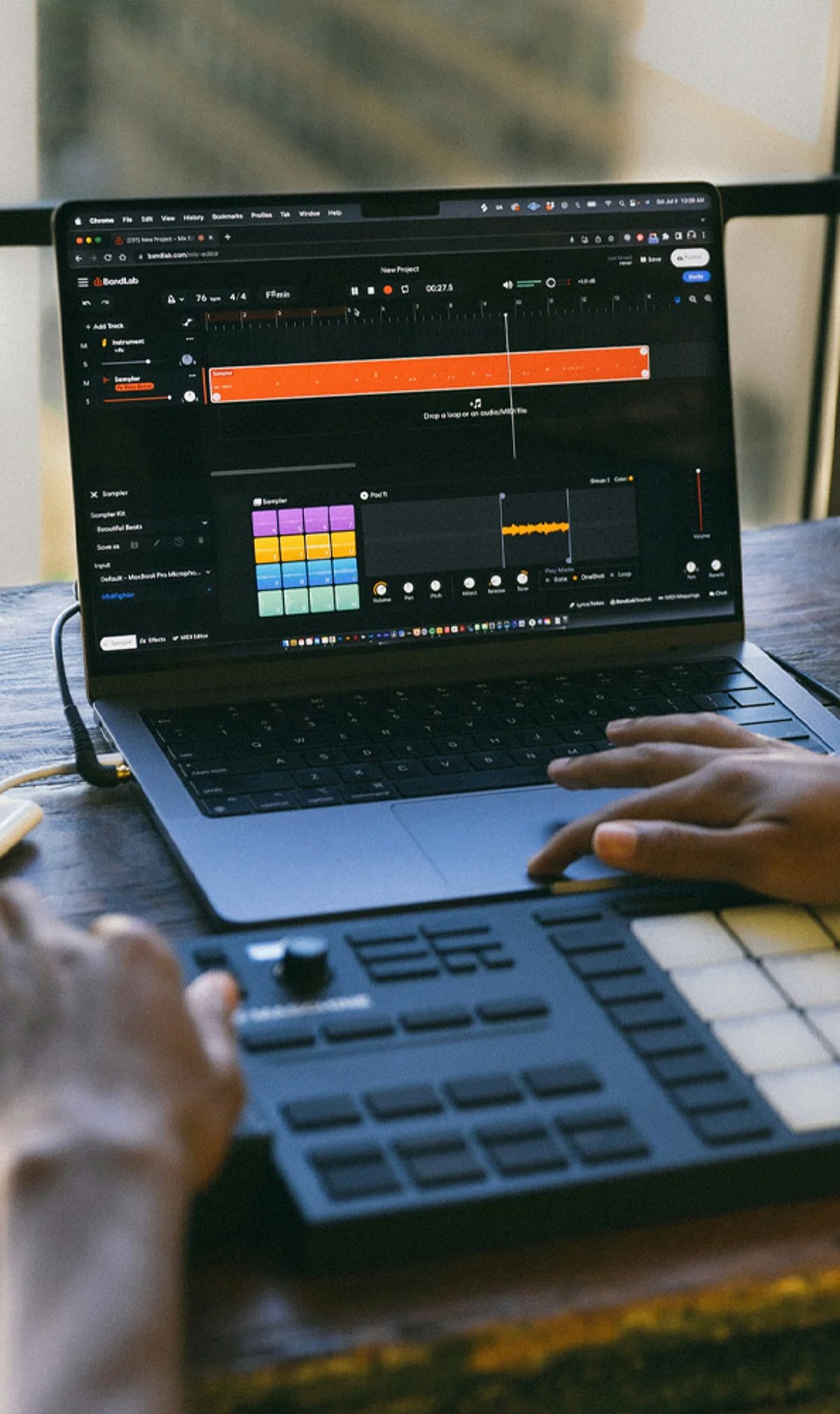
    Whether you are a seasoned audio engineer or an aspiring music producer, having the right laptop can make or break your creative workflow. In 2026, the market offers a range of powerful machines designed to handle demanding digital audio workstations (DAWs), virtual instruments, and large sample libraries. Below, we explore the best music production laptops for creators and producers this year.

    Apple MacBook Pro 16 (M4 Pro)

    Apple’s flagship laptop delivers industry-leading audio performance with its M4 Pro chip, silent operation, exceptional battery life, and seamless compatibility with professional music production software like Logic Pro, Ableton Live, and Pro Tools. It remains the gold standard for studio work.

    ASUS ProArt P16

    This creator-focused machine combines powerful AMD processors, dedicated graphics, a color-accurate display, and features tailored for demanding music production workflows. Ideal for producers who also work with video or graphic content.

    Dell XPS 16

    With premium build quality, Intel Core Ultra performance, fast SSD storage, and excellent multitasking capabilities, the XPS 16 excels in recording, mixing, and mastering projects. Its sleek design and vibrant display make it a versatile choice.

    Lenovo ThinkPad P16 Gen 3

    A workstation-grade laptop that offers robust cooling, upgradeable memory, and rock-solid stability for professional producers handling large audio sessions. It’s built for reliability under heavy loads.

    HP ZBook Studio G11

    Enterprise-grade reliability meets high-end Intel processors and NVIDIA graphics in this machine. It delivers outstanding performance for advanced music creation and editing, making it a favorite for audio professionals.

    Razer Blade 16

    Packing premium hardware, a powerful cooling system, and a fast refresh display, the Razer Blade 16 handles complex production environments with ease. Its sleek design also makes it a portable powerhouse.

    MSI Creator Z17 HX Studio

    Desktop-class performance, an accurate touchscreen display, and efficient multitasking define this laptop. It’s designed for audio production specialists who need professional-grade reliability and speed.

    Acer Swift X 16

    Balancing affordability, dedicated graphics, strong processor performance, and lightweight portability, this laptop is perfect for beginner and intermediate music producers looking for a budget-friendly option without sacrificing power.

    Microsoft Surface Laptop Studio 2

    With its versatile form factor, premium display, creative flexibility, and powerful hardware, this laptop supports recording, composing, and editing applications. Its unique design adapts to various studio setups.

    Choosing the right music production laptop depends on your specific needs, budget, and workflow. All models listed above provide the performance and reliability necessary to bring your musical ideas to life in 2026.