Tag: home office

  • Weekend Laser Printer Sale: 7 HP, Canon, and Kyocera Models With 40%+ Discounts

    Weekend Laser Printer Sale: 7 HP, Canon, and Kyocera Models With 40%+ Discounts

    Seven laser printer discounts for home and office buyers

    Laser printers continue to make sense for households, home offices, and workplaces that print documents regularly. They offer sharp text, fast output, and consistent results without ink cartridges. This weekend, online marketplaces in India are listing seven HP, Canon, and Kyocera laser printers at discounts above 40% on several models.

    Below is a breakdown of the listed prices, advertised discounts, and key features. Prices and availability can change during the sale, so confirm the final checkout amount before ordering.

    HP Laser 1008w

    The HP Laser 1008w is listed on Flipkart at Rs. 14,699, down from Rs. 29,999, for a 51% discount. It is a single-function monochrome laser printer with Wi-Fi and USB connectivity. HP’s listing describes it as a personal printer capable of up to 1,500 pages per month. Wireless support means users can print without a physical connection to a computer.

    HP Laser 303dw

    The HP Laser 303dw carries one of the largest discounts in this roundup. Flipkart lists it at Rs. 19,200, down from Rs. 42,999, a 55% discount. It is a single-function monochrome laser printer with automatic duplex printing, Wi-Fi, and USB connectivity. HP’s own store currently shows the model at Rs. 15,998.99 against an MRP of Rs. 27,000, though marketplace pricing can vary.

    HP LaserJet Pro CP1025

    Buyers who need color output can consider the HP LaserJet Pro CP1025, listed at Rs. 10,099 on Flipkart, down from Rs. 18,899. That works out to a 46% discount. Flipkart describes it as a single-function color laser printer and marks the price as the lowest of the year. It is aimed at users who want color printing while retaining the benefits of laser-based document output.

    HP LaserJet Pro MFP 4104fdn

    The HP LaserJet Pro MFP 4104fdn is a multifunction monochrome laser printer for office environments that need more than basic printing. Flipkart lists it at Rs. 41,577, down from Rs. 77,999, a 47% discount. Another seller also lists the same model at Rs. 39,397.

    Canon imageCLASS MF465dw

    The Canon imageCLASS MF465dw is priced at Rs. 39,637 on Flipkart, down from Rs. 69,999, for a 43% discount. This multifunction Wi-Fi monochrome laser printer is designed for office use and combines printing with additional document functions. Wireless connectivity can be useful in workplaces where multiple users need access to the printer.

    HP LaserJet M208dw

    The HP LaserJet M208dw is a compact monochrome laser printer for home and small-office users. HP’s official store currently lists it at Rs. 14,742, down from an MRP of Rs. 22,488, a saving of Rs. 7,746. Its official-store discount is below the 40% threshold, but it remains a relevant option for buyers seeking an HP wireless monochrome laser printer.

    Kyocera ECOSYS MA4000x

    The Kyocera ECOSYS MA4000x stands out with a listed 59% discount on Moglix. It is priced at Rs. 36,779 against an MRP of Rs. 90,000. The monochrome multifunction laser printer supports printing, copying, and scanning, with print speeds of up to 42 pages per minute. It also includes a dual-scan document processor and cloud and mobile utilities.

    Compare final prices before buying

    The seven deals cover different needs, from basic home printing to higher-volume office workloads. Before ordering, buyers should compare the final checkout price, seller details, warranty coverage, toner costs, and replacement-cartridge availability.

    Marketplace discounts can change during the weekend, and stock levels and additional bank offers may affect the final purchase price. HP’s official store currently shows direct discounts on several laser printers, so comparing the marketplace price with the manufacturer’s listing can help buyers judge the actual savings.

    Frequently asked questions

    Which laser printer is suitable for home use?

    The HP Laser 1008w suits home users who want compact monochrome printing, wireless connectivity, and affordable document printing.

    Which laser printer offers the highest discount?

    The Kyocera ECOSYS MA4000x carries a listed 59% discount, making it one of the steepest discounts in this list.

    Which printer supports color printing?

    The HP LaserJet Pro CP1025 is the color laser printer among the seven models featured.

    Are these laser printers suitable for offices?

    Yes. Multifunction models such as the HP LaserJet Pro MFP 4104fdn and Kyocera ECOSYS MA4000x target office requirements.

    What should buyers check before purchasing?

    Buyers should compare final prices, seller ratings, warranty coverage, toner costs, replacement availability, and additional offers before purchasing.

  • 2026’s Top All-in-One Printers for Home and Small Offices: Expert Picks and Buying Advice

    2026’s Top All-in-One Printers for Home and Small Offices: Expert Picks and Buying Advice

    Overview

    Running cost, consumable availability, and document handling matter more than headline print speed for most buyers. Ink tank printers dominate the Indian market for their lower long-term cost compared with cartridge models. The right printer depends on monthly print volume and the number of devices that need to connect to it.

    The wrong printer can quietly turn into one of the most expensive devices in a home or office. Cheap cartridges, slow output, paper jams, and manual double-sided printing add up fast. A low price today often hides a high cost later. The smarter move is to judge a printer by the work it does, not the number on its box.

    Five models stand out this year for different needs: Epson EcoTank L3252, Canon PIXMA G2012, Brother DCP-T730DW, Canon PIXMA G3730, and HP Smart Tank 750. Each one fits a specific workload, from student assignments to daily office paperwork.

    Quick Comparison Table

    Model Key Features Best For Connectivity
    Epson EcoTank L3252 5760 dpi, refillable ink tank, compact Home users who print occasionally Wi-Fi, Wi-Fi Direct, USB
    Canon PIXMA G2012 Low B&W running cost, simple operation Single-computer households on a budget USB only
    Brother DCP-T730DW 20-sheet ADF, auto duplex, 27 ppm black Small offices with multi-page documents Dual-band Wi-Fi, USB
    Canon PIXMA G3730 4800 dpi, 2-year warranty, wireless Connected families and students Wi-Fi
    HP Smart Tank 750 35-sheet ADF, auto duplex, Ethernet, up to 3 users Shared higher-volume workflows Wi-Fi, Bluetooth LE, LAN, USB

    Note: ipm and ppm figures come from each manufacturer’s own testing. Treat cross-brand comparisons as directional. Check current spec sheets before purchase.

    Detailed Reviews

    Epson EcoTank L3252: The Balanced Home Option

    The L3252 wins the top spot for combining low running costs, Wi-Fi, and a compact body without increasing the price. It prints at up to 5760 dpi and connects over Wi-Fi, Wi-Fi Direct, and USB. The refillable ink tank system cuts down how often ink needs replacing and how much it costs each time.

    The trade-off shows up in document handling. There is no automatic document feeder and no automatic duplex, so anyone scanning a multi-page file or printing on both sides has to feed pages by hand. For a household printing occasional documents and photos, that limitation rarely gets in the way.

    Canon PIXMA G2012: The Simplest Low-Cost Option

    The G2012 strips away features a single-computer household rarely uses, and that is its strength. It handles printing, scanning, and copying from a compact body, and its black-and-white running cost sits well below its color cost, according to Canon’s own figures.

    Connectivity runs through USB only. That makes it a strong fit for one computer, not for a household with several devices needing to print wirelessly. Students and home offices working on a tight budget, with print jobs that lean heavily black-and-white, get the most value here. Warranty terms and included consumables vary by SKU, so check Canon’s current India listing before buying.

    Brother DCP-T730DW: The Document Workflow Option

    Small offices that scan and print multi-page documents need a machine that does not demand manual feeding for every job. The DCP-T730DW solves that directly. Its 20-sheet automatic document feeder and automatic duplex printing matter more here than raw speed, since they remove one of the most repetitive steps in office paperwork.

    Dual-band Wi-Fi and USB round out the connectivity, with rated speeds up to 27 ppm in black and 23 ppm in color. Ink bottles carry high page yields across both black and color, per Brother’s specifications. The trade-offs are a higher price and a larger footprint than single-tray home printers, a fair exchange for offices that print in volume.

    Canon PIXMA G3730: The Connected Family Option

    Homes and students printing occasional color work alongside everyday documents find a well-rounded fit in the G3730. Wireless connectivity matters more here than print speed. A phone, a laptop, and a child’s tablet can all print from the same machine, with nobody needing to sit near a tethered PC.

    A two-year standard warranty adds weight for buyers who value after-sales cover, and print resolution reaches up to 4800 dpi. Running costs stay well below cartridge-based printers, in line with other ink tank models. There is no ADF, so repetitive scanning is not its strength. This is a home and student pick rather than an office one.

    HP Smart Tank 750: The Shared Higher-Volume Option

    The Smart Tank 750 fits users who have moved past occasional home printing and need a machine built for shared document workflows. Its 35-sheet ADF and automatic two-sided printing matter more than resolution for this kind of use, cutting down manual handling during repetitive scanning and double-sided jobs.

    Connectivity includes Wi-Fi, Bluetooth LE, LAN, and USB, so it can easily connect to different devices. HP also says it is designed for teams of up to three users. The combination of Ethernet and automatic duplex lets it sit on a shared network without needing a dedicated computer link. In-box ink carries a high page yield in both black and color, cutting how often a small office reorders consumables. Its higher price than single-user models reflects that added capacity.

    How to Choose the Right Printer

    Start with monthly page volume. Light, occasional printing favors a compact single-user model like the L3252 or G2012. As volume rises, especially with multiple people printing, an ADF-equipped model like the Brother or HP becomes worth the extra cost.

    Connectivity comes next. A USB-only printer works fine for one computer, but a household or office with several devices needs Wi-Fi or LAN. Duplex printing and scanning matter too: anyone handling multi-page or double-sided documents regularly will find automatic duplex and an ADF save enough manual effort to justify a higher price. Running cost deserves attention over the printer’s full expected workload, not just the price of an ink bottle. A machine that costs more upfront but offers automatic duplexing, higher ink yields, or better document handling often delivers more value across regular use. For occasional printing, paying extra for office-grade features rarely makes financial sense.

    Frequently Asked Questions

    1. Which type of all-in-one printer is best for home use?

    An ink-tank all-in-one printer is generally a strong choice for home users who print regularly. It combines printing, scanning, and copying while keeping ink replacement costs lower than many cartridge-based models.

    2. Is an ink-tank printer better than a laser printer for a small office?

    It depends on the workload. Ink-tank printers are better suited to offices that need economical colour printing, while monochrome laser printers are usually preferable for businesses that produce large volumes of text-heavy documents and value higher print speeds.

    3. Is automatic duplex printing important in an all-in-one printer?

    Yes, especially for office use. Automatic duplex printing prints on both sides of a sheet without requiring manual page turning, reducing paper consumption and making longer documents easier to handle.

    4. What should I check before buying an all-in-one printer?

    Look at the expected monthly page volume, ink or toner costs, print speed, duplex support, ADF availability, connectivity options, warranty and replacement consumables. These factors have a greater impact on long-term ownership than print resolution alone.

    5. Are ink-tank printers cheaper to operate than cartridge printers?

    Generally, yes. Ink-tank printers use refillable reservoirs and high-yield bottles, which can reduce the cost per printed page. However, actual savings depend on ink prices, page coverage and how frequently the printer is used.

    Final Thoughts

    The best printer isn’t the one with the most features, but the one that fits how you actually work. It handles your regular print volume, keeps pace with your daily routine, and stays affordable in the long run.

  • Amazon Labor Day 2026: Top Home Office Upgrades Under $50

    Amazon Labor Day 2026: Top Home Office Upgrades Under $50

    Upgrading your home office doesn’t have to break the bank. Amazon’s Labor Day sale features several practical desk tech items priced under $50, covering wireless audio, lighting, video calls, charging, desk mats, and cleaning tools. Here are six standout deals that offer real value for remote workers and desk enthusiasts.

    Sony WH-CH520 Wireless Headphones – $38 (46% off)

    Normally $69.99, the Sony WH-CH520 headphones deliver 46% savings. They’re perfect for video calls, music, and focused work. The built-in microphone eliminates the need for a separate headset, and the wireless design reduces desk clutter.

    Pzloz LED Desk Lamp – $46.48 (33% off)

    Regularly $69.49, this lamp improves desk lighting for late-hour productivity. The 33% discount keeps it just under the $50 threshold. Better lighting reduces eye strain and makes any workspace more comfortable.

    Logitech Brio 101 FHD Webcam – $29.99 (25% off)

    Down from $39.99, this webcam offers a simple upgrade for video calls without stretching your budget. At under $30, it leaves room for another small accessory.

    Anker Zolo 50W USB-C Charger – $24.99 (17% off)

    Regularly $29.99, this compact charger reduces cable chaos and leaves $25.01 for a second purchase. Ideal for powering compatible devices efficiently.

    Nordik By Design Leather Desk Mat – $22.97 (23% off)

    Normally $29.97, this mat protects your desk while providing a clean surface for keyboard and mouse. Budget-friendly at under $23.

    Wolfbox Megaflow Compressed-Air Duster – $32.29 (19% off)

    Regular price $39.99, this duster keeps keyboards, vents, and electronics free of dust. Helps maintain a clean workspace without adding bulky equipment.

    Together, these six items cover essential home-office needs. The Sony headphones offer the steepest discount, while the Logitech webcam and Anker charger give you the most budget leftover. Prices may shift during the sale, so act quickly to lock in these deals.

  • Top Weekend Printer Deals: Wireless, All-in-One, and EcoTank Models for Home and Office

    Top Weekend Printer Deals: Wireless, All-in-One, and EcoTank Models for Home and Office

    Weekend sales are one of the best times to buy a printer, especially if you’ve been waiting for discounts on wireless, all-in-one, or EcoTank models. Retailers often discount these popular printer types during weekend promotions, making it a good time to upgrade your home or office setup while reducing long-term printing costs. However, the best deal isn’t always the lowest price—it’s the printer that matches your printing needs while keeping operating costs low.

    Why This Weekend’s Printer Deals Matter

    Weekend promotions often include discounts on popular printer models as retailers refresh inventory or run seasonal offers. Wireless and all-in-one printers are frequently discounted alongside cartridge-free ink tank models that offer lower running costs. Since prices and stock change quickly, always check the retailer’s current listing before purchasing.

    How to Spot a Good Printer Deal

    A lower price is only one part of the decision. Consider the printer type, ink or toner cost per page, print speed, wireless connectivity, automatic duplex printing, paper capacity, and whether you need scanning and copying. If you’re shopping for a home office printer or comparing wireless all-in-one printer options, an ink tank printer usually costs more upfront but significantly reduces long-term ink expenses, making it a better value if you print often. These same factors apply whether you’re browsing a printer sale, home printer deals, or office printer deals specifically.

    Best Printer Deals This Weekend

    Canon PIXMA TS3722 Wireless All-in-One

    Price: $39 (Was $53). One of the most affordable wireless all-in-one printers available this weekend. Prints, scans, and copies over Wi-Fi. A solid fit for light home use or students. It uses standard ink cartridges, so per-page costs run higher than tank-based models if you print in volume.

    BUY NOW

    Canon MegaTank PIXMA G3272

    Price: $159 (Was $194) — ✅ confirmed live at time of research. A strong choice for frequent printers. The refillable MegaTank system dramatically lowers ink costs over time, while still offering wireless printing, scanning, and copying. Higher upfront cost, but the lowest cost-per-page on this list.

    BUY NOW

    Epson EcoTank ET-4800

    Price: $199.99 (Was $299.99). Best suited to home offices and small businesses. Cartridge-free EcoTank system, plus scanning, copying, fax, an automatic document feeder, and Ethernet in addition to Wi-Fi. Highest upfront price here, but the strongest long-term savings if you print regularly.

    BUY NOW

    Brother INKvestment MFC-J1355DW

    Price: $149.99. Built for consistent, regular use. Automatic duplex printing, an automatic document feeder, wireless connectivity, and larger-capacity cartridges that need replacing less often than standard cartridges make for a middle ground between cartridge and tank systems.

    BUY NOW

    HP DeskJet 2942 Wireless All-in-One

    Price: $49 — ✅ confirmed live at time of research. A budget pick for occasional home printing. Supports wireless printing, scanning, and copying. Fine for students or light use, but frequent printers should lean toward an ink tank model instead to avoid higher per-page costs.

    BUY NOW

    Comparison Table

    Note: Confirm manufacturer-listed print speed (ppm) and paper tray capacity on the product page if these matter for your use case. They vary by model and aren’t reflected in the table above.

    Common Buying Mistakes to Avoid

    The most common mistake is focusing only on the sticker price. A cheap cartridge printer can end up costing more over a year or two than a pricier EcoTank or MegaTank model, simply because ink cartridges cost more per page. The second most common mistake is buying a single-function printer when you actually need scanning or copying too. If you print often, prioritize automatic duplex printing and a refillable ink system. Together they cut both paper and ink costs. When comparing deals, look at total cost of ownership, not just what’s on the price tag.

    Final Thoughts

    Weekend printer deals can deliver real savings when you look past the discount percentage. The right combination of print quality, connectivity, running costs, and features will matter more than the sale price long after the weekend ends.

    Also Read: Best Epson Printers Under Rs. 20000 in India 2026
    Also Read: Best Printer Buying Guide 2026: How to Choose the Right Printer in 2026

    FAQs

    1. What are the best printer deals available this weekend?

    Weekend printer deals often include discounts on wireless, all-in-one, and EcoTank models from brands like Canon, Epson, Brother, and HP. The best choice depends on your printing needs, budget, and preferred features.

    2. Is an EcoTank printer worth buying?

    Yes. EcoTank printers cost more upfront but use refillable ink tanks that significantly reduce the cost per page, making them a great option for frequent home or office printing.

    3. Should I choose a wireless all-in-one printer?

    A wireless all-in-one printer is a practical choice if you need to print, scan, and copy from multiple devices. It offers added convenience for homes, students, and small offices.

    4. What should I compare before buying a printer?

    Compare print quality, running costs, print speed, wireless connectivity, automatic duplex printing, paper capacity, and whether the printer supports scanning and copying. These factors are often more important than the discount percentage.

    5. Are budget printer deals a good value?

    Budget printers are suitable for occasional printing and basic home use. However, if you print frequently, investing in an EcoTank or MegaTank printer can save more money over time through lower ink costs.

  • Best Duplex Laser Printers for Home and Office in 2026

    Best Duplex Laser Printers for Home and Office in 2026

    Discover the top laser printers with automatic duplex printing for homes and offices. Compare features, speeds, connectivity, and multifunction capabilities to choose the ideal printer that boosts productivity while reducing paper usage and printing costs.

    Top Laser Printers with Duplex Printing for Faster, Smarter Document Handling

    Whether used for office work, school assignments, invoices, or contracts, a laser printer that automatically duplex prints greatly increases efficiency and decreases paper waste. Manual double-sided printing is not as efficient as laser printers with duplex capability, which allow you to print double-sided automatically without compromising efficiency or professionalism. Today’s laser printers offer Wi-Fi and mobile printing, as well as higher toner yields.

    Here are seven of the best duplex laser printers worth considering in 2026.

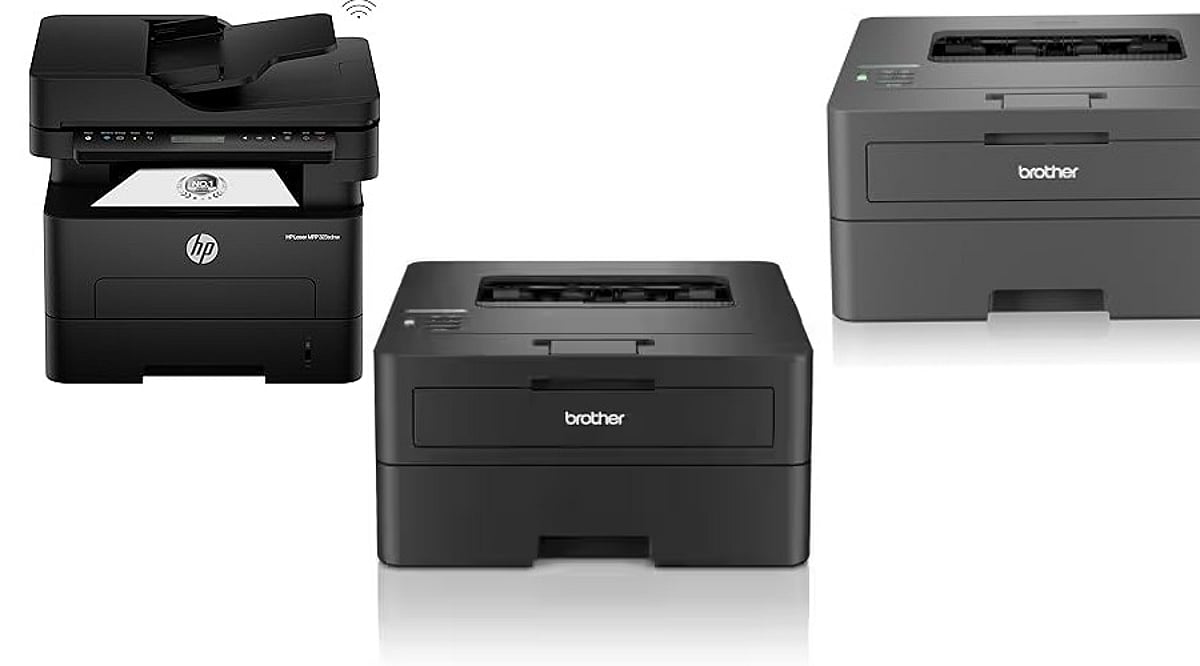
    Brother HL-L2460DW

    The Brother HL-L2460DW is arguably one of the best printers in its class for balance. Designed for document-intensive users, it prints at speeds of up to 34 ppm with auto-duplexing as standard. Features include dual-band Wi-Fi, LAN, USB connectivity, and a 250-sheet paper tray. Brother also includes a high-yield starter toner, helping lower running costs. Its compact size makes it great for home offices and professionals with limited desk space.

    HP Laser MFP 323sdnw

    Those who print, copy, and scan regularly should consider the HP Laser MFP 323sdnw. It offers automatic duplexing, printing, scanning, and copying at 30 ppm. Wireless printing, Ethernet connection, and an easy-to-use interface make it perfect for small companies handling regular paperwork.

    Canon imageCLASS MF284dw

    The Canon imageCLASS MF284dw is another option for everyday use. It includes automatic duplexing, wireless connectivity, and a 35-sheet automatic document feeder, plus clear 1,200 dpi printouts.

    Brother DCP-L2640DW

    The Brother DCP-L2640DW is affordable yet productive, combining print, copy, and scan functions with automatic duplex printing and wireless capabilities. High print speeds, mobile printing ease, and reliable monochrome prints make it a good choice for students, freelancers, and home-based professionals.

    Pantum M7136DW

    Pantum printers offer excellent cost-to-benefit ratio. The Pantum M7136DW comes with automatic duplex printing, Wi-Fi, Ethernet, and an automatic document feeder, all at a budget-friendly price. If you’re looking for a less expensive model with essential office features, this is a good choice.

    HP Laser 335dw

    The HP Laser 335dw belongs to the HP M300 series and is designed for businesses wanting reliable monochrome printing. It delivers 33 pages per minute with automatic duplex printing to save paper.

    Canon imageCLASS LBP243dw

    If you need a dedicated printing machine, the Canon imageCLASS LBP243dw is ideal. With a print speed of 36 ppm and automatic duplex printing, it works effectively in a busy office where speed is a priority.

    Which One Should You Buy?

    Your printer selection depends on your requirements. For fast document printing only, choose the Brother HL-L2460DW or Canon imageCLASS LBP243dw. For scanning and copying, consider the HP Laser MFP 323sdnw or Canon imageCLASS MF284dw. Budget-conscious users will appreciate the Pantum M7136DW, while enterprises can invest in the HP Laser 335dw. In any case, automatic duplex printing remains a key feature that saves money and increases efficiency.

    FAQs

    What is duplex printing in a laser printer?

    Duplex printing automatically prints on both sides of a sheet, reducing paper consumption, printing costs, and manual effort during large jobs.

    Is automatic duplex printing better than manual?

    Yes. Automatic duplex printing is faster, more convenient, and reduces the risk of page-order errors compared to manual double-sided printing.

    Are duplex laser printers suitable for home use?

    Yes. Compact duplex laser printers are ideal for home offices, students, and remote workers who regularly print assignments and documents.

    Do duplex laser printers support wireless printing?

    Most modern duplex laser printers offer Wi-Fi, mobile printing, and cloud printing, allowing users to print directly from smartphones and laptops.

    Which is better: print-only or all-in-one duplex laser printer?

    Print-only models suit frequent document printing, while all-in-one printers add scanning and copying, making them better for office and business use.

  • Top 10 Powerline Networking Adapters for 2026: Reliable Wired Internet Without Extra Cables

    Top 10 Powerline Networking Adapters for 2026: Reliable Wired Internet Without Extra Cables

    Weak Wi-Fi can disrupt work, streaming, and online gaming. Powerline networking adapters offer a simple way to deliver stable internet through existing electrical wiring, eliminating the need for new Ethernet cables. These are the top powerline networking adapters for 2026, covering both HomePlug AV2 and G.hn standards.

    Two Standards, One Decision

    Before buying a powerline adapter, you must choose between two competing standards: HomePlug AV2 and G.hn. HomePlug AV2 is the older, more widely compatible standard, while G.hn offers higher theoretical speeds up to 2,400 Mbps. The catch is that devices from the two standards do not work together. Speed ratings on the box are optimistic; real-world performance depends on wiring age, circuit layout, and electrical noise. Always plug adapters directly into a wall outlet, not a power strip or surge protector.

    The Top 10 Powerline Adapters for 2026

    1. NETGEAR PLP2000 – AV2000 HomePlug AV2, dual Gigabit ports, pass-through outlet. Ideal for gaming, 4K streaming, and busy home offices.
    2. TP-Link TL-PA9020P Kit – Same AV2000 specs as NETGEAR with a reputation for consistent performance across different homes.
    3. Zyxel PLA6456 – G.hn standard, up to 2400 Mbps. Starts a new network; won’t pair with existing HomePlug AV2 adapters.
    4. TRENDnet TPL-407E2K v2 – Compact AV500 adapter for tight spaces. Suitable for HD streaming and smart TVs.
    5. NexusLink GPL-1200 – G.hn adapter at a lower price, up to 1200 Mbps, with a Gigabit port. Good for small offices.
    6. TP-Link TL-PA7017P Kit – AV1000 speed, single Gigabit port, pass-through design. A reliable, affordable choice for streaming and video calls.
    7. TP-Link TL-WPA8631P Kit – Combines AV1300 powerline with AC1200 Wi-Fi extender and three Gigabit ports. Covers both wired and wireless needs.
    8. Devolo Magic 2 Wi-Fi 6 – Premium G.hn adapter with up to 2400 Mbps, Wi-Fi 6, and mesh networking. Manages heavy loads across multiple floors.
    9. TP-Link TL-PA4010 Kit – Entry-level AV500 kit. Simple plug-and-play for browsing and HD video in dead zones.
    10. TP-Link TL-WPA7817 Kit – AV1000 powerline with built-in Wi-Fi 6 access point. Designed for detached spaces like garages or workshops.

    What This Means for Buyers

    Powerline adapters have become a practical solution for homes and small offices. The most important decision is which standard to commit to: HomePlug AV2 for broad compatibility, or G.hn for higher speeds if starting fresh. Get the standard right, and future upgrades remain simple.

    Final Thoughts

    Speed isn’t everything—reliability across every room matters more. Powerline adapters use existing wiring to extend a wired connection without drilling. For many in 2026, the best upgrade isn’t a new router, but a stronger wired backbone built on what’s already there.

    Frequently Asked Questions

    1. What is a powerline networking adapter, and how does it work? It uses your home’s electrical wiring to transmit network data, creating a wired connection where Wi-Fi is weak.
    2. Are powerline adapters better than Wi-Fi extenders? Powerline provides a more stable wired connection for gaming and streaming; Wi-Fi extenders improve wireless coverage.
    3. Do they work in every home? Performance depends on wiring quality, distance between outlets, and being on the same electrical circuit.
    4. What features should I look for? Choose HomePlug AV2 or G.hn, Gigabit Ethernet ports, pass-through sockets, and speed ratings that match your needs.
    5. Can I use them in an office? Yes, they provide reliable connectivity for desktops, VoIP phones, printers, and video conferencing where Ethernet cabling is impractical.
  • Top Affordable WiFi Printers for Home and Office Use in 2026

    Top Affordable WiFi Printers for Home and Office Use in 2026

    Finding a reliable, budget-friendly WiFi printer that handles both home and office tasks can be challenging. We’ve reviewed the best options on the market, focusing on low running costs, wireless convenience, and solid print quality. Here are our top picks.

    HP Smart Tank 580

    The HP Smart Tank 580 is an excellent choice for home and office environments. It supports wireless printing, scanning, and copying. Its refillable ink tank system keeps printing costs low, while the HP Smart app simplifies setup. This model delivers consistent print quality for documents, homework, reports, and occasional photos.

    Canon PIXMA G3770

    The Canon PIXMA G3770 offers WiFi connectivity and a high-yield ink tank system. It produces sharp text and vibrant colors, making it ideal for school projects, presentations, and photos. Its compact design fits easily on smaller desks, and running costs remain affordable for regular use.

    Epson EcoTank L3252

    The Epson EcoTank L3252 is popular for its low printing costs and dependable performance. It supports WiFi and mobile printing from phones, tablets, and laptops. The ink bottles last a long time, and the printer handles everyday documents, assignments, bills, and office work smoothly.

    Brother DCP-T426W

    The Brother DCP-T426W includes print, scan, and copy features with built-in WiFi support. It offers impressive page yields through its refillable ink tank system. This printer is suitable for home businesses, students, and professionals who need quick, efficient, and consistent printing throughout the week.

    Canon PIXMA E4570

    The Canon PIXMA E4570 is an affordable wireless printer with an automatic document feeder. It can print, scan, copy, and fax, making it useful for office paperwork. Text output is clear, and color prints are good enough for everyday personal and professional tasks.

    HP DeskJet 2820e

    The HP DeskJet 2820e is designed for users with lighter printing needs. It supports wireless printing, scanning, and copying through an easy setup process. Its compact body saves space, and the HP Smart app allows convenient printing directly from smartphones, tablets, and computers.

    Epson EcoTank L3260

    The Epson EcoTank L3260 combines wireless printing, scanning, and copying with extremely low operating costs. It supports mobile printing and produces consistent results for documents and photos. The refillable ink tank lasts for a long time, making it a smart long-term choice.

  • Top Desk Fans for Home Offices and Workspaces in 2026: Expert Picks

    Top Desk Fans for Home Offices and Workspaces in 2026: Expert Picks

    A reliable desk fan can make long work hours more comfortable without significantly increasing electricity bills. Whether you need a compact USB fan for your workstation or a high-speed table fan for a home office, today’s options combine quieter motors, energy-efficient operation, and portable designs.

    Why a Desk Fan is a Must-Have for Your Home Office

    Desk fans have evolved beyond simple cooling devices. In 2026, buyers increasingly prioritize low noise levels, energy efficiency, USB-C charging, and rechargeable batteries over sheer airflow. While compact USB fans are ideal for personal cooling, full-sized table fans remain the better choice for larger rooms. We have listed the best desk fans you can buy based on performance, features and overall value.

    Atomberg Renesa 400mm Table Fan

    The Atomberg Renesa 400mm Table Fan uses a BLDC motor. It uses around 50%–65% less energy than a conventional induction motor while maintaining consistent airflow. The three ABS blades are aerodynamically designed, and the fan offers various speed settings and oscillation options. It runs quite silently and is therefore ideal for video conferencing and working.

    Best for: Professionals seeking an energy-efficient, low-noise desk fan for daily home office use.

    USHA Maxx Air Ultra

    The USHA Maxx Air Ultra features a copper motor that delivers high air thrust for fast cooling. With a sweep length of 400 mm and a wide oscillating angle, the fan provides airflow in all areas of the room. It comes with a tilting feature for proper direction of the airflow.

    Best for: Users who prioritize strong and consistent airflow in medium-sized rooms.

    Bajaj Frore Neo

    Bajaj Frore Neo is a cost-effective model with reliable functionality. It is equipped with a fast motor and a blade sweep of 400 mm and efficient blades capable of providing effective airflow within the unit’s small size. Moreover, the robust base ensures low vibrations when it is working, and the adjustable head facilitates customized airflow.

    Best for: Students, small home offices and budget-conscious buyers looking for reliable everyday cooling.

    Portronics CoolCube Mini Rechargeable

    Portronics CoolCube Mini is a personal cooling device with a lithium-ion rechargeable battery, enabling the fan to run for several hours without being plugged into the mains. It is charged via USB Type-C and therefore works with computers, power banks, and chargers. It has different speed settings that let users adjust airflow, and its compact size allows it to fit well on a busy desk.

    Best for: Remote workers, students and travelers who need portable cooling.

    AGARO Signify USB Desk Twin

    The AGARO Signify USB Twin Fan has two individual adjustable fan heads that allow the direction of airflow to be adjusted in two directions at once. Being powered by USB, it is compatible with both laptop and desktop computers as well as docking stations and portable chargers without needing an additional power socket. The brushless engine ensures quiet operation but keeps high air performance.

    Best for: Professionals using dual-monitor setups or shared workstations.

    Portronics Aero Breeze 2-in-1 Fan

    The Portronics Aero Breeze works as both a table fan and a hanging fan. This provides greater flexibility and portability. This includes having a rechargeable battery, variable fan speed, and a portable frame that makes it easy to carry from room to room and outdoors. USB charging makes it easy to recharge the fan using a laptop, power bank, or USB adapter.

    Best for: Hybrid workers, campers, and users seeking a multipurpose cooling solution.

    Crompton HighSpeed Torpedo

    The Crompton High Speed Torpedo Table Fan is made for those users who want a fan providing high air volume. This fan has a heavy-duty copper motor along with high-lift blades to provide good airflow in large rooms. There are features such as oscillation, tilting, and durable body construction that make it more durable.

    Best for: Larger home offices or workspaces that require high-velocity cooling.

    What to Consider Before Buying a Desk Fan

    The ideal desk fan depends on workspace size and usage. Compact rechargeable models suit personal desks and remote workers, while high-speed table fans provide better cooling for larger home offices. Experts also recommend adjustable tilt and oscillation to improve air circulation without increasing power consumption. Attributes like strong performance, adjustable airflow, energy-saving motors, and battery backup are preferred over low prices. An appropriate model will always offer greater productivity.

    FAQs

    1. Which desk fan is the best choice for home office use?
      The Atomberg Renesa is a strong choice as it combines an energy-efficient BLDC motor, quiet performance, multiple speed settings and consistent airflow for long working hours.
    2. Are rechargeable desk fans worth buying in 2026?
      Yes. Rechargeable desk fans provide cordless operation, USB-C charging and battery backup, making them ideal for remote work, travel, outdoor use and temporary power interruptions.
    3. What is the advantage of choosing a BLDC motor fan?
      BLDC motor fans consume significantly less electricity, produce less noise, generate efficient airflow and typically last longer than fans powered by conventional induction motors.
    4. How do I choose the right desk fan for my workspace?
      Select a fan based on room size, airflow requirement, portability, power source, oscillation, adjustable tilt, noise level and whether battery operation is necessary.
    5. Are table fans better than compact USB desk fans?
      Table fans offer stronger airflow and wider coverage for larger rooms, while USB desk fans are better suited for personal cooling at individual workstations and study desks.
  • Top Mechanical Keyboards to Boost Your Productivity in 2025

    Top Mechanical Keyboards to Boost Your Productivity in 2025

    Mechanical keyboards have become the go-to choice for professionals who demand comfort, durability, and a superior typing experience. Unlike standard membrane keyboards, mechanical switches offer distinct feedback and longevity that can significantly enhance daily workflow.

    Why Choose a Mechanical Keyboard for Productivity?

    The right keyboard can make a noticeable difference in your efficiency. Linear switches provide smooth, uninterrupted keystrokes ideal for fast typists, while tactile switches deliver a satisfying bump that helps reduce errors—a favorite among writers and office workers. Wireless models keep your desk clutter-free and allow seamless switching between devices, perfect for multi-platform setups.

    Key Features to Look For

    • Hot-swappable switches: Swap out switches without soldering, letting you customize the feel over time.
    • Compact layouts: Save desk space without sacrificing essential keys; full-size boards remain best for heavy number entry.
    • Comfort enhancements: Wrist rests, adjustable tilt, and quieter switches reduce fatigue during long sessions.
    • Battery life and build quality: Long-lasting batteries and durable keycaps (like PBT) ensure your keyboard withstands years of use.
    • Connectivity options: Reliable wireless (Bluetooth or 2.4GHz) and wired USB-C for flexibility.

    Matching a Keyboard to Your Workflow

    No single keyboard fits everyone. Consider your daily tasks—if you write code or documents, tactile switches may be best. If you switch between a laptop and desktop, a wireless model with multi-device pairing is invaluable. The best mechanical keyboard is one that aligns with your typing style and comfort preferences, delivering consistent performance day after day.

    Investing in a quality mechanical keyboard is a simple upgrade that can transform your productivity. Evaluate your workspace, try different switch types, and choose a board that feels like an extension of your hands.

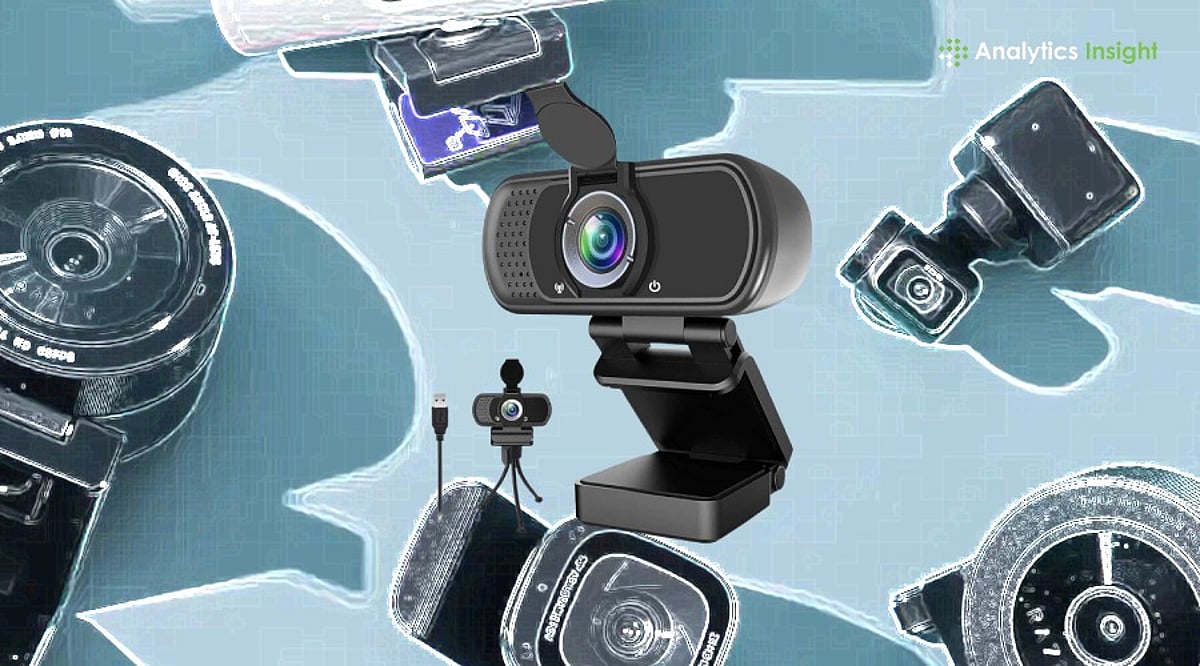
  • Crystal-Clear Video Calls: Best Webcams for Work, Streaming, and Everyday Use

    Crystal-Clear Video Calls: Best Webcams for Work, Streaming, and Everyday Use

    A quality webcam can make you look more confident on screen. Whether you’re joining a work meeting, attending an online class, talking to family, or streaming live, clear video always leaves a better impression. The right webcam doesn’t just improve picture quality—it also makes conversations feel more natural and helps people see you the way you should be seen.

    Screen time has changed dramatically in recent years. Office meetings, college classes, job interviews, and even family catch-ups now happen through a camera. This shift has made a good webcam far more useful than ever. It keeps your picture clear, holds the video steady, and makes conversations feel natural rather than distant.

    You don’t need expensive gear to get sharp photos or videos anymore. Brands like Logitech, HP, Lenovo, eMeet, Kreo, and Zebronics now offer webcams across almost every budget. Some suit everyday meetings well, while others are built for streamers, content creators, and anyone who records videos regularly.

    Top-Rated Webcams Compared

    Webcams are now a staple of modern office and gaming setups. If the video is blurry, it defeats the purpose. After testing several popular models, our team found that paying more doesn’t always mean getting the best output. For daily meetings or classes, a Full HD webcam is usually enough. Streamers and creators, however, will benefit from investing in a 4K option.

    Ease of use is another crucial factor. Most of these webcams work as soon as you plug them in, with no extra software required for the first call.

    Our Top Picks

    Logitech Brio 100 – Best for Everyday Use

    The Logitech Brio 100 has almost everything you need for daily video calls. The picture is clear, colors are natural, and setup takes only a few minutes. It’s one of the easiest recommendations for work, online meetings, and regular video calls.

    eMeet S600 4K PC Camera – Best for Creators

    If you’re doing YouTube videos or streaming games, the eMeet S600 is an excellent choice. The 4K picture is noticeably sharper than Full HD, and the built-in microphones pick up voices clearly. It costs more but delivers great value for money.

    HP 430 FHD Webcam – Best for Low-Light Conditions

    The HP 430 FHD impressed us with its ability to handle challenging lighting. Even in a dim room, the picture remained clear. This makes it a fantastic option for people who work from home and don’t have perfect lighting setups.

    If you’re on a tight budget, the Zebronics FHD USB Webcam covers the basics well and offers solid value.

    Final Thoughts

    A webcam may seem like a small accessory, but it makes a big difference every time you’re on screen. Better picture quality boosts your confidence whether you’re talking to clients, attending classes, or creating videos.

    Don’t fall into the trap of buying the most expensive model you can afford. Instead, consider how you’ll use it. For regular use, a decent Full HD webcam is more than sufficient. Creators and streamers, however, should consider 4K options. Ultimately, a good webcam combines picture quality, useful features, and dependable performance—regardless of price.

    FAQs

    Which webcam is best for office meetings?

    The Logitech Brio 100 is a top choice. It offers clear Full HD video, natural colors, and quick setup, making it ideal for everyday use.

    Is a 4K webcam necessary for video calls?

    Not really. Full HD is enough for most meetings and classes. 4K is more useful for streamers, creators, and regular video recording.

    What features should I check before buying a webcam?

    Look for Full HD or 4K resolution, autofocus, a built-in microphone, good low-light performance, and a privacy shutter. These features improve video quality and everyday convenience.

    Do I need a separate microphone with a webcam?

    Most webcams have built-in mics that work fine for regular calls. For video creation or frequent streaming, a dedicated microphone will provide better sound.

    Which webcam offers the best value for money?

    The HP 430 FHD and Logitech Brio 100 offer an excellent mix of picture quality, features, and price. Both are suitable for work, study, and regular video calls.