
Tag: HP

  • Weekend Laser Printer Sale: 7 HP, Canon, and Kyocera Models With 40%+ Discounts

    Weekend Laser Printer Sale: 7 HP, Canon, and Kyocera Models With 40%+ Discounts

    Seven laser printer discounts for home and office buyers

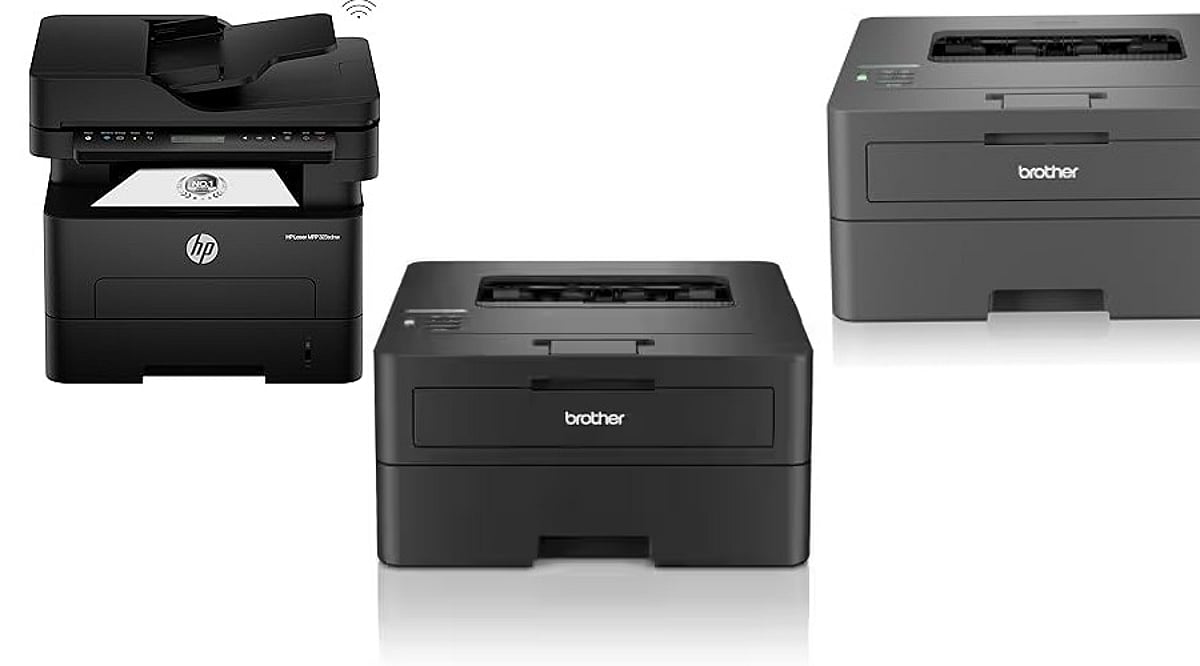
    Laser printers continue to make sense for households, home offices, and workplaces that print documents regularly. They offer sharp text, fast output, and consistent results without ink cartridges. This weekend, online marketplaces in India are listing seven HP, Canon, and Kyocera laser printers at discounts above 40% on several models.

    Below is a breakdown of the listed prices, advertised discounts, and key features. Prices and availability can change during the sale, so confirm the final checkout amount before ordering.

    HP Laser 1008w

    The HP Laser 1008w is listed on Flipkart at Rs. 14,699, down from Rs. 29,999, for a 51% discount. It is a single-function monochrome laser printer with Wi-Fi and USB connectivity. HP’s listing describes it as a personal printer capable of up to 1,500 pages per month. Wireless support means users can print without a physical connection to a computer.

    HP Laser 303dw

    The HP Laser 303dw carries one of the largest discounts in this roundup. Flipkart lists it at Rs. 19,200, down from Rs. 42,999, a 55% discount. It is a single-function monochrome laser printer with automatic duplex printing, Wi-Fi, and USB connectivity. HP’s own store currently shows the model at Rs. 15,998.99 against an MRP of Rs. 27,000, though marketplace pricing can vary.

    HP LaserJet Pro CP1025

    Buyers who need color output can consider the HP LaserJet Pro CP1025, listed at Rs. 10,099 on Flipkart, down from Rs. 18,899. That works out to a 46% discount. Flipkart describes it as a single-function color laser printer and marks the price as the lowest of the year. It is aimed at users who want color printing while retaining the benefits of laser-based document output.

    HP LaserJet Pro MFP 4104fdn

    The HP LaserJet Pro MFP 4104fdn is a multifunction monochrome laser printer for office environments that need more than basic printing. Flipkart lists it at Rs. 41,577, down from Rs. 77,999, a 47% discount. Another seller also lists the same model at Rs. 39,397.

    Canon imageCLASS MF465dw

    The Canon imageCLASS MF465dw is priced at Rs. 39,637 on Flipkart, down from Rs. 69,999, for a 43% discount. This multifunction Wi-Fi monochrome laser printer is designed for office use and combines printing with additional document functions. Wireless connectivity can be useful in workplaces where multiple users need access to the printer.

    HP LaserJet M208dw

    The HP LaserJet M208dw is a compact monochrome laser printer for home and small-office users. HP’s official store currently lists it at Rs. 14,742, down from an MRP of Rs. 22,488, a saving of Rs. 7,746. Its official-store discount is below the 40% threshold, but it remains a relevant option for buyers seeking an HP wireless monochrome laser printer.

    Kyocera ECOSYS MA4000x

    The Kyocera ECOSYS MA4000x stands out with a listed 59% discount on Moglix. It is priced at Rs. 36,779 against an MRP of Rs. 90,000. The monochrome multifunction laser printer supports printing, copying, and scanning, with print speeds of up to 42 pages per minute. It also includes a dual-scan document processor and cloud and mobile utilities.

    Compare final prices before buying

    The seven deals cover different needs, from basic home printing to higher-volume office workloads. Before ordering, buyers should compare the final checkout price, seller details, warranty coverage, toner costs, and replacement-cartridge availability.

    Marketplace discounts can change during the weekend, and stock levels and additional bank offers may affect the final purchase price. HP’s official store currently shows direct discounts on several laser printers, so comparing the marketplace price with the manufacturer’s listing can help buyers judge the actual savings.

    Frequently asked questions

    Which laser printer is suitable for home use?

    The HP Laser 1008w suits home users who want compact monochrome printing, wireless connectivity, and affordable document printing.

    Which laser printer offers the highest discount?

    The Kyocera ECOSYS MA4000x carries a listed 59% discount, making it one of the steepest discounts in this list.

    Which printer supports color printing?

    The HP LaserJet Pro CP1025 is the color laser printer among the seven models featured.

    Are these laser printers suitable for offices?

    Yes. Multifunction models such as the HP LaserJet Pro MFP 4104fdn and Kyocera ECOSYS MA4000x target office requirements.

    What should buyers check before purchasing?

    Buyers should compare final prices, seller ratings, warranty coverage, toner costs, replacement availability, and additional offers before purchasing.
  • 2026 Printer Buying Guide: How to Select the Perfect Model for Your Needs

    2026 Printer Buying Guide: How to Select the Perfect Model for Your Needs

    Overview

    Compare ink tank, laser, and all-in-one printers before making the smartest buying decision today. Learn which printer suits home, office, student, business, and professional photo printing requirements. Understand printing costs, features, connectivity, and performance before investing in your next printer.

    Buying a Printer in 2026: What You Need to Know

    Buying a printer can be tricky. Technical features, compatibility, durability, and other complicated information are essential to consider before buying one. Picking the costliest or cheapest model from the shelf can prove to be a regressive approach. Printers today do a lot more, and a wrong pick can cost you extra money in ink or toner down the line. Ink tank printers cost less to run than the old cartridge models. Laser printers have gotten smaller and quieter over the years. Wi-Fi printing has now become a default feature in most models. The real question isn’t which printer ranks as ‘the best.’ It’s which printer fits what you actually print. Maybe printing photos is a higher priority. Maybe it’s office papers or schoolwork. This guide covers five best printers and looks at how each one performs, what it offers, and who it suits.

    Top Printers Reviewed

    Epson EcoTank Photo ET-8500

    Epson printer is made for people who print a lot of photos. It uses six ink colors instead of the usual four, so photo prints come out smoother with more detail. It uses ink bottles instead of cartridges, which is the EcoTank part. The refills are easier for the average user to affect, and each refill covers a large number of pages, so the cost per photo drops over time. It costs more upfront than a basic printer. The ET-5850 model boasts high paper capacity and has a 4.3-inch color touchscreen. It is a multitasker useful for copying, scanning, printing, and faxing. It supports Wi-Fi, Ethernet, and USB. Print quality stays steady across regular documents and color pages. Families who print photos often say it pays off in the long run. It can scan and copy too, so it works as a full home office setup. This printer fits well into a home where photos are the main use.

    Canon Color imageCLASS MF665Cdw

    Canon’s laser printer is built with small offices in mind. It prints in color and handles scanning, copying, and faxing as well. Laser printers are known for speed, and this one holds up well when printing a stack of pages at once. It connects over Wi-Fi easily, so a few people in one office can share it without any wires. Canon Color imageClass has an exceptional printing speed of 26 pages per minute in both color and black/white options. The print resolution is 1200×1200 dpi and functions well in Print, Scan, Copy, and Fax. This printer sits well against other office models since it keeps the price fair while doing the job right. It works better for text documents than photos, so keep that in mind if photo printing matters to you.

    Brother HL-L2460DW

    Brother printer does one job, and it does that job well: black and white text printing. There’s no color option here, and no extra fuss either. Brother has built a good name over the years for machines that last a long time without trouble, and this model fits that pattern. It connects to Wi-Fi and works with printing apps on a phone, so setup stays easy. Brother HL-L2460DW has a speed of 34 ppm (pages per minute) for A4 and 36 ppm for letter. The printing resolution is about 1200×1200 dpi, with built-in automatic two-sided printing. Students, small offices, and home users pick this printer often since it comes at a low price. It won’t print photos or color pages, so it isn’t for everyone. People who mostly print papers and forms will find it a solid, no-nonsense choice.

    Epson EcoTank ET-2980

    Epson 2980 ranks among the more popular home models, and it’s easy to see why. It covers most day-to-day printing needs without a big price tag. It prints, scans, and copies, and like other EcoTank models, it runs on ink bottles instead of cartridges. This setup keeps running costs low, which matters for a family that prints often. It works with Wi-Fi, so printing from a phone or tablet stays simple. The machine is powered by PrecisionCore Heat-Free technology. It boasts a print resolution up to 4800×1200 dpi and a 1.44-inch color display. This printer stands out among budget ink tank models since it doesn’t force a choice between low cost and decent print quality. It handles everything from homework pages to an occasional photo print.

    HP OfficeJet Pro 9125e

    HP OfficeJet suits people who print a lot, whether at home or in a small office. It prints fast, handles double-sided pages on its own, and scans well. HP built in a smart feature that reorders ink automatically, so users run a lower risk of running out mid-print. HP has stayed a trusted name for reliable printers for years, and this model keeps that reputation going. The model can print, copy, scan, and fax. Its paper capacity includes a 250-page input tray and 60 pages output tray. This printer is also equipped with smart capabilities such as AI-powered adaptation to workflow and advanced scanning capabilities. Households or offices that print daily and value speed over ink savings will find this printer worth a look.

    Which Printer Is Best for Whom?

    • Photo lovers – Epson EcoTank Photo ET-8500. Six-color ink and low cost per print make the higher price worth it.
    • Small office owners who print color documents often – Canon Color imageCLASS MF665Cdw. Fast and handles daily use well.
    • Users who need clean black and white prints on a tight budget – Brother HL-L2460DW. Suits students and small home offices.
    • Families who want one printer for most household needs – Epson EcoTank ET-2980. Keeps ink costs low while covering everyday tasks.
    • Speed-focused users who print often – HP OfficeJet Pro 9125e. Doesn’t let printing slow you down.

    Final Thoughts

    The right printer depends on what a person prints, not on which brand sounds the biggest. Photo lovers should look at an EcoTank photo model. Offices that print a lot of documents will get more value from a laser printer like the Canon or Brother option covered here. Buyers who want one printer for most home needs should consider the Epson ET-2980. Speed-focused users who care less about ink savings should look at HP’s OfficeJet Pro line. No single printer works for everyone. Once a buyer knows what they actually need, picking one gets a lot easier.

    Frequently Asked Questions

    1. Which type of printer is best for home use in 2026? For most homes, an ink tank printer is the best choice because it offers low printing costs, good print quality, and can handle everyday tasks like schoolwork, documents, and occasional photo printing.
    2. Are laser printers better than ink tank printers? It depends on your needs. Laser printers are faster and better for printing large volumes of text documents, while ink tank printers are more affordable to run and perform better for color documents and photos.
    3. Which printer is best for photo printing? The Epson EcoTank Photo ET-8500 is one of the best options for photo printing. Its six-color ink system produces vibrant colors, smoother gradients, and detailed photo prints.
    4. What features should I look for when buying a printer in 2026? Consider print quality, printing speed, running costs, connectivity options like Wi-Fi, automatic duplex printing, paper capacity, and whether you need scanning, copying, or faxing features.
    5. Is a Wi-Fi printer worth buying? Yes. A Wi-Fi printer lets you print wirelessly from laptops, smartphones, and tablets, making it more convenient for homes and offices with multiple users.
  • Top Affordable WiFi Printers for Home and Office Use in 2026

    Top Affordable WiFi Printers for Home and Office Use in 2026

    Finding a reliable, budget-friendly WiFi printer that handles both home and office tasks can be challenging. We’ve reviewed the best options on the market, focusing on low running costs, wireless convenience, and solid print quality. Here are our top picks.

    HP Smart Tank 580

    The HP Smart Tank 580 is an excellent choice for home and office environments. It supports wireless printing, scanning, and copying. Its refillable ink tank system keeps printing costs low, while the HP Smart app simplifies setup. This model delivers consistent print quality for documents, homework, reports, and occasional photos.

    Canon PIXMA G3770

    The Canon PIXMA G3770 offers WiFi connectivity and a high-yield ink tank system. It produces sharp text and vibrant colors, making it ideal for school projects, presentations, and photos. Its compact design fits easily on smaller desks, and running costs remain affordable for regular use.

    Epson EcoTank L3252

    The Epson EcoTank L3252 is popular for its low printing costs and dependable performance. It supports WiFi and mobile printing from phones, tablets, and laptops. The ink bottles last a long time, and the printer handles everyday documents, assignments, bills, and office work smoothly.

    Brother DCP-T426W

    The Brother DCP-T426W includes print, scan, and copy features with built-in WiFi support. It offers impressive page yields through its refillable ink tank system. This printer is suitable for home businesses, students, and professionals who need quick, efficient, and consistent printing throughout the week.

    Canon PIXMA E4570

    The Canon PIXMA E4570 is an affordable wireless printer with an automatic document feeder. It can print, scan, copy, and fax, making it useful for office paperwork. Text output is clear, and color prints are good enough for everyday personal and professional tasks.

    HP DeskJet 2820e

    The HP DeskJet 2820e is designed for users with lighter printing needs. It supports wireless printing, scanning, and copying through an easy setup process. Its compact body saves space, and the HP Smart app allows convenient printing directly from smartphones, tablets, and computers.

    Epson EcoTank L3260

    The Epson EcoTank L3260 combines wireless printing, scanning, and copying with extremely low operating costs. It supports mobile printing and produces consistent results for documents and photos. The refillable ink tank lasts for a long time, making it a smart long-term choice.

  • Top Laptop Brands Offering the Longest Warranty and Best Customer Support in 2026

    Top Laptop Brands Offering the Longest Warranty and Best Customer Support in 2026

    Choosing a laptop involves more than comparing specifications and prices. Warranty coverage and customer support play a major role in the ownership experience. The leading laptop brands in 2026 stand out with reliable service, extended protection, and trusted after-sales care.

    Overview

    • ASUS and Lenovo offer the longest possible total coverage, reaching up to five years on select models.
    • Apple wins on consistency, with the same repair process and pricing in most countries.
    • Business laptop lines from Lenovo, Dell, and HP usually get faster, better support than consumer models from the same brand.

    A laptop’s real worth shows up the moment something breaks. That’s when a weak warranty turns a small fix into a costly, stressful mess. Most brands only offer the bare minimum: one year, nothing more, but there are a few who go further. They offer longer coverage, protection against drops and spills, faster repairs, and support staff who actually help. These details can make a huge difference over the lifespan of a laptop. They cut maintenance expenses, minimize downtime, and streamline maintenance. The best laptop brands of 2026 are not just about the hardware anymore but also about the warranty coverage and customer support provided after purchase.

    What Makes a Laptop Warranty and Customer Support Plan Worth It?

    A good plan does more than add extra months to a calendar. Look for five things:

    • Warranty Duration: Check how long the standard and extended warranty coverage last.
    • Accidental Damage Protection: See if the plan covers drops, spills, and other accidental damage.
    • Battery Coverage: Confirm whether battery repairs or replacements are included during the warranty period.
    • Repair Turnaround Time: Look for brands known for fast and efficient repair services.
    • Customer Support Accessibility: Choose brands that provide quick access to knowledgeable support through phone, chat, or service centers.

    A three-year warranty means little if spare parts take weeks to arrive. Business laptop lines often get better support than consumer models from the same brand, so check which line you are buying before you compare numbers.

    Best Laptop Brands with the Longest Warranty and Customer Support in 2026

    ASUS

    ASUS includes one year of accidental damage protection with many laptops, plus the option to extend total coverage to three years on consumer and gaming notebooks or five years on commercial models. This makes ASUS one of the few brands that protect against drops and spills without forcing you to buy a separate plan right away.

    Apple

    Apple keeps things simple. AppleCare+ stretches Mac coverage to three years total and covers unlimited accidental damage incidents, though each repair carries a service fee. The real strength here is consistency. Apple’s repair process and pricing stay the same no matter where you live, which matters if you travel often.

    Lenovo

    Lenovo stands out for ThinkPad buyers. Premium Care Plus adds accidental damage protection, a three-year sealed battery warranty, and on-site repair in many markets. Total coverage can stretch to five years, which is longer than most rivals offer.

    HP and Dell

    HP and Dell both lean on flexible add-on plans rather than one fixed number. HP’s Care Packs let you choose the exact coverage length and damage protection you want. Dell is known for dependable business support, especially through its enterprise service lines, even though its base consumer warranty is standard.

    Razer

    Razer takes a different angle. Its Blade laptops ship with a battery warranty of up to two years built in, which is rare in this category. RazerCare then extends full coverage to three years, though accidental damage only comes with the higher Elite tier.

    Why Business Laptops Usually Offer Better Warranty and Customer Support

    Not all laptops are offered the same level of after-sales support. Warranty plans and repair times may be faster on business laptops as compared to consumer models. Leading brands such as Lenovo, Dell, and HP often provide on-site repairs, next-business-day services, and quicker waiting times for business devices. These advantages are more beneficial to freelancers, remote workers, and small business owners than the slightly improved hardware specifications.

    The most expensive part of the repair is frequently the downtime of the laptop. Missing a project deadline can cost far more than replacing a broken screen. This is the reason why warranties and support plans are considered an investment for a business laptop.

    Which Laptop Brand Should You Choose in 2026?

    • Choose ASUS or Apple for enhanced protection against accidental damage.
    • Choose Lenovo or HP for longer warranty options and business-grade support.
    • Choose Dell for trusted enterprise-level service and responsive customer support.
    • Choose Razer for gaming laptops backed by extended battery protection.

    Final Thoughts

    A laptop warranty is more than just a piece of paper in the box. It reflects the value that a brand places on its customers post-sales. When things go wrong, the extended coverage, quick repairs, convenient service, and flexible protection options can make all the difference. Each of the five brands has its own distinct strengths, and it all comes down to the intended use of the laptop.

    Frequently Asked Questions

    1. Which laptop brand offers the longest warranty in 2026?

    Brands such as Lenovo, ASUS, HP, and Dell offer extended warranty options of up to three to five years on select laptops. The exact coverage depends on the model and any additional protection plans purchased.

    2. Which laptop brand has the best customer support in 2026?

    Apple, Dell, Lenovo, and HP are widely recognized for reliable customer support, offering multiple service channels, efficient repair networks, and premium support plans for both consumer and business users.

    3. Is an extended laptop warranty worth buying?

    An extended warranty is worthwhile if you use your laptop for work, travel frequently, or plan to keep it for several years. It can help reduce unexpected repair costs and provide faster service.

    4. Do gaming laptops come with accidental damage protection?

    Some gaming laptop brands, including ASUS and Razer, offer accidental damage protection through select models or optional protection plans. Coverage varies by region and warranty package.

    5. What should I consider besides warranty when choosing a laptop brand?

    Look beyond warranty length and evaluate customer support quality, repair turnaround time, service center availability, international warranty coverage, and the ease of accessing replacement parts and technical assistance.

  • Best Ink Tank and WiFi Printer Deals in Flipkart Weekend Sale: A Cost-Per-Page Comparison

    Best Ink Tank and WiFi Printer Deals in Flipkart Weekend Sale: A Cost-Per-Page Comparison

    A good printer should save you money long after the purchase. Ink tank models deliver lower printing costs, and Wi-Fi support makes printing easier across devices. Flipkart’s Back to Campus Sale has brought Canon, HP, Epson, and Brother Wi-Fi ink tank printers closer in price, making long-term running costs a more important factor than upfront discounts.

    HP offers the lowest published cost per page, Epson remains the most affordable to buy, Canon delivers the most balanced overall experience, and Brother targets high-volume black-and-white printing. This comparison focuses on ink yield, cost per page, and real ownership costs to help buyers choose the right printer based on printing habits rather than sale prices alone.

    Why Ink Tank Printers Changed the Math

    Cartridge printers were the default choice for Indian homes and offices for years, picked largely for the lowest upfront price. That logic stopped working once printing volumes climbed. A standard cartridge covers a few hundred pages and can cost anywhere from one to four rupees per page once refills start. Low-cost per-page ink tank printers reversed that equation entirely. A refillable tank built into the body, fed by ink bottles, replaced the expensive cartridge cycle.

    WiFi became standard alongside that shift. Most homes and small offices now print from more than one device, and a wired connection no longer makes sense for the way people actually work.

    Four Models, One Honest Comparison

    Among the best ink tank printers on Flipkart this week, four models cover almost every kind of buyer. This Canon, HP, Epson, and Brother printer comparison moves past the discount badge on these Wi-Fi all-in-one printer offers to focus on what each model truly costs to run, not just what it costs to buy.

    Canon PIXMA G3770

    Canon’s PIXMA G3770 is the steadiest option in this group. One full set of ink bottles covers around 6,000 black pages and 7,700 color pages. That is enough for a household printing documents and the occasional photo without watching the ink gauge too closely. It handles mixed print jobs cleanly and carries no obvious weak spots across text or color output.

    BUY NOW

    HP Smart Tank 530

    HP’s Smart Tank 530 comes with an automatic document feeder and the lowest published cost per page in this comparison. HP rates it at 10 paise per black page and 20 paise per color page. The ink supplied in the box is rated for up to 18,000 black pages and 8,000 color pages, the highest combined yield across all four models here.

    BUY NOW

    Epson EcoTank L3250

    Epson’s EcoTank L3250 runs on the brand’s heat-free print technology and carries Epson’s own published figures of 9 paise per black page and 33 paise per color page, based on a 4,500 black and 7,500 color page yield. It is the least expensive of the four to purchase upfront, making it a practical entry point for buyers with moderate color printing needs.

    BUY NOW

    Brother DCP-T730DW

    Brother’s DCP-T730DW skips balance and focuses on raw output. Its ink set is rated for up to 15,000 black pages against 5,000 color pages each for cyan, magenta, and yellow. It includes an ADF and auto duplex printing as standard features, making it well-suited for offices that print largely in black and white at high volume.

    BUY NOW

    Match the Printer to How You Actually Print

    The real difference between these four comes down to how you print, not how large the discount appears. For buyers who print mostly text with the occasional color page, the Epson wins on both price and published cost per page. Canon sits close behind and handles a more even mix of text and color without any obvious trade-off.

    For frequent color printing, the HP earns a second look, given its 8,000 color page yield and the lowest listed cost per page of the group. Brother only makes sense if the majority of output is black-and-white at real volume. Its color yield falls well behind the other three.

    Also Read: Best Inkjet Printers Under Rs. 10,000 in India 2026

    The Sale Helps, But the Math Stays the Same

    This comparison will not look very different once the sale ends. Printer brands now compete on cost per page and ink yield nearly as much as on sticker price. Flipkart’s sale calendar keeps bringing this comparison back through bank offers and exchange bonuses layered on top of list price cuts.

    None of these four printers is a poor choice. The real mistake is selecting by discount size rather than actual use. Match the model to your monthly print volume and how often you print in color, then let the live price and any bank offer settle things between two close options. The cheapest printer to buy is rarely the cheapest printer to own. Compare the cost per page first and treat the sale discount as a bonus, not the deciding factor.

    Final Thoughts

    A printer is a long-term expense, not a one-time purchase. Compare ink yield and cost per page before checkout, then use Flipkart’s sale discounts and bank offers to get the best value from the model that fits your printing habits.

    FAQs

    1. Which ink tank printer has the lowest cost per page in the Flipkart Weekend Sale?

    Among the models compared, the HP Smart Tank 530 has the lowest published cost per page, rated at 10 paise for black prints and 20 paise for color prints.

    2. Are ink tank printers cheaper to run than cartridge printers?

    Yes. Ink tank printers typically offer much lower running costs as they use refillable ink bottles that deliver thousands of pages per refill, unlike cartridges that need frequent replacement.

    3. Which printer is best for high-volume black-and-white printing?

    The Brother DCP-T730DW is designed for heavy document printing, with a claimed yield of up to 15,000 black pages and features such as auto duplex printing.

    4. Is a WiFi printer worth buying for home use?

    Yes. WiFi printers allow multiple users to print from laptops, smartphones, and tablets without connecting a USB cable, making them more convenient for homes and small offices.

    5. What should I consider when choosing an ink tank printer during a sale?

    Focus on monthly print volume, color printing needs, ink yield, cost per page, and features such as WiFi, automatic document feeders, and duplex printing rather than choosing solely based on the discount offered.