
Tag: hybrid work

  • Future-Proofing the Workplace: Essential Strategies CEOs Must Implement Now

    Future-Proofing the Workplace: Essential Strategies CEOs Must Implement Now

    The future of work is no longer a distant concept discussed in boardrooms and industry conferences. It is unfolding in real time. Artificial intelligence is automating routine tasks, hybrid work has become an accepted norm, and employees are demanding greater flexibility, purpose, and opportunities for growth. At the same time, businesses are navigating economic uncertainty, stricter regulations, and a rapidly evolving cybersecurity landscape.

    For CEOs, the challenge extends beyond embracing new technology. The bigger task lies in building organizations that can adapt quickly without losing their human edge. Companies that view workplace transformation as an ongoing process rather than a one-time initiative are more likely to retain talent, improve productivity, and remain competitive.

    AI is Reshaping Jobs, Not Eliminating Them

    AI has emerged as a major driver behind changes in the corporate environment, and it has been moving fast. Even though there are still worries about job displacement, most companies are starting to see that AI shouldn’t be treated like an outside add-on, but rather integrated into the workflow alongside their employees.

    Many of the boring, everyday administrative tasks—document processing, customer support, and data analysis—are already handled by AI systems. This leaves professionals with more time for inventive work and relationship-building. Still, this kind of shift requires the CEO to redesign how work flows, not just roll out a new software tool and call it done.

    Organizations that can demonstrate equal success in developing technological and workforce capabilities will see the greatest results from the introduction of AI technologies.

    Skills are Becoming More Valuable Than Degrees

    The validity period of professional competencies is getting smaller and smaller. Rapid advancements in technology, new business models, and new customer needs mean that people have to learn continuously throughout their careers.

    Companies that think ahead realize the importance of skills-based recruitment, assessing people based on their proven competencies and not just formal qualifications or previous positions. In-house learning programs, AI training, and leadership development are strategic investments rather than additional perks.

    From a CEO’s perspective, investing in a culture of continuous learning means lower recruitment expenses and an adaptable workforce.

    Hybrid Work Needs Structure, Not Freedom Alone

    In fact, there is no longer any discussion about working from home vs. the office. Now the discussion has moved on to creating hybrid work systems where teamwork can be done effectively without losing flexibility.

    Successful organizations are now setting standards for when teams have to meet up and when remote work proves more effective. Offices are being restructured for collaboration and not fixed desk jobs. This helps organizations maintain their culture without taking away flexibility from employees.

    Employee Wellbeing is a Business Strategy

    Employee burnout and stress cannot be treated only as a human resources problem because they also impact productivity and innovation.

    More companies are providing services related to mental health, flexibility, and good work practices. At the same time, they recognize that keeping employees productive means giving them a reasonable workload, rather than making them spend more hours at work.

    Employees who feel valued by their company are more motivated and productive and are less likely to search for other job opportunities.

    Trust Will Define AI Adoption

    As artificial intelligence becomes more prevalent in the workplace, governance has become one of the key roles of the leadership team.

    The requirement for accountability regarding the use of AI technology, data processing methods, and reduction of biases is always increasing. CEOs have to develop policies on how to properly use AI and implement cybersecurity.

    Trust has become the competitive advantage. Companies using AI technology in the right way will gain customer and employee trust.

    Managers Must Become Coaches

    Technology is performing most of the administrative functions that managers usually performed. Therefore, managers can coach and mentor people.

    Most employees nowadays need feedback, personalized coaching, and guidance, especially when organizational change takes place. When managers act as coaches, engagement increases.

    Leadership quality, rather than technology alone, will continue to differentiate high-performing organizations.

    Adaptability is the New Competitive Advantage

    The main takeaway from the evolution of workplaces is the permanency of change itself. Companies can no longer afford to follow a five-year plan that stays intact during its entire life-cycle.

    Leaders of the future are creating organizations that can adapt and respond promptly to any changes in technology, markets, and people’s demands. These organizations will be able to make data-based decisions, ensure cybersecurity, enable continuous learning opportunities, and provide flexibility in the system, while never losing sight of their people.

    Organizations that create empathic innovation will be the winners of the future. Although artificial intelligence may dictate the future of the workplace, it will be the leadership that keeps their people engaged and attracts loyal customers.

    Why This Matters

    Workplace transformation is accelerating as AI, automation and shifting employee expectations redefine business operations. CEOs who invest in adaptable work cultures, continuous learning and responsible technology adoption will be better positioned to attract talent, drive innovation, strengthen resilience and sustain long-term growth in an increasingly competitive global economy.
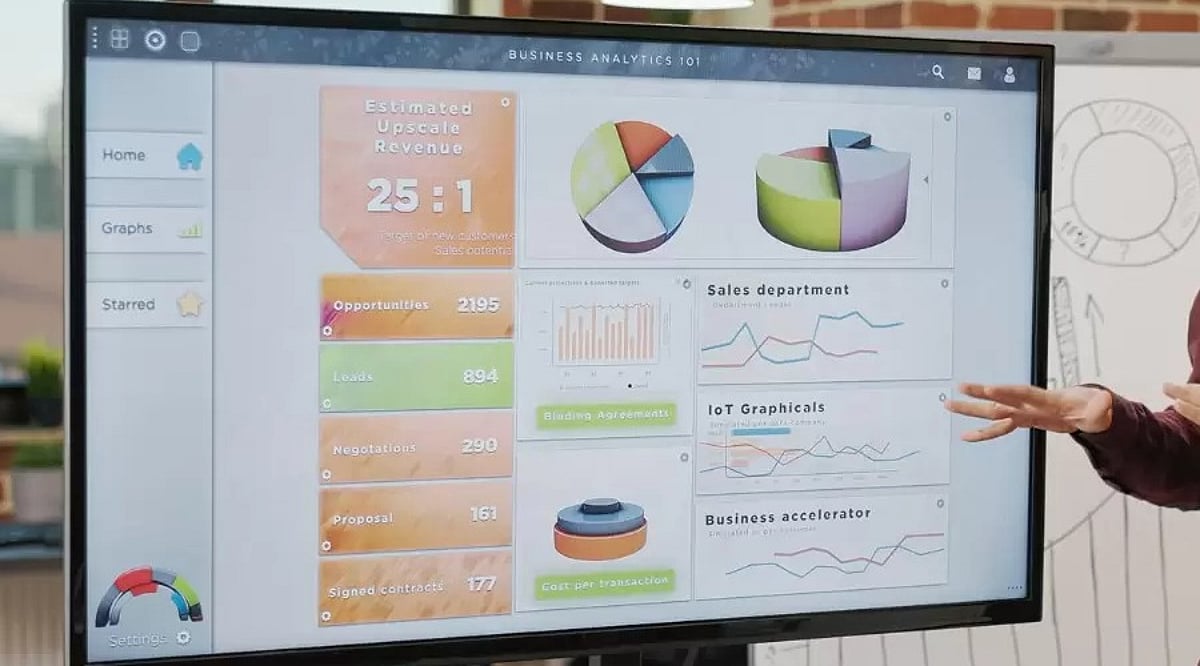
  • 2026 Guide to the Best Digital Whiteboard Displays for Business Collaboration

    2026 Guide to the Best Digital Whiteboard Displays for Business Collaboration

    Digital whiteboard displays are transforming business collaboration by combining interactive touch, video conferencing, and cloud connectivity. This guide compares leading 2026 models and highlights essential buying factors for choosing the right solution.

    Why Businesses Are Switching to Digital Whiteboards

    A traditional whiteboard has a major limitation: Once erased, the ideas it contains are lost unless someone photographs it beforehand. A digital whiteboard overcomes this limitation automatically. Every note, sketch, and diagram can be saved without manual effort and can be retrieved for a future meeting or shared with anyone unable to attend.

    These screens also allow a team to combine multiple elements such as a slide deck, spreadsheet, product photo, and live video call on a single surface. This makes the presentation an interactive work session.

    Top Digital Whiteboard Displays

    • Samsung Flip Pro – Known for its sharp UHD picture and a screen that can rotate between landscape and portrait mode. It suits teams that switch between presentations and long lists or notes.
    • Microsoft Surface Hub – Built around Microsoft 365. This board accommodates offices that use apps like Teams, Outlook, and OneNote. Its security features and management tools appeal to larger enterprises.
    • Cisco Webex Board – Strength lies in video conferencing and encrypted storage. This display suits security-conscious industries such as finance and legal services.
    • ViewSonic ViewBoard – Budget-friendly option with solid warranty coverage and a straightforward Android interface. Popular among mid-sized businesses.
    • NearHub S Series – All-in-one board offering 4K resolution across multiple screen sizes, with native integration for Zoom, Teams, and Google Meet.

    Comparison at a Glance

    Model Key Feature Best For
    Samsung Flip Pro Rotating UHD display Teams needing flexibility
    Microsoft Surface Hub Deep Microsoft 365 integration Enterprise Microsoft shops
    Cisco Webex Board Encrypted video conferencing Security-sensitive industries
    ViewSonic ViewBoard Affordable Android-based board Mid-sized businesses
    NearHub S Series 4K with multi-platform conferencing Hybrid teams

    What to Look for Before Buying One

    Not every display is suitable for office workflows. Here are some points worth checking:

    • Size and Resolution: For smaller huddle rooms, a 55-inch screen works well, but boardrooms require a 65-inch display. 4K resolution is now common, and clearer text improves the overall experience.
    • Touch Technology: Capacitive touch gives a similar experience to writing on glass with a thin pen. Infrared boards offer multiple touch points simultaneously, useful when several people use the board.
    • Operating System: Windows OS makes it easier to incorporate Microsoft 365 software, while Android gives access to a larger app store. Some manufacturers also have their own OS.
    • Conferencing Capabilities: Built-in camera, microphone, and speaker are necessary for hybrid teams. Lack of these requires external equipment.
    • Application Support: Support for Zoom, Microsoft Teams, and Google Meet is becoming almost mandatory.
    • Mobility: A rolling stand helps move the display between rooms; wall-mounted boards offer a permanent setup.

    Points Worth Keeping in Mind

    Price should not be the only factor. Many boards carry an annual software or storage fee in addition to the purchase cost. A heavy 55-inch or larger display often requires a wall bracket or wheeled stand, which must be purchased separately. Warranty periods vary considerably, ranging from 90 days to 3 years, so review terms carefully. Staff training on the new system also requires time—a board that impresses in a showroom can prove cumbersome if the interface is not intuitive for non-technical employees.

    Final Word

    Digital whiteboard displays are not cheap, but the decision depends heavily on the company’s scope and use case. If your office is dominated by Microsoft tools, Surface Hub is a great option. A security-focused company might prefer Cisco’s Webex Board. For a modestly sized team with a limited budget, ViewSonic or NearHub are decent choices. Focus on compatibility with your needs and existing technology stack rather than just the spec sheet.

    Frequently Asked Questions

    1. Which digital whiteboard display is best for business collaboration?

    The ideal digital whiteboard depends on your business requirements. Microsoft Surface Hub suits Microsoft-centric organisations, Cisco Webex Board prioritises security, while Samsung Flip Pro, ViewSonic ViewBoard, and NearHub offer excellent collaboration for different budgets.

    2. What features should businesses consider before buying a digital whiteboard?

    Evaluate screen size, 4K resolution, touch technology, operating system, built-in conferencing tools, application compatibility, mobility options, warranty coverage, and any recurring software or cloud subscription costs.

    3. Are digital whiteboard displays suitable for hybrid work environments?

    Yes. Most modern models support Zoom, Microsoft Teams, and Google Meet, allowing in-office and remote employees to collaborate, annotate documents, share screens, and participate in meetings seamlessly.

    4. Do digital whiteboards require additional software subscriptions?

    Some include free collaboration tools, while others charge annual fees for cloud storage, advanced software, device management, or premium conferencing features. Always review total ownership cost before purchasing.

    5. Which screen size is recommended for office meeting rooms?

    A 55-inch display works well for smaller huddle spaces, while 65-inch or larger screens are better suited for boardrooms and larger meeting rooms, ensuring clear visibility for every participant.