
Tag: iCloud

  • AI Subscriptions and Cloud Storage: What Your Digital Stack Really Costs in 2026

    AI Subscriptions and Cloud Storage: What Your Digital Stack Really Costs in 2026

    Several small monthly charges can add up to a surprisingly large annual bill. A single AI plan at $20 a month comes to $240 a year; two plans at the same price total $480. Add cloud storage, music, video, and productivity tools, and the full cost of your digital life can quickly outpace any one subscription’s sticker price.

    Recent pricing updates show that providers are competing on bundles as much as on raw AI performance or storage capacity. That makes it essential to compare annual totals, storage allowances, AI usage limits, and included extras before choosing a plan.

    Most AI Plans Cluster Around $20 a Month

    ChatGPT Plus remains priced at $20 per month. OpenAI says the tier offers broader model and tool access than the free version, higher usage limits, advanced reasoning, faster responses, and expanded features, although model access and limits may change over time.

    Claude Pro also stays at $20 per month in the US, with benefits such as higher usage, priority access, and early access to new features. In India, Anthropic now lists local pricing: Claude Pro is Rs 2,000 per month when billed annually, and Claude Max starts at Rs 11,999 per month. Those prices include local taxes, and mobile app pricing can differ from web pricing, so converting US prices directly does not give an accurate estimate for Indian users.

    Perplexity Pro is also $20 per month. It includes access to advanced AI models, deep research, higher usage limits, file analysis, and additional tools. Perplexity updated its consumer plan details in September 2026, with Pro listed alongside free and Max options.

    Google Pairs AI With Generous Cloud Storage

    Google takes a different approach by combining AI and storage in one package. A standard Google account includes 15 GB of free storage across Gmail, Google Drive, and Google Photos. The basic Google One 100 GB plan costs $1.99 per month in the US.

    Google AI Pro costs $19.99 per month and now includes 5 TB of storage. It also adds expanded Gemini access, Deep Research, Google Flow, Gemini in Gmail and Docs, Gemini Notebook, YouTube Premium Lite, and other Google benefits. The plan can be shared with up to five other people.

    That bundling changes the value equation. If you need both an AI assistant and terabytes of cloud storage, one Google AI Pro bill may be cheaper than separate AI and storage subscriptions, depending on how heavily you use each feature.

    For users with heavier AI needs, Google also offers AI Ultra, which starts at 20 TB of storage and provides higher access limits across several AI tools.

    Apple Expands iCloud+ in India

    Apple’s iCloud+ plans in India now start at Rs 75 per month for 50 GB, followed by Rs 219 for 200 GB, Rs 749 for 2 TB, Rs 2,999 for 6 TB, and Rs 5,900 for 12 TB.

    In September 2026, Apple added Apple TV and Apple Arcade to iCloud+ in India at no extra cost. Apple Arcade includes more than 200 games, while Apple TV adds Apple’s video catalog. Family Sharing lets one iCloud+ plan cover up to five family members.

    Apple also introduced Apple Music Select in India, which includes ad-free stations. Full Apple Music remains a separate service at Rs 115 per month for an Individual plan and Rs 145 per month for a Family plan. Apple One is no longer accepting new subscribers in India, though existing Apple One customers can keep their current plans.

    Infrastructure Costs Are Rising Too

    AI pricing is not isolated from broader industry trends. Reuters reported on September 17, 2026, that Nebius plans another price increase for selected chips starting October 1. The company had already raised prices once within the previous three months as demand for AI computing power pushed infrastructure costs upward.

    That does not guarantee consumer subscription prices will rise, but it provides helpful context for future AI costs. For now, the most effective way to manage digital expenses is to review annual totals, storage needs, AI limits, and bundled benefits before each renewal. A low monthly price can look harmless, but several small subscriptions can quietly turn into a substantial yearly bill.
  • Apple’s iCloud+ Expansion in India Adds Apple TV, Arcade, and Music Select

    Apple has started rolling out an expanded iCloud+ subscription in India, now bundling Apple TV and Apple Arcade at no extra cost. The updated plans also introduce Apple Music Select, a new ad-free music station feature. Meanwhile, Apple One subscriptions are being closed to new users in the country.

    Apple TV and Apple Arcade Now Included

    The new iCloud+ plan gives subscribers access to Apple TV content and Apple Arcade’s library of over 200 games, including titles like Hello Kitty Island Adventure, Sneaky Sasquatch, and Football Manager 26 Touch. Users began receiving notifications about the updated plan, which combines cloud storage with video streaming and gaming services.

    The iCloud+ plan starts at Rs. 75 per month for 50GB of storage, with higher storage options available. Subscribers can share their plan with up to five family members through Family Sharing.

    Apple Music Select Added

    Apple is also adding Apple Music Select to the package for Indian users. This feature offers ad-free music stations within the existing Apple Music app. It does not provide the full Apple Music subscription; users who want complete access can subscribe separately. For iCloud+ users, Apple lists the Individual plan at Rs. 115 per month and the Family plan at Rs. 145 per month.

    The company is ending direct standalone subscriptions for Apple TV and Apple Arcade in India. Existing subscribers will continue accessing these services through their iCloud+ plans. Apple assured that Arcade game progress and saved data will be preserved.

    Apple One Closed to New Subscribers

    Apple is also closing Apple One subscriptions to new customers in India. Existing Apple One subscribers will continue with their current plans. Apple One previously combined services such as Apple Music, Apple TV, Apple Arcade, and iCloud+ storage, priced at Rs. 195 per month for an Individual plan and Rs. 365 per month for a Family plan.

    The expanded iCloud+ offering will roll out through September across more than 100 countries and regions, with India among the first markets to receive the new subscription structure.

  • Apple’s New Home AI Features: Pricing Tiers Up to $60/Month for iCloud+ Users

    Apple’s New Home AI Features: Pricing Tiers Up to $60/Month for iCloud+ Users

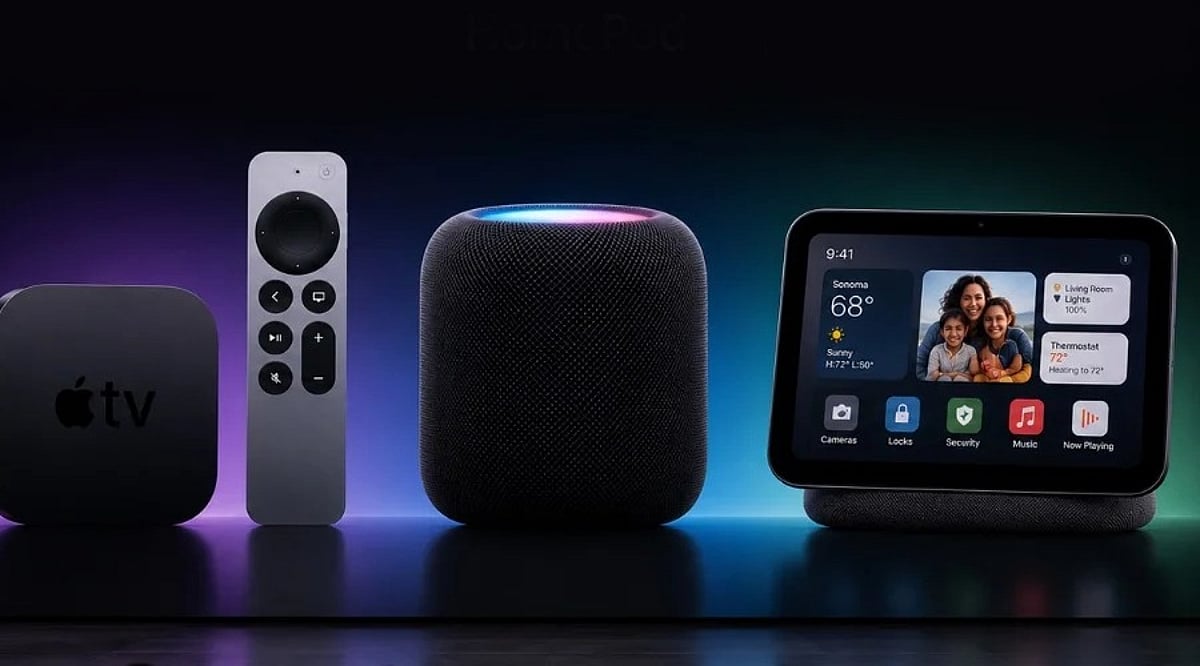
    Apple’s latest software updates—iOS 27 and tvOS 27—bring artificial intelligence capabilities to the Home app, introducing AI-generated video summaries, video search, and the ability to combine footage from multiple cameras. However, accessing these features requires an iCloud+ subscription, with costs ranging from $9.99 to $59.99 per month depending on the number of cameras.

    Apple Home AI Pricing Breakdown

    For a single camera, users need the 2TB iCloud+ plan at $9.99/month or an Apple One Premier subscription at $39.95/month. Adding a second camera jumps to the 6TB plan at $29.99/month, while up to five cameras require the 12TB plan at $59.99/month. Apple has not confirmed support for more than five cameras.

    Importantly, camera recordings from HomeKit Secure Video devices do not count toward the iCloud storage quota.

    Existing HomeKit Secure Video Unchanged

    The new pricing does not alter the standard HomeKit Secure Video service, which starts at $1/month for the 50GB plan (one camera with smart alerts and facial recognition). Previously, the 2TB plan supported up to five cameras without AI features; now the same tier enables AI for just one camera.

    Competitive Landscape

    Apple’s pricing faces stiff competition. Amazon’s Ring and Google Nest charge around $20/month for similar AI-powered camera features, often with more functionality. Apple’s iCloud+ plans also bundle storage for photos, files, and device backups, plus higher limits for Siri AI and other Apple Intelligence features—though specifics remain undisclosed.

    The updates also improve speed, reliability, and add 4K video resolution support for HomeKit Secure Video. AI features remain optional for existing users.

  • How to Recover Your WhatsApp Chats from iCloud Backup

    How to Recover Your WhatsApp Chats from iCloud Backup

    Losing WhatsApp chats can be stressful, especially when old messages, photos, documents, or group conversations are important. If you have an iCloud backup, you can restore that chat history on your iPhone, but only if a valid backup exists and account details match. This guide walks you through checking backups, reinstalling WhatsApp, troubleshooting common issues, and protecting future conversations with automatic backups.

    Key Takeaways

    • Verify the latest WhatsApp iCloud backup, phone number, iCloud account, and available storage before reinstalling WhatsApp.
    • Only data included in the latest successful backup can be restored; videos require the video backup option to have been enabled.
    • If iCloud restoration is not possible and your old iPhone still works, use WhatsApp’s direct Chat Transfer feature.

    Check the iCloud Backup Before WhatsApp Restore

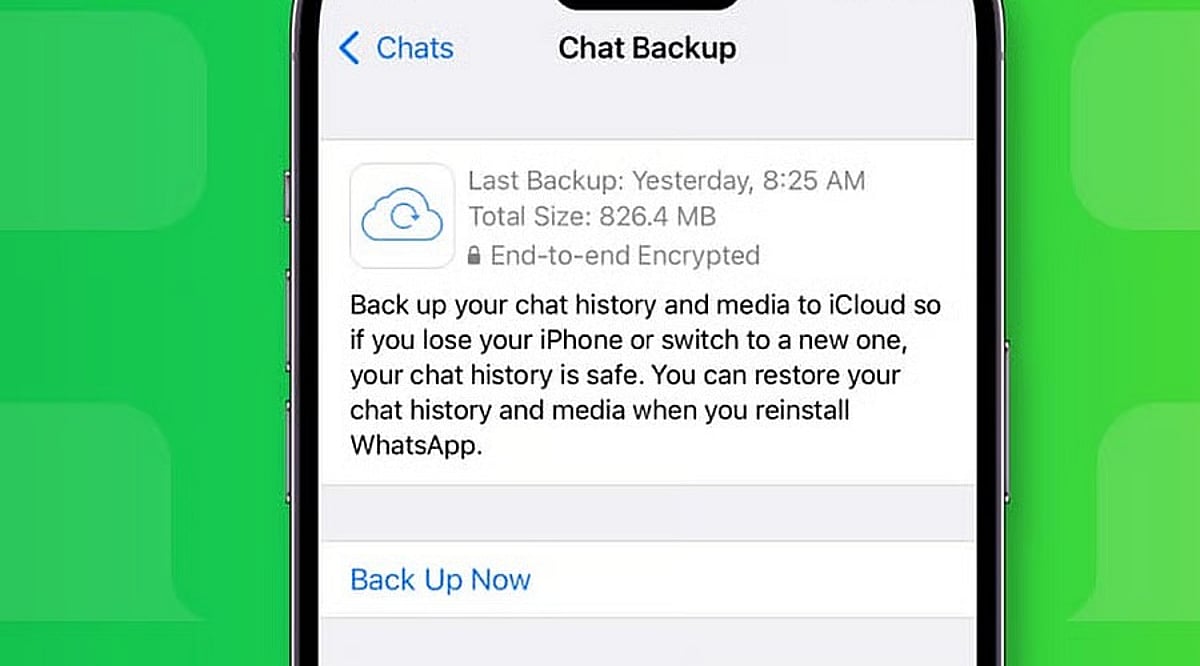
    Open WhatsApp on your iPhone and go to Settings > Chats > Chat Backup. The screen shows the date and size of the latest backup if a valid iCloud copy exists. The same phone number and iCloud account used for the original backup must match.

    Ensure enough free space is available on both iCloud and your iPhone. WhatsApp recommends having at least 2.05 times the backup size available as free storage on both. Limited storage can cause a failed or partial restore.

    If the backup is encrypted, you will need the associated password, passkey, or 64-digit encryption key. Without these recovery details, WhatsApp cannot provide access to the encrypted copy.

    Reinstall WhatsApp and Start the Chat Restore

    Once the backup details are confirmed, delete WhatsApp from your iPhone and install it again from the App Store. Open WhatsApp after the fresh install and complete account setup with the same phone number used for the backup.

    WhatsApp will then ask for the Apple ID linked to the backup. After account verification, a Restore Chat History option appears. Tap that option to start the restore. Extra identity checks may appear; a text message or call can provide a verification code if required.

    Restore time depends on backup size and chat media. A large history with many photos, documents, and videos takes longer than a small text-only history. Keep enough free space on both your iPhone and iCloud account.

    What the iCloud Backup Can Restore

    WhatsApp restores data from the latest successful backup. Any messages or media added after that backup date cannot be recovered from that backup. Videos require an extra condition: the Include Videos option must have been active before the latest backup. Without that option, chat history can return but videos will remain absent.

    Messages and media from WhatsApp communities may also be included in the backup. Channel updates can exist, but channel media returns only for accounts with an admin role. Note that WhatsApp does not keep complete chat history on company servers for manual recovery; an iCloud backup or direct chat transfer is the only route back to old conversations.

    Fix Common Restore Problems

    Failed restores often point to storage, account details, or the backup itself. Check free iCloud space and iPhone storage first. Confirm the same phone number and iCloud account used for the original backup, then verify the latest backup date inside WhatsApp.

    If storage caused the failure, free up space, then delete WhatsApp and repeat the restore. For encrypted backups, ensure you have the correct password, passkey, or 64-digit key.

    If no usable iCloud backup exists and your old iPhone still works, use WhatsApp’s Chat Transfer feature for an iPhone-to-iPhone move. Both phones need the latest iOS and WhatsApp versions, Wi-Fi, internet access, and a power source. The old phone can send the chat history directly to the new iPhone without an iCloud restore.

    Protect Future WhatsApp Chats

    A successful restore can recover a large part of your chat history, but the backup date sets the limit. WhatsApp offers automatic backup schedules under Chats > Chat Backup, with daily, weekly, or monthly options.

    An end-to-end encrypted backup can be protected with a password, passkey, or 64-digit encryption key. Keep the chosen recovery detail safe; a forgotten password or lost key can block access to the encrypted backup.

    The safest restore starts before the reinstall: check the backup date, confirm the phone number and iCloud account, verify storage, and protect any encryption key. Once those details match, WhatsApp can restore your saved chat history with far less risk of an incomplete recovery.

    Frequently Asked Questions

    Can I restore WhatsApp chats from iCloud?
    Yes, if a valid WhatsApp iCloud backup exists and you use the same phone number and iCloud account.
    Will WhatsApp restore messages received after the backup?
    No. Messages and media added after the latest successful backup cannot be recovered from that backup.
    Why are my WhatsApp videos missing after restoration?
    Videos are restored only if the Include Videos option was enabled before the backup was created.
    What if my encrypted WhatsApp backup asks for a password?
    You need the correct password, passkey, or 64-digit encryption key associated with the encrypted backup.
    Can I restore WhatsApp without an iCloud backup?
    If your old iPhone still works, WhatsApp’s Chat Transfer feature can transfer chat history directly to another iPhone.
  • WhatsApp Tests Independent Cloud Backup for iPhone Users, Reducing iCloud Reliance

    WhatsApp Tests Independent Cloud Backup for iPhone Users, Reducing iCloud Reliance

    WhatsApp is developing a new feature that would allow iPhone users to back up their chat history without relying on Apple’s iCloud. The move, discovered in the latest WhatsApp beta for iOS by WABetaInfo, points to Meta’s plan to introduce its own encrypted cloud storage service for conversation backups.

    Currently, iPhone users must use iCloud for WhatsApp backups, requiring sufficient iCloud storage space. The upcoming change would give users the option to choose between iCloud and WhatsApp’s own cloud service, potentially easing storage constraints for those who frequently run out of space or prefer not to depend on Apple’s ecosystem.

    According to leaked screenshots, the new system will offer 2GB of free cloud storage from WhatsApp, with additional paid plans likely available for users who need more capacity. Like the existing backup option, WhatsApp’s cloud backups will be end-to-end encrypted, ensuring messages remain private and secure.

    The feature is still in development and not yet accessible to beta testers. Meta has not announced a release date or availability timeline. If launched, it would give iPhone users greater flexibility in managing their chat backups and reduce dependence on iCloud for storage.