Tag: image generation

  • Google Gemini Desktop App Launches for Windows: Download Guide and Key Features

    Google Gemini Desktop App Launches for Windows: Download Guide and Key Features

    Google has officially launched a dedicated Gemini app for Windows, bringing its AI assistant directly to the desktop. The new application allows users to access Gemini without opening a browser, offering instant AI-powered assistance for everyday tasks.

    Availability and System Requirements

    The Gemini Windows app is available globally for Windows 10 and Windows 11. To run the app, your PC must meet the following minimum requirements:

    • Windows 10 or later
    • At least 8GB of RAM
    • 200MB of available storage
    • A stable internet connection
    • A Google Account

    How to Download and Install Gemini for Windows

    Installing the app is straightforward. Follow these steps:

    1. Visit gemini.google/desktop.
    2. Download the GeminiSetup.exe file.
    3. Run the installer and follow the on-screen instructions.
    4. Once installation is complete, open Gemini from the Start menu.
    5. Sign in with your Google Account.
    6. Press Alt + Space to open Gemini over your active work.

    Key Features and Productivity Boost

    The desktop app lets you fact-check information, generate ideas, draft content, or solve problems without switching between applications. The keyboard shortcut (Alt+Space) makes Gemini easily accessible during routine desktop tasks, significantly improving workflow efficiency.

    Image and Video Creation Capabilities

    Gemini’s creative features are also available on Windows. Users can generate custom images using Nano Banana and create videos using Gemini Omni. This makes the application ideal for presentations, content creation, and visual projects, reducing the need to juggle multiple separate AI tools.

    With this launch, Google brings its AI assistant closer to the Windows desktop experience, offering seamless integration and powerful productivity tools.

  • OpenAI’s ChatGPT Images 2.5 Boosts Speed, Adds Sketch and Precision Editing Tools

    OpenAI’s ChatGPT Images 2.5 Boosts Speed, Adds Sketch and Precision Editing Tools

    OpenAI has launched ChatGPT Images 2.5, the latest version of its image-generation model, bringing faster generation, sharper editing controls, and creative features designed to make visual creation more intuitive and precise. Available across ChatGPT, ChatGPT Work, and Codex on desktop, mobile, and web, the update is rolling out to all subscribers at no extra cost.

    What’s New in Images 2.5?

    Three major improvements define this release: enhanced image quality, more accurate editing, and significantly faster generation. OpenAI reports that images now render up to 50% faster than the previous Images 2.0 model. Lighting appears more natural, textures are sharper, and reference photos retain their detail—even when the subject is placed in a completely different scene.

    Beyond the core model, new tools have been integrated into the ChatGPT interface:

    • Sketch Feature: Users can draw rough ideas on a canvas, then add a short description. ChatGPT transforms the sketch into a polished, finished image. This is ideal for concepts that are easier to draw than describe.
    • Editing Toolbar: Opens when an image is selected, offering five options: Markup, Comment, Remove Background, Erase, and Resize. Remove Background isolates the subject with a transparent background. Erase removes unwanted objects with a simple brush stroke.
    • Comment-Based Editing: Click directly on part of an image and type instructions like “remove this” or “make it blue.” The AI acts on only that area, leaving the rest untouched.
    • Templates: Pre-built guides for posters, merchandise, product photography, and more. Users answer a few questions and ChatGPT generates the image.
    • Prompt Sharing: Finished images can now include the exact prompt used, allowing others to reuse and adapt the concept.

    Consistency Across Multiple Edits

    Earlier versions often degraded quality after repeated edits in the same conversation. Images 2.5 addresses this by preserving important visual details and composition through multiple rounds of changes. This reliability is especially valuable for marketing teams creating campaign assets or social media batches that need to look cohesive.

    New API Models for Developers

    Developers gain access to two new API models: Flare (default, optimized for speed and lower cost, suitable for everyday tasks) and Sunburst (slower but offers tighter control for polished campaign work). Companies like Adobe, Runway, and Manus have already integrated these models into their products.

    Competitive Edge

    Early reviews place Images 2.5 ahead of Google’s Nano Banana 2 in editing accuracy and speed. Critics note that the biggest improvement is not just raw output quality but how the new editing tools transform the daily workflow of image creation.

    Overall, ChatGPT Images 2.5 refines a system that already worked well, putting more control in users’ hands. For casual users, it simplifies quick photo touch-ups, poster design, or product shots. For businesses, the choice between Flare and Sunburst offers a practical trade-off between speed and precision. The result is steady, sensible progress that makes AI image generation more practical and accessible.

  • OpenAI Launches ChatGPT Images 2.5 with Sketch Tool for Enhanced Editing Control

    OpenAI Launches ChatGPT Images 2.5 with Sketch Tool for Enhanced Editing Control

    OpenAI has officially launched ChatGPT Images 2.5, a major update to its image generation platform, introducing a new Sketch tool that allows users to draw directly inside a chat to guide the final image. The update, released on September 8, 2026, promises faster editing, stronger consistency across edits, and two new API models for developers.

    The Sketch tool is the headline feature of this release. Users can type “@Sketch” to open a canvas and rough out ideas—whether it’s a room layout, a clothing concept, or something easier to draw than describe. OpenAI also added new templates for common formats like flyers and product photos, along with the option to leave comments directly on an image for more targeted edits.

    According to OpenAI, editing control matters more than raw output quality in this version. Earlier versions of ChatGPT Images often lost track of a subject’s likeness after a few rounds of edits. Images 2.5 does a better job preserving people, pets, and key details, even as users apply changes to a specific part of an image without disturbing the rest. That consistency carries across longer conversations, so earlier edits stay intact instead of degrading with each new instruction.

    The new engine claims up to 50 percent lower generation latency than Images 2.0. The update rolled out to ChatGPT, ChatGPT Work, and Codex users across desktop, mobile, and web on all tiers. OpenAI shared the news first with Axios.

    Alongside the ChatGPT update, OpenAI introduced two API models: GPT-Image-2.5 Flare and GPT-Image-2.5 Sunburst. Flare serves as the default option for most use cases, offering higher image quality than GPT-Image-2 at half the latency. Sunburst targets premium workflows like campaign creative and polished product imagery, where tighter editing control matters more than speed.

    OpenAI said people generate more than 3 billion images every week across ChatGPT Images and the GPT-Image API models combined. Adobe has already added the new models to Firefly, its creative AI platform, according to comments the company shared at launch. Pricing for both new API models comes in at twice the rate of GPT-Image-2.

  • Why Background Removal and Upscaling Outperform Image Generation in Commercial Workflows

    Why Background Removal and Upscaling Outperform Image Generation in Commercial Workflows

    In most large-scale commercial workflows, the bulk of compute time is spent on unglamorous tasks: separating subjects from backgrounds, removing unwanted objects, upscaling low-resolution files, and compositing subjects into new scenes. These operations run millions of times daily behind product listings, marketplace tiles, and ad creative. They don’t make for flashy keynote slides, but they form the backbone of reliable image processing at scale.

    The Edge Case Is the Edge

    Cutting a subject from a photo sounds trivial until you hit the boundary. Alpha matting must decide not only which pixels belong to the subject, but what fraction of each boundary pixel belongs there. A pixel at the rim of a wine glass contains both glass and wall. The hardest categories are predictable: hair, fur, chain-link mesh, tulle, backlit subjects, transparent objects, motion blur, and items whose colors blend into the background. A model that handles a matte-finish shoe perfectly may fail on a tulle skirt, and a pipeline that assumes uniform quality across a catalog will ship those failures silently.

    Narrow Models Beat Broad Ones

    Task-specific models consistently outperform general-purpose ones in this domain, and the reason has nothing to do with parameter count. Ask a text-to-image system to remove a background, and it often re-renders the subject instead. The output looks plausible, but the product in that image is no longer the original product. Generative systems optimize for plausibility—an image that a human accepts as coherent. Commercial image editing demands fidelity: preserving every stitch, every specific shade, pixel for pixel, while everything around it changes. These are different objectives, and a model tuned for one is a liability at the other.

    The practical solution is an ensemble pipeline: a segmentation model produces the matte, an inpainting model handles removal, a super-resolution model handles upscaling, and the generative model is confined to the region where invention is actually desired.

    Measurement Is Thin in Image Pipelines

    Most teams running image operations at volume lack a proper evaluation set. They have a handful of test images chosen for their difficulty, plus a subjective sense that quality is acceptable. When a provider updates a model without announcement, they discover the change through customer complaints. The remedy is already prescribed by frameworks like the NIST AI Risk Management Framework (v1.0, January 2023): a frozen benchmark set that includes hard categories, a quality metric that correlates with human rejection, and a regression check that fires when a model version changes.

    The Consumer End Collapsed the Stack

    Platforms like Pixelcut combine matting, object removal, upscaling, and background removal into a single app. The same consolidation has happened across the consumer market; what used to require five separate tools and compositing knowledge is now a sequence of taps on a phone. But the abstraction hides important details: a user cannot tell whether a poor result came from matting failure, aggressive compression, or a request routed to a different model due to capacity constraints. That opacity is harmless for social media posts but consequential for merchants whose listing images constitute their entire sales pitch.

    Batch Is the Real Requirement

    Single-image quality is a showroom metric. Volume workflows care about throughput that holds across hundreds of images without per-item babysitting, deterministic output so reruns reproduce results, per-image failure handling to flag hard mattes rather than ship bad cutouts, and a stable version contract so catalog appearance doesn’t change overnight. The last property is the one most commonly discovered by accident.

    Fidelity, Plausibility, and the Returns Desk

    An edited product image functions as an advertising claim. Invented texture, nudged colors, or generated reflections that imply a finish the item doesn’t have each become a representation a customer can act on. Returns and chargebacks are where the cost eventually lands. Whether a model hallucinates detail is both a technical question and a compliance question.

    Where the Next Gains Come From

    Not from bigger models. The gains available in this layer are mostly systems work: routing each image to the cheapest model capable of handling it, caching aggressively because catalogs are repetitive, moving inference on-device where latency and unit cost matter more than peak quality, and attaching provenance metadata so downstream systems know what was altered and how. Provenance is shifting fastest from nice-to-have toward procurement requirement as platforms push disclosure obligations upstream.

    Why the Unfashionable Layer Wins

    The demo-friendly part of computer vision is generation, where competition is fiercest and differentiation shortest-lived. The durable positions are being built in the parts nobody screenshots: reliable mattes on difficult materials, batch behavior that surprises no one, and evaluation good enough to catch regressions before a customer does. Measurable, unglamorous, and considerably harder to copy than a prompt.

  • PixAI vs Civitai vs Midjourney: Choosing the Right AI Art Platform for Your Creative Workflow

    PixAI vs Civitai vs Midjourney: Choosing the Right AI Art Platform for Your Creative Workflow

    Choosing an AI art platform used to be straightforward: Midjourney for polished output, Stable Diffusion for granular control. But the landscape has evolved into specialized tools, and three names consistently surface in creator discussions: PixAI, Civitai, and Midjourney. Each serves a distinct purpose, making the choice heavily dependent on your specific creative needs and technical comfort.

    Quick Comparison at a Glance

    Pricing reflects publicly listed rates at the time of writing and is subject to change. Always confirm current pricing on each platform’s official website before subscribing.

    What Are PixAI, Civitai, and Midjourney?

    PixAI is an anime-focused AI art platform built for a browser-first workflow. Prompting, LoRA training, editing, and community sharing happen inside the same interface, with no local installation. It excels at character consistency and anime-specific model tuning, making it ideal for original character (OC) creators and anime enthusiasts who want quality without learning Stable Diffusion architecture.

    Civitai functions as a community-driven repository for Stable Diffusion and Flux models. Think of it as an app store for AI models, hosting checkpoints, LoRAs, and embeddings, plus an on-site generator. Users can download models for local use or generate through Civitai’s cloud service. Its strength lies in customization and community contributions.

    Midjourney is a closed, general-purpose image generation platform known for its distinctive painterly aesthetic. Initially Discord-based, it now offers a standalone web interface. It doesn’t expose its underlying model or support external LoRAs; instead, it offers a curated set of style parameters that consistently produce high-quality, artistic results.

    Ease of Use: Which Is Best for Beginners?

    PixAI offers the simplest onboarding. Create an account, browse visual models, and generate anime-style images within minutes — no downloads, no GPU, no complex syntax. Civitai’s learning curve varies: its browser generator is approachable, but deep usage requires understanding Stable Diffusion concepts. Midjourney falls between the two, with a Discord or web interface that uses parameter syntax (aspect ratios, stylization values) that takes some practice but becomes efficient.

    Anime Quality and Model Selection

    PixAI is built specifically for anime and character art, delivering consistent linework, expressive faces, and stable proportions out of the box. Civitai’s massive library includes many high-quality anime models, but consistency varies and finding the right model takes research. Midjourney can approximate anime aesthetics with careful prompting but lacks the dedicated anime tuning of PixAI.

    Model Customization and LoRA Support

    PixAI offers built-in LoRA support with adjustable weights, and creators can train custom LoRAs without external tools. Civitai has the deepest LoRA ecosystem, allowing composition of multiple LoRAs for granular control, but requires more technical setup. Midjourney has no LoRA workflow — customization is limited to style parameters and reference images.

    Pricing and Free Tier Comparison

    PixAI provides a free tier with at least 10,000 daily credits and paid plans starting at $7.99/month (annual billing). Civitai offers a free tier with limited daily generation credits and paid memberships starting around $10/month. Midjourney has no free tier; subscriptions start at $10/month for Basic, with higher tiers up to $120/month. Both PixAI and Civitai allow testing before spending; Midjourney requires commitment upfront.

    Community and Social Features

    PixAI’s community is anime-centric, with galleries, following, comments, and model sharing designed for that audience. Civitai’s community operates like an open marketplace and forum, with model pages featuring ratings, sample images, and prompt metadata for research. Midjourney’s community primarily lives on Discord and its public web feed, providing real-time inspiration but less structured creator profiles.

    Monetization Opportunities

    PixAI supports portfolio building and commission visibility through public galleries and LoRA publishing. Civitai has a formalized creator economy, including a Buzz currency system and a Creator Program for monetizing models and LoRAs. Midjourney offers commercial usage rights on all paid subscriptions, beneficial for selling finished art, but lacks built-in creator-economy features like tipping or model sales.

    Character Consistency and Creative Control

    PixAI’s reference image and LoRA tools keep characters stable across generations — ideal for OC creators and commission artists. Civitai supports character consistency through custom-trained LoRAs but requires manual setup. Midjourney can approximate consistency via reference images but lacks LoRA-level exact repeatability.

    Technical Setup

    PixAI is fully web-based, no installation needed. Civitai offers flexibility: cloud generation or local use with tools like AUTOMATIC1111 or ComfyUI (requires capable hardware). Midjourney is cloud-only, accessed via Discord or web app, with no local installation.

    Learning Curve and Documentation

    PixAI provides in-app guidance and tutorials aimed at quick onboarding. Civitai’s learning resources are distributed across model pages, which serve as documentation but lack a structured beginner path. Midjourney has an official documentation hub and active community for troubleshooting, assuming some baseline comfort with prompt-based tools.

    Which Platform Fits Your Workflow?

    • Beginner anime fan: PixAI — no technical background needed.
    • Advanced Stable Diffusion user: Civitai — deep library and local flexibility.
    • Designer needing quick concept art: Midjourney — fast, polished output.
    • OC creator focused on consistency: PixAI — built-in reference and LoRA tools.
    • Technical LoRA creator: Civitai — ecosystem and Creator Program.

    Platform Stability and Long-Term Outlook

    All three platforms show sustained investment. PixAI expands its anime-specific toolset, Civitai grows its open-model community, and Midjourney remains a recognized name with a stable subscriber base. Evaluate based on current features and community health rather than assuming permanence.

    Should You Use Multiple Platforms?

    Many creators use a combination: Civitai for model discovery and testing, PixAI for anime generation and character consistency, and Midjourney for rapid concept work. Choosing tools per project often yields better results than committing to a single ecosystem.

    Final Thoughts

    PixAI, Civitai, and Midjourney solve different problems. Choose PixAI for anime-focused, accessible creation with built-in community and character consistency. Choose Civitai for maximum customization and the largest model library. Choose Midjourney for a streamlined, cloud-first experience for general artistic generation. The best approach is to pick the platform that matches your skill level and project — no single tool is universally superior.

  • Meta Unveils Muse Image: AI-Powered Photo Creation and Editing Comes to Facebook, Instagram, and WhatsApp

    Meta Unveils Muse Image: AI-Powered Photo Creation and Editing Comes to Facebook, Instagram, and WhatsApp

    Meta has officially launched Muse Image, the first image-generation model developed by its newly formed Meta Superintelligence Labs (MSL). The AI model is now integrated into Meta AI, allowing users to generate, edit, and transform images using natural language prompts, uploaded photos, sketches, and annotations directly within Meta’s suite of apps.

    What Makes Muse Image Different?

    Unlike traditional AI image generators that rely solely on text prompts, Muse Image understands complex instructions, interacts with user-uploaded images, and even allows modifications by drawing on images or adding annotations. This makes the creation and editing process more interactive and flexible—all without leaving apps like Facebook, Instagram, WhatsApp, and Messenger.

    Key Features of Meta Muse Image

    • Text-to-Image Generation: Describe almost any scene in natural language, and Muse Image will produce a corresponding image, handling intricate requests with multiple details.
    • Image Editing: Upload an existing photo and ask Meta AI to modify it—change backgrounds, lighting, clothing, or add new objects—without regenerating from scratch.
    • Sketch-Based Editing: Draw simple sketches or annotations over an image, and the AI will replace, remove, or enhance those specific areas.
    • Instagram Stories Effects: Over 30 new AI-powered effects, enabled by Muse Image, are rolling out to Instagram Stories for creative visual enhancements.
    • In-Chat Image Creation on WhatsApp: Users can generate images directly within WhatsApp conversations using Meta AI, initially rolling out in select countries before a global launch.

    How to Use Muse Image

    Using Muse Image is straightforward through Meta AI:

    1. Open Meta AI in a supported app (e.g., Instagram or WhatsApp).
    2. Type a text prompt describing the image you want to create.
    3. If modifying an existing image, upload a photo.
    4. Use sketches or annotations to highlight specific areas for change.
    5. Review the generated image and refine it further with additional prompts.

    Support for Facebook and Messenger will expand as Meta continues to roll out the feature.

    Meta’s Bigger AI Ambitions

    Alongside Muse Image, Meta teased its upcoming Muse Video AI model, which aims to generate video content from prompts. Although still in development, it signals Meta’s commitment to building not only advanced image generation but also AI-powered video creation. By embedding these capabilities into apps used by billions, Meta hopes to make AI-driven content creation accessible to everyone.

  • 2026 AI Image Generation APIs: A Comprehensive Comparison of Free and Paid Options for Developers

    2026 AI Image Generation APIs: A Comprehensive Comparison of Free and Paid Options for Developers

    Introduction

    Every major AI lab now offers its own image generation API, each with distinct models, pricing, prompt conventions, and licensing terms. For developers and teams evaluating which API to integrate, the decision goes beyond which model produces the best output. It involves weighing cost at scale, flexibility to switch providers, and the need for multiple models. This guide breaks down the leading AI image generation APIs available in 2026—from OpenAI and Google to open-weights options and free tiers—across the key factors: model quality, cost, commercial rights, and vendor lock-in.

    How to Choose an AI Image Generation API

    Choosing the right API requires considering several interacting factors:

    • Model quality and prompt adherence: Different models handle prompts differently—some produce photorealistic images, others stylized illustrations. Fine detail rendering (faces, typography, hands) varies significantly.
    • Latency and async capabilities: Some APIs return images synchronously in under two seconds; others use async job queues with webhooks, better for throughput but less interactive.
    • Pricing structure: Billing units vary—tokens (OpenAI), per-image (Google), credits (Stability AI)—making cost comparisons complex.
    • Commercial rights and licensing: Ensure generated images are usable commercially, especially for products. Enterprise indemnification is increasingly a deciding factor.
    • Vendor lock-in: Different prompt conventions and response formats make switching costly. Unified APIs reduce this risk.

    OpenAI Image Generation API (gpt-image-1)

    OpenAI’s latest flagship, gpt-image-2 (launched April 2026), offers multi-turn image generation for iterative refinement. The API uses token-based billing: text input ~$5/1M tokens, image output ~$30/1M tokens. A single 1024×1024 image costs roughly $0.034 at medium quality. Returns images as base64 or URLs, supports PNG/JPEG, up to 10 images per call. C2PA provenance metadata is embedded. Commercial rights are granted, and OpenAI does not train on user input by default. Best for teams already in the OpenAI ecosystem who need editing functionality and can handle token billing complexity.

    Google Gemini / Imagen API (“Nano Banana”)

    Google’s Imagen family (Imagen 3 and 4) offers simple per-image pricing via Vertex AI: Imagen 4 Ultra ~$0.06/image, Standard ~$0.04, Fast ~$0.02. Upscaling is $0.003 per image. This makes cost forecasting easy. Quality is competitive with OpenAI’s best, and enterprise features include SLAs, data locality, and Cloud IAM integration. The three-tier system (Fast/Standard/Ultra) balances cost and quality. No persistent free tier. Best for enterprise teams on Google Cloud who want predictable pricing and robust infrastructure.

    xAI Grok Image Generation API

    xAI’s Grok Imagine offers low-cost image generation: standard 1024×1024 ~$0.02 per image, quality variants up to $0.07. Unique for bundling image and video generation in one API. Combined media generation is a differentiator, but free tier credits were discontinued. Stricter content moderation applies. Best for projects needing both image and video at low per-unit cost, especially with xAI reasoning models.

    FLUX API

    FLUX by Black Forest Labs emphasizes high aesthetic quality and strong prompt adherence, especially for artistic output. Available through providers like Replicate, fal.ai, Freepik, and unified APIs. Pricing ranges $0.01–$0.05 per image. FLUX Pro is commercially licensable through providers; Dev variant has restrictions. Best for developers prioritizing artistic quality and stylistic control.

    Leonardo AI API

    Leonardo.AI combines a visual design UI with API access. Subscription plans start at $12/month (Essential) with token-based usage. Supports multiple models including custom fine-tunes and third-party models. “Unlimited” applies only to first-party models. Ideal for teams needing design tools with API integration and broad model selection.

    Stability AI API

    Stability AI offers both hosted API and open-weights models (Stable Diffusion 3.5 family). Credit-based pricing: SD3.5 Large ~$0.007/image, SD3.5 Large Turbo ~$0.005/image. Upscaling and editing add costs. New accounts get 25 free credits. The open-weights approach allows self-hosting at scale, eliminating per-image costs. Community License covers organizations under $1M revenue. Best for developers familiar with Stable Diffusion who want flexibility to self-host or need comprehensive editing pipelines.

    Kling and Video-Capable APIs

    Kling by Kuaishou excels at image-to-video animation, valuable for marketing and social media. Video generation remains expensive – a 5-second 1080p clip can cost $1.25. Other providers like xAI and Leonardo also offer video capabilities. Best for projects requiring dynamic content from static images.

    Low-Cost and Free Options (Prodia, Pollinations, Freepik)

    For experimentation and prototyping, consider:

    • Freepik: Unified access to multiple models (Flux, GPT) with subscription tiers starting at ~$5.75/month. Includes legal indemnification for commercial use on enterprise plans. Combines stock imagery with AI generation.
    • Pollinations.ai: Community models for image, text, video, and audio. Free-tier quotas unclear. Best for experimentation.
    • Prodia: Decentralized approach with open-source models. Pricing less documented.

    These have limitations: lower resolution, less consistency, reduced priority, tighter rate limits.

    Unified APIs: One Endpoint for Many Models

    Most production applications eventually need multiple models. Unified APIs like Apiframe provide a single integration point across providers, reducing vendor lock-in and simplifying maintenance. They offer access to models such as Midjourney (which lacks an official public API), FLUX, Stable Diffusion, and others through one endpoint. This is especially valuable for teams that want to switch models without rewriting integration code.

    Conclusion

    There is no single best AI image generation API. OpenAI and Google lead on raw quality; Stability AI offers flexibility through open weights; xAI provides low-cost combined image/video; unified platforms maximize reach. Evaluate your priorities—cost, quality, commercial rights, and flexibility—to choose the right combination for your project.

  • Apple Supercharges Creator Studio with AI Editing Tools for Video, Images, and Music

    Apple Supercharges Creator Studio with AI Editing Tools for Video, Images, and Music

    Apple has rolled out a significant software upgrade to its Creator Studio platform, embedding machine learning capabilities across its creative applications. The update introduces automated tools for video editing, image generation, and audio production, streamlining workflows by tightening integration between Apple’s professional software and its standard productivity apps.

    Most of the AI processing runs on Apple silicon, allowing creators to work faster with on-device intelligence while maintaining user control and privacy.

    Final Cut Pro Gets Faster AI-Powered Editing

    As announced by Apple in an official blog post, “Updates bring new integrations with Pixelmator Pro across Final Cut Pro, Keynote, Pages, and Numbers; even more intelligent tools in Final Cut Pro; the ability to generate shapes to further customize a project; and a new Producer Project in Logic Pro.”

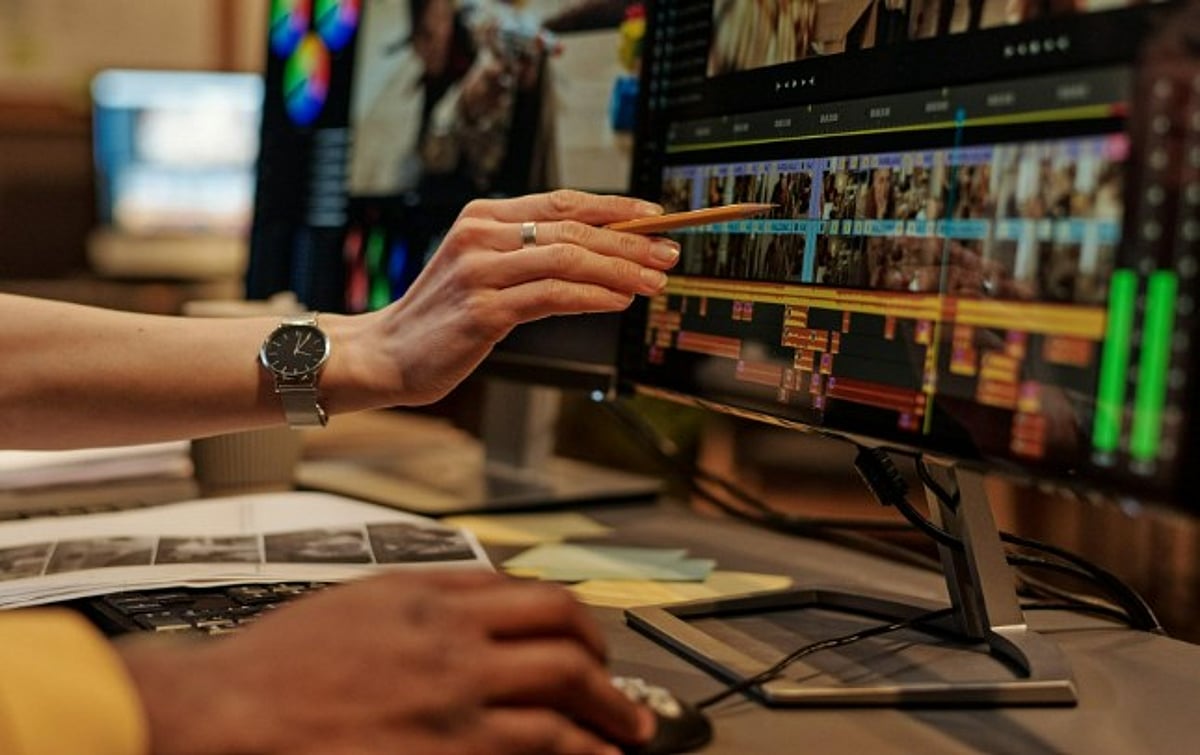
    Final Cut Pro receives the most substantial set of upgrades in this release. The new Generate Captions feature uses AI to create captions from spoken audio, and editors can edit captions directly in the timeline. Apple has also introduced the Auto Mask feature, which detects and masks subjects against their backgrounds, significantly reducing time spent on manual masking.

    Apple has expanded Pixelmator Pro’s integration across Creator Studio. Users can now open, edit, and customize images directly from apps such as Final Cut Pro, Keynote, Pages, and Numbers. The update also adds:

    • AI-assisted image editing tools
    • Background removal
    • Object cleanup
    • Detail enhancement
    • The ability to generate custom shapes

    These features are designed to reduce repetitive editing tasks while giving creators greater flexibility.

    Apple Focuses on Connected Creative Workflows

    The update enhances intelligent music tools and enables producers to create and arrange tracks more efficiently. Apple says the upgrade is designed for both professionals and first-time users.

    Experts suggest that Apple has strengthened connections across its creative ecosystem. Assets can now be transferred easily among Final Cut Pro, Pixelmator Pro, and other productivity apps, simplifying creative workflows.

    With this release, Apple continues to push the boundaries of on-device AI, making professional-grade editing more accessible while preserving the privacy and performance that Apple silicon provides.