Virtual reality stopped being an experimental technology a long time ago. Today it’s used in entertainment, education, medicine, architecture, and many other fields. That’s why quality VR game development starts not with graphics or special effects, but with a well-thought-out user experience. Companies working on these projects — Stepico among them — pay close attention to how people interact with digital space, because that’s what determines whether they’ll come back to the product.
Building a VR environment is different from developing regular games or mobile apps. In virtual space, the user is literally inside the action. Every detail — from camera rotation speed to menu placement — can affect comfort and overall impression. That’s why UX design for VR requires a different approach. It’s not just about showing a beautiful picture; it’s about making interaction feel natural and intuitive.
Comfort comes first
Many users encounter VR for the first time through games. If they feel discomfort in the first few minutes, there’s a good chance they’ll never open that product again.
To avoid this, development should account for a few key things:
- Stable frame rate
- Minimal lag between user movement and system response
- Comfortable movement speed
- A choice of locomotion methods
- Simple control setup
These may seem obvious, but they define the quality of a user’s first impression.
The interface should be part of the world
In traditional games, menus often sit on top of the image. In VR, that approach works much worse.
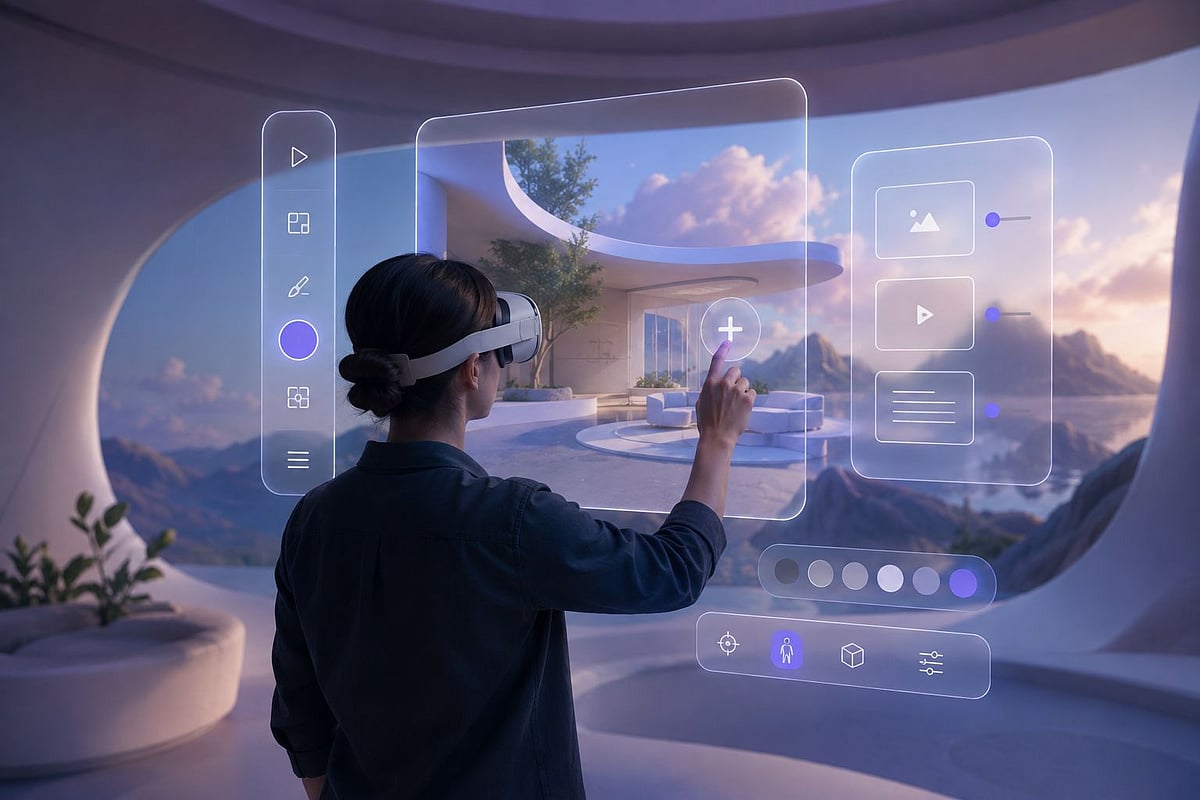
When information looks like a separate layer floating in front of your eyes, it breaks immersion. It works far better when the interface is naturally embedded in the virtual environment.
A map, for example, could be a tablet the character holds. Health indicators might appear on a wristband. Objectives could show up on an interactive panel within the game world.
This keeps users immersed and makes interaction feel more organic.
Less tutorial, more intuition
People don’t want to spend half an hour reading instructions. A good VR product introduces mechanics gradually. The first few minutes might cover simple actions — opening doors, picking up objects, pressing buttons, learning gestures. More complex features can unlock from there. This approach prevents information overload.
Realistic interaction without unnecessary complexity
Not every object in VR needs to behave exactly like it would in real life. Sometimes too much realism just gets in the way. If opening a simple door requires a series of precise movements, it gets frustrating fast. The goal is finding the right balance between realism and usability:
- Large interaction zones
- Clear visual feedback
- Simple gestures
- Predictable object behavior
- Minimal accidental errors
Users should feel in control, not like they’re fighting the mechanics.
Space is part of the interaction
In VR, the user perceives not individual interface elements, but the entire space around them. That is why designers work with more than just buttons, menus, or prompts. They carefully consider every detail of the environment so that users can quickly understand where they are and what to do next.
Lighting helps draw attention to the right objects. Contrasting colors highlight important objects, and the familiar layout of furniture, walkways, or equipment makes navigation more intuitive. If the space is structured logically, users are less likely to pause while searching for the next action.
A well-designed environment allows you to do without a large number of text prompts. The room’s architecture, the direction of light, or even the placement of doors can naturally suggest a route. As a result, the interaction feels cohesive and doesn’t overwhelm the user with unnecessary information.
Sound works in tandem with visuals
In virtual reality, sound serves many more functions than just background noise. It helps users orient themselves in space, react to changes, and make decisions faster. Spatial audio allows users to determine where a character is approaching from, in which direction a mechanism has been triggered, or where an important event has occurred. This is especially useful in games, training simulators, and collaborative VR environments.
High-quality sound design helps solve several tasks at once:
- it simplifies navigation;
- it creates a clear soundscape of the environment;
- it signals important events without text prompts;
- it makes interactions feel more natural;
- it helps you react more quickly to changes in your surroundings.
When sound is used correctly, the user doesn’t need to constantly look at prompts or search for messages on the screen. Many actions become intuitive thanks to the combination of visual and auditory cues.
Testing should begin as early as possible
Even an experienced team cannot predict all user behavior scenarios. People react differently to the same mechanics, so it’s worth testing solutions even while creating the first prototypes. Test participants who have had almost no experience with VR headsets are particularly valuable. They are the ones who most often reveal which elements cause difficulties, where people get lost, or which actions seem confusing.
During testing, the team may identify the following issues:
- awkward movement;
- difficult object manipulation;
- an overloaded interface;
- subtle or hard-to-notice prompts;
- errors in spatial design.
The sooner these flaws are identified, the less time and resources will be needed to fix them. Minor changes at an early stage are usually much less expensive than reworking a finished product.
Conclusion
Many well considered choices are necessary for a high-quality VR user experience. An unobtrusive interface, well-tuned music, a rationally arranged area, easy navigation, and intuitive object interaction all function as a cohesive system. A user’s level of comfort in the virtual world is influenced by each of these factors.
Both effective solutions and flaws are immediately apparent to users. They remain in the app longer, learn its features more quickly, and are more inclined to return if the interface is simple from the very beginning. For this reason, effective VR projects are based on both contemporary technology and actual human behavior and expectations.