Tag: iPad

  • How to Use Your iPad as a Second Monitor: A Step-by-Step Guide

    How to Use Your iPad as a Second Monitor: A Step-by-Step Guide

    Your iPad can do much more than serve as a standalone tablet. When paired with a compatible Mac, Apple’s Sidecar feature transforms your iPad into a second screen, expanding your workspace for documents, creative applications, research, and multitasking. This guide walks you through the entire process, from compatibility checks to advanced tips.

    Check Compatibility First

    Before diving in, ensure your Mac and iPad support Sidecar and are signed in to the same Apple Account. Both devices must run compatible operating systems, and you’ll need to have two-factor authentication enabled for that account. This requirement ensures a secure and seamless connection.

    Connect Your Devices

    Sidecar works both wirelessly and over a wired USB connection. For wireless setup, turn on Wi-Fi, Bluetooth, and Handoff on both devices, and keep them near each other. A USB connection is ideal for long sessions, as it keeps your iPad charged while working.

    Enable Sidecar

    On your Mac, open Control Center and select Screen Mirroring, then choose your iPad from the list. Alternatively, go to System Settings, click Displays, and add the iPad from there. Once connected, your iPad will act as an extension of your Mac desktop.

    Extend or Mirror the Screen

    Sidecar offers two primary modes: Extend and Mirror. In Extend mode, you can place different windows on each screen, effectively doubling your workspace. In Mirror mode, both displays show the same content—ideal for presentations or teaching. You can also rearrange display positions so moving the cursor between screens feels natural.

    Use Apple Pencil Too

    For creative professionals, Sidecar becomes even more powerful with an Apple Pencil. You can draw, edit photos, annotate documents, and interact with supported Mac applications directly on your iPad. The iPad’s sidebar gives quick access to common modifiers like Command, Option, and Shift, making it a natural extension of your workflow.

    Build a Bigger Workspace

    Once Sidecar is running, drag research materials, reference pages, or tool palettes onto the iPad while keeping your main project on the Mac. This setup eliminates cramped multitasking and boosts productivity. When you’re done, simply disconnect your iPad via the Screen Mirroring menu or Sidecar controls to return to normal operation.

    Join our WhatsApp Channel for the latest news, exclusives, and videos on technology.

  • Prime Day Apple Deals 2026: How to Identify Genuine Discounts and Shop Smart

    Prime Day Apple Deals 2026: How to Identify Genuine Discounts and Shop Smart

    Prime Day is one of the few times Apple products receive meaningful discounts, but not every offer delivers real value. Comparing prices against historical lows helps separate genuine savings from marketing tactics. A planned approach leads to smarter Apple purchases.

    Overview

    Prime Day creates one of the biggest shifts in Apple’s annual pricing, with select MacBooks, iPads, Apple Watch models, AirPods, and accessories seeing meaningful price reductions. A genuine Apple deal is determined by historical pricing, product lifecycle, and overall value rather than the percentage discount shown during the sale. Smart buying decisions depend on comparing real savings, understanding upgrade timing, and choosing products that deliver the strongest long-term value.

    Every Prime Day, thousands of Apple products get sale badges. Only a few offer real savings. The difference is not the percentage shown on screen. It is how far the price has moved from Apple’s own price and its lowest price in the past year. Apple rarely cuts its own prices. Prime Day is one of the few times to buy MacBooks, iPads, Apple Watch models, and AirPods for less. This guide separates real savings from marketing noise, using current prices from Amazon India and Apple’s own store.

    What Counts as a Real Discount

    A price cut only qualifies as a deal once it clears a fixed threshold. Anything below this is a markdown with a sale badge attached, not an actual saving.

    Apple’s India pricing shifted this year. The MacBook Air M5 (13-inch, 16GB/512GB) now lists at Rs.1,49,900 after a manufacturer price hike, up from Rs.1,19,900 earlier in the year. Apple’s own Back to School program currently prices the same configuration at Rs.1,37,900, a saving of roughly Rs.12,000 for eligible students. That gap gives a real benchmark: any Prime Day listing on the same configuration needs to beat Rs.1,37,900 to count as an actual deal, not just match Apple’s list price. The AirPods Pro 3 starts at Rs.22,400 through Apple’s own store, so a Prime Day price close to or under that figure is the one worth taking. All prices carry GST and change through the sale window, so checking the live listing before checkout still matters more than any figure printed here.

    Who Should Buy What

    Matching the product to the use case saves more than chasing the biggest percentage off.

    MacBook Air: The Safest Big Purchase

    The MacBook Air holds its value well. Apple updates it slowly, so a current model still performs well years after launch. A good Prime Day discount adds long-term value, with little risk of the laptop feeling old anytime soon. Anyone who needs a reliable machine for work or study will likely be happy with an Air bought on sale.

    AirPods Pro: Ignore the ‘Record Low’ Label

    Plenty of AirPods Pro listings claim a ‘record low’ price. That label alone means nothing. Check the offer against the lowest price seen over the past year, not against Apple’s list price. If it matches or beats that low, it is a real deal. If it just sits close to the usual price, the discount is smaller than it looks.

    iPad Air: The Right Choice for Most People

    The iPad Air sits in a good middle spot. It handles note-taking, streaming, and light editing well, without the cost of an iPad Pro. But anyone who mostly browses, watches video, or joins calls will get a similar experience from the base iPad for less money. A bigger discount on the Air is not, on its own, a reason to pick it over the standard model.

    Apple Watch and MacBook Pro: Think Long-Term

    Apple Watch models change little each year. Owners of a fairly recent model gain little from upgrading. First-time buyers, though, get strong value from a discounted SE. MacBook Pro deals tend to land on higher-memory and higher-storage configurations. The percentage off may look smaller than on the Air, but these models often pay off more over time, since Apple hardware cannot be upgraded later.

    Base iPad, AirTags, and AirPods Max

    The base iPad stays as Apple’s best-value tablet. It gets years of software support and handles daily tasks well. AirTags and other accessories work best as add-ons, helpful for hitting a bank offer or free shipping threshold. AirPods Max rarely see big discounts outside Prime Day and the year-end sale. When a real price cut shows up on this model, it makes sense to buy right away instead of waiting for a lower price that may not come.

    What to Skip

    Old-generation models with token discounts top the list. A previous-generation iPad marked down by a small amount is a clearance price wearing a sale badge, not a genuine Prime Day deal. The discount percentage matters more than the presence of a red price tag.

    Inflated third-party listings are the second trap. Some sellers set an artificially high ‘original price’ so the markdown looks dramatic. Cross-checking against Apple’s own listed price, or a price-history tracker, before trusting any percentage-off claim avoids this.

    Three Rules Before Buying Any Apple Deal

    1. Compare against historical lows: Compare the sale price against the lowest price that product has hit in the past year, not against the list price. A deal only counts as real once it matches or beats that floor.
    2. Check product refresh timeline: Check whether Apple is expected to refresh the product soon. Even a strong discount is a weak buy if a new model lands within a few months.
    3. Calculate final cost: Calculate the final checkout price after bank offers, no-cost EMI, and any trade-in value. The headline discount rarely reflects what actually gets charged.

    Final Thought

    Prime Day works best as an annual Apple upgrade window rather than a one-off impulse buy. Running any listing through the three rules and the benchmark table turns a flood of banners into a short, useful list. The specs stay the same all year. The price rarely does, and this window is when it moves the most.

    Frequently Asked Questions

    Are Prime Day Apple deals worth it?

    Yes. Prime Day is one of the few shopping events where Apple products such as MacBooks, iPads, AirPods, and Apple Watch receive meaningful discounts from authorized retailers. Many deals also include bank offers, exchange bonuses, or no-cost EMI, helping buyers save even more.

    Which Apple products usually get the biggest Prime Day discounts?

    MacBooks, iPads, AirPods, and Apple Watch models often receive the deepest discounts during Prime Day. Accessories like AirTags, MagSafe chargers, and Apple Pencil also see attractive price cuts, while iPhones generally have more limited discounts.

    How can I tell if a Prime Day Apple deal is genuine?

    Compare the Prime Day price with the product’s recent selling price rather than the listed MRP. Buying from authorized sellers and checking price history can help you determine whether the discount is genuinely worthwhile.

    Should I buy Apple products on Prime Day or wait for Black Friday?

    If you’re planning to upgrade during the year, Prime Day is usually an excellent opportunity to buy Apple products. However, if you’re targeting newly launched models, Black Friday or holiday sales may offer competitive discounts depending on inventory and product cycles.

    How can I maximize savings on Prime Day Apple deals?

    Stack Prime Day discounts with eligible bank offers, exchange bonuses, coupons, cashback, and no-cost EMI where available. Checking lightning deals early and comparing prices across retailers can also help you secure the best overall value.

  • Apple Upgrade Leasing Program Arrives in the US: Flexible Payments for iPhones, Macs, and More

    Apple Upgrade Leasing Program Arrives in the US: Flexible Payments for iPhones, Macs, and More

    Apple has officially launched a new device leasing program called Apple Upgrade in the United States, offering customers a flexible way to access iPhones, Apple Watches, Macs, and iPads through monthly payments. The program is powered by Klarna and is available through the Apple online store, Apple Store app, and retail Apple Stores nationwide.

    The move comes as rising component and memory costs put upward pressure on device prices, prompting Apple to provide a lower monthly entry point rather than relying solely on upfront purchases.

    Monthly Leases Starting at $11.99

    Apple Upgrade offers two lease durations for most devices:

    • Apple Watch and iPhone: 12-month or 24-month options
    • Mac and iPad: 24-month or 36-month options

    Monthly payments start at:

    • iPhone: $17.99
    • Apple Watch: $11.99
    • Mac: $24.99
    • iPad: $11.99

    Exact charges depend on the specific model and lease duration. For example, an unlocked iPhone 17 Pro is reportedly $31.99 per month for 24 months, or $45.99 per month for a 12-month lease.

    Customers can also save by trading in their previous device through the Apple Trade In program. In addition, lease payments made with an Apple Card earn 3% daily cash rewards.

    “At Apple, we put the customer at the center of everything we do,” said Karen Rasmussen, Vice President of the online Apple Store. “We’re thrilled that Apple Upgrade offers our customers, both online and in-store, a more flexible way to pay for the products they love.”

    How Apple Upgrade Works

    Customers can apply online or in-store. Klarna performs a soft credit inquiry that does not affect credit scores. Once approved, users can receive their devices via delivery, store pickup, or immediate in-store collection.

    At the end of the lease, customers have three options:

    • Return the device
    • Upgrade to a newer model
    • Purchase the device outright with a one-time payment

    Lease details, including billing schedules and outstanding payments, are managed through the Klarna app. According to program terms, no security deposit is required, and Klarna will not charge late fees—though leases may be terminated after three consecutive missed payments.

    Existing iPhone Programs Replaced

    With the launch of Apple Upgrade, Apple is discontinuing the older iPhone Upgrade Program and iPhone Payments in the US. Existing customers may switch to Apple Upgrade, Apple Card Monthly Installments, carrier financing, or outright purchases.

    The move could also shorten Apple’s device replacement cycle. According to Bernstein estimates, the average iPhone upgrade period has stretched to nearly four years.

    Apple is now competing more directly with carriers like AT&T, Verizon, and T-Mobile, which use installment plans and trade-in incentives to retain customers. The leasing model may help Apple mitigate the impact of potential price increases while creating more predictable upgrade demand across its product ecosystem.

  • Top 10 Apple Devices to Transform Your Home into a Smart Haven

    Top 10 Apple Devices to Transform Your Home into a Smart Haven

    Building a smarter, more connected home doesn’t have to be complicated, especially if you’re already in the Apple ecosystem. From the powerful HomePod 2 to the compact AirTag, Apple offers a range of devices that seamlessly integrate to automate your living space. Here are 10 essential Apple gadgets that can help you create a truly intelligent home.

    1. HomePod 2 – Apple’s flagship smart speaker delivers room-filling audio, Siri voice control, and acts as a central smart home hub.
    2. HomePod Mini – A compact speaker offering smart automation, intercom functionality, music playback, and seamless integration with Apple Home accessories.
    3. Apple TV 4K – Serves as both an entertainment device and a HomeKit hub, allowing you to control compatible smart home products remotely.
    4. iPhone – The primary controller for Apple Home, enabling you to automate, monitor, and manage connected devices from anywhere.
    5. iPad – Offers a larger interface for managing HomeKit accessories, viewing security cameras, and controlling automation routines effortlessly.
    6. Apple Watch – Lets you unlock doors, control lights, adjust thermostats, and receive smart home alerts directly from your wrist.
    7. AirTag – Helps locate frequently misplaced belongings and integrates with Apple’s Find My network for accurate item tracking.
    8. HomeKit Secure Video Cameras – Compatible cameras provide encrypted video storage, facial recognition, and secure monitoring through Apple Home.
    9. Smart Door Locks – HomeKit-enabled locks allow secure keyless entry, remote access, and automation with other Apple smart home devices.

    By combining these devices, you can create a cohesive smart home experience that’s both powerful and easy to use. Whether you’re just starting out or looking to expand your setup, Apple’s ecosystem has everything you need for a more connected lifestyle.

  • 5 Essential Apple Intelligence Features to Master in 2026

    5 Essential Apple Intelligence Features to Master in 2026

    Apple Intelligence has evolved significantly in 2026, bringing smarter writing tools, live translation, AI-powered shortcuts, advanced photo editing, and an upgraded Siri that makes everyday tasks on iPhone, iPad, and Mac faster and easier. Here are the top five features you should start using today.

    1. Writing Tools Help You Finish Faster

    Built into apps like Mail, Notes, and Messages, Apple’s Writing Tools now offer spelling checks, sentence restructuring, tone adjustments, and email summarization. Whether you’re a student or a professional, these tools eliminate the need for third-party editing apps.

    2. Live Translation Works Across Calls and Messages

    Live Translation simplifies communication in multiple languages. It works in text messages, FaceTime calls, and even regular phone calls, translating conversations in real time. This is invaluable for travel, client meetings, or keeping in touch with international friends and family—all while maintaining Apple’s privacy standards.

    3. Shortcuts Get an AI Upgrade

    The Shortcuts app now integrates Apple Intelligence, allowing you to create automations that summarize articles, organize notes, draft messages, and perform multiple actions with a single tap. For example, you can set a shortcut to collect all meeting notes, summarize them, and email them automatically.

    4. Edit Photos Without Third-Party Apps

    The Photos app now includes AI-powered editing features such as removing background distractions, recomposing images, and erasing unwanted objects. These tools are designed for everyday use—perfect for travel photos, family portraits, and social media posts.

    5. Siri Understands Context Better

    Siri’s improved context awareness allows it to answer follow-up questions, understand what’s on your screen, and take actions across multiple apps. You no longer need to repeat yourself; Siri maintains a natural conversation flow.

    Apple Intelligence Features at a Glance

    All these features are designed to enhance everyday tasks without changing how you use your iPhone, iPad, or Mac. They integrate seamlessly into Apple’s existing apps, saving you time and reducing repetitive manual work.

    As Apple continues to expand its AI capabilities in 2026, these five features are the most practical to explore first. Whether you’re writing, translating, editing, or automating, Apple Intelligence makes your devices smarter without demanding a new learning curve.

  • Apple Back-to-School 2026 in India: Free AirPods & Apple Pencil Pro with Education Discounts

    Apple Back-to-School 2026 in India: Free AirPods & Apple Pencil Pro with Education Discounts

    Apple has officially launched its annual Back-to-School promotion in India, offering eligible students and educators free AirPods or an Apple Pencil Pro with qualifying Mac and iPad purchases. The deal runs from July 16 to August 27, 2026 and can be combined with Apple’s education pricing for extra savings.

    Free AirPods with Eligible MacBooks

    Customers who buy a qualifying MacBook Air or MacBook Pro can choose either AirPods 4 or an AirTag 4-Pack at no extra cost. Those who prefer higher-end audio can upgrade to AirPods 4 with Active Noise Cancellation (ANC) for an additional ₹5,000, or AirPods Pro 3 for an additional ₹13,000. Apple says the offer provides savings of up to ₹12,900 on eligible Mac purchases.

    Education pricing further reduces device costs. The 13-inch MacBook Air with the M5 chip is available at ₹1,37,900 (down from ₹1,49,900), and the 14-inch MacBook Pro M5 is priced at ₹2,27,900 for eligible buyers (down from ₹2,39,900).

    Free Apple Pencil Pro with Select iPads

    Customers purchasing eligible iPad Air or iPad Pro models receive a free Apple Pencil Pro. If they instead choose an AirTag 4-Pack or AirPods 4, an additional ₹2,000 is required. Upgrading to AirPods 4 with ANC costs ₹7,000 extra, and AirPods Pro 3 costs ₹15,000 extra. Apple states the iPad promotion saves up to ₹10,900.

    Who Can Avail the Offer?

    The promotion is open to college students, newly admitted students, parents buying for eligible students, and employees of public and private educational institutions. Eligibility verification is mandatory at checkout via the Apple Education Store, the Apple Store app, or Apple Retail Stores.

    The offer does not apply to the MacBook Neo, iPad mini, standard iPad, or Apple’s desktop Mac lineup. Those devices can still be purchased at education prices but are not eligible for the free accessory program.

    Apple also continues its free engraving program on qualifying accessories through authorized channels.

  • Top Tablet Stylus Pens of 2026: Best Picks for iPad, Android, and Windows Devices

    Top Tablet Stylus Pens of 2026: Best Picks for iPad, Android, and Windows Devices

    Overview

    Discover top tablet pens compatible with iPad, Android, and Windows devices for every budget and workflow. Compare essential stylus features including pressure sensitivity, charging methods, compatibility, and productivity-focused capabilities before purchasing. Find the ideal tablet pen for note-taking, sketching, studying, creative work, and professional productivity tasks.

    Global demand for tablets continues to rise, and so does the need for capable stylus pens. Worldwide tablet shipments reached 151.9 million units in 2025, marking a 5% year-on-year increase, according to IDC. The global stylus pen market was valued at $19.45 billion and is projected to exceed $40 billion by 2034.

    Top Stylus Pens for iPad, Android, and Windows Tablets

    With more users embracing digital note-taking, sketching, and hybrid working, selecting a compatible stylus has become as crucial as selecting the tablet itself.

    Apple Pencil Pro

    Apple Pencil Pro is the highest-performing stylus designed specifically for creators and professionals. This stylus features pressure and tilt sensing, haptics, squeezing, barrel rotation, and Find My capabilities. Apple Pencil Pro can be magnetically docked and charged to compatible iPads.

    Buy Now!

    Apple Pencil (USB-C)

    Apple Pencil (USB-C) makes for an excellent iPad stylus that does not cost a great deal if you want quality and reliability. This stylus offers pixel-level accuracy, tilt functionality, magnetic attachment, and USB-C charging. Pressure sensitivity may be missing from the list, but it works well for annotation.

    Buy Now!

    Samsung S Pen

    Samsung’s S Pen is included with many Samsung Galaxy Tab models and is among the most affordable styluses on the market. This stylus includes 4,096 pressure levels, low latency, palm rejection technology, and tilt functionality. It does not require charging to function properly.

    Buy Now!

    Xiaomi Focus Pen

    Xiaomi Focus Pen is specifically designed for Xiaomi Pad series tablets. The pen features 8,192 levels of pressure sensitivity, shortcut buttons, and USB-C charging. It gives you an accurate writing and drawing tool at an affordable price.

    Buy Now!

    Microsoft Surface Slim Pen 2

    Surface Slim Pen 2 is designed to work flawlessly with any Microsoft Surface device. The pen has 4,096 pressure levels, supports tilt, provides haptic feedback, and supports wireless charging. It has a comfortable grip and is ideal for note-taking and sketching with Windows Ink.

    Buy Now!

    Lenovo Digital Pen 2

    Lenovo Digital Pen 2 is a good choice for all compatible Lenovo tablets and Windows computers. It offers pressure sensitivity of up to 4,096 levels, tilt recognition, custom buttons, and long battery life. This ergonomic pen will suit both students and professionals.

    Buy Now!

    Tablet Pen Features Compared Side-By-Side

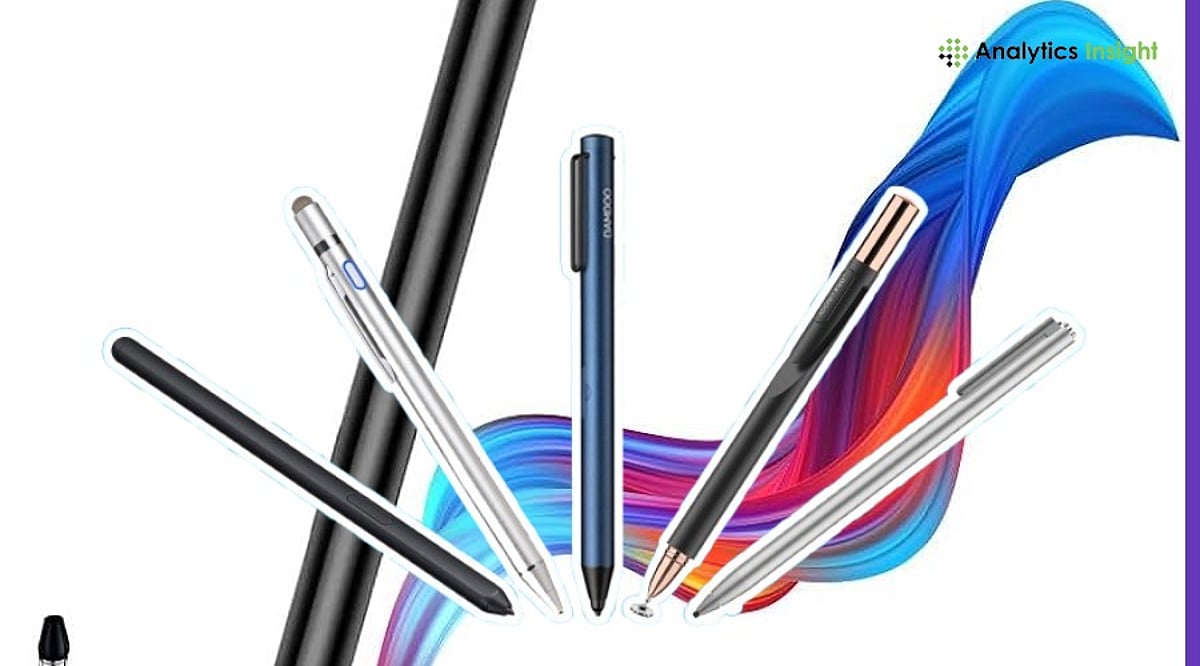
    When comparing these styluses, key factors include pressure sensitivity levels, tilt support, charging method, and ecosystem compatibility. The Apple Pencil Pro leads with haptic feedback and barrel rotation, while the Xiaomi Focus Pen offers the highest pressure sensitivity at 8,192 levels. The Samsung S Pen stands out for not requiring a battery for basic functions, and the Microsoft Surface Slim Pen 2 integrates haptic feedback for a more natural writing experience.

    Final Take

    The right tablet pen depends on the device you use and how you plan to use it. The use of advanced styluses with features such as pressure sensitivity and tilt may benefit artists. In contrast, affordable mid-range styluses may be more advantageous for students and professionals in terms of cost savings. One must consider the stylus’s compatibility with their tablets before purchasing.

    Frequently Asked Questions

    Which tablet pen is best for iPads in 2026?

    Apple Pencil Pro is the best choice for compatible iPads, offering pressure sensitivity, tilt support, haptic feedback, and wireless charging. Apple Pencil (USB-C) is a more affordable alternative for everyday note-taking, document annotation, and casual creative work.

    Can I use the same stylus on iPad, Android, and Windows tablets?

    Most active styluses are built for specific tablet ecosystems and may not work across different brands. Universal capacitive styluses offer broader compatibility but usually lack premium features such as pressure sensitivity, palm rejection, and tilt support.

    Is pressure sensitivity important in a tablet pen?

    Pressure sensitivity is especially valuable for artists, designers, and illustrators because it allows natural line variation while drawing. For students and professionals focused on writing or annotating documents, it is less important.

    Does the Samsung S Pen require charging?

    The Samsung S Pen does not need charging for regular writing, drawing, or navigation. However, Bluetooth-enabled Air Actions available on select Galaxy Tab models may require the stylus to be charged periodically.

    What should I consider before buying a tablet pen?

    Before purchasing, check whether the stylus is compatible with your tablet model. Also compare features such as pressure sensitivity, tilt support, palm rejection, charging method, battery life, and overall comfort for your intended use.

  • Apple MacBook and iPad Price Hikes Stir Supplier Tensions; Micron Points to 2023 Pricing Pressure

    Apple MacBook and iPad Price Hikes Stir Supplier Tensions; Micron Points to 2023 Pricing Pressure

    Apple has raised prices across several MacBook, iPad, Apple TV, HomePod, and Vision Pro models, attributing the increases to soaring memory and storage costs driven by AI data center demand. The company announced the broad price hikes on June 25, affecting multiple hardware products while leaving iPhone prices unchanged. According to Apple, the rapid expansion of AI infrastructure has created exceptional demand for memory and storage chips, reducing available supply for consumer electronics.

    CEO Tim Cook described the current market conditions as unlike anything Apple has experienced before. He stated, “There’s less supply at a time when consumers want devices and the memory guys are passing along huge price increases.” Cook also called the situation “unavoidable” and “unsustainable.”

    Market data supports the broader supply trend. Research firms report that memory and storage prices are now roughly four times higher than they were several quarters ago. TrendForce estimates memory chip prices rose by as much as 98% during the first quarter of 2026 and could increase by another 58% to 63% in the following quarter. Those higher component costs have reached consumers: the MacBook Neo increased from $599 to $699, while several MacBook and iPad models received price increases ranging from $100 to $300. Apple also confirmed that the affected devices did not receive additional memory or storage upgrades despite the higher prices.

    Micron Points to Pricing Pressure During the 2023 Downturn

    Shortly after Apple’s announcement, Micron Chief Business Officer Sumit Sadana offered a different explanation for today’s supply constraints in an interview with The Wall Street Journal. He said some major customers pushed suppliers to accept extremely low prices during the memory market collapse in 2023. Sadana stated, “We told a couple of the customers who were being very aggressive with pricing at that time that this is not constructive.” He added that poor pricing and weak margins forced many companies across the industry to reduce investment in new production capacity.

    Although Sadana never identified Apple by name, Apple is widely known for negotiating long-term supply agreements and purchasing large volumes of memory components. During 2023, Micron reported deeply negative margins as the memory market experienced one of its weakest periods in recent years. The company has since recovered, reporting strong quarterly financial results with revenue rising sharply alongside improved profitability. Its shares climbed after the earnings report, while Apple’s stock declined following the announcement of higher product prices.

    Supply Constraints May Continue Beyond 2027

    Industry analysts say both explanations reflect different parts of the same market cycle. AI servers require high-bandwidth memory, which uses far more manufacturing capacity than standard memory found in smartphones and laptops. As more production shifts toward AI hardware, fewer chips remain available for consumer devices. Meanwhile, reduced investment during the 2023 downturn limited the industry’s ability to expand manufacturing before AI demand accelerated. New semiconductor facilities require several years to build and reach full production, meaning additional capacity cannot arrive quickly.

    Apple has reportedly begun seeking additional memory suppliers, including Chinese manufacturer CXMT, to improve future supply. However, Tim Cook said Apple has no plans to enter the memory business itself. Several analysts expect memory costs to remain elevated through at least 2027. Research firms also estimate memory could account for a much larger share of smartphone production costs over the next two years, leading some industry observers to expect future iPhone price increases if current market conditions continue.

    Related Articles

    • Apple Stock Slides 6% After MacBook and iPad Price Hikes Worldwide
    • US Stock Market Today: NASDAQ Falls as Apple Slides Nearly 5% While Dow Surges 598 Points to Record High
    • Micron Stock Surges 16% After $9.8B Revenue Beat and $22B AI Supply Deals
    • US Stock Market Today: S&P 500 Rises as Oil Prices Slide and Investors Await Micron’s Earnings Report
    • US Stock Market Today: S&P 500 and NASDAQ Slide as Micron Leads Global Chip Stock Sell-Off
  • Amazon Offers Apple A16 iPad at $299 Despite Apple’s Recent Price Hike

    Amazon Offers Apple A16 iPad at $299 Despite Apple’s Recent Price Hike

    Apple has raised prices across its iPad lineup, but savvy shoppers can still snag the entry-level A16 iPad at its original price on Amazon. The e-commerce giant is offering the 11-inch model with the A16 chip for $299, while Apple’s official retail price is now higher following a recent adjustment. This creates a limited-time opportunity for consumers to save up to $100.

    According to reports, the 11-inch iPad features a Liquid Retina display, 128GB of storage, Wi-Fi 6, Touch ID, and the A16 chipset. It delivers strong performance for streaming, productivity, and gaming. The tablet also supports the Apple Pencil and Magic Keyboard Folio with USB-C.

    Industry analysts believe Amazon may be selling inventory purchased before Apple’s price hike, allowing buyers to benefit from the older pricing until stock runs out. Once those units are gone, retailers will likely adopt Apple’s new pricing structure.

  • Apple Shares Tumble 6% After Raising MacBook and iPad Prices Globally

    Apple Shares Tumble 6% After Raising MacBook and iPad Prices Globally

    Apple shares fell more than 6% on Thursday after the company raised prices across its MacBook and iPad lineup worldwide. The move marks Apple’s first major response to rising memory and storage costs, which have been intensified by surging demand from AI data centers. The iPhone, however, escaped a price hike for now.

    MacBook and iPad Price Hikes in Detail

    Apple increased the starting price of the MacBook Neo from $599 to $699. The MacBook Air with 512GB of storage rose from $1,099 to $1,299, while the 14-inch MacBook Pro with 1TB of storage now starts at $1,999, up from $1,699. The iPad lineup also saw significant increases: the 11-inch iPad Air jumped from $599 to $749, and the 13-inch model climbed from $799 to $949. The 11-inch iPad Pro now costs $1,199 ($999 at launch), and the 13-inch iPad Pro went from $1,299 to $1,499.

    Memory Costs Driving the Price Surge

    Apple attributed the price adjustments to an “unprecedented challenge” in the consumer electronics industry, as AI data centers consume more memory and storage components. CEO Tim Cook had warned earlier in May that rising component prices were pressuring Apple’s margins. In a later interview, he called the price increases “unavoidable” and described the shortage as a “hundred-year flood.”

    Memory and storage prices have spiked as suppliers redirect capacity toward high-bandwidth memory for AI servers, reducing supply for consumer devices. Microsoft, Sony, Nintendo, and other computer makers have also raised prices on select products. Apple has historically managed costs by discontinuing cheaper models—last month it stopped selling the $599 Mac mini with 256GB of storage, leaving buyers with fewer low-cost options.

    Investor Reaction and Market Implications

    The stock’s steep decline—its worst single-day drop in over a year—wiped an estimated $250 billion to $265 billion off Apple’s market value. Investors are concerned that higher prices could dampen demand for Macs and iPads, especially as households tighten discretionary spending. Apple’s iPhone lineup remains price-protected for now, though analysts warn that higher memory requirements for on-device AI could eventually drive up production costs for future iPhones.

    Looking Ahead: New Hardware and Software

    Apple is preparing a refreshed Siri experience with enhanced conversational abilities and in-app actions, but a European Union launch date remains unannounced. The company plans to introduce a base M6 processor for entry-level Macs later this year (current models use M5 chips). Analysts also expect Apple to enter the premium foldable phone market, which could raise average selling prices across the segment. The stock slide comes as Apple navigates a crucial balance between protecting margins and sustaining demand in a cost-sensitive environment.