

Tag: Kaspersky

  • Top Android Antivirus Apps for 2026: Features, Protection, and Lab Test Results

    Top Android Antivirus Apps for 2026: Features, Protection, and Lab Test Results

    Android devices come with built-in security, but third-party antivirus apps add crucial layers of protection against malware, phishing, scams, and risky apps. The latest 2026 independent tests from AV-TEST and AV-Comparatives show a tight race among major security brands, with several products earning perfect scores. The best choice now depends less on basic virus detection and more on the extra features each app offers.

    Bitdefender Delivers Strong Malware Protection

    Bitdefender Mobile Security achieved a 100% protection rate in AV-Comparatives’ May 2026 test with only two false positives. AV-TEST also gave Bitdefender a perfect 6/6 for protection, performance, and usability in July 2026. Beyond malware scans, the app includes anti-phishing, safe browsing, privacy features, anti-theft controls, and Wi-Fi security, making it a comprehensive security tool for Android phones.

    Norton Focuses on Scams and Online Threats

    Norton Mobile Security offers AI-powered Scam Protection, Safe SMS, Wi-Fi Security, real-time malware protection, phishing protection, and an App Advisor that checks apps for malware, ransomware, adware, and privacy risks. Norton’s focus on modern threats—such as scams, phishing, and unsafe messages—sets it apart. AV-Comparatives recorded 99.6% protection with two false positives, and AV-TEST awarded a perfect 6/6/6 score. First-year pricing in India is Rs. 699.

    Avast and Google Play Protect Serve Different Needs

    Avast Mobile Security remains a strong free/freemium option, earning a perfect AV-TEST score and 99.6% protection from AV-Comparatives. It adds protection for scam messages, calls, unsafe websites, and Wi-Fi networks. Google Play Protect is built into Android and provides basic app scanning and malware defense. AV-TEST gave it a perfect score, but AV-Comparatives recorded 98.9% protection with eight false positives, just below certification threshold.

    ESET and Kaspersky Add Robust Controls

    ESET Mobile Security offers real-time app and file scans, antivirus, anti-spyware, phishing/smishing protection, adware detection, cloud-based threat intelligence, and call filtering. Kaspersky achieved 99.9% protection with one false positive from AV-Comparatives and a perfect AV-TEST score. McAfee and Sophos also earned perfect AV-TEST results in July, while G DATA scored 99.2% protection with four false positives.

    Scam Protection Is Now Key

    Android security has evolved beyond simple virus scans. Features like Safe SMS, scam-call checks, web protection, app analysis, privacy alerts, and identity monitoring are now more valuable than a basic malware scanner. Battery impact has become less of a concern; AV-Comparatives reported low battery drain across tested products, setting an 8% limit for certification.

    The latest tests show a crowded field with strong core protection. Bitdefender, Kaspersky, Norton, Avast, and others deliver excellent independent results. Google Play Protect provides a solid baseline, but the real differentiators now are extra security layers, false-positive rates, privacy tools, scam defenses, and price.

    FAQs

    1. Which is the best antivirus for Android in 2026?
    Bitdefender, Norton, Kaspersky, Avast, and ESET all deliver strong protection. The right choice depends on the features you need.

    2. Is Google Play Protect enough for Android phones?
    Play Protect provides a built-in layer of app security. Third-party apps add scam protection, anti-phishing, privacy tools, and anti-theft controls.

    3. Does Android need a third-party antivirus app?
    Not necessarily, but third-party apps provide additional protection against phishing, scams, malicious links, and risky apps.

    4. Which Android antivirus has the best malware detection?
    Bitdefender recorded 100% protection in AV-Comparatives; Kaspersky, Norton, and Avast also performed strongly.

    5. What should you look for in an Android antivirus app?
    Consider malware detection, false positives, phishing/scam protection, app scanning, privacy features, anti-theft tools, battery impact, usability, and subscription cost.

  • WhatsApp Malware Campaign Uses Fake Invoices to Hijack Accounts

    WhatsApp Malware Campaign Uses Fake Invoices to Hijack Accounts

    Cybersecurity firm Kaspersky has issued a warning about a rapidly spreading malware campaign on WhatsApp. Attackers are hijacking legitimate WhatsApp accounts and using them to send malicious attachments disguised as everyday business documents, such as invoices, billing statements, and payment notices.

    The campaign has already impacted users in multiple countries, including India, Brazil, Mexico, Singapore, the UK, Spain, Taiwan, Australia, Russia, Vietnam, and Malaysia. Because the malicious files appear to come from known contacts, recipients are far more likely to open them without suspicion.

    How the Scam Works

    According to Kaspersky researcher Fareed Radzi, the attackers exploit trust within messaging platforms by using compromised accounts to deliver malicious attachments that appear to originate from familiar people. The files are VBScript attachments carefully named to resemble financial reports and account notices.

    Once a victim opens the file, it triggers a staged infection chain that quietly downloads and executes additional harmful components from external servers. In many cases, this ultimately installs a remote access tool, granting attackers control over the infected device without the user’s knowledge.

    Safety Recommendations

    Kaspersky advises users to treat unexpected attachments with caution, even when they come from known contacts. Specifically, avoid opening script or executable files such as VBS, EXE, BAT, and JS unless their legitimacy is confirmed.

    India’s Cyber Crime Coordination Centre has also issued a similar alert, noting that fraudsters often name these files “View Details” or “Invoice” to appear genuine. Officials recommend verifying any unexpected document with the sender directly, preferably through a phone call, before opening it. A single click can compromise an entire WhatsApp account and its contact list.

    Stay vigilant and always double-check the unexpected, even if it comes from a trusted name.

  • Kaspersky Launches App Cleaner for macOS to Remove Hidden App Leftovers

    Kaspersky Launches App Cleaner for macOS to Remove Hidden App Leftovers

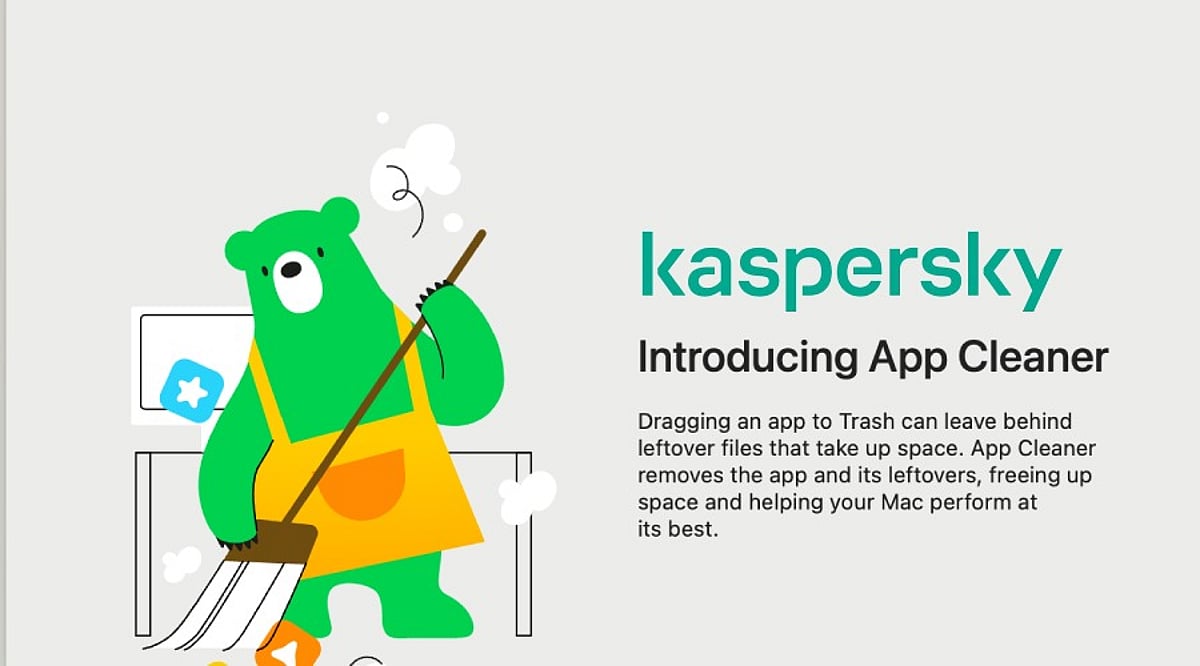
    Kaspersky has introduced a new feature called App Cleaner as part of Kaspersky Premium for macOS, designed to tackle a persistent issue for Mac users: leftover files that remain even after applications are uninstalled. When users drag an app to the Trash, caches, preferences, support files, and other associated data often stay behind, gradually consuming disk space and contributing to digital clutter. App Cleaner ensures complete removal of apps without leaving traces, and also detects and deletes leftover files from previously uninstalled applications.

    The Hidden Cost of Uninstalling Apps

    A recent Kaspersky survey revealed that macOS users are generally proactive about managing digital clutter. Nearly 56% clear browser history, cookies, cache, and temporary files, while 54% manage or delete unnecessary files like photos and videos. However, only 44% regularly delete unused or rarely used apps. Removing leftover files from uninstalled apps remains an overlooked challenge.

    When an app is deleted by dragging it to the Trash, users often assume it is completely gone. In reality, settings, caches, logs, support files, and other associated data may persist on the disk. These leftovers can be difficult to locate and, in some cases, occupy more space than the original application—especially for browsers. Some app components may also be hidden from the standard macOS interface, making them hard to detect.

    Leftover files may contain sensitive information, including account tokens, saved passwords, activity logs, IP addresses, usernames, document fragments, images, chats, and personal folder paths. If an attacker gains access to the device, or if it is sold or given away without being fully wiped, these files could be used to recover passwords, steal personal data, or access user accounts.

    How App Cleaner Works

    App Cleaner solves this problem by detecting and deleting associated files when a user removes an app. It can also find and remove leftover app-specific files from applications that were uninstalled in the past. The exception is shared files—App Cleaner will not delete files used by other apps, such as common components shared between Microsoft Office apps. These files can only be deleted along with the last application that uses them.

    Security Beyond Cleanup

    While macOS has long been considered more secure, today’s threats are not limited to viruses. Ransomware, trojans, spyware, online scams, phishing credential theft, and other threats pose risks to Mac users. Kaspersky specialists have even identified cases where malware was disguised as legitimate cleaning software, impersonating tools like CleanMyMac, Mole, or CCleaner Pro. The company warns users to stay vigilant when downloading any cleaning software, especially from third-party websites.

    Irina Ermilova, Vice President for Consumer Product Management at Kaspersky, commented: “We’ve seen growing demand for device management tools as users accumulate more digital content. Yet a patchwork of third‑party utilities is both inconvenient and risky. With App Cleaner, macOS users can clean up digital leftovers without installing additional software – keeping their devices secure and clutter‑free.”

    Essential Security Practices for Mac Users

    Beyond using App Cleaner, Kaspersky experts recommend the following practices to keep Mac devices secure:

    • Use a dedicated security solution. While macOS has built‑in protections, security software adds a crucial layer of real‑time defense against threats that the system alone cannot block. Kaspersky Premium for macOS protects against ransomware, trojans, spyware, phishing, and hacking attacks.
    • Grant necessary permissions. For any security software to function properly, it needs full disk access and the ability to install system extensions and network content filtering. Without these permissions, protection features may not work as intended.
    • Keep apps and OS updated. Regular updates include critical security patches and new features.
    • Be cautious with downloads and links. Phishing attacks rely on social engineering and can appear in emails, messages, or websites. Avoid opening suspicious links or downloading unverified software.
    • Remove sensitive data before handing over your Mac. If you lend or transfer your device, remove sensitive files and sign out of personal accounts. Before selling or giving away your Mac, perform a complete factory reset.

    The survey was conducted by Kaspersky’s market research center in March 2026, with 7,200 respondents from 18 countries.

    Kaspersky is a global cybersecurity and digital privacy company founded in 1997. It protects over a billion devices and serves consumers, businesses, critical infrastructure, and governments worldwide.