
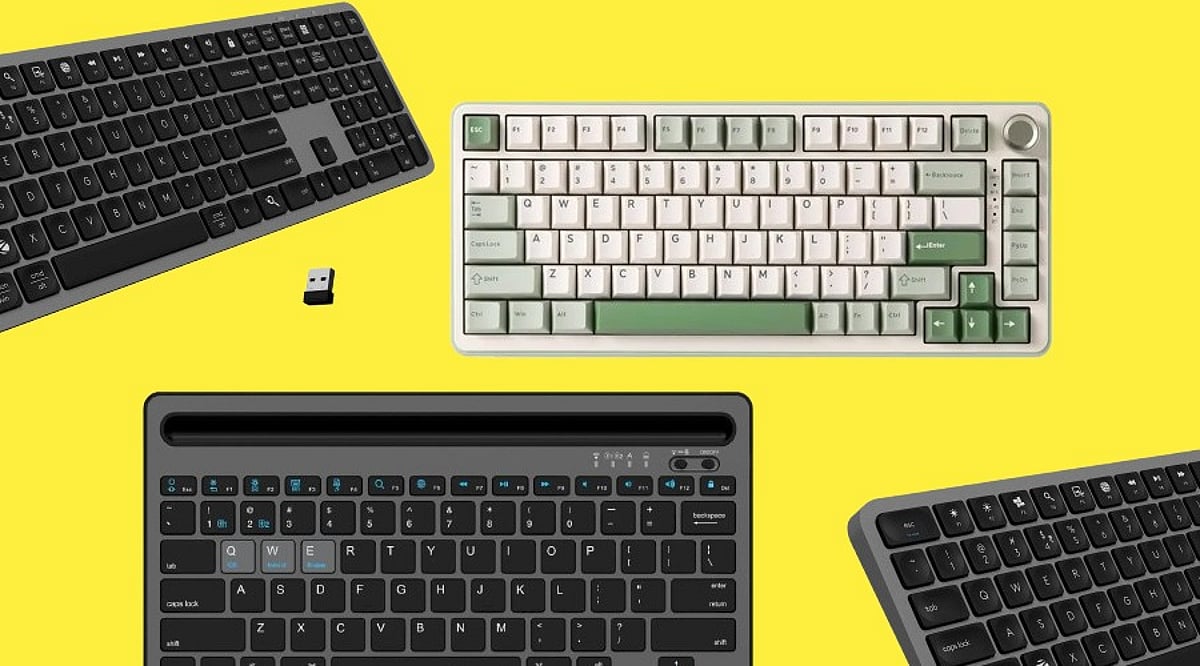
Selecting a wireless keyboard becomes easier once buyers focus on actual usage rather than marketing terms printed on packaging. This guide outlines the strongest wireless keyboard options available today, along with practical advice on narrowing down your choices.
Wireless Keyboard Buying Guide
A wireless keyboard should match a person’s work, rather than how it looks on a retail listing. Connectivity range, battery backup, and key spacing all shape daily comfort.
Logitech K380
Logitech offers a compact keyboard that pairs with three devices via Bluetooth and readily switches between them. Its rounded keys reduce finger strain during long hours of usage. Battery life stretches close to two years on two AAA cells, making replacements rare.
Price: Rs. 2,495 to Rs. 3,223
Buy Now
Dell KM3322W
Dell’s wireless combo pairs a keyboard with a matching mouse through a single 2.4GHz USB receiver. The keyboard includes spill-resistant keys and a numeric pad, suited to office environments with heavy typing loads. Battery backup extends over twelve months comfortably.
Price: Rs. 1,899
Buy Now
Lenovo Wireless Combo 4000
Lenovo offers a straightforward keyboard and mouse set built for everyday office tasks. Its keys use a low-profile design that feels closer to a laptop keyboard. Connectivity relies on a single USB nano receiver, avoiding pairing delays common with Bluetooth.
Price: Rs. 8,145
Buy Now
Logitech K480
Built for desktop use, the Logitech K480 includes a cradle that holds a tablet or phone while typing. It connects to three devices through Bluetooth and switches between them using a dial. The keyboard suits users who regularly work across a laptop and a mobile device simultaneously.
Price: Rs. 1,999 to Rs. 2,995
Buy Now
RAPOO E9700M
RAPOO’s ultra-slim keyboard uses scissor-switch keys for a shallow, quiet typing feel. It supports both 2.4GHz and Bluetooth connections, giving buyers flexibility across devices. The aluminum body adds durability without increasing overall weight.
Price: Rs. 2,599 to Rs. 2,999
Buy Now
How to Choose the Best Wireless Keyboard
Buyers should weigh these factors before purchasing:
- Connectivity Type: 2.4GHz receivers generally offer steadier performance than Bluetooth for daily typing tasks.
- Battery Backup: Keyboards using replaceable AA or AAA batteries often last longer than rechargeable units.
- Build Quality: Spill-resistant designs protect against accidental office desk mishaps.
Which is the Best Wireless Keyboard in 2026?
No single keyboard can suit every buyer, since work habits and budgets vary considerably across users. Professionals managing multiple devices gain the most from the Logitech K380. Office teams handling heavy data entry benefit from the Dell KM3322W, given its numeric pad and spill resistance. Budget-focused buyers find dependable performance in the Portronics Toad 23.
Final Words
Choosing a wireless keyboard comes down to daily habits rather than brand reputation alone. A professional switching between a laptop and tablet gains more from Bluetooth multi-pairing, while an office worker handling spreadsheets benefits from a numeric keypad and steady 2.4GHz connectivity. Prices across this segment range from under Rs. 900 to nearly Rs. 2,500, giving most buyers a suitable option without overspending. Matching the keyboard to genuine work patterns, rather than chasing the most popular listing, remains the surest path to long-term satisfaction.
Note: Price can vary based on availability and region.
FAQs
Which is the best wireless keyboard for multi-device use?
The Logitech K380 supports pairing across three devices through Bluetooth. Users switching between a laptop, tablet, and phone benefit from its quick device-switching dial and long battery backup.
Is 2.4GHz connectivity better than Bluetooth for keyboards?
2.4GHz receivers typically offer steadier connections with less input delay. Bluetooth allows pairing with more device types, though it may show occasional lag during heavy multitasking sessions.
How long does a wireless keyboard battery last?
Battery life varies significantly by model. Some Bluetooth keyboards last close to two years on standard batteries, while 2.4GHz receiver models often need replacement after ten to fourteen months.
Are spill-resistant wireless keyboards worth buying?
Spill-resistant designs protect internal circuitry from accidental liquid exposure. Office environments with shared desks or frequent beverage use benefit noticeably from this added protection over standard keyboard models.