
Tag: knowledge management

  • 5 Best AI-Powered Note-Taking Apps for Research and Knowledge Management in 2026

    5 Best AI-Powered Note-Taking Apps for Research and Knowledge Management in 2026

    Traditional note-taking mainly focused on storing information. AI-powered tools are shifting that experience toward finding, understanding, and using information. Explore AI-powered apps for smarter note-taking, research, and knowledge management in 2026, including Gemini Notebook, Notion AI, Mem, Obsidian, and Capacities.

    Overview

    Gemini Notebook and Notion AI offer powerful research and information-management capabilities. Mem, Obsidian, and Capacities take different approaches to organizing personal knowledge. The best AI note-taking app depends on your workflow, privacy needs, and research habits.

    Gemini Notebook

    Google’s NotebookLM is now called Gemini Notebook. The standalone research tool remains focused on understanding trusted sources. It can work with PDFs, websites, YouTube videos, audio files, and documents. Users can ask questions about their sources and receive cited answers. This makes it useful for research-heavy workflows. Students, analysts, writers, and researchers can keep project materials together. Now, Gemini Notebook has also gained stronger research capabilities. Google added code execution and new output formats. Users can create reports, charts, spreadsheets, and presentations from their sources. For source-based research, few tools are as focused.

    Notion AI

    Notion combines notes, databases, documents, and project management. Its AI features make that workspace more useful. Notion AI can summarize pages and organize information. It can also help users search across their workspace. Its Research Mode goes further for complex questions. It can search Notion content, connected apps, uploaded files, and the web. That makes Notion useful for teams managing large knowledge bases. It also works well for personal project planning. The biggest advantage is flexibility. Users can build their own system instead of following one fixed structure.

    Mem

    Mem takes a different approach to personal knowledge management. It focuses on capturing information without requiring constant organization. Users can save notes, meetings, ideas, and research as they work. Mem then helps connect and retrieve that information later. Its AI can summarize and reorganize existing content. The platform also uses persistent context across notes and projects. That approach suits people who dislike managing folders and complicated tags. Mem is particularly interesting for professionals handling large amounts of information. It can act like a searchable external memory for everyday work.

    Obsidian

    Obsidian remains popular with users who want control over their knowledge base. Notes are stored locally as Markdown files. The platform connects information through links, backlinks, graphs, and properties. It also supports thousands of community plugins. AI capabilities come mainly through plugins rather than one built-in AI system. Users can add tools for summarization, transcription, and AI-assisted writing. That makes Obsidian highly customizable. It can also suit users who care about ownership and flexible workflows. The learning curve is higher than simpler note-taking apps. However, the customization options are difficult to match.

    Capacities

    Capacities takes a structured approach to personal knowledge management. It treats information as connected objects rather than simple documents. Users can organize people, books, projects, ideas, and other information. This structure can make larger knowledge collections easier to navigate. Its AI features help users summarize and work with stored information. The object-based approach is particularly useful for research and long-term learning. Capacities can appeal to users who want more structure than basic notes. It sits between traditional note-taking and a personal knowledge database.

    How to Choose the Right AI Notes App

    The best tool depends on how you work. Researchers may prefer Gemini Notebook for source-heavy projects. Teams may benefit more from Notion’s connected workspace. Mem works well for people who want automatic organization. Obsidian is better suited to users wanting deep customization. Capacities offers a structured approach to connected knowledge. Privacy should also influence the decision. Check how each service stores and processes your information. AI-generated summaries can also contain errors. Important facts should always be checked against sources.

    AI Is Turning Notes Into Working Knowledge

    Modern note-taking apps are becoming more than digital notebooks. They are increasingly becoming systems for finding and using information. The biggest shift is moving from storage to retrieval. Instead of simply saving information, AI can help users understand it later. Research tools are also becoming more capable. Google’s latest Gemini Notebook upgrades show where this category is heading. The right choice ultimately depends on your workflow. A good app should reduce friction rather than create more organizational work. For researchers, students, and professionals, that difference can save hours every week.

    FAQs

    What are the best AI note-taking apps in 2026?

    Several strong options are available in 2026, including Gemini Notebook, Notion AI, Mem, Obsidian, and Capacities. Each takes a different approach. Gemini Notebook focuses heavily on research, while Notion combines notes with workspace management. Obsidian emphasizes customization and local Markdown files.

    What is Gemini Notebook, and how is it different from NotebookLM?

    Gemini Notebook is the new name for Google’s NotebookLM. Google renamed the product in July 2026 while keeping its research-focused purpose. It now connects more closely with Gemini and Google Search. The platform also gained code execution and expanded research capabilities.

    Is Gemini Notebook useful for research?

    Yes, Gemini Notebook is particularly suited to source-based research. Users can organize research materials and ask questions about those sources. Google has also added code execution and new output formats. These capabilities can support deeper analysis, reports, charts, spreadsheets, and presentations.

    Is Notion AI good for knowledge management?

    Notion AI can be useful for both personal and team knowledge management. Its workspace combines documents, databases, projects, and other information. Research Mode can search across connected sources and the web. This makes it useful when information is spread across multiple workplace systems.

    Which AI note-taking app is best for students?

    Students can benefit from several tools depending on their study style. Gemini Notebook is useful for working with course materials and research sources. Notion can organize assignments and notes in one workspace. Obsidian can also work well for students building detailed, connected knowledge systems.

  • Top Notion AI Automations for Maximum Productivity in 2026

    Top Notion AI Automations for Maximum Productivity in 2026

    Notion AI has evolved from a simple note-taking tool into a full-fledged productivity platform that automates writing, meetings, task management, and knowledge organization. The most effective automations reduce repetitive work while seamlessly integrating into existing workflows. Choosing the right automation based on frequency and impact helps teams improve efficiency without adding unnecessary complexity.

    Key Notion AI Automations to Implement

    Draft Generation from Rough Notes

    Turning a scattered bullet list into a structured draft is one of the most reliable time-savers in Notion AI. A writer feeds in fragments from a call or brainstorm, and the tool returns a working draft with logical flow, ready for editing. The real gain is removing the blank-page delay that stalls most drafting work before it starts.

    Meeting-to-Decision Summaries

    A meeting produces value only if its outcomes survive past the call. Notion AI’s Meeting Notes feature converts a transcript into a short record of what was decided, the discussion outcomes, and the responsible stakeholders, without creating executable tasks. This keeps meeting output distinct from execution tracking.

    Task and Priority Generation from Requests

    Incoming requests from chat, email, or meeting records can be converted directly into prioritized tasks. The automation infers intent from the request, prioritizes based on workspace context, and places the item into an existing workflow. Unlike meeting summaries, this one moves work forward rather than capturing what was agreed.

    Recurring Workflow Templates

    Some tasks repeat on a schedule: weekly reports, monthly reviews, and recurring check-ins. Notion AI can generate these from a template automatically instead of a manual rebuild each cycle. This automation is specifically designed for predictable, repeating work.

    Database Metadata and Property Automation

    As a workspace grows, databases accumulate inconsistent tagging and empty properties. Notion AI’s Autofill feature generates metadata, applies tags, and fills properties in bulk, keeping a knowledge base searchable without manual upkeep. Catching near-duplicate entries may still require a workspace automation layered on top.

    Workspace-Wide Q&A and Search

    Notion AI’s Q&A and Enterprise Search features turn scattered pages into a queryable record, citing the source pages behind each answer. Instead of opening a dozen project pages to find a past decision, a team member can ask what was agreed with a specific client last quarter. This removes the manual archaeology that eats into project ramp-up time. Enterprise Search is available on Business and Enterprise plans.

    Cross-Tool Automation with Custom Agents

    A custom agent set to monitor a Slack channel, filtered by keyword, can turn a client issue thread into a Notion task on its own, without a prompt from anyone. That task lands in the relevant project database, and the agent can be configured to generate scheduled status updates from completed and pending items. The value sits in the chain running unattended, on a trigger, without anyone retyping information between tools. Custom Agents are available on Business and Enterprise plans and run on Notion Credits (an add-on cost).

    Final Thought

    The next shift in workspace AI is less about adding features and more about making retrieval and cross-tool memory the default rather than an add-on. As more of a team’s communication, documents, and decisions live inside a connected system, the automations that matter will be the ones quietly keeping that system coherent. Teams that treat automation as infrastructure rather than a novelty will be the ones still running the same workflows, largely unchanged, regardless of which AI platform becomes dominant.

    Frequently Asked Questions

    What are the best Notion AI automations for productivity in 2026?

    The best Notion AI automations include meeting summaries, content drafting, task generation, database tagging, recurring workflow templates, and AI-powered knowledge search. These features help reduce repetitive work and improve daily productivity.

    How does Notion AI improve productivity?

    Notion AI improves productivity by automating tasks such as writing, summarizing documents, organizing notes, extracting action items, and managing project information. This allows users to spend more time on strategic work and less on manual tasks.

    Can Notion AI automate task management?

    Yes. Notion AI can convert meeting notes into actionable tasks, help prioritize work, generate project updates, and support recurring workflows. Reviewing AI-generated outputs before assigning tasks is still recommended.

    Does Notion AI integrate with other productivity tools?

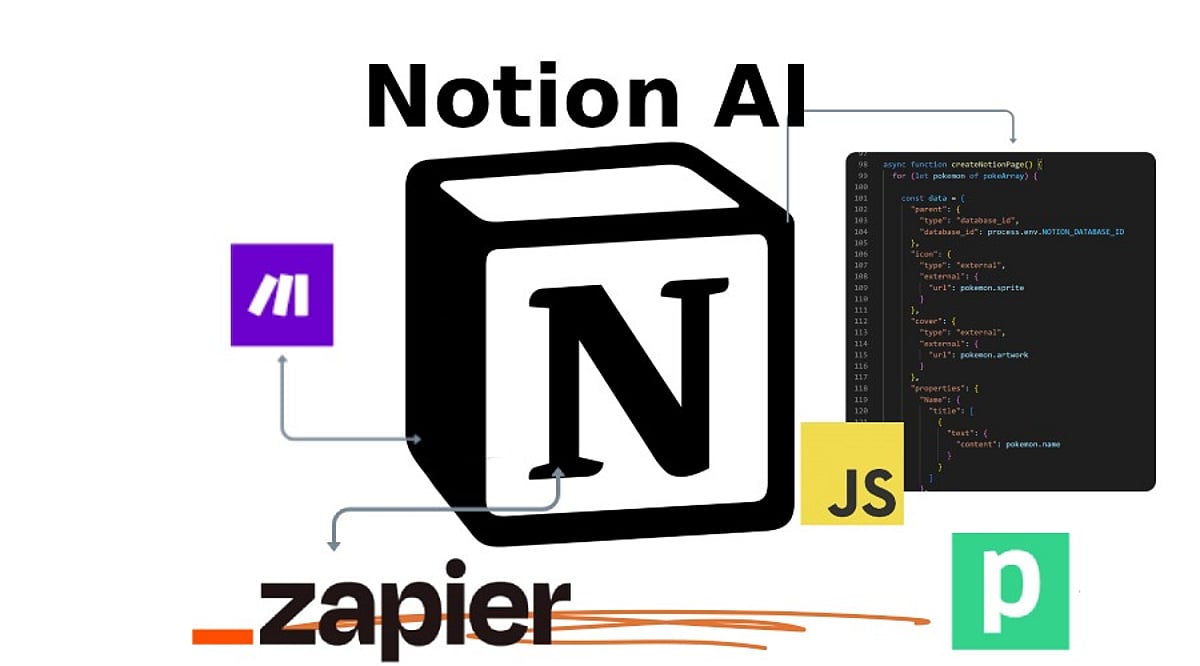
    Yes. Notion integrates with tools such as Slack, email platforms, CRM software, and automation services like Zapier and Make. These integrations create connected workflows that improve collaboration and efficiency.

    Is Notion AI suitable for teams and individual users?

    Yes. Notion AI supports both individual and team productivity by organizing knowledge, summarizing meetings, managing documentation, and keeping projects on track. It helps teams maintain consistency while reducing administrative effort.

  • Workflow Tools in 2026: What Teams Need for Seamless AI Integration and Reduced Context Switching

    Workflow Tools in 2026: What Teams Need for Seamless AI Integration and Reduced Context Switching

    The way knowledge workers manage their work has not changed as much as the technology around them suggests it should. A Harvard Business Review study tracking teams at three Fortune 500 companies found that knowledge workers toggle between applications roughly 1,200 times a day, losing close to four hours a week just reorienting themselves after each switch — not by choice, but because the information they need is spread across systems that were never designed to connect properly. Tasks live in a project tracker. Specifications live in a separate wiki. Status updates circulate through a messaging tool that nobody checks consistently. The AI layer, if there is one, sits in a chat panel with no access to any of it. The platforms closing this gap in 2026 are the ones redesigning their data architecture so AI has access to the same operational context people do — not bolting a chat window onto a task board.

    Workflow management software was supposed to solve this coordination problem. For basic task organization, it has. But in 2026, the category is undergoing a more significant shift — driven by AI capabilities that have matured beyond novelty, by organizations accumulating years of integration debt, and by teams that have grown tired of spending more time managing the tools than doing the work itself.

    Why Existing Workflow Tools Are Falling Short

    The standard criticism of workflow software is that it does not do enough. The more precise problem is that it does too many separate things without any of them properly connecting. A typical team in 2026 still operates across a project manager for tracking tasks, a knowledge base for documentation, a messaging platform for coordination, and increasingly a standalone AI tool for summarizing or drafting content. Each of these works in isolation. None of them knows what the others contain.

    When an engineer wants to understand the reasoning behind a task, they leave the task board to search for a specification in the wiki — which may or may not be the current version. When a manager needs to report on project status, they assemble information from multiple dashboards that were each built to answer a slightly different question. When a new hire joins, their onboarding consists of being sent a dozen links across different tools and being asked to piece together how everything fits. This coordination overhead does not appear on any single metric. It accumulates across every sprint review, every handoff, and every status meeting that exists because the tools do not surface information automatically. The cost is real — it just does not show up on a software invoice.

    What AI-Ready Workflow Management Software Actually Looks Like

    The platforms gaining ground in 2026 are the ones that treat the AI layer not as a feature to be added, but as a reason to redesign how the underlying data is organized. For AI to be genuinely useful inside a team, it needs access to actual work context — not just a text prompt. That means tasks, documents, comments, decision history, and team structure all need to live in the same operational record. An AI assistant that can only read a chat thread can answer general questions. One that reads the full workspace can summarize sprint progress, flag blockers before they escalate, draft a product requirements document from existing tasks, or surface a decision that was made three months ago and is relevant to a problem being discussed today. This is the architectural difference that separates modern workflow management software from tools that have simply added a chat interface on top of a task board.

    Vaiz is one platform built around this model: a workflow management tool that combines tasks, documents, and an AI assistant inside a single workspace. Its AI assistant has access to tasks, documents, comments, and change history across the entire workspace — which means it can help generate content, summarise projects, or identify bottlenecks without anyone manually feeding it context. The platform covers the core workflow stack — Kanban boards, Gantt charts, real-time document collaboration, and built-in automation — with tasks, docs, and comments stored in the same record so the AI layer has a complete picture of what the team is doing and why. It holds a 4.8 out of 5 rating across G2, Trustpilot, and Crozdesk, and its free plan supports up to 10 users with all core features included.

    The Capabilities That Matter Most When Evaluating Tools

    • Native documentation. Documentation that lives inside the same workspace as tasks eliminates the version-control problem that plagues teams using separate wikis. When a specification updates, the tasks connected to it can reflect that change. When a developer asks why a task exists, the answer is one click away — not three tools away.
    • AI with real context. The most important question to ask about any AI feature in workflow software is not what model it uses — it is what data the model can access. An AI assistant with full-workspace context will generally outperform one that operates in isolation, even when the underlying model is comparable.
    • Automation built into the core. Routing new requests into tasks automatically, triggering assignments when work moves between stages, generating summaries without manual input — these automations are most reliable when they run within a single unified system. Cross-tool automation via third-party connectors works until one side of the integration changes, which is a question of when, not if.
    • Free evaluation on real projects. The practical difference between workflow tools becomes clear within the first two weeks of genuine use. A free plan that allows a team to run a complete project — not a restricted sandbox — is worth more than a feature-rich trial that expires before any meaningful evaluation has happened.

    Where the Category Is Heading

    The next phase of workflow management is less about adding more features and more about reducing the distance between information and the work that depends on it. The tools that will define the category in the next two to three years are the ones where the entire operational context — objectives, tasks, documentation, decisions, history — lives in one place, and the AI layer can act on all of it. For organizations still running on fragmented stacks of loosely connected tools, the switching cost feels significant. But the ongoing cost of coordination overhead — status meetings, duplicate work, lost context, slow onboarding, manual reporting — compounds in ways that rarely get measured directly. The question for most teams in 2026 is not whether consolidation is worth it. It is whether the platform they choose is built around a coherent operational model, or whether it is a collection of features assembled around a task board that was not designed to be the center of anything.