
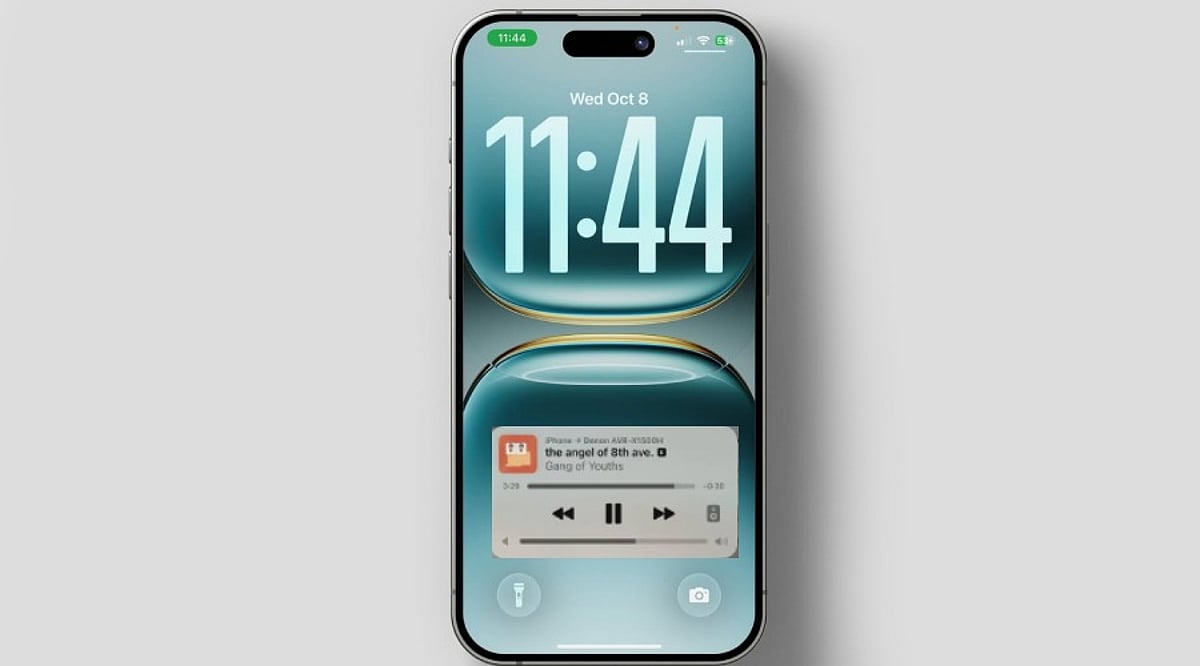
Many iPhone users are unaware that Apple includes a hidden volume slider on the Lock Screen. The latest iOS update introduces a volume slider that allows users to control audio directly from the lock screen without unlocking the device. This feature is especially useful for adjusting the volume while listening to music, podcasts, or audiobooks. It offers more convenient control than using the physical side buttons and enhances the listening experience.
Enabling this feature is straightforward. Navigate to Settings → Accessibility → Hearing → Audio & Visual. Scroll down and toggle ‘Always Show Volume Control’ to the ON position. Once set, lock your iPhone and the volume slider should appear on the Lock Screen. Though small, this feature can significantly improve daily usability.
More Helpful iPhone Features You May Have Missed
The volume slider is just one of several accessibility tools on the iPhone. Background Sounds can play relaxing audio such as rain, ocean, or white noise to help with focus or relaxation. Live Speech speaks typed words aloud, while Vocal Shortcuts enable actions via custom phrases. Assistive Access simplifies the interface with larger icons and a streamlined layout.
Better Control for Everyday Listening
If you listen to audio throughout the day, this hidden volume slider is a valuable addition. Whether using Spotify, Apple Music, Audible, or a podcast app, you can adjust volume without opening the phone or repeatedly pressing side buttons. This quick access means fewer interruptions and a smoother experience, whether working, traveling, or relaxing at home.