Tag: Logitech

  • Best Keyboards with AI and Smart Productivity Features for 2026

    Best Keyboards with AI and Smart Productivity Features for 2026

    From customizable macro keys to seamless multi-device switching, today’s keyboards are incorporating smart features that go beyond simple typing. Here are seven keyboards that combine AI-ready functionality and productivity-focused design to help professionals work more efficiently.

    Logitech MX Creative Console Keyboard

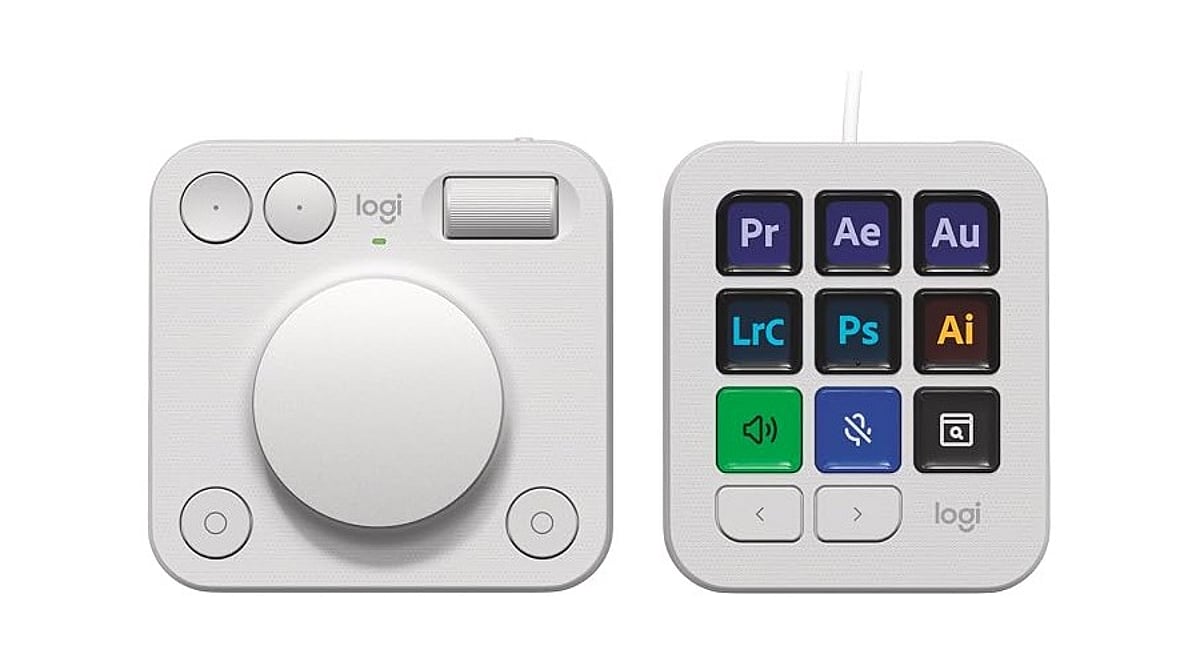
    Designed for creators and professionals, this keyboard emphasizes customizable controls to accelerate everyday workflows. Programmable keys allow users to assign shortcuts for frequently used actions, and its software supports personalized configurations. It’s particularly useful for those who regularly switch between creative applications, productivity tools, and other software.

    Microsoft Surface Keyboard

    Microsoft’s offering pairs a clean, minimal design with deep integration across Windows devices. Its strength lies in working naturally within the Microsoft ecosystem, where users can combine keyboard shortcuts with productivity tools and AI-powered features like Copilot. It’s ideal for professionals seeking a familiar typing experience without unnecessary complexity.

    Razer Pro Type Ultra

    The Razer Pro Type Ultra delivers a comfortable mechanical typing experience with features tailored for office productivity. Users can connect multiple devices and switch between them, making it practical for those working across several computers. Its programmable controls and wireless connectivity minimize interruptions when moving between tasks.

    Keychron Q1 Max

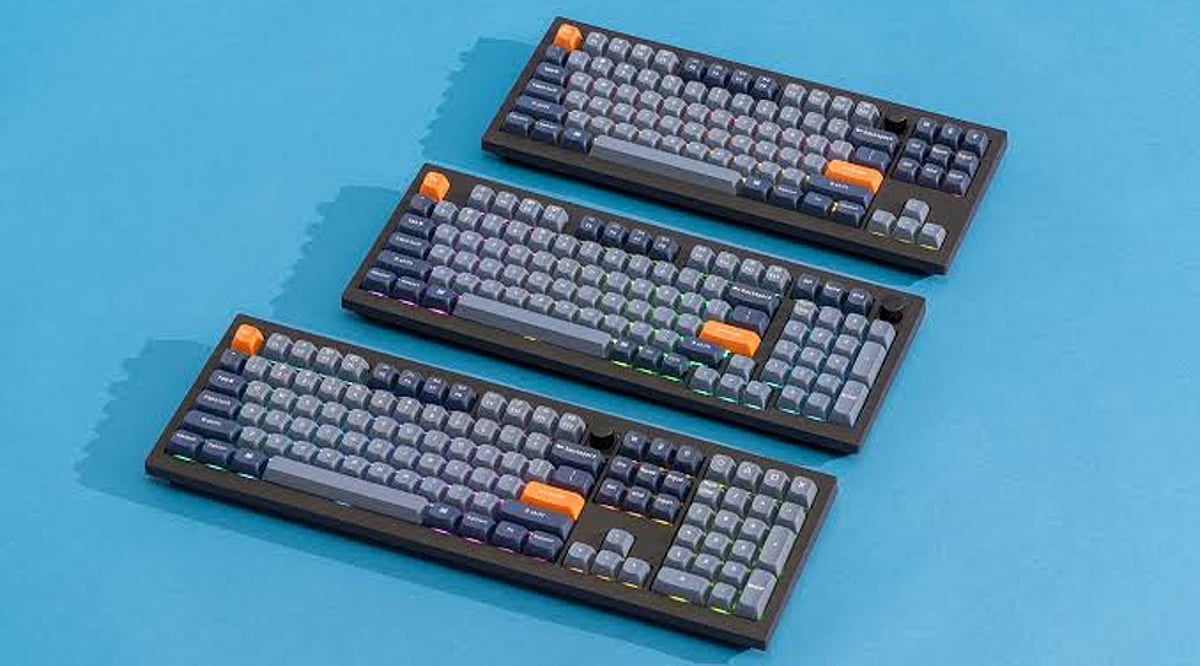
    The Keychron Q1 Max appeals to users who want deep customization alongside modern wireless connectivity. Its programmable keys allow shortcuts and workflows to be tailored via compatible software. While it doesn’t rely on built-in generative AI, its flexibility makes it valuable for professionals who prefer creating personalized productivity setups.

    Logitech MX Keys S

    Built around quiet typing, smart shortcuts, and multi-device productivity, the Logitech MX Keys S lets users customize keys through Logitech’s software and easily move between connected devices. Its compatibility with productivity applications makes it a strong choice for professionals who spend long hours writing, editing documents, managing data, or communicating online.

    ASUS ROG Strix Scope II 96 Wireless

    Although primarily designed for gaming, this keyboard brings useful smart features to everyday computing. Its customizable controls, wireless connectivity, and programmable functions support productivity as well. Users who move between gaming and work can create shortcuts for applications, media controls, and frequently performed tasks without switching keyboards.

    Corsair K100 RGB

    The Corsair K100 RGB combines programmable controls with extensive customization options. Its dedicated macro keys can automate repetitive commands and help create application-specific workflows. For professionals handling repetitive tasks, these controls can save time. Its broader appeal comes from giving users greater control over how the keyboard responds to their individual working habits.
  • Logitech MX Keypad Debuts as a Physical AI Control Center for Developers at ₹15,999 / $99.99

    Logitech MX Keypad Debuts as a Physical AI Control Center for Developers at ₹15,999 / $99.99

    Logitech launched the MX Keypad on September 8 as its first AI control center for developers worldwide. Priced at ₹15,999 in India and $99.99 in select global markets, the device introduces physical controls for managing AI coding tools like GitHub Copilot, Claude Code, VS Code, and IntelliJ IDEA.

    Designed for multi-app coding workflows that involve AI agents and development tools, the MX Keypad helps developers streamline tasks by offering customizable physical keys for prompts, commands, scripts, macros, and workflow actions. Native integration supports VS Code and the GitHub Copilot app at launch, with additional tools planned. Every unit also includes three free months of GitHub Copilot Pro+ through Logi Options+.

    “MX Keypad puts a physical control center at your fingertips,” said Anatoliy Polyanker, Logitech VP and GM. “It helps developers orchestrate AI workflows faster and more intuitively.” GitHub executive Martin Woodward emphasized the device’s focus on reducing tool navigation: “Great developer tools get out of your way.”

    Beyond software integration, Logitech offers the Logitech Actions SDK for developers building custom integrations. Community plugins already support Claude Code and OpenAI Codex through the Logi Marketplace. The MX Keypad also features sustainable design, with the Graphite model containing 64% post-consumer recycled plastic.

  • Top 10 Budget Gaming Mice Under $50 in 2026: Best Picks for Performance and Value

    Top 10 Budget Gaming Mice Under $50 in 2026: Best Picks for Performance and Value

    Premium gaming features—including accurate sensors and wireless connectivity—are now available below the $50 price point. Logitech, Razer, SteelSeries, HyperX, and emerging brands offer excellent value across different gaming preferences in 2026. Choose a mouse based on your grip style, preferred games, connectivity needs, and ergonomic comfort for optimal performance.

    A gaming mouse can make a noticeable difference, whether you’re climbing the ranks in Valorant, grinding through Call of Duty, or exploring open-world adventures. The best part is you no longer need to spend a fortune to get one. In 2026, the sub-$50 segment is packed with gaming mice that offer fast sensors, reliable wireless performance, lightweight designs, and comfortable ergonomics.

    Small Budget, Serious Gaming Performance: Top 10

    Here are 10 budget gaming mice that deliver where it matters most:

    Logitech G309

    The Logitech G309 is one of the best mice for budget wireless gaming. It includes the Logitech HERO sensor and LIGHTSPEED technology for fast, accurate tracking. Its lightweight design and long battery life mean you won’t constantly need to replace batteries.

    Buy Now!

    Logitech G305 LIGHTSPEED

    The G305 mouse is older but remains among the best models in 2026. It is comfortable to hold, offers precise tracking thanks to the Logitech HERO sensor, and works well wirelessly. Ideal for FPS games, battle royale, or casual play.

    Buy Now!

    Logitech G502 HERO

    Not everyone needs a light mouse, and the G502 HERO excels here. It features 11 programmable buttons, custom weight settings, and an ergonomic design. Perfect for MMORPGs and games that require many shortcuts, this mouse is among the most efficient under $50.

    Buy Now!

    Razer DeathAdder Essential

    Some mice remain popular for doing what they do best. The DeathAdder Essential is a classic. Its ergonomics make it perfect for long gaming sessions, along with reliability and good tracking capabilities.

    Buy Now!

    SteelSeries Rival 3

    The main advantage of the Rival 3 is its simplicity and perfection. It is light, tracks accurately using the TrueMove Core sensor, and has good buttons. A reliable everyday gaming mouse that works well across various game types.

    Buy Now!

    Logitech G203 LIGHTSYNC

    The Logitech G203 LIGHTSYNC is an excellent example of an affordable gaming mouse. It provides good clicks, precise tracking, and customizable RGB lighting. Its compact design makes it great for study or work. Perfect for first-time PC gamers or those moving from an office mouse.

    Buy Now!

    HyperX Pulsefire Haste 2

    Designed for competitive gamers, the Pulsefire Haste 2 is simple and minimalistic. The light body facilitates fast actions, while smooth PTFE feet make gliding easy. Shooters should include this mouse on their list.

    Buy Now!

    Razer Basilisk V3

    The Basilisk V3 is aimed at gamers who want additional controls at their fingertips. It features programmable buttons, an ergonomic design, and customizable lighting. It also performs well with productivity tasks, making it an excellent all-rounder.

    Buy Now!

    ATK VXE Dragonfly R1

    Relatively new to the market, the Dragonfly R1 has become a major value choice thanks to a flagship-level PixArt PAW3395 sensor, light weight, and tri-mode connectivity at an unbeatable price. It proves that new brands can compete with established ones.

    Buy Now!

    Attack Shark X3

    The Attack Shark X3 offers a lot for its cost. Wireless connectivity, lightweight design, and good tracking make it an easy recommendation for gamers seeking maximum value.

    Buy Now!

    Final Take

    The budget gaming mouse market has changed dramatically over the past few years. Features once exclusive to premium models are now available for under $50. Logitech continues to lead with dependable options, while Razer and SteelSeries remain safe bets. At the same time, brands like ATK and Attack Shark are proving that you don’t need a big name to build a great gaming mouse. Choose based on your grip style, the games you play, and whether you prefer wired or wireless. A good mouse doesn’t have to be the most expensive—it has to fit you!

    FAQs

    What is the best gaming mouse under $50 in 2026?

    The Logitech G309, Logitech G305 LIGHTSPEED, and Razer Basilisk V3 are among the best budget gaming mice, offering reliable sensors, responsive performance, and excellent value for competitive and casual gamers.

    Are wireless gaming mice under $50 good for competitive gaming?

    Yes, many affordable wireless gaming mice now feature low-latency connections, accurate sensors, and dependable battery life, making them suitable for FPS, MOBA, battle royale, and other competitive gaming experiences.

    Which gaming mouse is best for FPS games?

    Lightweight models like the HyperX Pulsefire Haste 2, Logitech G309, Attack Shark X3, and SteelSeries Rival 3 are excellent choices for FPS games because they enable faster movement and precise aiming.

    Should I choose a wired or wireless gaming mouse?

    Wired mice offer uninterrupted performance without charging, while wireless models provide greater freedom of movement. Modern wireless gaming mice deliver latency comparable to wired options for most players.

    What should I consider before buying a budget gaming mouse?

    Consider sensor quality, weight, grip style compatibility, programmable buttons, connectivity options, build quality, and battery life to ensure the mouse matches your gaming preferences and comfort.

  • Best Surround Sound Systems of 2026: Expert Buying Guide for Every Home

    Best Surround Sound Systems of 2026: Expert Buying Guide for Every Home

    Choosing the right surround sound system depends on your room, budget, and entertainment needs. From premium wireless setups to affordable speaker systems, these top picks deliver immersive sound for movies, music, gaming, and everyday home entertainment.

    What to Consider Before Buying

    Before investing, evaluate room size, budget, and essential features like Dolby Atmos, DTS:X, HDMI eARC, Wi-Fi, and Bluetooth. These ensure top sound quality and smart connectivity.

    Top Surround Sound Systems in 2026

    Sony Bravia Theatre Quad

    A premium wireless system with four speakers that create wide, natural audio. Supports Dolby Atmos, DTS:X, 360 Spatial Sound Mapping, HDMI eARC, Wi-Fi, and Bluetooth. Ideal for cable-free setups.

    Samsung HW-Q990F

    An all-in-one home theater solution with a soundbar, rear speakers, and wireless subwoofer. Features 11.1.4-channel audio, Dolby Atmos, DTS:X, HDMI eARC, Wi-Fi, Bluetooth, and Q-Symphony. Easy setup and powerful sound for families.

    Sonos Ultimate Immersive Set

    Includes Arc Ultra soundbar, Sub, and Era rear speakers. Supports Dolby Atmos, HDMI eARC, Apple AirPlay 2, Wi-Fi, Bluetooth, and Amazon Alexa. Fully wireless, expandable, and great for music lovers.

    Klipsch Reference Theater Pack

    Traditional 5.1-channel system with five compact speakers and a wireless subwoofer. Requires an AV receiver. Delivers clear, balanced sound for medium-sized rooms.

    Logitech Z906

    Budget-friendly 5.1-channel system with 500W RMS output and THX certification. Supports Dolby Digital and DTS, with optical, coaxial, and 3.5mm inputs. Lacks Dolby Atmos but offers rich audio for movies and games.

    Which System Is Best for You?

    • Sony Bravia Theatre Quad: Best for premium wireless audio.
    • Samsung HW-Q990F: Ideal for families wanting easy setup and strong performance.
    • Sonos Ultimate Immersive Set: Perfect for smart connectivity and music enthusiasts.
    • Klipsch Reference Theater Pack: Great for traditional speaker lovers with limited space.
    • Logitech Z906: Best for budget-conscious buyers.

    Final Thoughts

    There’s no one-size-fits-all system. Consider room size, features, budget, and sound quality. Visit stores to hear systems firsthand. The right choice will transform your home entertainment experience.

    Frequently Asked Questions

    What is the best surround sound system for home use in 2026?

    The best system depends on your needs. Sony Bravia Theatre Quad for premium wireless, Samsung HW-Q990F for easy setup, or Logitech Z906 for budget.

    Is Dolby Atmos worth it?

    Yes, it adds height channels for a more immersive experience. Many premium systems now support it.

    Do I need an AV receiver?

    Not with soundbar-based systems like Samsung HW-Q990F or Sonos. Traditional speaker packs like Klipsch require one.

    Which system is best for a small living room?

    Compact wireless systems like Sonos Ultimate Immersive Set or Sony Bravia Theatre Quad work well.

    What should I consider before buying?

    Room size, budget, content type, audio formats (Dolby Atmos, DTS:X), connectivity (HDMI eARC, Wi-Fi, Bluetooth), and wireless vs. traditional setup.

  • Top Computer Mice for Work in 2026: Profession-by-Profession Buying Guide

    Top Computer Mice for Work in 2026: Profession-by-Profession Buying Guide

    Most people spend thousands of hours a year with a hand on a mouse, yet choose one based on price alone. That decision quietly shapes comfort, precision, and how much friction creeps into the workday. The best mouse for work isn’t a single product—it depends on the job. Office workers need all-day comfort. Creatives need precision and shortcuts. Analysts need multi-device efficiency. CAD users need control and reliability. This guide matches mouse type to profession and gives specific picks for each.

    What Makes a Work Mouse Best

    Before picking a product, it helps to know what to evaluate. The criteria that matter most in 2026 are ergonomics, battery life, button layout, connectivity, scroll quality, software support, and hand-size fit. Productivity mice are judged differently from gaming mice. Quiet clicks, programmable buttons, and seamless device switching usually matter more than raw DPI. A great work mouse should reduce friction over eight hours, not just feel good for the first five minutes in a store.

    Best Mouse Types by Profession

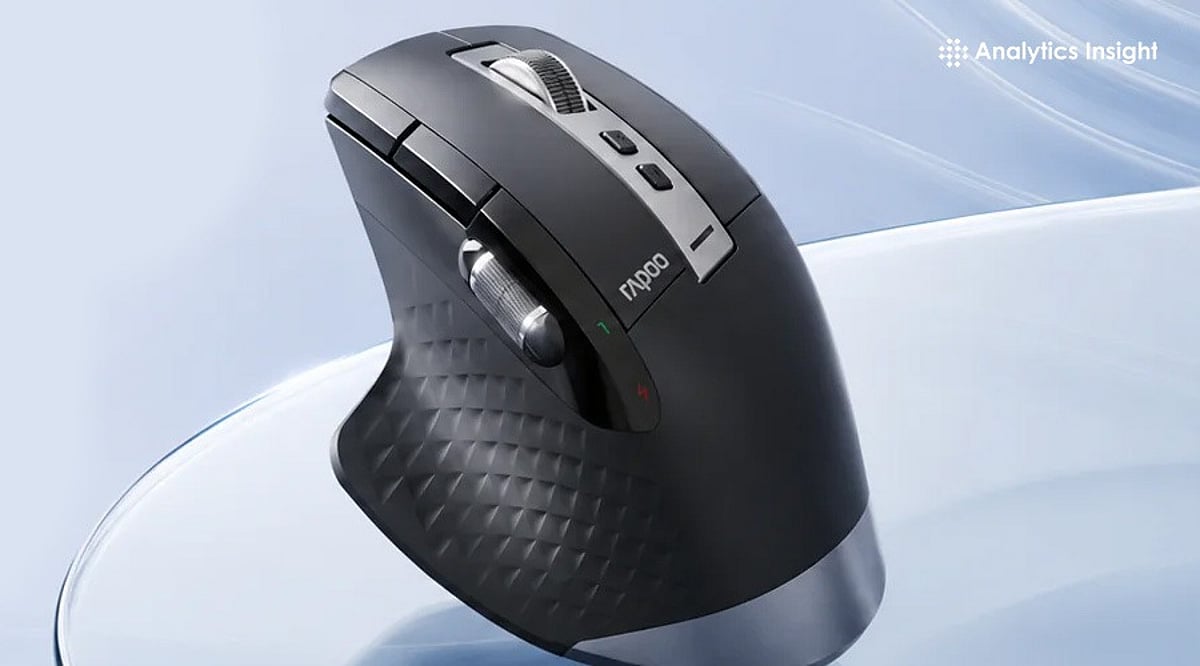
    Office managers and executives do best with multi-device wireless ergonomic mice built around the MX Master category. Writers, analysts, and students need lighter silent wireless mice that stay portable and easy on the wrist across long sessions. Designers, editors, and other power users benefit from more buttons, precise scrolling, and deeper customization.

    Anyone with wrist pain or RSI concerns should look at vertical mice and trackballs, as both change wrist posture rather than just softening the impact of a bad one. CAD and technical professionals need high-control mice or specialized ergonomic models built for stable, consistent tracking, since fine, repeated selections matter more than raw speed.

    Best Overall for Work: Logitech MX Master 4

    This is the mouse to beat in 2026. The MagSpeed scroll wheel powers through spreadsheets at up to 1,000 lines a second, and the Actions Ring puts app-specific shortcuts right under the cursor in tools like Excel and Photoshop, reducing time spent hunting through menus. Haptic feedback adds a tactile click when snapping objects into place—a small touch that pays off in design and video work. It also switches cleanly between a laptop and desktop for hybrid setups.

    Best for Wrist Comfort: Logitech Lift, Logitech MX Vertical, or Razer Pro Click V2 Vertical

    All three change hand posture instead of just cushioning it. The Lift is built for small to medium hands at a 57-degree angle and runs up to 24 months on a single AA battery. The MX Vertical suits medium to large hands with a similar 57-degree tilt and a four-month charge cycle. The Razer Pro Click V2 Vertical goes further, at 71.7 degrees to mimic a natural handshake grip, with up to six months of battery life. It takes about a week to adjust, but most users report a real drop in wrist strain once they do.

    Best for All-Day Office Productivity: Logitech M720 Triathlon

    A dependable, budget-friendly pick for anyone juggling multiple machines. It switches between three paired computers at the touch of a button, scrolls fast enough to fly through long documents, and runs for up to 24 months on one AA battery. The contoured shape holds up comfortably across a full workday.

    Best for Portable Professionals: Logitech MX Anywhere 3S

    Built for people who work from wherever the day takes them. Its 8K DPI sensor tracks on almost any surface, including glass, and the compact shape slips easily into a bag. Quiet clicks make it a considerate choice for shared spaces, cafes, or late-night calls, and it still delivers the MagSpeed scroll wheel found on Logitech’s larger productivity mice.

    Best for CAD or Precision Tasks: Trackballs and High-Control Ergonomic Mice

    Stability matters more than speed here. A trackball keeps the hand stationary while still allowing fine, controlled cursor movement, which suits repeated precision selections and detailed model work far better than a standard mouse shape.

    Features That Actually Matter

    Once the product type is clear, a few details separate a good mouse from a great one: shape, click feel, scroll wheel behavior, multi-device pairing, software customization, and battery convenience. Pay attention to whether the mouse supports both Bluetooth and a USB receiver, since switching setups is common in hybrid work. Software support matters more than most buyers expect—a mouse without solid driver or shortcut software loses half its usefulness, no matter how good the hardware feels in hand. Productivity is usually won in small details like button placement and scroll control, not headline sensor specs that rarely matter outside gaming.

    Final Thoughts

    Selecting the right work mouse is about finding the best balance between comfort, control, and functionality. By matching the profession with the right type of mouse, you can create a workspace that supports both productivity and long-term comfort.

    FAQs

    1. What is the best computer mouse for work?
    The best computer mouse for work depends on your profession and daily tasks. Ergonomic wireless productivity mice are ideal for most office users, while designers, programmers, and CAD professionals may benefit from models with extra controls and precision features.

    2. Is an ergonomic mouse better for office work?
    Yes. An ergonomic mouse is designed to support a more natural hand position, helping reduce fatigue and discomfort during long working hours. It is a good choice for professionals who use a computer for extended periods.

    3. Is a vertical mouse good for wrist pain?
    A vertical mouse can help reduce wrist strain by keeping the hand in a more natural handshake position. Many users with repetitive strain concerns find it more comfortable than a traditional mouse, although individual results may vary.

    4. What features should professionals look for in a work mouse?
    Comfort, reliable wireless connectivity, programmable buttons, smooth scrolling, long battery life, and support for multiple devices are among the most important features for a productivity-focused work mouse.

    5. Which type of mouse is best for designers and CAD professionals?
    Designers and CAD professionals generally benefit from mice that offer precise tracking, customizable buttons, and smooth scrolling. These features improve navigation, speed up repetitive tasks, and provide better control during detailed work.

  • Top Mechanical Keyboards to Supercharge Your Productivity in 2026

    Top Mechanical Keyboards to Supercharge Your Productivity in 2026

    Mechanical keyboards continue to be the go-to choice for professionals seeking a comfortable typing experience, exceptional durability, and faster, more accurate keystrokes. As we move into 2026, several models stand out for their ability to enhance workflow and daily productivity.

    Keychron K8 Max

    The Keychron K8 Max offers wireless connectivity, hot-swappable switches, and excellent compatibility with both Windows and macOS, making it an ideal choice for office environments.

    Logitech MX Mechanical

    Logitech’s MX Mechanical combines low-profile mechanical switches with premium build quality, multi-device support, and long battery life, delivering a seamless typing experience across platforms.

    NuPhy Air75 V2

    The NuPhy Air75 V2 features a slim design, responsive typing, and wireless flexibility for users who prioritize portability without sacrificing comfort or performance.

    Keychron Q1 HE

    Introducing Hall Effect magnetic switches, the Keychron Q1 HE allows adjustable actuation points, offering a highly customizable typing experience tailored to individual preferences.

    Razer Pro Type Ultra

    Designed for professional environments, the Razer Pro Type Ultra includes quiet switches, ergonomic wrist support, and productivity-focused wireless performance.

    Choosing the Right Switches and Features

    For office use, tactile or silent switches generally provide the best balance between typing feedback and reduced noise levels. Features such as hot-swappable switches, programmable keys, multi-device pairing, and ergonomic layouts can significantly improve daily productivity.

    When selecting a mechanical keyboard for productivity, consider your workflow, preferred switch type, connectivity needs, and long-term typing comfort rather than relying on aesthetics alone.