
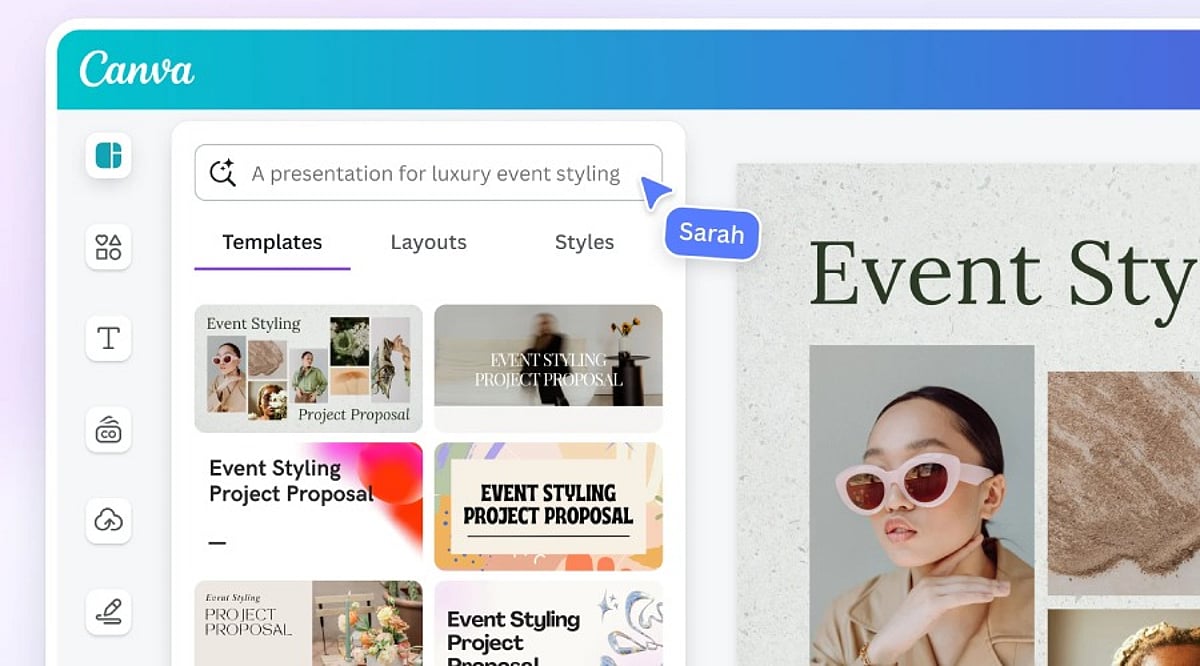
Creating professional graphics no longer requires starting from a blank canvas. With Canva’s suite of artificial intelligence tools, users can generate layouts, write copy, edit images, and automate repetitive tasks—all within the familiar drag-and-drop editor. These features help designers, marketers, and content creators move from concept to polished visual in record time, while still preserving the human touch needed for branding and originality.
Why Canva AI Accelerates the Design Process
Traditional design involves multiple steps: choosing templates, selecting fonts and colors, sourcing images, and writing copy. Canva AI collapses these stages by generating ready-to-edit designs based on minimal input. For example, a business owner creating a marketing poster or a student preparing a presentation can receive several design options instantly, skipping the initial setup and focusing only on refinement.
Key Canva AI Tools That Matter Most
Magic Design
This feature generates complete layouts from a text prompt or an uploaded image. It suggests templates for presentations, social media posts, posters, flyers, and more, giving users a strong starting point.
Magic Write
Magic Write creates headlines, captions, product descriptions, blog outlines, and other written content directly inside Canva. It’s ideal for quickly generating copy that matches your design theme.
Magic Edit
With Magic Edit, users can modify parts of an image by typing descriptive text. Combined with tools like Background Remover and Magic Eraser, photo cleanup becomes effortless.
AI for Video
Canva also offers AI-powered video editing, including automatic subtitle generation and smart resizing for different platforms.
Better Prompts Deliver Better Designs
The quality of AI-generated outputs depends heavily on the prompt. A vague request like “design a poster” yields generic results. A detailed prompt specifying the target audience, purpose, color palette, and style helps Canva understand your vision. For instance, “a simple Instagram post promoting a weekend café offer, using warm colors and modern fonts” produces more relevant designs. Experimenting with slight variations in wording can also unlock fresh layouts and concepts.
AI Is Just the Beginning
While AI-generated designs are often impressive, they should never be published without human review. Canva’s AI cannot grasp a brand’s unique style, marketing strategy, or audience preferences. Adjustments to layout, typography, colors, images, and text are typically necessary. The best results come from combining AI’s initial ideas with human creativity and editorial oversight.
Tips to Maximize Results
- Be specific in your prompts: include the goal, color scheme, style, and target audience.
- Never treat AI-generated designs as final—always edit, check brand compliance, and proofread copy.
- Save personalized templates to speed up future projects.
The Bottom Line
Canva AI has made design faster without adding complexity. Tools like Magic Design, Magic Write, Magic Edit, and AI-powered image editing cut down routine tasks while providing a strong creative foundation. However, technology works best when paired with human judgment. AI generates ideas and automates processes, but the final result requires careful editing, clear messaging, and audience awareness. By combining both, users can produce professional designs quickly without sacrificing quality.
Frequently Asked Questions
What is Canva AI used for?
Canva AI helps users create designs, generate content, edit images, and automate creative tasks using artificial intelligence.
Is Canva AI free to use?
Canva offers some AI features for free, while advanced tools and higher usage limits require a Canva Pro subscription.
Which Canva AI tool is best for beginners?
Magic Design is ideal for beginners because it generates ready-to-edit templates from simple prompts or uploaded images quickly.
Can Canva AI create social media posts?
Yes, Canva AI generates social media graphics, captions, presentations, videos, and marketing materials for multiple digital platforms efficiently.
Does Canva AI replace professional designers?
No. Canva AI speeds up design creation, but human creativity and editing remain essential for unique, accurate, and brand-aligned results.