Tag: Microsoft Copilot

  • Microsoft Copilot Privacy Warning: Human Reviewers May See Your AI-Edited Photos

    Microsoft Copilot Privacy Warning: Human Reviewers May See Your AI-Edited Photos

    Microsoft Copilot users who rely on the AI assistant to edit photos may want to think twice before uploading sensitive images. Recent reporting highlights that human contractors can review user prompts, uploaded pictures, and AI-generated edits as part of Microsoft’s quality and safety procedures.

    Why Human Review Is Happening

    According to Microsoft’s privacy documentation, some Copilot conversations may be subject to automated and human review. The stated purpose is to improve product performance and ensure the AI follows safety guidelines. Trained AI experts may examine conversations to evaluate the accuracy and safety of Copilot’s responses.

    Microsoft also notes that limited human review can take place when investigating suspected violations of its Code of Conduct. In those cases, users cannot opt out.

    How Uploaded Images Are Handled

    Microsoft’s transparency documentation confirms that Copilot can analyze and edit uploaded images, using them to respond to user requests. For Copilot Vision specifically, Microsoft says images captured or shared during a session are processed to deliver the requested response and are deleted within 30 days after the conversation ends.

    The company says it removes identifying information from images and files before using them in AI model training. That process can include de-identification, metadata removal, and face blurring. However, privacy protections vary by product and use case, so users should review the applicable settings and terms before uploading material.

    What Users Should Do

    The practical takeaway is simple: avoid uploading confidential documents, highly sensitive photos, or images with private information unless you understand how the service handles data. If a photo contains identifiable people or personal details, consider whether the convenience of AI editing is worth the privacy risk.

    Microsoft’s terms of use also warn that Copilot may involve automated and manual processing of user data, and the company advises users not to share information they would not want reviewed.

  • Microsoft Unveils Revamped Copilot: AI Agents, Office Integration, and Code-Building Tools

    Microsoft Unveils Revamped Copilot: AI Agents, Office Integration, and Code-Building Tools

    Microsoft has launched a significantly updated version of its Copilot platform, integrating AI agents, enhanced Office capabilities, and a new code-building feature into a unified experience. The company positions this revamped Copilot as a central hub where users can ask questions, delegate complex tasks, create documents, and develop small software solutions using natural language.

    New Copilot Home Experience

    The update introduces three core capabilities: Home, Code, and Autopilot. Home merges Chat and Cowork into a single starting point, streamlining user interaction. Chat handles questions, lookups, and drafting, while Cowork manages multi-step tasks and delivers completed outcomes. Microsoft plans for Copilot to intelligently route requests to the appropriate mode—Chat, Cowork, or Code—without manual selection.

    Office functionality within Copilot enables users to create and edit Word documents, Excel workbooks, and PowerPoint presentations directly through the interface. Files remain editable and stay synchronized with their corresponding Microsoft 365 applications.

    Code Feature Empowers Non-Developers

    Microsoft’s new Code feature targets non-developers, allowing them to build purpose-built software by describing an app, tracker, dashboard, or workflow in natural language. Under the hood, Code leverages the same technology as GitHub Copilot and operates in a sandboxed environment. Solutions can include desktop widgets, interactive dashboards, and cloud-hosted internal applications.

    Code enters Microsoft’s Frontier program at the end of the month, with broader rollout in subsequent weeks. A preview is also scheduled for Microsoft 365 Premium and Pro subscribers later this year.

    Autopilot: Persistent AI Agent

    Autopilot (formerly Scout) is Microsoft’s persistent agent that continues working after a user assigns a goal. Users can name, role, and objective the agent, after which it monitors channels, follows up on conversations, and handles recurring tasks. The agent lives in the cloud with its own identity, memory, and workspace within an organization’s tenant. It works across Teams, Outlook, chats, channels, and documents, subject to permissions and auditing. Autopilot enters private preview at the end of September.

    Expanded Business Data and Spending Controls

    Microsoft is expanding Copilot’s access to business context through Microsoft IQ. Fabric IQ brings data from Power BI semantic models into Copilot, and integration with Dynamics 365 and Power Platform is planned for public preview. A new plugin registry consolidates Microsoft, partner, and custom plugins into one catalog for central admin approval.

    FinOps capabilities help manage AI spending. A user subscription license covers Copilot across Word, Excel, PowerPoint, Outlook, and Teams, with usage-based billing for Cowork, Code, and Autopilot. New administrative controls let organizations manage spending policies, model availability, and credit requests.

  • 10 Essential AI Tools for Excel Data Analysis in 2025

    10 Essential AI Tools for Excel Data Analysis in 2025

    Introduction

    In 2025, Excel has evolved far beyond rows, columns, and confusing formulas. AI tools now handle the heavy lifting—generating charts, writing formulas, cleaning messy data, and even forecasting future numbers. These tools make Excel feel less like a math chore and more like having a smart assistant built right in. Here are ten AI tools that simplify spreadsheet work for everyone, from students to office professionals.

    Top AI Tools for Excel

    1. Microsoft 365 Copilot

    Built directly into Excel, Copilot handles nearly every data task: creating formulas, cleaning data, generating charts, and explaining what the numbers mean. Just type a request like “show sales from March to June,” and it delivers the answer. Ideal for users who want to finish tasks quickly without searching for formulas online.

    2. ExcelMatic

    This tool works like a chat box inside Excel. Type a sentence such as “sort products by price,” and it executes the command. No need to click through menus or remember button locations—simple and fast when time is short.

    3. Formula Bot

    Struggling with formulas? Describe what you need, and Formula Bot provides the correct Excel formula along with an explanation. It also works with Google Sheets, making it a great learning aid.

    4. DataRobot

    DataRobot finds patterns and makes predictions. For example, it can analyze past sales data to forecast next month’s performance. No coding required, and widely used by companies seeking data-driven insights.

    5. Arcwise AI

    Arcwise brings numbers to life with charts and graphs. Ask questions like “which product returned the most?” and it displays the answer visually. Perfect for school projects or business presentations.

    6. Power Query & Power Pivot

    These built-in Excel tools clean messy data (remove duplicates, split columns) and connect multiple tables. Power Query handles data cleaning; Power Pivot links different sheets—saving time and keeping everything organized.

    7. Datarails

    Primarily used by finance teams, Datarails gathers data from multiple files, consolidates it in one place, and assists with reports and budgets. Designed for professionals who work with numbers daily.

    8. MonkeyLearn

    MonkeyLearn focuses on text analysis. If you have hundreds of reviews or comments, it can classify them as positive, negative, or neutral. Useful for businesses wanting to understand customer sentiment.

    9. Polymer

    Polymer transforms Excel sheets into interactive dashboards. Upload a sheet, and it quickly creates graphs and summaries—no design skills needed. Great for meetings or quick reviews.

    10. KNIME

    KNIME is for advanced users. It integrates with Excel to create step-by-step workflows for cleaning, sorting, and analyzing large datasets—all without coding.

    Bonus: Grok

    Grok helps Excel users reason through data questions, explain findings in plain language, and summarize analysis. Its chat and search capabilities make it useful for research, though it’s not built directly into Excel.

    Who Should Use These Tools

    • Students: Formula Bot and ExcelMatic speed up assignments and make learning Excel easier.
    • Office workers: Microsoft Copilot, Power Query, and Datarails reduce repetitive tasks and accelerate reporting.
    • Small business owners: Polymer, Arcwise, and MonkeyLearn help make smarter decisions using customer and sales data.

    Conclusion

    These AI tools eliminate much of the tedious and confusing aspects of Excel. They save time, reduce errors, and make it simpler to interpret what the numbers are telling you. Whether you’re learning or working, these tools make Excel smarter and more accessible.

  • 10 Free AI Tools That Can Save You Hours Every Week

    10 Free AI Tools That Can Save You Hours Every Week

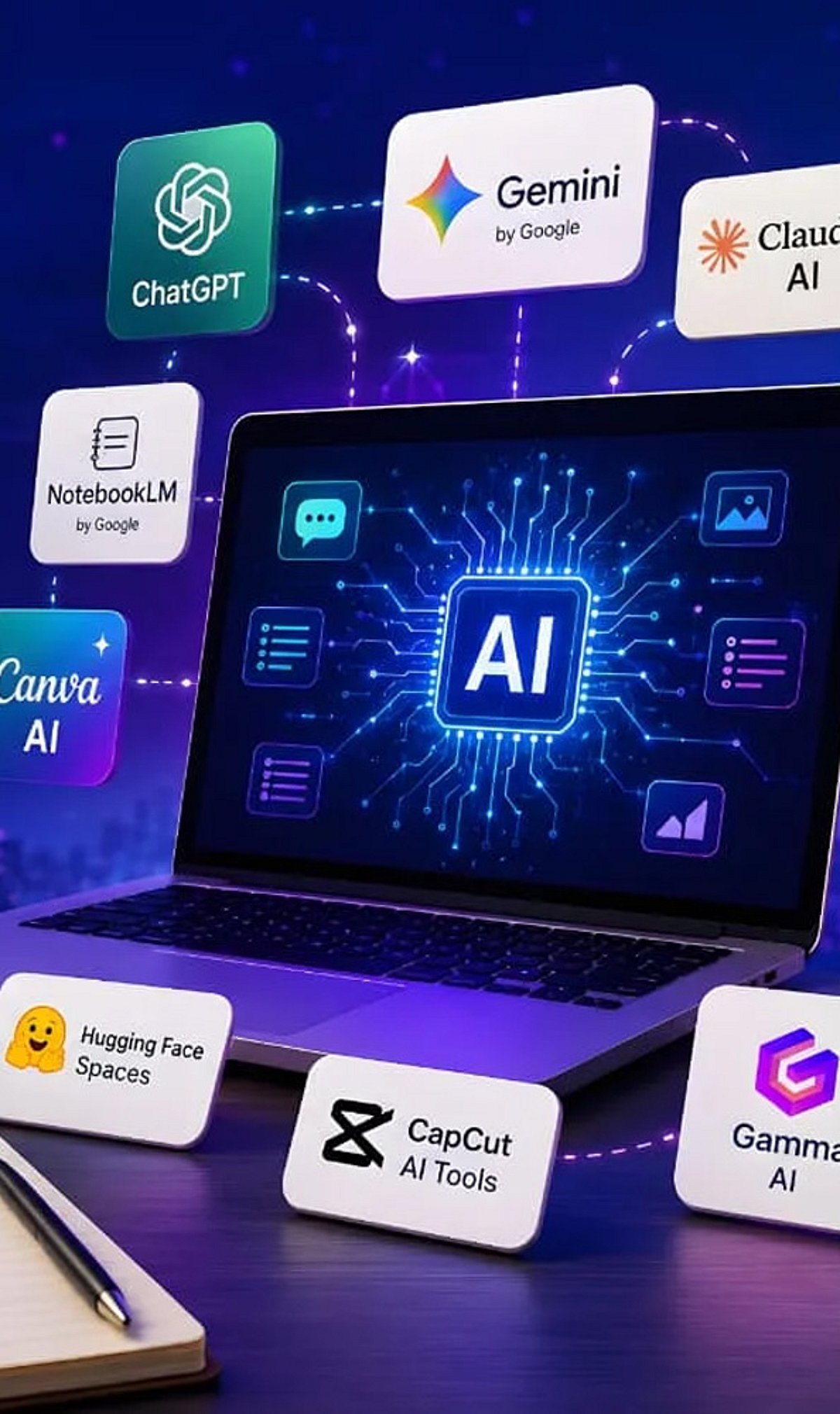
    Artificial intelligence tools have become indispensable for boosting productivity and streamlining workflows. Whether you need to generate content, research a topic, organize documents, or automate meeting notes, there is a free AI tool that can help. Here is a curated list of 10 powerful free AI tools that can save you hours every week.

    1. ChatGPT

    ChatGPT is one of the most versatile AI assistants available. Use it to generate content, brainstorm ideas, summarize documents, answer questions, and automate everyday writing tasks. Its conversational interface makes it easy to get started.

    2. Google Gemini

    Google Gemini integrates seamlessly with Google Workspace to help you research topics, summarize lengthy files, analyze images, and streamline both personal and professional workflows. It’s a great choice for anyone already using Google’s ecosystem.

    3. Microsoft Copilot

    Microsoft Copilot works directly inside Microsoft 365 applications and Windows. Draft emails, create presentations, analyze spreadsheets, and even get assistance with coding—all without leaving your workflow.

    4. Perplexity AI

    Perplexity AI provides accurate, source-backed answers instantly with real-time web search. It makes research, fact-checking, and learning significantly faster than traditional search engines.

    5. Canva AI

    Canva’s AI-powered design tools let you create social media graphics, presentations, videos, and marketing visuals without needing professional design experience. It’s a time-saver for content creators and marketers.

    6. Grammarly

    Grammarly helps improve grammar, clarity, tone, and writing quality across emails, documents, and websites. Its instant suggestions make writing more efficient and polished.

    7. NotebookLM

    NotebookLM by Google is an AI-powered research assistant that helps you organize research materials, summarize documents, generate study guides, and ask questions using your uploaded sources. It’s ideal for students and professionals.

    8. Claude

    Claude is an AI assistant capable of summarizing long reports, writing polished content, analyzing documents, and handling complex reasoning tasks. Its natural, conversational responses make it easy to work with.

    9. Otter.ai

    Otter.ai automatically records meetings, transcribes conversations, generates summaries, and captures action items. It reduces manual note-taking and improves collaboration efficiency for teams.

    10. Additional Bonus Tools

    While the list includes nine core tools, many other free AI applications can further boost your productivity. Experiment with different tools to find the ones that best fit your needs.

    Start using these free AI tools today to reclaim hours of your week and focus on what matters most.

  • Today’s Top Tech Roundup: Microsoft Copilot AI, Foldable Phone Boom, Tesla Stock Dip, Google Gemini Spark, and Xbox Cloud Gaming

    Today’s Top Tech Roundup: Microsoft Copilot AI, Foldable Phone Boom, Tesla Stock Dip, Google Gemini Spark, and Xbox Cloud Gaming

    Microsoft is expanding its artificial intelligence capabilities with new updates to Copilot, foldable smartphones continue to gain market momentum, Tesla’s stock has taken a hit, Google has upgraded its Gemini Spark AI agent, and Xbox is testing free cloud game streaming.

    In the latest tech news roundup, several major developments are shaping the industry. Microsoft’s Copilot AI is receiving enhancements that broaden its functionality, reinforcing the company’s commitment to AI-driven productivity. Meanwhile, the foldable phone segment is seeing increased consumer interest and manufacturer investment, signaling a shift in mobile device design trends.

    On the financial front, Tesla’s stock has experienced a decline, reflecting ongoing market volatility and investor sentiment. Google has introduced an upgraded version of its Gemini Spark AI agent, bringing advanced AI capabilities directly to users’ desktops via macOS. Additionally, Xbox is experimenting with free cloud game streaming, a move that could democratize access to high-quality gaming experiences without the need for expensive hardware.

    These stories represent the key technology trends of the day, from AI expansion and mobile innovation to market shifts and gaming accessibility.

  • Streamline Your Workflow: AI Tools That Eliminate Repetitive Office Work

    Streamline Your Workflow: AI Tools That Eliminate Repetitive Office Work

    Repetitive office tasks—like drafting emails, scheduling meetings, entering data, and summarizing documents—consume valuable time that could be spent on higher-level strategic work. Fortunately, a wave of artificial intelligence tools now automates these mundane activities, freeing teams to focus on creativity and decision-making. Below is a curated list of the most effective AI solutions for eliminating repetitive office tasks, each with a specific use case.

    ChatGPT

    OpenAI’s ChatGPT automates writing, summarizing, brainstorming, email drafting, meeting notes, and document creation. It reduces repetitive communication tasks across teams efficiently by generating coherent text based on simple prompts, making it a versatile assistant for any office environment.

    Microsoft Copilot

    Deeply integrated into Microsoft 365, Copilot automates spreadsheet formulas, presentation design, email replies, meeting summaries, and document editing. It leverages data from your organization to provide contextually relevant suggestions, boosting everyday office productivity without requiring manual formatting.

    Google Gemini

    Google’s Gemini assists with Gmail, Docs, Sheets, and other Workspace tasks. It generates content, organizes information, summarizes long files, and answers workplace queries. Its seamless integration with Google’s ecosystem makes it ideal for teams already using Google Workspace.

    Zapier

    Zapier connects thousands of apps to automate repetitive workflows, data transfers, notifications, approvals, and administrative processes—all without coding. By setting up “Zaps,” users can trigger actions across platforms, eliminating manual handoffs and reducing errors.

    Notion AI

    Notion AI speeds up note-taking, document drafting, meeting summaries, project updates, and knowledge management. It keeps workplace information organized automatically, surfacing relevant content and generating action items from meeting notes, which saves hours of manual documentation.

    Grammarly

    Grammarly improves workplace communication by correcting grammar, refining tone, rewriting sentences, and ensuring professional writing across emails, reports, and documents. Its AI-powered suggestions help maintain consistency and clarity, reducing the need for back-and-forth edits.

    Otter.ai

    Otter.ai automatically records meetings, transcribes conversations, creates searchable notes, and highlights action items. It saves employees from manual note-taking and ensures that no important detail is lost, making post-meeting documentation effortless.

    Trello with Butler Automation

    Trello’s built-in Butler feature automates task assignments, due date reminders, workflow rules, card movements, and repetitive project management activities. It allows teams to set up automation without any coding, keeping boards updated and deadlines tracked automatically.

    UiPath

    UiPath uses robotic process automation (RPA) to handle repetitive data entry, invoice processing, report generation, and enterprise workflows with minimal human involvement. It is ideal for large organizations that need to automate complex, rule-based processes across multiple systems.

    By integrating these AI tools into daily operations, businesses can significantly reduce the time spent on repetitive tasks, increase accuracy, and allow employees to focus on innovation and growth. Whether you’re a solo entrepreneur or part of a large enterprise, there is an AI solution ready to streamline your workflow.

  • 10 Must-Use Microsoft Copilot Capabilities in Power BI for Faster Data Insights

    10 Must-Use Microsoft Copilot Capabilities in Power BI for Faster Data Insights

    Businesses generate more data than ever before. The real challenge is not collecting information but understanding it quickly. Microsoft Copilot in Power BI makes this process much easier. It uses artificial intelligence to help users build reports, analyze data, write DAX formulas, and find useful insights with simple text commands.

    Instead of spending hours creating dashboards or hunting for critical numbers, users can ask Copilot questions in everyday language. It understands the request and delivers useful answers within seconds. Microsoft continues to enhance Copilot with new features that make Power BI more accessible for beginners and more productive for experienced professionals.

    Here are ten Microsoft Copilot features that can help you get more value from Power BI.

    1. Create Reports with Simple Instructions

    Building a report usually takes time because users need to select charts, arrange visuals, and organize information. Copilot makes this task much easier. You only need to type a request like, “Create a sales report that shows monthly revenue, profit, and regional performance.” Copilot understands the request and creates a report with suitable charts and layouts. This feature saves time and helps users who have little experience with Power BI. It also produces reports with a clean, professional design.

    2. Write DAX Formulas Easily

    Many Power BI users find DAX formulas difficult because they require special syntax and functions. Copilot removes much of this difficulty. Instead of writing formulas from scratch, users can explain what they need in plain English. For example, they can ask Copilot to calculate yearly sales growth or total profit. Copilot creates the DAX formula and also explains what it does. This speeds up report development and helps users learn DAX more easily.

    3. Get Quick Data Summaries

    Large reports often contain many charts and tables. Finding the most important information can take time. Copilot reads the report and creates a simple summary of the main insights. It points out important trends, top-performing products, changes in sales, and unusual results. This helps managers and business leaders understand reports without having to study every chart.

    4. Ask Questions in Everyday Language

    Another key selling point of Copilot is its natural language capability. Instead of drilling down through filters or creating new charts, you can type a request like, “What product has sold the most in the last quarter?” or “Show Europe revenue.” Copilot understands what you need and provides the appropriate data via the best-matched visual. This makes understanding data much easier for those less familiar with technology.

    5. Explain Charts and Business Numbers

    Sometimes a report shows numbers without explaining what they mean. Copilot helps by describing charts, business metrics, and key performance indicators in simple language. It explains why a value changed and what the result may mean for the business. This helps everyone understand reports more clearly and supports better business decisions.

    6. Improve Semantic Models

    A semantic model is the foundation of every Power BI report. A well-organized model makes reports faster and easier to manage. Copilot helps developers improve these models by suggesting better relationships between tables, recommending useful measures, organizing fields, and improving names. These improvements reduce mistakes and make future report development much easier.

    7. Create Measure Descriptions Automatically

    Good documentation helps teams understand reports long after they are created. However, many developers skip this step because it takes extra time. Copilot can automatically create descriptions for measures, calculated columns, and important business metrics. These descriptions explain what each item does in clear language. This makes reports easier to maintain and helps new team members understand the data model more quickly.

    8. Make Existing Reports Better

    Many organizations already have Power BI reports, but not all of them provide the best user experience. Copilot reviews existing reports and suggests useful improvements. It may recommend better chart types, clearer layouts, improved readability, or additional business metrics that can provide more value. Microsoft has also improved Copilot so it first studies the report before checking the data model, providing more accurate recommendations and answers.

    9. Find Business Trends Faster

    Business data often contains important patterns that are easy to miss. Copilot automatically looks for major changes such as sales growth, revenue decline, seasonal trends, customer behavior, and unusual values. It highlights these findings without requiring users to search through every report page. This helps businesses react faster to opportunities and potential problems.

    10. Use AI to Build Better Reports

    Microsoft continues to expand Copilot with AI-powered report authoring. This feature helps users throughout the report creation process. Copilot suggests report structures, recommends suitable visuals, checks report quality, and supports the publishing process. Instead of creating everything manually, users receive intelligent guidance throughout report development. This makes report creation faster, easier, and more consistent for both new and experienced Power BI users.

    Latest Microsoft Copilot Updates for Power BI

    Microsoft continues to add new capabilities to Copilot in Power BI and Microsoft Fabric. Recent updates make Copilot more accurate by allowing it to understand the report before it analyzes the data model. Microsoft has also expanded AI support for semantic model editing, which allows users to create measures, relationships, and model changes through natural language. It is also improving AI-powered report authoring to help users plan, validate, and publish reports more efficiently.

    Final Thoughts

    Copilot reshapes your experience of working in Power BI. It simplifies tasks, accelerates report creation, and makes business data easy to grasp. Whether you’re generating a report, crafting a DAX query, identifying trends, refining a semantic model, or explaining business results to a broader audience — Copilot helps you at every stage. As new capabilities are added, the power of Copilot in the context of data-driven decision-making will only increase. Organizations that invest in these AI capabilities now can boost productivity, produce higher-quality reports, and accelerate better decisions with Power BI.

  • 76% of Small Businesses Use AI, But Few Achieve Real Integration — Here’s Why

    76% of Small Businesses Use AI, But Few Achieve Real Integration — Here’s Why

    Major AI vendors are now tailoring their offerings for small businesses. Salesforce, Microsoft, Google, Zoho, HubSpot, and others have embedded artificial intelligence into the tools that smaller companies already rely on for sales, marketing, customer service, productivity, and operations. The message is clear: AI is no longer just for enterprise tech stacks. It’s designed to be usable by a five-person team without dedicated technical support.

    Small businesses are listening. According to a March 2026 survey from Goldman Sachs 10,000 Small Businesses, 76% of small businesses are now using artificial intelligence. Among those users, 93% report a positive impact, and 84% say the main benefit is increased efficiency and productivity. These numbers suggest the market has moved beyond curiosity.

    Yet only 14% of small businesses say AI is fully integrated into their core operations. That gap between adoption and integration is the real story.

    The Vendor Race Intensifies

    Competition to capture small business AI spending has heated up. Salesforce is pushing agentic AI into customer relationship workflows. Microsoft embeds Copilot across its productivity suite. Google adds Gemini capabilities to Workspace. Zoho continues to build Zia into sales, analytics, and CX tools. HubSpot bundles its AI under Breeze for marketing, sales, and service teams.

    The pitch from each vendor sounds similar: AI is ready for small business. But being ready to buy is not the same as being ready to use. The data shows that distinction matters.

    Adoption Is High, Integration Is Low

    The Goldman Sachs survey reveals a nuanced picture. On the positive side, 93% of small businesses using AI say it has had a positive impact. 67% expect AI to increase revenue. And 87% say AI augments their workforce rather than replacing employees, challenging the narrative that small business adoption is mainly about cutting headcount.

    But friction remains: 50% of small businesses using AI cite data privacy and security as concerns. 49% say they lack the technical expertise to use AI effectively. 48% report difficulty choosing the right tools in a crowded market. More options don’t automatically lead to better decisions. For an owner trying to pick the best AI tool, a cluttered market often causes hesitation, overlap, and wasted subscriptions.

    The Core Problem: Process, Not Tools

    Small businesses adopt technology differently than large enterprises. There is usually no implementation team, no chief technology officer evaluating roadmaps, and no internal change-management function. An owner or small team signs up for a tool, tests it on a few tasks, and either keeps it or moves on.

    That works for straightforward software like invoicing or scheduling. AI is different. AI tools produce variable outputs. They require context, instructions, examples, data, and review. They only deliver consistent business value when embedded into repeatable workflows, not used for one-off tasks.

    That explains why adoption can look high while integration stays low. A business owner may ask ChatGPT to draft an email. A marketing manager may use AI to brainstorm social posts. A support team may paste complaints into a chatbot for suggested replies. Those tasks save time, but they don’t change how the business operates. Operational value emerges when AI is connected to real processes—triaging inquiries, summarizing sales calls, drafting proposals from approved inputs, routing tickets.

    Without that process layer, AI remains scattered. Tools are present; workflows are missing.

    What Full Integration Looks Like

    Small businesses that fully integrate AI into core operations treat it as an operating-system change, not a software trial. They typically start with one high-impact process, aiming for a specific, measurable goal. They build systems around the tool: defined inputs, approved prompts, review standards, handoff points, quality checks. The tool is only one piece; the business process makes the output reliable.

    Some smaller companies also seek outside support before buying more software. Working with an AI consultant for small businesses can help identify where AI fits, which workflows to redesign first, and which tools are unnecessary. For companies without internal technical resources, that guidance can determine whether AI becomes another subscription or a competitive advantage.

    The differentiator isn’t whether a business uses AI—it’s whether AI is wired into how the business actually operates.

    Training Becomes the Bottleneck

    The Goldman Sachs survey found that 73% of small businesses say they would benefit from additional training and resources to implement and evaluate AI. That number reflects a market that has bought into the idea of AI but still lacks support to use it well.

    Current learning options are uneven. Vendor documentation explains product features, not business process design. Tutorials show how a tool works without showing where it fits inside a real operation. Courses explain AI concepts without addressing the practical challenge of applying them inside a small accounting firm, e‑commerce company, agency, clinic, contractor business, or local service provider.

    Small businesses need implementation training, not just tool training. They need to know which processes to automate, which data to use (and not use), how to review AI output, how to protect customer information, and how to measure value. The survey also found that 85% of small businesses support the AI for Main Street Act, which would direct the Small Business Administration and Small Business Development Centers to provide AI training and outreach. That support signals that owners are not rejecting AI—they’re asking for practical help.

    Cheaper Tools Won’t Close the Integration Gap

    Vendor competition will continue to make AI tools more accessible. That’s good news for small businesses, but cheaper access won’t solve the core problem. A company that can’t turn a $50/month AI subscription into a functional workflow is unlikely to do better simply because another tool costs $20. The constraint isn’t price—it’s process design, technical confidence, governance, data readiness, and follow-through.

    The next phase of small business AI adoption will not be defined by who signs up for the most tools. It will be defined by who turns AI into repeatable operating capacity. That shift—from tool adoption to workflow integration—is the one many small businesses still need to make. Until then, AI vendors may keep winning sign-ups while small businesses struggle to turn those sign-ups into measurable value.

    Source: Goldman Sachs 10,000 Small Businesses Survey, March 2026. Additional reporting by Analytics Insight.


    Related Stories:

    • JPMorgan Follows Goldman Sachs in Limiting Anthropic AI Use Across Hong Kong Offices
    • Why Solana May Be Ready for Massive Growth in 2026
    • Why Did Goldman Sachs Exit $154M Worth of XRP ETFs?
    • Goldman Sachs Leads SpaceX IPO Underwriters Ahead of NASDAQ Listing

  • Top 9 AI Tools Trending This Week You Should Know About

    Top 9 AI Tools Trending This Week You Should Know About

    The world of artificial intelligence is evolving rapidly, and every week brings new tools that capture the attention of professionals and enthusiasts alike. Here are nine AI tools everyone is talking about this week, spanning productivity, creativity, research, and coding.

    ChatGPT – All-in-One AI Assistant

    ChatGPT helps users write, code, research, analyze documents, generate images, and automate workflows, making it the most versatile AI platform today.

    Google Gemini – AI Across Google Apps

    Gemini integrates with Gmail, Docs, Search, and Android, enabling seamless AI-powered writing, research, coding, planning, and multimodal content understanding across devices.

    Claude – Enterprise AI for Long Documents

    Claude excels at analyzing lengthy documents, summarizing reports, answering complex questions, and supporting enterprise workflows with strong contextual reasoning and safety.

    Perplexity AI – Search with Trusted Sources

    Perplexity AI combines conversational search with web citations, helping users quickly discover accurate information, compare sources, and conduct efficient online research.

    Microsoft Copilot – Workplace Productivity Booster

    Microsoft Copilot enhances productivity by drafting emails, summarizing meetings, creating presentations, analyzing spreadsheets, and automating repetitive tasks across Microsoft 365.

    Runway – AI Video Creation Platform

    Runway enables creators to generate videos, edit footage, remove backgrounds, create visual effects, and produce professional-quality content using advanced generative AI.

    Midjourney – High-Quality AI Image Generator

    Midjourney creates stunning, artistic images from text prompts, helping designers, marketers, and artists rapidly visualize creative ideas and marketing campaigns.

    Cursor – AI-Powered Coding Companion

    Cursor accelerates software development by generating code, explaining functions, fixing bugs, and assisting developers with intelligent programming suggestions inside the editor.

    NotebookLM – AI Research and Knowledge Assistant

    NotebookLM analyzes uploaded documents, PDFs, and notes to deliver contextual answers, summaries, and insights grounded in users’ own trusted source material.

    These tools represent the cutting edge of AI this week. Which one will you try first?

  • Hands-On Review: My Top AI Tools After Extensive Testing

    Hands-On Review: My Top AI Tools After Extensive Testing

    After testing a wide range of popular AI tools, I’ve identified the ones that truly stand out for productivity, creativity, and research. Here’s a detailed look at my favorites and why they earn a spot in my daily workflow.

    ChatGPT: The All-Purpose AI Assistant

    ChatGPT remains my go-to AI assistant for writing, brainstorming, coding, research, and everyday productivity. It consistently delivers natural conversations, detailed explanations, creative ideas, and reliable assistance across multiple tasks. Whether drafting articles, summarizing reports, solving technical problems, or learning something new, it is the most versatile AI tool I use regularly.

    Claude: Master of Long-Form Analysis

    Claude excels at handling lengthy documents, thoughtful reasoning, and polished writing. It analyzes reports, edits content, summarizes research papers, and maintains context across extended conversations. Whenever I need structured analysis or nuanced responses, Claude produces clear, well-organized, and dependable results.

    Google Gemini: Seamless Ecosystem Integration

    Gemini integrates seamlessly with Google’s ecosystem, making it ideal for users relying on Gmail, Docs, Drive, and Search. It delivers accurate information, multimodal capabilities, and useful productivity features. I especially appreciate its ability to combine web knowledge with document-based assistance inside Google’s familiar workspace.

    Microsoft Copilot: The Enterprise Workhorse

    Copilot shines for professionals working within Microsoft 365. It helps draft emails, summarize meetings, generate presentations, analyze spreadsheets, and improve workplace productivity. Its integration with Word, Excel, PowerPoint, and Teams makes it an excellent AI companion for business users and enterprise environments.

    Perplexity AI: The Research Companion

    Perplexity has become my preferred research assistant whenever I need quick, source-backed answers. It simplifies complex topics, provides citations, and makes exploring current information easier. Instead of opening multiple browser tabs, I can quickly understand subjects through concise summaries supported by relevant references.

    Midjourney: Creative Visuals Redefined

    Midjourney continues to impress with exceptional AI-generated artwork and creative visuals. It produces highly detailed illustrations, concept art, marketing assets, and imaginative designs from simple prompts. For designers, marketers, and creators seeking visually stunning results, it remains one of the strongest image-generation platforms available.

    GitHub Copilot: The Developer’s Coding Partner

    GitHub Copilot significantly speeds up software development by suggesting code, generating functions, explaining logic, and reducing repetitive programming tasks. It supports multiple programming languages and integrates directly into popular code editors. For developers, it acts like an experienced coding partner that enhances productivity every day.