Tag: mobile

  • Gmail’s ‘Copy Code’ Button Eliminates a Step in Two-Factor Authentication

    Gmail’s ‘Copy Code’ Button Eliminates a Step in Two-Factor Authentication

    Gmail is rolling out a new ‘Copy code’ option for two-factor authentication (2FA) emails. This feature allows users to copy verification codes directly from the inbox without opening the email. Instead of manually selecting numbers, users can tap a button below the subject line to copy the code to their clipboard.

    The change is designed for people who regularly use email-based 2FA when signing into banking, shopping, work, social media, and other online accounts. While it does not alter the security of two-factor authentication, it significantly improves convenience by reducing the number of steps required.

    How Gmail’s 2FA Code Copy Feature Works

    When a user attempts to log into a third-party application using a Gmail ID with 2FA enabled, Google detects the verification email. It then displays a ‘Copy code’ button below the subject line. Users do not need to open the message to find the number. They can tap the button and copy the code to their phone’s clipboard, then paste it into the sign-in page.

    Currently, this feature is available on Android and iOS devices; the web version of Gmail will not receive it during this rollout phase. The whole process takes only a few seconds, saving time compared to the previous method of opening the email, searching for the code, selecting it, copying it, and switching back to the other app.

    What Gmail’s New Feature Means for Users

    The biggest benefit is convenience. For users who perform 2FA tasks multiple times a day, the single extra tap can reduce frustration. This change also demonstrates how email apps are becoming more action-oriented, adding quick actions based on email content. A verification email is a perfect example: most people only need the code, so giving them a direct copy option makes sense.

    The feature may also reduce small mistakes, such as copying an extra space or missing a digit when manually selecting a code. However, security remains important. Users should never share verification codes with anyone, even with the new shortcut. Scammers can still trick users into giving away codes. The feature does not replace stronger login methods like passkeys or security keys, which Google recommends for better phishing protection.

    A Small Change That Makes 2FA Easier

    Gmail’s ‘Copy code’ option is not a major security change; its value comes from streamlining a familiar, repetitive task. Users no longer need to open every 2FA email just to find a number. A single tap copies the code and gets them back to the sign-in screen. This fits into a larger trend of making account protection easier while reducing friction. Until passkeys become more widespread, verification codes remain common, and this shortcut can make them a little less annoying.

    Frequently Asked Questions

    1. What is Gmail’s new 2FA Code Copy feature?

    It is a new Gmail option that lets users copy a verification code directly from the inbox without opening the email.

    2. How does Gmail’s Copy code button work?

    Gmail shows a ‘Copy code’ button below eligible verification emails. Users tap it to copy the code and paste it into the required sign-in field.

    3. Is Gmail’s Copy code feature available on iPhone?

    Yes, it is rolling out on both Android and iPhone, depending on the Gmail app version and account.

    4. Does the feature make 2FA more secure?

    It mainly makes 2FA easier to use. It does not change how verification codes protect an account. Google recommends passkeys and security keys for stronger protection.

    5. Should users share their Gmail verification codes?

    No. Users should never share verification codes with other people, as a scammer could use them to bypass account security.
  • Gmail’s New ‘Copy Code’ Button Speeds Up Two-Factor Authentication on Mobile

    Gmail’s New ‘Copy Code’ Button Speeds Up Two-Factor Authentication on Mobile

    Google is making two-factor authentication (2FA) codes easier to handle in Gmail. The mobile versions of the Gmail app on Android and iOS are rolling out a new feature called Copy Code. This button appears in the email preview, allowing users to tap and copy verification codes directly to their clipboard without opening the full message.

    The Copy Code option is designed specifically for 2FA emails. It appears below the subject line and next to the preview snippet. Once tapped, the code is copied, and users can return to the website or app they are signing into and paste the code. This eliminates the need to open every verification email individually.

    The feature is currently available on Gmail for Android version 2026.09.07.x and iOS version 6.0.260907. It is not yet available on the web version of Gmail.

    Getting a 2FA code from email has traditionally required opening Gmail, locating the right message, copying the numbers, and then switching back. The new shortcut removes several steps, making the login process faster. Google Messages already offers a similar convenience for SMS-based verification codes.

    While the change is small, it has a noticeable impact on daily user experience. The security of two-factor authentication remains unchanged; only the copying process is streamlined. As more services rely on email for verification codes, features like this reduce friction without compromising security.

  • iPhone 18 Pro vs Foldable iPhone Ultra: Which Apple Phone Should You Choose in 2026?

    iPhone 18 Pro vs Foldable iPhone Ultra: Which Apple Phone Should You Choose in 2026?

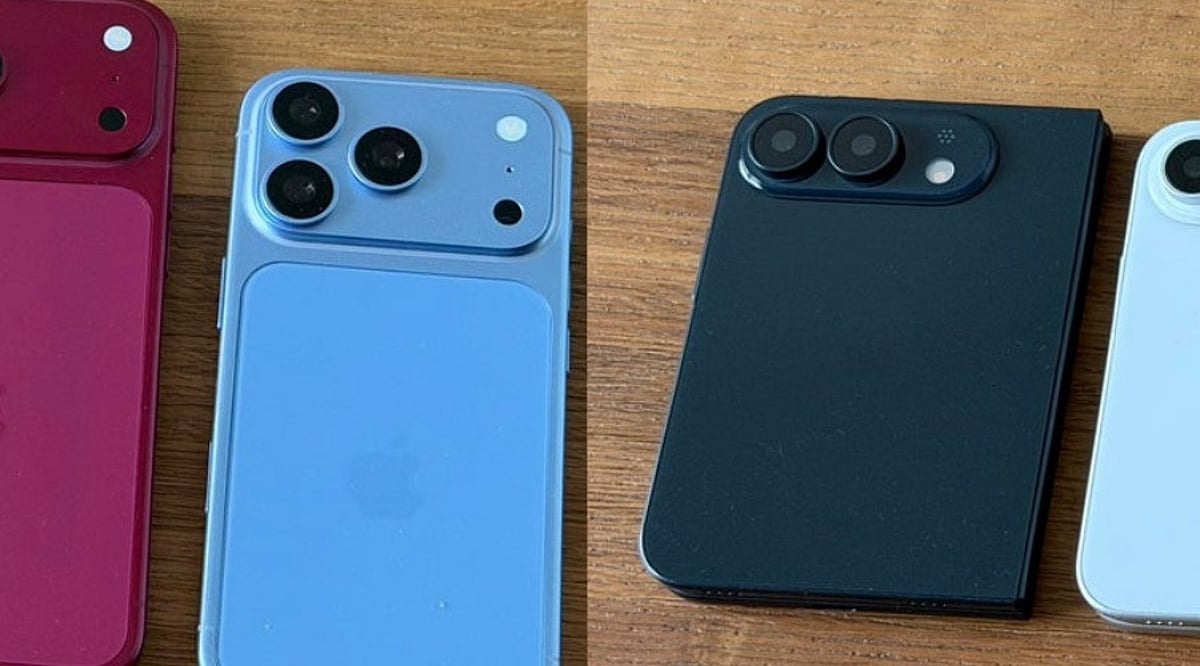
    Apple is gearing up for a pivotal September 9, 2026, event, where the company is expected to unveil its next-generation iPhone 18 Pro lineup alongside its first-ever foldable device, often referred to as the iPhone Ultra. This marks a rare moment for Apple, offering consumers a choice between a familiar, refined flagship and a bold, experimental new form factor. Both phones promise cutting-edge technology, but they cater to different priorities. Here’s a detailed comparison to help you decide which one is worth your money.

    iPhone 18 Pro: The Safe, Refined Choice

    The iPhone 18 Pro continues Apple’s tradition of incremental but meaningful upgrades. According to current reports, the Pro model will sport a 6.3-inch display (with a 6.9-inch Pro Max variant), keeping the familiar design while introducing subtle enhancements. The Dynamic Island is expected to shrink, with some Face ID components possibly moving under the display for a cleaner front aesthetic.

    Under the hood, the A20 Pro chip, built on TSMC’s 2-nanometer process, promises up to 18% faster performance and 30% better efficiency compared to the A19 generation. This could significantly improve battery life and app responsiveness. Additionally, Apple may introduce its own C2 modem, though some US models might still rely on Qualcomm hardware for mmWave 5G support.

    Camera enthusiasts will appreciate the rumored variable-aperture main lens, which would enhance low-light photography and offer better control in bright conditions. The telephoto lens may also gain a larger aperture, and the front camera could see a bump to 24 megapixels (though pixel-binning might keep final output lower). Color options reportedly include Dark Cherry, Light Blue, Dark Gray, and Silver.

    Foldable iPhone Ultra: A New Era of Design

    The foldable iPhone Ultra (also speculated to be called iPhone Fold) represents Apple’s most radical hardware leap in years. When closed, it’s a compact 5.5-inch device; when opened, it reveals a spacious 7.8-inch inner display with a 4:3 aspect ratio, resembling a tablet. The book-style hinge is designed to minimize the crease, and the overall thickness is an incredible 4.5 mm when unfolded.

    To accommodate the thin profile, Apple reportedly swaps Face ID for Touch ID embedded in the power button. The device is expected to feature a titanium and aluminum frame, support MagSafe, and pack 12 GB of RAM with a battery ranging from 5,400 to 5,800 mAh. Performance-wise, it’s likely to use the same A20 Pro chip, ensuring flagship-level speed despite the compact chassis.

    However, camera specs may take a step back. Reports suggest a dual-camera setup (wide and ultra-wide) with no dedicated telephoto lens, which could disappoint photography purists who rely on optical zoom. The trade-off is a larger, more immersive display for media consumption and multitasking.

    Price: The Deciding Factor

    Price will likely be the biggest differentiator. The foldable iPhone Ultra is expected to start above $2,000, possibly reaching $2,500, making it significantly more expensive than the iPhone 18 Pro. Even if Apple increases Pro pricing due to rising component costs, the foldable will remain a premium luxury item.

    There’s also the inherent risk of a first-generation product. A new hinge mechanism, flexible display, and ultra-thin body introduce potential durability concerns that Apple will need to address. While the company has had years to refine the concept, early adopters may face unforeseen issues.

    Which One Should You Wait For?

    If you value camera quality, software maturity, and a lower price point, the iPhone 18 Pro is the pragmatic choice. It delivers proven performance with incremental upgrades that won’t break the bank. On the other hand, if you crave innovation, crave a larger screen, and are willing to pay a premium for Apple’s boldest experiment, the foldable iPhone Ultra is an exciting prospect.

    With the September 9 event just days away, the wise move is to wait for official announcements. The event will clarify pricing, exact specs, availability, and the final name. Until then, consider your priorities: do you need a reliable workhorse or a glimpse into the future of smartphones?

    FAQs

    When will Apple launch the iPhone 18 Pro and foldable iPhone?

    Current reports point to a September 9, 2026, announcement, with actual launch dates likely to follow shortly after.

    Will the foldable iPhone have better performance than the iPhone 18 Pro?

    Both models are expected to use the A20 Pro chip, so performance should be on par, though the foldable’s thinner design may affect thermal management.

    What are the display sizes for the foldable iPhone?

    Reports suggest a 5.5-inch outer display and a 7.8-inch inner display when unfolded.

    Will the foldable iPhone have a better camera than the iPhone 18 Pro?

    No. The foldable is expected to feature a dual-camera setup without a telephoto lens, while the Pro retains a more versatile camera system.

    Which phone is more suitable for everyday use?

    The iPhone 18 Pro offers a familiar design, reliable performance, and superior camera capabilities, making it the safer choice for daily use.

  • Complete Guide to Enable Gmail Dark Mode on Android, iPhone, and Desktop

    Complete Guide to Enable Gmail Dark Mode on Android, iPhone, and Desktop

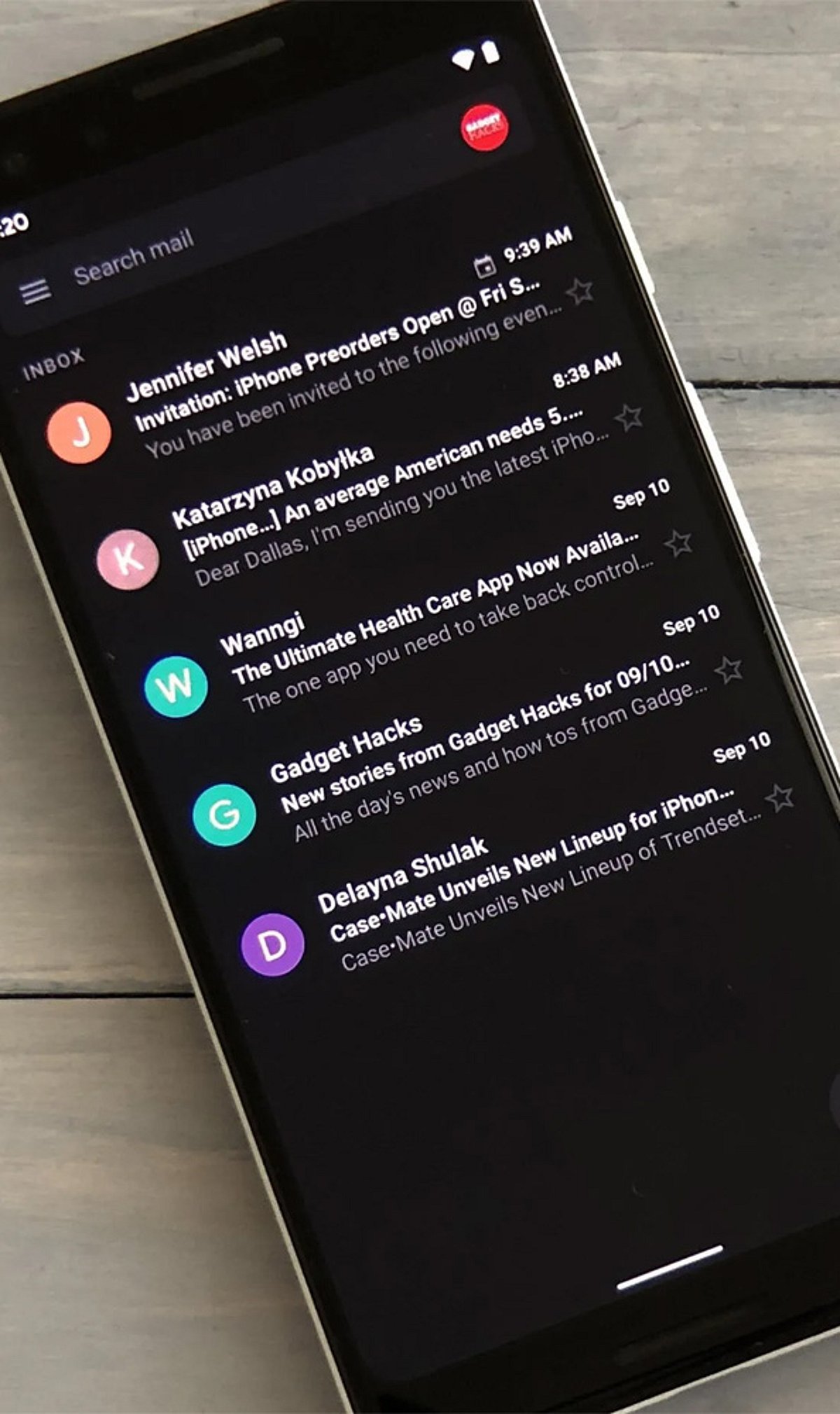
    How to Enable Gmail Dark Mode on Android

    To switch Gmail to dark mode on your Android device, follow these steps:

    1. Open the Gmail app.
    2. Tap the hamburger menu (☰) in the top-left corner.
    3. Go to Settings > General settings > Theme.
    4. Choose Dark or System default.

    Selecting System default will make Gmail automatically follow your phone’s dark mode schedule, switching between light and dark based on the time of day or your system settings.

    How to Turn On Gmail Dark Mode on iPhone

    1. Open the Gmail app on your iPhone.
    2. Tap the hamburger menu (☰) and go to Settings.
    3. Select Theme and choose Dark.
    4. If the option is not available, enable Dark Mode from your iPhone’s system settings: Settings > Display & Brightness > Dark.

    How to Enable Dark Theme on Desktop

    1. Open Gmail in your web browser.
    2. Click the Settings gear icon (⚙️) in the top-right corner.
    3. Select See all settings.
    4. Go to the Themes tab.
    5. Choose a dark theme from the available options and click Save.

    Note: On the desktop version, Gmail’s interface darkens but many email message bodies may still appear white due to the sender’s original formatting. This is a known limitation.

    Why Use Gmail Dark Mode?

    Dark mode reduces eye strain in low-light environments, saves battery life on OLED displays, and provides a cleaner, more comfortable viewing experience. It also helps you focus on your emails without the harsh glare of a bright screen.

    Troubleshooting: Dark Mode Keeps Turning Off

    If Gmail reverts to light mode unexpectedly, try reapplying the dark theme on your primary device. Theme settings are often synced across your Google account, so changes on one device may affect others. Ensure you have selected the correct theme in the Gmail settings or set it to System default to follow your device’s schedule.

  • 5 Proven Smartphone Hacks to Extend Your Battery Life

    5 Proven Smartphone Hacks to Extend Your Battery Life

    Keeping your smartphone charged throughout the day can be a challenge. Fortunately, a few simple adjustments can significantly improve battery performance. Here are five effective hacks to help you get the most out of your device’s battery.

    1. Enable Battery Saver Mode

    Most smartphones include a built-in battery saver or low-power mode. Activating it reduces background activity, limits processor performance, and extends battery life—perfect for everyday use or emergencies when you need to conserve power.

    2. Reduce Screen Brightness

    The display is one of the biggest drains on your battery. Lowering screen brightness or enabling adaptive brightness can dramatically cut power consumption. Your eyes will thank you, and so will your battery.

    3. Limit Background Apps

    Apps running in the background consume battery through data syncing and processor activity. Close or restrict unnecessary apps to prevent them from draining power throughout the day. Check your phone’s settings to manage which apps can run in the background.

    4. Disable Unused Connectivity Features

    Bluetooth, GPS, Wi-Fi, and mobile hotspot continuously draw power even when not actively in use. Switch off these features when you don’t need them to stop silent battery drain. A quick toggle in your settings can make a noticeable difference.

    5. Keep Software Updated

    Manufacturers and app developers regularly release updates that include battery optimizations and power-related bug fixes. Installing the latest operating system and app updates ensures your device runs efficiently and helps maximize battery life.

  • Apple Boosts Foldable iPhone Ultra Production to 10 Million Units Ahead of 2026 Launch

    Apple Boosts Foldable iPhone Ultra Production to 10 Million Units Ahead of 2026 Launch

    Apple is accelerating preparations for its first foldable iPhone, widely expected to debut as the iPhone Ultra later this year. According to a new report from Nikkei Asia, the tech giant has asked suppliers to scale up production to nearly 10 million units for 2026, up from earlier estimates of 7–8 million. While Apple has not officially confirmed the device or its production plans, supply chain sources indicate the company is expanding manufacturing capacity well ahead of an anticipated September launch.

    Apple Bets Big on Its First Foldable iPhone

    The reported increase in production targets signals strong confidence in consumer demand for the upcoming foldable model. Nikkei Asia notes that Apple has raised its initial production target from the previously reported 7 million to 8 million units. Although the company remains tight-lipped, industry insiders suggest the foldable iPhone will feature several major upgrades:

    • A book-style folding design
    • A crease-minimizing display
    • Flagship-grade hardware
    • A titanium chassis

    The device is expected to compete directly with premium foldables already on the market. Suppliers have been told to prepare for additional orders if component demand exceeds expectations. Apple is also reportedly reserving certain components from the iPhone 17 series for future use.

    Apple Yet to Confirm Official Details

    The foldable iPhone is rumored to launch alongside the iPhone 18 Pro lineup at Apple’s next product event in September. However, the exact model name, specifications, release timeline, and manufacturing quantities have not been confirmed by Apple. The 10 million unit figure comes solely from supply chain sources and remains unverified.

    As the foldable smartphone market heats up, Apple’s aggressive production ramp-up underscores its ambition to capture a leading position in the premium segment. All eyes will be on Cupertino for an official announcement later this year.