Tag: n8n

  • 5 AI-Powered Workflow Automation Apps to Boost Professional Productivity

    5 AI-Powered Workflow Automation Apps to Boost Professional Productivity

    AI workflow automation is moving beyond simple “if this, then that” tasks. Modern platforms can connect workplace apps, interpret information, make decisions, and trigger actions with limited manual intervention. For professionals handling repetitive tasks, these tools can reduce administrative work and simplify complex processes. Here are five AI workflow automation apps worth considering in 2026.

    Zapier

    Zapier remains one of the most accessible options for professionals who want to connect different workplace applications without extensive coding. Its platform now supports more than 9,000 apps and includes AI-powered features for building workflows, summarising information, classifying data, and making decisions.

    Zapier’s Copilot can turn a plain-language description into a workflow outline, helping users create and refine automations without building every step manually. Its AI capabilities have also expanded, with AI by Zapier allowing users to add AI-powered steps to workflows. The platform supports AI providers including OpenAI, Anthropic, Google Gemini, Azure OpenAI, and Amazon Bedrock. AI can analyze data and return structured information within a workflow.

    Best for: Professionals who want straightforward, no-code automation across multiple apps.

    Make

    Make is designed for people who need greater visibility in complex workflows. It offers over 3,000 integrations and lets users create workflows through visualization, coding, and natural language. The software includes an AI feature that enables content creation, information classification, information enrichment, and summarization of customer feedback. Integration with Make is possible through AI agents that make decisions dynamically, rather than executing workflows coded by the user. The visualization feature gives teams greater visibility into information flow within workflows.

    Best for: Teams requiring flexible workflows and more advanced automation logic.

    n8n

    n8n is an advanced workflow automation tool that lets you design workflows using visual and code-based methods. n8n’s AI powers agents and workflows, giving you visibility into the underlying automation logic and actions. n8n has gained much popularity recently because of its versatility and advanced automation features. You can install it either in the company’s managed cloud or on-premises, and thanks to its source-available platform, you can customize and extend workflows. n8n’s AI capabilities include the AI Agent node, several LLMs and vector stores, pipelines for generation and retrieval-augmented generation, multi-agent workflows, and human-in-the-loop approvals.

    Useful for: Professionals who are looking for more customization and control in their automations.

    Microsoft Power Automate

    Microsoft Power Automate is particularly useful for professionals already working within Microsoft’s ecosystem. It combines cloud workflows, desktop automation, robotic process automation, process mining, and AI capabilities. Its Copilot allows users to describe the automation they want in natural language and helps create and modify workflows. Power Automate can also work across tools such as Teams, SharePoint, OneDrive and Dynamics 365. Microsoft’s AI Builder can classify and extract information from documents such as invoices, receipts and contracts. At the same time, process and task mining can help organizations understand how work moves through their systems.

    Best for: Microsoft 365 users and organizations managing enterprise workflows.

    Relevance AI

    Relevance AI focuses more heavily on AI agents and what it calls an AI workforce. Its platform lets teams build specialist agents for tasks across sales, customer support, marketing, operations, and research. The platform can connect agents to business applications and coordinate multiple components of an AI workflow. This makes it suited to processes that require more than simple trigger-and-action automation. Unlike other automation systems, which are restricted to predetermined sequences, AI-powered software can perform knowledge-based tasks involving complex business activities.

    Best for: Professionals and groups who want to automate knowledge-based, multi-step business processes using AI agents.

    What’s the Best AI Workflow Automation Software?

    Depending on workflow complexity and how much control you want over your automation, you have many platforms to choose from. Zapier is a good place to start for basic cross-application automation, Make is known for its visual flexibility, n8n suits tech-savvy professionals, Power Automate works well for those in the Microsoft ecosystem, and Relevance AI is built for AI agent business workflows. It’s not about automating every task, but about recognizing which business processes are suitable for automated decision-making by AI agents.

    FAQs

    What is AI workflow automation?

    AI workflow automation uses artificial intelligence to automate repetitive tasks, connect applications, process information and manage multi-step workflows.

    Which AI workflow automation app supports the most integrations?

    Zapier supports more than 9,000 apps, making it a strong choice for professionals seeking extensive cross-platform automation capabilities.

    Which AI automation platform is best for technical users?

    n8n suits technical teams seeking deeper customization, coding flexibility, AI agents, self-hosting options, and greater workflow control.

    Is Microsoft Power Automate useful for Microsoft 365 users?

    Yes, Power Automate integrates with Microsoft tools including Teams, SharePoint, OneDrive and Dynamics 365 for streamlined workplace automation.

    What is Relevance AI mainly designed for?

    Relevance AI focuses on AI agents that automate knowledge-heavy, multi-step tasks across sales, support, marketing, operations and research workflows.

    Also Read: Best Agentic AI Tools, Platforms, and Frameworks in 2026 | Best AI Citation Tracking Tools in 2026
  • Workflow Automation Comparison: Zapier vs Make vs n8n vs Pipedream – Which Tool Is Right for You?

    Workflow Automation Comparison: Zapier vs Make vs n8n vs Pipedream – Which Tool Is Right for You?

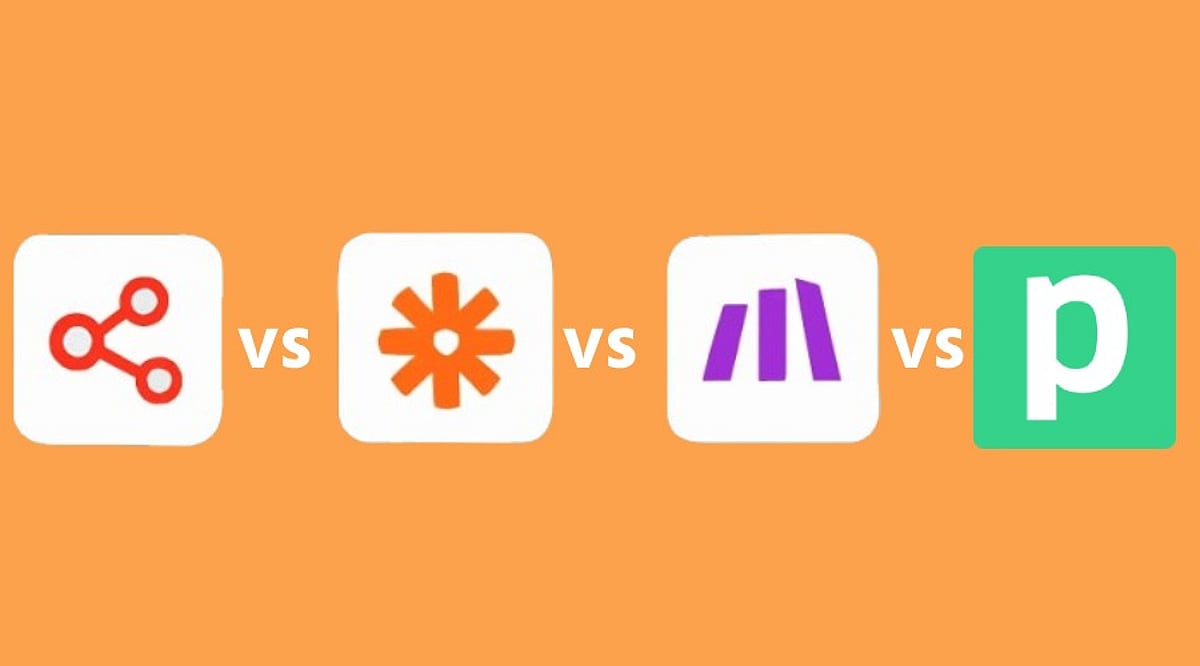
    Choosing the right workflow automation tool has become more complex as platforms evolve beyond simple task automation. Zapier, Make, n8n, and Pipedream now offer distinct strengths in AI, API access, code support, and pricing. This guide breaks down each platform to help you decide based on your team’s technical level, workflow complexity, and scale.

    Key Takeaways

    • Zapier: Best for non-technical teams needing simple automation and extensive SaaS integrations.
    • Make: Ideal for complex visual workflows with branching, conditions, and granular control.
    • n8n: Leads for technical and AI automation, offering self-hosting and execution-based pricing.
    • Pipedream: Excels for developer-focused API and code workflows with compute-time billing.

    Zapier: Ease of Use and Ecosystem

    Zapier remains the go-to for teams that want fast setup and a large app ecosystem. Its strength lies in simple business automation across sales, marketing, operations, and support. Recent updates embed AI by Zapier directly into the Zap editor, combining normal actions, AI decisions, tool calls, filters, and branches in one flow.

    Pricing starts at free (100 tasks/month), then $19.99/month (Professional) and $69/month (Team). Tables, Interfaces, and Zapier MCP are now included in these plans. However, costs can rise at higher volumes, and AI actions may consume tasks at 1x, 3x, or 5x multipliers.

    Make: Visual Control for Complex Workflows

    Make shines when workflows require multiple paths, conditions, and data transformations. Its Scenario Builder provides a clear visual map of connections. With over 3,000 apps and a credit-based pricing model, it suits automation specialists and operations teams.

    Free plan: 1,000 credits/month. Core: $12/month for 10,000 credits. Pro: $21/month for 10,000 credits. Teams: $38/month for 10,000 credits. Enterprise custom. Make also places AI agents inside the Scenario Builder, with visibility into decisions and tool calls. Maia offers conversational workflow creation, and agent memory, AI web search, and human approval are supported.

    n8n: Technical and AI-Focused Automation

    n8n has transformed into an automation engineering platform. Its strengths include code, APIs, databases, AI agents, workflow control, and self-hosting via the Community Edition. Cloud pricing uses workflow executions: EUR 20/month for 2,500 executions, offering value for multi-step workflows.

    A major update on September 9, 2026, introduced n8n Assistant, which creates workflows from natural-language instructions, requests credentials, runs workflows, and finds errors. This reduces n8n’s learning curve significantly.

    Pipedream: Developer-First Integration Layer

    Pipedream focuses on APIs, webhooks, code, and events. JavaScript and Python support custom logic, and Pipedream Connect helps SaaS products embed integrations. Pricing is based on compute time and memory: at 256 MB, one credit covers 30 seconds. Higher memory uses credits faster. Best for software engineers and product teams needing direct API control.

    Which Platform Should You Choose?

    • Non-technical business teams: Zapier – safe, simple, broad SaaS coverage.
    • Complex visual automation: Make – superior branching and visual design.
    • Technical and AI-heavy workflows: n8n – strongest mix of AI, code, self-hosting, and execution pricing.
    • API-first development: Pipedream – ideal for custom code, webhooks, and integration layers.

    No single tool wins across all scenarios. The best choice depends on your workflow type: simple SaaS tasks favor Zapier, complex visual flows favor Make, technical/AI workflows favor n8n, and API-heavy products favor Pipedream.

    Frequently Asked Questions

    Which automation tool is easiest to use?

    Zapier is generally the easiest, especially for non-technical teams.

    Is Make better than Zapier for complex workflows?

    Yes, Make excels at workflows with multiple paths, conditions, and advanced visual logic.

    Is n8n good for AI automation?

    Yes. n8n combines AI agents with APIs, code, databases, and self-hosting, making it strong for technical AI workflows.

    Should developers choose Pipedream or n8n?

    Pipedream is better for API-first development and custom code; n8n offers broader workflow orchestration and self-hosting.

    Which automation platform is best overall?

    There is no universal winner, but n8n leads for technical/AI automation, while Make and Zapier excel in visual control and simplicity respectively.

  • Best AI Automation Tools for Enterprise Workflow Optimization in 2026

    Best AI Automation Tools for Enterprise Workflow Optimization in 2026

    AI automation has become a strategic priority for enterprises seeking to improve operational efficiency, reduce manual effort, and streamline complex business processes. As organizations increasingly adopt AI-powered workflow automation, the market has expanded with a wide range of platforms, each designed to address different operational needs. While many vendors position their solutions as comprehensive automation platforms, they often specialize in specific areas such as workflow orchestration, business process automation, IT operations, or customer service. Understanding these distinctions is essential for enterprises looking to select the right AI automation tool. This guide explores the leading AI automation platforms and examines how they help organizations optimize workflows, enhance productivity, and scale business operations more effectively.

    This Isn’t One Market Only

    The phrase ‘AI automation tool’ gets stretched across products solving fundamentally different problems. No-code SaaS connectors, self-hosted developer platforms, Microsoft-native flows, RPA for legacy software with no API, enterprise-grade orchestration with heavy governance, and AI-native agent builders that make decisions rather than just move data: each is a separate buying decision, and picking the wrong category wastes more time than picking the wrong vendor within the right one.

    Where the No-Code Layer Actually Stands

    Zapier remains the fastest path for non-technical teams, with over 7,000 app integrations and a genuinely approachable interface. Zapier Agents now let multi-step actions run on schedules without a human prompting each one. Make plays a similar role with a more visual, branch-heavy builder, adding an AI orchestration ‘Grid’ for enterprise observability. Both share a real limitation: secret and credential management isn’t centralized across workflows, which becomes a genuine governance headache once an enterprise scales past a handful of automations.

    Why n8n Keeps Coming Up in Every Serious Comparison

    n8n’s position has shifted from ‘developer niche tool’ to default recommendation for any organization that cares about data residency. Its self-hosted model means workflows, including AI calls and custom JavaScript logic, run entirely on infrastructure the enterprise controls. That matters concretely for finance and healthcare teams under GDPR or similar regimes. The honest trade-off: self-hosting means the enterprise owns patching, scaling, and uptime too, not just the workflow logic. Automation tools follow defined workflows and triggers. AI agents can make decisions, adapt to inputs, and handle tasks more dynamically. Confusing the two is one of the most common and expensive mistakes enterprises make when scoping a project.

    RPA Still Matters More Than the Hype Cycle Suggests

    It’s tempting to assume API-first tools have made RPA obsolete. They haven’t, specifically because plenty of enterprise-critical software—legacy claims systems, certain healthcare administration tools, and decades-old finance platforms—still have no usable API. UiPath and Automation Anywhere remain the practical answer there, automating by mimicking how a human clicks and types rather than calling an endpoint. One real-world healthcare scheduling deployment using UiPath robots reportedly cut manual data-entry errors by 99%, a genuinely large number, but one that only applies to this specific category of legacy-bound problem, not general workflow automation.

    Where Each Category Actually Fits

    The best AI automation platform depends on your team’s technical expertise and existing infrastructure. Non-technical teams benefit from Zapier, Make, or an AI-native assistant like Lindy. Technical teams with compliance requirements lean toward n8n. Microsoft-heavy organizations rarely benefit from fighting that gravity: Power Automate fits the existing stack rather than replacing it. And if the actual blocker is legacy software with no API, no amount of modern workflow tooling solves that; only RPA does. Map the process first. The vendor comparison is the easy part.

    Why This Matters

    AI automation is transforming how enterprises operate by reducing repetitive work, improving process accuracy, and enabling employees to focus on higher-value tasks. Selecting the right automation platform helps organizations increase productivity, strengthen governance, accelerate digital transformation, and scale operations while maintaining security and compliance.

    FAQs

    What are AI automation tools?

    AI automation tools help organizations automate repetitive tasks, streamline workflows, and improve operational efficiency using artificial intelligence. They can manage business processes, integrate applications, analyze data, and support decision-making, allowing employees to focus on more strategic and value-driven work.

    Which AI automation tool is best for enterprise businesses?

    The best platform depends on business requirements. Zapier and Make suit no-code automation, n8n offers greater developer control, Power Automate integrates well with Microsoft environments, while UiPath and Automation Anywhere remain strong choices for enterprise robotic process automation.

    What is the difference between AI automation and RPA?

    Robotic Process Automation (RPA) automates repetitive, rule-based tasks by mimicking human actions. AI automation extends these capabilities by enabling systems to analyze information, make decisions, adapt to changing inputs, and automate more complex business workflows intelligently.

    Why do enterprises use AI workflow automation?

    Enterprises use AI workflow automation to reduce manual effort, improve productivity, minimize operational errors, accelerate business processes, and ensure consistent execution. Automation also helps organizations scale operations efficiently while maintaining governance, compliance, and process visibility across departments.

    When should businesses choose RPA instead of workflow automation?

    RPA is the preferred solution when organizations rely on legacy software without modern APIs. Platforms like UiPath and Automation Anywhere automate interactions directly through the user interface, making them ideal for finance, healthcare, insurance, and government systems.

  • Top 7 Codeless AI Platforms Powering Automation and AI Agents in 2026

    Top 7 Codeless AI Platforms Powering Automation and AI Agents in 2026

    Artificial intelligence has undergone a dramatic transformation. While early AI systems could answer questions or generate text and images, today’s AI can complete entire business tasks independently—managing operations, responding to customers, and executing workflows with minimal human intervention. This shift has made codeless AI platforms one of the fastest-growing segments in technology.

    Industry reports project the global no-code and low-code AI market to exceed $78 billion in 2026. Businesses are increasingly adopting platforms that allow them to build AI systems without writing code. These tools enable the creation of chatbots, automation of daily tasks, deployment of AI agents, and integration of software through intuitive visual interfaces. Below are the leading platforms dominating this ecosystem.

    Zapier Leads Everyday AI Automation

    Zapier remains a dominant force in automation, serving over 3.8 million users and integrating with more than 8,000 applications. Its most significant 2026 update is the new AI Actions system, which allows AI models to understand instructions and execute multi-step business tasks automatically. For instance, AI can now sort customer leads, send emails, update CRM systems, and handle onboarding without manual configuration. Its simplicity and extensive app network make Zapier a top choice for startups and small businesses seeking quick, code-free automation.

    n8n Becomes Popular for Advanced AI Agents

    n8n has rapidly grown among AI automation platforms, offering deeper control over AI system operations compared to typical no-code tools. Research analyzing over 6,000 public AI workflows on n8n reveals that many developers use it to create autonomous AI agents capable of decision-making, memory, API integration, and complex task completion without oversight. Its open-source nature allows companies to self-host, providing full control over their AI infrastructure—making it highly attractive to advanced builders and enterprise teams.

    Make Strengthens Visual AI Workflow Systems

    Make continues to excel as a visual automation platform, distinguished by its drag-and-drop interface that lets users connect apps and build automated systems without technical expertise. Its latest update introduces smarter AI workflow creation: users can describe a task, and the platform automatically generates the corresponding workflow. Many companies now leverage Make for content production, customer support, internal operations, and digital marketing, enabling non-technical teams to harness automation easily.

    Workato Dominates Large Enterprise Automation

    Workato remains a powerhouse for enterprise automation, particularly favored by large organizations for handling complex internal operations at scale. In 2026, the company has emphasized agentic AI systems that can perform tasks across finance, HR, procurement, and customer support without constant employee supervision. Numerous Fortune 500 companies rely on Workato for its robust security, enterprise integrations, and advanced automation infrastructure.

    Bubble Expands into AI App Development

    Originally a no-code website builder, Bubble has transformed into a broader AI ecosystem. Users can now build complete AI-based software products without traditional programming. Startups especially appreciate Bubble for its speed in product launch. Builders are using it for SaaS platforms, AI marketplaces, chatbot systems, and customer-facing applications, cementing Bubble’s role in the growing AI software market.

    Microsoft Power Automate Grows Inside Enterprise AI

    Microsoft has significantly enhanced Power Automate, driven by deeper integration with Microsoft Copilot and the larger Microsoft business ecosystem. Companies can now automate office work, manage reports, handle repetitive tasks, and connect AI assistants directly with corporate software. Large enterprises continue to choose Microsoft for its strong security, robotic process automation, and seamless integration with existing business tools.

    Meta Pushes AI Business Agents Forward

    Meta has introduced a new enterprise AI business agent system designed to automate customer conversations across WhatsApp, Instagram, and Messenger. The system can answer queries, handle bookings, qualify leads, and manage sales conversations automatically. Reports indicate over one million businesses have tested earlier versions, underscoring how quickly autonomous AI systems are entering the mainstream.

    The Big AI Trend of 2026

    The most significant shift is the rise of agentic AI systems. Unlike traditional chatbots that only respond when asked, modern AI systems now act independently—connecting with external tools, making decisions, and executing entire workflows with minimal manual control. Industry experts predict that by the end of 2026, more than 65% of enterprise automation projects will incorporate AI agents instead of conventional rule-based systems.

    Codeless AI ecosystems have evolved far beyond simple productivity tools. They now form the foundation of how businesses build, operate, and scale technology in the artificial intelligence era.

    Frequently Asked Questions

    1. What is Codeless AI?

    Codeless AI refers to platforms that allow users to create AI tools, automation systems, and chatbots without writing code.

    2. Why is Zapier popular in AI automation?

    Zapier connects over 8,000 apps and helps automate business tasks using AI-powered workflows.

    3. What makes n8n different from other automation tools?

    n8n offers open-source flexibility and allows creation of advanced AI agents with deeper workflow control.

    4. How are AI systems changing businesses in 2026?

    AI systems now handle customer support, automate operations, manage workflows, and reduce manual work.

    5. Why are businesses moving toward codeless AI platforms?

    These platforms save development time, reduce costs, and make advanced automation accessible without technical expertise.

  • Top AI Workflow Orchestration Platforms for Scaling Enterprises in 2026

    Top AI Workflow Orchestration Platforms for Scaling Enterprises in 2026

    Overview

    Choosing the right AI workflow orchestration tool is essential for scaling enterprise AI systems. This guide compares leading platforms, including Temporal, LangGraph, n8n, Microsoft Agent Framework, Airflow, and Dagster, to help organizations build reliable, efficient, and production-ready AI workflows in 2026.

    Understanding AI Workflow Orchestration

    Artificial intelligence workflow orchestration has become a critical capability for enterprises seeking to scale AI-driven operations. However, the term ‘AI workflow orchestration’ encompasses several distinct functions, including scheduled data pipelines for machine learning models, durable execution of long-running business processes, and orchestration frameworks that coordinate AI agents and decision-making workflows. Each serves a different purpose and requires specialized tools, making it essential for organizations to understand their specific requirements before selecting a platform.

    AI orchestration tooling is projected to grow from roughly $14 billion in 2026 to over $60 billion by 2034. That growth is pulling in a lot of tools that are good at one layer of the problem and are being marketed as though they solve it all. Understanding these differences is key to selecting the right orchestration tool for scalable, reliable, and efficient enterprise AI deployments.

    The Question to Ask Before Picking a Tool

    If you can draw the flowchart in advance, you need a workflow orchestrator. If the model decides the next step, you need an agent framework. Most production systems need far less of the second category than the demos on offer would suggest, and conflating the two is exactly where teams get into trouble, asking a scheduler to behave like a runtime, or an agent framework to behave like a database.

    Temporal: The Default for Durability

    Temporal is no longer thought of as just backend infrastructure. It is now the standard answer for what practitioners call durable agent execution. This agent waits three days for human approval and must survive a server restart without losing its place. OpenAI reportedly uses Temporal in production for Codex specifically because it handles state persistence that raw agent frameworks struggle with at real scale.

    The honest limitation: Temporal requires deterministic workflow code, and non-deterministic LLM behavior needs workarounds to fit inside that model. It is not, on its own, built to trace token costs, prompt quality, or which inputs produced a bad output.

    LangGraph: Owns the Agent Reasoning Layer

    Where Temporal stops, LangGraph tends to start. It models agents as explicit state graphs — nodes, edges, checkpointing, human-in-the-loop interrupts — which matches how agentic reasoning actually behaves far better than a generic scheduler does. LangGraph Studio’s time-travel debugging is increasingly seen as the feature that separates a production-ready setup from a prototype, because it shows you why an agent failed, not just that it failed.

    The catch is scope. LangGraph orchestrates the reasoning loop. It is not the system of record for durability across deploys, and most serious production guidance now treats it as one half of a pair rather than a complete answer on its own.

    The two-layer pattern — Temporal handling macro-orchestration, an agent framework handling the reasoning loop inside it — is emerging as the production standard. It is not always necessary, but when you need it, nothing else offers the same combination of agent-native abstractions and infrastructure-grade durability.

    Where the Other Tools Fit

    Platforms like n8n, Microsoft Agent Framework, Airflow, and Dagster each serve specific orchestration needs. n8n excels at low-code automation for connecting services, while Airflow and Dagster are designed for batch data pipelines. Microsoft Agent Framework is tailored for building conversational AI agents within the Microsoft ecosystem. Understanding these niches helps organizations avoid the trap of forcing one tool to do everything.

    The Decision That Actually Matters

    Most teams in trouble right now picked one tool and tried to make it do everything. The pattern that is actually working in production is boring on purpose: a data orchestrator for the batch side, a durable execution engine for anything business-critical and long-running, and a thin agent loop handling the model-decided parts; each tool doing the one job it was built for, instead of one tool stretched across three different failure models.

    Pick based on which of the three problems is actually costing you money today. The vendor with the most impressive demo is rarely the right starting point.

    Why This Matters

    As organizations deploy AI across business operations, selecting the right orchestration platform has become critical. Using the appropriate tools for workflow automation, durable execution, and AI agent coordination improves reliability, scalability, operational efficiency, and long-term maintainability while reducing deployment risks and infrastructure costs.

    Frequently Asked Questions

    What is AI workflow orchestration?

    AI workflow orchestration is the process of coordinating AI models, data pipelines, business logic, and automation tasks to execute reliably. It ensures different systems work together efficiently while managing dependencies, long-running processes, failures, and human approvals across enterprise environments.

    Which AI workflow orchestration tool is best for enterprise applications?

    The ideal platform depends on the workload. Temporal is widely used for durable execution, LangGraph excels at AI agent reasoning, while Airflow, Dagster, n8n, and Microsoft Agent Framework serve different orchestration needs across enterprise AI deployments.

    What is the difference between Temporal and LangGraph?

    Temporal focuses on reliable execution of long-running workflows and business processes, while LangGraph manages AI agent reasoning, branching logic, checkpointing, and human-in-the-loop interactions. Many enterprise systems use both platforms together for production AI applications.

    Can one orchestration platform handle every AI workflow?

    Not usually. Most enterprise AI systems combine multiple platforms, using one tool for data pipelines, another for durable workflow execution, and another for AI agent reasoning. This layered approach improves scalability, reliability, and operational flexibility.

    Why is durable execution important for AI applications?

    Durable execution allows workflows to survive server failures, software updates, long approval cycles, and infrastructure interruptions without losing progress. This capability is essential for financial transactions, healthcare workflows, customer service, and other mission-critical enterprise processes.