Tag: natural language processing

  • Microsoft Unveils Revamped Copilot: AI Agents, Office Integration, and Code-Building Tools

    Microsoft Unveils Revamped Copilot: AI Agents, Office Integration, and Code-Building Tools

    Microsoft has launched a significantly updated version of its Copilot platform, integrating AI agents, enhanced Office capabilities, and a new code-building feature into a unified experience. The company positions this revamped Copilot as a central hub where users can ask questions, delegate complex tasks, create documents, and develop small software solutions using natural language.

    New Copilot Home Experience

    The update introduces three core capabilities: Home, Code, and Autopilot. Home merges Chat and Cowork into a single starting point, streamlining user interaction. Chat handles questions, lookups, and drafting, while Cowork manages multi-step tasks and delivers completed outcomes. Microsoft plans for Copilot to intelligently route requests to the appropriate mode—Chat, Cowork, or Code—without manual selection.

    Office functionality within Copilot enables users to create and edit Word documents, Excel workbooks, and PowerPoint presentations directly through the interface. Files remain editable and stay synchronized with their corresponding Microsoft 365 applications.

    Code Feature Empowers Non-Developers

    Microsoft’s new Code feature targets non-developers, allowing them to build purpose-built software by describing an app, tracker, dashboard, or workflow in natural language. Under the hood, Code leverages the same technology as GitHub Copilot and operates in a sandboxed environment. Solutions can include desktop widgets, interactive dashboards, and cloud-hosted internal applications.

    Code enters Microsoft’s Frontier program at the end of the month, with broader rollout in subsequent weeks. A preview is also scheduled for Microsoft 365 Premium and Pro subscribers later this year.

    Autopilot: Persistent AI Agent

    Autopilot (formerly Scout) is Microsoft’s persistent agent that continues working after a user assigns a goal. Users can name, role, and objective the agent, after which it monitors channels, follows up on conversations, and handles recurring tasks. The agent lives in the cloud with its own identity, memory, and workspace within an organization’s tenant. It works across Teams, Outlook, chats, channels, and documents, subject to permissions and auditing. Autopilot enters private preview at the end of September.

    Expanded Business Data and Spending Controls

    Microsoft is expanding Copilot’s access to business context through Microsoft IQ. Fabric IQ brings data from Power BI semantic models into Copilot, and integration with Dynamics 365 and Power Platform is planned for public preview. A new plugin registry consolidates Microsoft, partner, and custom plugins into one catalog for central admin approval.

    FinOps capabilities help manage AI spending. A user subscription license covers Copilot across Word, Excel, PowerPoint, Outlook, and Teams, with usage-based billing for Cowork, Code, and Autopilot. New administrative controls let organizations manage spending policies, model availability, and credit requests.


  • How AI-Enhanced ERP Systems Streamline Operations and Boost User Productivity

    How AI-Enhanced ERP Systems Streamline Operations and Boost User Productivity

    ERP software has become essential for managing finance, procurement, inventory, HR, sales, manufacturing, and other core business operations. But while traditional ERP systems bring business processes together, users can still spend significant time navigating menus, searching for records, preparing reports, entering data, and following up on routine tasks.

    AI in ERP is changing how users interact with business software. Instead of making employees learn complex processes to get simple things done, AI allows them to communicate with ERP systems using natural language, automate repetitive workflows, generate reports through prompts, and access insights across departments.

    ZYNO by Elite Mindz takes this approach further with a prompt-based ERP designed to make everyday business operations simpler, faster, and more intelligent.

    What Is AI in ERP?

    AI in ERP refers to integrating artificial intelligence capabilities such as natural language processing, generative AI, machine learning, predictive analytics, and intelligent automation into enterprise resource planning systems. Traditional ERP systems generally require users to follow predefined navigation paths and workflows. AI-powered ERP systems can understand user intent, analyse business data, automate defined processes, and provide relevant information in a more conversational way.

    The difference is simple:

    • Traditional ERP: Find the module → open the screen → apply filters → retrieve information.
    • AI-powered ERP: Ask what you need → get the relevant information → take action.

    This shift can make ERP software easier to use for employees across finance, procurement, HR, operations, and management.

    How AI in ERP Makes Users’ Lives Easier

    1. Talk to Your ERP in Natural Language

    One of the biggest advantages of AI in ERP is conversational interaction. Users do not always need to remember where a particular report or record is located. With ZYNO Smart ERP Assistant, they can ask questions in simple language and receive answers based on live ERP data. For example: “Show pending purchase approvals above ₹5 lakh.” “What is our current inventory level?” “Give me a summary of this month’s expenses.”

    2. Generate Reports Through Prompts

    Report generation is an everyday requirement for business teams, but preparing customised reports can involve manual data collection, filtering, formatting, and cross-checking. ZYNO’s Report Generation Through Prompts allows users to describe the report they need in plain language. AI can then compile structured reports from real-time ERP data. For example: “Create a monthly sales report by region and highlight declining sales.”

    3. Automate Repetitive Workflows

    Approvals, notifications, status updates, and routine data-entry activities can take up a considerable amount of employees’ time. ZYNO AI Workflow Automation helps automate repetitive processes across departments based on defined business rules. This reduces the number of routine follow-ups employees need to manage.

    4. Connect Information Across Departments

    Businesses rarely operate in isolated departments. A procurement decision can affect inventory, which affects production, which affects finance. ZYNO’s Cross-Module Data Intelligence connects information across areas such as finance, inventory, HR, and procurement, allowing users to access consolidated information instead of switching between separate module-specific reports.

    5. Get Real-Time Business Insights

    AI can make ERP dashboards more than static collections of numbers. ZYNO AI-powered dashboards provide a unified view of business performance with insights that update as underlying data changes. This helps managers identify changes, monitor KPIs, and respond to operational issues more quickly.

    6. Simplify Procurement and Invoice Processing

    AI can also simplify specific ERP processes. With ZYNO Prompt-Based Purchase Requisitions, users can describe their purchasing requirements in natural language. AI converts the request into a structured requisition. Similarly, AI Invoice Verification supports invoice processing by helping verify information against relevant business records.

    Key AI Features in ZYNO ERP

    • Smart ERP Assistant: Ask questions and retrieve business information using natural language.
    • Prompt-Based Report Generation: Create structured reports by simply describing what you need.
    • AI Workflow Automation: Automate approvals, notifications, status updates, and routine processes.
    • Cross-Module Data Intelligence: Connect information across finance, procurement, HR, inventory, and other functions.
    • AI-Powered Dashboards: Get real-time visibility into business performance.
    • Prompt-Based Purchase Requisitions: Create structured purchase requests without navigating lengthy forms.
    • AI Invoice Verification: Use AI to support invoice checking and verification.
    • AI-Powered Insights: Surface relevant information from business data to support faster decisions.

    Together, these capabilities move ERP beyond traditional transaction processing toward a more intelligent and user-friendly business platform.

    The real impact of AI in ERP is not just automation. It is simplification. Employees should not need extensive system knowledge to answer a basic business question. Managers should not have to wait for manually compiled reports. Teams should not spend unnecessary hours following up on routine workflows. With ZYNO, users can interact through prompts, access connected data, generate reports, and automate workflows from a conversational interface. The future of ERP is about making powerful business technology easier to use.

  • AI Shopping Assistants Transform Product Comparison: How They Work and Why Shoppers Love Them

    AI Shopping Assistants Transform Product Comparison: How They Work and Why Shoppers Love Them

    Online shopping used to mean opening multiple browser tabs, manually comparing spec sheets, and scrolling through hundreds of reviews. That process is changing fast. AI shopping assistants now handle most of the legwork, letting shoppers describe what they want in plain language and receive a shortlist within seconds. From tools built into ChatGPT and Gemini to dedicated retail assistants like Amazon’s Rufus, this shift is reshaping how people discover and compare products online.

    How AI Shopping Assistants Compare Products

    An AI shopping assistant combines natural language understanding with access to large, real-time product databases. Instead of typing a short keyword like “running shoes,” a shopper can describe something specific, such as “trail shoes under $150 for wide feet that handle wet roads well.” The assistant then reads through structured product data, price listings, and verified reviews to match those exact requirements. According to McKinsey’s ConsumerWise survey, 62 percent of consumers have already used AI to compare brands, models, prices, or reviews while shopping — showing this behavior has moved well past early adopters.

    Review Synthesis Makes Comparison Faster

    One of the most useful features is the ability to turn thousands of scattered reviews into a short, readable summary. Rather than reading through pages of comments, a shopper gets a quick breakdown of common pros and cons across verified buyers. This addresses a real problem: fake or misleading reviews have long made comparison shopping harder than it should be. By pulling only from verified purchase data, assistants give a more honest picture of how a product actually performs, cutting down the guesswork that used to come with trusting online reviews blindly.

    From Browsing to Describing

    Traditional shopping relied on filters, categories, and keyword searches, putting the burden of comparison entirely on the shopper. AI assistants flip that model. A person can simply describe their situation — like needing a warm coat for a cold winter — and the assistant narrows down options based on material, price, and delivery timelines. Adobe Analytics reported that AI-referred traffic to retail sites grew 138 percent year over year as of May 2026, a clear sign that more shoppers are starting their search inside a chat window rather than a search bar.

    Why This Shift Benefits Everyday Shoppers

    The biggest advantage is time saved and better decision confidence. Bain reported that 30 to 45 percent of U.S. consumers now use generative AI for product research and comparison, and Adobe’s own consumer survey found that 85 percent of people who tried AI shopping assistants said it improved their experience. Beyond convenience, these tools reduce the anxiety of picking the wrong product, since the comparison work now happens instantly instead of over multiple browsing sessions spread across days.

    What This Means for Brands and Retailers

    This shift also changes what brands need to focus on. Assistants can only recommend products they can clearly understand, which means clean, structured product data matters more than ever. A brand with strong pricing and good reviews can still lose visibility if its product information is not easy for an AI system to read and compare. This has pushed many e-commerce brands to rework how they present specifications, pricing, and reviews, since ranking well in traditional search no longer guarantees a spot in an AI-generated shortlist.

    AI shopping assistants have turned product comparison from a time-consuming chore into a quick conversation, letting shoppers describe what they need and get a trustworthy shortlist within seconds. As adoption grows across major platforms, this shift is fast becoming the new starting point for how people shop online.

    Frequently Asked Questions

    How do AI shopping assistants compare products?

    They read structured product data, pricing information, and verified reviews, then match all of it against a shopper’s specific requirements, like budget or size, to generate a shortlist.

    Are AI shopping assistant recommendations trustworthy?

    Most reputable assistants pull only from verified purchase data and real-time pricing, which makes recommendations more reliable than manually sifting through unverified reviews. Still, it helps to double-check final details before buying.

    Which platforms currently offer AI shopping assistants?

    ChatGPT Shopping, Google Gemini, Perplexity, and Amazon Rufus are among the most widely used AI shopping assistants right now, each pulling from slightly different data sources.

    Do AI shopping assistants cost anything to use?

    Most consumer-facing assistants, like those built into ChatGPT or Amazon, are free to use for shoppers. Businesses that build dedicated shopping assistants for their own stores may pay for the underlying technology.

    Can AI shopping assistants complete a purchase?

    Some advanced assistants now support this, handling checkout and even comparing shipping across multiple retailers. However, most assistants today are still focused mainly on research and comparison rather than completing transactions.

  • Master Visual Paradigm AI Chatbot for AI-Powered Diagram Creation in 2026

    Master Visual Paradigm AI Chatbot for AI-Powered Diagram Creation in 2026

    Visual Paradigm’s built-in AI chatbot revolutionizes the way you create diagrams. By simply describing your ideas in natural language, you can generate professional flowcharts, UML diagrams, ER diagrams, mind maps, and more—saving hours of manual work. This guide walks you through the key features and best practices for leveraging this AI assistant in 2026.

    Getting Started with the AI Chatbot

    Launch the integrated AI assistant from Visual Paradigm to start generating diagrams, answering design queries, and automating documentation. The chatbot understands plain English descriptions, so you can focus on your process rather than the tool.

    Writing Effective Prompts

    To get accurate diagrams, describe your software, workflow, or business process clearly. The better your prompt, the more precise the output. For example, instead of “show a login flow,” say “create a flowchart for user login with steps: enter email, validate credentials, redirect to dashboard, and error handling.”

    Flowcharts

    Create professional flowcharts instantly by explaining the process steps. This reduces manual drawing while improving consistency and collaboration across teams. The AI interprets your narrative and lays out the flowchart automatically.

    UML Diagrams

    Generate use case, class, sequence, activity, and component diagrams with AI assistance. Ideal for software planning and system documentation, the chatbot can turn verbal descriptions into standard UML notation.

    ER Diagrams

    Build database entity relationship diagrams by describing tables, relationships, and attributes. This helps developers quickly design structured database models without drawing every box manually.

    Mind Maps

    Convert brainstorming ideas into organized mind maps. The AI suggests branches and sub-topics based on your initial input, simplifying planning, project discussions, and knowledge visualization.

    Editing Tools

    Refine AI-generated diagrams with drag-and-drop editing, formatting controls, and reusable templates. You can polish the output for professional presentations and documentation without starting from scratch.

    Collaboration

    Share AI-created diagrams with teammates, collect feedback, track revisions, and collaborate in real time across distributed project environments. This keeps everyone aligned on design and process.

    Export Options

    Save your diagrams as PDF, PNG, SVG, or editable project files for use in presentations, documentation, client meetings, and software development workflows. The flexibility ensures your diagrams fit any context.

    By integrating Visual Paradigm’s AI chatbot into your workflow, you can accelerate diagram creation, improve accuracy, and free up time for higher-level design thinking.

  • AI Assistants Revolutionize the In-Car Experience: From Voice Commands to Natural Conversations

    AI Assistants Revolutionize the In-Car Experience: From Voice Commands to Natural Conversations

    The era of frustrating voice commands in cars is ending. Major automakers are replacing rigid rule-based systems with conversational AI assistants powered by large language models (LLMs). This shift promises to transform vehicles from mere transportation into intelligent digital companions.

    The in-car voice assistant market is projected to grow from $3.27 billion in 2026 to $5.49 billion by 2029, at a compound annual growth rate of 13.9%, according to The Business Research Company. This growth is fueled by new capabilities and fierce competition among automakers to secure the best AI partners.

    From Rigid Commands to Natural Conversation

    Traditional voice assistants required memorized phrases and often failed. Modern LLM-based systems understand context, prioritize results, and handle multi-step requests. For example, a driver can say, “Take me to the nearest coffee shop and text my mom I’ll be late,” then follow up with, “Actually, make it one with outdoor seating,” without repeating context.

    This capability depends on a pipeline of technologies: Automatic Speech Recognition (ASR), Natural Language Understanding (NLU), and real-time data from maps, weather, charging-station APIs, and vehicle sensors. For EV owners, this means asking about a nearby fast charger and receiving live availability, pricing, and operating hours in one exchange.

    Major Automaker-AI Partnerships Reshaping Dashboards

    Automakers are choosing different AI partners:

    • General Motors integrates Google’s Gemini into Buick, Chevrolet, Cadillac, and GMC vehicles with “Google built-in,” leveraging its OnStar network. Nearly four million cars in the US are affected.
    • Mercedes-Benz incorporates ChatGPT via Microsoft Azure OpenAI Service into its MBUX Voice Assistant, enabling open-ended question answering with Bing search.
    • BMW integrates Amazon’s Alexa+ into its Intelligent Personal Assistant, launching with the new iX3 at CES 2026 and expanding to 40 models by 2027.
    • Tesla uses xAI’s Grok.
    • Stellantis partners with French AI company Mistral.
    • Lucid teams up with SoundHound.

    Each approach is unique: GM uses its connectivity history to scale Gemini; BMW focuses on continuity across devices; Mercedes emphasizes knowledge depth. No single standard has emerged.

    What These Assistants Can Actually Do Behind the Wheel

    Beyond trivia, these systems perform context-aware tasks. BMW’s Alexa+ can adjust cabin temperature and find Italian restaurants along a route from a single sentence. Mercedes partners with Liquid AI to run parts of the assistant on-device for low-latency responses. GM envisions a future where drivers ask specific questions about vehicle parts and systems, answered by an assistant fine-tuned on proprietary data. Some automakers layer assistants over driver-assistance functions, allowing voice control of driving modes, diagnostics, and maintenance alerts.

    Real Challenges Behind the Conversational Upgrade

    LLMs can hallucinate, producing confident but incorrect answers—problematic for navigation or safety. Most systems rely on cloud connectivity, introducing latency and failure in poor signal areas (hence on-device processing experiments). Data privacy concerns have grown, prompting GM to commit to opt-in consent and no data selling. Driver reception is mixed; some worry about accidental activation or unwanted processing of everyday conversations. Automakers emphasize that microphones require explicit wake words or button presses, and core functions work without linking AI accounts.

    Where In-Car AI Goes From Here

    The current wave is a stepping stone. GM’s Gemini rollout is interim; a proprietary OnStar-trained assistant is planned. Automakers are linking conversational AI to advanced driver-assistance systems, predictive maintenance, and autonomous driving. As competition among Google, OpenAI, Amazon, xAI, and Mistral plays out across dashboards, cars become connected devices in a digital ecosystem. Over-the-air updates will allow continuous improvement, unlike traditional fixed infotainment systems. The next two to three years will reveal whether this leads to safer, more useful driving companions or more sophisticated distractions.

  • Why Data-Driven Enterprises Must Refine AI-Generated Language for Human Impact

    Why Data-Driven Enterprises Must Refine AI-Generated Language for Human Impact

    The integration of Large Language Models into enterprise infrastructure has fundamentally transformed data processing, automated reporting, and corporate communications. In today’s data-driven ecosystem, organizations are leveraging these sophisticated models to make sense of massive amounts of unstructured data and translate it into actionable insights at unprecedented speeds. From real-time financial analytics dashboards to comprehensive predictive market reports, artificial intelligence is changing the speed of information distribution at its core.

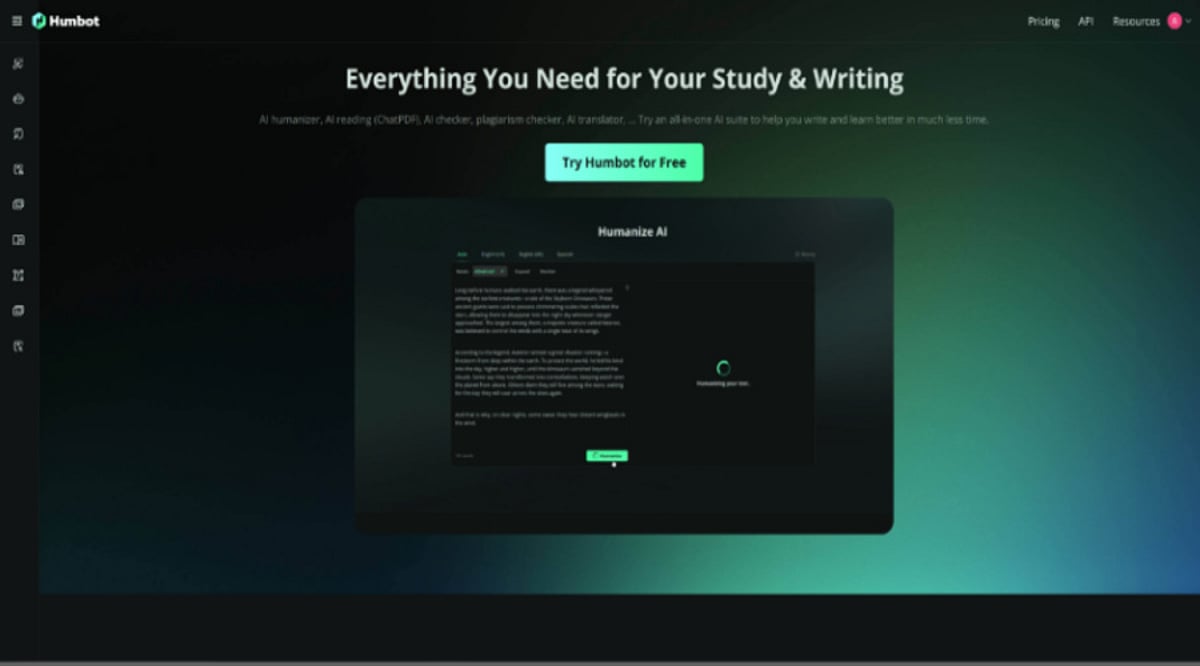
    As the initial novelty of rapid text generation wears off, data scientists and Chief Data Officers (CDOs) are facing a major qualitative hurdle. The output of language models is mathematically efficient, unfiltered, and unedited, but it often lacks the contextual nuance, empathetic tone, and rhythmic variance of natural human thought. To ensure that automated reports and executive briefings actually resonate with their intended human audiences, technology leaders are realizing that it is no longer sufficient to simply generate text at scale. Instead, they must actively deploy secondary Natural Language Processing (NLP) frameworks to humanize AI outputs, effectively bridging the critical gap between statistical probability and genuine human cognition.

    At its core, this qualitative issue stems from the fundamental architecture of generative models. LLMs operate on a predictive, probabilistic basis, calculating and selecting the next most likely token based on massive training datasets. From a data science perspective, this results in highly uniform, low-entropy output. In enterprise applications like automated data storytelling, business intelligence reporting, and client-facing analytics, this rigid syntactical structure becomes highly problematic.

    When text lacks the “burstiness”—the natural variation in sentence length, structural pauses, and conversational cadence—that characterizes authentic human writing, it inevitably triggers cognitive fatigue in the reader. The underlying data and analytical insights might be perfectly accurate, but the delivery mechanism is fundamentally flawed. This algorithmic predictability not only diminishes reader engagement but also raises valid concerns about the homogenization of corporate intelligence. When every enterprise utilizes similar foundational models, the unique brand voice and authoritative edge of the company are quickly lost in a sea of synthetic uniformity.

    In response to this influx of synthetic text, the broader technology industry has witnessed a rapid proliferation of digital auditing and verification tools. Today, it has become standard compliance protocol for enterprise governance teams, academic research institutions, and digital publishers to process incoming documents through a specialized AI checker to evaluate the origin of the content. These diagnostic algorithms are engineered to analyze the perplexity and structural predictability of a given text, searching for the unmistakable mathematical watermark of a machine.

    While these auditing tools are essential for maintaining data integrity, mitigating algorithmic bias, and ensuring transparency, they ultimately represent an incomplete solution. They serve merely as a diagnostic boundary rather than a developmental bridge. Knowing that an automated earnings report or a market analysis draft sounds robotic does not solve the underlying communication deficit. Furthermore, highly technical writing, such as data science whitepapers, often triggers false positives in these systems due to their naturally rigid structures. The enterprise challenge, therefore, is not merely to detect machine-generated text, but to actively refine it into a format that is virtually indistinguishable from expert human analysis.

    To address this critical limitation, the focus within the enterprise AI sector has shifted toward sophisticated structural refinement. The goal is to move far beyond the superficial replacement of vocabulary—a hallmark of early-generation text spinners that often destroyed contextual accuracy—and focus instead on the deep semantic restructuring of the text. By algorithmically introducing the natural cognitive friction, pacing variations, and empathetic tone found in genuine human communication, these advanced systems can effectively recalibrate synthetic drafts. This critical transformation ensures that the final narrative accurately conveys the underlying data without alienating the human reader on the receiving end.

    This necessary paradigm shift is giving birth to an entirely new layer of mission-critical enterprise software. Platforms designed for advanced linguistic recalibration are quickly becoming integral parts of the modern data pipeline. These tools serve as an invisible editorial and polish layer that lets organizations harness the immense computational scale and speed of generative AI while fiercely protecting the authentic, authoritative voice of their brand.

    With artificial intelligence becoming increasingly involved in every aspect of business intelligence, data analytics, and corporate activity, the biggest competitive advantage will not be solely in speed of generation. It will be the exclusive property of enterprises that master the integration of advanced refinement technologies, keeping their automated insights deeply, engagingly, and persuasively human.

  • Two LLMs Team Up to Help Robots Interpret Vague Instructions and Prioritize What Matters

    Two LLMs Team Up to Help Robots Interpret Vague Instructions and Prioritize What Matters

    Researchers at MIT’s Computer Science and Artificial Intelligence Laboratory (CSAIL) have developed a new method that uses two large language models (LLMs) to help robots understand ambiguous instructions and focus on key details. The approach, called Masked Inverse Reinforcement Learning (Masked IRL), reduces the amount of demonstration data needed to teach a robot by nearly five times, while improving the robot’s ability to infer unspoken user preferences.

    Traditional robot training often requires either extensive physical demonstrations or detailed written instructions. Masked IRL automates the process: first, one LLM clarifies ambiguous prompts (e.g., turning “stay close” into “stay close to the surface of the table”) by comparing a user’s demonstration trajectory to the shortest possible path. Then a second LLM evaluates the environment and “masks” irrelevant details – such as a person leaning on a table – while highlighting critical ones like obstacles to avoid. The robot then uses these prioritized details to generate a safe motion plan.

    In experiments, the system correctly identified unstated user preferences up to 15 percent more often than comparable baselines. Real-world tests showed a robotic arm successfully moving a coffee mug around a laptop, wiping a table while “staying close” to it, and handing a user a bag of chips while “staying away” from both the person and the table – all after fewer than 50 kinesthetic demonstrations.

    The team plans to enhance Masked IRL with camera input, allowing robots to visually focus on relevant objects in dynamic environments. The work was supported by the Tata Group via the MIT Generative AI Impact Consortium Award and the Department of Defense, and will be presented at the 2026 IEEE International Conference on Robotics and Automation.