
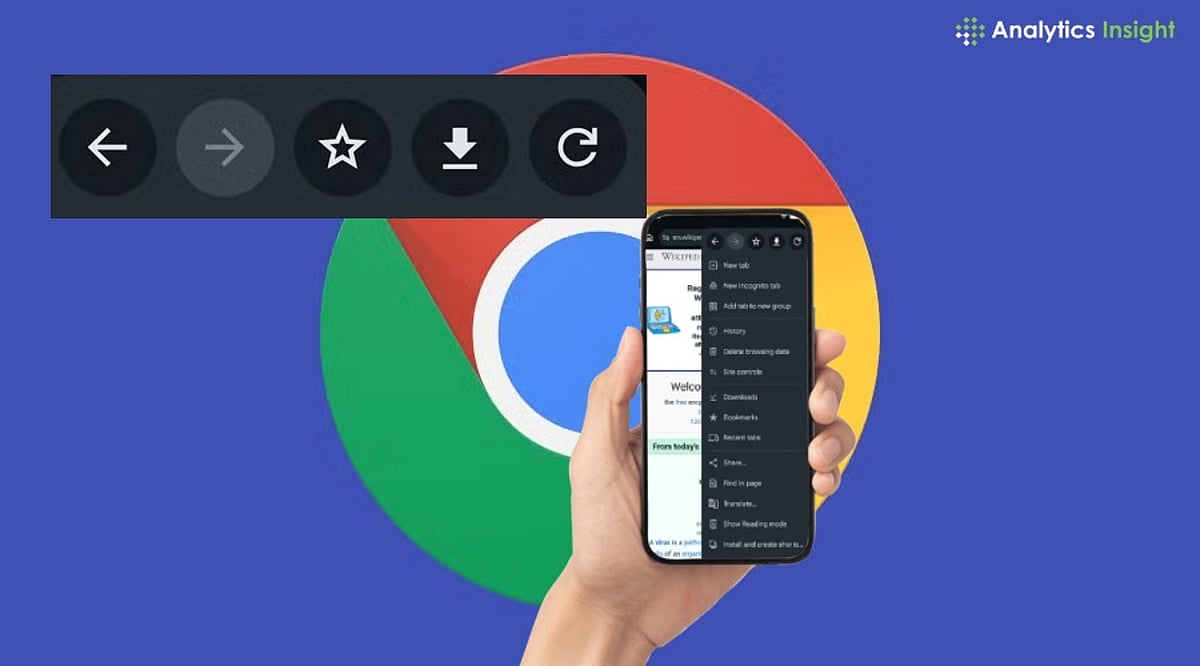
Google has finally answered one of the most persistent user requests for Chrome on Android. With the release of Chrome 150, the browser now includes a dedicated Back button in its three-dot overflow menu, giving users an alternative to relying solely on Android’s system back gesture or navigation bar.
Until now, Android users could only navigate backward using the device’s built-in controls, while the Forward button was already present in Chrome’s menu. This asymmetry has been a common complaint for years. Chrome 150 corrects this by placing a Back button directly next to the Forward button, aligning the Android experience with the version already available on iOS.
The new Back button is part of a broader overhaul of Chrome’s overflow menu. Google has removed the traditional Info button and replaced it with a Site controls option that provides quick access to website permissions and settings. Additionally, the ‘Add to Home screen’ option has been renamed to ‘Install’ and ‘Create Shortcut,’ reflecting its dual function: installing supported web apps or creating simple website shortcuts.
While the redesigned menu may take some getting used to, Google says the changes are intended to make frequently used features easier to find. The update is rolling out gradually via the Google Play Store for Android phones and tablets, so users can expect to see the new interface over the coming days.
Although Chrome 150 doesn’t introduce major new features, the improvements focus on usability. The dedicated Back button is designed to simplify one-handed navigation, reducing dependence on Android’s system-level controls.